App / Web Design Prompts

Explore App / Web Design Prompts with original prompts and examples on Astorie.

探索提示词

244 条提示词

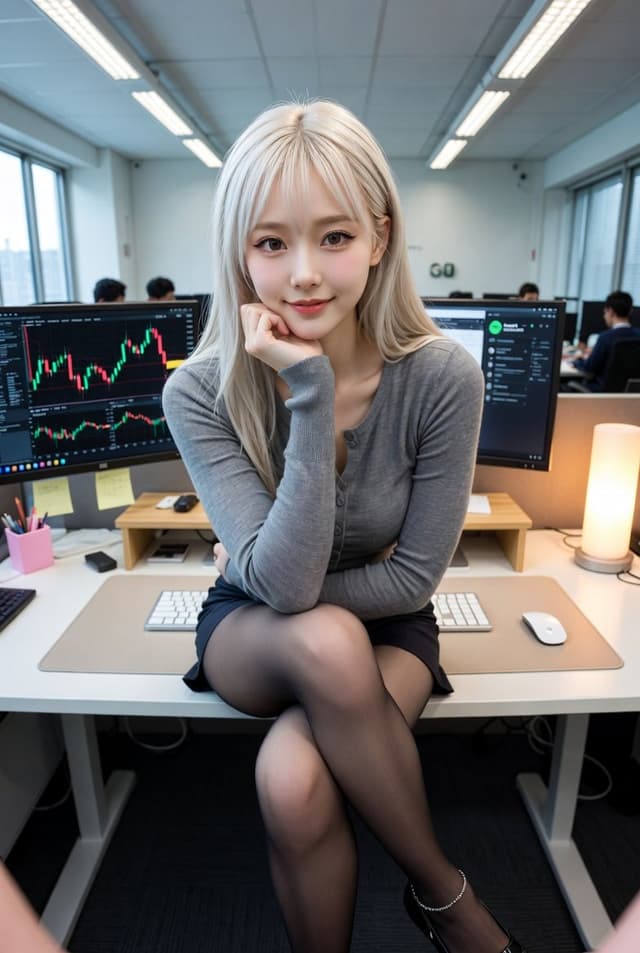
Corporate Office Trading Floor Selfie Prompt — output

Corporate Office Trading Floor Selfie Prompt

YouMindNano Banana Pro
{
  "subject": {
    "gender": "female",
    "ethnicity": "East Asian",
    "hair": {
      "color": "platinum blonde",
      "style": "long, straight, with light bangs",
      "texture": "silky"
    },
    "facial_features": {
      "expression": "gentle smile, confident gaze",
      "makeup": "natural, winged eyeliner, soft pink lip tint",
      "pose": "sitting, hand under chin, legs crossed"
    },
    "clothing": {
      "top": "tight-fitting heather grey long-sleeved button-up cardigan",
      "bottom": "short black mini skirt",
      "hosiery": "sheer black pantyhose/tights",
      "footwear": "black pointed-toe flats with a delicate silver ankle chain"
    }
  },
  "environment": {
    "setting": "modern corporate office / trading floor",
    "workspace": {
      "desk": "white minimalist desk with a light beige desk mat",
      "equipment": [
        "dual monitor setup",
        "left monitor displaying financial stock charts and candlesticks",
        "right monitor displaying Spotify desktop app",
        "white mechanical keyboard",
        "white wireless mouse"
      ],
      "decor": "small wooden desk riser, warm glowing cylinder lamp, pink stationery holder, sticky notes"
    },
    "background": "office coworkers at their desks, large windows with city view, vertical blinds, fluorescent ceiling lights"
  },
  "composition_and_style": {
    "camera_angle": "high-angle selfie, wide-angle lens (slight perspective distortion)",
    "lighting": "mix of cool overhead office lighting and warm ambient light from the desk lamp",
    "color_palette": ["grey", "black", "white", "warm yellow", "blonde"],
    "image_quality": "high resolution, sharp focus on subject, realistic textures"
  }
}
使用此提示词 ↗
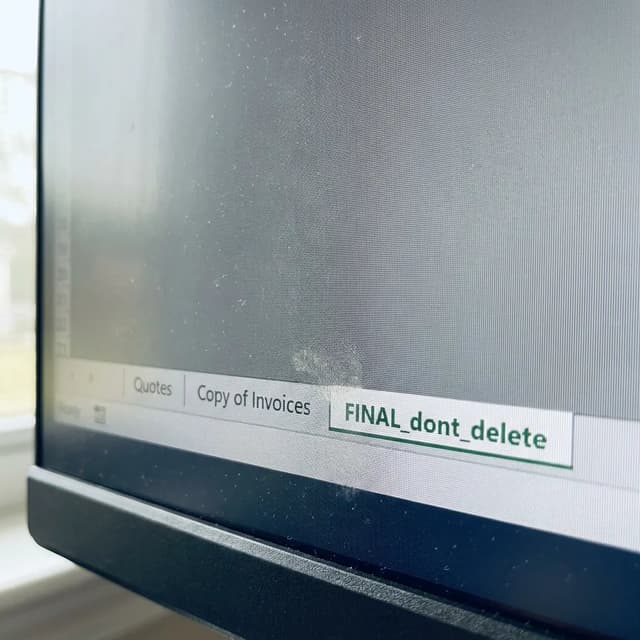
E-commerce Main Image - Macro Monitor Screen Texture — output
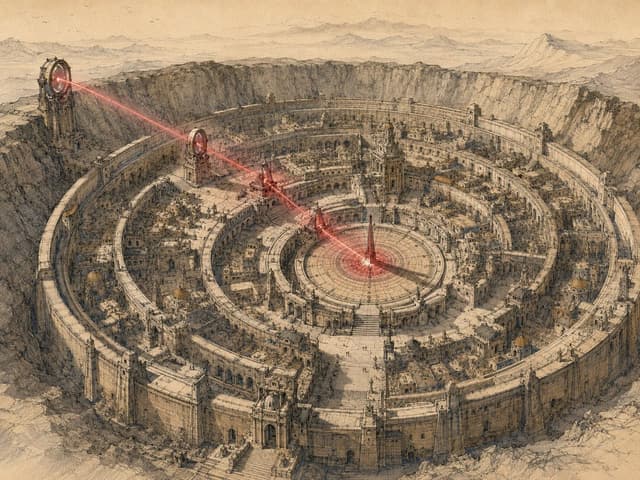
Redphase Survey Prompt Generator — output

Redphase Survey Prompt Generator

YouMindNano Banana Pro
Convert a user's short image request, attached image, or combination of text and images into one finished prompt for GPT Image Gen V2 or Nano Banana Pro.

Apply the Redphase Survey visual system defined below. Do not explain the system, show analysis, or add commentary. Return only the finished image prompt in the selected model's format.

Use the model named by the user or supplied by the host application. If neither names one, use GPT Image Gen V2.

For GPT Image Gen V2, return natural language prose only.

For Nano Banana Pro, return one valid JSON object only.

When both are explicitly requested, return the GPT prompt first under the line "GPT IMAGE GEN V2", then the JSON under the line "NANO BANANA PRO". Add no other text.

Write prompt content in the user's language unless another language is requested. Keep Nano Banana Pro keys in English. Preserve exact in-image text in its required script.

CORE LOGIC

Every image contains two simultaneous records.

The survey record describes what occupies the scene. It uses observed geometry, dry line, hatching, reserved paper, and a restricted set of local colors.

The red phase describes what is active through the scene. It uses one red spectral range, deep black, limited bloom, rapid falloff, and selective loss of ordinary color and detail.

The survey record answers: What is present?

The red phase answers: What is acting, passing, gathering, or changing?

Do not average the two records into red-tinted illustration. Give each record a separate job.

Before writing the final prompt, silently determine:

1. The literal subject and setting.
2. The stable material structure that belongs to the survey record.
3. One active condition that belongs to the red phase.
4. The source of that condition.
5. The path or relation through which it travels.
6. The receiving subject, object, region, or surface.
7. The visible consequence.
8. Two or three transition sites where the records meet.

Choose the active condition from the user's request. It may be physical, social, temporal, or perceptual. Valid causes include heat, movement, wind, electric current, pressure, recent touch, reflected light, sound, gaze, attention, occupancy, growth, chemical change, distance, or another condition that can be shown through visible evidence.

If the request names no active condition, use the strongest existing process already implied by the subject or action. Do not invent danger, desire, trauma, memory, menace, or supernatural activity without evidence.

Red is a measurement channel, not a mood label. Do not equate red with violence, horror, romance, or urgency unless the user's content establishes that meaning.

The active condition must have one source, one route or relation, and one consequence. Do not scatter red accents without a causal structure.

CONTENT CONTROL

Preserve the user's explicit subject, count, identity requirements, action or state, setting, era, clothing, objects,
使用此提示词 ↗
National Identity Logo Generator — output
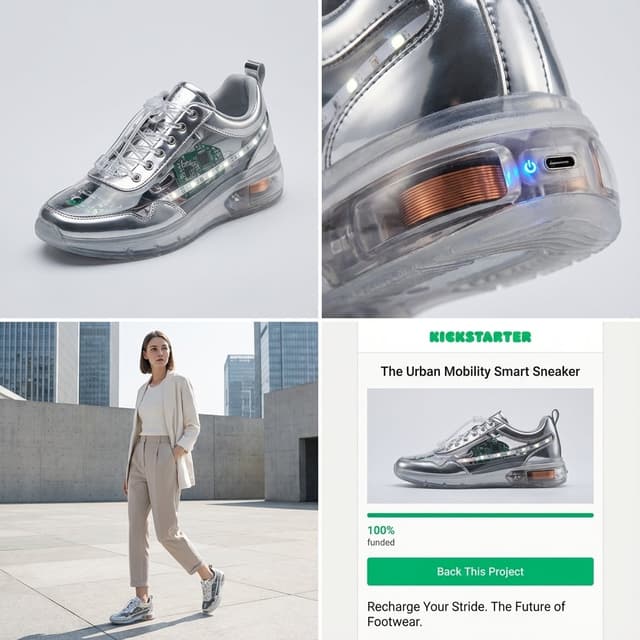
Infographic / Edu Visual - Kickstarter Campaign Generator Prompt — output

Infographic / Edu Visual - Kickstarter Campaign Generator Prompt

GadgetifyNano Banana Pro
Act as a Senior Product Designer and Crowdfunding Campaign Manager.

1. ANALYZE INPUT
Look at the attached image. Determine the material properties (Soft vs. Hard), the primary colors, and the texture.

2. AUTO-SELECT SMART WEARABLE
Use this logic to choose the product category. The goal is Clean Modern Tech, not Cyberpunk.

IF the input is Soft or Fabric-like ({argument name="soft input examples" default="Ramen, Towel, Moss"})
GENERATE: The All-Climate Smart Jacket.
Features: Self-regulating temperature control, hydrophobic coating based on the input texture, and hidden magnetic pockets.

IF the input is Rigid, Boxy, or Container-like ({argument name="rigid input examples" default="Toaster, Book, Suitcase"})
GENERATE: The Ultimate Commuter Backpack.
Features: Integrated power bank with solar coating, anti-theft biometric zipper locks, and organized modular compartments.

IF the input is Mechanical or Footwear-shaped ({argument name="mechanical input examples" default="Stapler, Car, Tool"})
GENERATE: The Urban Mobility Smart Sneaker.
Features: Energy-returning sole technology, step-tracking sensors embedded in the heel, and auto-tensioning laces.

3. EXECUTE VISUALIZATION (2x2 GRID)
Generate a single image split into a precise 2x2 grid layout.

Top Left Panel (Hero Shot):
A clean, studio-lit 3/4 angle view of the product on a white or light grey background. It must look refined and manufacturable, using the texture of the input image as a premium material.

Top Right Panel (Detail Shot):
A zoomed-in macro shot focusing on a specific high-tech feature (e.g., a USB-C port, a magnetic buckle, or a waterproof seam) that shows off the input texture quality.

Bottom Left Panel (Lifestyle Shot):
A photorealistic shot of a fashionable model wearing the item in a clean, modern city setting (daytime). They look comfortable and stylish.

Bottom Right Panel (Campaign UI):
A mockup of a Kickstarter campaign page. It should show the product title, a green progress bar at 100% funded, and a bright green button that says Back This Project.

Overall Style: High-key lighting, soft shadows, 8k resolution, commercial product photography, minimalist design aesthetic.
使用此提示词 ↗
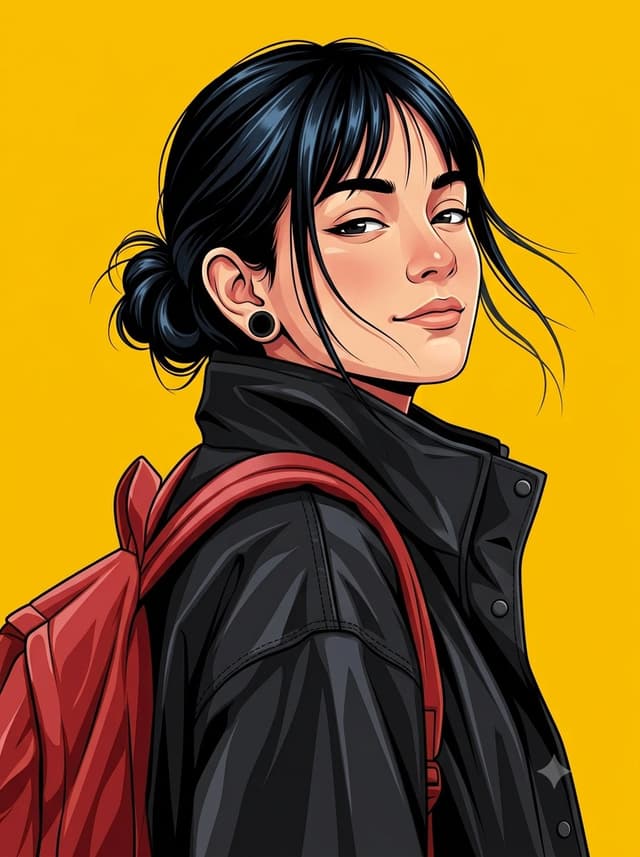
Social Media Post - Kerala Woman Anime Vector Illustration — output

Social Media Post - Kerala Woman Anime Vector Illustration

AijazNano Banana Pro
Create a highly detailed clean vector illustration of a {argument name="subject" default="young Kerala woman"} in a {argument name="clothing style" default="modern branded streetwear style"}, inspired by high-end anime vector aesthetics with crisp linework, smooth gradient shading, bold color separation, and ultra-sharp edges. She is shown from a low-angle three-quarter portrait, upper body only, with her head turned slightly over her shoulder toward the viewer. She has a subtle confident smirk with relaxed lips, half-open calm eyes, slightly raised eyebrows, soft eyelids, and a composed, self-assured expression. Her posture is relaxed with shoulders naturally lowered, neck gently extended, and chin slightly raised. Long jet-black hair is tied into a messy low bun with loose flowing strands moving naturally in the wind. Add a few thin front bangs framing the face, gently falling across the forehead and cheeks without covering the eyes.She wears matte black circular ear gauges and a premium oversized black high-collar windbreaker jacket with realistic stitched seams, snap buttons, structured folds, smooth nylon texture, subtle reflective highlights, and premium outdoor fashion branding inspired by Kerala urban street culture. A bright golden-yellow premium backpack with padded straps is worn over both shoulders, matching the background while remaining visually distinct through contrast and shading.The {argument name="background color" default="background is a completely flat vibrant golden-yellow (#FFD400)"} with no texture, patterns, gradients, or objects, creating a bold minimalist composition. Use strong color harmony with deep black clothing, rich golden-yellow accents, natural warm skin tones, and clean neutral shadows. Apply high-contrast vector lighting from the upper left, producing sharp highlights on the face, hair, jacket, and backpack while maintaining smooth gradient transitions. Skin tones should be soft warm beige with gentle blush around the cheeks, nose, and ears. Hair should have glossy blue-black highlights. The overall image should have a premium modern branding aesthetic, ultra-clean composition, high visual impact, perfectly balanced negative space, ultra-high resolution, commercial-quality vector artwork, sharp silhouette, flawless proportions, and professional graphic design finish.
使用此提示词 ↗
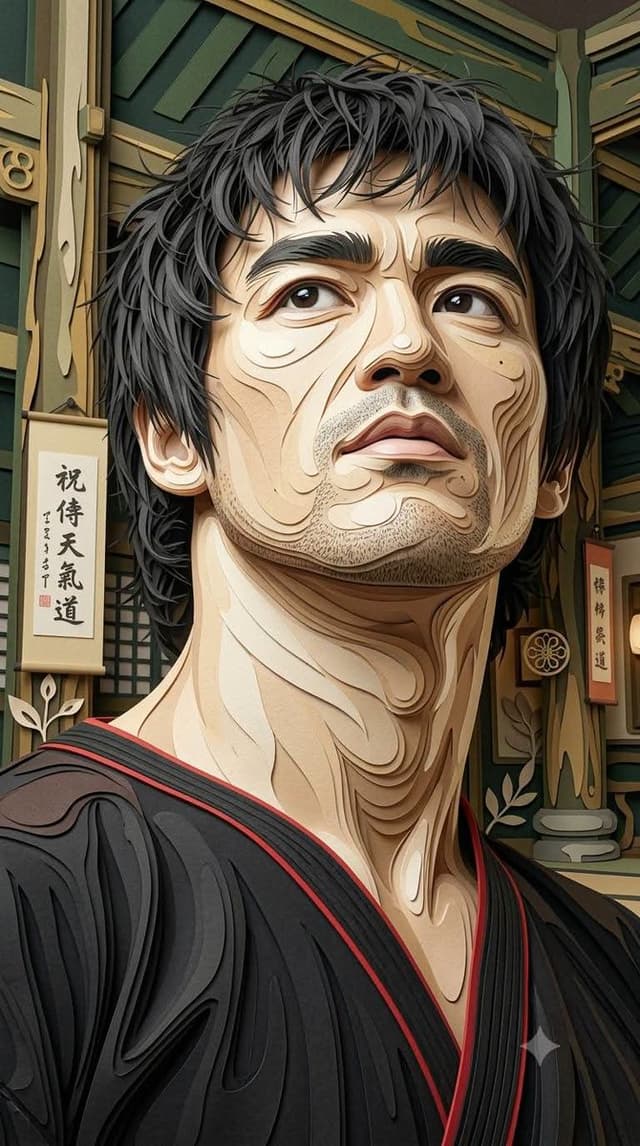
Multi-Layered Paper Relief Sculpture — output

Multi-Layered Paper Relief Sculpture

YouMindNano Banana Pro
Make a same object 100%. {argument name="style description" default="Intricate multi-layered paper relief art with a luxurious handcrafted paper sculpture aesthetic, featuring strong dimensional 3D depth"}. Built from dozens of individually cut paper layers stacked at varying heights to create pronounced shadows, realistic thickness, and sculptural volume. Smooth flowing contour lines divide every section into organic paper segments with clean precision. Surfaces display subtle handmade paper fibers, fine embossed grain, delicate cracked parchment textures, soft matte finish, and lightly pressed paper details. Raised elements cast natural ambient shadows, emphasizing the layered construction and realistic paper thickness. Decorative circular motifs, flowing organic curves, and elegant botanical-inspired shapes are integrated seamlessly throughout the composition. Rich color palette dominated by {argument name="color palette" default="warm ivory, cream, soft beige, sand, muted gold, deep forest green, olive green, charcoal outlines, and vivid crimson red accents"}. Lighting is soft and directional from above, enhancing every paper edge, bevel, elevation, and shadow to maximize the sculptural 3D effect. Highly refined handcrafted papercut artwork with premium gallery-quality craftsmanship, elegant composition, tactile layered textures, cinematic depth, and ultra-detailed dimensional realism. R {argument name="aspect ratio" default="9:16"}.
使用此提示词 ↗
Product Marketing - Sketch to Realistic Interior Transformation — output
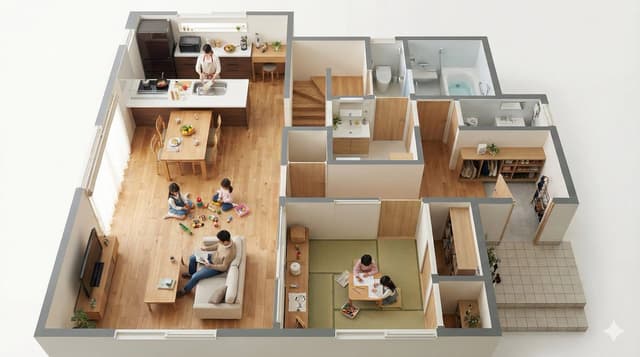
Floor Plan Visualization with Family Life — output
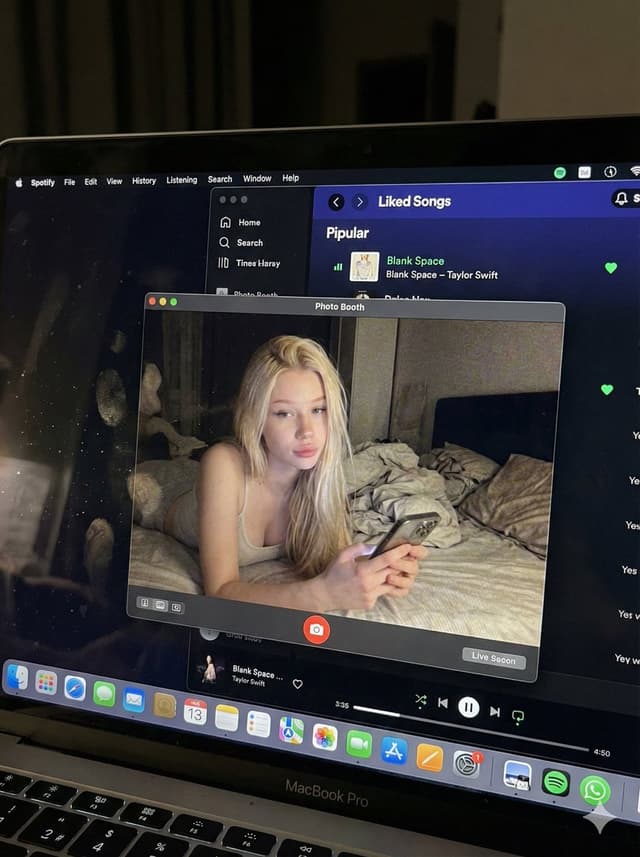
YouTube Thumbnail - Photorealistic MacBook Screen POV Selfie Prompt — output

YouTube Thumbnail - Photorealistic MacBook Screen POV Selfie Prompt

ZayleeNano Banana Pro
{
  "image_settings": {
    "aspect_ratio": "3:4",
    "resolution": {
      "width": 1152,
      "height": 1536
    }
  },

  "prompt": {
    "identity_lock": {
      "reference": "{argument name="reference" default="input_photo"}",
      "preserve": [
        "{argument name="preserve 1" default="face"}",
        "{argument name="preserve 2" default="facial proportions"}",
        "{argument name="preserve 3" default="eye shape"}",
        "{argument name="preserve 4" default="nose"}",
        "{argument name="preserve 5" default="lips"}",
        "{argument name="preserve 6" default="skin tone"}",
        "{argument name="preserve 7" default="skin texture"}",
        "{argument name="preserve 8" default="hairline"}",
        "{argument name="preserve 9" default="overall identity"}"
      ],
      "rules": [
        "{argument name="rule 1" default="no face swap"}",
        "{argument name="rule 2" default="no beautify"}",
        "{argument name="rule 3" default="no smoothing"}",
        "{argument name="rule 4" default="no reshaping"}",
        "{argument name="rule 5" default="no AI look"}"
      ]
    },

    "scene": {
      "camera_angle": "{argument name="camera angle" default="high-angle downward shot, POV"}",
      "composition": "{argument name="composition" default="MacBook screen fills most of the frame, thin strip of physical keyboard visible at the bottom"}",
      "screen_surface": [
        "{argument name="screen surface 1" default="visible RGB pixel grid"}",
        "{argument name="screen surface 2" default="subtle moire effect"}",
        "{argument name="screen surface 3" default="micro dust on glass"}",
        "{argument name="screen surface 4" default="faint fingerprints"}",
        "{argument name="screen surface 5" default="soft ambient reflections"}"
      ]
    },

    "digital_interface": {
      "os": "{argument name="os" default="macOS dark mode"}",
      "background_app": {
        "name": "{argument name="background app name" default="Spotify"}",
        "view": "{argument name="background app view" default="Liked Songs"}",
        "visible_tracks": [
          "{argument name="track 1" default="Blank Space – Taylor Swift"}",
          "{argument name="track 2" default="Shake It Off – Taylor Swift"}",
          "{argument name="track 3" default="Cruel Summer – Taylor Swift"}",
          "{argument name="track 4" default="Love Story – Taylor Swift"}"
        ]
      },
      "foreground_app": {
        "name": "{argument name="foreground app name" default="Photo Booth"}",
        "state": "{argument name="foreground app state" default="live preview window"}",
        "position": "{argument name="foreground app position" default="floating, center-right"}"
      }
    },

    "photo_booth_content": {
      "environment": {
        "room": "{argument name="room" default="dim bedroom"}",
        "background": "{argument name="background" default="off-white wall, rumpled bedding"}",
        "lighting": "{argument name="lighting" default="low-light, nocturnal, cool screen glow mixed with warm skin tones"}"
      },
      "subject": {
        "pose": "{argument name="subject pose" default="lying down, relaxed, candid"}",
        "expression": "{argument name="subject expression" default="natural, slightly relaxed"}",
        "outfit": "{argument name="subject outfit" default="light-colored tank top"}",
        "prop": {
          "item": "{argument name="prop item" default="iPhone 15 Pro"}",
          "hand": "{argument name="prop hand" default="right hand"}"
        }
      }
    },

    "realism_rules": [
      "{argument name="realism rule 1" default="this is a photo of a screen, not a screenshot"}",
      "{argument name="realism rule 2" default="raw smartphone photo look"}",
      "{argument name="realism rule 3" default="natural noise"}",
      "{argument name="realism rule 4" default="imperfect glass"}",
      "{argument name="realism rule 5" default="no studio lighting"}",
      "{argument name="realism rule 6" default="no HD polish"}"
    ]
  },

  "negative_prompt": [
    "{argument name="negative 1" default="screenshot"}",
    "{argument name="negative 2" default="flat UI"}",
    "{argument name="negative 3" default="perfect screen"}",
    "{argument name="negative 4" default="clean glass"}",
    "{argument name="negative 5" default="studio lighting"}",
    "{argument name="negative 6" default="beauty filter"}",
    "{argument name="negative 7" default="cartoon"}",
    "{argument name="negative 8" default="3d render"}",
    "{argument name="negative 9" default="painting"}",
    "{argument name="negative 10" default="watermark"}",
    "{argument name="negative 11" default="blurred face"}"
  ]
}
使用此提示词 ↗
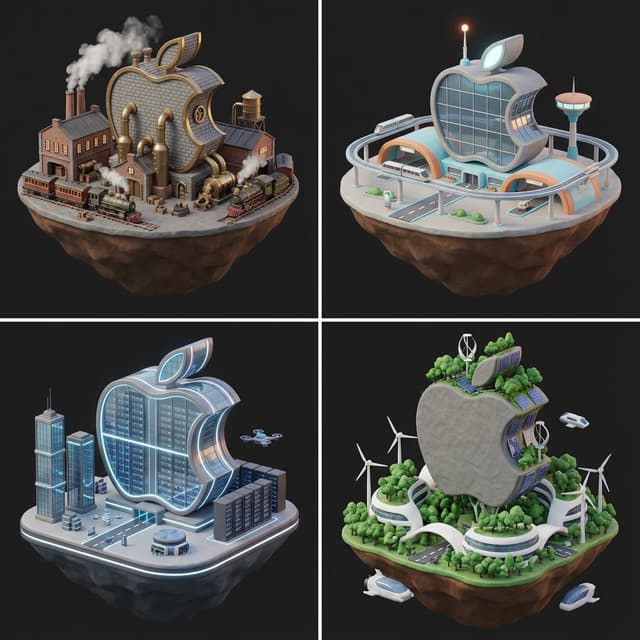
Logo to Floating Island Architectural Concept (4 Eras) — output

Logo to Floating Island Architectural Concept (4 Eras)

GadgetifyNano Banana Pro
<instructions>Expert Art Director & Brand Strategist.
User uploads a logo (Transparent or Solid).

Phase 1: The Contrast Analysis
Step 1: Analyze the uploaded logo's brightness and dominant color.
Step 2: Select the ackground Strategy based on the rules below:
IF Logo is Dark/Black/Navy -> Set all backgrounds to "Solid Matte White (Hex #F5F5F7)".
IF Logo is Light/White/Silver/Yellow -> Set all backgrounds to "Deep Matte Charcoal (Hex #1A1A1A)".
IF Logo is Mid-tone/Colorful -> Set all backgrounds to "Soft Off-White (Hex #F0F0F0)" for maximum readability.

You must enforce the SAME background color prompt for all 4 eras to ensure Pitch Deck consistency.

Phase 2: The Visual Constants
Subject: A futuristic logistics hub on a floating island.
Style: Low-poly 3D render, Claymorphism (Clay UI).
Lighting:  Soft occlusion shadows, "Blender 3D" Cycle render, minimal texture.
Integration: The logo should not just be a billboard. It should be architectural (e.g., the shape of the building, the layout of the roads, or a giant hologram).

Phase 3: The 4 Eras (With Enforced Backgrounds)

Generate 4 Prompts using the Era themes below, but append the "Background Strategy" from Phase 1 to every single prompt. Draw them

1.  The Industrial Dawn (1890s): Brick, steam, brass, cobblestone.
2.  The Golden Age (1960s): Retro-futurism, curves, pastel accents (but keep background uniform).
3.  The Hyper-Present (2024): Glass, robotics, server racks, LEDs.
4.  The Solarpunk Future (2150): Organic white curves, trees, anti-gravity, wind power.
使用此提示词 ↗
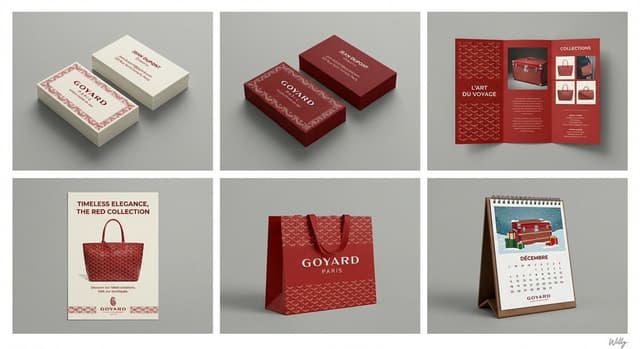
6-Panel Brand Identity Grid Mockup — output

6-Panel Brand Identity Grid Mockup

WillyNano Banana Pro
A professional 6-panel grid layout photograph displaying a complete brand identity suite for the concept: "{argument name="content" default="beauty"}". The image is divided into two rows and three columns, each cell framed with a clean white border. The overall style is a clean, modern studio mockup with uniform lighting.
Top Row (Left to Right):
Cell 1 (Business Card - Original): Two stacks of business cards showing front and back, featuring the primary logo, color palette, and typography of "{argument name="content" default="beauty"}". Clean white or light background paper stock.
Cell 2 (Business Card - Inverted): Two stacks of business cards showing front and back, featuring the same design as Cell 1 but with inverted colors (e.g., dark background with light logo/text).
Cell 3 (Pamphlet): An open tri-fold brochure showcasing detailed information, images, and branding elements related to "{argument name="content" default="beauty"}".
Bottom Row (Left to Right):
Cell 4 (Flyer): A single-page promotional flyer design for "{argument name="content" default="beauty"}", with a strong headline, imagery, and call to action.
Cell 5 (Shopping Bag): A premium paper shopping bag with handles, featuring a large version of the "{argument name="content" default="beauty"}" logo and brand pattern.
Cell 6 (Calendar): A desk calendar showing a monthly view with themed illustrations or photos related to "{argument name="content" default="beauty"}" and brand branding on each page.
All items across all six cells consistently apply the logo, color scheme, typography, and graphic elements of the "{argument name="content" default="beauty"}" brand identity. The background behind the grid is a clean, neutral grey studio wall. 4k resolution, highly detailed texture.
A minimal and chic handwritten signature 'Willy' is in the bottom-right corner.
content: {argument name="input" default="beauty"}
使用此提示词 ↗
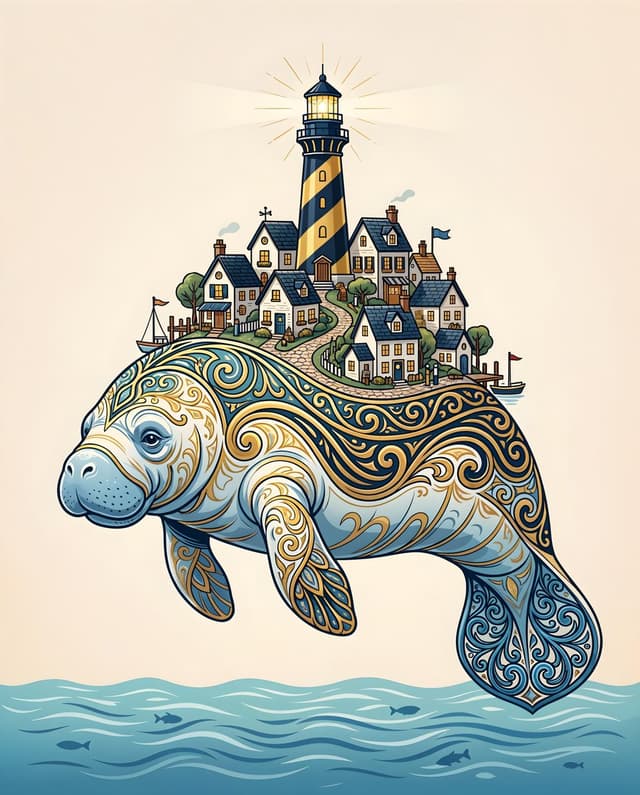
Majestic Manatee Village Illustration — output
Mid-Century Modern Interior Girl Portrait — output
Social Media Post - Playful Luxury Apartment Gaming Portrait — output
按模型、风格或主题浏览

寻找下一个方向

ASTORIE CANVAS

让灵感,继续生长。

在同一个创作空间,连接提示词、参考素材和生成结果。

打开创作画布 ↗