

10 ComfyUI Alternatives for 2026
The best ComfyUI alternative depends on what you are trying to escape. Invoke is the strongest option for artists who want a cleaner creative workspace without giving up serious model control. NodeTool is closer to ComfyUI's connected-node approach, while SwarmUI suits users who want powerful local generation with less time spent wiring every step by hand.

Key takeaways
Invoke is the strongest overall alternative for artists who want serious model control in a cleaner workspace.
NodeTool is the closest conceptual alternative for connected, multimodal node workflows.
SwarmUI and Forge simplify local generation while retaining access to powerful models and settings.
Draw Things and DiffusionBee provide easier private generation on Apple hardware.
Astorie and Leonardo.Ai remove local setup but replace hardware costs with credits or subscriptions.
ComfyUI Alternatives at a Glance
ComfyUI is still one of the most flexible choices for custom image and video pipelines. The reason to change is usually installation, maintenance, hardware, or workflow complexity—not a shortage of raw capability.
| Tool | Best fit | Where it runs | Main limitation |
|---|---|---|---|
| Invoke | A polished artist-facing generation workspace | Local; hosted options | Still needs setup or a configured provider |
| NodeTool | Visual, multimodal node workflows | Local or browser | Cloud uses your own provider keys |
| SwarmUI | Powerful local generation and batching | Local | Hardware and model maintenance remain |
| Forge | Familiar image generation on tighter VRAM | Local | Less explicit than a full node graph |
| Astorie | Browser-based image-to-video workflows | Browser | Not open-source or an arbitrary-node replacement |
| AUTOMATIC1111 | Classic Stable Diffusion controls | Local | Python, model, and extension upkeep |
| Draw Things | Private generation on Apple hardware | Apple devices | Apple-focused; hardware limits still apply |
| DiffusionBee | Simple offline image generation on Mac | Mac | Less extensible than ComfyUI |
| Fooocus | Simple SDXL-first image generation | Local | Limited long-term support; narrower model focus |
| Leonardo.Ai | Hosted generation without local installation | Browser | Credit-based and less configurable |
How We Compared These ComfyUI Alternatives
We compared the tools across five practical questions: how much installation and GPU setup they require; whether models and settings remain visible; how well the workflow supports revision and reuse; what local, browser, or hosted access actually means; and whether generation costs come from hardware, API providers, subscriptions, or credits.
We planned the same steampunk workshop brief for Invoke and NodeTool, with a 16:9 target and matching model, seed, and step settings where available. Neither environment reached a runnable state without additional installation or provider configuration, so we treated that friction as part of the comparison rather than presenting invented results.
The completed hands-on record appears under Leonardo.Ai. Public documentation and pricing were checked on August 22, 2026.
Why People Look for ComfyUI Alternatives
ComfyUI is excellent when every sampler, control input, model, and processing stage needs to stay visible. That freedom can become expensive in time when the actual job is simply to make, revise, and deliver a usable image or clip.
- Local setup brings model downloads, Python dependencies, GPU requirements, and occasional broken custom nodes.
- A complex graph can be harder to hand to a designer, editor, or client who did not build it.
- Some teams need a cleaner canvas for inpainting and revision rather than a fully exposed pipeline.
- Browser-based access may matter more than owning every node when the team lacks a suitable GPU.
- Image generation, image-to-video, and multimodal automation do not all require the same interface.
Should You Replace ComfyUI or Run It in the Cloud?
Not everyone searching for a ComfyUI alternative needs a different workflow. If the main problem is local installation, limited GPU capacity, model storage, or ongoing maintenance, Comfy Cloud or a third-party hosted ComfyUI service may be the better answer. These services move the computing work to remote GPUs while preserving the node graph and reusable workflows that make ComfyUI useful.
That is different from replacing ComfyUI. A hosted service removes much of the infrastructure work, but users still need to build and understand node-based workflows. It may also introduce subscription or usage charges, upload and storage considerations, and restrictions on models or custom nodes.
Choose hosted ComfyUI when the workflow graph is valuable and local hardware is the main obstacle. Choose a true alternative when the graph itself is slowing the work down—particularly if you want a more guided interface, easier collaboration, faster setup, or tools built around a specific task such as image editing or video generation.
Comfy Cloud plans started at $20 per month on monthly billing when checked, while the open-source desktop version remained free.
1. Invoke: Best Overall ComfyUI Alternative for Artists
Best for: artists and creative teams that want local model control with a more deliberate canvas and editing workflow.
Invoke replaces much of ComfyUI's exposed graph-building with an artist-facing workspace for generating, revising, and refining images. Its canvas and workflow tools are useful when composition, inpainting, and iteration matter more than inspecting every internal connection. The open-source edition can run locally, while some setups can also use configured external model providers.
Why it still ranks first: Invoke offers the clearest alternative for artists who want serious local model and canvas control without spending each session inside a node graph. It gives up ComfyUI's fully exposed, arbitrary pipeline design, but its editing workspace is closer to the way artists actually revise an image.
Why we did not use it in the hands-on comparison: the available route required a working local installation or a configured model provider, and our colleague could not reach a runnable Generate or Canvas session without setup assistance. We therefore ranked Invoke on workflow fit and documented capabilities, not on an invented same-prompt result.
Trade-off: A cleaner interface does not remove local GPU needs, model downloads, or provider costs.
Pricing: The open-source edition is free; local hardware, hosted infrastructure, and any external model-provider usage are separate costs.
2. NodeTool: Best Node-Based ComfyUI Alternative
Best for: people who like visible node connections but want workflows that can combine images, video, text, audio, or AI services.
NodeTool keeps the core idea that makes ComfyUI useful: inputs, models, and outputs remain connected on a visual canvas. The difference is scope. Workflows can pull in different providers and media types instead of centering exclusively on one image generation stack. Studio runs locally; Cloud moves the workspace into the browser while using the account's own provider keys.
Why it still ranks second: NodeTool is one of the closest conceptual alternatives for users who want to keep a visual, connected-node workflow while expanding beyond diffusion-focused pipelines. Compared with ComfyUI, it trades a mature diffusion-specific ecosystem for broader workflow scope.
Why we did not use it in the hands-on comparison: Studio required local setup, while Cloud required a provider connection before the test workflow could run. Our colleague could open the product but could not complete the shared image task without technical configuration, so no result screenshot is presented.
Trade-off: NodeTool Cloud hosts the workspace, not the AI models themselves. Image, video, and other cloud-model runs use your own provider accounts and API keys, so provider charges still apply.
Pricing: NodeTool Cloud is currently free during alpha. A hosting subscription is planned for the full release, but pricing has not yet been announced. Users pay model providers directly through their own API keys.
More ComfyUI Alternatives
3. SwarmUI: Local Generation Without Building Every Graph
SwarmUI is a good middle ground if you still want local control but would rather stop wiring every task by hand. It places a more direct interface over capable back ends, supports image and video models, and can use ComfyUI underneath. Batch generation is another reason it appeals to people making several variations at once.
Choose SwarmUI over ComfyUI when local batch generation and model control matter more than tracing every stage on a graph; the trade-off is less visible, less reusable multi-step logic in the everyday interface.
The open-source software is free, but you still need compatible hardware, downloaded models, and enough patience for the occasional back-end maintenance issue.
4. Forge: Familiar Controls for Local Image Generation
Forge feels more familiar if you already know the usual Stable Diffusion layout: a prompt box, model selector, sampler, and image settings. Its attention to resource handling also makes it worth considering on limited hardware.
The compromise is that you lose ComfyUI's clear, reusable visual graph. That makes Forge more suitable than ComfyUI for straightforward generation on constrained hardware, while ComfyUI remains stronger for transparent, reusable multi-stage workflows.
The software itself is free; the GPU, storage, and models still have to come from somewhere.
5. Astorie: A Hosted Image-to-Video Workflow
If the main task is turning a still image into video, a complete local diffusion setup may be unnecessary. Astorie keeps the visual canvas but runs the chosen model through the browser. In our existing test, one source image fed two video outputs without rebuilding the input each time.
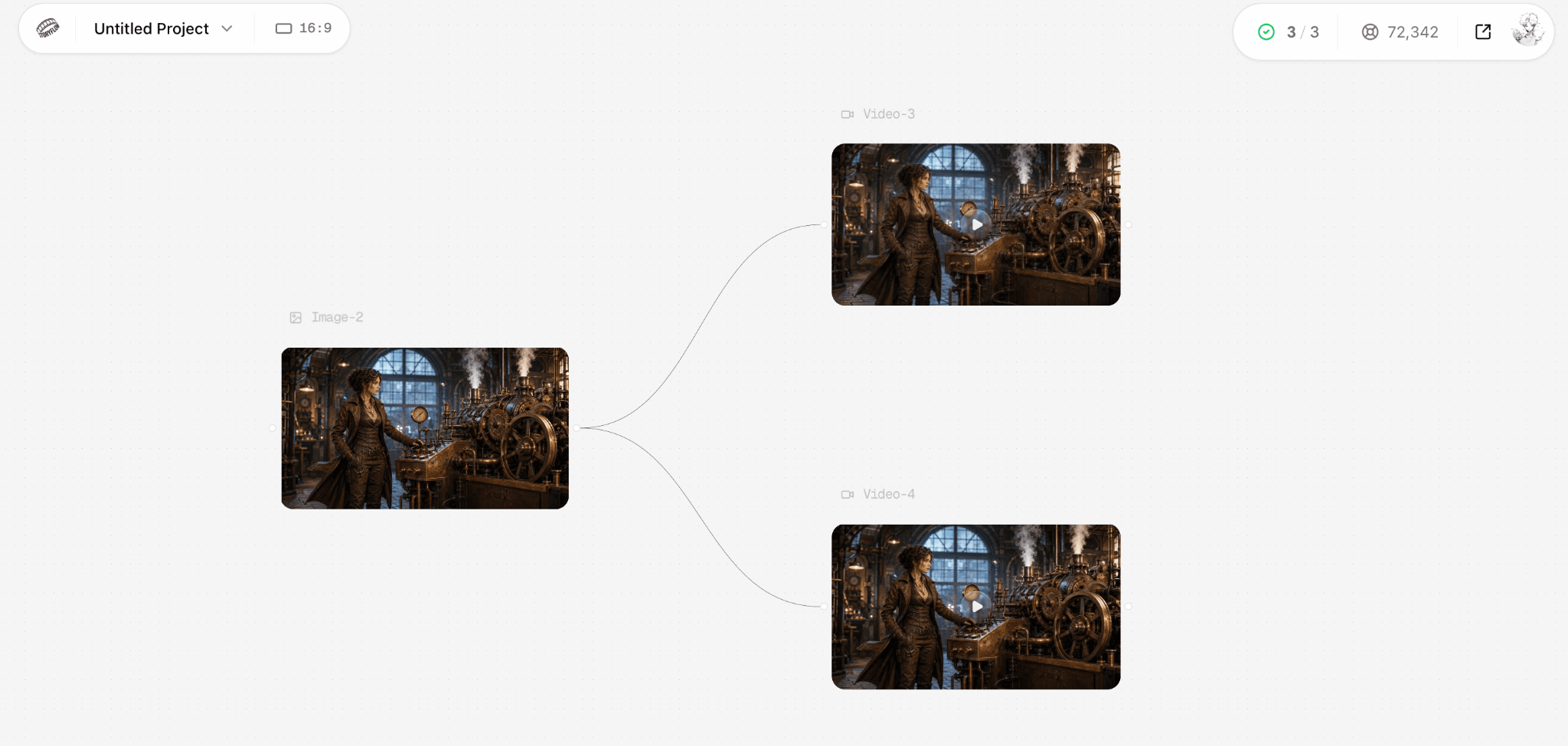
Our existing Astorie test connects one image to two generated video results on the same canvas.
The limitation matters: this is a hosted, credit-based generation tool, not a replacement for arbitrary ComfyUI nodes, local models, or custom Python workflows. A free tier is available, while generation costs vary with the model and settings.
In practice, the canvas makes it easy to try more than one model, reuse an image as a reference, and continue into video. If a generated clip contains a useful still, Keyframe Extraction can save that frame as a new asset.
6. AUTOMATIC1111: The Classic Stable Diffusion Interface
AUTOMATIC1111 remains the familiar option for people who prefer prompt boxes and settings panels to a node editor. It is particularly straightforward when a local setup already contains the models and extensions you need.
Multi-step pipelines are less transparent than in ComfyUI, though, and the same Python, storage, and hardware responsibilities remain. Choose it over ComfyUI for routine prompt-and-settings work in an already configured Stable Diffusion setup; you sacrifice the visible, reusable graph that makes complex pipelines easier to inspect and hand off.
The open-source interface is free; installation and model storage are your responsibility.
7. Draw Things: Private Generation on Apple Devices
Draw Things takes a noticeably different route: it runs on Apple hardware and keeps local generation private. For Mac, iPad, and iPhone users, that can matter more than having an editable graph.
It also includes model management and creative canvas tools without demanding a conventional desktop diffusion installation. Choose Draw Things over ComfyUI when privacy and direct use on Apple hardware matter more than cross-platform extensibility; you give up ComfyUI's broad custom-node ecosystem and flexible desktop pipeline design.
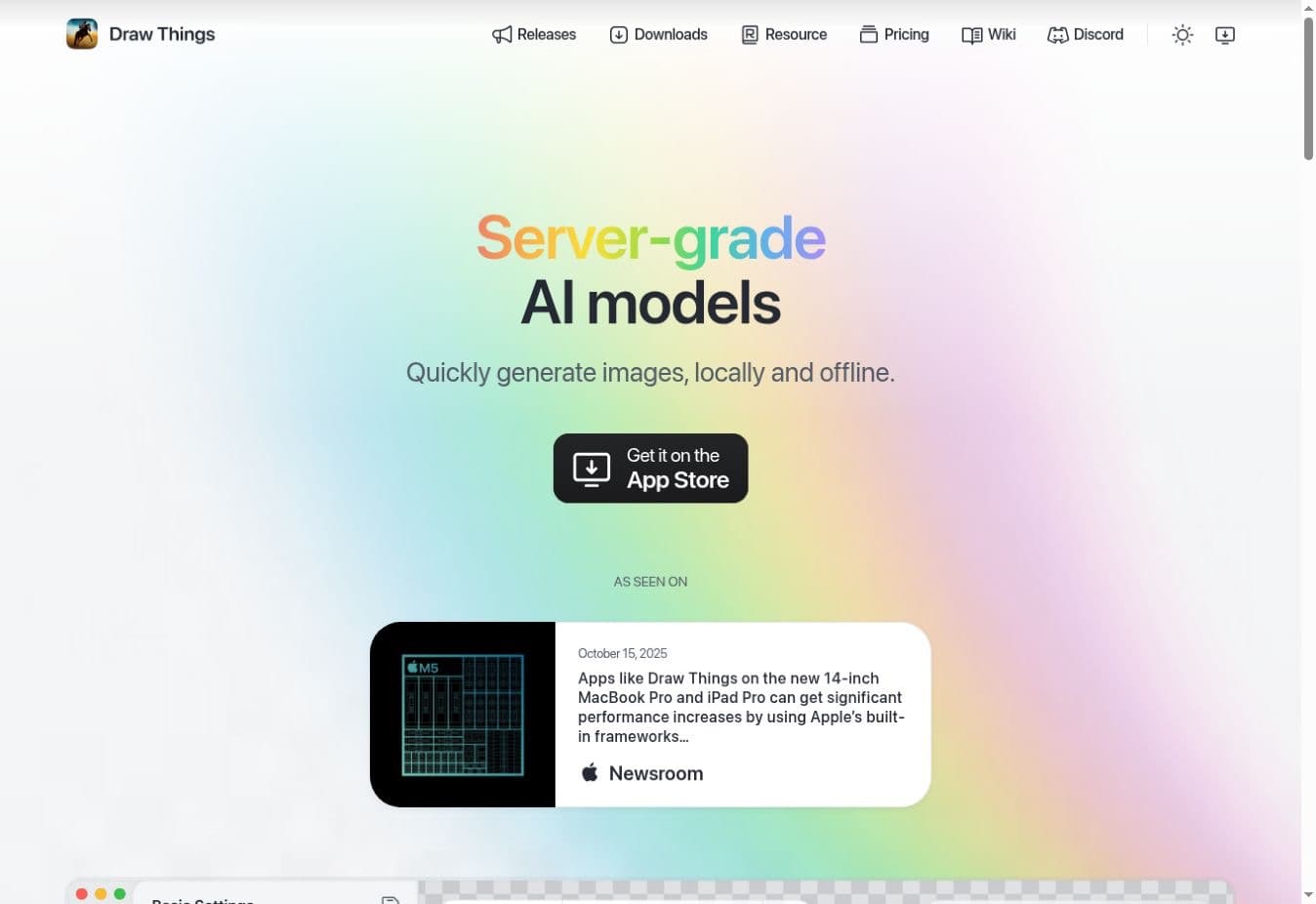
Draw Things' official homepage emphasizes local, offline generation on Apple devices.
Local generation is free; device performance, optional hosted services, and any related hardware costs are separate considerations.
Additional ComfyUI Alternatives
8. DiffusionBee: An Easier Offline Option for Mac
DiffusionBee suits Mac users who want to make an image and get on with their day. The app packages local Stable Diffusion generation without requiring a node-based workspace, while prompts and outputs remain on the machine.
It is a friendlier starting point, but not a substitute for advanced custom nodes or serious workflow automation. Choose DiffusionBee over ComfyUI when the priority is the shortest route to private Mac generation; you give up custom nodes, reusable graphs, and much of ComfyUI's model-level control.
The Mac app is free, with performance determined by the computer running it.
9. Fooocus: Simple SDXL Generation, with a Caveat
Fooocus removes many of the decisions that can make local image generation intimidating. For a stable SDXL workflow, that simplicity is attractive.
The catch is that its maintainers now describe the project as being in limited long-term support, with bug fixes rather than active feature development. Choose it for a narrow, familiar job, not because you expect rapid support for new model families.
Choose Fooocus over ComfyUI when a guided SDXL workflow matters more than configuring every stage; you give up graph-level control, broader model experimentation, and timely support for new model families.
It is free and open source, although local hardware and downloaded models are still required.
10. Leonardo.Ai: Browser-Based Generation Without Setup
Leonardo.Ai skips the local setup entirely. Models, presets, image tools, and video features are available in a finished browser product, which is useful when the priority is delivering an asset rather than maintaining a pipeline.
You give up private local execution and the freedom to build any workflow you want. Leonardo.Ai is the better alternative when browser access and fast asset delivery matter most; ComfyUI remains stronger when private local execution, arbitrary nodes, and precise pipeline control are non-negotiable.
A free tier is available; Essential was listed at $12 per month before tax when checked.
What the Hands-On Check Showed
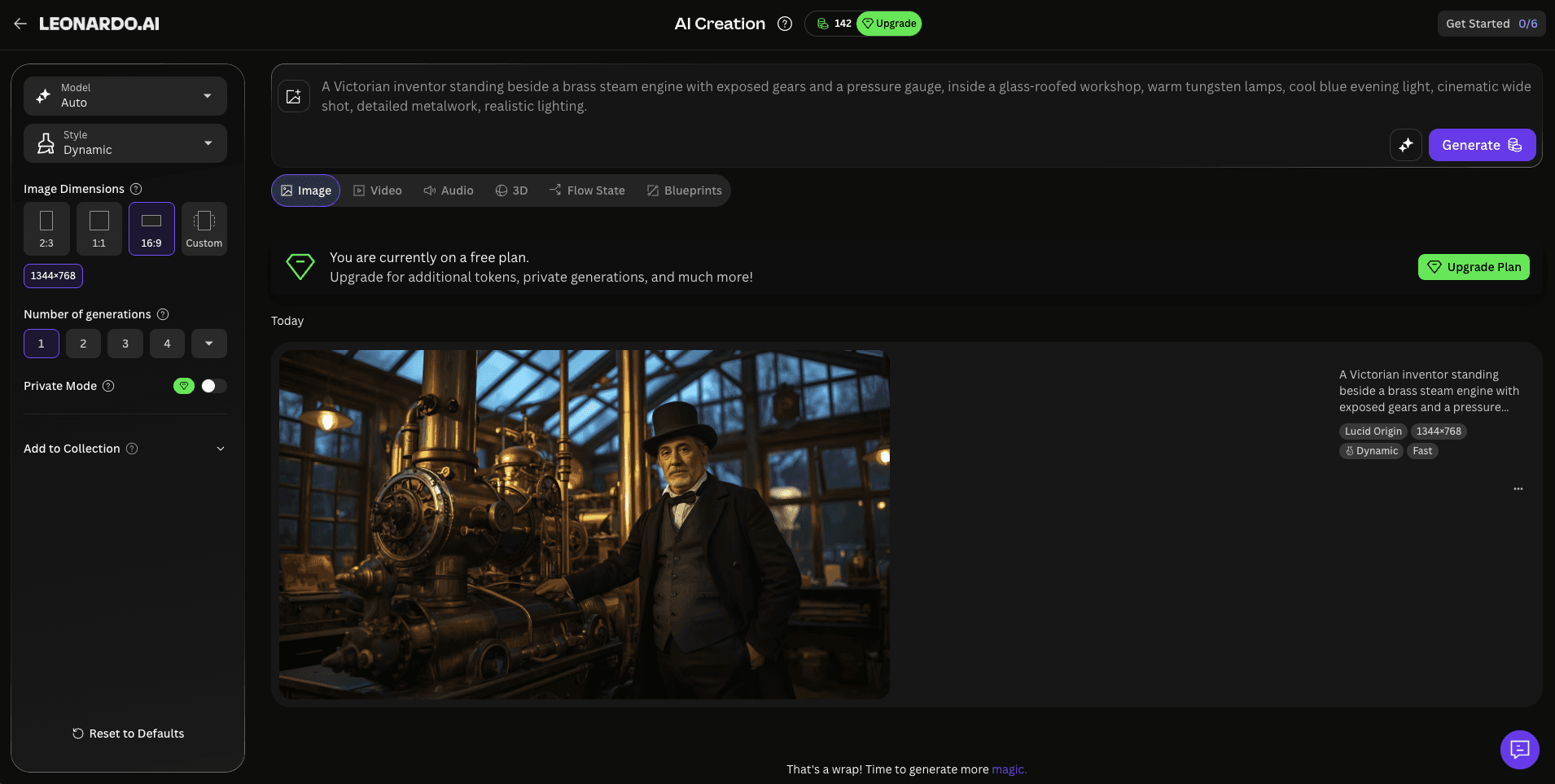
Leonardo.Ai completed the shared workshop brief in its browser workspace.
A colleague completed the shared workshop brief in Leonardo.Ai with the default Lucid Origin model at 1344 × 768 and seed 318048604. Opening the workspace and setting up the task took about three minutes; the image itself appeared in roughly five seconds.
Generation speed and the one-click handoff to Canva were the clearest advantages. The result looked polished but more painterly than photographic. Downloading required a paid plan, and generations were public by default unless a paid private option was enabled.
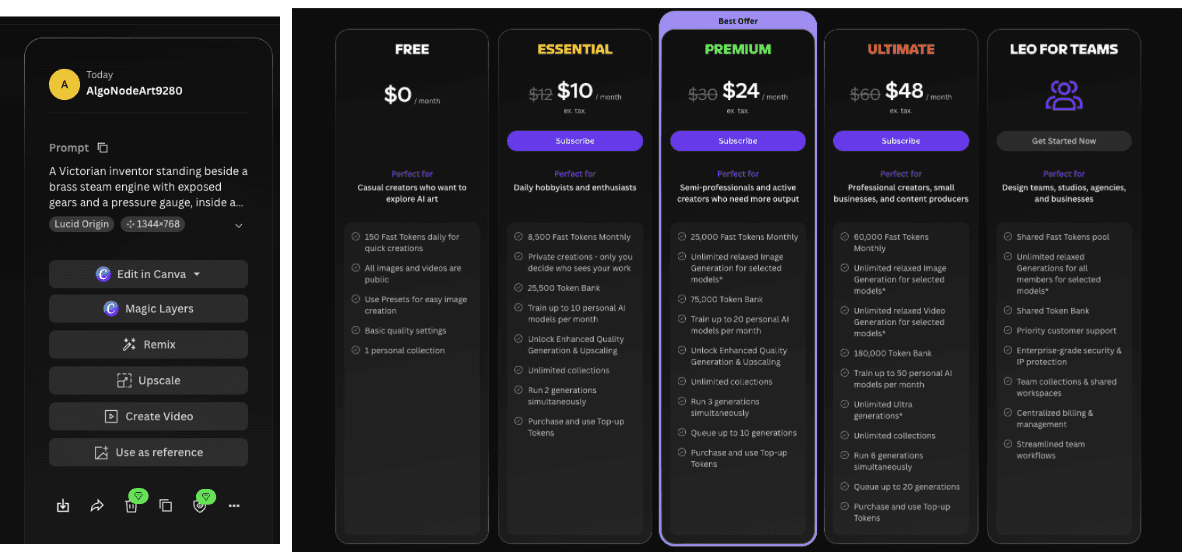
The test also exposed the output actions and plan limits that affect download and privacy.
ComfyUI Alternatives Compared
| If you need... | Start with | What changes |
|---|---|---|
| A serious creative canvas with local model control | Invoke | The editing workspace matters more than exposed nodes. |
| Connected nodes across several media types | NodeTool | The visual graph remains, but providers and media can vary. |
| Local generation without hand-building each graph | SwarmUI | A simpler front end can still use powerful back ends. |
| A familiar image interface on limited hardware | Forge | Prompt, sampler, and model controls replace the graph. |
| Image-to-video in a browser without local GPU setup | Astorie | Hosted model runs replace local model maintenance. |
| Private offline generation on a Mac | Draw Things or DiffusionBee | Apple hardware replaces a cross-platform setup. |
How to Choose the Right ComfyUI Alternative
1. Decide Whether You Actually Need Nodes
If reproducible graphs and reusable connections are central to the work, start with NodeTool or consider keeping ComfyUI. If the real goal is generating and revising images, Invoke or SwarmUI may be a better daily interface.
2. Be Honest About Your Hardware
Free open-source software is not the same as free execution. A local setup can require GPU memory, model storage, and maintenance; a hosted tool replaces those demands with subscription, provider, or credit costs.
3. Compare One Repeatable Task
Use the same prompt, aspect ratio, model, and seed where possible. Note any setting a tool does not expose instead of pretending the results came from identical conditions. Setup time is part of the comparison.
4. Match the Interface to the Output
An artist refining a still image, an engineer building a multimodal pipeline, and a marketer turning a picture into a short video do not need the same replacement. Choose for the finished deliverable, not for the longest feature list.
Is ComfyUI Still Worth Using?
Yes. ComfyUI remains a strong choice when reproducibility, custom nodes, model freedom, and detailed control justify the setup work.
Its desktop software is free and open source, and Comfy Cloud offers a hosted version for users who want the same ecosystem without local GPU setup. An alternative becomes more useful when the maintenance or complexity is getting in the way of the output.
The Bottom Line
Choose Invoke for an artist-friendly production workspace, NodeTool when the visual graph still matters, and SwarmUI for more direct local generation.
For lighter Mac workflows or browser-based video, pick the narrower tool that solves the actual bottleneck. ComfyUI remains the better answer when deep customization is the point.
Frequently asked questions
- What is the best ComfyUI alternative overall?
Invoke is the strongest starting point for artists who want a clearer creative workspace while retaining meaningful model and image-editing control.
- What is the closest node-based alternative to ComfyUI?
NodeTool keeps a visual, connected-node workflow and supports multiple media types and model providers. Its local Studio and browser-based Cloud have different cost and access requirements.
- Is there a free ComfyUI alternative?
Invoke's open-source edition, NodeTool Studio, SwarmUI, Forge, AUTOMATIC1111, Fooocus, and DiffusionBee can be used without paying for the software itself. Hardware, hosted compute, and provider calls can still cost money.
- Can I use ComfyUI without a local GPU?
Yes. Comfy Cloud runs ComfyUI in the browser, and hosted alternatives can also avoid local GPU installation. Check the subscription, credit, or provider charges before assuming the workflow is free.
- Which ComfyUI alternative is easiest on a Mac?
DiffusionBee is a simple offline Mac option, while Draw Things covers Apple devices more broadly. Both sacrifice some of ComfyUI's custom-node flexibility.
- Does a browser-based image-to-video tool fully replace ComfyUI?
No. It can replace a specific hosted generation task, but it does not automatically provide custom nodes, local execution, private model management, or unrestricted workflow design.
Related reading
Runway Gen4 vs Veo vs Kling: Practical Video Production Comparison
Practical comparison for AI video production choices across Runway Gen4, Google Veo, and Kling.
7 Best Photoroom Alternatives in 2026 (Tested for Ecommerce Photography)
Do you need a Photoroom alternative that goes beyond simple background cutouts and batch image processing? Try these 7 tools and pick the one that best matches your AI product photography use cases.
6 Ideogram Alternatives for Killer AI Image Generation
Here are 6 tried and tested Ideogram alternatives that work best for prompt accuracy, text, image realism, character consistency and are intelligent enough to render real-world scenarios and logic.
Ready to try it on the canvas?
Open Astorie and fan your prompt across every frontier model in one workflow.