Astorie LogoAstorie
  • 機能
  • ツール
  • モデル
  • ワークフロー
  • 料金
  • お問い合わせ
  • English
  • 中文
Astorie Logo
AstorieDocs

ドキュメント検索

ドキュメントのページとセクションを検索

Back to Astorie
Astorie Logo
Astorie Docs
← Back to App

Getting Started

  • 2min Quick Start
  • Canvas Basics
  • Keyboard Shortcuts

Node Guide

  • Node Overview
  • Text Node
  • Image Node
  • Video Node
  • Audio Node
  • 3D Node
  • Tool Node

Workflows

  • Getting Started with Workflows
  • Workflow Examples

Features

  • Video Breakdown
  • Templates & Styles
  • Assets

Project Management

  • Create & Manage Projects
  • Share & Collaborate

Other

  • FAQ

Getting Started

  • 2min Quick Start
  • Canvas Basics
  • Keyboard Shortcuts

Node Guide

  • Node Overview
  • Text Node
    • Basic Usage
    • Mention References
    • Editor Features
    • AI Assistant Mode
    • Prompt Tips
  • Image Node
    • Generation Modes
    • Basic Usage
    • Parameters
    • Special Features
    • Multi-Image Input
  • Video Node
    • Generation Modes
    • Basic Usage
    • Parameters
    • Special Features
    • Prompt Tips
  • Audio Node
    • Generation Modes
    • Basic Usage
    • Parameters
    • Advanced Features
    • Common Tips
  • 3D Node
    • Generation Modes
    • Basic Usage
    • Supported Models
    • Parameters
    • Tips
  • Tool Node
    • Tool Types
    • Basic Usage
    • Parameters
    • Chaining
    • Common Tips

Workflows

  • Getting Started with Workflows
  • Workflow Examples

Features

  • Video Breakdown
  • Templates & Styles
  • Assets

Project Management

  • Create & Manage Projects
  • Share & Collaborate

Other

  • FAQ
DocsFeaturesTemplates & Styles

Templates & Styles

Templates and styles are used to quickly apply artistic styles, shortening the path from inspiration to finished work.


Style Node

The style entry is located on the right side of the bottom toolbar on the canvas (as shown):
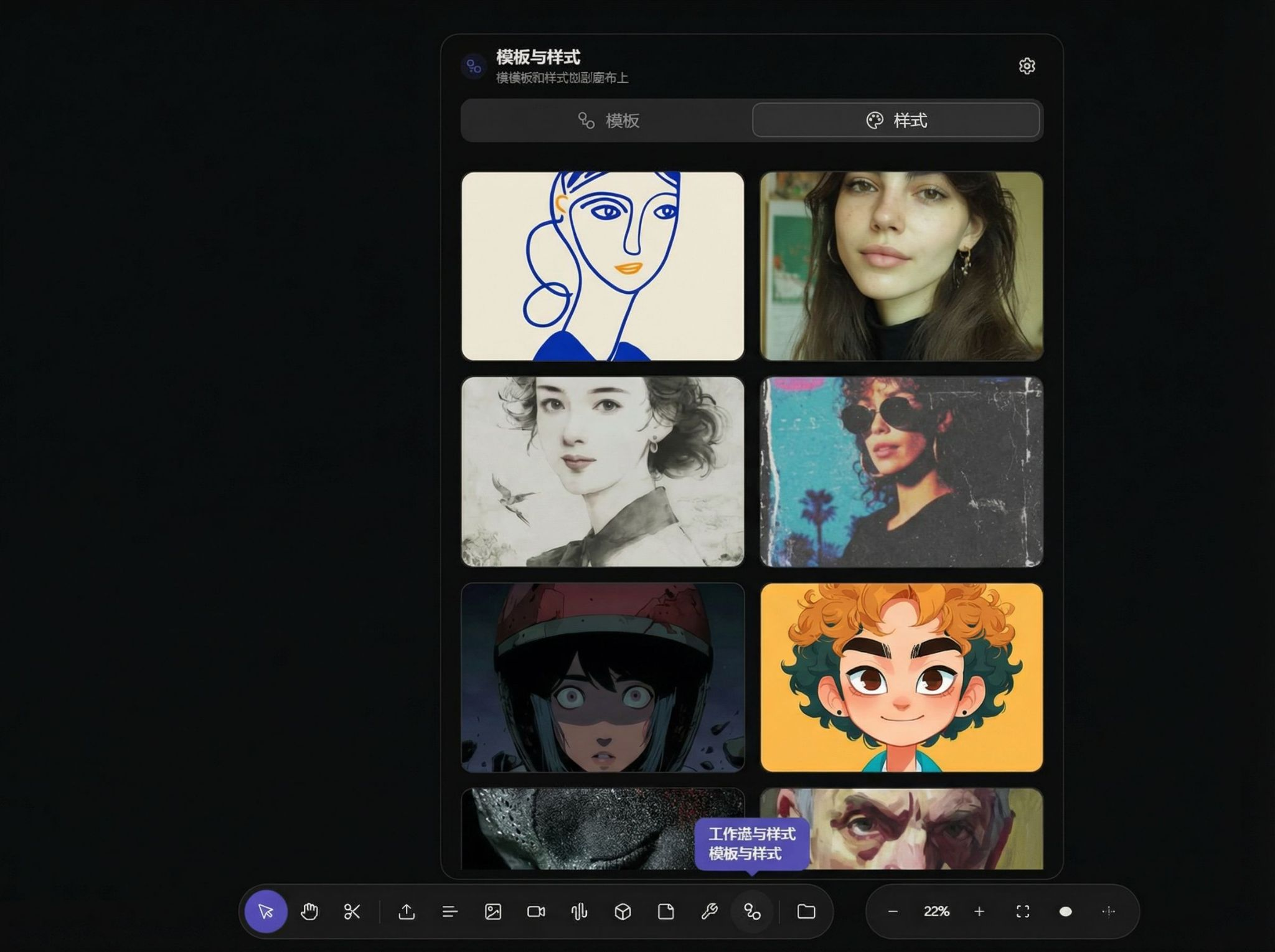
Screenshot showing style entry on right side of bottom toolbar

Select the style you like:

Style selection list screenshot

Enter a prompt and generate to get results:
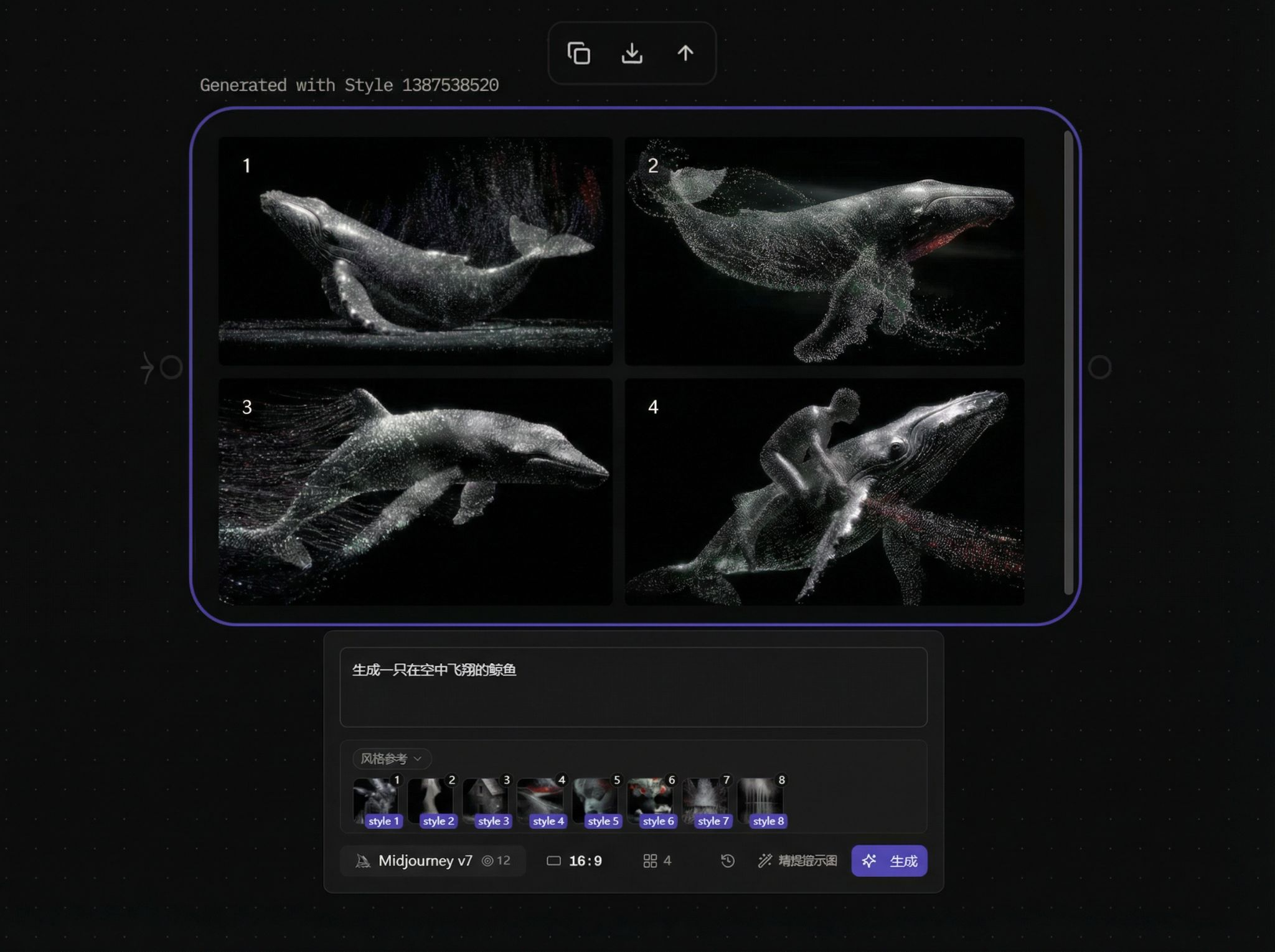
Screenshot showing results after entering prompt and generating

前へVideo Breakdown次へ Assets
  • Style Node
Astorie Logo
Astorie

創る人とチームのための、AIクリエイティブキャンバス

プロダクト

機能料金EnterpriseAIモデル今すぐ始める

リソース

ブログドキュメント使い方ガイド比較代替ツールヘルプセンター

会社情報

利用規約返金ポリシー解約ポリシー利用規定プライバシーポリシー

つながる

クリエイティブパートナーお問い合わせ
© 2026 StoryFlow AI, Inc. All rights reserved.クリエイターのために。