Astorie LogoAstorie
  • 기능
  • 도구
  • 모델
  • 워크플로우
  • 가격
  • 문의하기
  • English
  • 中文
Astorie Logo
AstorieDocs

문서 검색

문서 페이지와 섹션을 검색하세요

Back to Astorie
Astorie Logo
Astorie Docs
← Back to App

Getting Started

  • 2min Quick Start
  • Canvas Basics
  • Keyboard Shortcuts

Node Guide

  • Node Overview
  • Text Node
  • Image Node
  • Video Node
  • Audio Node
  • 3D Node
  • Tool Node

Workflows

  • Getting Started with Workflows
  • Workflow Examples

Features

  • Video Breakdown
  • Templates & Styles
  • Assets

Project Management

  • Create & Manage Projects
  • Share & Collaborate

Other

  • FAQ

Getting Started

  • 2min Quick Start
  • Canvas Basics
  • Keyboard Shortcuts

Node Guide

  • Node Overview
  • Text Node
    • Basic Usage
    • Mention References
    • Editor Features
    • AI Assistant Mode
    • Prompt Tips
  • Image Node
    • Generation Modes
    • Basic Usage
    • Parameters
    • Special Features
    • Multi-Image Input
  • Video Node
    • Generation Modes
    • Basic Usage
    • Parameters
    • Special Features
    • Prompt Tips
  • Audio Node
    • Generation Modes
    • Basic Usage
    • Parameters
    • Advanced Features
    • Common Tips
  • 3D Node
    • Generation Modes
    • Basic Usage
    • Supported Models
    • Parameters
    • Tips
  • Tool Node
    • Tool Types
    • Basic Usage
    • Parameters
    • Chaining
    • Common Tips

Workflows

  • Getting Started with Workflows
  • Workflow Examples

Features

  • Video Breakdown
  • Templates & Styles
  • Assets

Project Management

  • Create & Manage Projects
  • Share & Collaborate

Other

  • FAQ
DocsFeaturesTemplates & Styles

Templates & Styles

Templates and styles are used to quickly apply artistic styles, shortening the path from inspiration to finished work.


Style Node

The style entry is located on the right side of the bottom toolbar on the canvas (as shown):
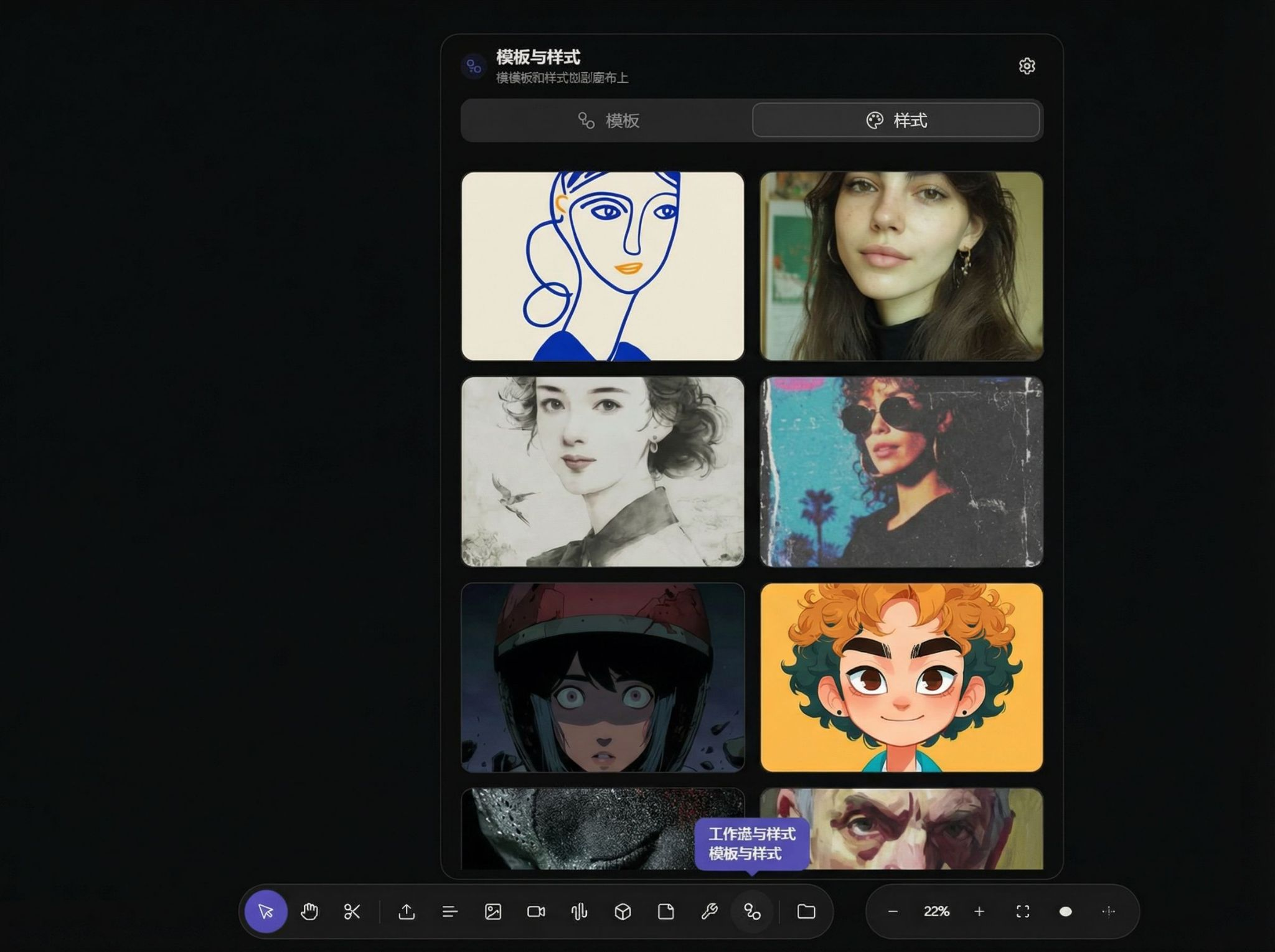
Screenshot showing style entry on right side of bottom toolbar

Select the style you like:

Style selection list screenshot

Enter a prompt and generate to get results:
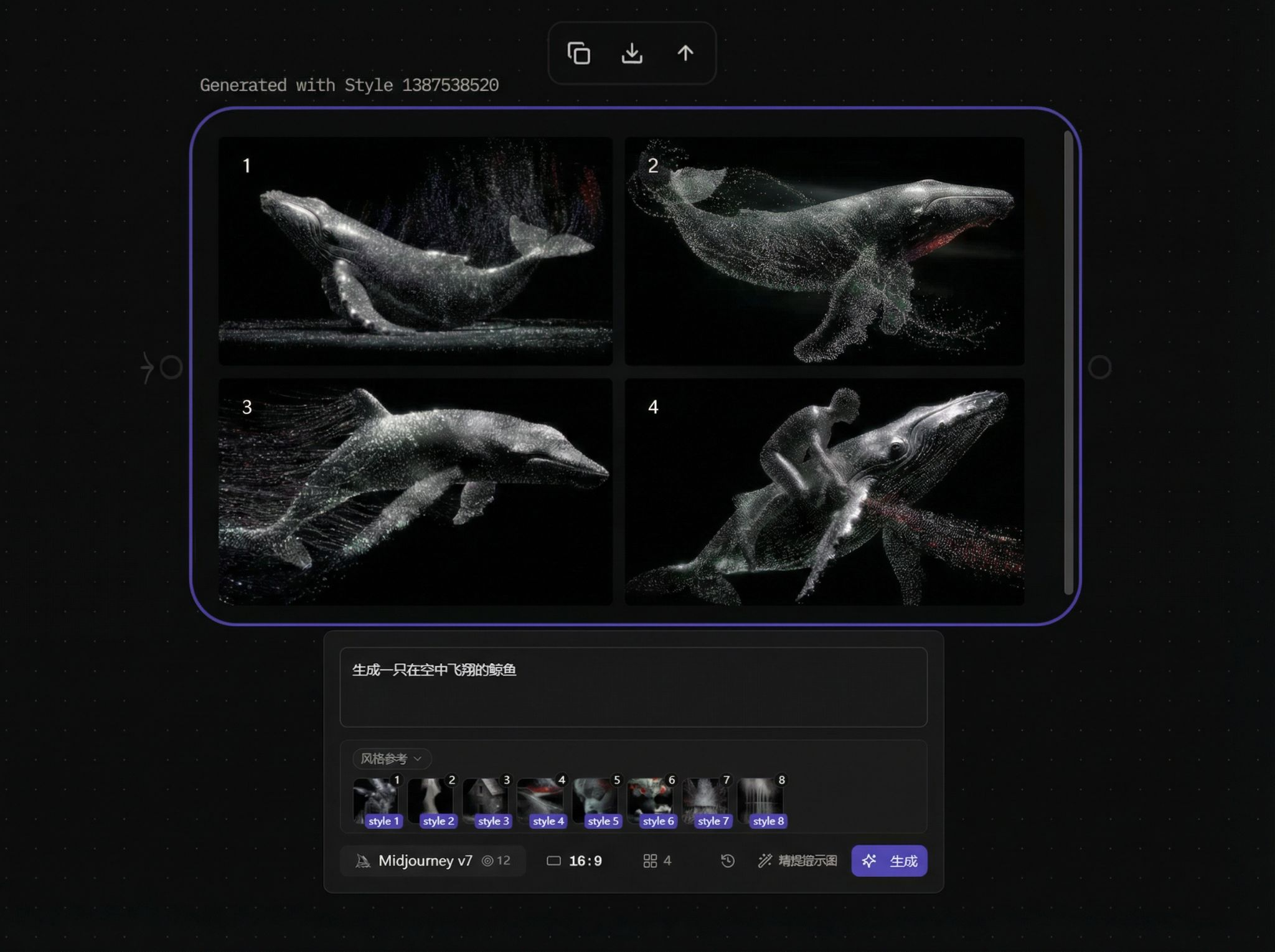
Screenshot showing results after entering prompt and generating

이전Video Breakdown다음 Assets
  • Style Node
Astorie Logo
Astorie

크리에이터와 팀을 위한 AI 크리에이티브 캔버스

제품

기능가격EnterpriseAI 모델시작하기

리소스

블로그문서사용 가이드비교대안 도구도움말 센터

회사

이용약관환불 정책해지 정책이용 수칙개인정보처리방침

커뮤니티

크리에이티브 파트너문의하기
© 2026 StoryFlow AI, Inc. 모든 권리 보유.크리에이터를 위해 만들었습니다.