

Nano Banana 2.1 vs GPT Image 2.5
Key Takeaways
• GPT Image 2.5 has Flare and Sunburst variants; only Flare is represented in these tests.
• Both supplied family outputs match the main subject counts but miss some composition details.
• The later Flare cloak edit retains more of the approved source appearance than the first supplied Flare result.
• Astorie’s 4K selection produced supplied files with a 2048-pixel long edge.
• API token prices and Astorie credit quotes describe different billing systems.
Nano Banana 2.1 vs GPT Image 2.5 depends on your workflow: start with Nano Banana for many-reference and search-grounded briefs, or GPT Image 2.5 for transparent-background and custom-size workflows. Clara’s Flare examples show why source connection and preservation checks matter in editing.
Nano Banana 2.1 vs GPT Image 2.5: which should you choose?
Pick the feature that removes a real workflow constraint, then test preservation on your own files. Google documents up to 14 references and Web/Image Search grounding. OpenAI documents image generation, editing and transparent backgrounds for both GPT Image 2.5 variants. Neither feature list establishes a universal image-quality winner. [1][2]
Your task | Start by evaluating | Trade-off to review |
A scene combining many supplied references | Nano Banana 2.1 | More reference capacity does not guarantee identity preservation. |
Transparent assets or exact custom output dimensions | GPT Image 2.5 | Check alpha, edge quality and size limits in the actual export. |
Everyday GPT image workflow | Flare | OpenAI positions it for speed; measure your own latency. |
Demanding GPT editing workflow | Sunburst | OpenAI positions it for quality; no Sunburst output was supplied here. |
Recoloring an approved portrait | Either with the exact source connected | Accept only after reviewing face, clasp, armor, crop and background. |
Evidence scope: Clara ran the supplied Astorie cases on 11 October 2026. The Nano Banana selector reads Nano Banana 2.1 Premium. The GPT selector reads GPT Image 2.5 with Flare selected. The generation settings and editing records are not a controlled benchmark, and no latency, failure rate or overall quality ranking is claimed.
Flare and Sunburst are different GPT Image 2.5 choices
OpenAI describes Flare as the smaller speed-oriented choice and Sunburst as the base quality-oriented choice. Those are vendor positions, not measured results in this article. Both use text and image inputs, produce images and offer low, medium, high, xhigh, max and auto quality settings. The Astorie screenshots show Flare selected; the nearby Sunburst label is an unselected option. [2][3][4]
Capability | Nano Banana 2.1 | GPT Image 2.5 |
Exact API identity | gemini-nano-banana-2.1 [1] | gpt-image-2.5-flare or gpt-image-2.5-sunburst [3][4] |
Native still-image workflow | Generation and conversational editing [5] | Generation and editing [2] |
Inputs / outputs | Text, image, video and PDF / image and text [1] | Text and image / image [3][4] |
Reference / edit control | Up to 14 references; thinking and search grounding [1] | Source-image editing; quality and background parameters [2] |
Resolution / background | 1K, 2K, 4K; default 1K [1] | Custom dimensions or auto; auto, opaque or transparent background [2] |
OpenAI’s custom-size rules require edges no longer than 3,840 pixels, both multiples of 16, an aspect ratio no wider than 3:1, and 655,360–8,294,400 total pixels. Outputs above 3,686,400 pixels are experimental. Choose supported dimensions in parameters rather than assuming that writing “4K” in a prompt sets the export. [2]
These are still-image products. Motion quality and audio are outside the comparison; Google’s video input is context, while the GPT model pages do not support video or audio modalities. None of the supplied cases includes a generated clip or soundtrack. [1][3][4]
Family generation: correct subjects, imperfect staging
The family brief is useful because it separates countable success from exact composition. It requires a bareheaded father holding his child, the mother on the left, one fully visible helmet on the ground at lower right and both adults framed from the knees upward. The complete original brief is retained in the test record.
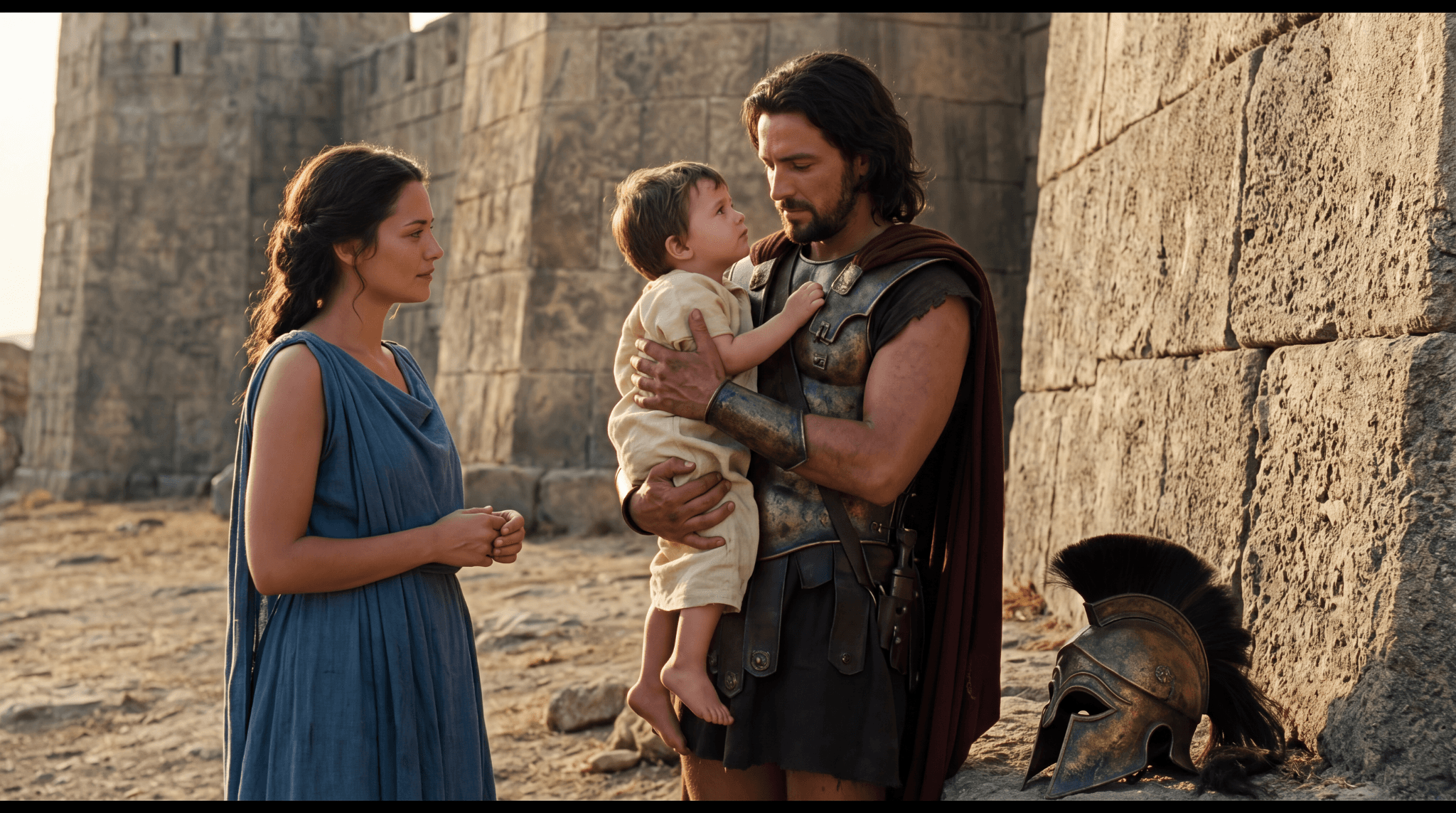
Figure 1. Nano Banana 2.1 Premium, Image10. Original PNG, 2048 × 1143; black top and bottom strips are retained.
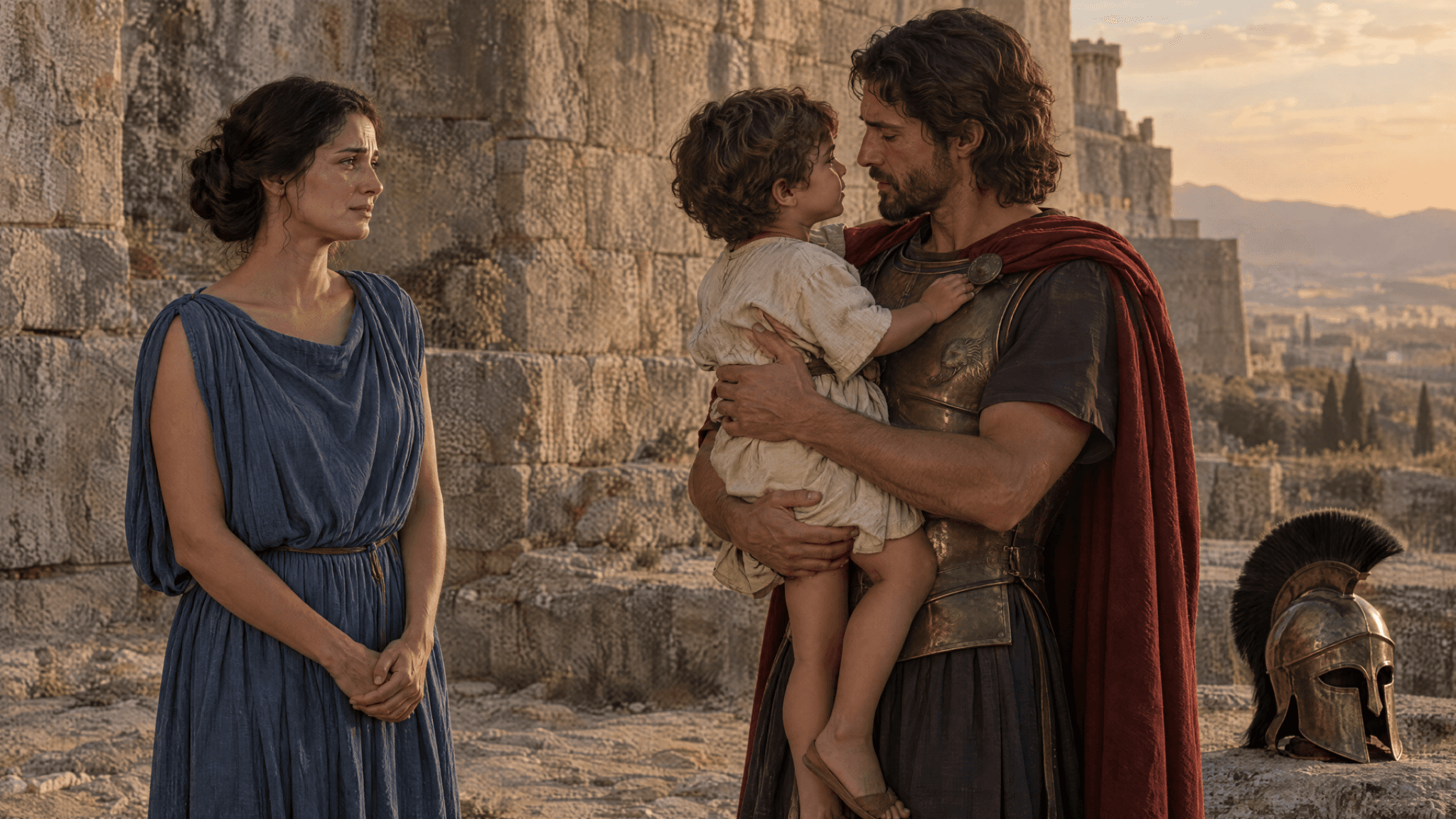
Figure 2. GPT Image 2.5 Flare, Image14. Original PNG, 2048 × 1152; the helmet rests on a raised stone ledge.
Brief requirement | Nano Banana Image10 | GPT Flare Image14 |
Two adults, one child, one helmet | Visible counts match | Visible counts match |
Mother left; father holding child right | Main roles match | Main roles match |
Helmet on ground at lower right | Visible in the lower-right ground area | Visible at lower right, but on a raised ledge |
Both adults from knees upward | Tighter than requested | Tighter than requested |
One hand supporting the child’s back | Not clearly shown | Not clearly shown |
Both outputs communicate the requested farewell scene, with the main wardrobe colors and subject counts. Neither fully satisfies the staging brief. That matters if the image is an illustration of a specific passage rather than a general historical portrait. Review counts, action, framing and prop placement separately; an attractive image can pass the first check and fail the others.
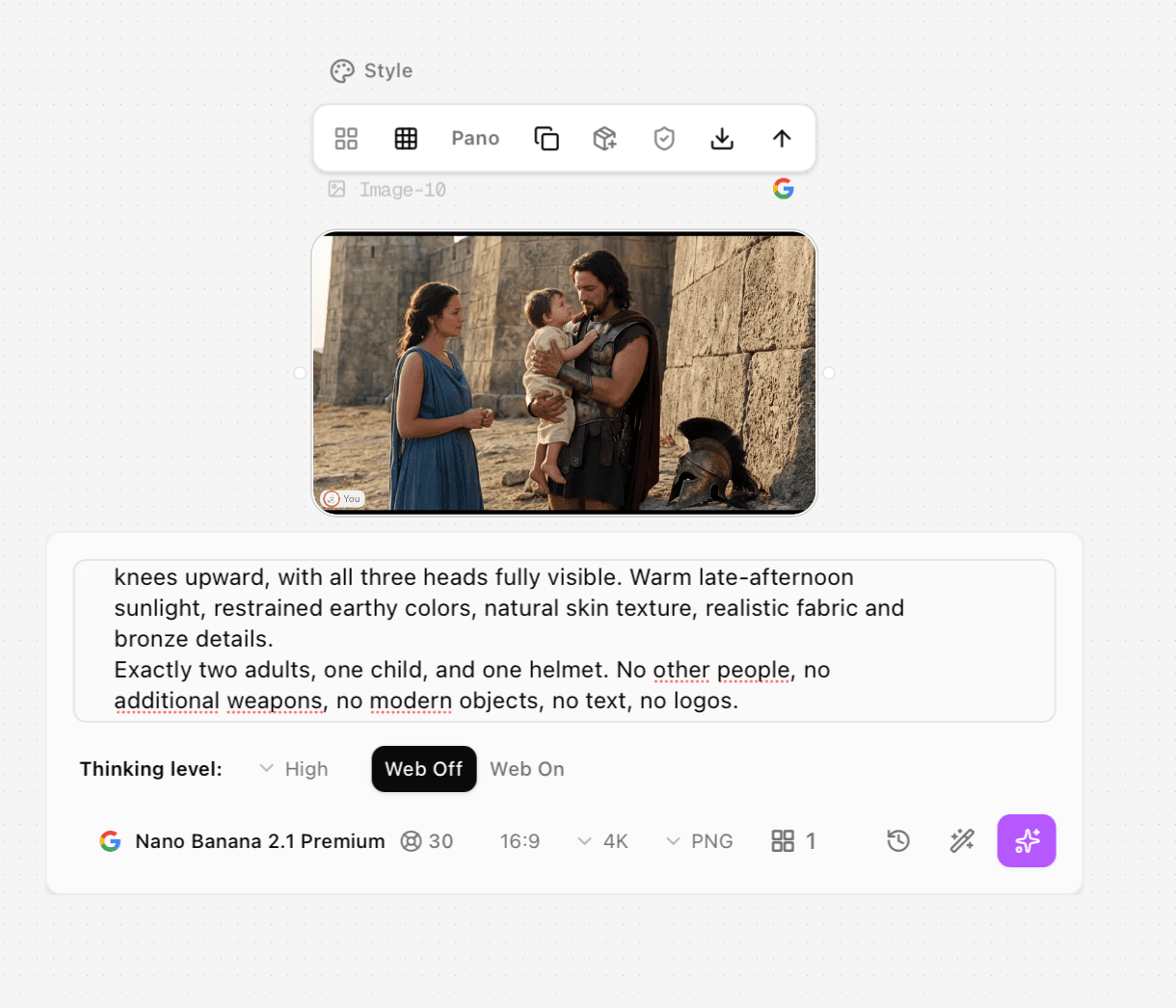
Figure 3. Nano Banana Image10 screenshot: Premium, High thinking, Web Off, 16:9, 4K, PNG, one image and a 30-credit quote.
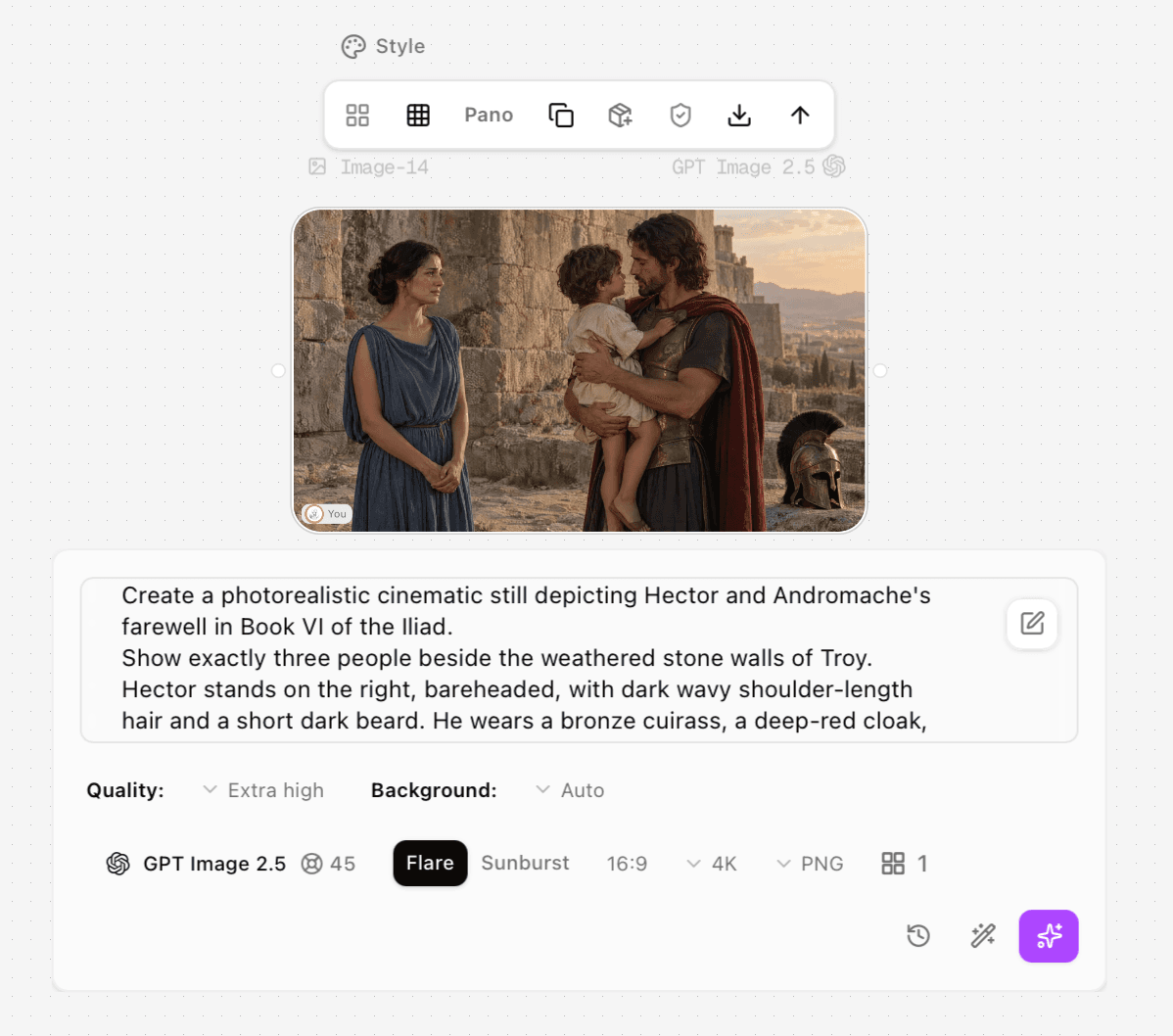
Figure 4. GPT Image14 screenshot: Flare selected, Extra high quality, Auto background, 16:9, 4K, PNG, one image and a 45-credit quote.
Cloak recoloring: did the approved portrait survive?
The useful editing question is whether the blue cloak still belongs to the approved portrait. Image8 is the red-cloak source, with shoulder-length dark hair, a short beard, a round silver-toned clasp, bronze armor, a diagonal strap and a warm stone wall. The target is a muted dark-blue cloak while retaining those other details.
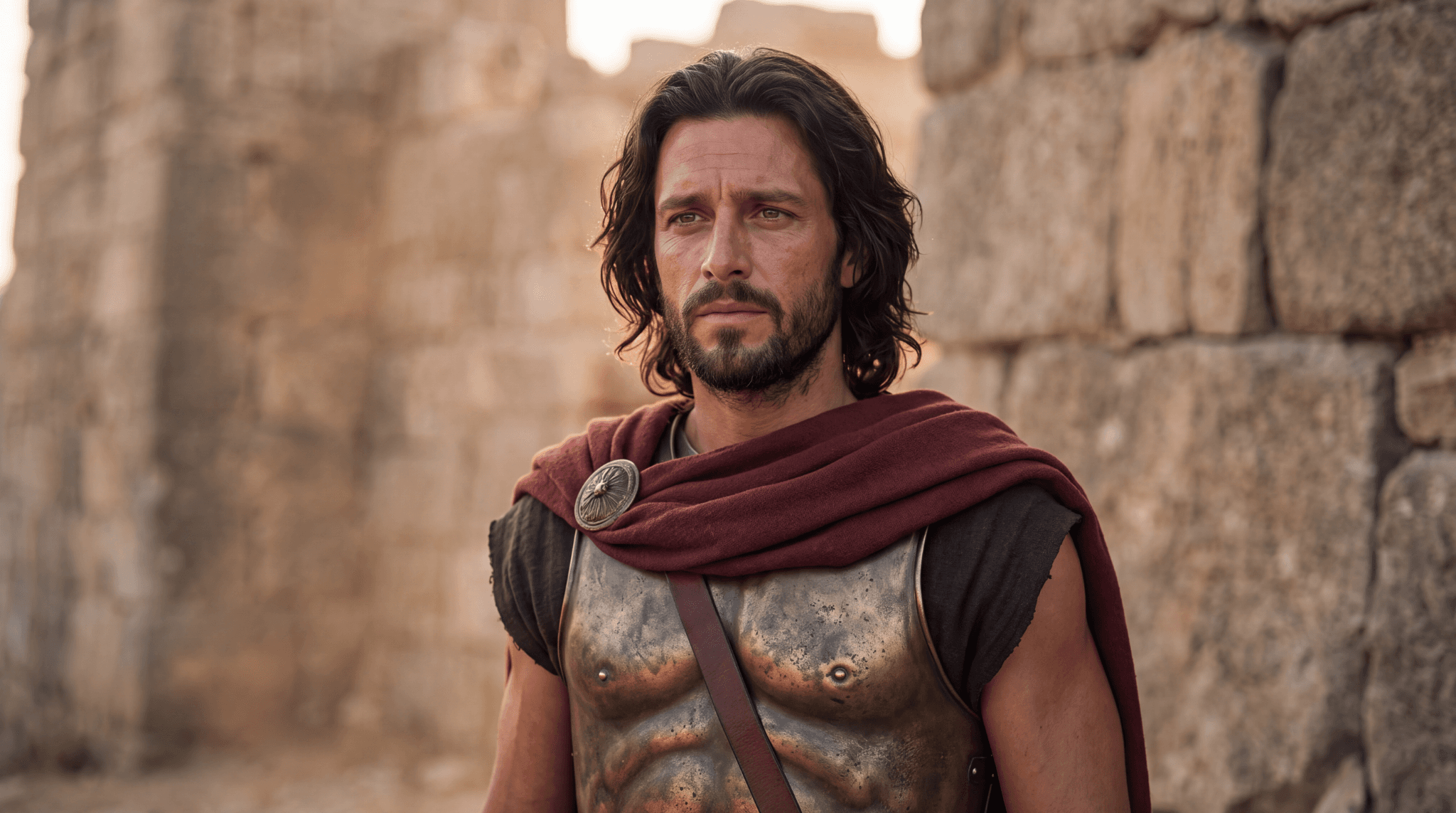
Figure 5. Approved source, Image8. Original PNG, 2048 × 1143; retain this file for every preservation check.
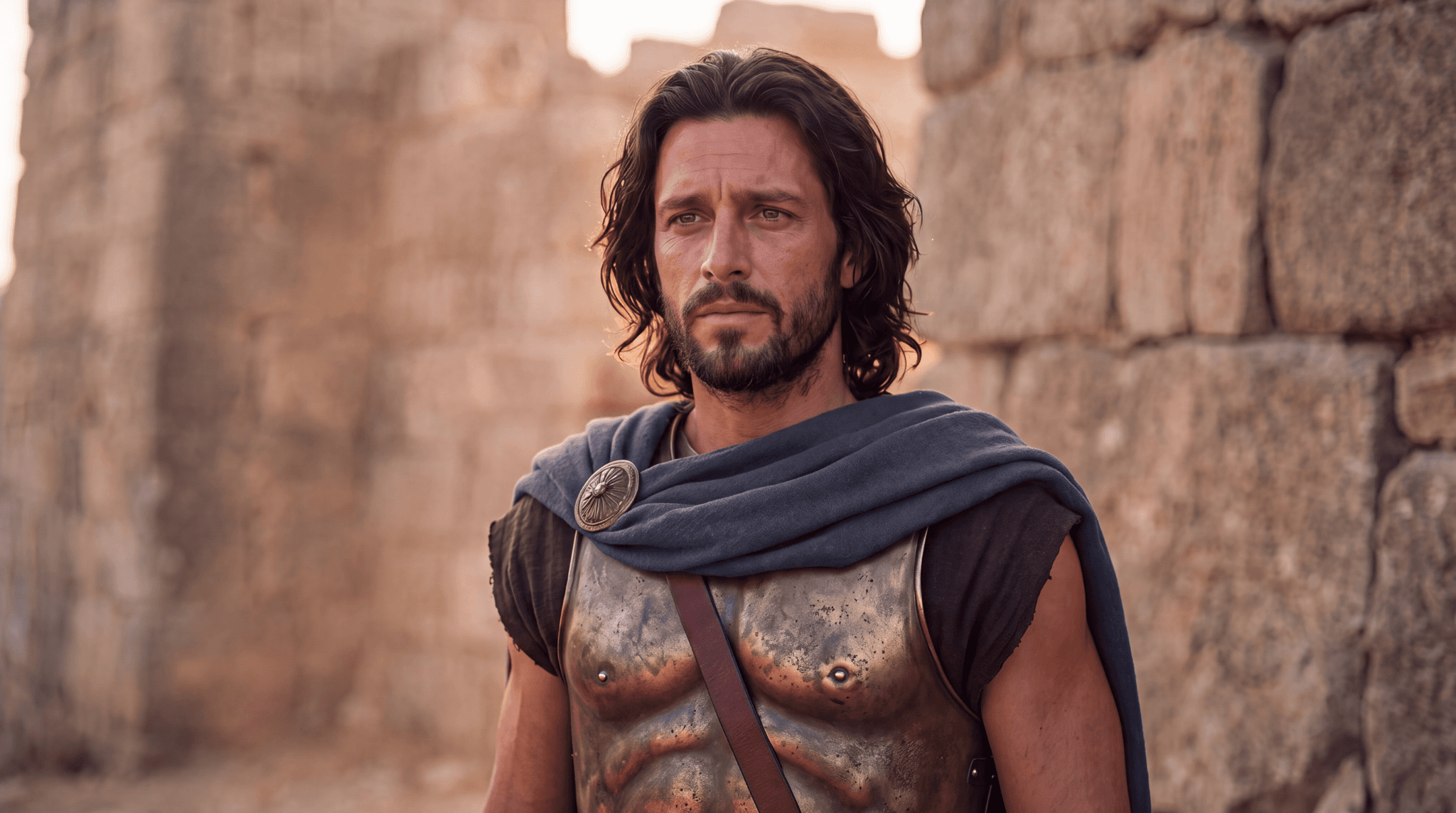
Figure 6. Nano Banana 2.1 Premium cloak edit, Image9. Original PNG, 2048 × 1143; the target cloak becomes blue-gray.
Nano Banana’s Image9 changes the cloak to blue-gray and keeps the face, armor and wall recognizable. The skin appears redder, while folds and nearby details differ from the source. It achieves the semantic color change, but this is not a verified color-only transformation.
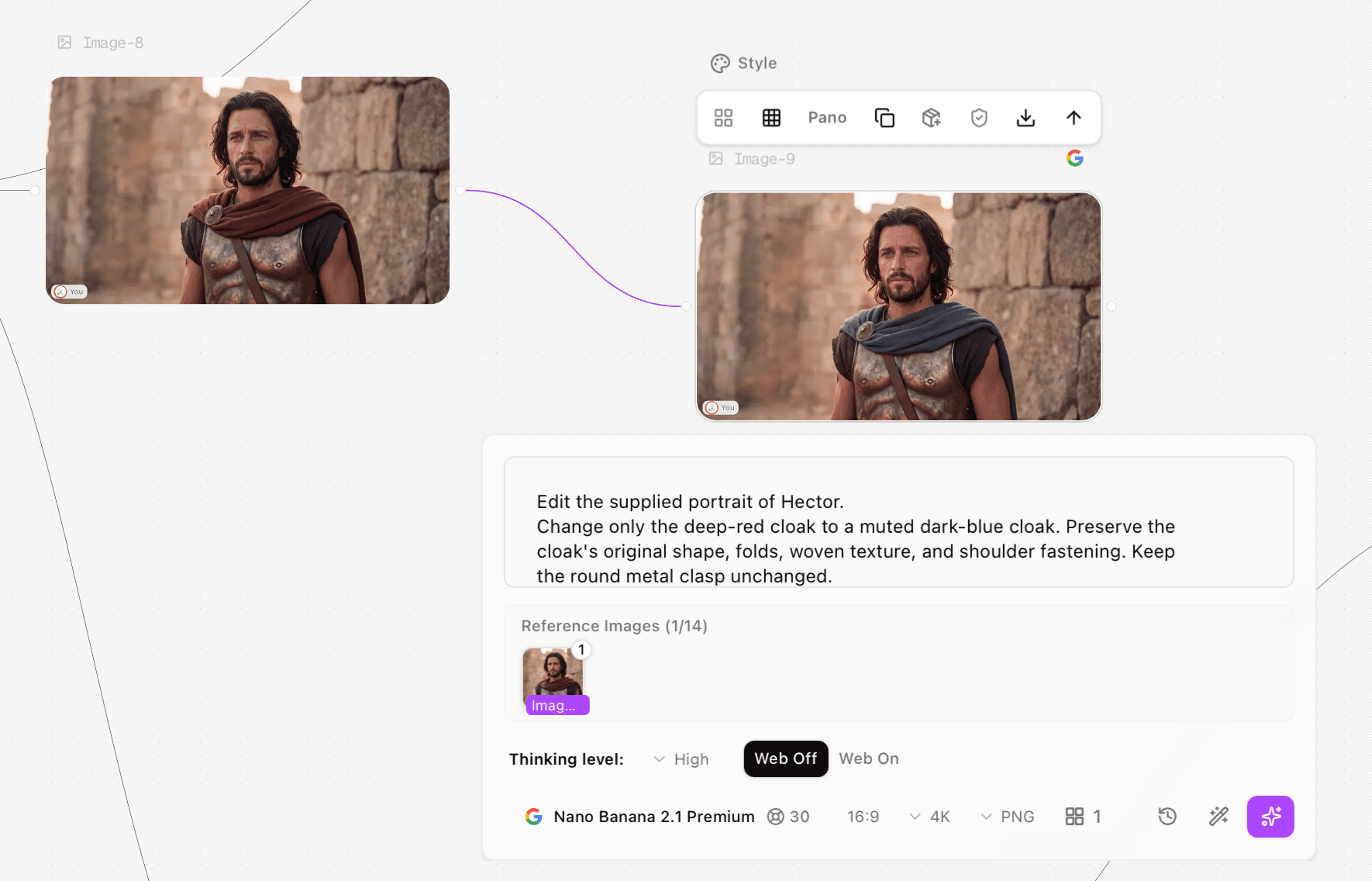
Figure 7. Nano Banana Image8-to-Image9 screenshot: one source reference, High thinking, Web Off, 16:9, 4K, PNG and a 30-credit quote.
GPT Image15: two supplied Flare results
The first supplied Flare result recolors a cloak, but it is unsuitable if the approved face and costume must stay. The later result is much closer to Image8 in face, hair, armor, strap, clasp and wall. Only the later process screenshot explicitly shows Image8 connected with one reference thumbnail, so the cause of the difference cannot be isolated.
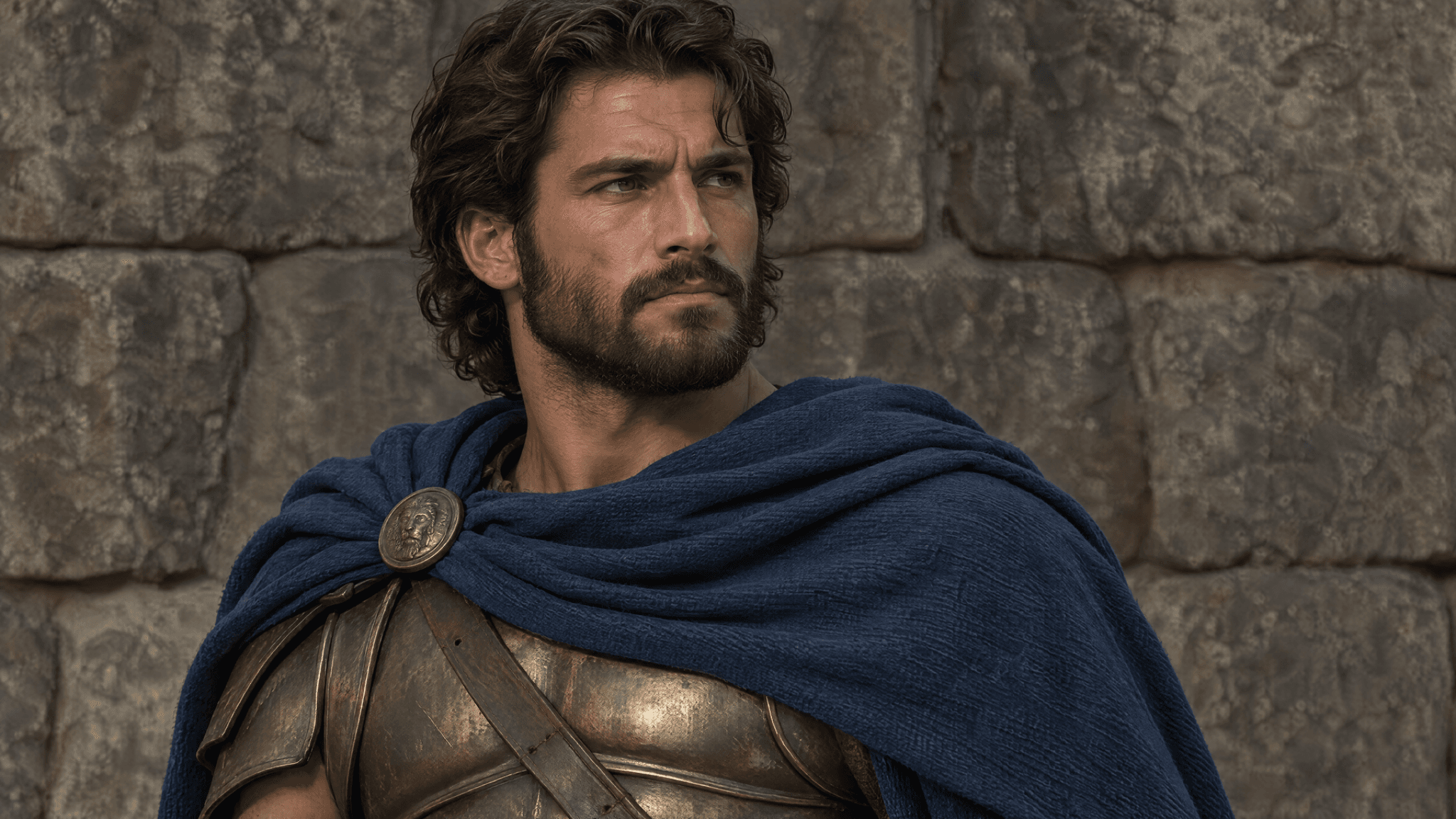
Figure 8. GPT Image 2.5 Flare, first supplied Image15 result. Original PNG, 2048 × 1152; face, hair, clasp, armor and background differ substantially from Image8.
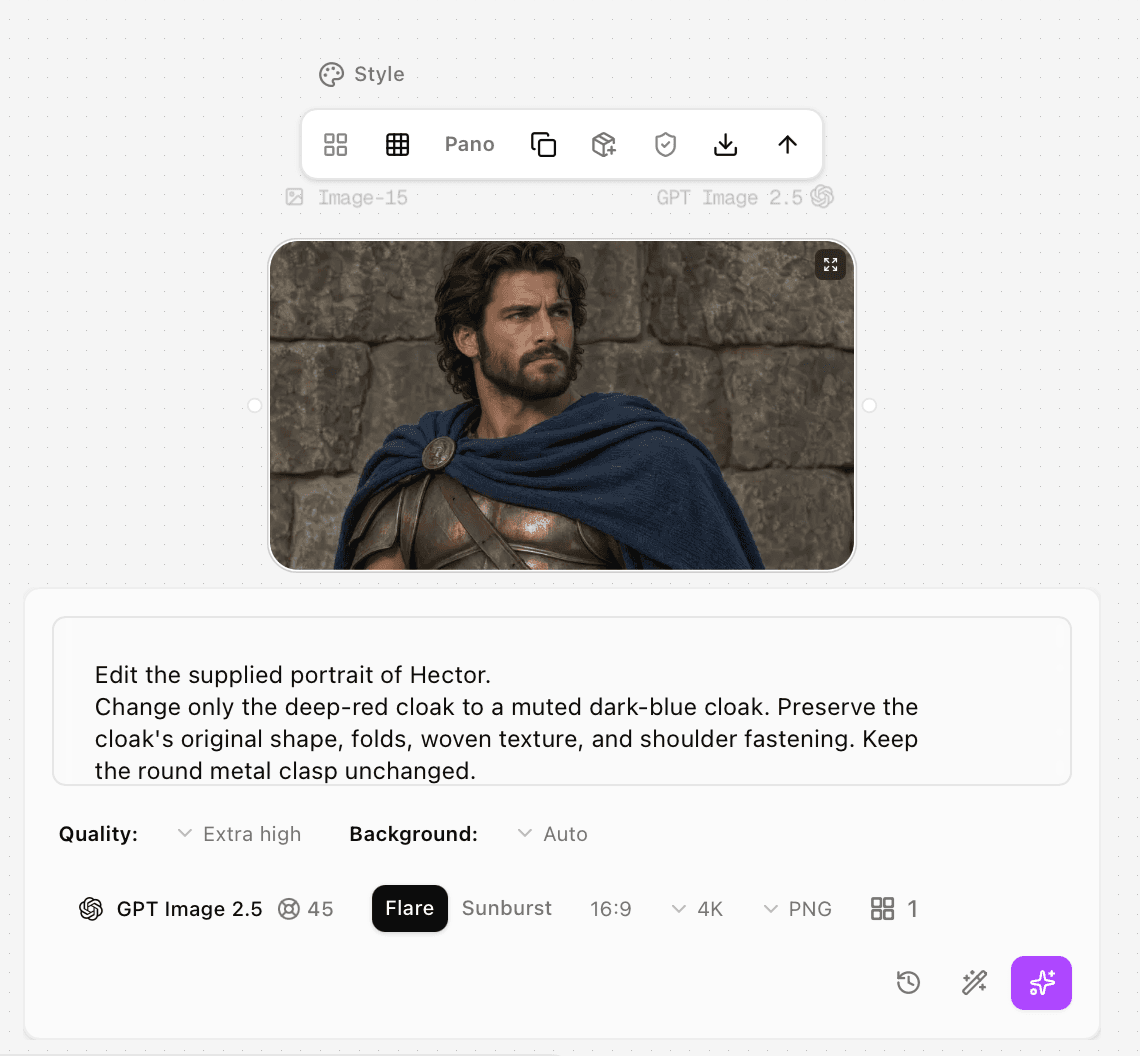
Figure 9. First Image15 process screenshot. Flare and a 45-credit quote are visible; source connection and the reference list are not shown in this crop.
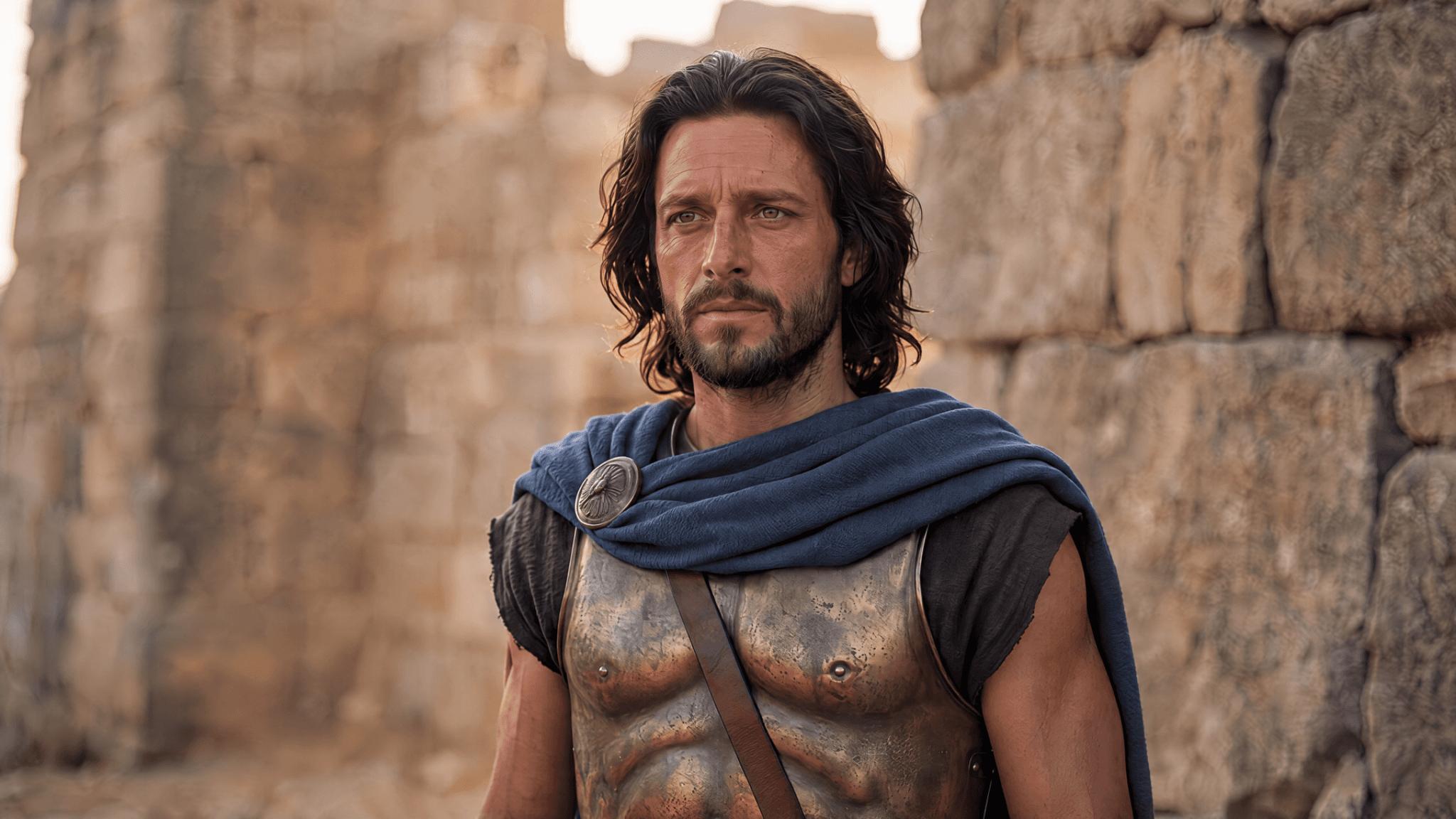
Figure 10. GPT Image 2.5 Flare, later supplied Image15 result. Original PNG, 2048 × 1152; blue cloak and closer resemblance to the approved source.
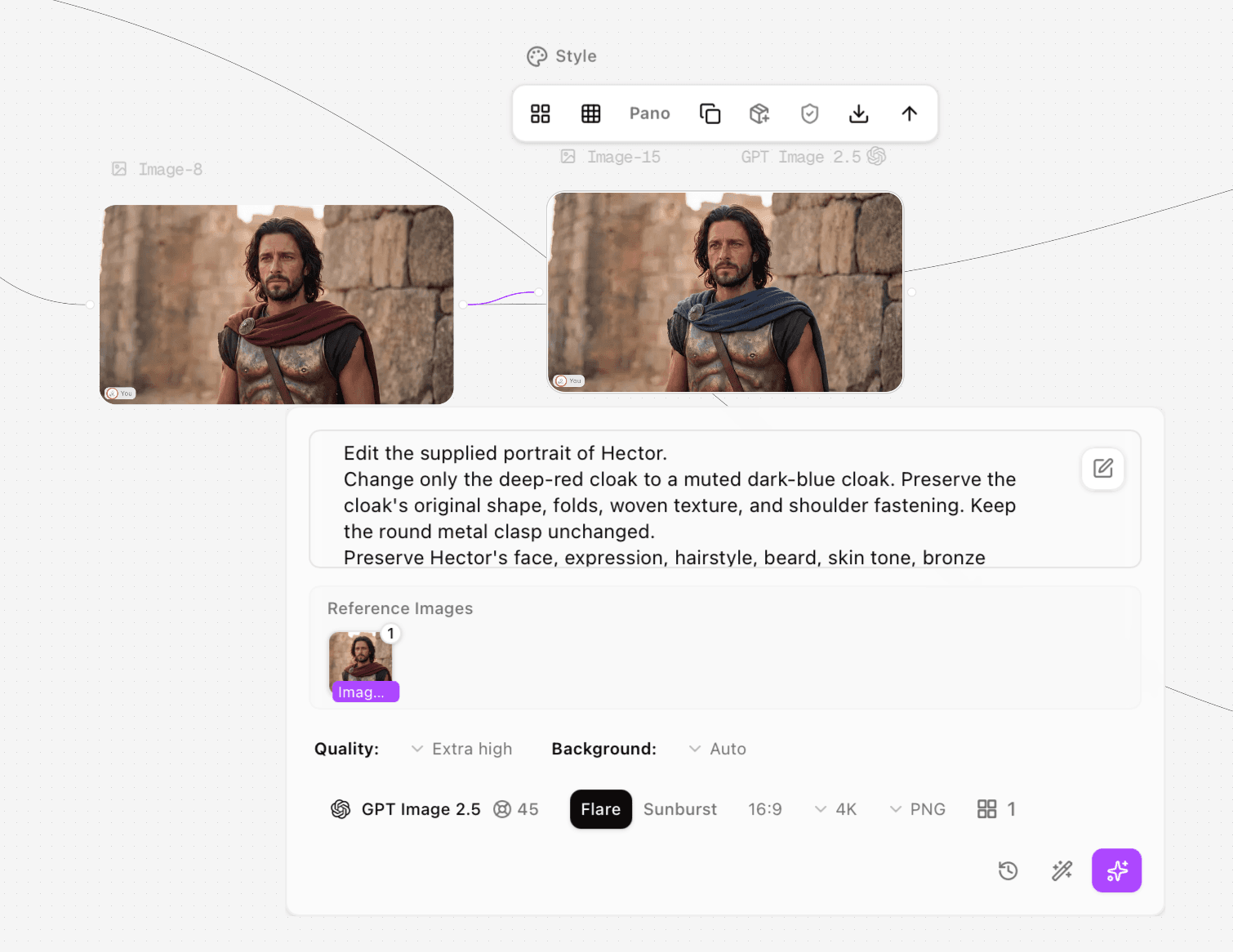
Figure 11. Later Image15 screenshot: Image8 visibly connected, one reference thumbnail, Flare selected, Extra high, Auto background and a 45-credit quote.
Review item | Nano Banana Image9 | Flare first / later Image15 |
Target cloak recolored | Yes, blue-gray | Yes / Yes, dark blue |
Approved face and costume | Recognizable; visible detail drift | Substantial change / closer source resemblance |
Source connection in evidence | Visible, one source | Not visible in first crop / visible in later screenshot |
Pixel-identical preservation | Not verified | Not verified for either result |
Downloaded dimensions | 2048 × 1143, matching source dimensions | 2048 × 1152 for both; differs from source |
For this portrait, the later Flare file is a more useful editing candidate than its first supplied result because it keeps more of the approved appearance. Some folds, expression and small details still vary. The pair is not a controlled experiment: the first reference state and full GPT inputs are not independently retained, and the two supplied outputs are not a complete attempt log. Do not turn this into a model-wide consistency or reliability ranking.
How do API costs and Astorie quotes differ?
Compare vendor API token rates with vendor API token rates, and Astorie quotes with Astorie quotes. Equal image-output token prices do not imply equal cost per image because token consumption and input charges differ. [3][4][6]
Standard API component | Nano Banana 2.1 [6] | GPT Image 2.5 Flare / Sunburst [3][4] |
Text input / million tokens | $1.50 | $5.00; cached $1.25 |
Image input / million tokens | $1.50 | $8.00; cached $2.00 |
Image output / million tokens | $30.00 | $30.00 |
Text / thinking output | $7.50 / million tokens | No billed text output; these models output images |
Resolution-based output examples | 1K $0.0336; 2K $0.0504; 4K $0.113 | No fixed per-image estimate established here |
Google’s input, thinking and any billable search queries add to its image-output component. Both providers list $15 per million image-output tokens for Batch. OpenAI explicitly says the GPT Image 2 calculator does not estimate GPT Image 2.5 token consumption; do not reuse an older calculator as a current per-image quote. [3][4][6]
A transparent GPT budgeting formula is: (text input tokens × $5 + uncached image input tokens × $8 + image output tokens × $30) ÷ 1,000,000 for Standard. For hypothetical usage of 1,000 text-input, 1,000 image-input and 3,000 image-output tokens, one request costs $0.103; three identical attempts cost $0.309. These assumed tokens are an arithmetic example, not measured consumption for the screenshots. Use actual returned usage for a real forecast.
Astorie case | Selected controls | Quote / actual supplied export |
Nano Banana Image10 and Image9 | Premium; High; Web Off; 16:9; 4K; PNG; 1 | 30 credits each / 2048 × 1143 PNG |
GPT Image14 and both Image15 results | Flare; Extra high; Auto background; 16:9; 4K; PNG; 1 | 45-credit quote shown per screenshot / 2048 × 1152 PNG |
At the displayed quotes, reserving three requests would require 90 Nano Banana credits or 135 GPT credits. This is an estimate at the captured controls, not a record of actual debit or subscription value. The selected 4K label did not produce a verified 4K original in these supplied files. Check file dimensions and account usage after download.
How to make your own comparison useful
In Astorie, add an Image node, select the exact model and variant, and keep the approved source in a separate node. For editing, connect that source and confirm its thumbnail in Reference images before running. Match ratio and intended output size, record the quality controls and quote, then generate and download the original. Review the target edit and protected details side by side. [7]
For a fair follow-up, keep the full prompt and source file identical, record all attempts and actual debits, and compare files at matched dimensions. Measure queue-to-download time consistently if speed matters. Test transparent-background export or Sunburst separately if those are your reasons for choosing GPT; neither was verified by these Auto-background Flare cases.
Frequently asked questions
Did these tests use GPT Image 2.5 Sunburst?
No. The screenshots show Flare selected. Sunburst is included only in the official feature and pricing discussion.
Can either model change only a cloak color?
The supplied files show the requested color change, but also differences outside the cloak or in dimensions. Review protected details; use a verified mask or composite when exact preservation is required.
Which is better overall?
There is no supported universal winner. Start with Nano Banana for its reference allowance and grounding, or GPT for transparent-background and custom-dimension controls. For approved-character edits, the acceptance check matters more than a model name.
Test record and retained prompt text
Record | Evidence retained |
Executor / date / host | Clara / 11 October 2026 / Astorie |
Generation inputs | Image10 and Image14: text-only shared family brief, supplied as the same original prompt; full text below |
Recolor inputs | Image9: Image8 source and full original prompt below. Later Image15: Image8 connection and one thumbnail visible. First Image15 source state not visible. |
GPT recolor prompt availability | Both screenshots verify the opening through “Keep the round metal clasp unchanged.” The remainder of each full GPT input is not independently retained. |
Requested / retained outputs | One requested per node; one family result per model, one Nano Banana recolor, two supplied Flare recolor results. Total attempts and failures unknown. |
Timing / actual account debit | Not recorded; numbers in screenshots are displayed quotes |
Rerun status | Later Image15 result supplied with source connection visible; no controlled rerun or causal attribution established |
Audio review | Not applicable; all supplied test files are still images |
Family generation — complete original prompt retained for Image10 and Image14:
Create a photorealistic cinematic still depicting Hector and Andromache's farewell in Book VI of the Iliad.
Show exactly three people beside the weathered stone walls of Troy.
Hector stands on the right, bareheaded, with dark wavy shoulder-length hair and a short dark beard. He wears a bronze cuirass, a deep-red cloak, and a dark tunic. He holds his young son securely against his chest, with one hand supporting the child's bottom and the other supporting his back.
The child wears cream-colored clothing and looks toward Hector's face.
Andromache stands on the left, wearing a simple blue dress, with her dark hair tied back. She watches them with a tender, sorrowful expression. Her hands are gently clasped at waist height.
Place one bronze helmet with a dark horsehair crest on the ground at the lower right. Keep the entire helmet visible.
Use a medium-wide horizontal composition showing both adults from the knees upward, with all three heads fully visible. Warm late-afternoon sunlight, restrained earthy colors, natural skin texture, realistic fabric and bronze details.
Exactly two adults, one child, and one helmet. No other people, no additional weapons, no modern objects, no text, no logos.
Nano Banana Image9 recolor — complete original prompt:
Edit the supplied portrait of Hector.
Change only the deep-red cloak to a muted dark-blue cloak. Preserve the cloak's original shape, folds, woven texture, and shoulder fastening. Keep the round metal clasp unchanged.
Preserve Hector's face, expression, hairstyle, beard, skin tone, bronze armor, leather strap, pose, lighting, stone-wall background, camera angle, and framing.
Do not add, remove, or reposition anything. Keep the original image dimensions and composition. No text or logos.
Verified GPT recolor excerpt only, visible in both Image15 screenshots:
Edit the supplied portrait of Hector.
Change only the deep-red cloak to a muted dark-blue cloak. Preserve the cloak’s original shape, folds, woven texture, and shoulder fastening. Keep the round metal clasp unchanged.
The full Nano Banana prompt above is not presented as a transcription of the unseen remainder of either GPT request.
Ready to try it on the canvas?
Open Astorie and fan your prompt across every frontier model in one workflow.