

How to Make an AI Video of Yourself From a Photo

How to make an AI video of yourself: use a clear photo you own or have permission to use, turn it into a clean identity reference, save that reference as a reusable Character Element, connect it to the video node, and prompt the performance with exact actions and timing. In the tested Astorie project, this workflow produced a 30.080-second vertical skincare UGC clip while keeping the presenter, pajamas, hair clips, nails, and room broadly consistent.
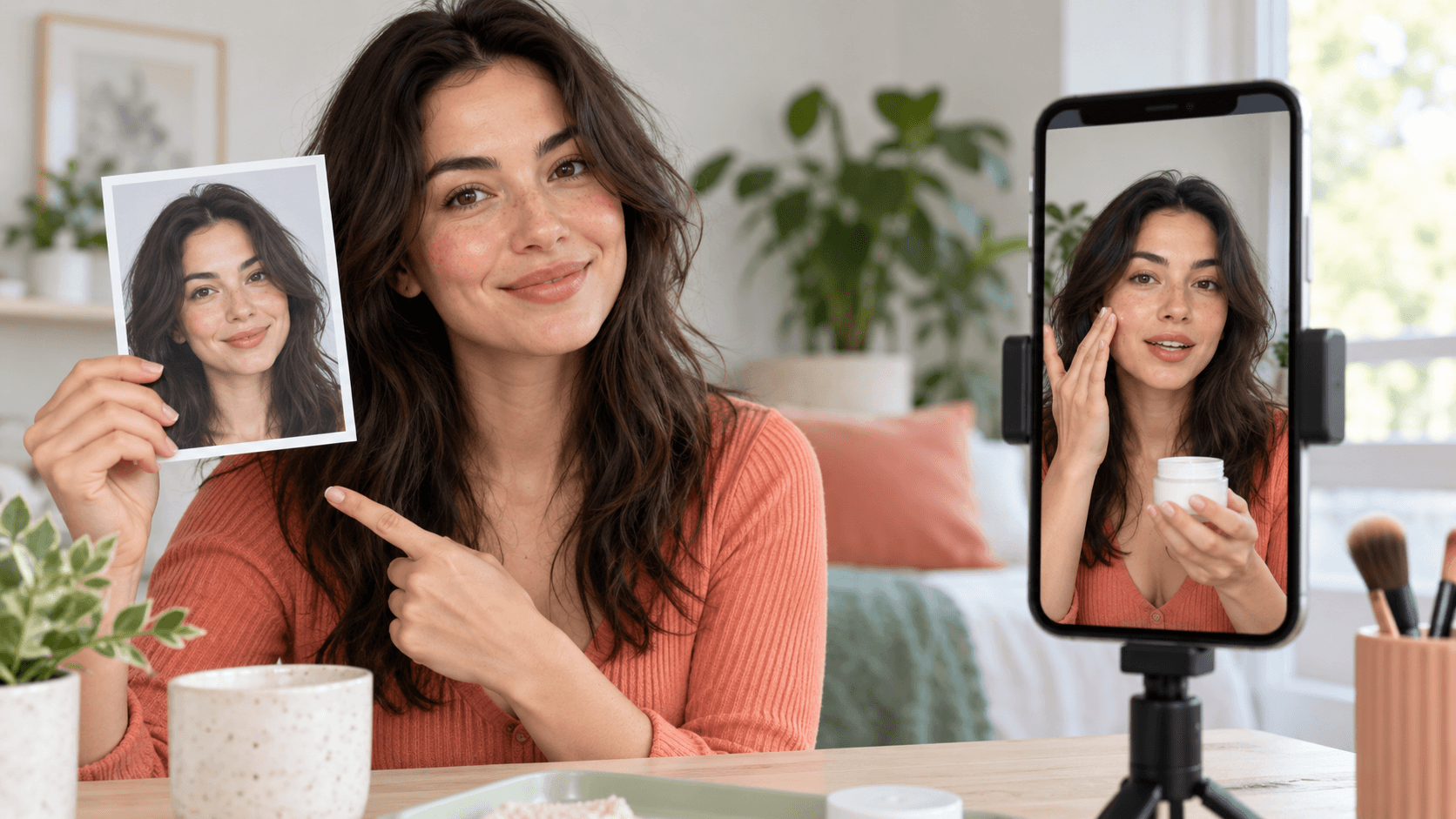
Hero concept: an authorized own-photo reference becoming a matching vertical AI video. Not test evidence.
How to make an AI video of yourself: the quick answer
Choose a well-lit photo with an unobstructed face, remove competing identity cues, and create a neutral reference still that preserves your real proportions and natural texture. In Astorie, save the selected still as a Character Element, add the video node, connect the identity plus any product and authorized audio-style references, choose the exact model and settings, generate, and inspect the export. A video ‘of yourself’ starts from your likeness; a fictional avatar starts from an invented person.
Confirm that you own the photo and have the right to create and publish the resulting likeness and voice performance.
Choose a clear source image and list the identity details that must remain unchanged.
Generate a clean 9:16 identity still; compare outputs for facial structure, asymmetry, skin texture, hair, hands, outfit, and room.
Select one still and save it as a Character Element named Own_image with the required model asset option enabled.
Add product and audio-style references only if the task needs them and you are authorized to use them.
Connect @Own_image, @Image-10, and @Audio-2 to Seedance 2.5 Omni in the tested setup.
Write a timed performance prompt with exact lines, hand actions, product states, and continuity constraints.
Set 9:16, 1080p, and 30 seconds; review the displayed estimate and generate.
Audit the full export, then add verified captions, disclosure, and final graphics in editing.
1. Use only an authorized likeness
Use your own photo or obtain explicit permission from the person shown for the intended generation and publication. Permission to possess an image is not automatically permission to animate it, imitate a voice, or use the result in advertising. Keep written authorization for collaborators, and do not present an AI-generated performance as a real recording when that distinction would matter to viewers.
Consent boundary: This tutorial demonstrates an own-image workflow. It is not a method for impersonating another person, recreating a public figure, or cloning a voice without permission. |
2. Choose a source photo that can carry identity
A useful source shows facial structure clearly and minimizes ambiguity. Look for even light, visible eyes, a natural expression, enough resolution to see skin and hair detail, and no hand or object covering the face. If the final video will be chest-up, include shoulders and wardrobe cues in the reference rather than asking the video model to invent them later.
Check | Prefer | Avoid |
Face | Front or slight three-quarter view; eyes and jaw visible. | Extreme angle, cropped chin, sunglasses, hair across both eyes. |
Light | Soft, even daylight with normal texture. | Beauty filter, hard colored light, blown highlights. |
Expression | Neutral or conversational. | Extreme expression that changes facial proportions. |
Wardrobe | Simple, visible neckline and stable colors. | Intricate text, logos, or reflective patterns. |
Background | Uncluttered and consistent with the intended scene. | Mirrors, extra faces, or strong competing subjects. |
3. Create a clean identity reference
The test first rebuilt the supplied real-person visual into a controlled vertical still. The full structured reconstruction prompt is intentionally not published: it contains project-specific identity measurements and is unnecessary for readers. The reusable method is to state what must stay the same, what may change, and what artifacts are forbidden.
Create a photorealistic vertical 9:16 smartphone portrait of the same authorized person. Preserve facial proportions, natural left-right asymmetry, eye shape and spacing, nose and mouth shape, jawline, skin tone and visible texture, hairline, hair length, outfit, nails, and the supplied room. Keep the camera at face height with soft daylight and a neutral expression. Do not beautify, symmetrize, smooth skin, change age, change ethnicity, add makeup, alter the hairline, add extra fingers, mirror text, or introduce another person. |
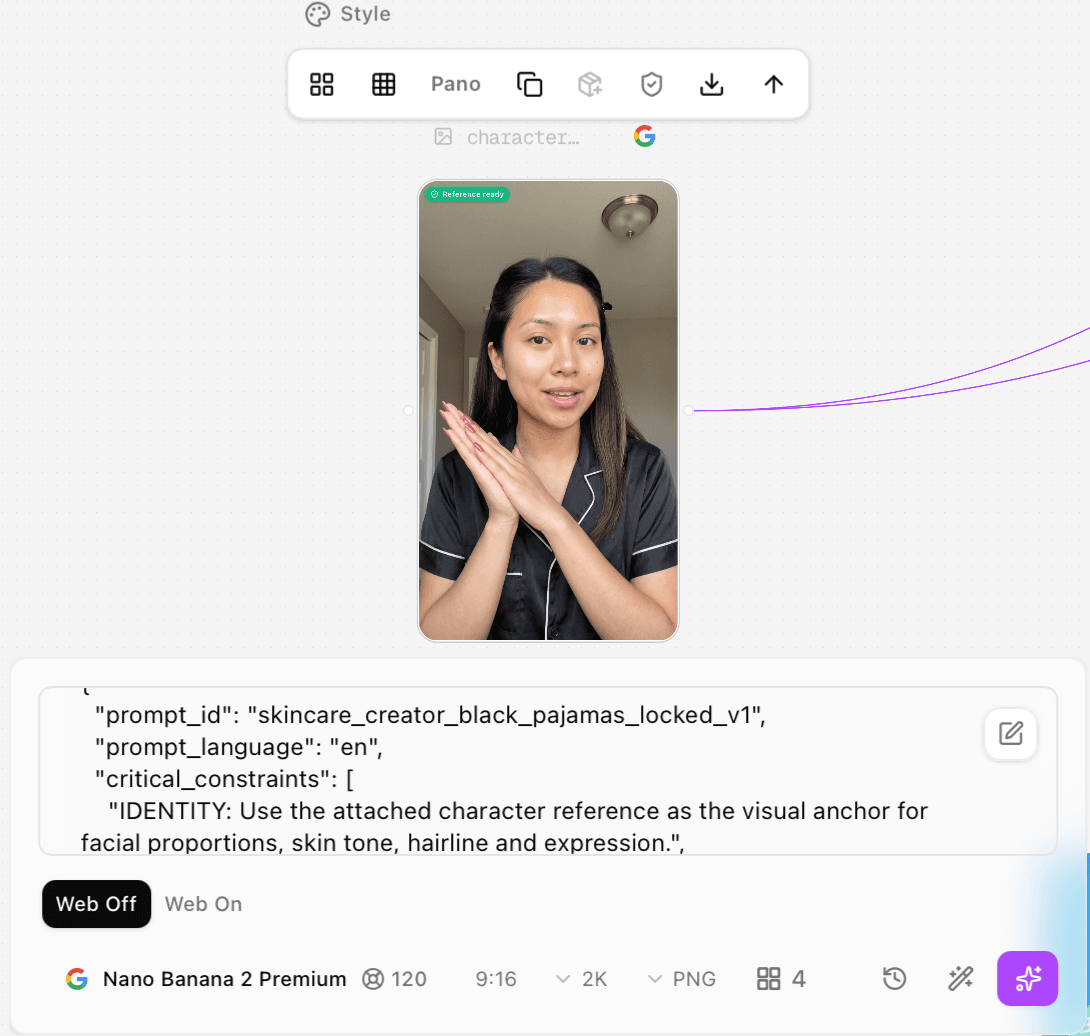
Figure 1. Original Nano Banana 2 Premium character-still generation: 9:16, 2K, PNG, four outputs, Web Off, with a displayed 120-credit estimate.
The selected image-generation node used Nano Banana 2 Premium, 9:16, 2K, PNG, four outputs, and Web Off. The panel displayed 120 credits. That value is recorded as the interface estimate; it is not presented as the final account debit.
4. Select one reference and save it as an Element
Compare candidates at full size. Choose the still that best preserves face shape, asymmetry, hairline, side clips, natural skin, black satin pajamas with pale pink piping, burgundy nails, hand anatomy, and the room. Do not select only by prettiness: a beautified but less faithful image weakens identity continuity.
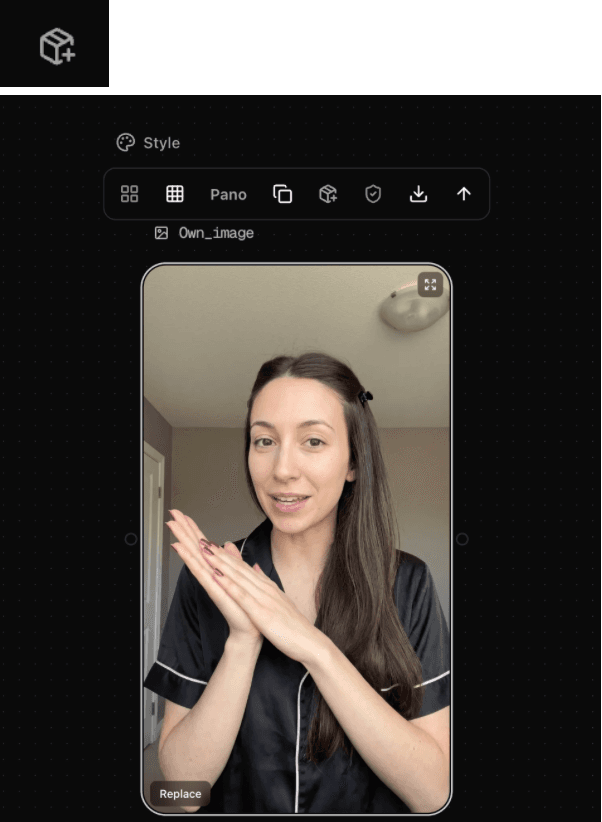
Figure 2. Original selected 9:16 identity still that became the reusable Character Element named Own_image.
From the selected still, choose the create-as-Element action. Name the Character Element Own_image so the video prompt can refer to it consistently. In the supplied settings, Create Seedance 2.0 Asset was enabled and Vidu Q2 Subject Reference was off.
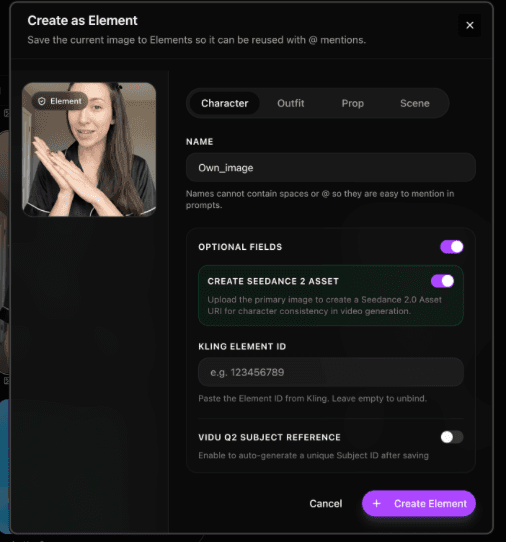
Figure 3. Original Create Element settings: name Own_image, Character type, Create Seedance 2.0 Asset enabled, and Vidu Q2 Subject Reference off.
5. Add only the references the performance needs
The final skincare demonstration used three inputs: the identity Element, a product packshot, and an audio-delivery reference. Each input had a different job. The product controlled the container; the identity controlled face, wardrobe, nails, and room; the audio reference guided rhythm and energy but the prompt explicitly prohibited copying its words or brand names.
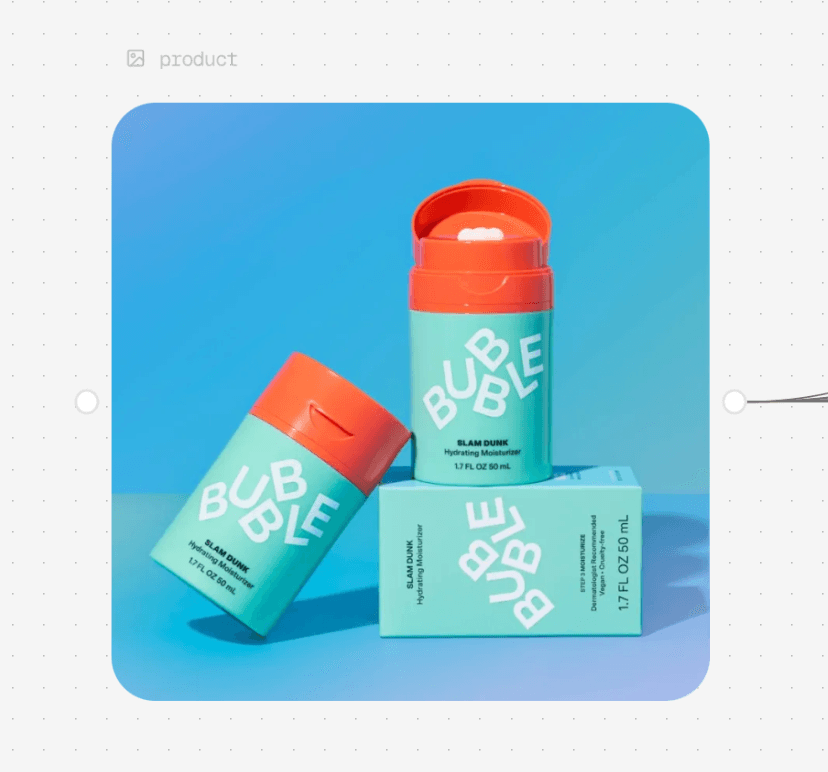
Figure 4. Original Bubble Slam Dunk packaging reference used as @Image-10 for container shape, colors, cap, dispenser, and label.
Reference | Role | Prompt boundary |
@Own_image | Authorized likeness, hair, clips, pajamas, nails, room, daylight. | Preserve identity and natural texture; no beauty filter. |
@Image-10 | Bubble container form, proportions, color, cap, dispenser, and label. | Show only this product; face the main label toward camera. |
@Audio-2 | Conversational rhythm, energy, phrasing, and pauses. | Generate fresh speech from the supplied dialogue; do not copy reference words or brand names. |
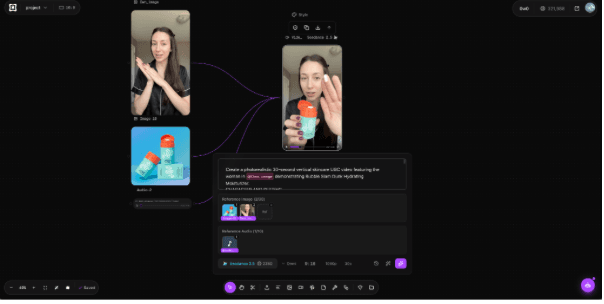
Figure 5. Original connected final workflow showing @Own_image, @Image-10, and @Audio-2 feeding the Seedance 2.5 Omni video node.
6. Write a timed performance prompt
A useful self-video prompt separates identity, style, product, audio delivery, timeline, and quality constraints. Write exact dialogue only after reading it aloud against the selected duration. Keep the mouth visible while speaking, move product actions into separate beats, and reserve the final half-second for a held pose.
Time | Beat | Visible action | Continuity instruction |
0–3s | Hook | Look into lens, lean forward, small invitation gesture. | Same face and voice; no product yet. |
3–7s | Reveal | Hold product beside cheek with label forward. | Stable packaging and daylight. |
7–11s | Texture | Open container; show cream on fingertip. | Avoid blocking face; plausible hands. |
11–19s | Application | Dot and blend cream while speaking. | Keep mouth visible; no sudden retouching. |
19–25s | Routine | Hands lower; direct-to-camera explanation. | Only a modest moisturized sheen. |
25–30s | Close | Product beside face, small smile, nod, final hold. | Finish dialogue before the last half-second. |
Full tested 30-second prompt
Create a photorealistic 30-second vertical skincare UGC video featuring the woman in @Own_image demonstrating Bubble Slam Dunk Hydrating Moisturizer. CHARACTER AND SETTING STYLE PRODUCT AUDIO AND DELIVERY TIMELINE AND EXACT DIALOGUE 3–7 seconds — PRODUCT REVEAL 7–11 seconds — TEXTURE 11–19 seconds — APPLICATION 19–25 seconds — ROUTINE 25–30 seconds — CLOSE QUALITY CONSTRAINTS |
7. Select the exact video settings and generate
Setting | Tested value | Evidence boundary |
Model | Seedance 2.5 Omni | Exact selected video model. |
Inputs | @Own_image, @Image-10, @Audio-2 | Identity, product, and delivery-style roles. |
Aspect ratio | 9:16 | Vertical social composition. |
Resolution | 1080p | Export measured 1080 × 1920. |
Duration | 30 seconds | Export measured 30.080 seconds. |
Displayed estimate | 2,280 credits | Pre-run interface estimate; actual debit not captured. |
Review the displayed estimate before running. Generate the node, wait for completion, and open the full result. If the platform exposes a post-run billing/activity record, capture it separately. The supplied 2,280-credit figure is therefore described as an estimate, not as a confirmed charge.
Audio control in this test: The supplied workflow connects @Audio-2 as a delivery-style reference, but its Seedance 2.5 Omni panel does not show a separate audio on/off switch. The export contains an AAC track. On a new run, check the current node for an audio control and log its state if present; otherwise document @Audio-2 and the prompt as the visible audio inputs. |
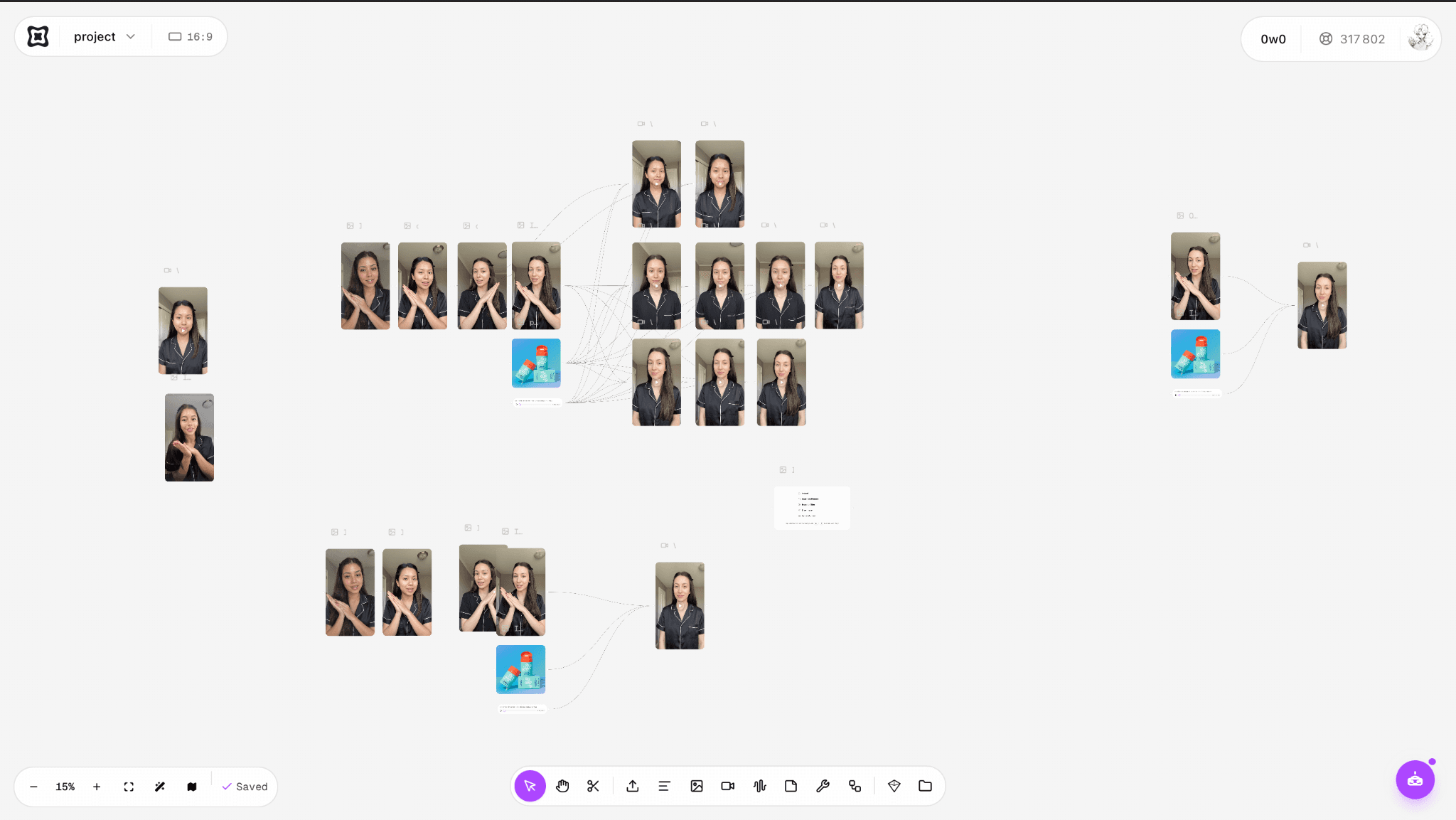
Figure 6. Original Astorie project canvas for the own-photo skincare workflow and its connected media nodes.
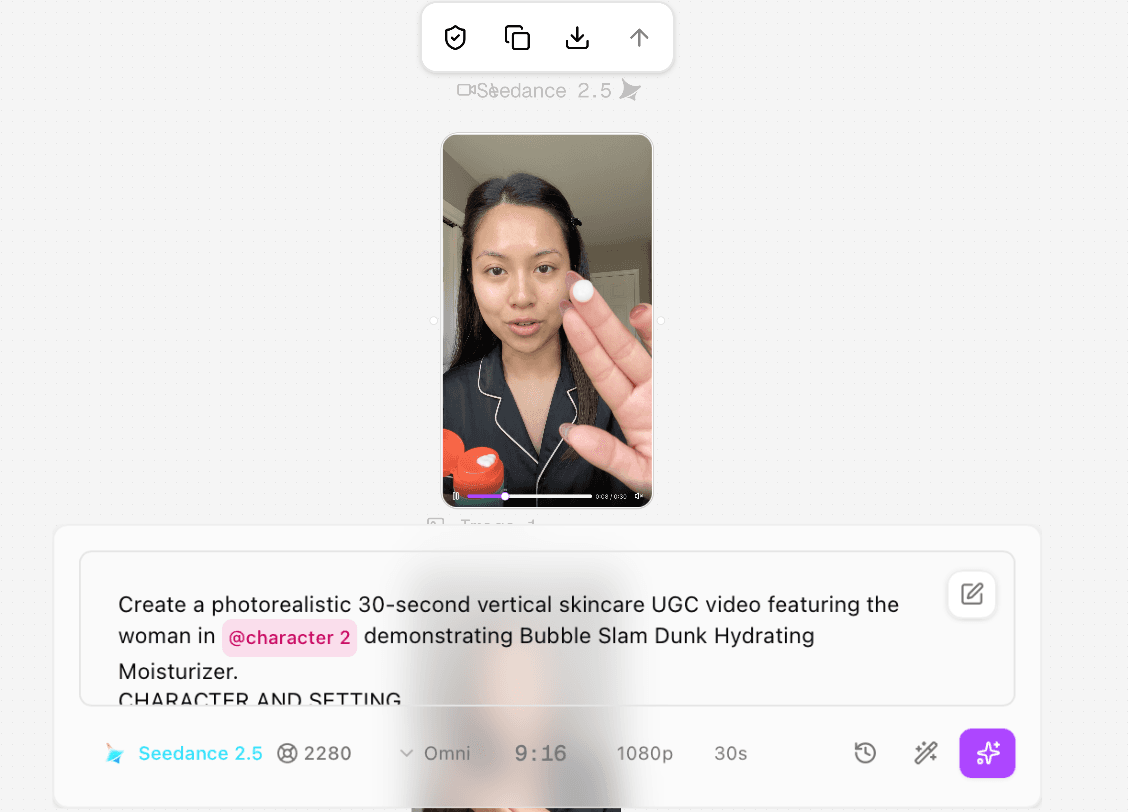
Figure 7. Earlier completed draft-node screenshot retained to document the pre-final @character 2 naming; it is not used as evidence for the final @Own_image run.
Figure 7 predates the final naming change and is retained only as process evidence. The later connected workflow in Figure 5 displays @Own_image and the three final reference roles. The final supplied MP4 was received with that later evidence set; this article does not use the earlier @character 2 screenshot to prove the final @Own_image generation.
Test record
Field | Recorded value |
Executor | Clara |
Test date | October 6, 2026 |
Host | Astorie canvas |
Identity still | Nano Banana 2 Premium; 9:16; 2K; PNG; four outputs; Web Off |
Element | Character Element Own_image; Create Seedance 2.0 Asset on; Vidu Q2 Subject Reference off |
Video model/version | Seedance 2.5 Omni |
Input roles | @Own_image identity; @Image-10 product; @Audio-2 delivery style |
Original prompt | Reproduced in full above |
Video settings | 9:16; 1080p; 30 seconds |
Generation count | One supplied successful final output reviewed; total attempts not logged |
Timing | Generation time not logged; exported file duration 30.080 seconds |
Displayed estimates | 120 credits for the four-output identity still; 2,280 credits for the video |
Actual account debit | Not separately captured |
Output | astorie - Video-2-01-2.mp4; 1080 × 1920; 24 fps; HEVC |
Audio check | AAC stereo 32 kHz track present; exact speech, voice match, and lip-sync accuracy were not independently transcribed or scored |
Rerun | No corrected transition-count rerun documented |
8. Audit identity, motion, product, and audio separately
The export should be reviewed in passes. First compare the face and styling with the selected still. Then inspect hands and product handling. Next check packaging and cream state. Finally listen to the exported audio and compare it with the approved script. A present audio track does not prove that the lines, voice, or lip sync are correct.
Check | Observed in supplied output | What to do |
Identity | Face, long dark hair, black side clips, pajamas, nails, and room remained broadly consistent. | Compare beginning, every cut, and final hold with Own_image. |
Natural texture | Phone-style composition and normal skin detail remained; only a modest sheen appeared after blending. | Reject sudden smoothing or a dramatic before/after change. |
Product | Turquoise/orange container, cylindrical form, and large BUBBLE wordmark remained recognizable. | Do not claim every small label line was perfectly preserved. |
Hands | Product handling and two-handed application were broadly plausible. | Scrub the open, fingertip, cheek-contact, and blending frames. |
Perspective | The fingertip became visually large near the phone lens. | Move the hand slightly farther from camera in a rerun. |
Cream | Cheek dots were larger and more graphic than a subtle real application, then blended out. | Prompt for smaller dots or use an insert with less product. |
Cuts | Four visible cuts created five continuous segments at about 7.00, 10.54, 19.21, and 24.67 seconds. | Fix the prompt count: request four cuts, or merge beats if only three are wanted. |
Audio | AAC stereo track exists in the exported file. | Listen and transcribe before publishing; this article does not rate unverified speech or lip sync. |
Prompt consistency finding: ‘Use three simple jump cuts’ conflicts with a six-beat timeline that logically needs four transitions. The output contains four visible cuts. A corrected prompt should specify ‘four simple jump cuts, creating five continuous segments’ or merge two beats. |
Final video
9. Verify product claims before publishing
The tested script names aloe, avocado oil, and vitamin E and describes morning/evening use followed by sunscreen in the morning. Bubble’s official product page listed those three ingredients and instructed users to apply the moisturizer morning and evening after serums or toners and before sunscreen when checked on October 6, 2026. Recheck the live page at publication because product formulas, directions, price, and claims can change. The generated performance is not independent evidence that a skincare claim is true.
Avoid adding clinical claims, percentages, suitability statements, or before-and-after promises unless the current campaign owner has approved the exact wording and substantiation. In this workflow, the product page verifies the factual script; the video only demonstrates delivery and product handling.
10. Finish, disclose, and export
Download the completed video and finish it in an editor. Transcribe the actual export before creating captions, preserve room tone unless the campaign requires replacement, and keep product overlays editable. If the post could reasonably be mistaken for a real recording, add an appropriate AI-generation disclosure that matches the platform, campaign, and local requirements.
Watch the entire export against the selected Own_image reference.
Listen for exact words, voice continuity, product-handling sounds, clipping, and lip sync.
Proofread captions against the exported audio, not the input prompt.
Check the product mark at every close-up and replace fine legal copy with approved graphics when necessary.
Confirm the final crop, resolution, duration, disclosure, and usage rights before publishing.
Troubleshooting AI videos of yourself
Problem | Likely cause | Fix |
The face changes after a cut | The identity reference is weak or competing references contain faces. | Use one clean Character Element and remove unrelated people from other inputs. |
The result looks beautified | The reference or prompt rewards symmetry and polish. | Specify natural asymmetry, visible texture, no smoothing, and compare at full size. |
Hair or wardrobe drifts | Continuity details were left implicit. | List hair length, clips, part, garment color, piping, neckline, and nails in the identity block. |
Hands or product warp | The prompt stacks pickup, opening, close-up, and speech in one beat. | Separate actions, slow the hand, and hold the product farther from the lens. |
The product label changes | Fine text moves too much or the reference is small. | Use a larger approved packshot, request a stable hold, or overlay fine copy in editing. |
Lip sync cannot be trusted from the prompt | The prompt is an instruction, not output verification. | Listen to and transcribe the exported track; compare mouth motion on the same timestamps. |
The number of cuts is wrong | The global cut instruction conflicts with the beat timeline. | Count transitions implied by the timeline and state that exact number. |
The estimate is reported as cost | Pre-run and post-run evidence were not separated. | Label the estimate, then capture the account debit if available. |
Frequently asked questions
Can I make an AI video from one photo of myself?
Yes, if the photo clearly represents your face and the task is not too demanding. Creating a clean reusable identity still first gives the video model a more controlled reference than asking it to solve identity, room, wardrobe, and performance at once.
Is this the same as creating a virtual character?
No. This workflow begins with an authorized real likeness and aims to preserve it. A virtual character is invented and does not represent a real person unless deliberately based on one.
Can I use somebody else’s photo?
Only with the rights and explicit permission required for generation, animation, voice use, advertising, and publication. Do not use this workflow to impersonate someone.
Do I need an audio reference?
No for every video. It can guide pacing and delivery, but only use audio you are authorized to use, and instruct the model to generate fresh speech rather than repeat the recording.
How many cuts were in the tested output?
Four visible cuts, producing five continuous segments. The prompt’s request for three cuts conflicted with its six-beat timeline.
Were the 2,280 credits the actual charge?
No verified final debit was supplied. The panel displayed a 2,280-credit estimate before generation, so this article labels it as an estimate.
How do I verify lip sync?
Listen to the exported audio, create a timestamped transcript, and inspect mouth closures and vowels at those times. A visible audio track or an exact scripted prompt is not enough.
Ready to try it on the canvas?
Open Astorie and fan your prompt across every frontier model in one workflow.