

Nano Banana 2.1 Prompt Guide
Key Takeaways
• Name the task before describing the style.
• Give each reference image an explicit role.
• Use counts, positions and visible actions that can be checked.
• A preservation instruction needs a before and after review.
This Nano Banana 2.1 prompt guide starts with a clear visual brief: state the task, assign the subjects their actions, specify the frame, and name the details to preserve. For a scene with several people, separate who holds a prop from how the image should look. Check the resulting actions and composition before accepting the picture.
Google identifies Nano Banana 2.1 as gemini-nano-banana-2.1, an image generation and conversational editing model. This guide uses Clara’s still-image tests in Astorie, whose selector reads Nano Banana 2.1 Premium. That interface label is distinct from Google’s Nano Banana Pro model. [1]
Nano Banana 2.1 prompt guide for generation and editing
Task | What to supply | What to write first |
Generate a new image | Text only | The finished image and its subjects |
Create a related scene | A character or scene reference | The role of the reference and the new action |
Edit an existing image | The exact source image | What changes and what stays |
Use a character reference to carry appearance into a new scene. Use a source image when the existing picture itself should be edited. These are different requests: a new portrait may need new framing, while a cloak recolor should retain the source framing. In Astorie, image connections supply references; they do not automatically guarantee that every source detail is retained. [2]
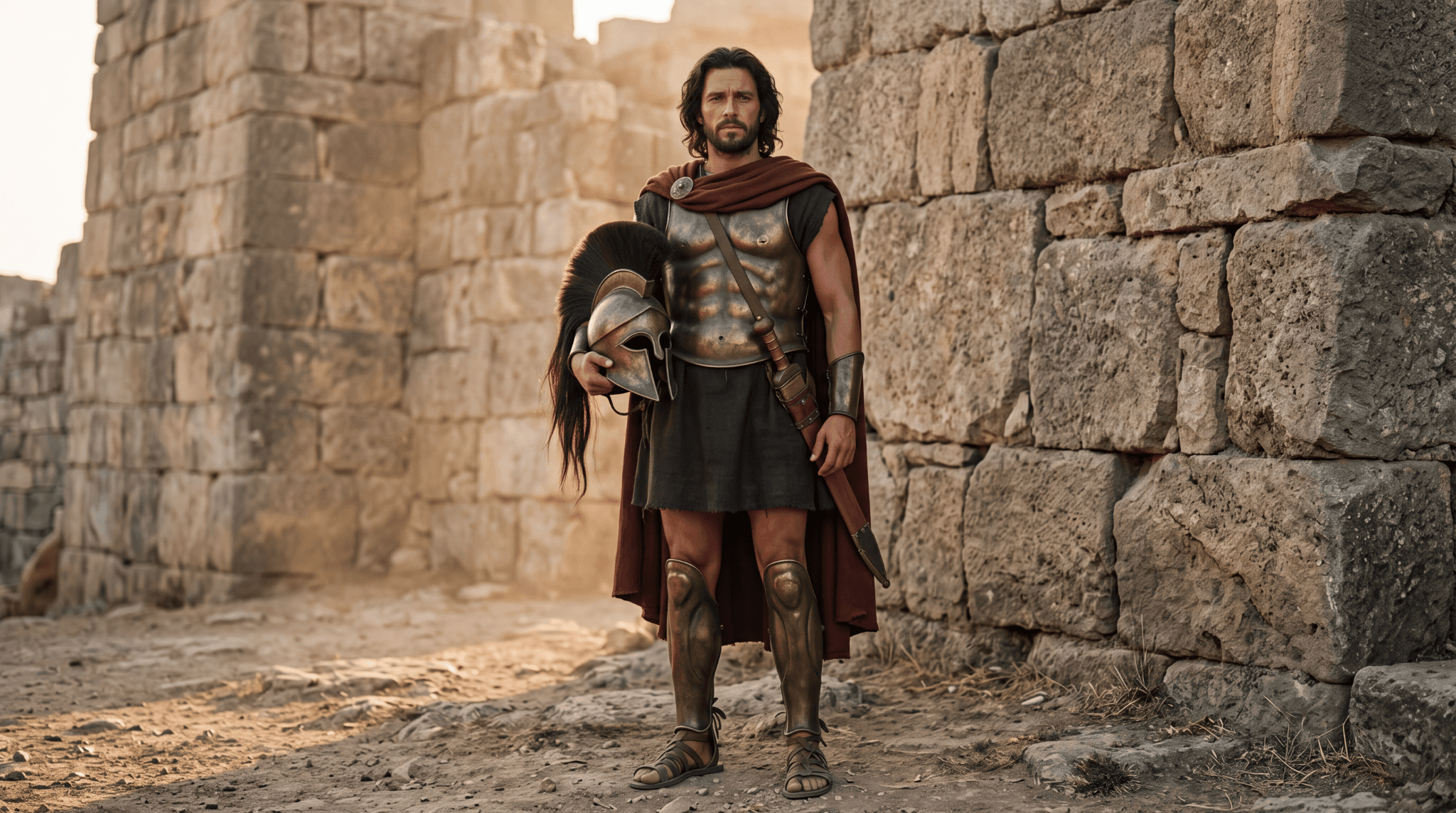
Figure 1. Clara’s original Hector reference, generated with Nano Banana 2.1. It establishes the hair, beard, red cloak, bronze armor and helmet used in later scenes.
Build the brief around visible decisions
Write the subject and action before the atmosphere. For a family scene, specify who holds the child and where the other adult stands. Then describe clothing, the helmet’s location, light and camera framing. Counts are useful because they turn an attractive image into something you can also evaluate: two adults, one child, one helmet.
Keep framing instructions physically compatible with the scene. A horizontal image containing two adults from the knees upward, a child and a helmet on the ground needs enough space below the figures. If the model crops the helmet, the instruction has not been fully met even when the family looks convincing.
A tested prompt for a family scene
Clara ran the following text-only prompt for Image-10 on 11 October 2026. The node used 16:9, 4K, PNG, Thinking High and Web Off; it displayed a 30-credit quote. The supplied PNG measures 2048 × 1143 pixels. Treat the interface setting and delivered dimensions as separate records.
Original test input
Create a photorealistic cinematic still depicting Hector and Andromache's farewell in Book VI of the Iliad.
Show exactly three people beside the weathered stone walls of Troy.
Hector stands on the right, bareheaded, with dark wavy shoulder-length hair and a short dark beard. He wears a bronze cuirass, a deep-red cloak, and a dark tunic. He holds his young son securely against his chest, with one hand supporting the child's bottom and the other supporting his back.
The child wears cream-colored clothing and looks toward Hector's face.
Andromache stands on the left, wearing a simple blue dress, with her dark hair tied back. She watches them with a tender, sorrowful expression. Her hands are gently clasped at waist height.
Place one bronze helmet with a dark horsehair crest on the ground at the lower right. Keep the entire helmet visible.
Use a medium-wide horizontal composition showing both adults from the knees upward, with all three heads fully visible. Warm late-afternoon sunlight, restrained earthy colors, natural skin texture, realistic fabric and bronze details.
Exactly two adults, one child, and one helmet. No other people, no additional weapons, no modern objects, no text, no logos.
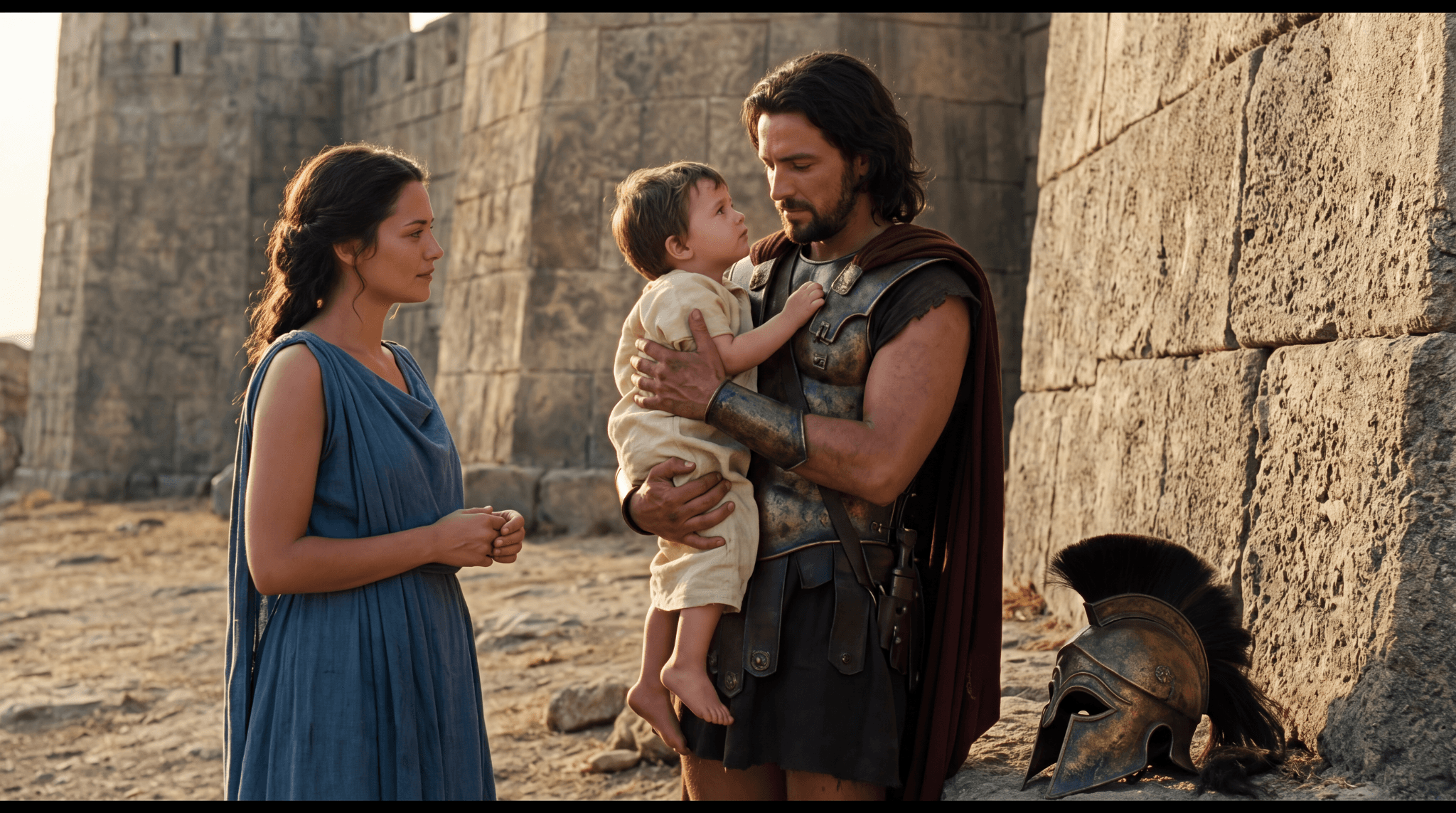
Figure 2. Image-10 follows the main family roles and keeps the helmet visible at lower right. Its tight framing and black strips at the top and bottom should be reviewed before publication.
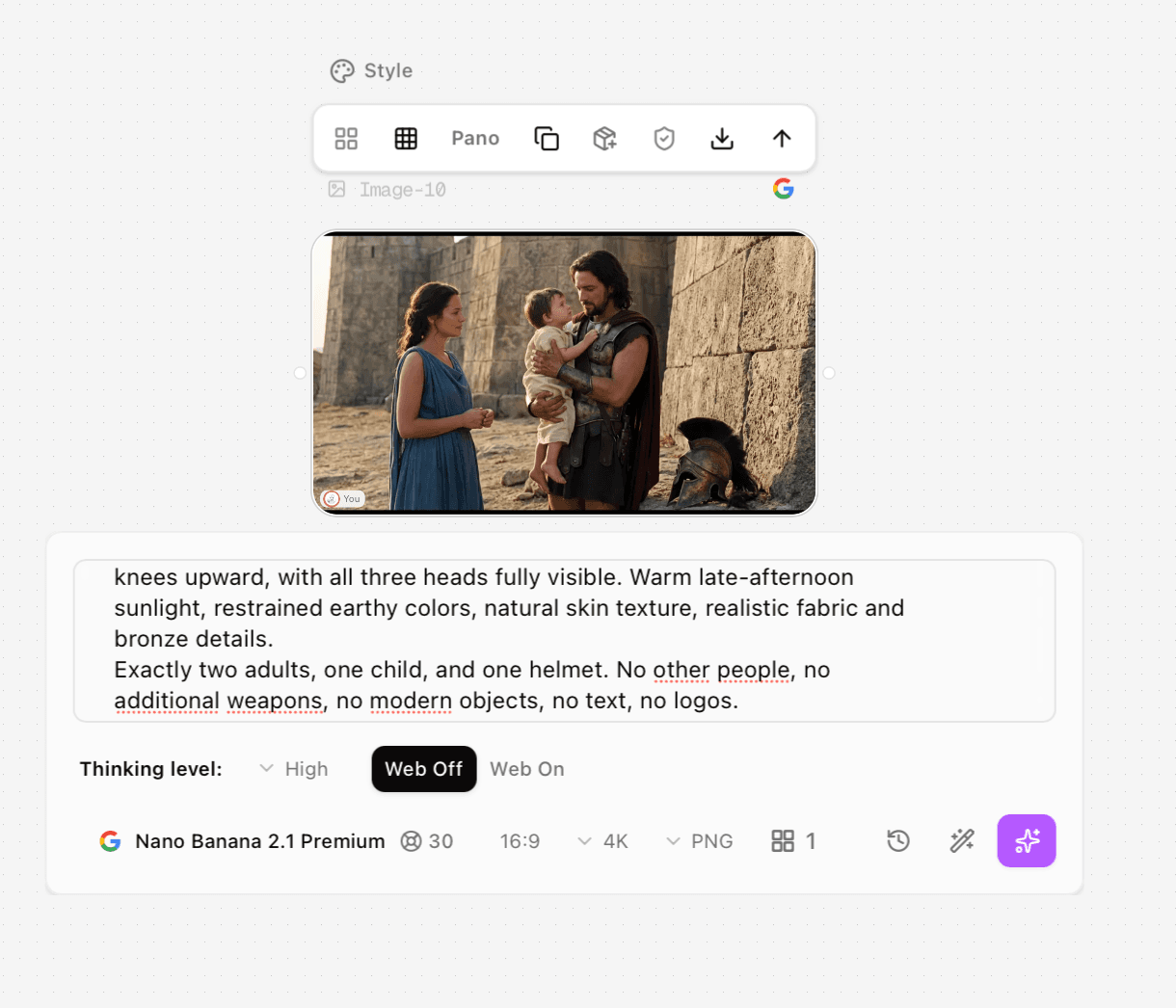
Process screenshot 1. Clara’s Image-10 node shows the generated family image, the end of the recorded prompt, Nano Banana 2.1 Premium, High Thinking, Web Off, 16:9, 4K, PNG and a 30-credit quote. The complete prompt is printed above.
The result contains the requested three people and a single helmet, with the mother on the left and father on the right. However, the adults are framed more tightly than the requested knees-up view. The father’s upper supporting hand is around the child’s arm or side rather than clearly behind the back. Those are more useful review notes than calling the entire prompt either successful or unsuccessful.
Turn a broad edit into explicit changes
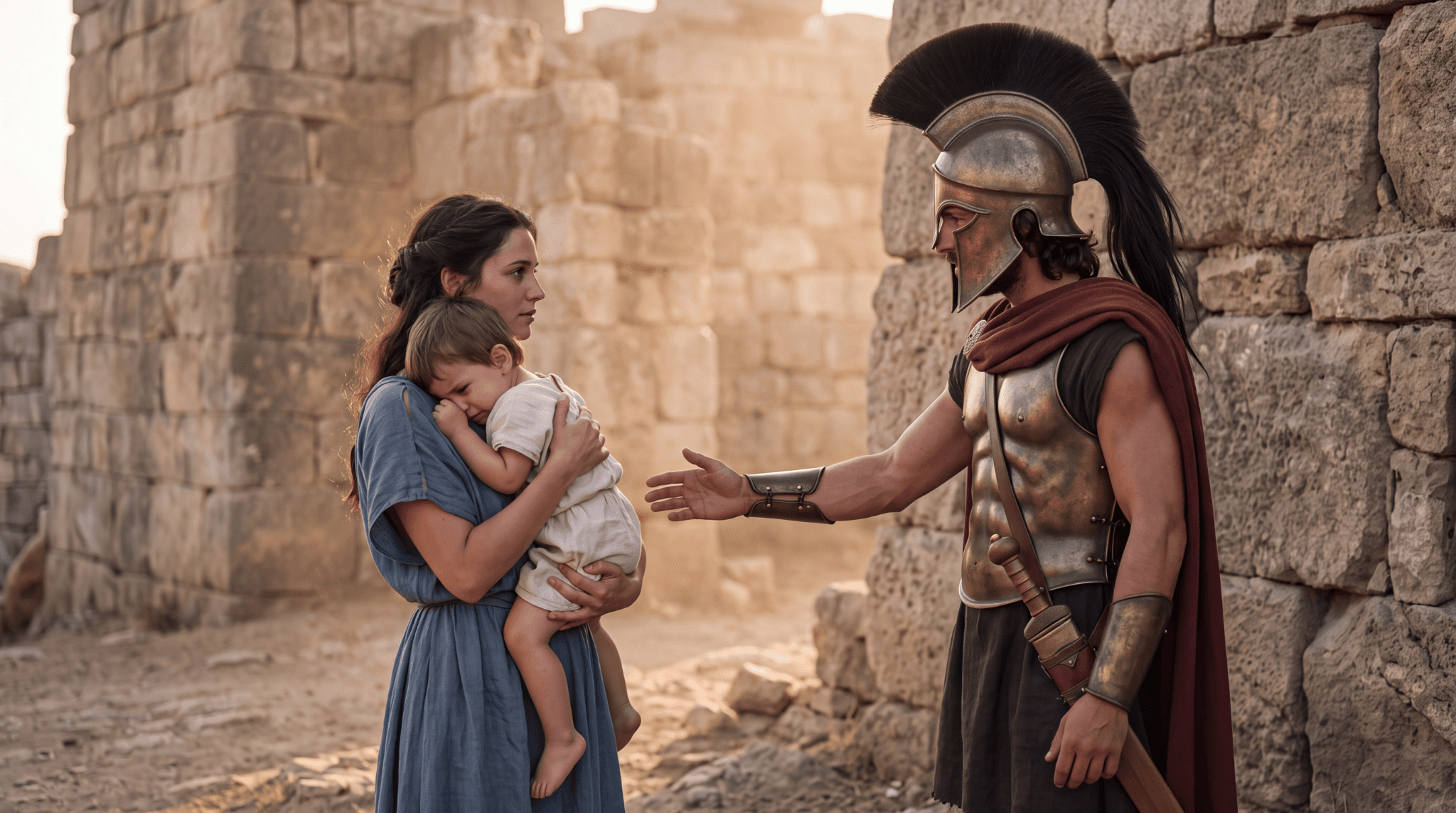
Figure 3. Source image for the helmet-removal edits. The child rests against Andromache, while the helmeted Hector reaches toward them.
For this edit, the desired story change was small: remove the helmet, hold it at the waist, and turn the child toward Hector. The first result, Image-6, shows Hector supporting the helmet with both hands. A subsequent prompt specified the right hand and instructed the left arm to hang at his side.
Original test input
Edit the reference image while preserving its original composition.
Keep all three people at exactly the same screen positions and scale. Preserve Andromache's face, blue dress, hairstyle, and the way she supports the child. Preserve Hector's bronze armor, dark-red cloak, body position, stone walls, lighting, and camera framing.
Make only these changes:
1. Remove the helmet from Hector's head, revealing dark wavy hair and a short beard.
2. Place that same helmet in Hector's right hand at waist height. His left arm hangs naturally at his side.
3. Turn the child's head toward Hector while keeping the child's torso, legs, clothing, and position in the mother's arms unchanged.
Do not move the people closer together. Do not reframe or zoom. One helmet only. No additional objects, people, text, or logos.
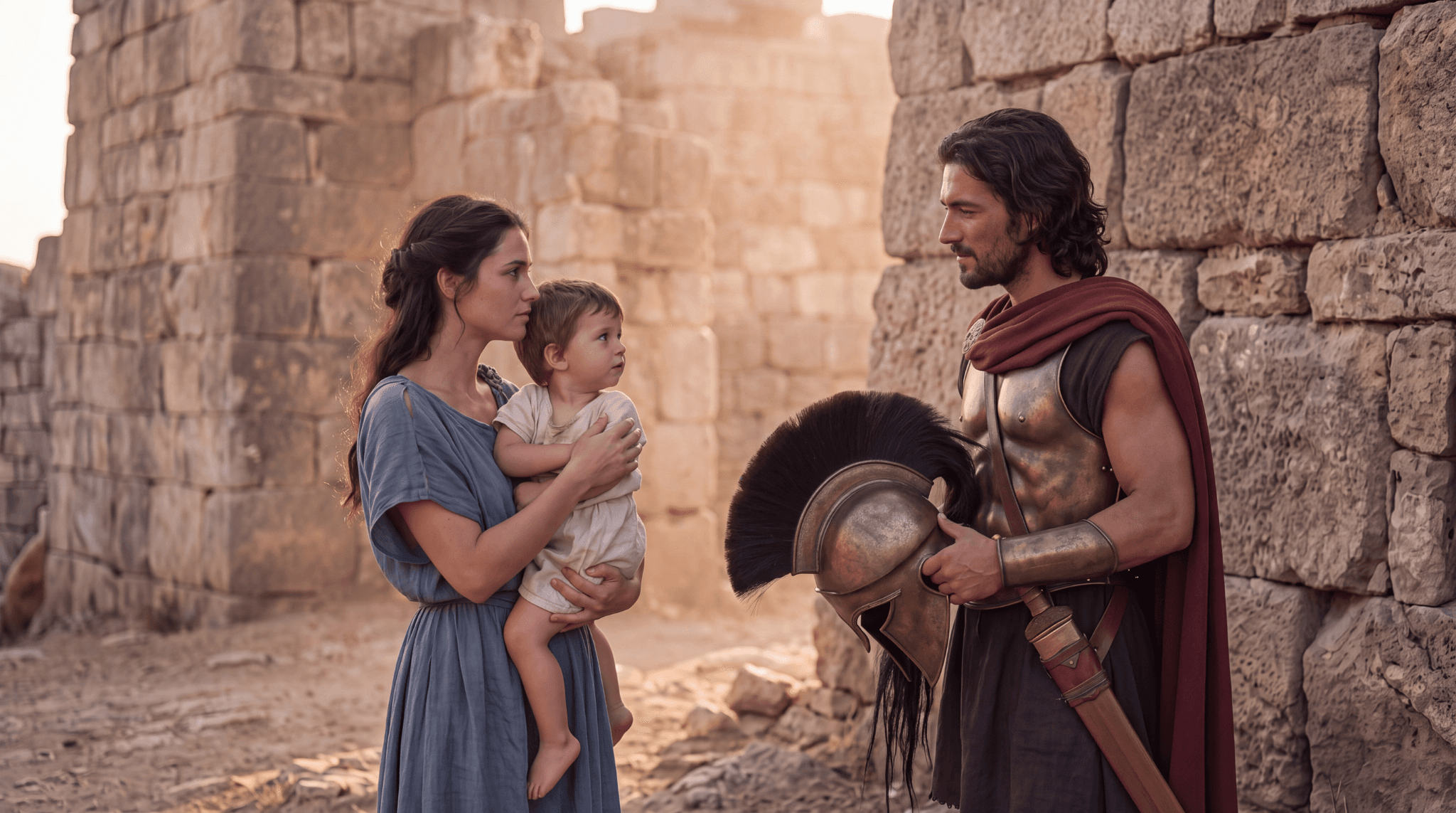
Figure 4. Earlier edit result, Image-6. Hector is bareheaded and the child faces him, but both hands are involved in holding the helmet.
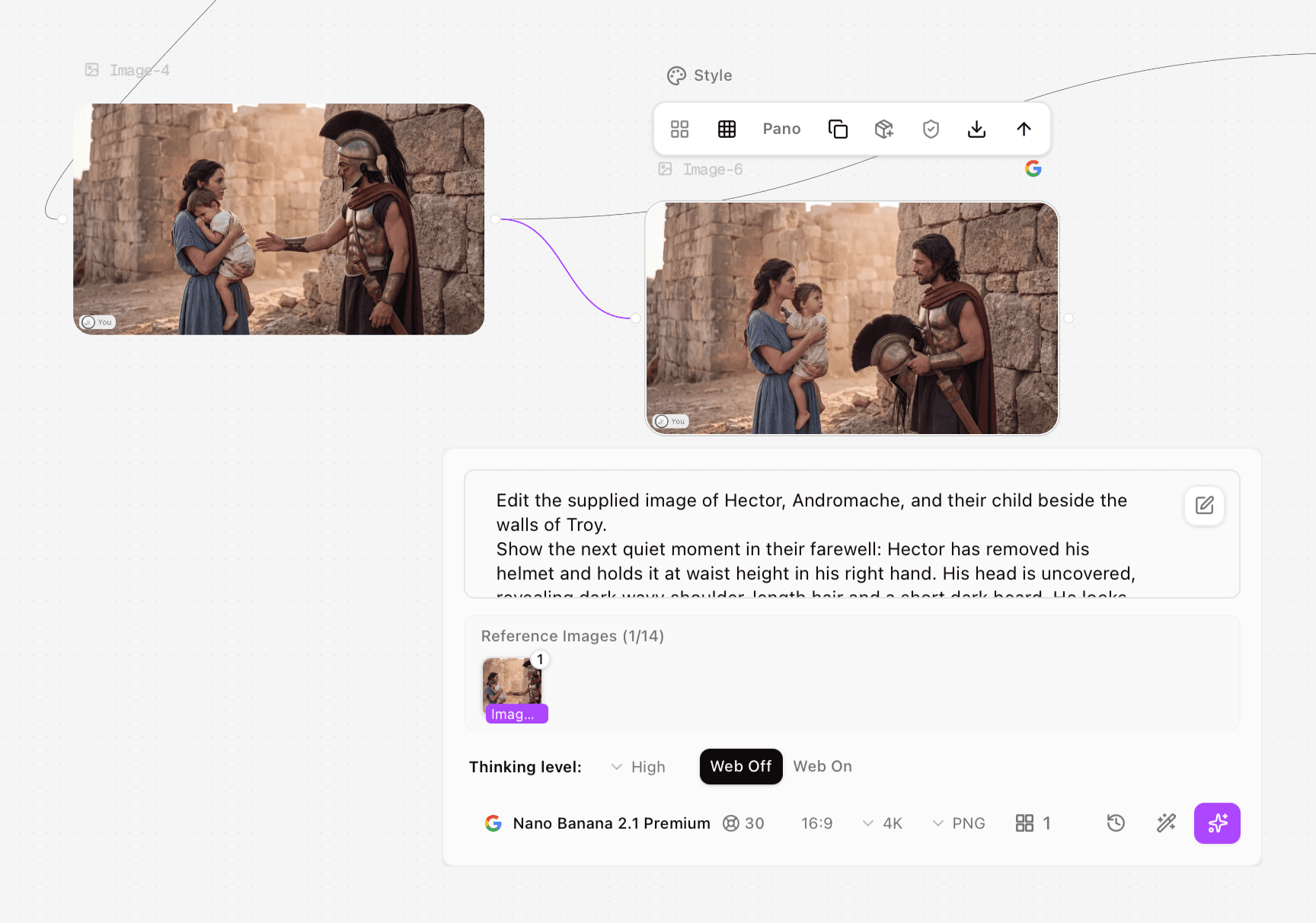
Process screenshot 2. Image-4 is connected as the reference for Image-6. The panel shows one reference image, an excerpt of the initial edit input and the 2.1 settings; both hands hold the helmet in the result.
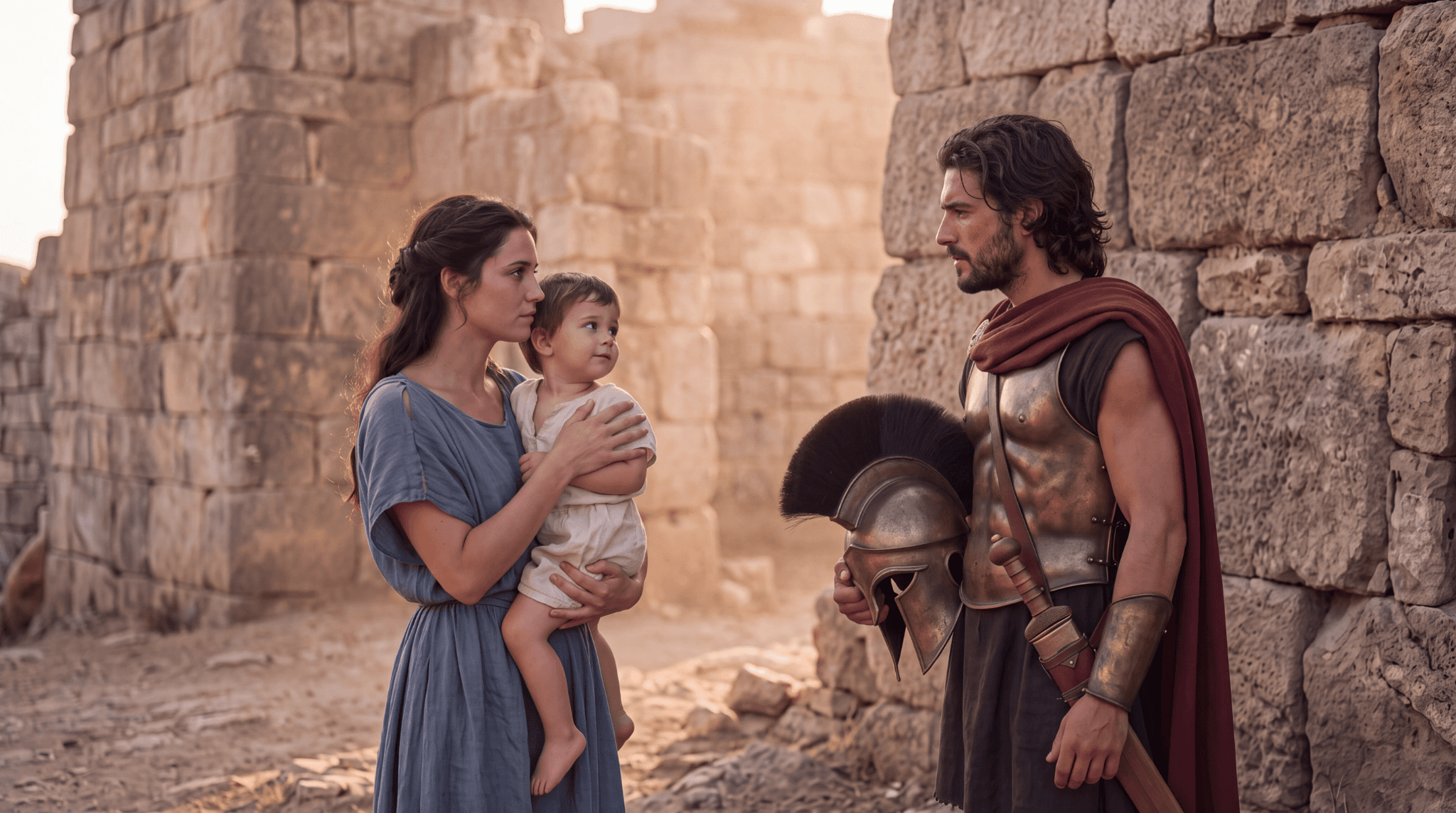
Figure 5. Revised edit result, Image-5. The helmet is held in one hand and the other arm hangs down; the spacing and arrangement still differ from the source.
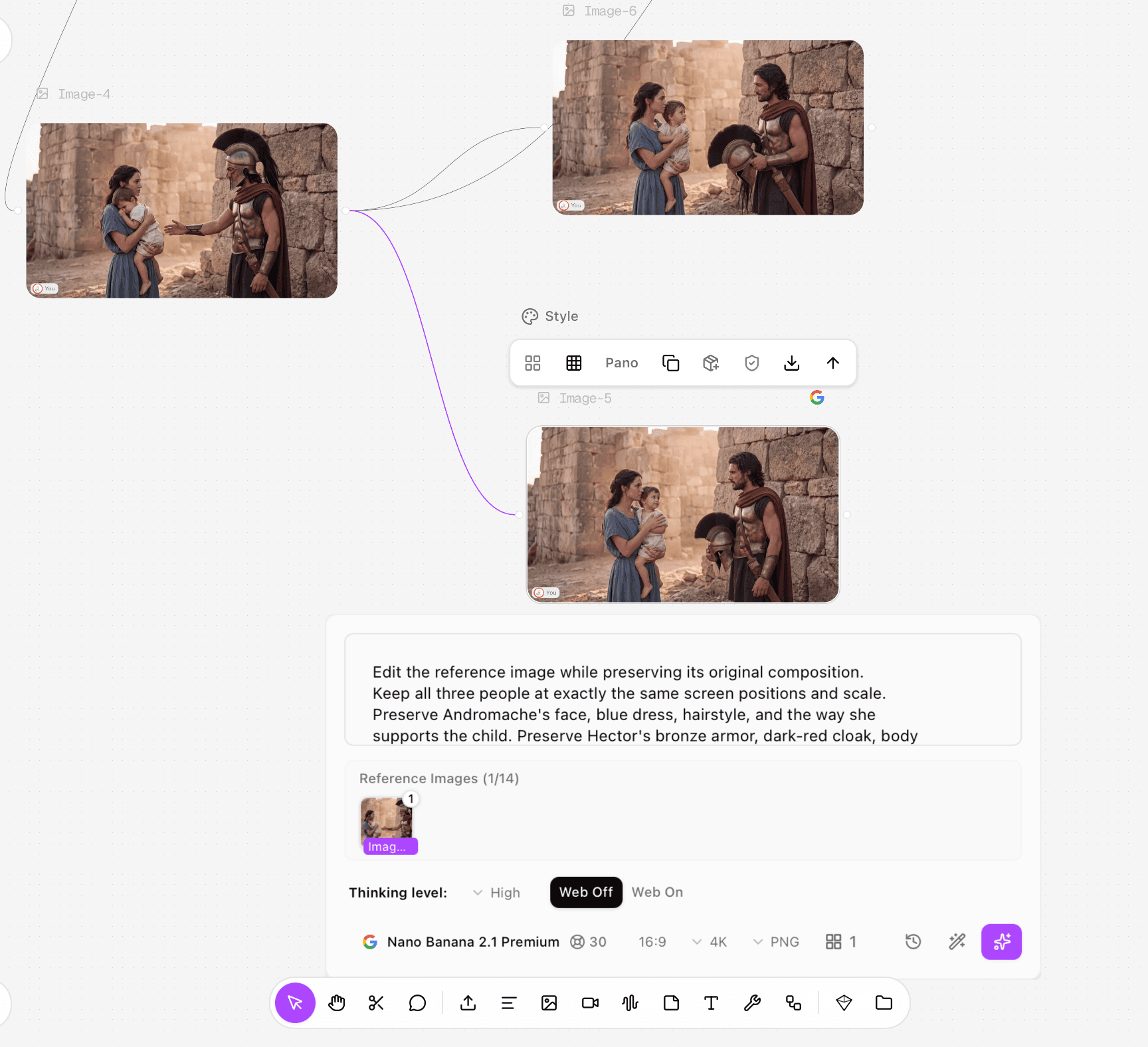
Process screenshot 3. Image-4 branches independently to Image-6 and Image-5. The selected Image-5 panel shows the revised preservation input and one reference, rather than using Image-6 as the next source.
Both edits were generated from Image-4 with the same recorded output settings. Image-5 better follows the requested arm arrangement, but it does not keep everyone at exactly the same screen position. Andromache’s support of the child also changes. This is an observed improvement in one edit pair, not proof that the wording will always produce a better result.
Run and check the prompt in Astorie
Double-click an empty canvas area and choose an Image node, or use the bottom toolbar’s image icon. Open the model selector and choose Nano Banana 2.1 Premium. [2]
For generation, enter the scene prompt without a reference. For editing, connect the source image and confirm its thumbnail appears in the reference area.
Set the aspect ratio, resolution tier and output format where available. Record the Thinking level and Web setting.
Press Generate and wait for an output preview. If the node reports an error, read that message before starting a replacement request. Save the displayed quote and check the account’s credit record for the actual debit; actual debits were not recorded in this test.
Review the completed output and compare it against the action, counts, framing and preservation requirements.
Download the selected image from the node toolbar. Check its actual dimensions and inspect hands, faces, props and any border at full size. [2]
Troubleshoot the instruction that failed
Observed issue | Next instruction to try |
Two hands holding one prop | Assign a different explicit action to each hand |
Missing or cropped object | Reserve visible space around the object and beneath the figures |
A scene edit changes the arrangement | Reduce the edit scope or use a mask and composite workflow when exact placement matters |
A character looks similar but not identical | Return to the original identity reference and inspect facial proportions |
These are recommendations for another run, not additional tested fixes. Preserve the original branch so you can compare each revision with the same source. Avoid changing the reference, model and prompt together; that makes the cause of a difference difficult to identify.
Recorded tests and settings
The table identifies the selected files reviewed in this article. Clara executed the tests in Astorie. A selected result is not a complete count of generation attempts.
Output and date | Input role and prompt record | Selected settings and quote |
Image-1 and Image-4; 10 Oct | Single-figure generation; then Image-1 as the family reference. Full original inputs not retained. | 2.1; 16:9, 4K, PNG, High, Web Off; 30 credits per node |
Image-6; 10–11 Oct | Image-4 source; initial helmet-removal input visible only in excerpt. Exact run timestamp not retained. | Same 2.1 settings; 30-credit quote |
Image-5; 11 Oct | Image-4 source; complete revised edit input above | Same 2.1 settings; 30-credit quote |
Image-10; 11 Oct | Text only; complete family prompt above | Same 2.1 settings; 30-credit quote |
Record | Evidence retained |
Exact host labels | Nano Banana 2.1 Premium |
Prompt availability | The family generation and revised helmet edit inputs are printed in full. Other inputs are only partially retained and are not reconstructed. |
Generated candidates and failures | One selected supplied output per listed node; total attempts and failures not recorded |
Timing basis | Queue time, generation time and total elapsed time not recorded |
Actual account debit | Not recorded; displayed credits are quotes |
Downloaded files | Original PNGs; 2048 × 1143 each |
Audio review | Not applicable to these still-image tests |
Rerun status | Image-5 uses a revised input from Image-4 after Image-6; other proposed fixes were not retested |
Frequently asked questions
Do I need a long prompt?
Only when the task has several distinct requirements. A recolor can be brief; a scene with three people and a prop needs more detail. Remove repetition before removing a requirement that you will actually check.
Does keep everything the same lock the image?
No. In this edit pair, the model retained the recognizable scene while changing positions and support gestures. Exact retention needs a separate check and, when necessary, a mask or compositing step.
Should I enable web search?
The examples here used Web Off. Turn it on only when your task benefits from external factual context; it is a separate feature, not evidence that this fictional scene is archaeologically accurate.
Begin with the task and the visible action. Keep the source branch, revise the failed instruction, and judge the downloaded result rather than the prompt’s apparent precision.
For the node setup and download controls, see the Astorie Image Node guide.
Sources
[1] Google model reference. Checked 11 October 2026. https://ai.google.dev/gemini-api/docs/models/gemini-nano-banana-2.1
[2] Astorie Image Node documentation. Checked 11 October 2026. https://astorie.ai/docs/nodes/image
PRODUCTION EVIDENCE APPENDIX
Earlier video branch in the Iliad project
These five original screenshots preserve the earlier video setup, run, error and subsequent Extend-mode result. They document a separate production branch on 10 October 2026. They are not evidence of Nano Banana still-image generation or editing, and no audio or motion-quality judgment is made from them.
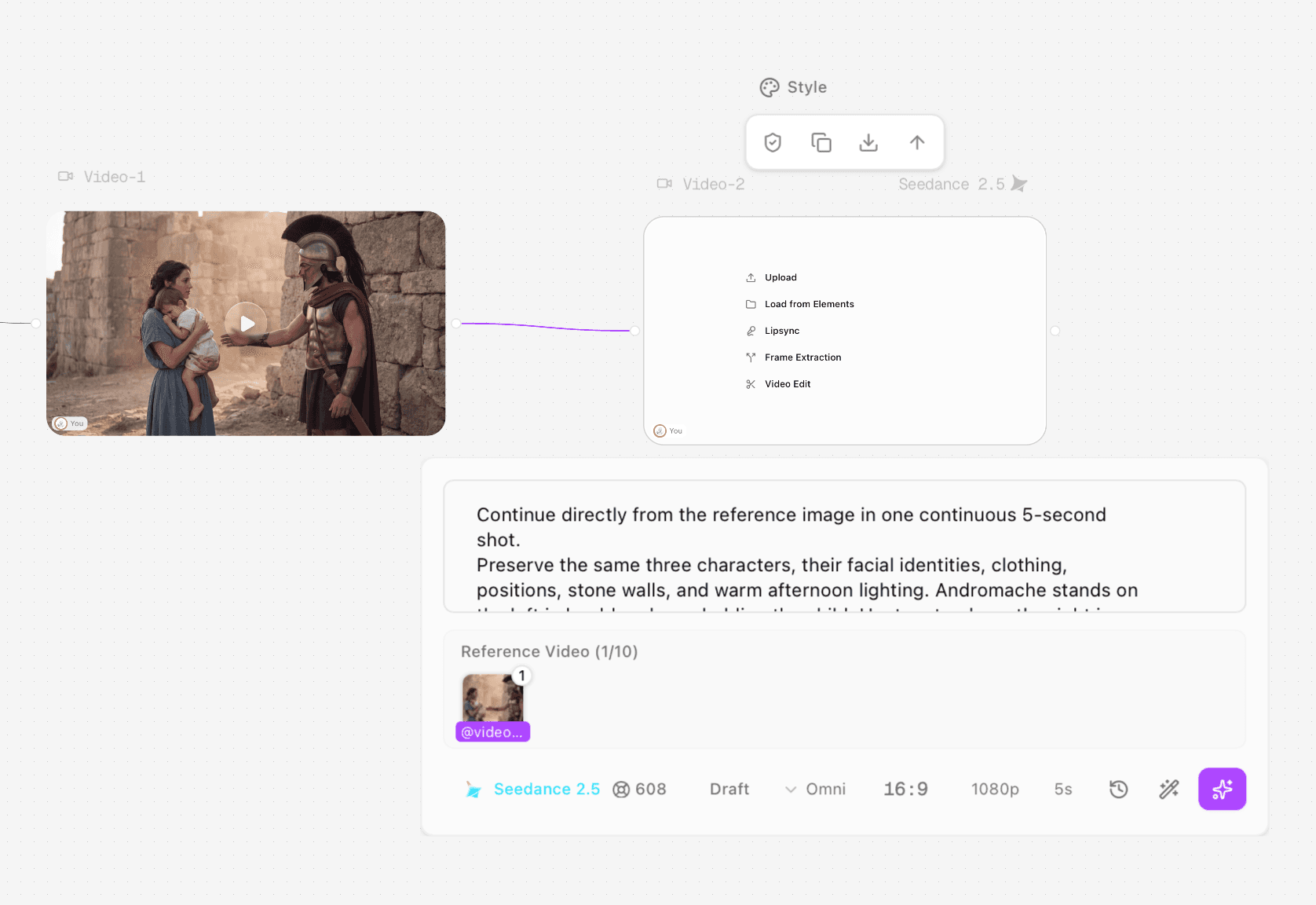
Archive screenshot A. Earlier Video-1 to Video-2 setup using Seedance 2.5, one reference video, Omni, 16:9, 1080p and 5 seconds. The displayed 608-credit figure is a quote, not a verified debit.
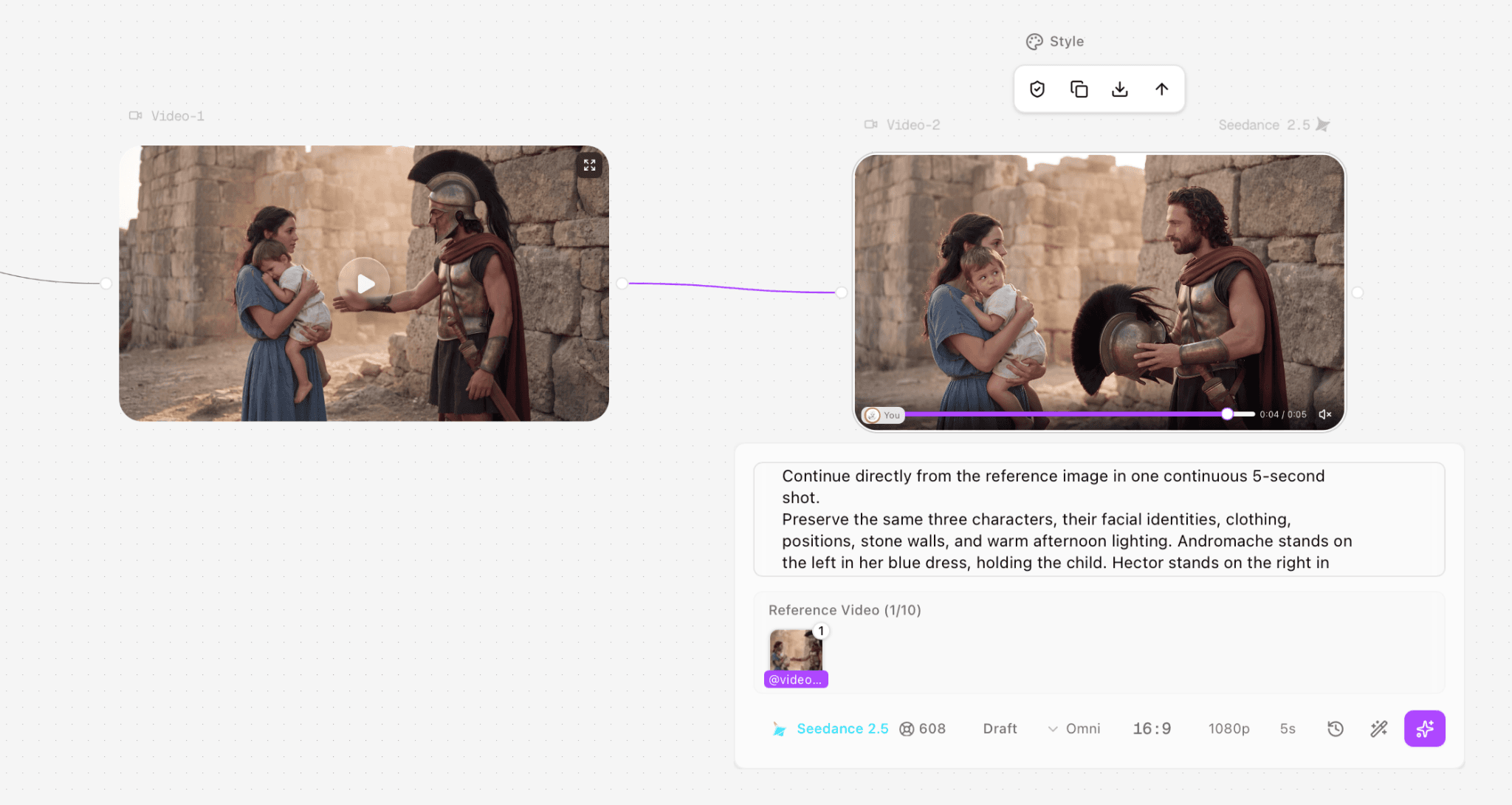
Archive screenshot B. The Video-2 node contains a playable preview and its reference-video input. This establishes a video-stage result, not a Nano Banana image result.
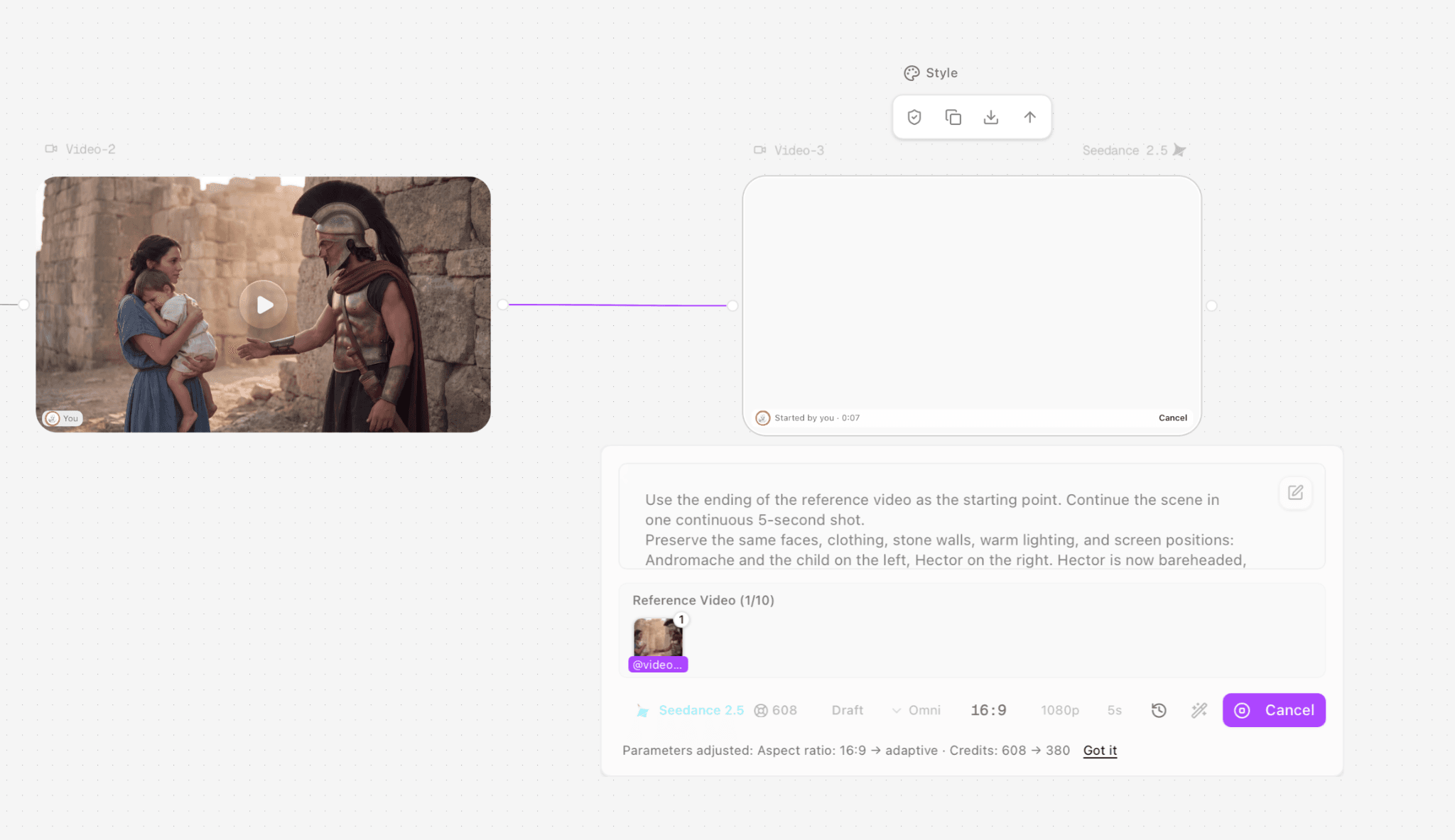
Archive screenshot C. A subsequent Video-3 task is running. The interface reports an aspect-ratio adjustment and a displayed quote change from 608 to 380 credits; this does not establish the account debit.
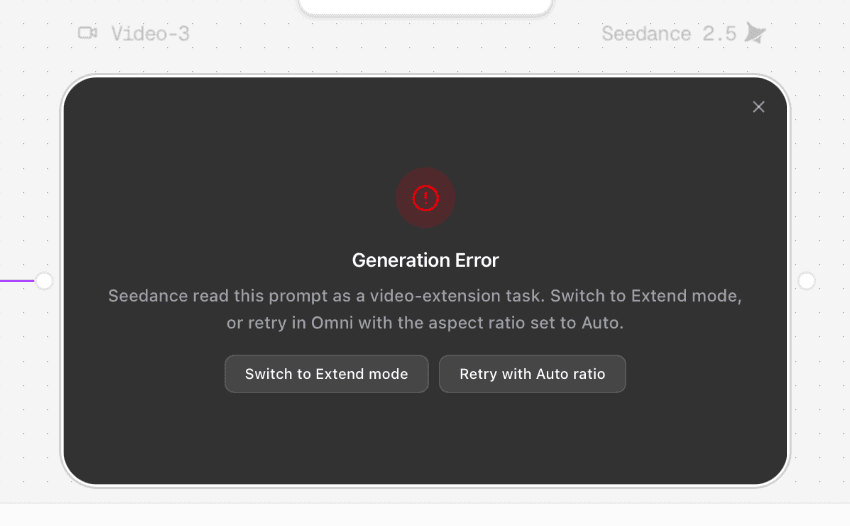
Archive screenshot D. The Generation Error panel identifies the request as a video-extension task and offers Extend mode or an Auto-ratio retry. No still-image model conclusion is drawn from this error.
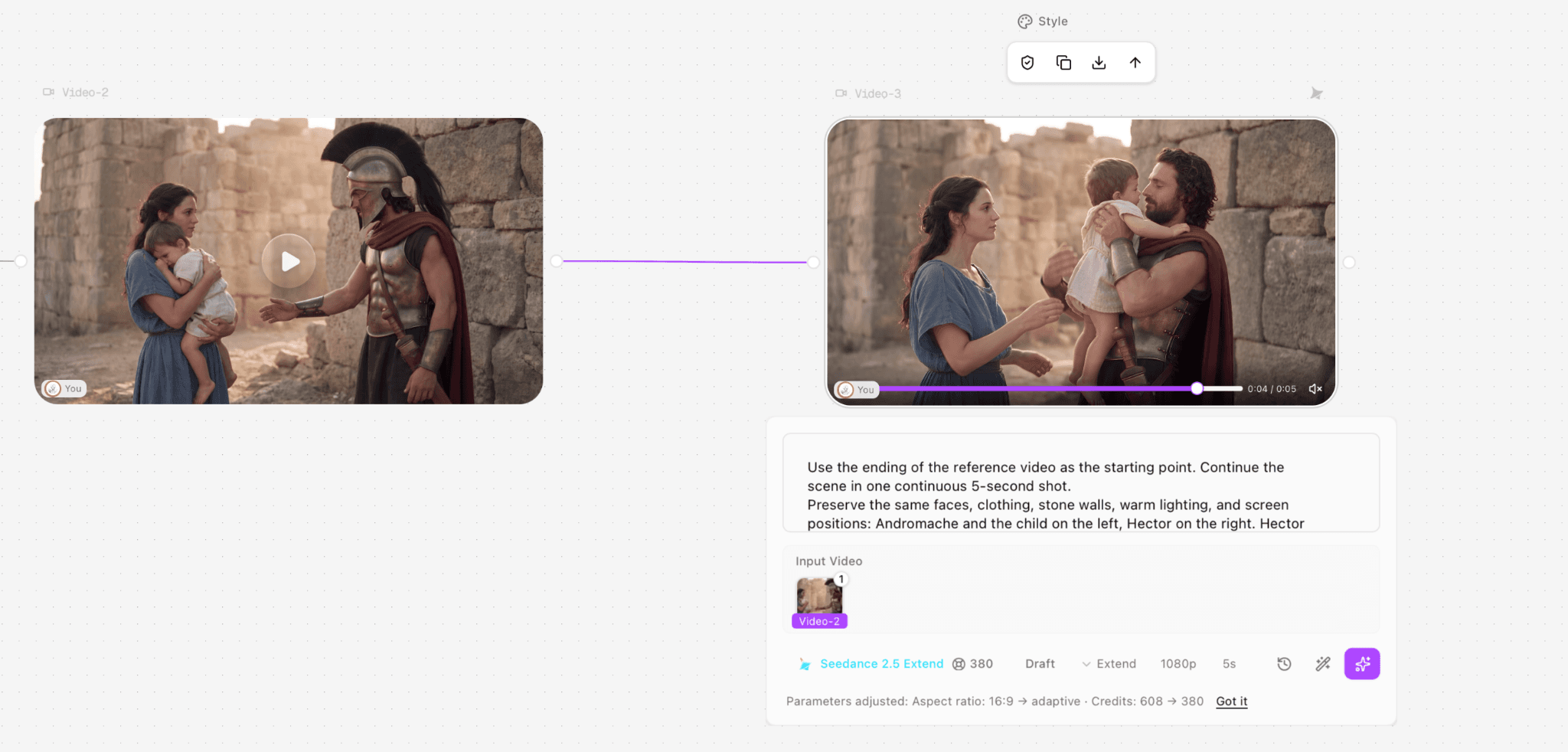
Archive screenshot E. The later Video-3 preview is shown with Seedance 2.5 Extend, an input-video connection, 1080p, 5 seconds and a 380-credit quote. Only the visible process state is recorded here.
Ready to try it on the canvas?
Open Astorie and fan your prompt across every frontier model in one workflow.