Image Node
Image nodes are used for AI image generation, image editing, style transfer, and multi-image composition.
Generation Modes
Image nodes automatically switch modes based on inputs:
| Mode | Trigger Condition | Description |
|---|---|---|
| Text to Image | Only Text connection | Generate new images from prompts |
| Image to Image | Image + Text connection | Generate variants based on reference image |
| Multi-Image Fusion | Multiple Image connections | Fuse multiple images to generate result |
Basic Usage
1. Create New Image
Method 1: Double-click canvas and select image node Method 2: Click image icon in bottom toolbar
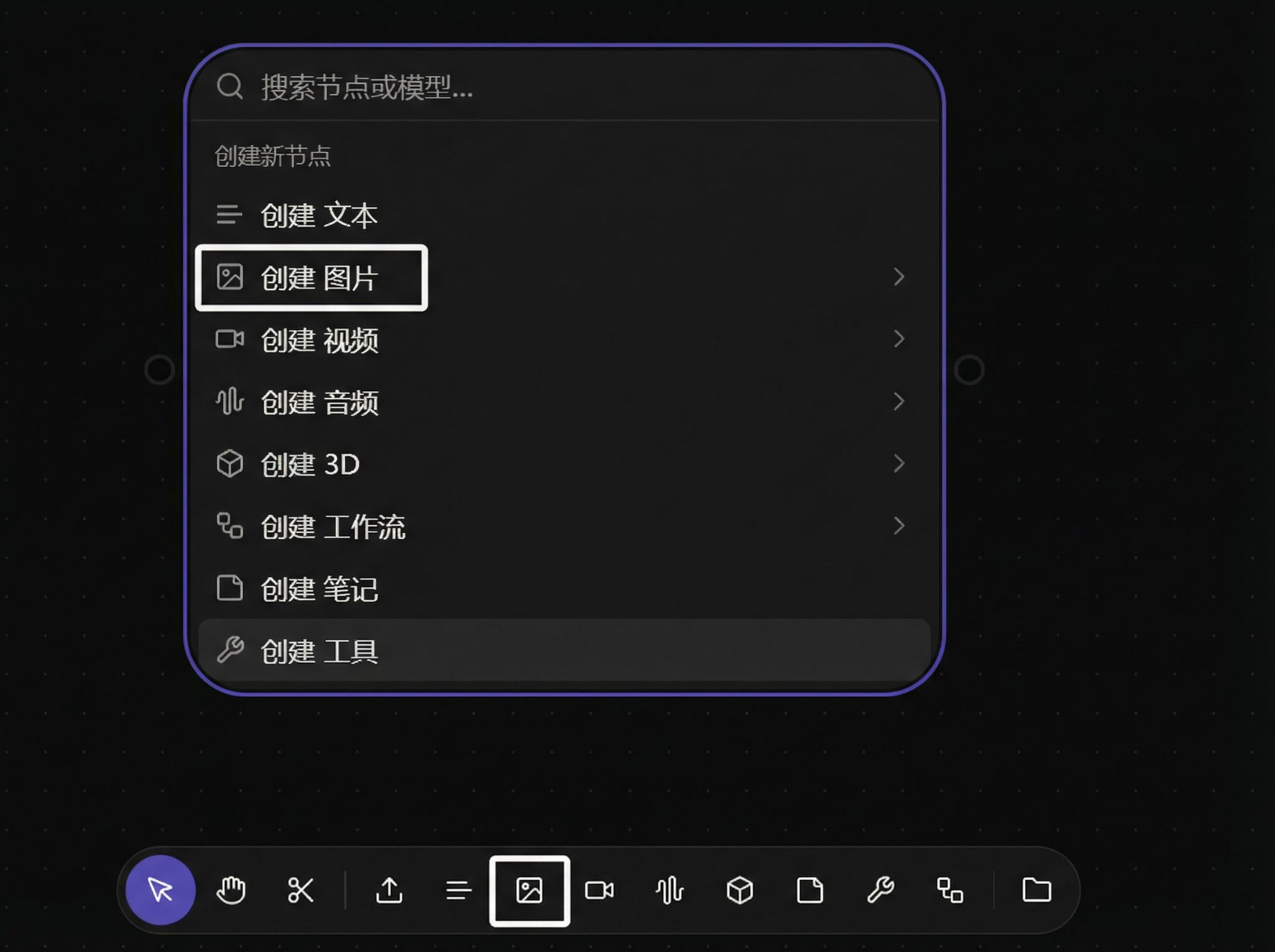
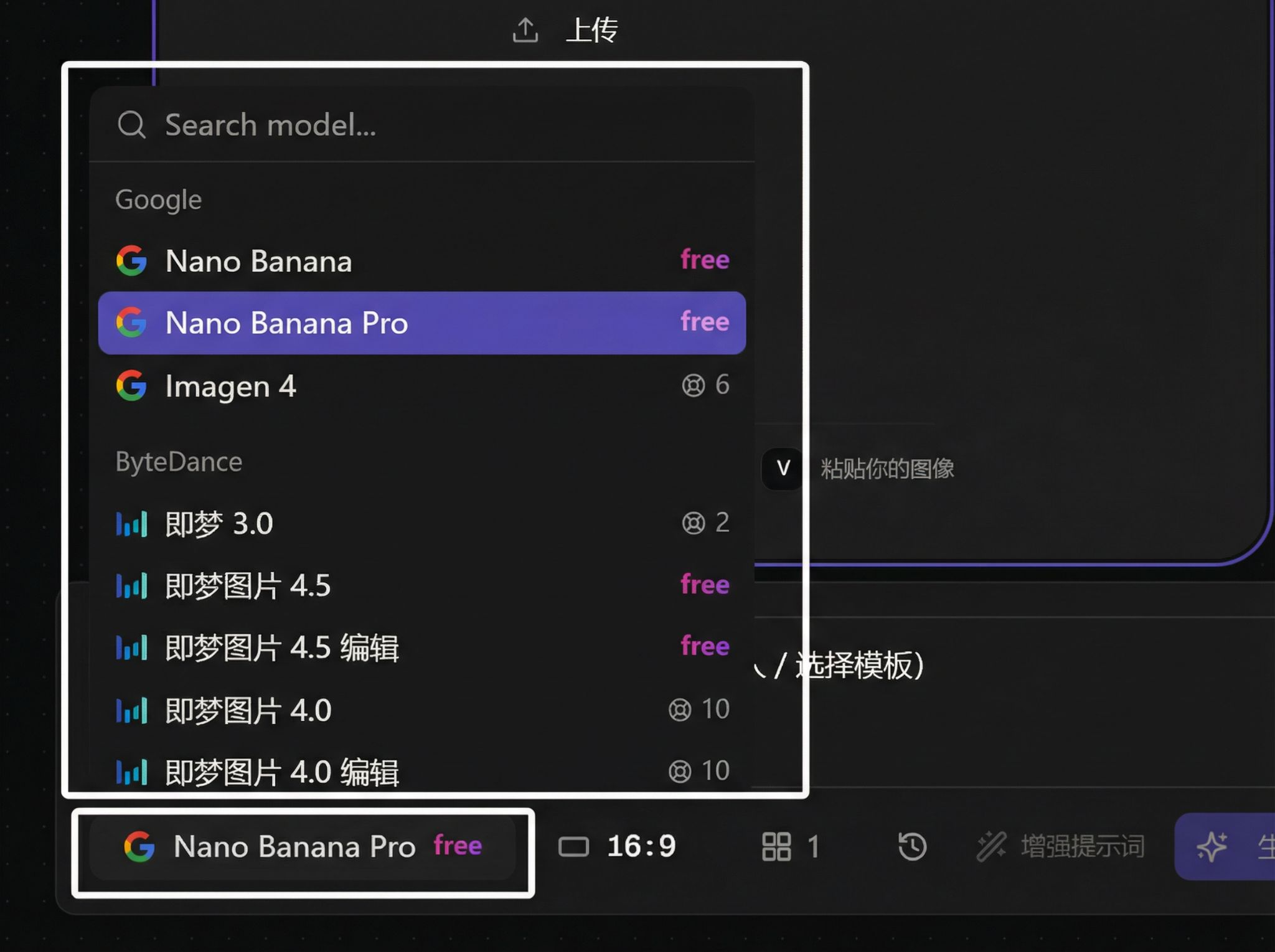
Select model:
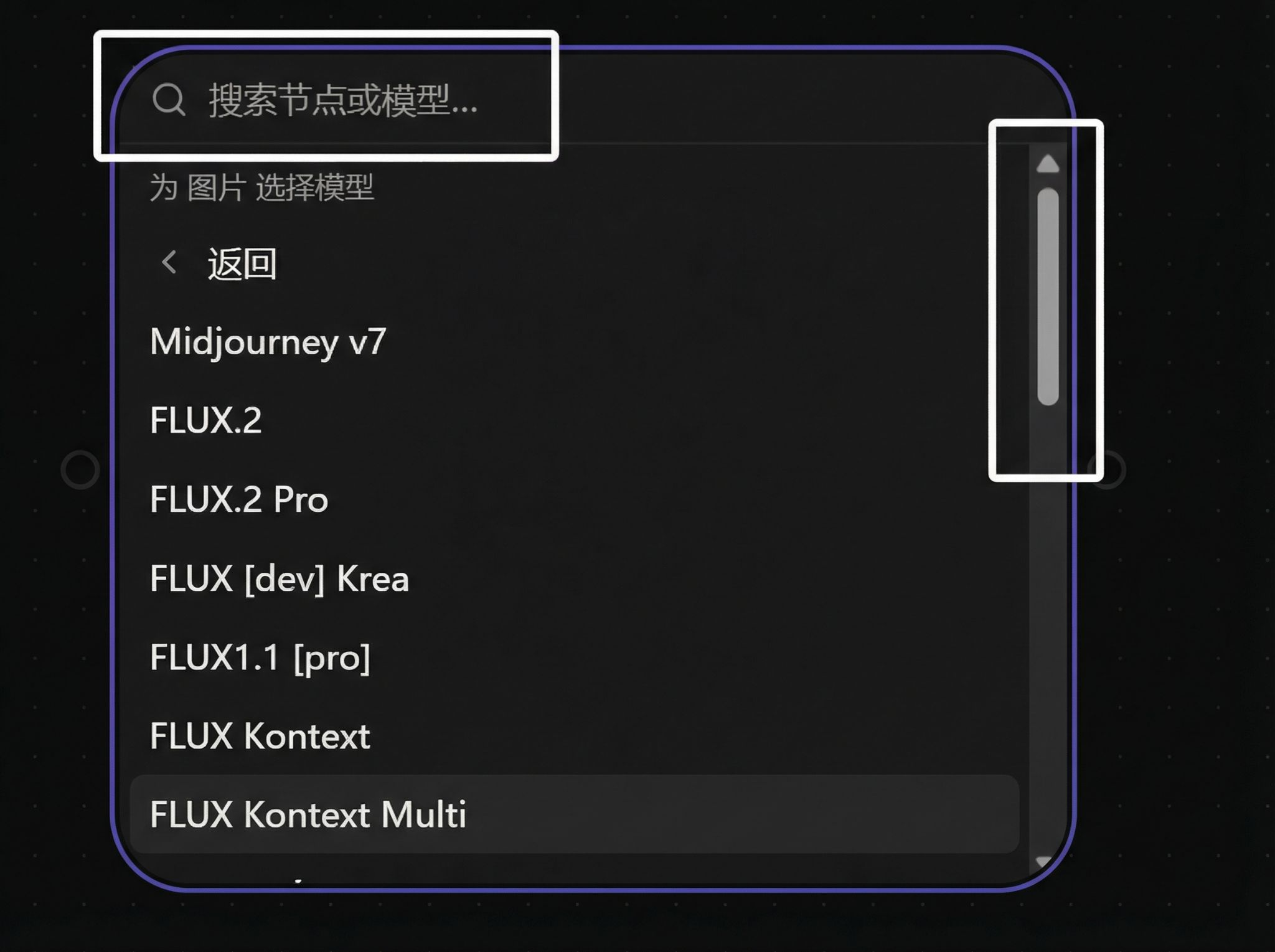
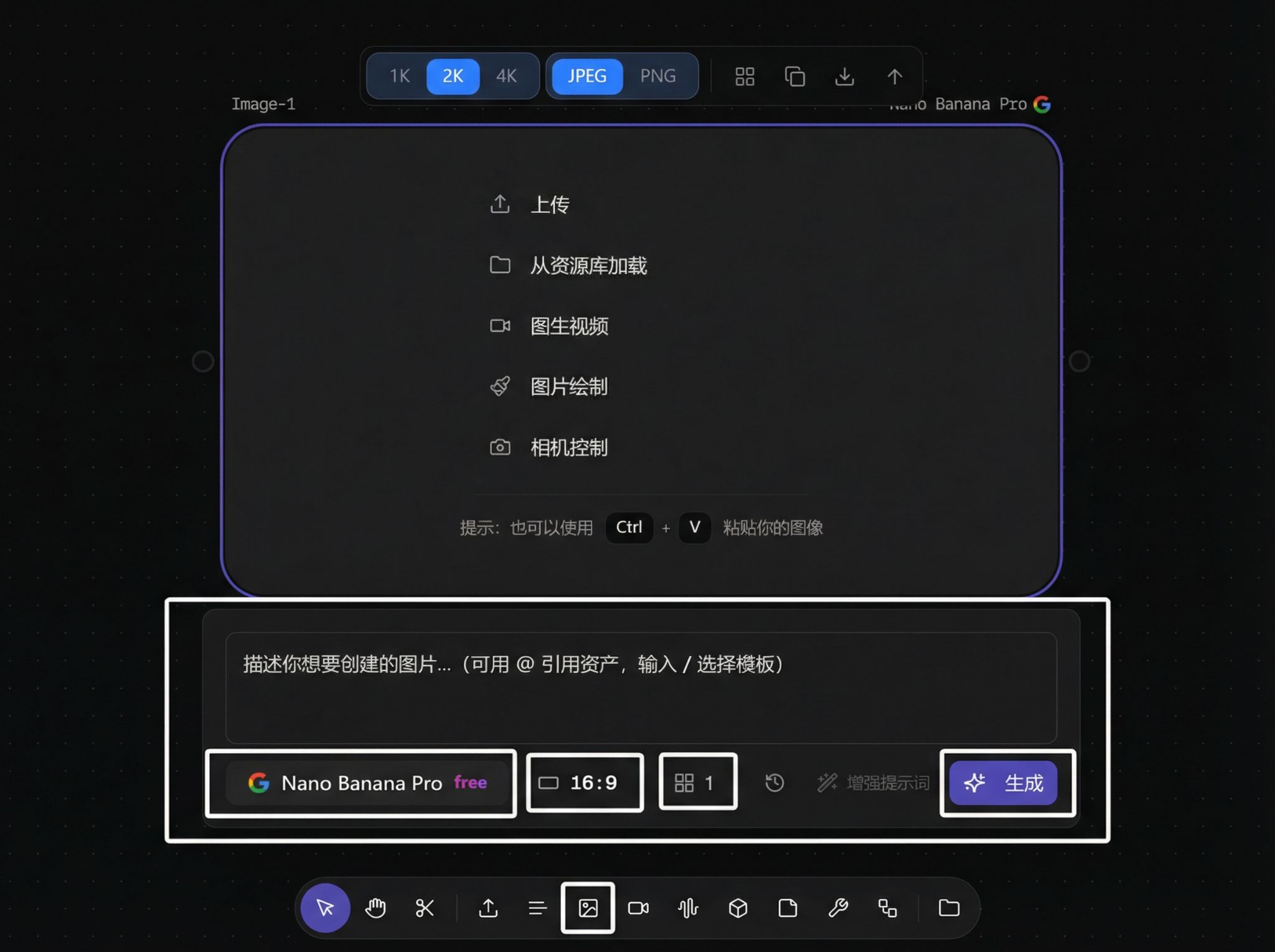
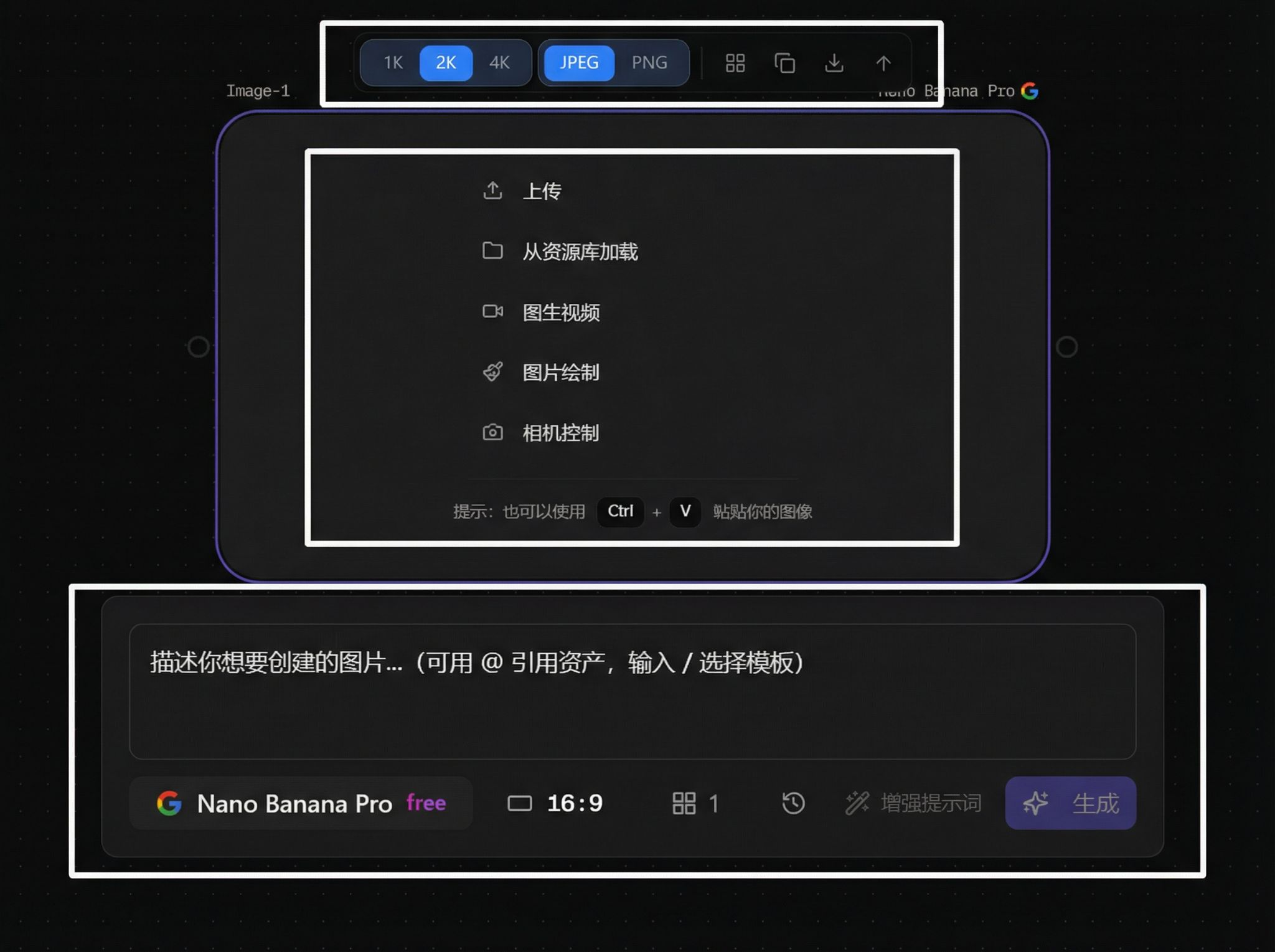
2. Function Area Overview
Overall structure:
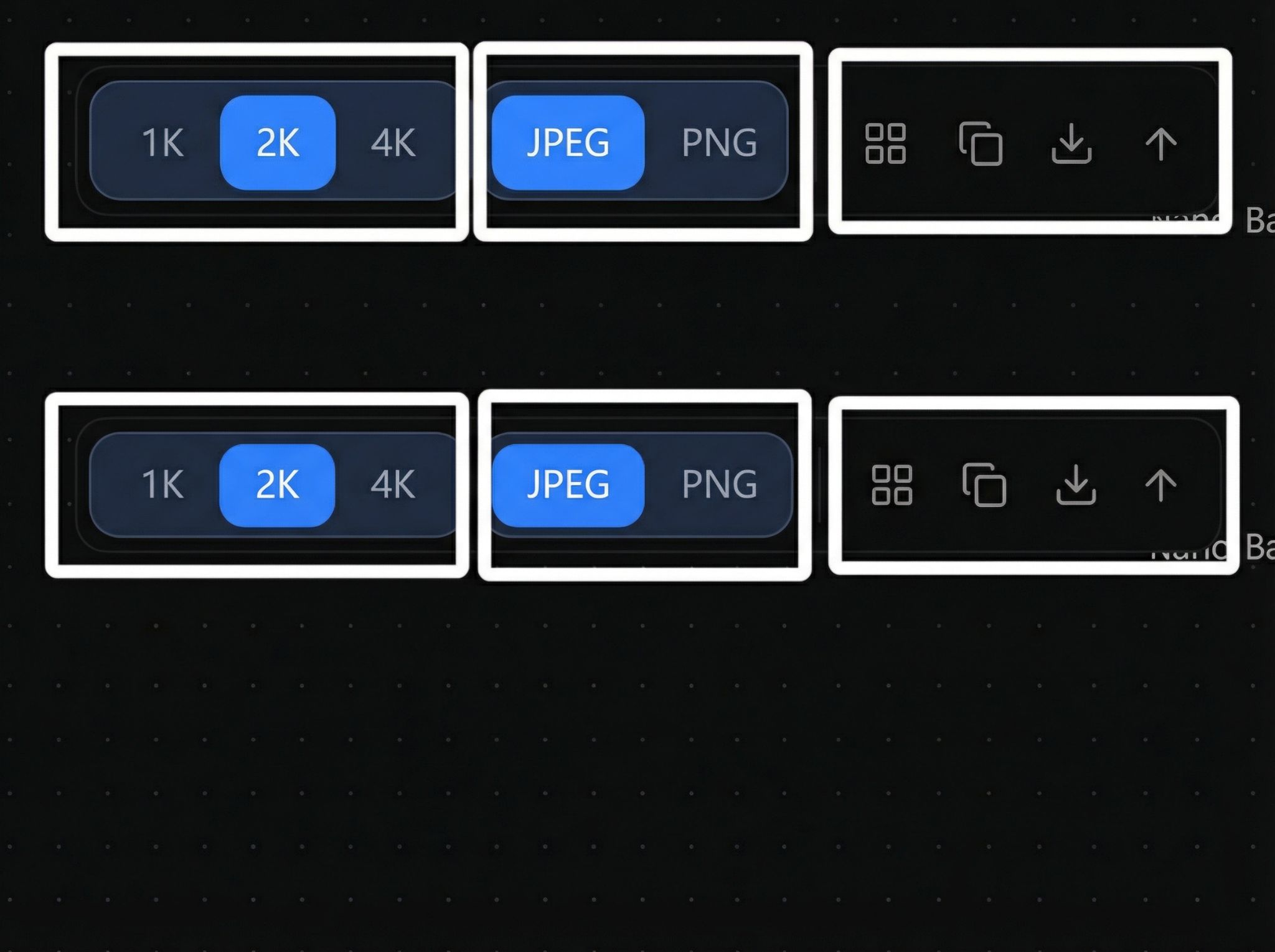
Model-specific functions (resolution / format / grid display / copy / download / upscale):
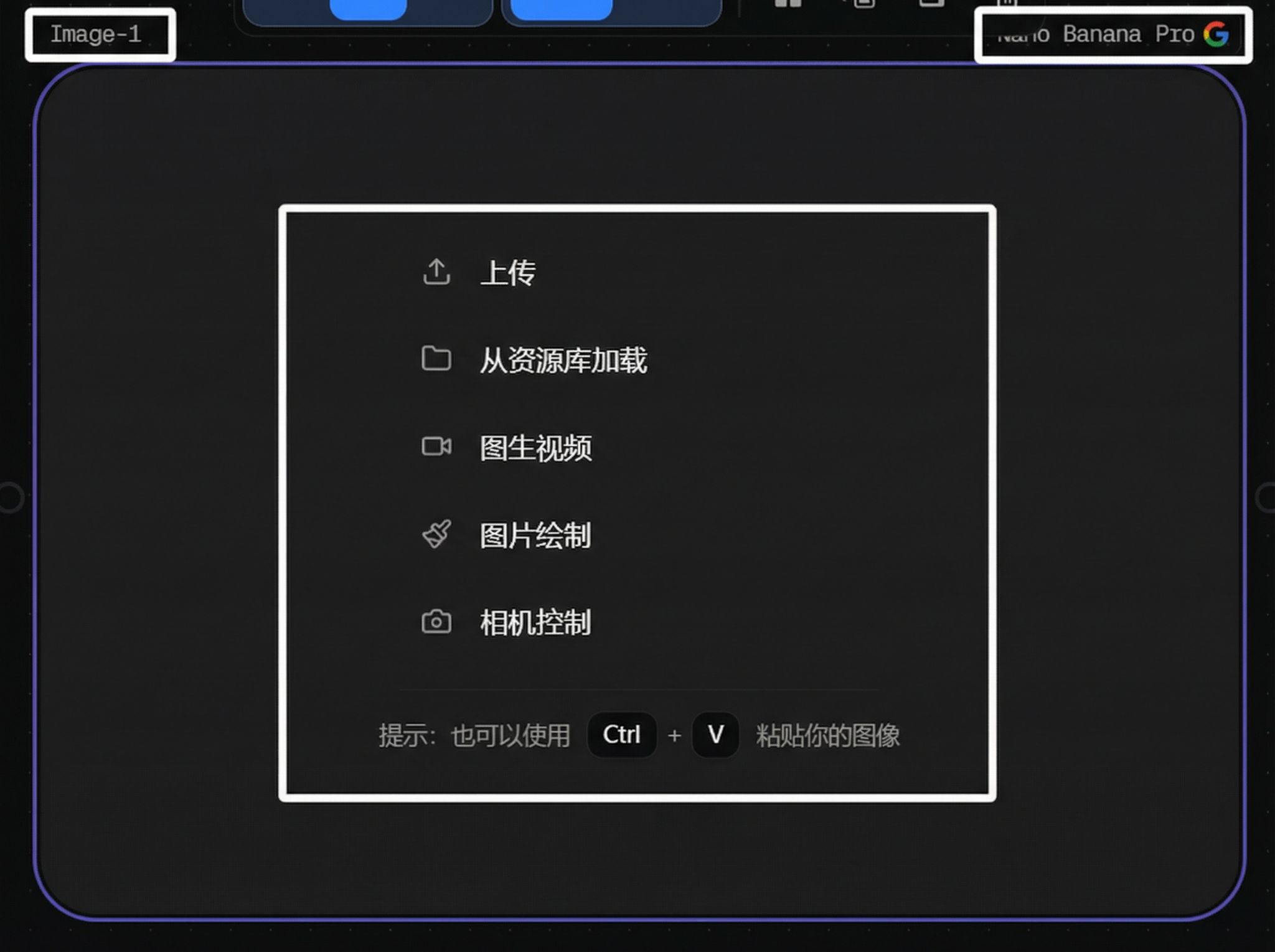
Main display area:
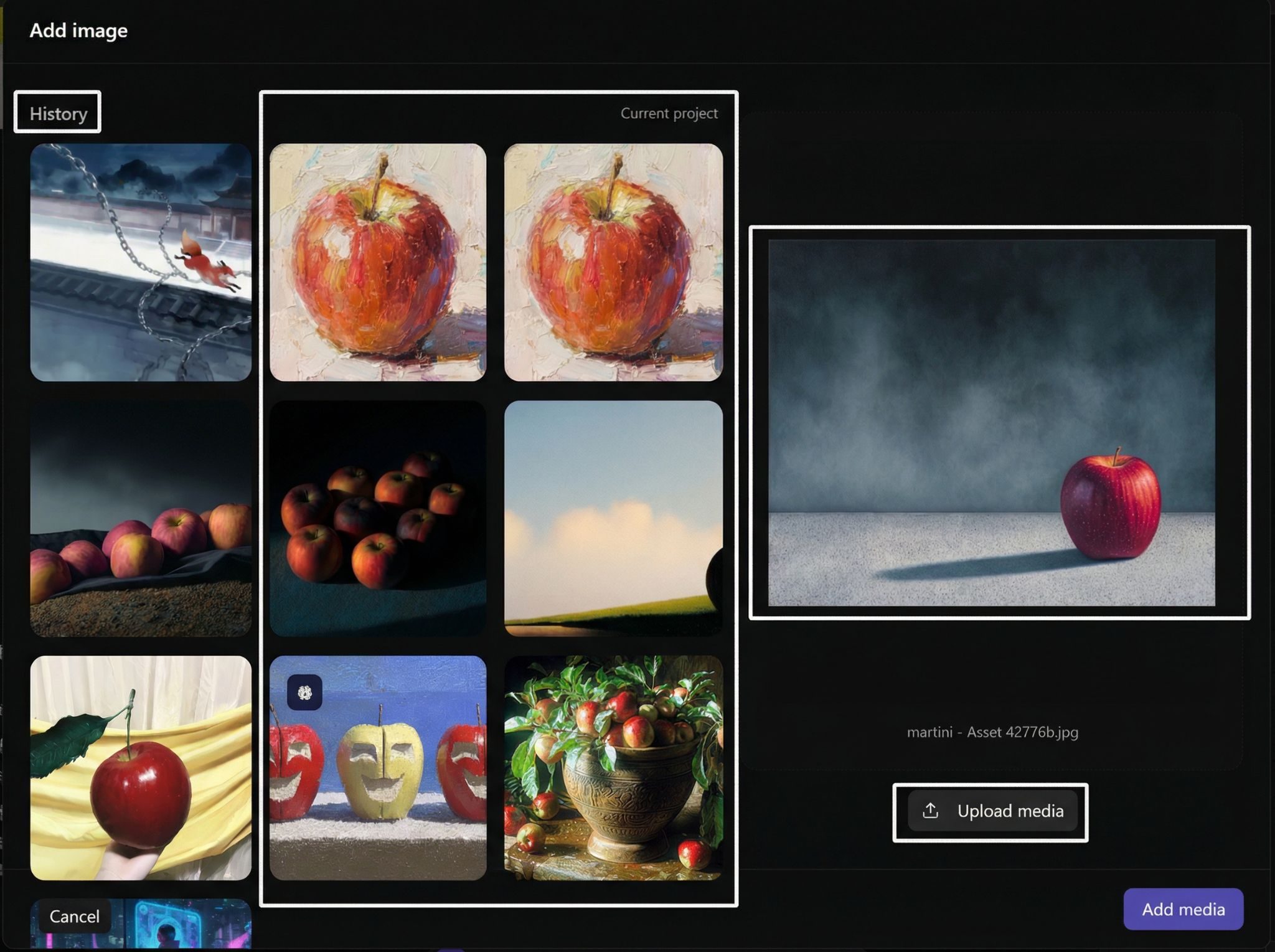
Upload and asset library loading:
3. Image Generation
Text to Image
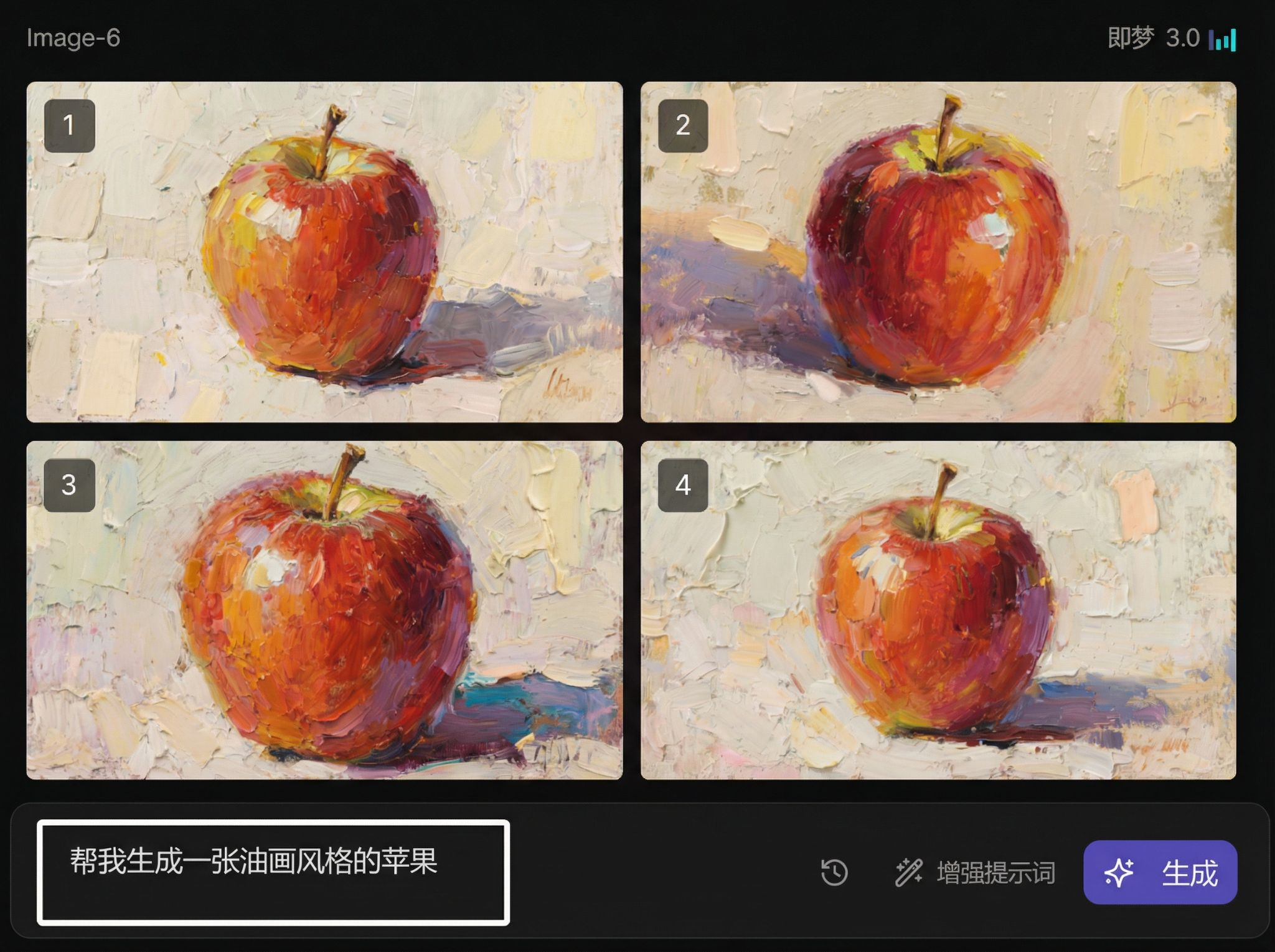
You can also connect a Text node for prompt input:
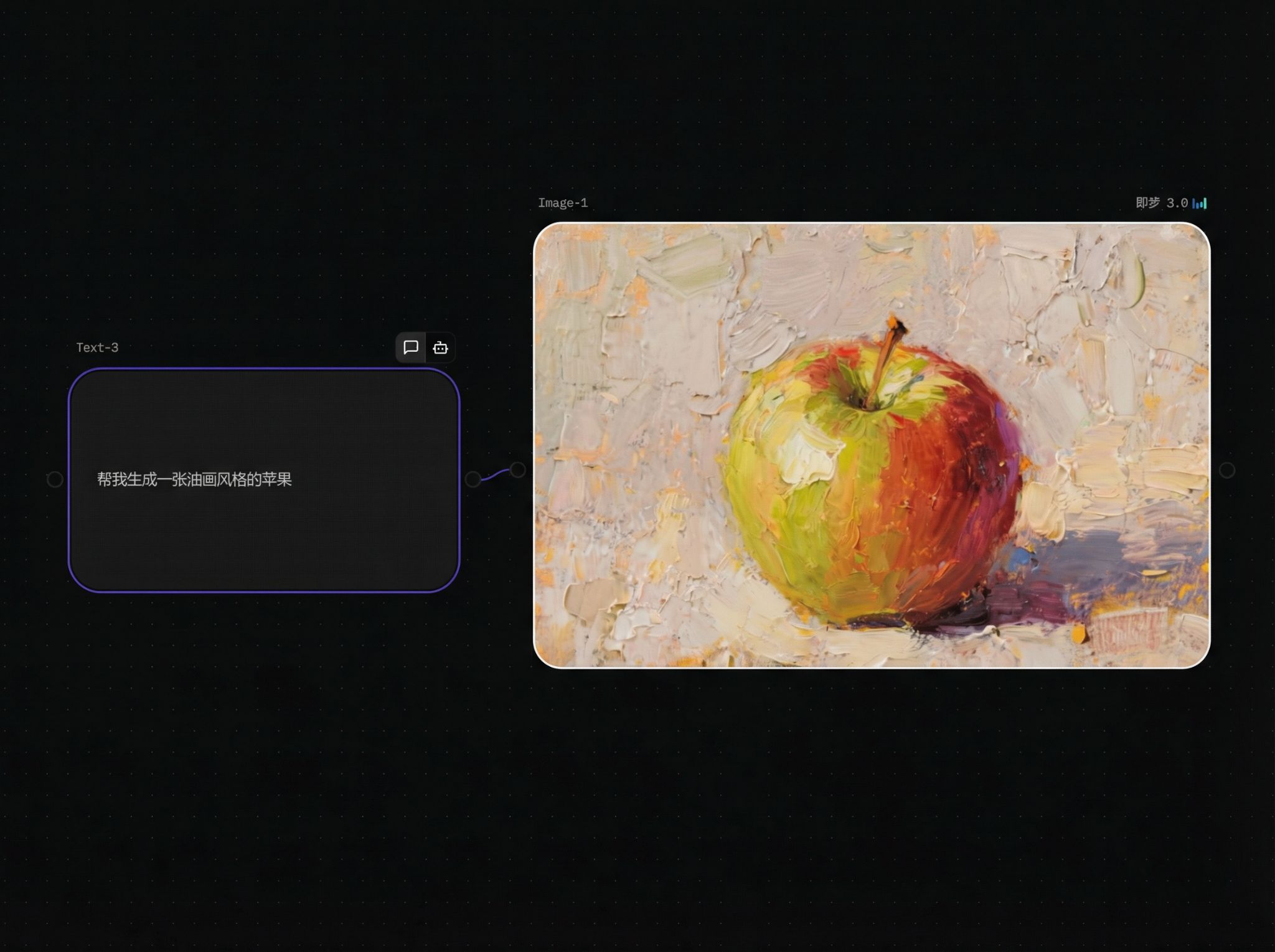
Image to Image (single reference)
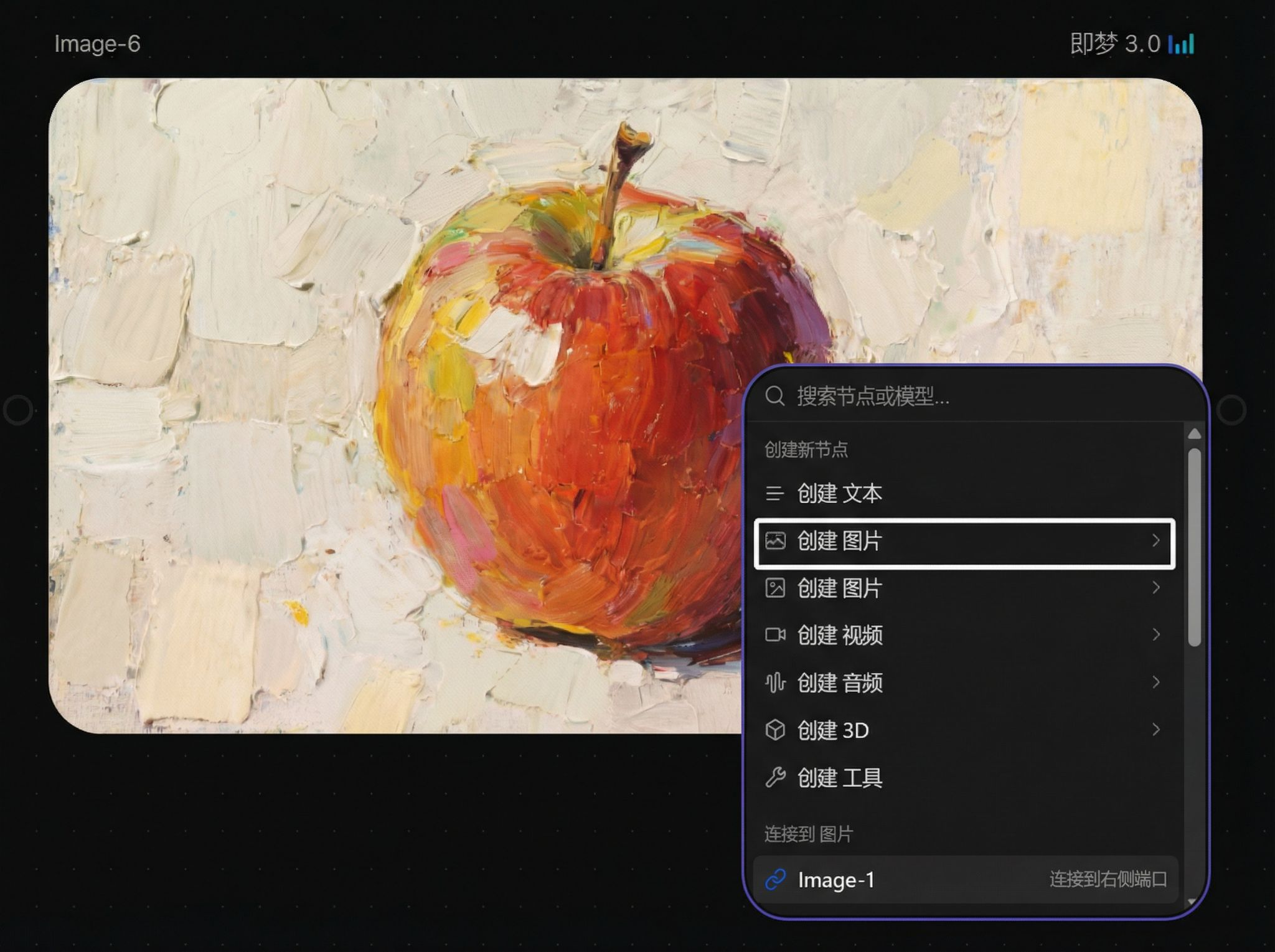
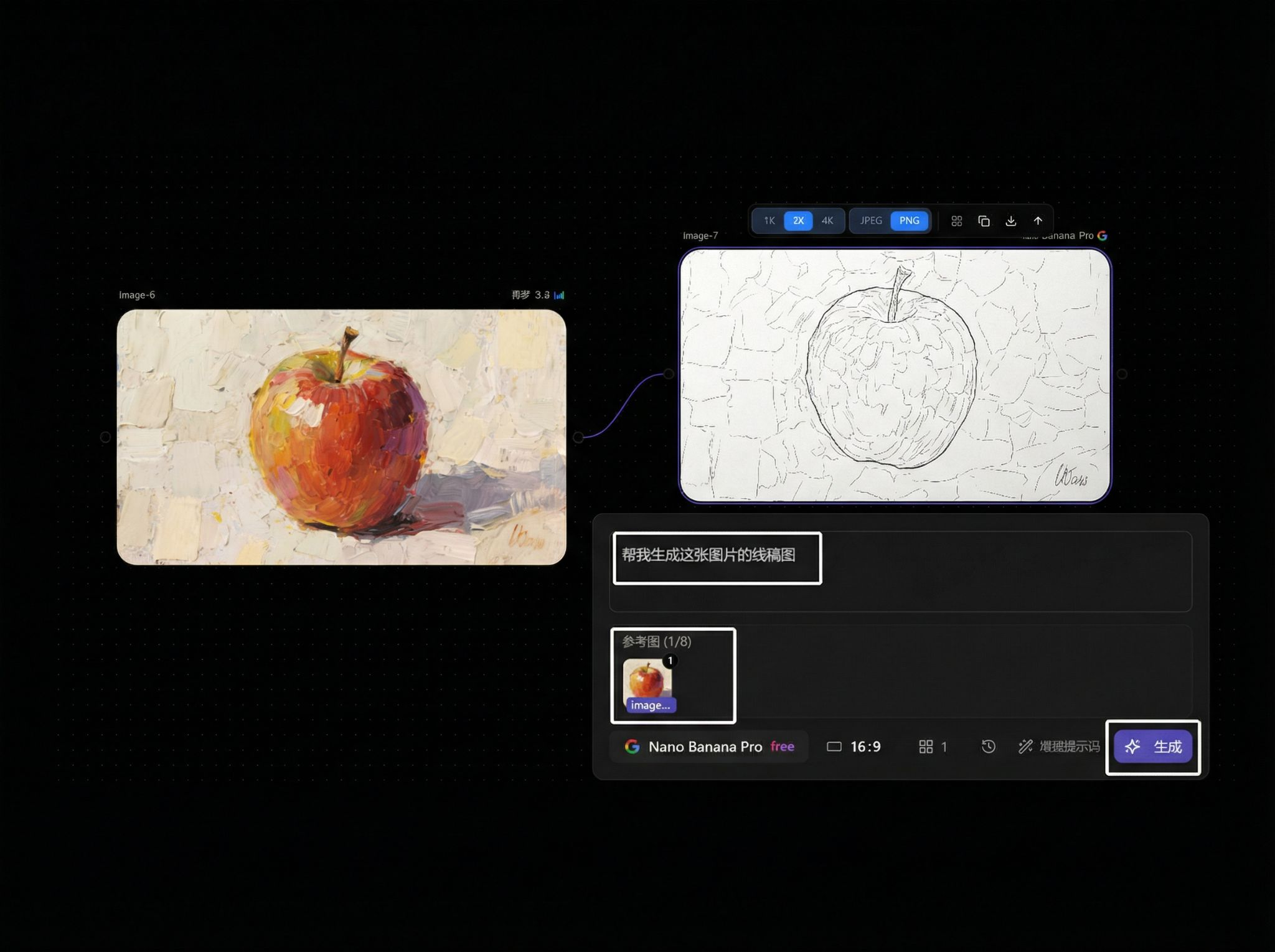
Parameters
Prompt input field:
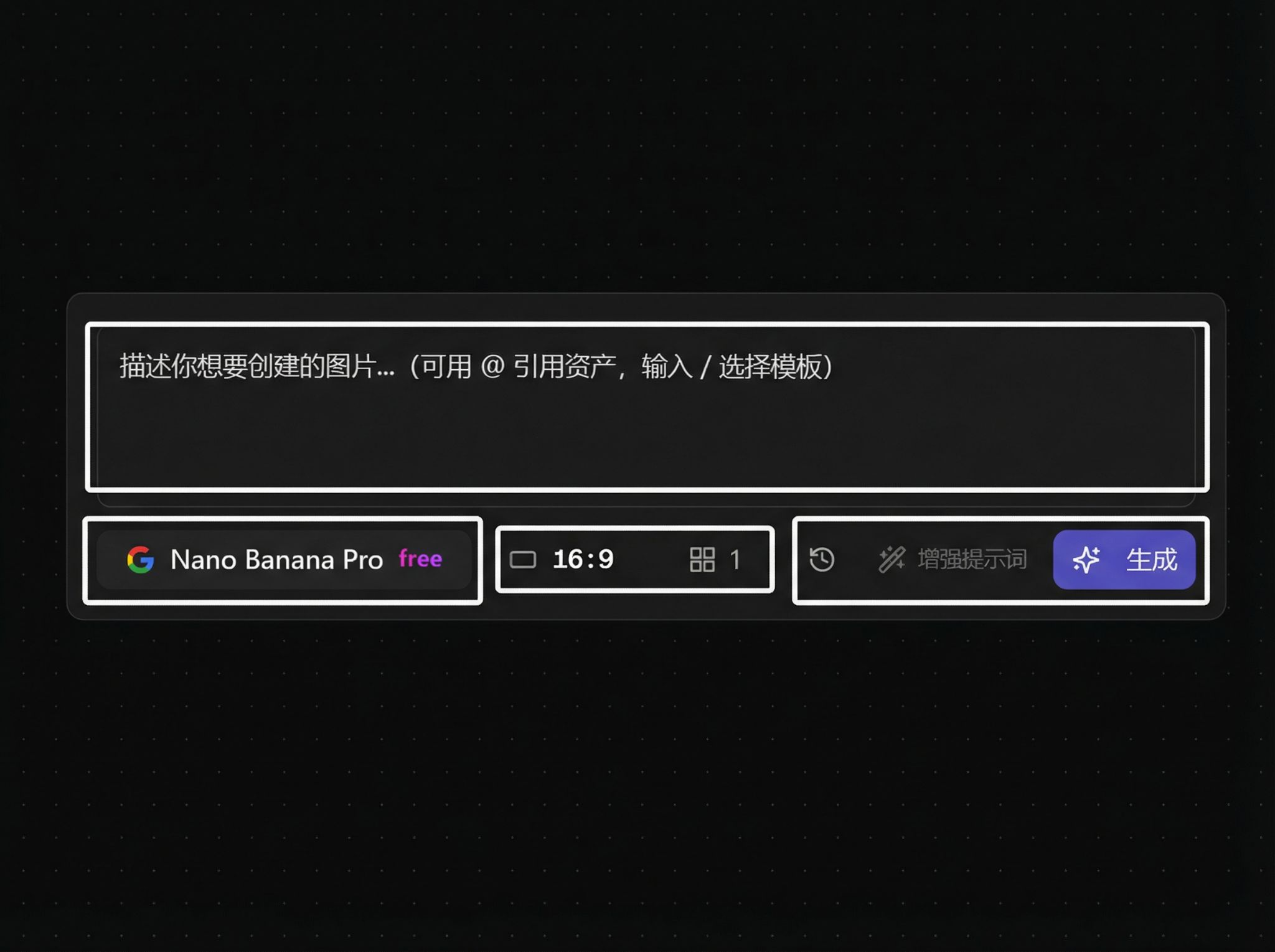
Model selector:
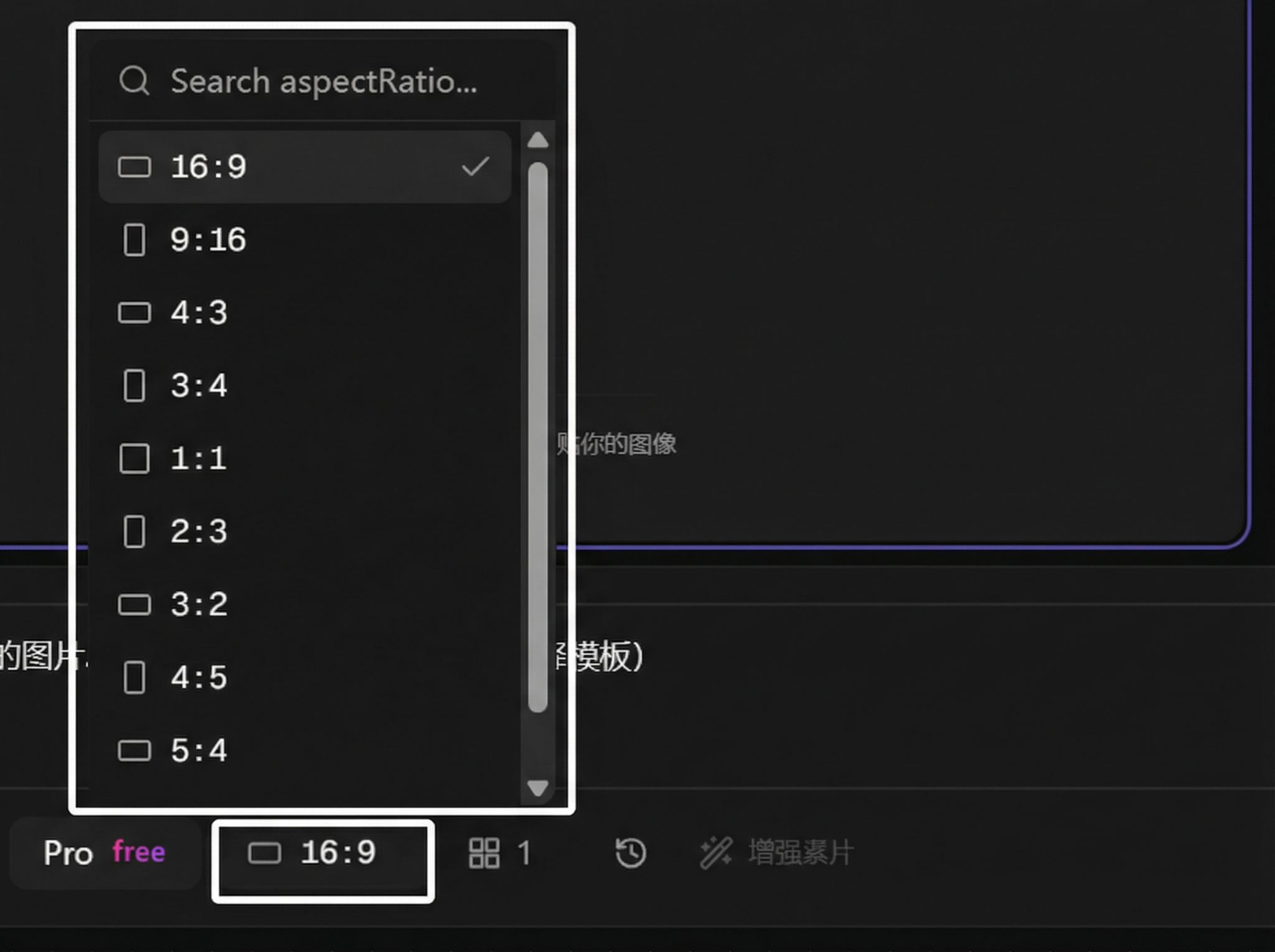
Aspect ratio selection:
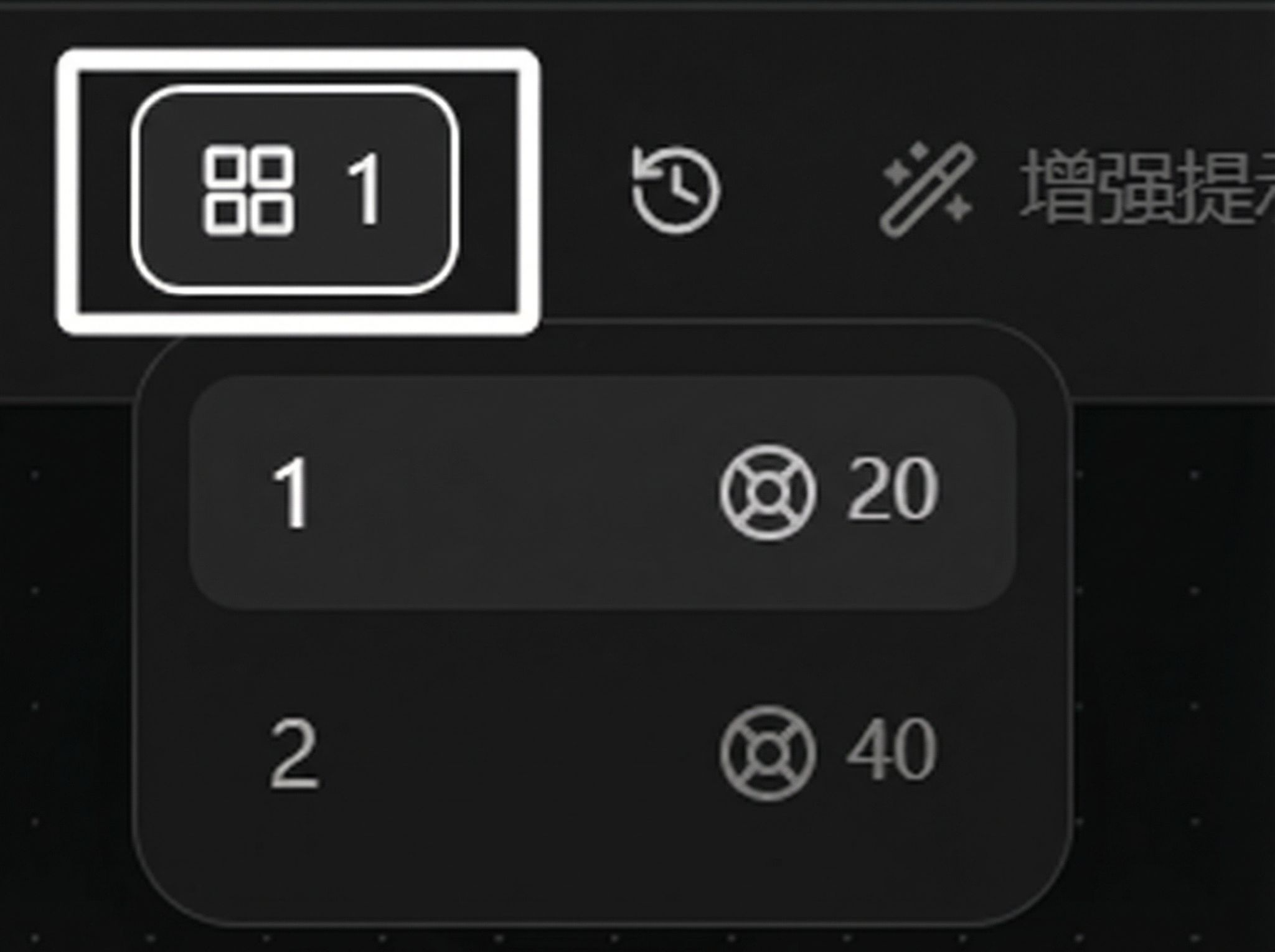
Generation count:
History / Enhance prompt / Generate button:
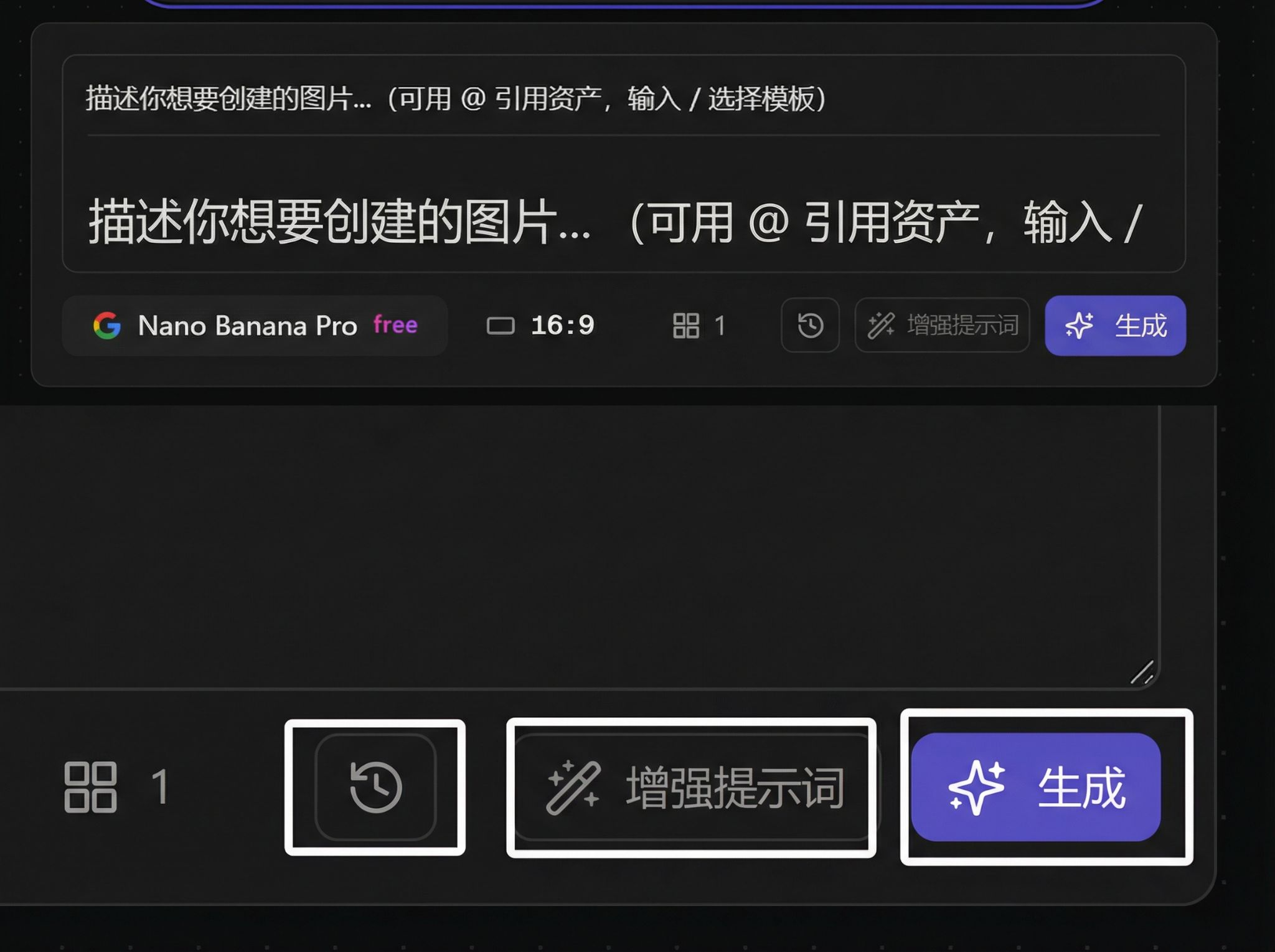
Special Features
Image to Video: Generate new Video node and auto-connect
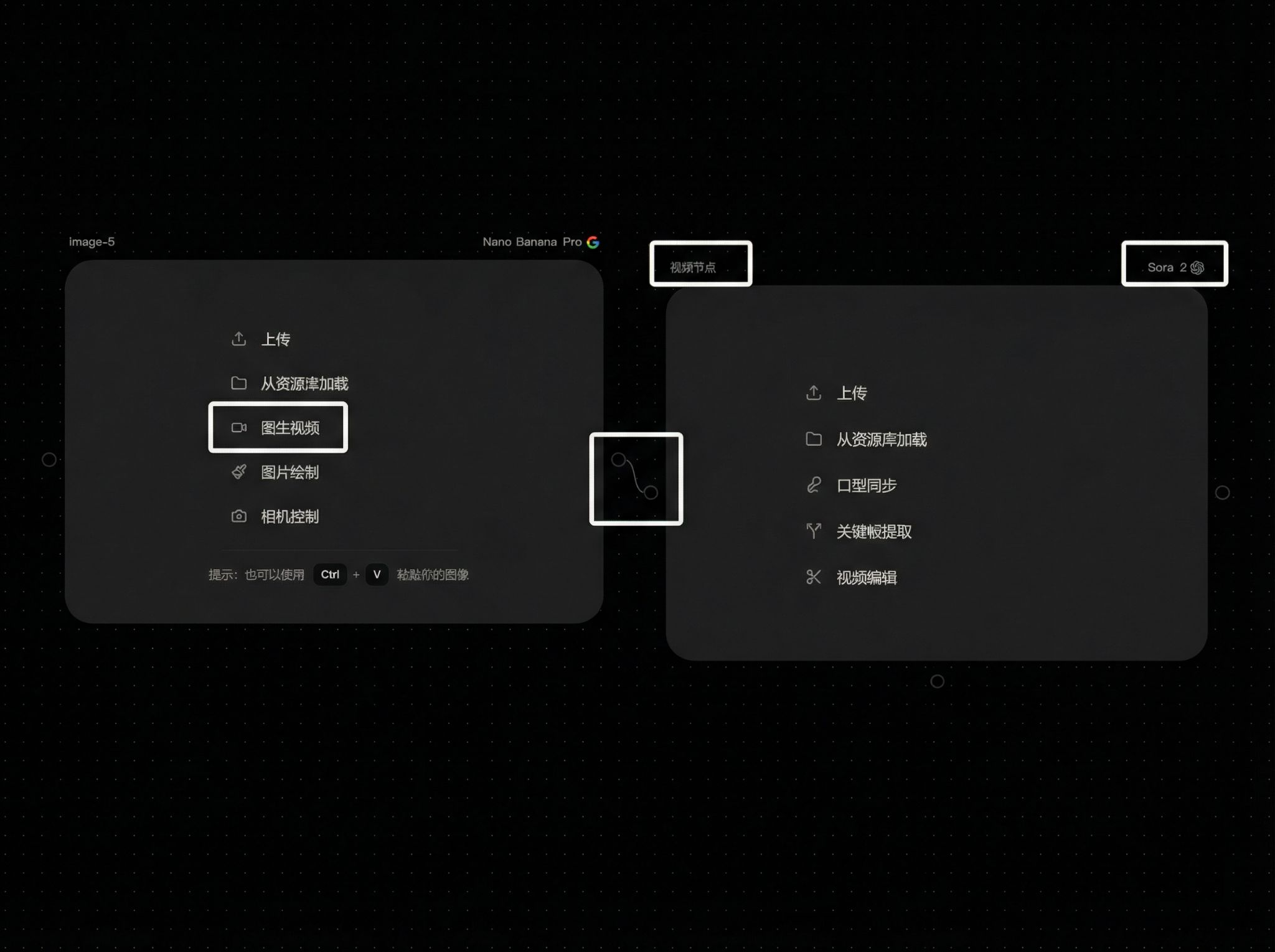
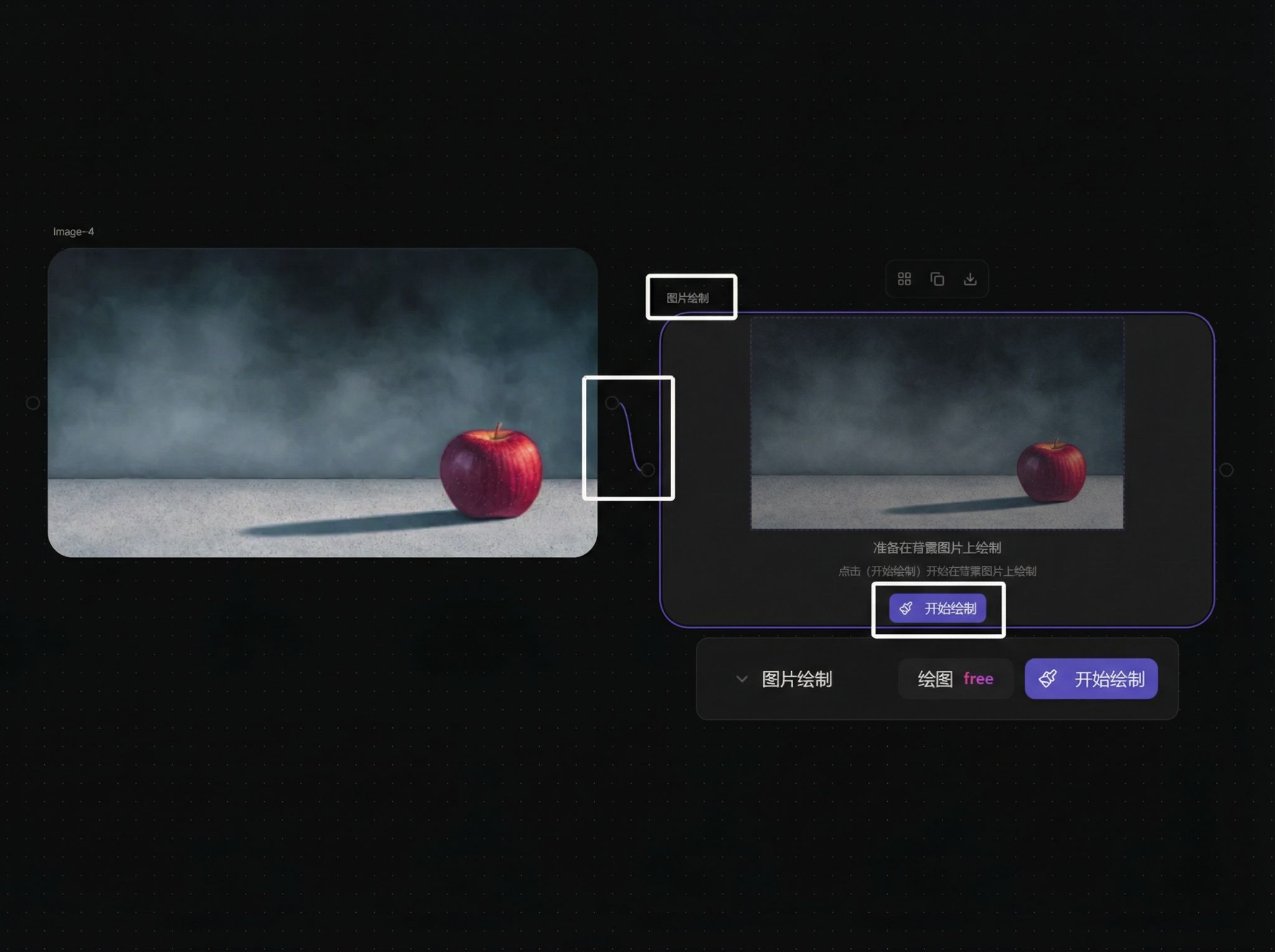
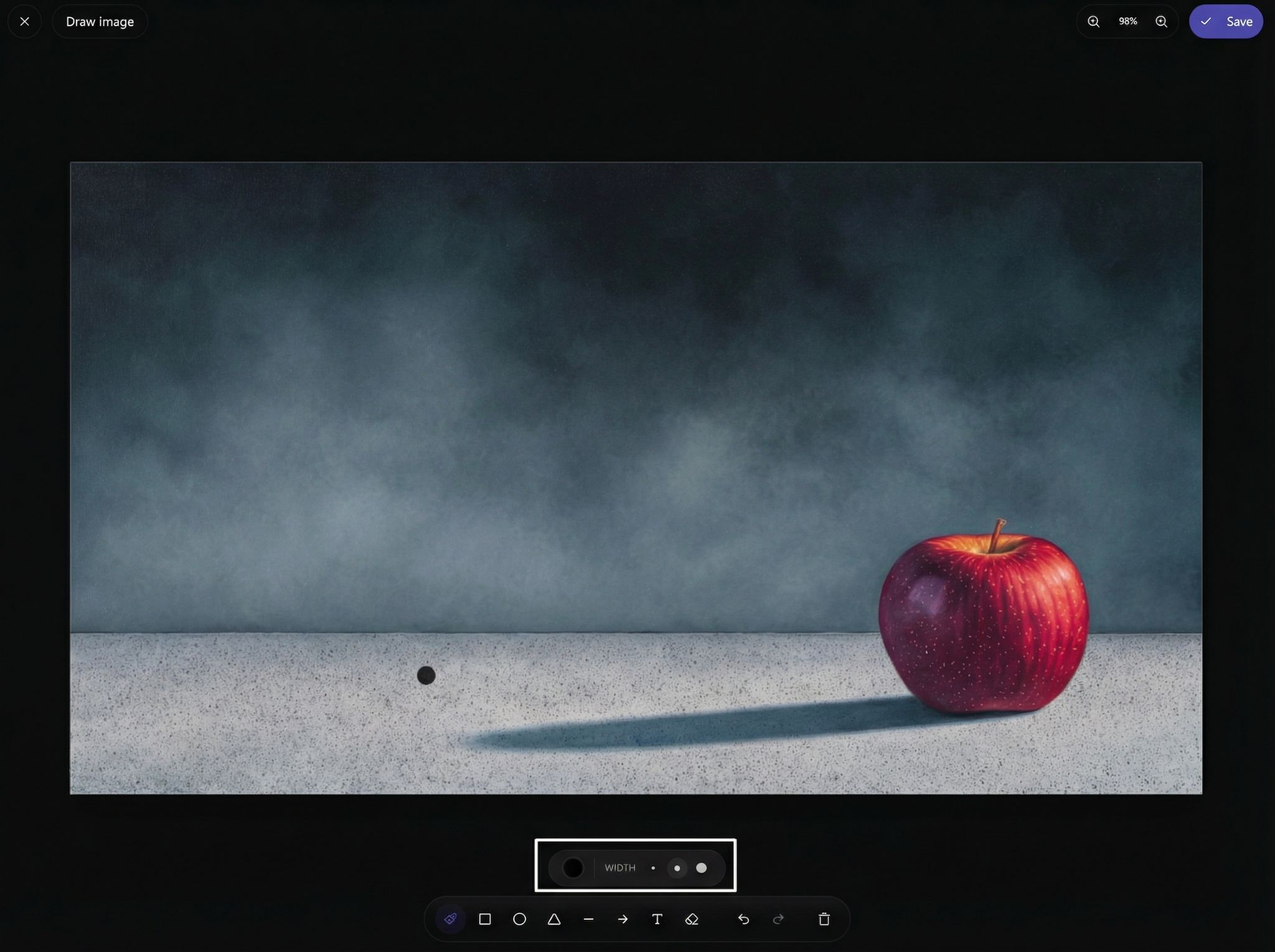
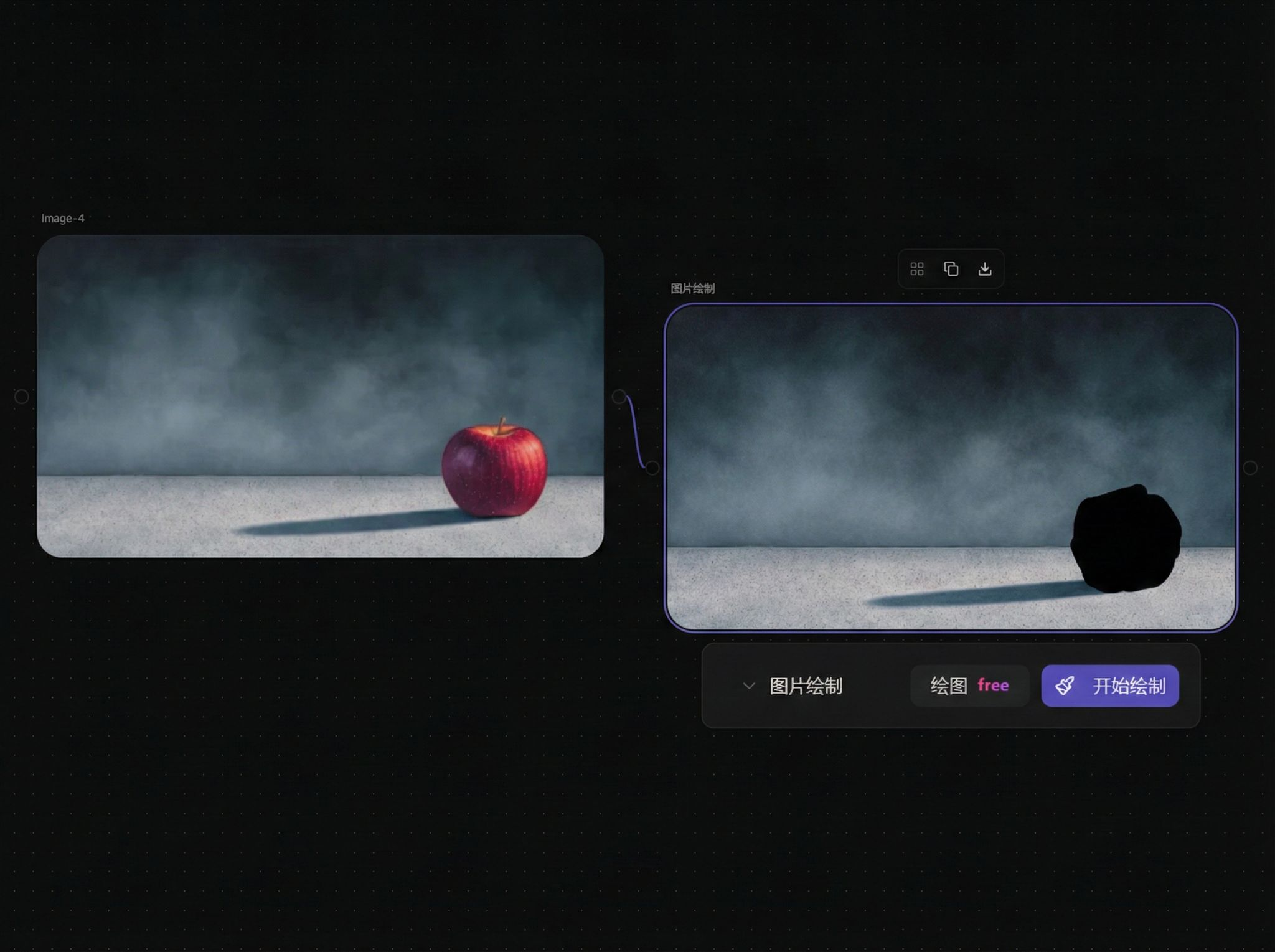
Image Drawing: Generate drawing node and connect
Drawing interface:
Effect after save and exit:
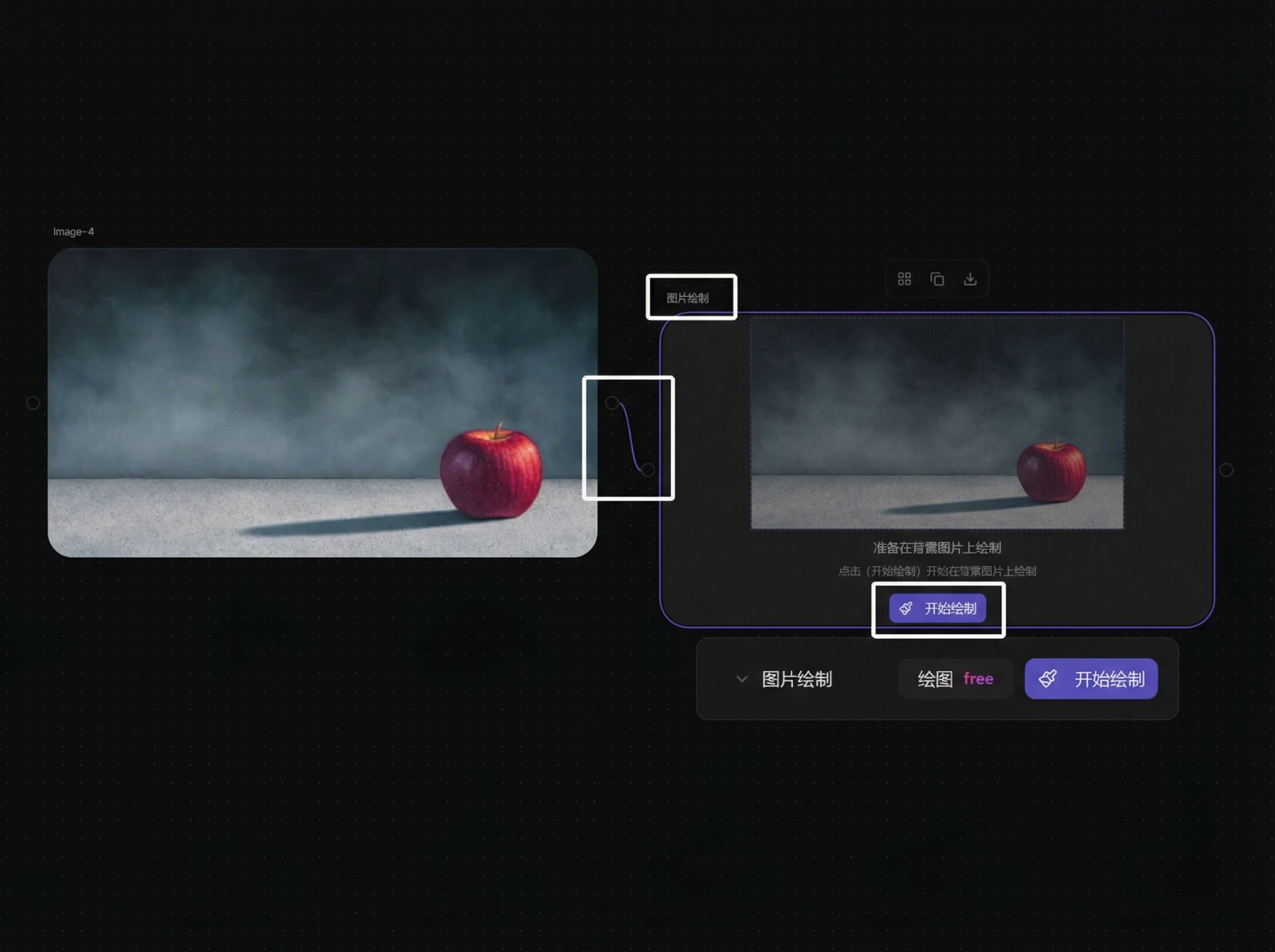
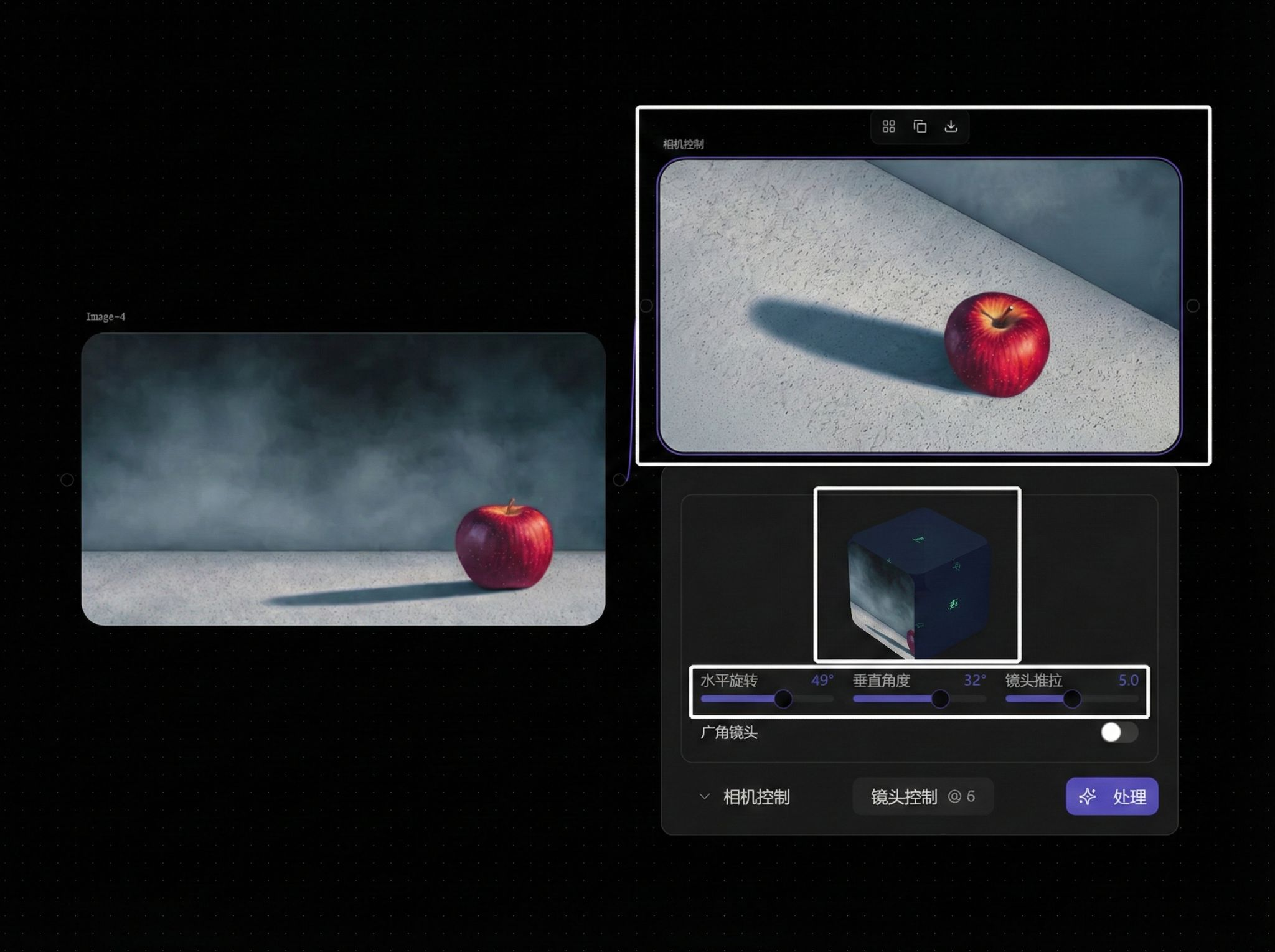
Camera Control: Generate camera control node and connect
Example effect:
Multi-Image Input
Multi-image reference (up to 8 images):
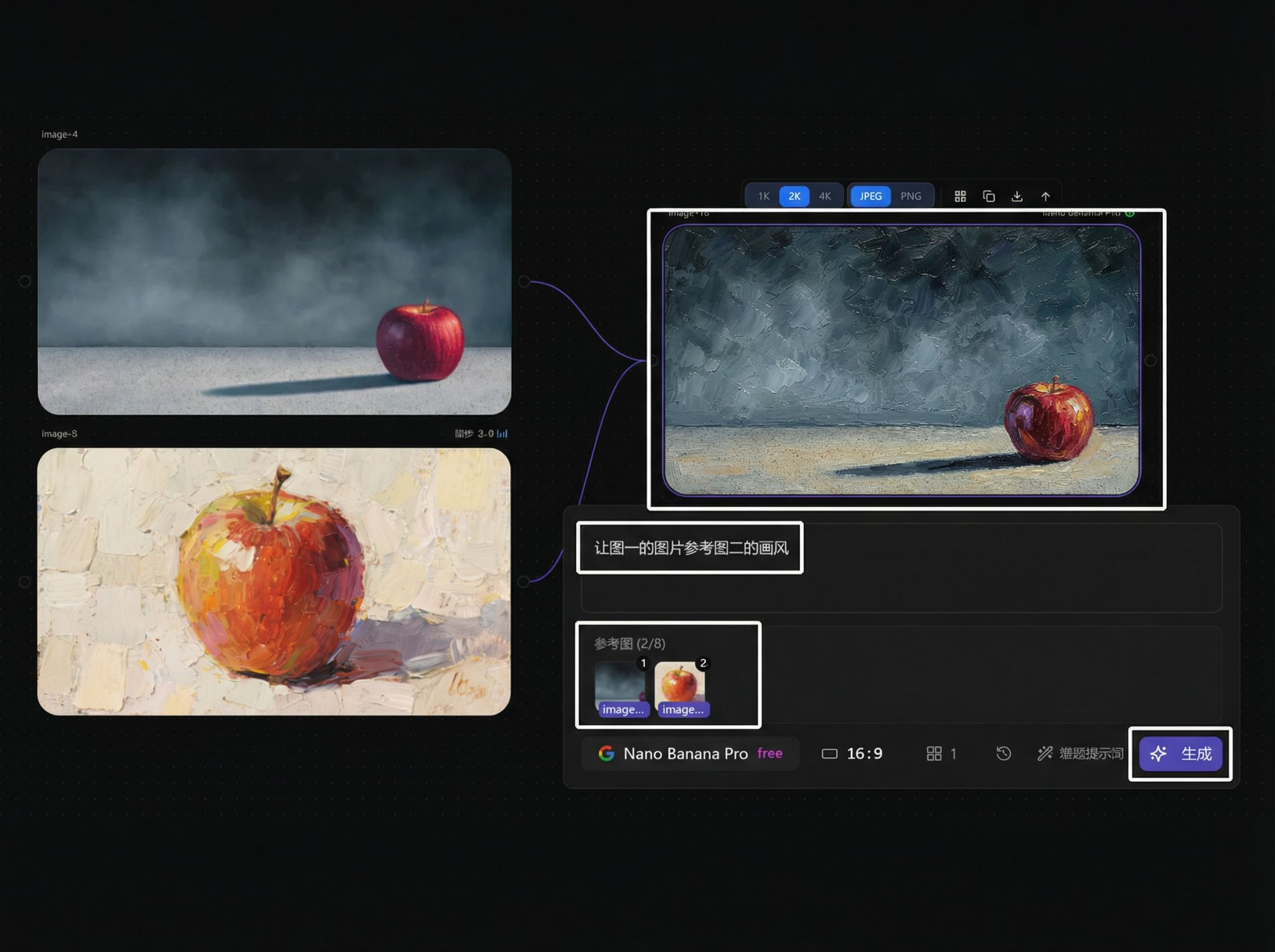
Use @assets / templates as reference:
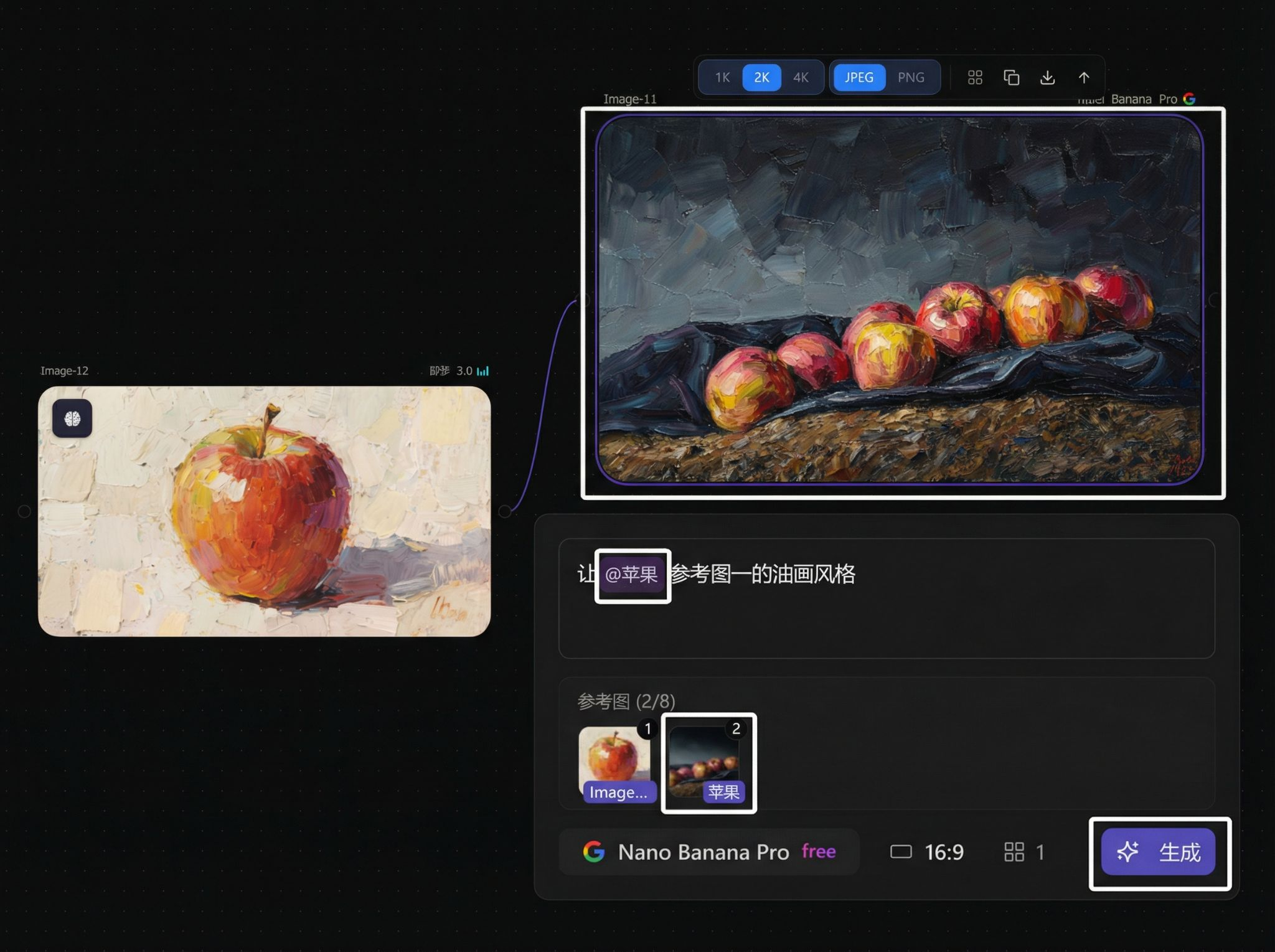
Image Models
| Model Name | Core Features & Advantages | Image-to-Image/Editing | Pricing (Regular/Subscribed) |
|---|---|---|---|
| JiMeng 3.0 | Cinematic quality, rich aesthetics, up to 2K output | Not supported | 2 credits |
| JiMeng 4.0 | Supports 4K, new local editing | Supported | 10 / Free |
| JiMeng 4.5 | Upgraded 4.0, stronger fusion capabilities | Supported | 10 / Free |
| Google Nano Banana | Easy to use, multi-image composition, strong character consistency | Supported | 10 / Free |
| Google Nano Banana Pro | 4K quality output, stronger multi-image composition | Supported | 10 / Free |
| Google Imagen 4 | High quality, precise instruction understanding | Not supported | 6 credits |
| Flux 2 | Fast speed, adjustable parameters | Supported | 2 credits |
| Flux 2 Pro | Professional-grade quality enhancement | Supported | 6 credits |
| Flux Dev | Prototype and style fusion | Supported | 4 credits |
| Flux 1.1 Pro | Stable and efficient output | Not supported | 12 credits |
| Flux Kontext | Original modification, style replacement | Supported | 6 credits |
| Flux Kontext Max | Upgraded Kontext | Supported | 6 credits |
| Ideogram 3.0 | Strong text rendering, rich presets | Supported | 10 credits |
| Ideogram Character | Enhanced character consistency | Supported | 20 credits |
| Runway Gen4 Image | Balance of quality and efficiency | Supported | 7 credits |
| Vidu Reference | Strong multi-image reference | Supported | 13 credits |
| OpenAI GPT Image 1 | Narrative-driven, strong restoration | Supported | 10 credits |
| OpenAI GPT Image 1.5 | Enhanced details and transparent background | Supported | 6 credits |
| Alibaba Qwen | Lightweight and cost-effective | Supported | 4 credits |
| Alibaba Qwen Plus | Complex text editing | Supported | 12 credits |
| Alibaba Qwen Z-Image | Fast and lightweight | Not supported | 12 / Free |
| Mystery Adam | Diverse creative styles | Supported | 10 credits |
| Mystery Adam V2 | Stronger details | Supported | 13 credits |
| Midjourney (US) | Outstanding artistic style expression | Supported | 3 credits |
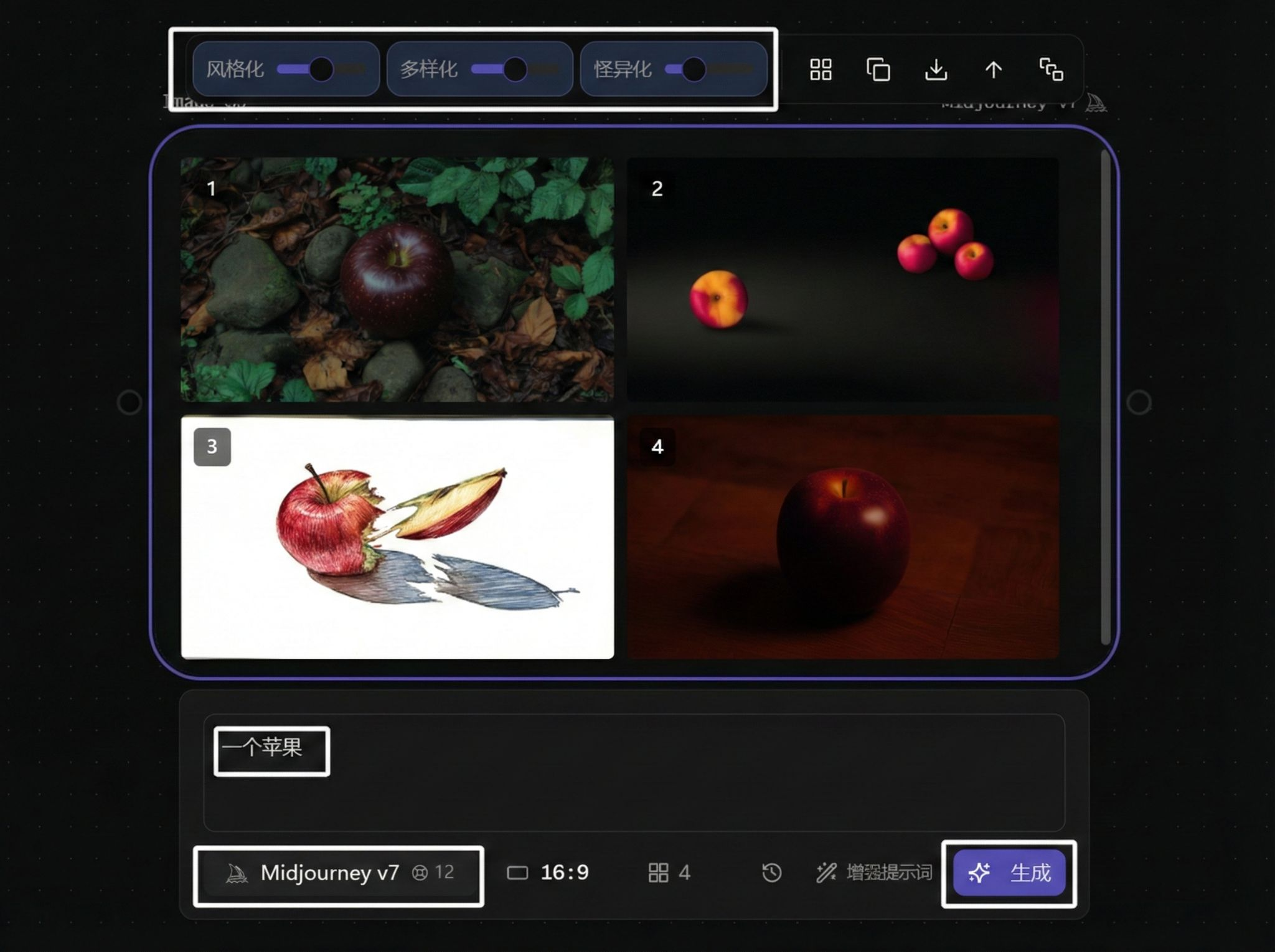
MJ parameter example:
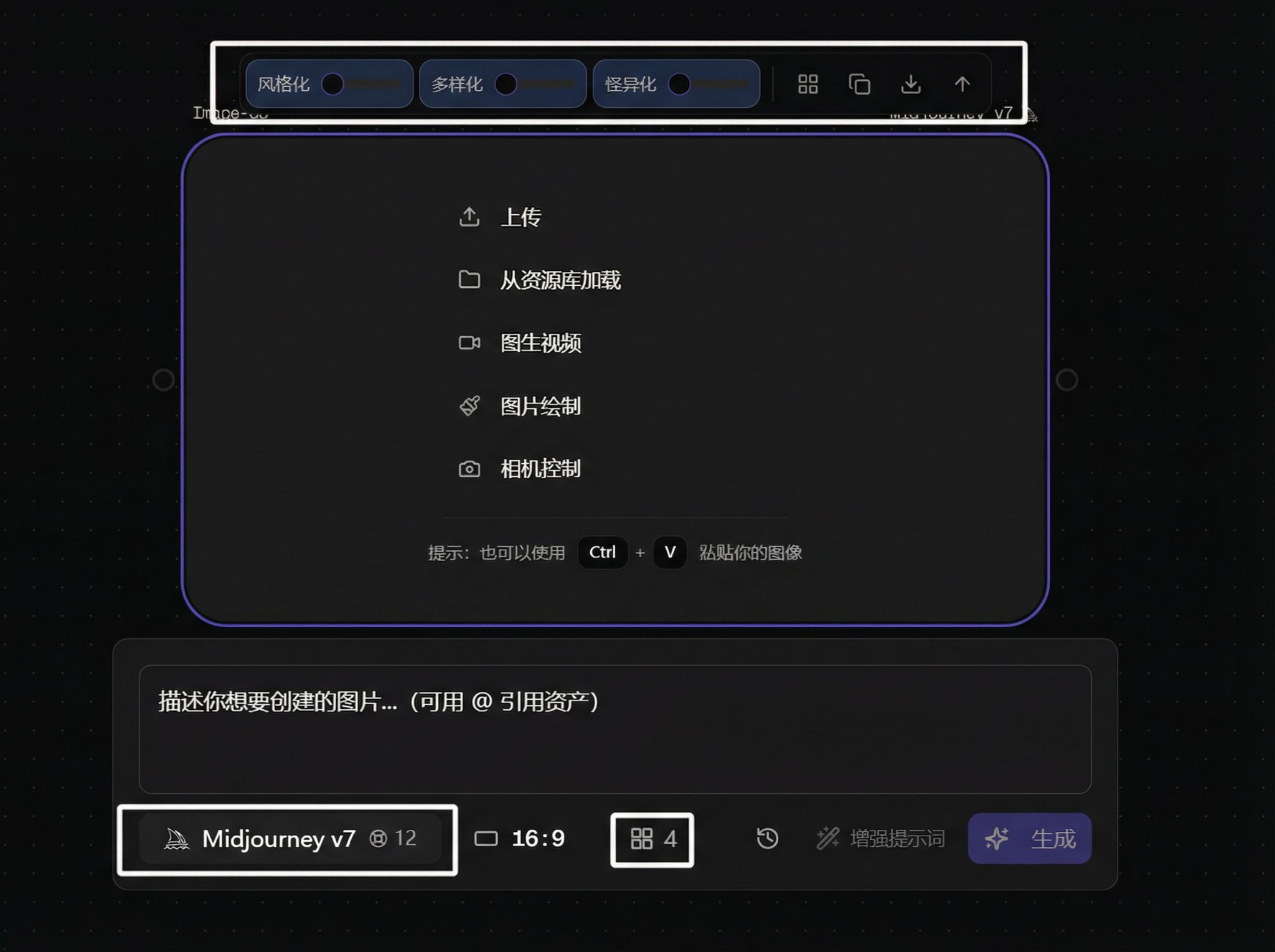
Example effect: