

How to Create AI Video Ads

To create an AI video ad, define one audience and one action, prepare a clear source image, generate a short visual hook, then add readable brand copy and a call to action in editing. The AI-generated clip is creative material; it becomes an ad only after the message, offer, and destination are clear.
Astorie lets you connect a source image to a video model on the same canvas. The workflow below uses a real Hailuo 02 image-to-video test, including the exact prompt, displayed credit cost, downloaded file properties, and the limits visible in the result.
How to Create AI Video Ads Step by Step
Choose the campaign goal and the single action you want viewers to take.
Write a six-second brief with a hook, subject action, camera move, and end state.
Prepare a clean source image with room for later copy.
Upload the image, connect a Video node, and choose a model and settings.
Generate the clip and inspect identity, motion, framing, and duration.
Add brand assets, captions, audio, and a call to action before publishing.
Start With the Ad Decision
Decide what the viewer should understand or do after watching. Awareness ads can end on a brand idea; product ads need a visible product benefit; direct-response ads need a clear offer and next step. Trying to fit all three into six seconds usually weakens the hook.
Brief field | Write one answer |
Audience | Who needs this product or message now? |
Hook | What must be visible in the first moment? |
Action | What should the person, product, or environment do? |
Proof | What visual detail makes the claim believable? |
CTA | What should the viewer do next? |
Placement | Where will the ad run and which ratio fits that placement? |
Choose the Format Before Generating
Format | Typical use | Framing guidance |
16:9 | YouTube, websites, presentations | Keep the subject away from the extreme edges and reserve horizontal copy space. |
9:16 | Reels, TikTok, Shorts | Keep the subject, product, and important action near the center safe area. |
Confirm the current requirements of the destination before export. Cropping a finished landscape clip into a vertical ad can remove the product or leave no room for captions.
Build the Image to Video Ad Workflow
Step 1 Upload a source image
Use an image with a clear subject, readable silhouette, and enough background around the intended movement. The test image placed a female engineer beside a large brass machine, giving the model a defined person, prop, environment, and lighting scheme.
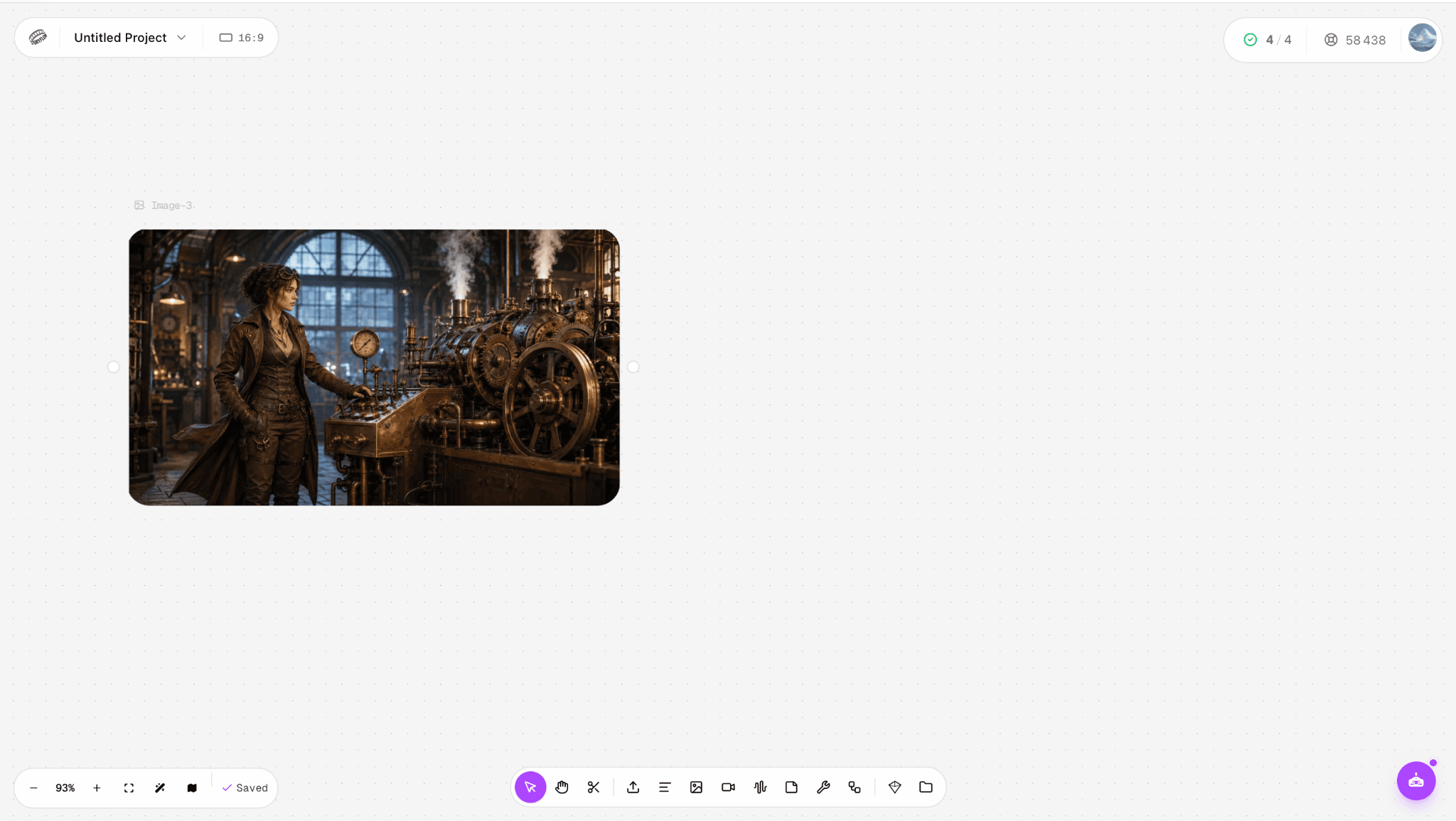
Figure 1. The source image uploaded to the Astorie canvas before adding the video model.
Step 2 Connect a Video node and choose a model
Connect the image output to a Video node, then choose a model that supports image-to-video. We selected Hailuo 02 Pro. The node displayed a six-second duration and an estimated cost of 48 credits.
Step 3 Write the motion prompt
Describe what should move and what should remain stable. For advertising, also reserve negative space for copy and tell the model not to generate text or logos. Add those elements later, when spelling and placement can be controlled.
Create a polished six-second cinematic brand ad from this image. The female engineer confidently activates the brass machine as its gears begin turning and controlled steam rises from the pipes. Use a smooth push-in camera move, warm premium lighting, and realistic mechanical motion. Keep her face, outfit, hands, and the workshop consistent with the reference image. Leave clean visual space in the upper-left corner for ad copy. No generated text, captions, watermark, or logo.
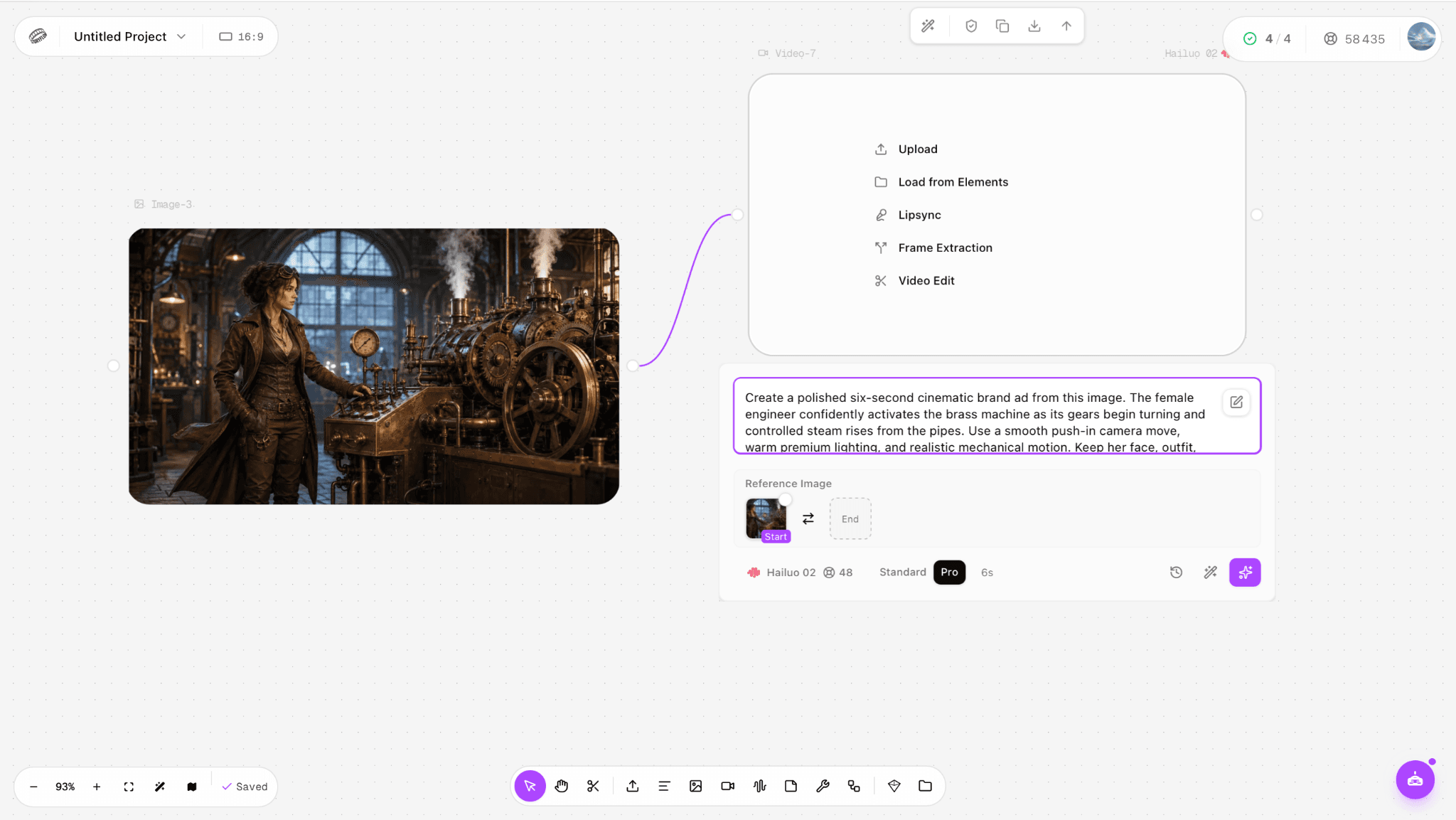
Figure 2. The connected reference image, Hailuo 02 Pro selection, prompt, six-second duration, and 48-credit estimate before generation.
Step 4 Generate and inspect the first result
Keep the first result and evaluate it before spending credits on another version. Watch for subject drift, warped hands, unstable product geometry, accidental camera movement, and missing copy space. A usable visual is more valuable than a flattering single frame that fails during playback.
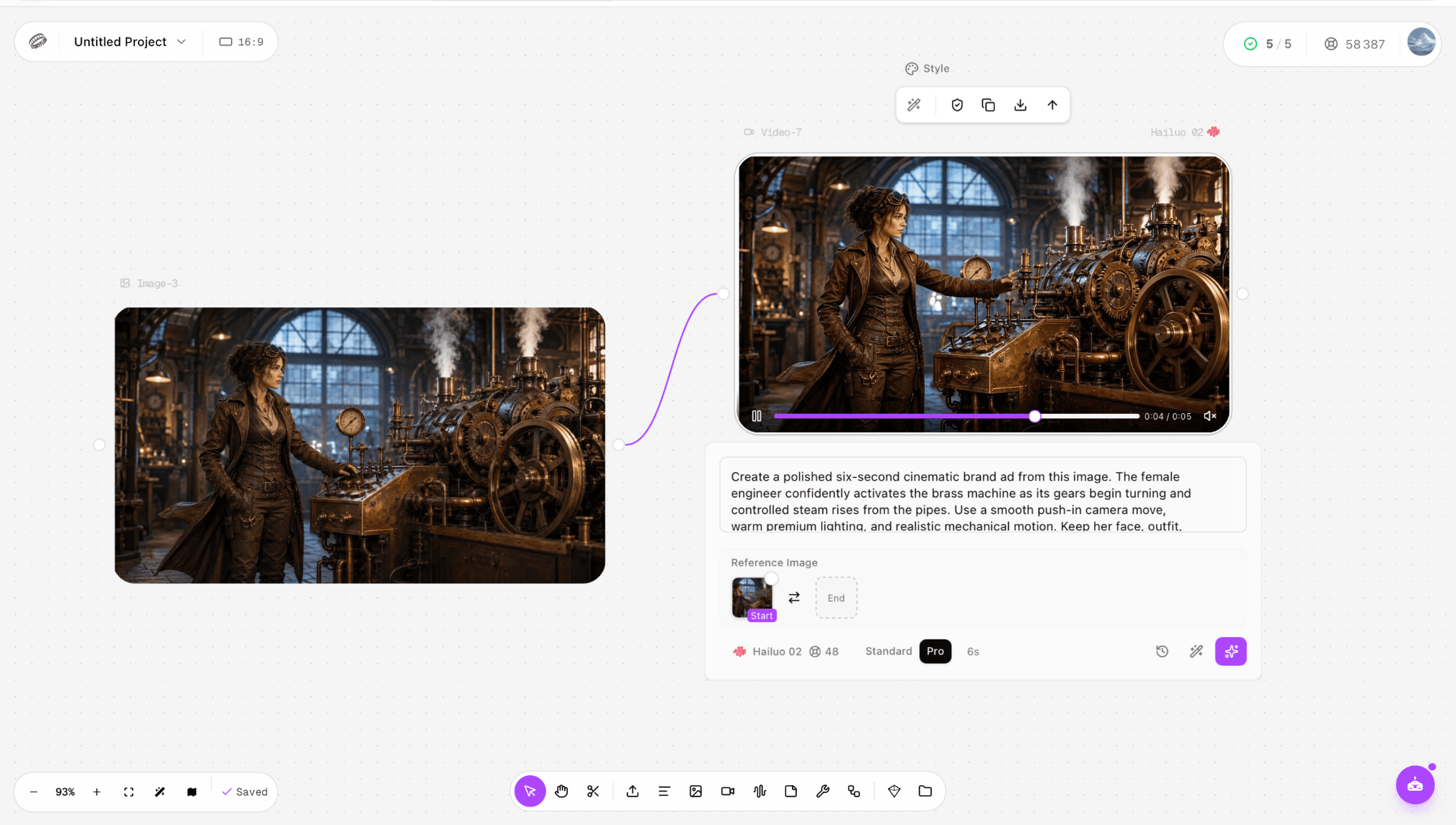
Figure 3. The first Hailuo 02 result at about four seconds, with the source and generated clip visible on the same canvas.
What Happened in Our Hailuo 02 Test
Item | Observed value |
Host and model | Astorie with Hailuo 02 Pro |
Input | One landscape reference image |
Requested output | 16:9 and 6 seconds |
Displayed generation cost | 48 credits |
Actual credit change | 48 credits |
Downloaded file | 1918 × 1080, 24 fps, 5.875 seconds |
Result | Stable character and workshop, subtle arm movement, rotating machinery, and controlled steam |
In our test, Hailuo 02 preserved the woman’s face, dark outfit, workshop composition, and warm color palette more closely than the text-to-video short-film run. Her arm moved toward the controls while the machinery and steam supplied background motion. The result stayed visually coherent, although the action was subtle rather than a dramatic product reveal.
The interface was set to six seconds, while the downloaded file measured 5.875 seconds. It contained no generated headline, logo, or call to action, which was intentional. Those elements still need to be added in editing before this clip can function as a finished advertisement.
Finish the Ad After Generation
Add the elements that generative video should not be trusted to typeset. Keep the message short enough to read without pausing and make sure the CTA matches the landing page.
Brand: add the approved logo, colors, and product name as editable overlays.
Copy: use one headline and, when needed, one supporting line.
CTA: state the next action, such as Learn More, Shop Now, or Book a Demo.
Audio: add licensed music, voiceover, or sound design and verify usage rights.
Captions: include burned-in or platform captions when the message depends on speech.
Compliance: check claims, disclosures, consent, likeness rights, and destination policies before launch.
How to Evaluate an AI Video Ad
Check | Pass condition |
Hook | The first moment makes the subject or product easy to identify. |
Motion | Movement directs attention instead of distracting from the message. |
Consistency | Faces, hands, products, logos, and background structures remain stable. |
Copy space | The planned headline area stays uncluttered throughout the clip. |
Message | A viewer can explain the offer and next step after one watch. |
Export | Ratio, dimensions, duration, frame rate, audio, and file size fit the destination. |
Creative quality does not prove advertising performance. Test the finished variants under the same campaign conditions and compare the metric tied to the goal, such as hold rate for the hook or conversion rate for a direct-response ad. Do not treat one AI generation as evidence of higher return on ad spend.
Prompt Template for AI Video Ads
Create a [duration]-second [format] ad from this reference image. The [subject] [single visible action] while [secondary motion] occurs. Use [camera move], [lighting], and [pace]. Preserve [identity, product shape, colors, labels, and environment]. Leave clean space in [location] for editable copy. End on [final visual state]. No generated text, captions, watermark, or logo.
Replace every bracketed field. If the prompt becomes long, remove adjectives before removing the action, camera, continuity, or final-state instructions.
Common Problems and Fixes
Problem | Why it happens | Fix |
The product changes shape | The source is small, obscured, or asked to rotate too far. | Use a clearer source and reduce the range of motion. |
The ad has nowhere for copy | The prompt and source fill the entire frame. | Reserve negative space and keep the subject out of the copy area. |
Generated text is misspelled | Video models are being asked to typeset final copy. | Generate without text and add editable overlays afterward. |
The clip looks static | The prompt names a mood but no visible action. | Add one subject action, one secondary motion, and one camera move. |
The ad looks busy | Several actions compete within a short duration. | Keep one visual idea and move extra claims into later variants. |
Frequently Asked Questions
Can AI create a complete video ad from one image
AI can turn one image into a short motion clip, but a publishable ad still needs controlled copy, branding, a CTA, audio decisions, compliance review, and destination-specific export settings.
Should I put text in the video generation prompt
Use the prompt to reserve space for copy, but add the final headline and CTA as editable overlays. This gives you control over spelling, font, timing, placement, and brand consistency.
How long should an AI video ad be
Use the shortest duration that can show the hook and one clear action. The test here requested six seconds. Longer ads should be planned as several purposeful shots rather than one overloaded prompt.
How much did the Hailuo 02 test cost
The Hailuo 02 Pro generation shown here cost 48 Astorie credits. Credit costs depend on the current model and settings, so confirm the estimate displayed in the node before generating.
Does a polished AI clip guarantee a successful ad
No. The generated clip is one creative input. Audience targeting, offer strength, landing-page consistency, and controlled campaign testing determine whether the finished ad meets its goal.
Ready to try it on the canvas?
Open Astorie and fan your prompt across every frontier model in one workflow.