

Photorealistic MacBook Desktop Selfie Scene
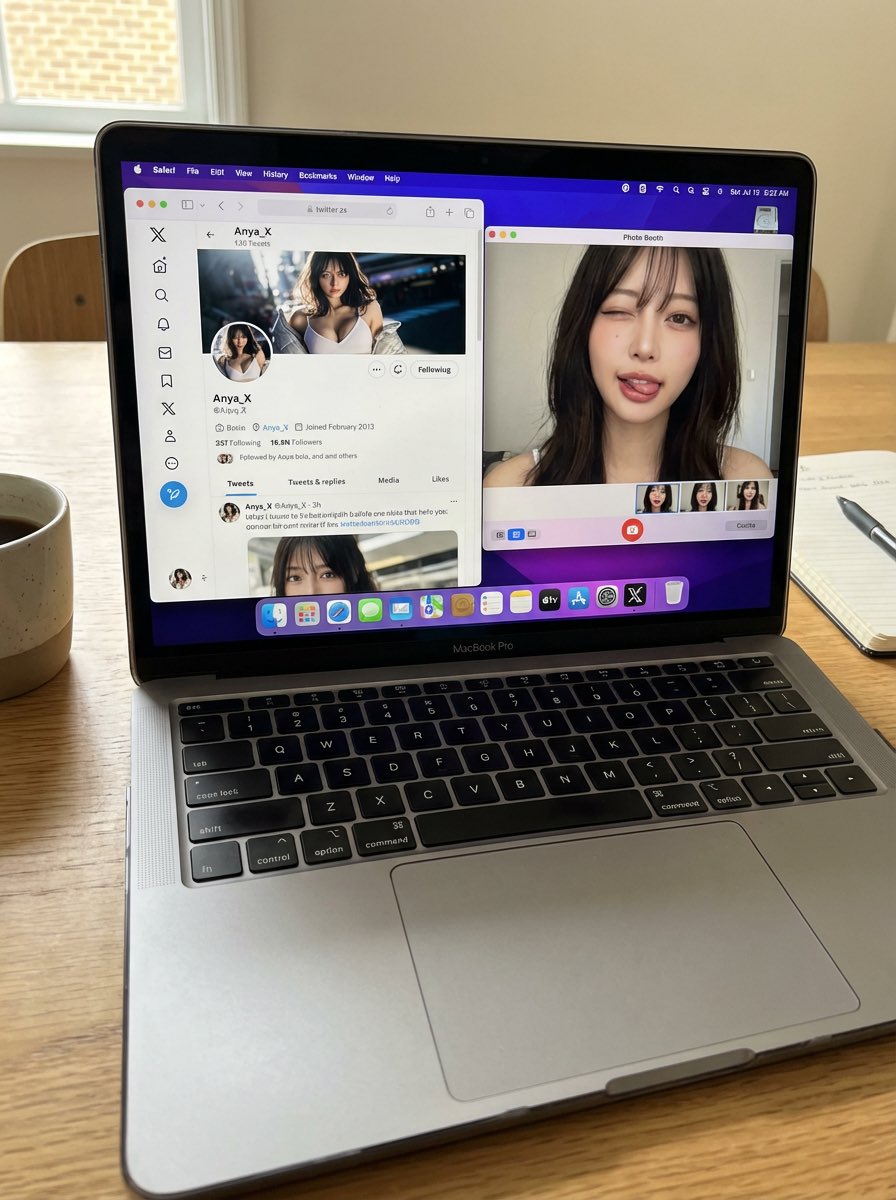
Generated output: Photorealistic MacBook Desktop Selfie Scene — output 1
A detailed, photorealistic prompt designed to generate a still image of a MacBook Pro on a desk. The screen displays a specific X (Twitter) profile and a Photo Booth webcam selfie of the user, ensuring consistency between the profile picture and the person in the selfie. The prompt emphasizes authenticity, accurate UI elements, natural lighting, and a casual, everyday snapshot feel, while requiring the AI not to alter the user's face or identity.
A candid, realistic still image of a MacBook Pro on a desk.

The screen shows Safari open with X (Twitter), displaying my own X account.
All UI elements must be accurate and authentic — no generic or incorrect follow buttons.
My profile picture is clearly visible, and the same profile image also appears in the macOS side dock.

Next to Safari, Photo Booth is open, showing a webcam selfie of me (the same person as in the profile picture).
In the selfie, I am looking directly into the camera, making a cute and playful funny face — slightly exaggerated but charming, casual, and natural.
Do not change my face or identity in any way.

No gibberish or unreadable text anywhere on the screen.
The phone (if present) remains completely still.

Flat, natural lighting.
Normal, realistic image quality — not cinematic, not overly stylized.
Photorealistic, everyday desktop environment with a casual, authentic snapshot feel.
From sourceView source ↗
About
The source requires reference images. Confirm input files before use.
More to explore
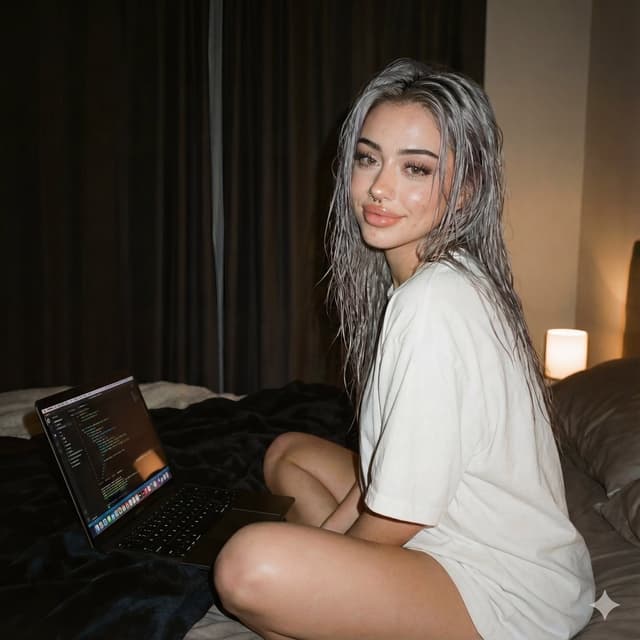
Cozy Tech Bedroom Portrait (JSON Format)
Melisa♡Nano Banana Pro
{
  "meta": {
    "title": "Cozy Tech Bedroom Portrait",
    "version": "1.0",
    "intent": "Photorealistic Social Media/Lifestyle"
  },
  "generation_params": {
    "aspect_ratio": "4:5",
    "width": 1024,
    "height": 1280,
    "seed": -1,
    "steps": 25,
    "cfg_scale": 7.0
  },
  "prompt_components": {
    "subject": {
      "description": "Girl from reference, matching face exactly",
      "hair": "{argument name=\"hair color and style\" default=\"Wet silver grey hair\"}",
      "makeup": "Natural soft-glam makeup",
      "expression": "Subtle smile"
    },
    "apparel": {
      "clothing": "{argument name=\"clothing\" default=\"Oversized white t-shirt\"}",
      "accessories": "None"
    },
    "pose_and_action": {
      "body_position": "Sits cross-legged on a bed",
      "interaction": "Laptop in front of her",
      "vibe": "Relaxed cozy pose"
    },
    "environment": {
      "setting": "Nighttime bedroom",
      "background_elements": "Dark curtains",
      "atmosphere": "Modern cozy-tech vibe"
    },
    "technical_specs": {
      "lighting": "Dim ambient lighting, soft harsh flash on face",
      "color_grading": "Muted warm tones",
      "camera_effects": "Gentle film grain",
      "render_quality": "Ultra-realistic, realistic skin texture, clean complexion, crisp detailed rendering"
    }
  },
  "full_concatenated_prompt": "Ultra-realistic nighttime bedroom photo of the same girl from the reference, matching her face exactly, with wet silver grey hair and natural soft-glam makeup. She sits cross-legged on a bed with a laptop in front of her, wearing an oversized white t-shirt. Relaxed cozy pose, subtle smile. Dark curtains, dim ambient lighting, soft harsh flash on her face, gentle film grain, muted warm tones. Modern cozy-tech vibe, realistic skin texture, clean complexion, crisp detailed rendering.",
  "negative_prompt": "different face, deformed limbs, messy background, overexposed flash, incorrect laptop text, distortion"
}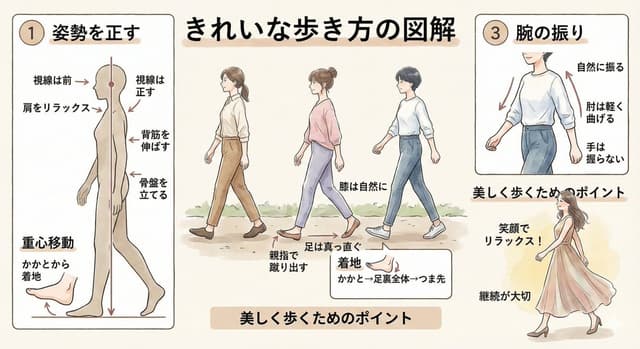

Clean infographic style constraints in Japanese
エクセル兄さん(たてばやし淳)@ExcelとChatGPT著書多数Nano Banana Pro
テキストをきわめて少なく、グラフィカルな表現を重視。日本語の文字化けを抑える。フォントはヒラギノゴシック中心。コンテンツはそのままに配色やデザインはMicrosoft365のように。フラットデザインでシンプルに。
Find your next direction
By use case
App / Web Design →Comics and storyboards →E-commerce images →Game assets →Educational graphics →Posters and flyers →Product marketing →Profiles and avatars →Social media posts →YouTube thumbnails →By style
3D renders →Anime and manga images →Chibi characters →Film stills →Cyberpunk images →Illustration →Chinese ink images →Isometric →Minimalism →Photography →Vintage images →Sketch and line art →Watercolor →Take the idea further.
Bring your prompts, references and results together in one creative space.
Open your canvas ↗