Prompts for educational graphics

Explore a travel-poster example that brings architectural details into a graphic layout. Use its prompt as a starting point for deciding what your own visual should explain.

Explore prompts

612 prompts

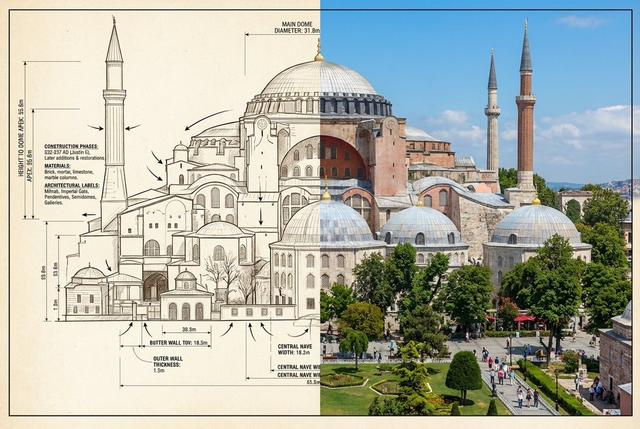
Infographic / Edu Visual - Side-by-Side Architectural Comparison of Hagia Sophia — output

Infographic / Edu Visual - Side-by-Side Architectural Comparison of Hagia Sophia

KeskinNano Banana Pro
{
  "objective": "Create a side-by-side visual comparison ofHagia Sophia, featuring a technical architectural sketch and a real-life photograph",
  "image_specifications": {
    "style": "Mixed media (Architectural drawing + Real photography)",
    "layout": "2-part horizontal split",
    "aspect_ratio": "3:2"
  },
  "left_side": {
    "content_type": "Technical sketch or blueprint of the selected World Wonder",
    "features": [
      "Accurate structural proportions",
      "Labeled dimensions depth",
      "Architectural elevation views or cutaways",
      "Text annotations in native or English language"
    ],
    "text_annotations": {
      "units": "Metric or imperial, based on region",
      "details": [
        "Construction phases",
        "Material notes",
        "Architectural labels"
      ],
      "font_style": "Engineering or blueprint-styled text"
    },
    "visual_style": "Monochrome, line art, or sepia blueprint",
    "positioning": "Left half of the image"
  },
  "right_side": {
    "content_type": "High-resolution real-world image of the selected World Wonder",
    "features": [
      "Wide-angle view or frontal perspective",
      "Natural or ambient lighting",
      "Color photo with environment context surroundings"
    ],
    "positioning": "Right half of the image"
  },
  "visual_elements": {
    "border_division": "Clean vertical split or blended transition",
    "comparison_focus": "Contrast between design concept and real-world result"
  },
  "output_format": {
    "type": "Image",
    "high_resolution": true,
    "use_case": [
      "Educational poster",
      "Architectural showcase",
      "Tourist guide",
      "Infographic series"
    ]
  },
  ]
Comic / Storyboard - Manga Evolution Architectural Section Prompt — output

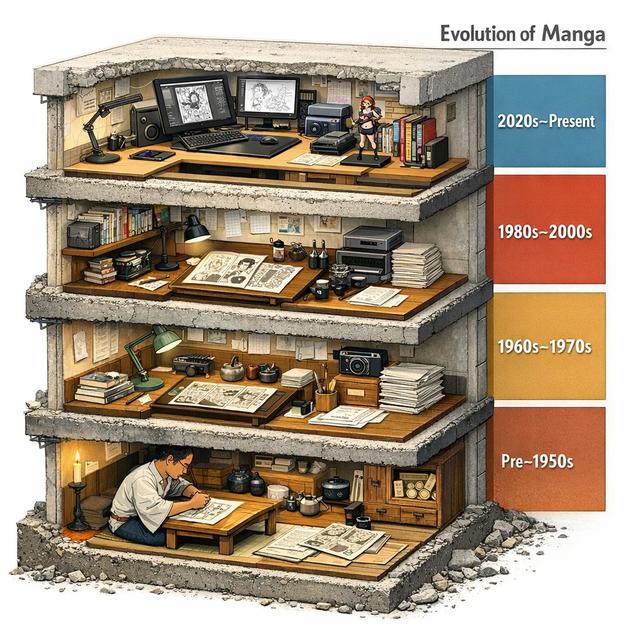
Comic / Storyboard - Manga Evolution Architectural Section Prompt

GadgetifyNano Banana Pro
Evolution of Manga --> <LAYOUT> A single chunky block (like a museum cutaway) sliced to reveal 4 stacked floors/strata. Each level represents an era/stage/version inferred from INPUT. Right side: a vertical legend bar with dates/period labels inferred by the model. </LAYOUT>
<INFER_AND_RENDER> Infer 4 major phases and depict each with representative artifacts, tools, and environments. Keep transitions educational: show what changed between levels (materials, scale, method). </INFER_AND_RENDER>
<STYLE_NOTES> Architectural section realism: visible thickness, rebar/fasteners if applicable, realistic debris at cut edge. </STYLE_NOTES>
Accurate Academic Diagram Generation Prompt — output

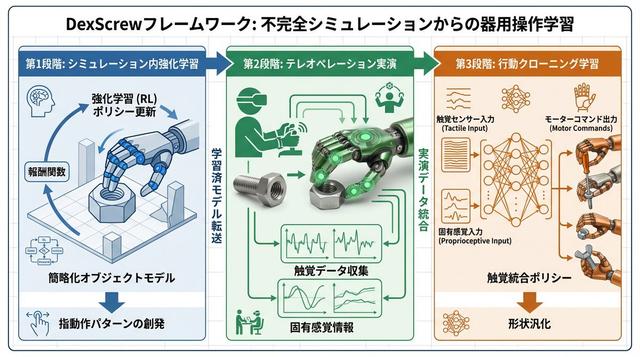
Accurate Academic Diagram Generation Prompt

Manus 公式(マナス)Nano Banana Pro
To facilitate easy understanding of the paper, use Nano Banana Pro to generate diagrams based on the paper. Place the diagrams in the appropriate locations within the explanatory document. All text within the diagrams should be written in Japanese. Translation of specialized terminology should prioritize accuracy and use academic language.
Infographic / Edu Visual - Character Sheet and Illustration Generation for Bakumatsu Agents — output

Infographic / Edu Visual - Character Sheet and Illustration Generation for Bakumatsu Agents

佐藤 勝彦(TANREN_CEO)┃生成AIエバンジェリストNano Banana Pro
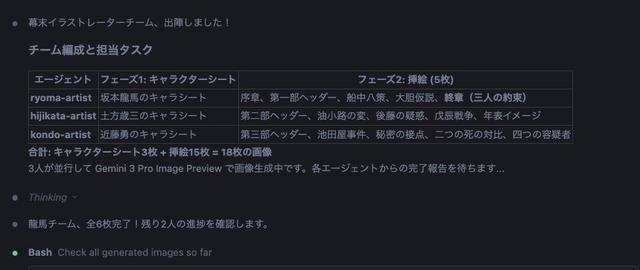
Gather the team members again. Activate the nanobanana pro slide generator skill for the Bakumatsu Agent Team. Then, proceed with the following steps: 1. Create reference images (a) Collect images of the three people: {argument name="person 1" default="Sakamoto Ryoma"}, {argument name="person 2" default="Hijikata Toshizo"}, and {argument name="person 3" default="Kondo Isami"} from Wikipedia or similar sources. (b) Use these as reference and base images to create character sheets with nanobanana pro. (c) Create character illustrations based on the consistent reference images. 2. Visualize the document (a) Create insertion illustrations for each chapter of the finalized report using nanobanana pro. (b) Insert the created images into the preview within the MD (Markdown) file. (c) Arrange the insertion illustrations for each H1, H2, and H3 section and for Tips to structure the document clearly. Divide this work among the three people to proceed most effectively.
Infographic / Edu Visual - Exploded View Product Render Prompt — output

Infographic / Edu Visual - Exploded View Product Render Prompt

Ivanna | AI Art & PromptsNano Banana Pro
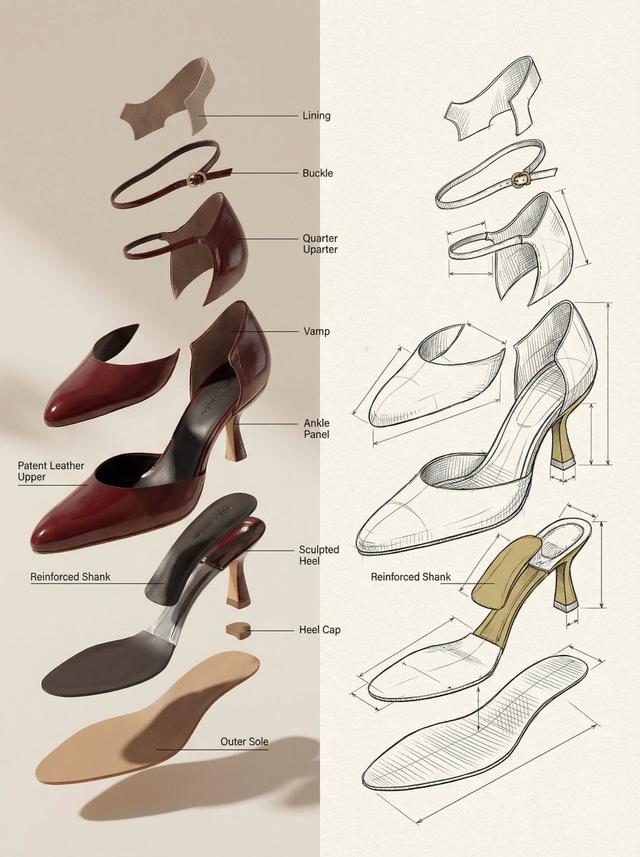
A hyper-realistic {argument name="product name" default="[INSERT PRODUCT]"} presented in an "exploded view" where internal components float upward in a gravity-defying vertical stack. Graphic Elements: Fine technical lines (ink-style) connecting parts to minimalist sans-serif labels. Layout: Horizontal split — Left side: Photorealistic 3D render with soft shadows; Right side: Matching architectural line drawing (blueprint style) on textured paper. Color Palette: Monochrome technical sketch with a {argument name="accent color percentage" default="15%"} accent color on key functional parts. Overall Mood: Design journal aesthetic, premium, calm, and highly educational.
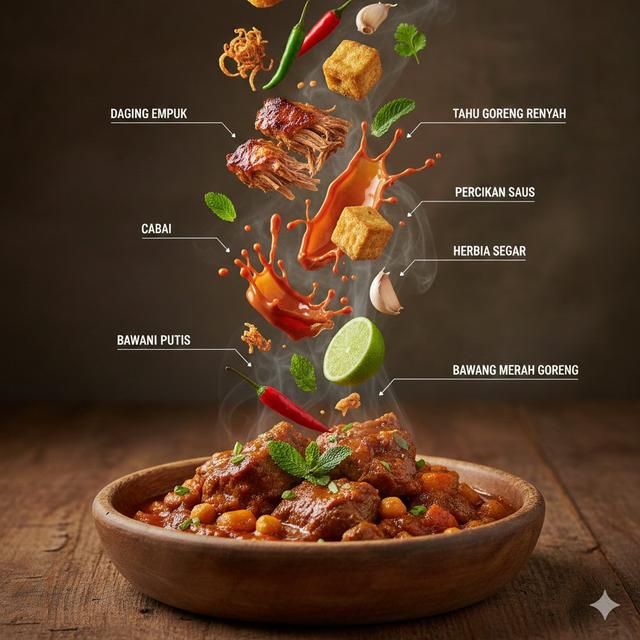
Infographic / Edu Visual - Hyper-Realistic Kashmiri Wazwan Infographic Prompt — output

Infographic / Edu Visual - Hyper-Realistic Kashmiri Wazwan Infographic Prompt

MeemNano Banana Pro
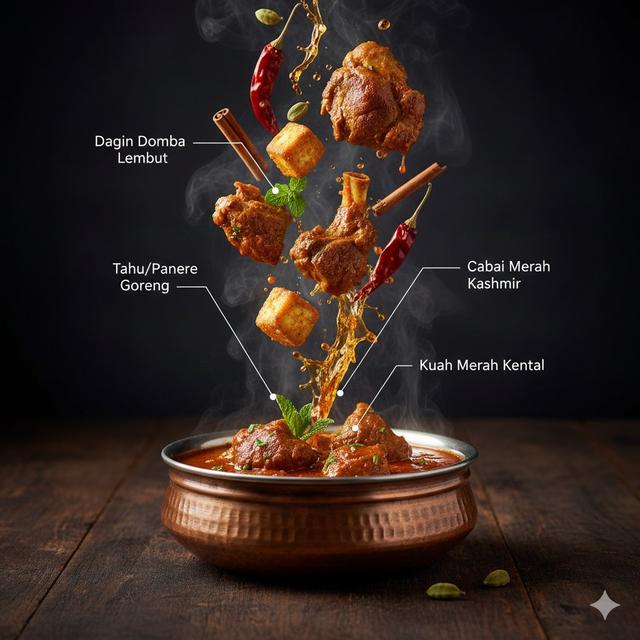
{
  "project": "CuisineInfographic",
  "metadata": {
    "style": "Hyper-Realistic",
    "theme": "Kashmiri Wazwan",
    "resolution": "8K_Ultra_HD"
  },
  "scene_setup": {
    "background": "Rustic_Dark_Wood",
    "lighting": "Cinematic_Studio_Warm",
    "camera": {
      "type": "DSLR_Full_Frame",
      "focus": "Sharp_Macro",
      "depth_of_field": "Shallow_Bokeh"
    }
  },
  "render_elements": {
    "base_anchor": {
      "object": "Traditional_Kashmiri_Copper_Bowl",
      "content": "Steaming_Rogan_Josh",
      "effects": ["Dramatic_Steam", "Volumetric_Vapor"]
    },
    "levitating_entities": [
      { "item": "Tender_Mutton_Chunks", "texture": "Juicy_Fibrous" },
      { "item": "Fried_Paneer_Cubes", "texture": "Golden_Crispy" },
      { "item": "Kashmiri_Red_Chili", "state": "Whole_Dried" },
      { "item": "Saffron_Water_Splashes", "viscosity": "Glossy_Orange" },
      { "item": "Green_Cardamom_Pods", "arrangement": "Motion_Frozen" },
      { "item": "Cinnamon_Bark", "detail": "Ultra_Textured" },
      { "item": "Fresh_Mint_Leaves", "color": "Vibrant_Green" }
    ],
  "ui_overlay": {
    "language": "{argument name="overlay language" default="Indonesian"}",
    "elements": {
      "pointer_lines": "Thin_Minimalist_White",
      "font_style": "Modern_Editorial_Sans",
      "labels": {
        "mutton": "{argument name="mutton label" default="Tender Lamb Chunks"}",
        "chili": "Kashmiri Red Chili",
        "paneer": "Fried Tofu/Paneer",
        "sauce": "Thick Red Gravy"
      }
    }
  }
}
Infographic / Edu Visual - Abstract Microscopic View of Living Coffee Crema — output

Infographic / Edu Visual - Abstract Microscopic View of Living Coffee Crema

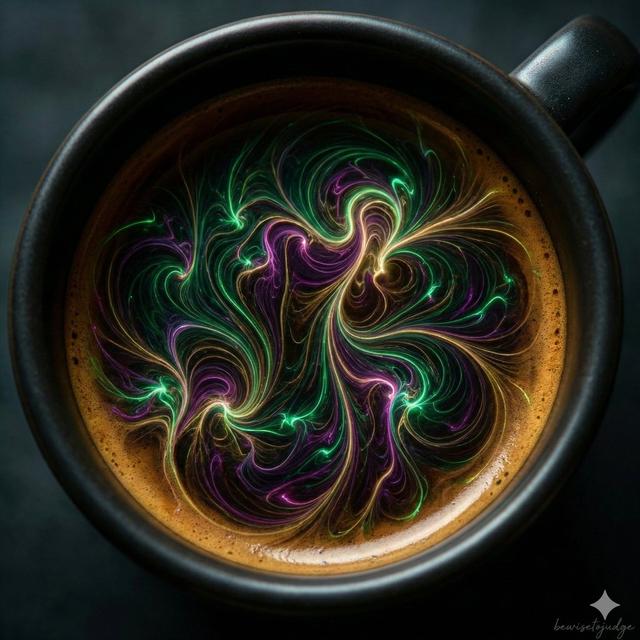
🇹🇷 İREM AKSOY 🇹🇷 Ⓥ #pallascataestheticsNano Banana Pro
"Abstract microscopic view of living coffee crema, delicate glowing tendrils and fractal networks spreading naturally across the dark espresso base, subtle bioluminescent effects in emerald and magenta hues, organic flowing forms with intricate details, surreal biological fantasy, ultra sharp macro photography style, dramatic volumetric lighting, no horror elements, artistic and wondrous atmosphere, 8k quality"
Infographic / Edu Visual - Generating a Butterfly Image with Selective Iridescence — output

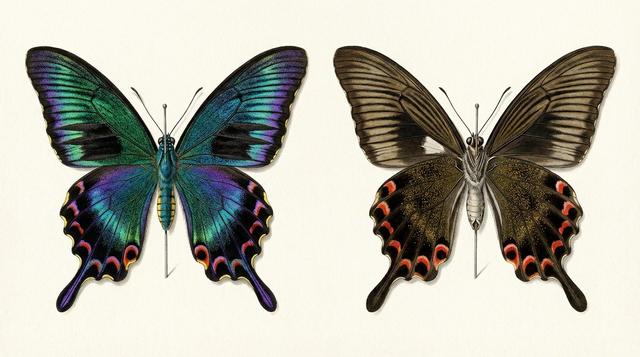
Infographic / Edu Visual - Generating a Butterfly Image with Selective Iridescence

SHINTARONano Banana Pro
Comparison of the front and back of a mounted specimen of a male {argument name="butterfly species" default="Atrophaneura alcinous"} spring form. The information in this illustration shows that the structural color on the left and the {argument name="color" default="matte brown"} on the right are the same butterfly. When you write 'iridescent' to the AI, everything shines. The job of the prompt is to specify 'this part shines, this part does not shine'.
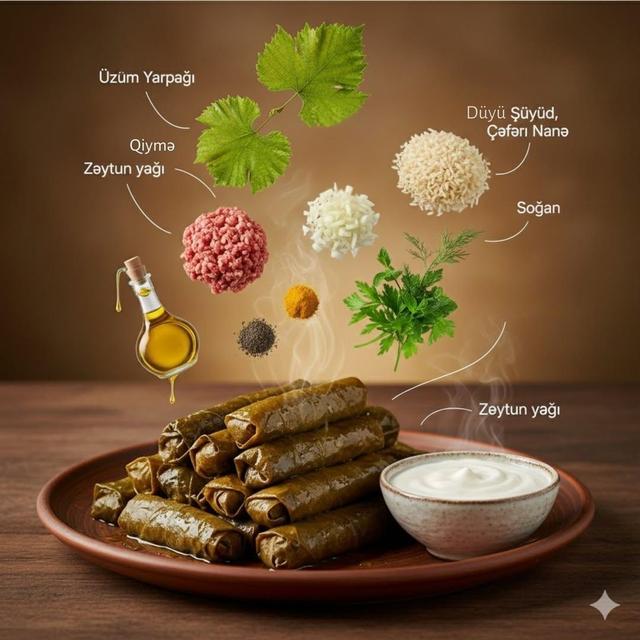
Infographic / Edu Visual - Cinematic Food Infographic with Floating Ingredients — output

Infographic / Edu Visual - Cinematic Food Infographic with Floating Ingredients

TaarukNano Banana Pro
Ultra-realistic cinematic food photography of a traditional dish presented on a rustic wooden table. Finished dish placed in the foreground grape-leaf rolls soup with meatballs with steam rising naturally. Ingredients floating above the dish in a clean, organized layout fresh herbs, rice, minced meat, onion, spices, olive oil, potato, chickpeas, saffron each ingredient isolated and clearly visible. Subtle curved infographic lines and minimal labels pointing to each ingredient. Warm studio lighting with soft shadows, shallow depth of field, earthy color palette, premium cookbook and food-education style. Hyper-detailed textures, realistic food surfaces, editorial culinary infographic, photorealistic, ultra-detailed, 8K quality.
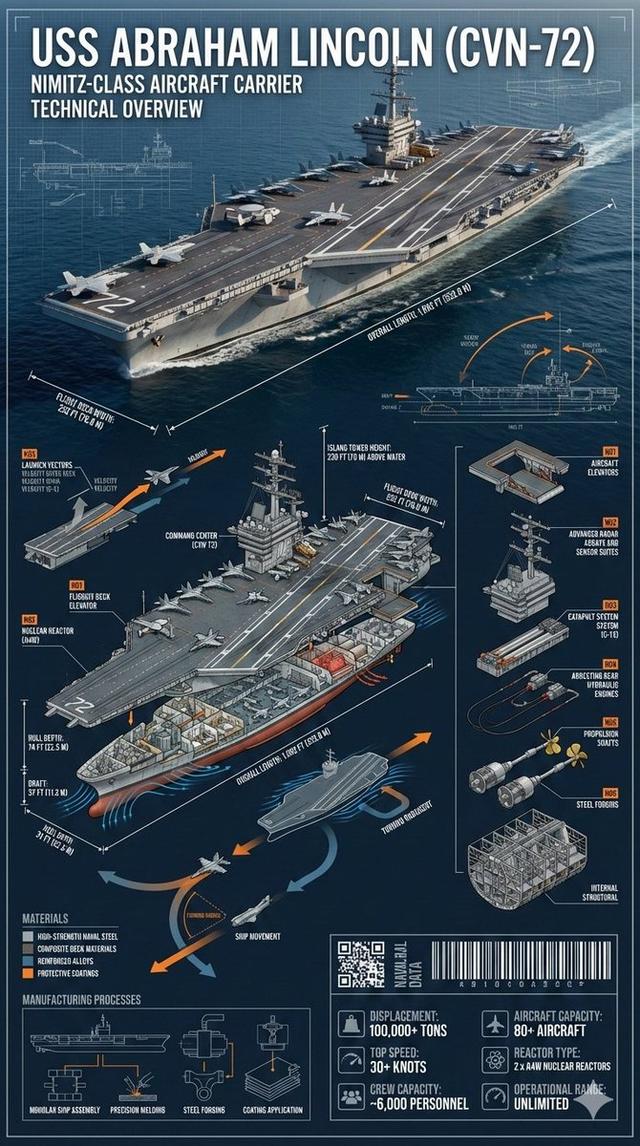
Infographic / Edu Visual - Cinematic Engineering Infographic of USS Abraham Lincoln — output

Infographic / Edu Visual - Cinematic Engineering Infographic of USS Abraham Lincoln

Gilbert Odera | Your AI Plug™🇰🇪Nano Banana Pro
{
  "prompt": {
    "subject": "{argument name=\"ship name\" default=\"USS Abraham Lincoln (CVN-72)\"}",
    "description": "Cinematic industrial engineering-style infographic of the USS Abraham Lincoln (CVN-72) at sea, matching the reference photo. Ultra-precise technical rendering of the aircraft carrier viewed from a dynamic angled perspective with accurate proportions, deck markings, surface textures, and structural realism identical to the reference.",
    "technical_elements": {
      "dimension_lines": ["overall length", "flight deck width", "hull depth", "draft", "island tower height"],
      "cross_section": ["flight deck structure", "hangar bay", "aircraft elevators", "nuclear reactors", "engine rooms", "crew compartments", "radar and command center"],
      "exploded_view": ["aircraft elevators", "radar arrays", "catapult systems", "arresting gear", "propulsion shafts", "internal structural framework"],
      "dynamic_diagrams": ["aircraft launch vectors", "ship movement arrows", "hydrodynamic flow around hull", "heat dissipation from reactors"],
      "materials": ["high-strength naval steel", "composite deck materials", "reinforced alloys", "protective coatings"],
      "manufacturing_processes": ["modular ship assembly", "precision welding", "steel forging", "coating application"],
      "part_numbering": "Industrial naval annotation style (Part N01, N02, etc)",
      "tech_data_panels": ["displacement", "top speed", "crew capacity", "aircraft capacity", "reactor type", "operational range"],
      "industrial_design_elements": ["QR-style naval data block", "barcode strip", "micro technical schematics"]
    },
    "design_style": {
      "layout": "layered cinematic infographic with the carrier as the central hero and surrounding technical callouts",
      "color_palette": ["naval grey", "deep ocean blue", "white", "signal orange accents"],
      "background": "open ocean fading into horizon with subtle blueprint grid overlay",
      "typeface": "sharp industrial sans-serif with naval engineering annotation style",
      "lighting": "dramatic directional lighting with crisp highlights on the flight deck",
      "shadows": "controlled and sharp for technical clarity"
    },
    "overall_vibe": "epic naval engineering poster blending cinematic realism with professional military technical documentation",
    "aspect_ratio": "9:16"
  }
}
Infographic / Edu Visual - Hyper-Realistic Arabic Infographic Generator Prompt — output

Infographic / Edu Visual - Hyper-Realistic Arabic Infographic Generator Prompt

MeemNano Banana Pro
{
  "request_type": "HyperRealistic_Infographic_Generator",
  "environment_config": {
    "cuisine_theme": "{argument name="cuisine theme" default="Arabic"}",
    "background_surface": "Rustic_Aged_Wood",
    "lighting_model": "Cinematic_Studio_Warm",
    "atmosphere_effects": ["High_Density_Steam", "Motion_Freeze_Action"]
  },
  "visual_composition": {
    "anchor_element": {
      "object": "Traditional_Middle_Eastern_Ceramic_Bowl",
      "state": "Steaming_Hot_Platter",
      "position": "Bottom_Center"
    },
    "dynamic_elements": {
      "arrangement": "Vertical_Levitation_Gravity_Defying",
      "ingredients": [
        "{argument name="main ingredient" default="Slow_Cooked_Shredded_Lamb"}",
        "Crispy_Tofu_Cubes",
        "Viscous_Glossy_Tomato_Sauce_Splashes",
        "Fresh_Cilantro_and_Mint_Sprigs",
        "Whole_Red_and_Green_Chilies",
        "Symmetrical_Lime_Slices",
        "Whole_Garlic_Bulbs_and_Cloves",
        "Golden_Fried_Shallots"
      ]
    }
  },
  "graphic_design_layer": {
    "annotation_style": "Editorial_Magazine_Infographic",
    "language": "Indonesian",
    "typography": {
      "font_weight": "Bold_Clean_Sans",
      "connector_lines": "Thin_White_Minimalist"
    },
    "labels": [
      "Tender Meat",
      "Crispy Fried Tofu",
      "Sauce Splashes",
      "Fresh Herbs",
      "Chili",
      "Lime",
      "Garlic",
      "Fried Shallots"
    ]
  },
  "technical_output_specs": {
    "camera_settings": "Shallow_Depth_of_Field_Macro",
    "texture_detail": "8K_Ultra_Detailed_PBR",
    "rendering_engine": "DSLR_Look_High_Fidelity"
  }
}
Infographic / Edu Visual - Nano Banana Pro Thumbnail Generation Example — output

Infographic / Edu Visual - Nano Banana Pro Thumbnail Generation Example

KAWAINano Banana Pro
[ Theme ]
Advertisement for an accounting efficiency tool

This is a standard layout. People read from the top left and their gaze flows to the bottom right. The arrangement follows this rule. It continues with the main copy, sub-copy, and CTA button. The right side is the eye-catcher, whose role is to attract attention, evoke empathy, and make the viewer feel personally connected.
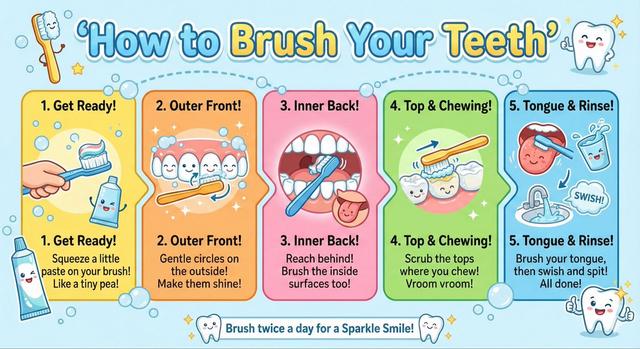
Kid-Friendly Routine Poster Prompt — output

Kid-Friendly Routine Poster Prompt

Lamar AndrewsNano Banana Pro
Create a kid-friendly ‘How to Brush Your Teeth’ poster with cartoon teeth, simple steps, bright colors, and big illustrations.
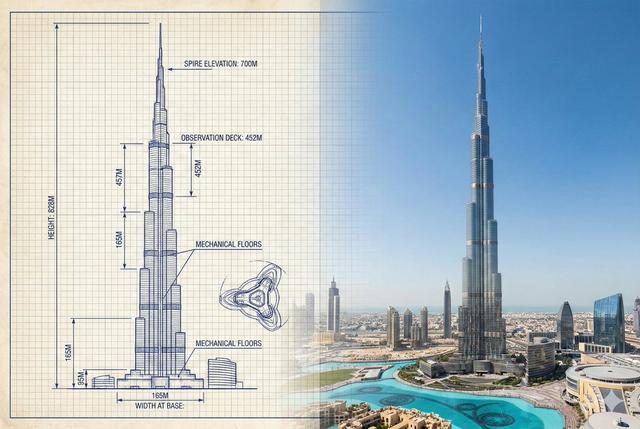
Infographic / Edu Visual - Burj Khalifa Technical Sketch and Real Photo Comparison — output

Infographic / Edu Visual - Burj Khalifa Technical Sketch and Real Photo Comparison

𝐌Nano Banana Pro
{
  "objective": "Create a side-by-side comparison image featuring a technical sketch and real photograph of the Burj Khalifa",
  "image_specifications": {
    "style": "Mixed media (Technical drawing + Real photograph)",
    "layout": "Horizontal split - Left side: Sketch with measurements, Right side: Real photo",
    "aspect_ratio": "3:2"
  },
  "left_side": {
    "content_type": "Technical sketch of the Burj Khalifa",
    "features": [
      "Detailed architectural lines showing tiered setbacks",
      "Numerical height and width measurements",
      "Elevation labels for different tower sections",
      "Side and front elevation views (top-down projection if space allows)"
    ],
    "text_annotations": {
      "units": "Metric (meters)",
      "language": "English",
      "font_style": "Blueprint or engineering-style typography"
    },
    "positioning": "Take up the left half of the image"
  },
  "right_side": {
    "content_type": "High-resolution real photo of the Burj Khalifa",
    "features": [
      "Full view of the tower from base to spire",
      "Natural daylight with clear sky",
      "Color image with Dubai skyline or Downtown Dubai context"
    ],
    "positioning": "Take up the right half of the image"
  },
  "visual_elements": {
    "border_division": "Vertical line or subtle transition between left (sketch) and right (photo)",
    "color_palette": {
      "left": "Monochrome or blueprint blue for sketch",
      "right": "Natural realistic colors"
    }
  },
  "output_format": {
    "type": "Image",
    "use_case": ["Educational poster", "Architectural comparison", "Engineering visualization", "Tourism visual aid"],
    "high_resolution": true
  }
}
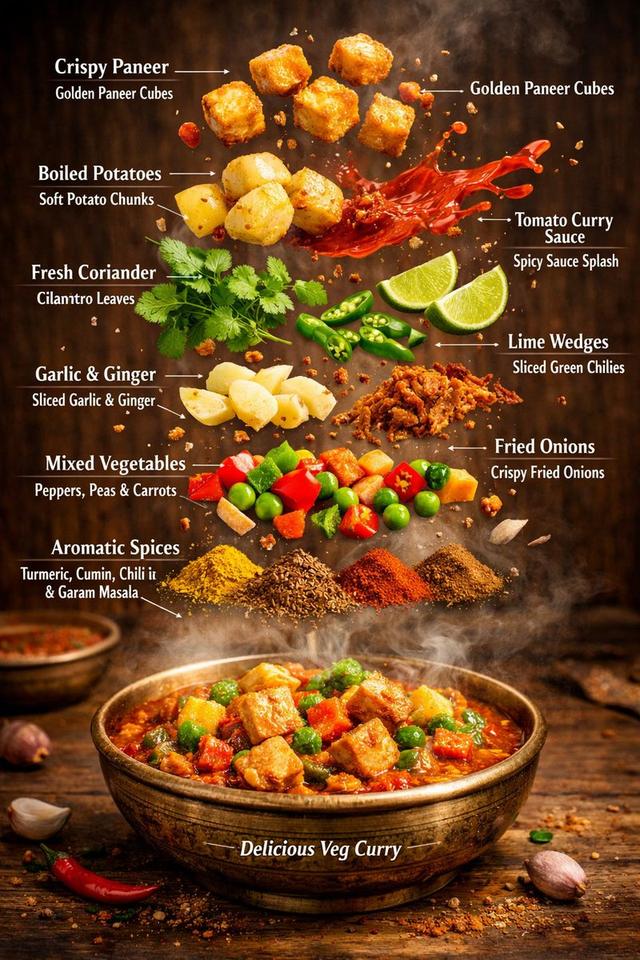
Infographic / Edu Visual - Hyper-realistic editorial food infographic of Indian Veg Curry — output

Infographic / Edu Visual - Hyper-realistic editorial food infographic of Indian Veg Curry

Cherry 2.ONano Banana Pro
{
  "image_prompt": {
    "type": "Hyper-realistic editorial food infographic",
    "subject": {
      "cuisine": "Authentic Indian Vegetarian",
      "base_element": "Traditional rustic bowl filled with steaming, freshly cooked curry at the bottom, rich and aromatic",
      "levitating_ingredients": [
        "Golden, crispy paneer cubes",
        "Soft boiled potato chunks",
        "Glazed tomato-curry sauce splashes suspended mid-air",
        "Vibrant fresh coriander leaves",
        "Sliced green chilies",
        "Lime wedges",
        "Thin slices of garlic and ginger",
        "Crunchy fried onions",
        "Colorful vegetables: red bell peppers, green peas, orange carrots",
        "Sprinkle of aromatic spices: turmeric, cumin seeds, red chili powder, garam masala"
      ]
    },
    "composition": {
      "layout": "Clean vertical infographic composition",
      "arrangement": "Realistic gravity-defying floating ingredients, layered for visual hierarchy",
      "background": "Warm rustic wooden tabletop or traditional Indian brass plate",
      "visual_hierarchy": "Bowl anchored at the bottom, ingredients rising vertically with natural spacing, creating depth and focus on main dish"
    },
    "graphic_design_elements": {
      "labels": "Sharp, clear English text annotations for each ingredient",
      "lines": "Delicate thin white pointer lines connecting floating ingredients to labels",
      "style": "Professional editorial food magazine infographic, visually educational, vibrant and appetizing"
    },
    "lighting_and_mood": {
      "lighting": "Cinematic studio lighting with warm highlights and soft shadows, enhancing textures",
      "color_palette": "Rich, vibrant warm tones to highlight spices, vegetables, and curry",
      "effects": "Visible rising steam, motion-frozen mid-air ingredients, slight reflections and glistening sauce for mouth-watering effect"
    },
    "technical_specs": {
      "camera_settings": "Shallow depth of field, ultra-sharp focus on foreground elements, DSLR cinematic lens effect",
      "details": "Ultra-detailed textures on paneer, vegetables, spices, and sauce; realistic steam and glossy highlights",
      "resolution": "8K ultra-realistic, suitable for high-end digital display, print, or magazine cover"
    }
  }
}
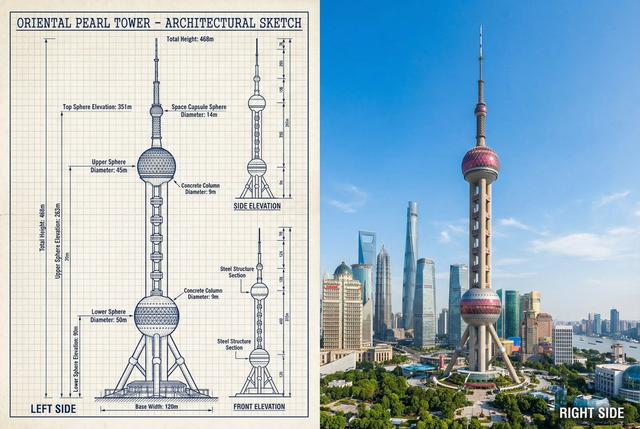
Infographic / Edu Visual - JSON Prompt for Side-by-Side Architectural Comparison of Oriental Pearl Tower — output

Infographic / Edu Visual - JSON Prompt for Side-by-Side Architectural Comparison of Oriental Pearl Tower

𝐌Nano Banana Pro
{
  "objective": "Create a side-by-side comparison image featuring a technical sketch and real photograph of the Oriental Pearl Tower",
  "image_specifications": {
    "style": "Mixed media (Technical drawing + Real photograph)",
    "layout": "Horizontal split - Left side: Sketch with measurements, Right side: Real photo",
    "aspect_ratio": "3:2"
  },
  "left_side": {
    "content_type": "Technical sketch of the Oriental Pearl Tower",
    "features": [
      "Detailed architectural lines showing spherical observation decks and structural columns",
      "Numerical height and width measurements",
      "Elevation labels for different tower sections",
      "Side and front elevation views (top-down projection if space allows)"
    ],
    "text_annotations": {
      "units": "Metric (meters)",
      "language": "English",
      "font_style": "Blueprint or engineering-style typography"
    },
    "positioning": "Take up the left half of the image"
  },
  "right_side": {
    "content_type": "High-resolution real photo of the Oriental Pearl Tower",
    "features": [
      "Full view of the tower from base to top sphere",
      "Natural daylight with clear sky",
      "Color image with Shanghai skyline or Pudong district context"
    ],
    "positioning": "Take up the right half of the image"
  },
  "visual_elements": {
    "border_division": "Vertical line or subtle transition between left (sketch) and right (photo)",
    "color_palette": {
      "left": "Monochrome or blueprint blue for sketch",
      "right": "Natural realistic colors"
    }
  },
  "output_format": {
    "type": "Image",
    "use_case": [
      "Educational poster",
      "Architectural comparison",
      "Engineering visualization",
      "Tourism visual aid"
    ],
    "high_resolution": true
  }
}
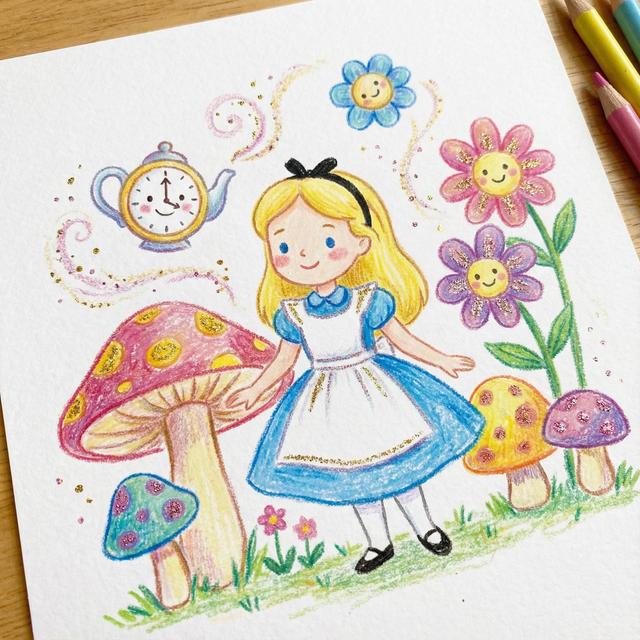
Children's Book Illustration Style Prompt for Character Drawing — output

Children's Book Illustration Style Prompt for Character Drawing

Jason ZhuNano Banana Pro
DRAWING a drawing of {argument name="character" default="[Character]"}, crayon on white paper, in the style of a children's book illustration – simple, cute, and full-color, with {argument name="glitter color" default="[two glitter accent colors]"} glitter accents and high detail.
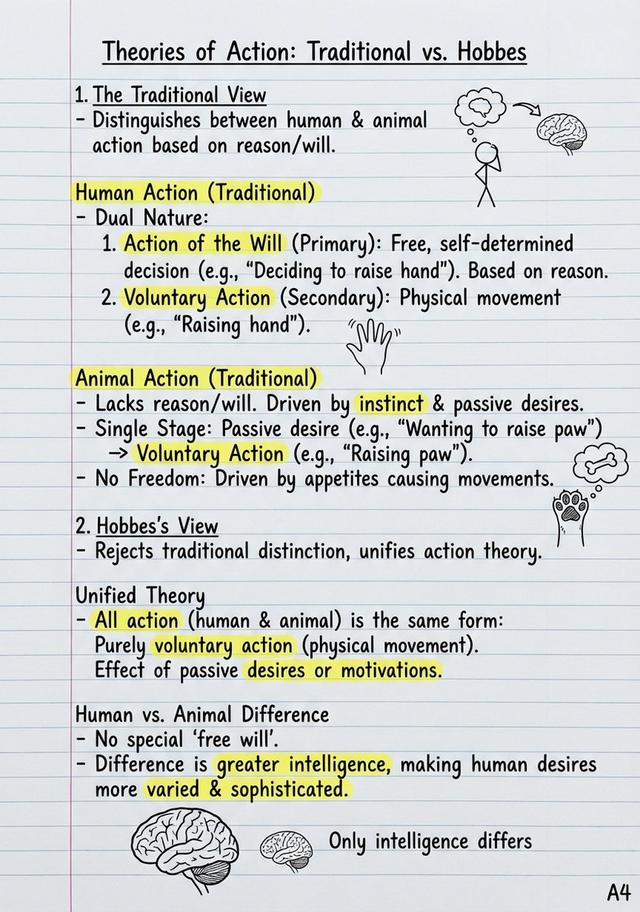
Infographic / Edu Visual - Handwritten Study Notes Generation — output

Infographic / Edu Visual - Handwritten Study Notes Generation

AI_InfoBiteNano Banana Pro
"Based on this content, create handwritten-style study notes. Use student handwriting font, with lined paper as the background. Mark key terms with {argument name="highlight color" default="yellow"} highlighter, circle dates with {argument name="circle color" default="red"} circles. Add doodles to help explain concepts. Page size is A4"
Browse by model, style or topic

Find your next direction

ASTORIE CANVAS

Take the idea further.

Bring your prompts, references and results together in one creative space.

Open your canvas ↗