

Qing Dynasty Architectural Design Archive Simulation
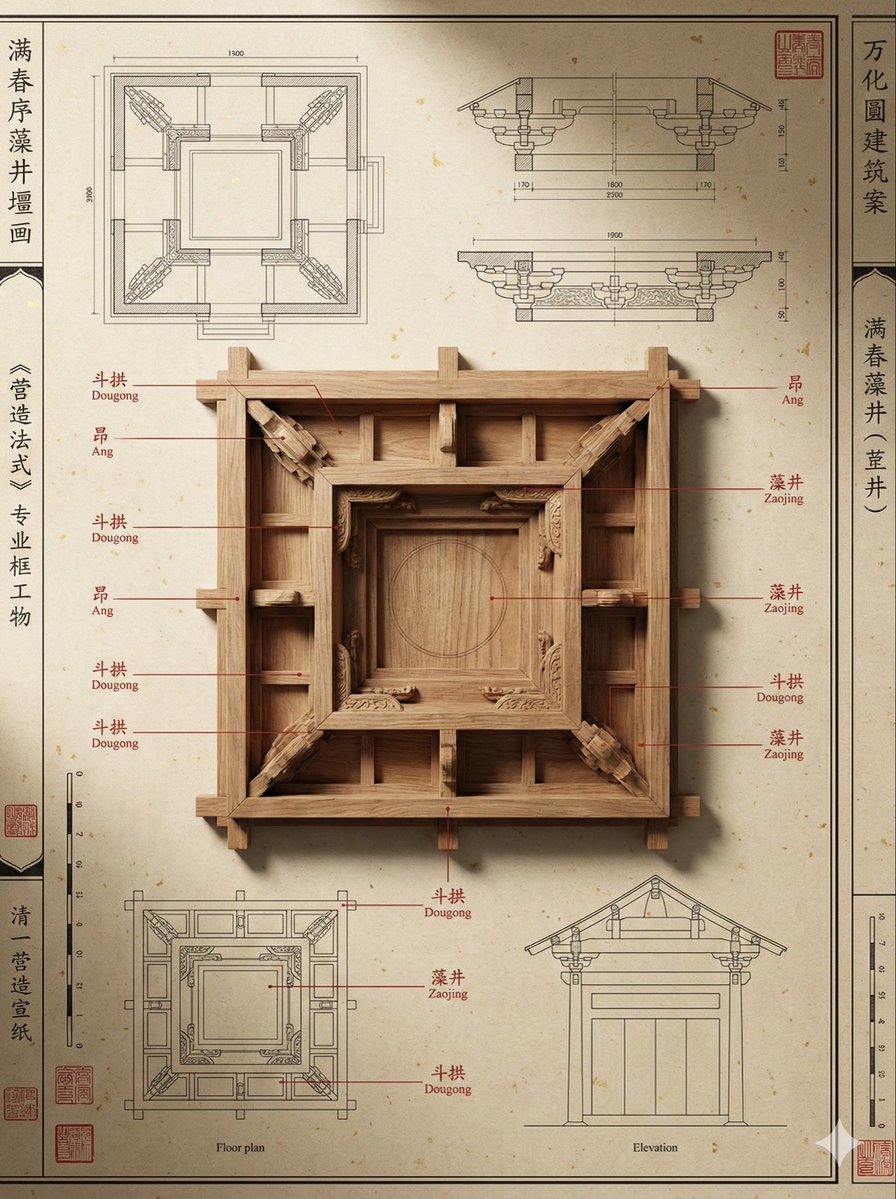
Generated output: Qing Dynasty Architectural Design Archive Simulation — output 1
A highly detailed prompt designed to simulate the architectural design archives of the 'Yangshi Lei' family from the Qing Dynasty. It focuses on creating a museum-quality presentation with specific textures, structural details, and professional annotations, ideal for historical or architectural visualization projects.
A highly precise design archive image of ancient Chinese architecture in the 'Yangshi Lei' style, themed as {argument name="theme" default="[theme]"}. The image uses a rigorous 'virtual-real deconstruction' composition: the background is old, gold-flecked Xuan paper with fiber texture, covered with meticulous line drawings of floor plans and cross-sections; the center features a scaled-down wooden 'tangyang' model, displaying extremely precise mortise and tenon joints and the natural wood color. Enhanced annotation logic: Clear vermilion lines pop out from key components of the model, pointing to text areas on the edge of the drawing, simulating authentic professional terminology annotations from the 'Yingzao Fashi' (Treatise on Architectural Methods). Enhanced professional layout: The edges of the image are adorned with vermilion seals unique to Qing Dynasty royal archives, precise scale markings, and neat vertical line-drawing borders, presenting an overall sense of order like a 'museum exhibit explanation poster'. Professional side-lighting from museum spotlights creates an extreme sense of material thickness and deep physical shadows. --ar 3:4From sourceView source ↗
More to explore
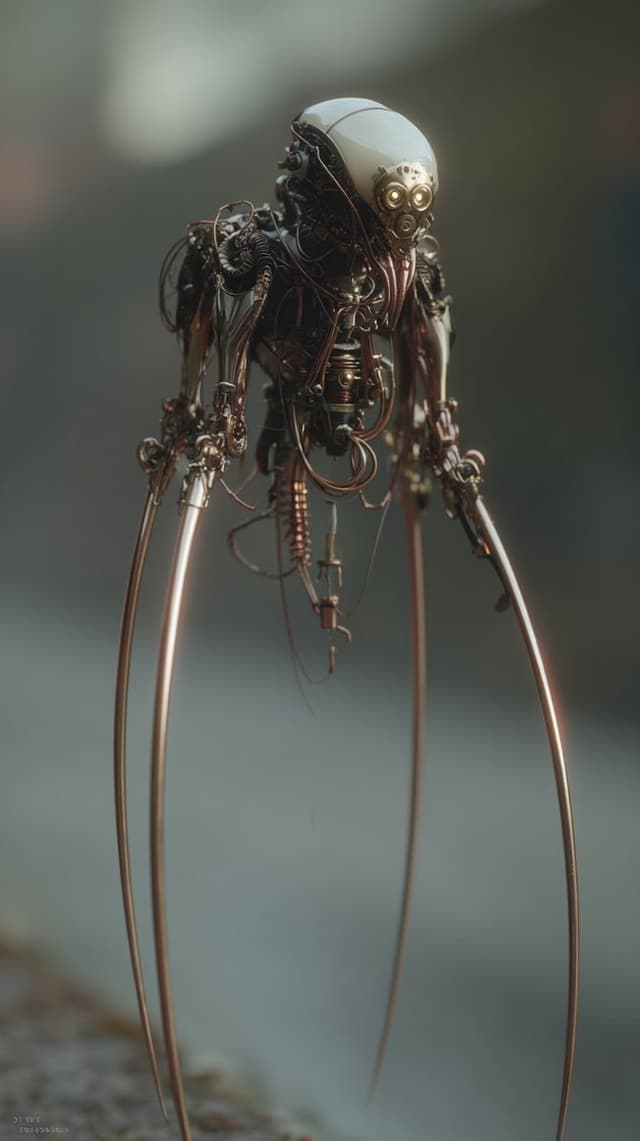
Image Editing Prompt: Adding Creatures to Background
Kyle SalazarGPT Image 1.5
using the first image and its style and size, add the creature from the second image into the first at varying distances in the background, ensure the focus and size of the creatures is appropriate for its distance, there should be a total of {argument name="number of creatures" default="7"} of them, their look and style may vary slightly from one another
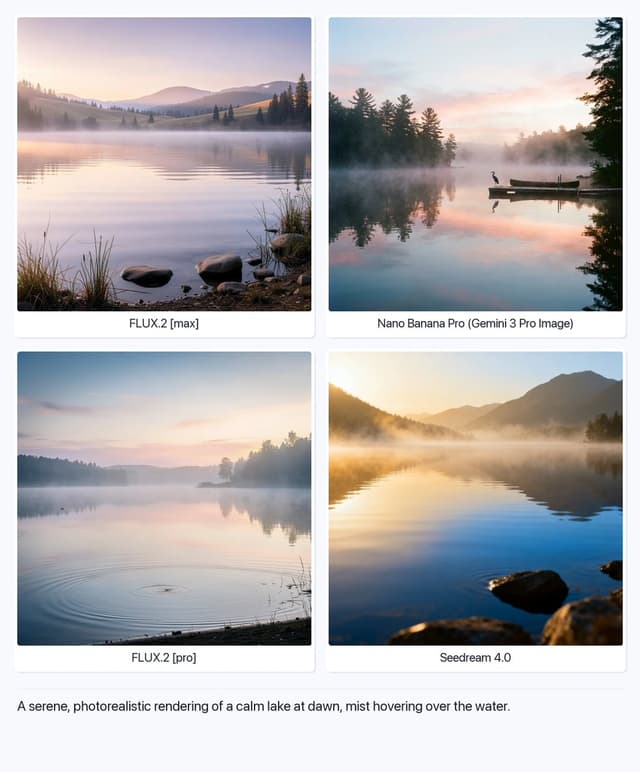
Serene Lake at Dawn
Artificial AnalysisGPT Image 1.5
A serene, photorealistic rendering of a calm lake at dawn, mist hovering over the water.

Structured Selfie Portrait Prompt
KeorUnrealGPT Image 1.5
{
  "scene": {
    "type": "bedroom_interior",
    "lighting": "natural_daylight",
    "atmosphere": "casual, cozy, domestic"
  },
  "subject": {
    "pose": {
      "position": "lying_prone_on_bed",
      "orientation": "facing_camera",
      "legs": "knees_bent_upwards, ankles_crossed",
      "arms": "left_arm_extended_for_selfie",
      "head": "resting_on_pillow"
    },
    "appearance": {
      "hair": "long, straight, {argument name="hair color" default="pink"}",
      "expression": "gentle_smile, direct_eye_contact",
      "complexion": "fair, rosy_cheeks"
    },
    "attire": {
      "top": {
        "item": "tank_top",
        "color": "light_green",
        "texture": "ribbed",
        "style": "spaghetti_straps"
      },
      "bottom": {
        "item": "gym shorts",
        "color": "light_green",
        "details": "ruffled_hem, scrunched_texture"
      },
      "accessories": {
        "feet": "white_crew_socks"
      }
    }
  },
  "environment": {
    "bedding": {
      "sheets": "white, rumpled",
      "pillows": "white_with_floral_pattern",
      "duvet": "white, puffy"
    },
    "background_elements": {
      "windows": {
        "quantity": 2,
        "features": "white_frames, horizontal_blinds"
      },
      "furniture": {
        "side_furniture": {
        "side_table": {
          "location": "left_side",
          "visible_items": [
            "skincare_products",
            "pink_mug",
            "small_potted_plant",
            "tissues"
          ]
        }
      }
    }
  },
  "composition": {
    "angle": "high_angle_selfie",
    "framing": "medium_shot",
    "focus": "sharp_subject, soft_background"
  }
}
Find your next direction
By use case
App / Web Design →Comics and storyboards →E-commerce images →Game assets →Educational graphics →Posters and flyers →Product marketing →Profiles and avatars →Social media posts →YouTube thumbnails →By style
3D renders →Anime and manga images →Chibi characters →Film stills →Cyberpunk images →Illustration →Chinese ink images →Isometric →Minimalism →Photography →Vintage images →Sketch and line art →Watercolor →Take the idea further.
Bring your prompts, references and results together in one creative space.
Open your canvas ↗