


Cinematic Contact Sheet Generation from Reference Image Prompt
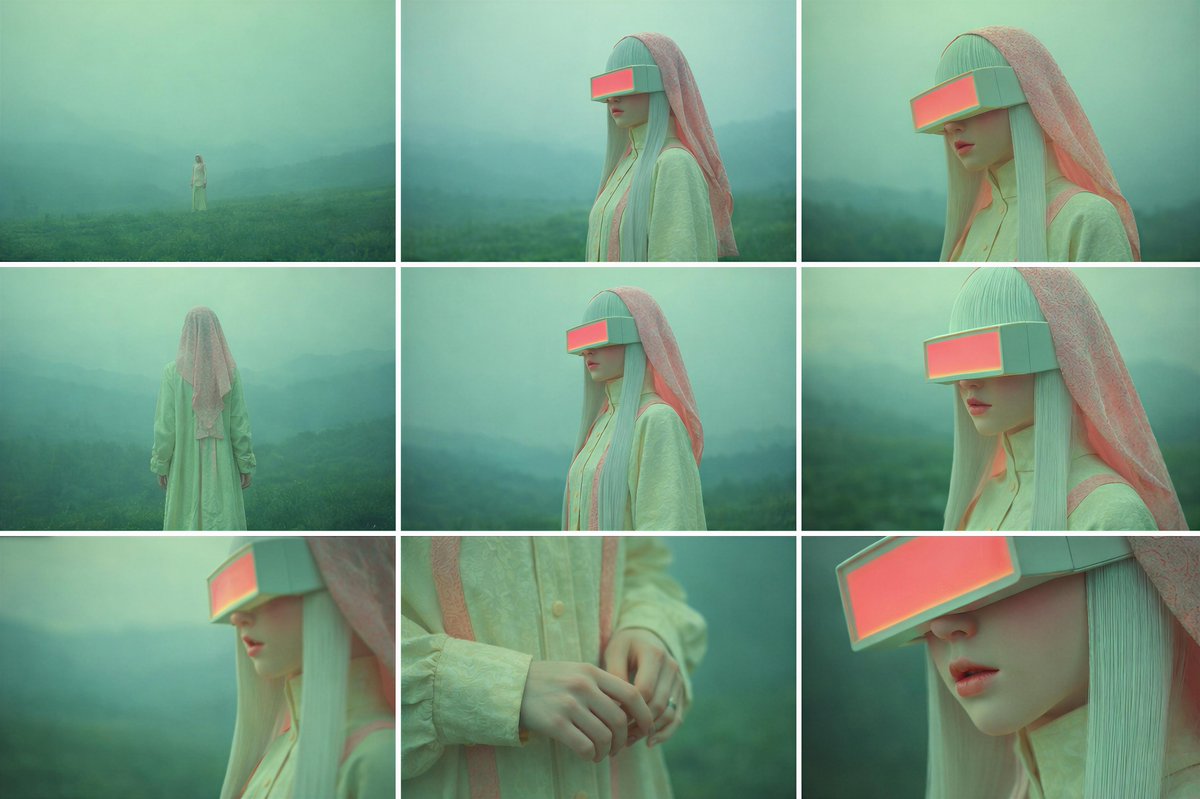
Generated output: Cinematic Contact Sheet Generation from Reference Image Prompt — output 1
A complex, multi-step prompt designed to generate a cohesive 3x3 cinematic contact sheet from a single uploaded source image. It instructs the model to internalize the subject, scene, and emotional state, and then create a set of images captured from multiple distances and angles, maintaining perfect visual consistency, lighting, and emotional tone, focusing on cinematic framing and depth of field.
Study the uploaded image carefully and fully internalize the scene: the subject’s appearance, clothing, posture, emotional state, and the surrounding environment. Treat this moment as a single frozen point in time. Create a cinematic image set that feels like a photographer methodically explored this exact moment from multiple distances and angles, without changing anything about the subject or location. All images must clearly belong to the same scene, captured under the same lighting conditions, weather, and atmosphere. Nothing in the world changes — only the camera position and framing evolve. The emotional tone should remain consistent throughout the set, subtly expressed through posture, gaze, and micro-expressions rather than exaggerated acting. Begin by observing the subject within the environment from afar, letting the surroundings dominate the frame and establish scale and mood. Gradually move closer, allowing the subject’s full presence to emerge, then narrowing attention toward body language and facial expression. End with intimate perspectives that reveal small but meaningful details — texture, touch, or eye focus — before shifting perspective above and below the subject to suggest reflection, vulnerability, or quiet resolve. Across the sequence: Wider views should emphasize space and atmosphere Mid-range views should emphasize posture and emotional context Close views should isolate feeling and detail Perspective shifts (low and high angles) should feel purposeful and cinematic, not decorative Depth of field must behave naturally: distant views remain mostly sharp, while closer frames introduce shallow focus and gentle background separation. The final result should read as a cohesive 3×3 cinematic contact sheet, as if selected from a single roll of film documenting one emotional moment from multiple viewpoints. No text, symbols, signage, watermarks, numbers, or graphic elements may appear anywhere in the images. Photorealistic rendering, cinematic color grading, and consistent visual realism are mandatory.
From sourceView source ↗
More to explore
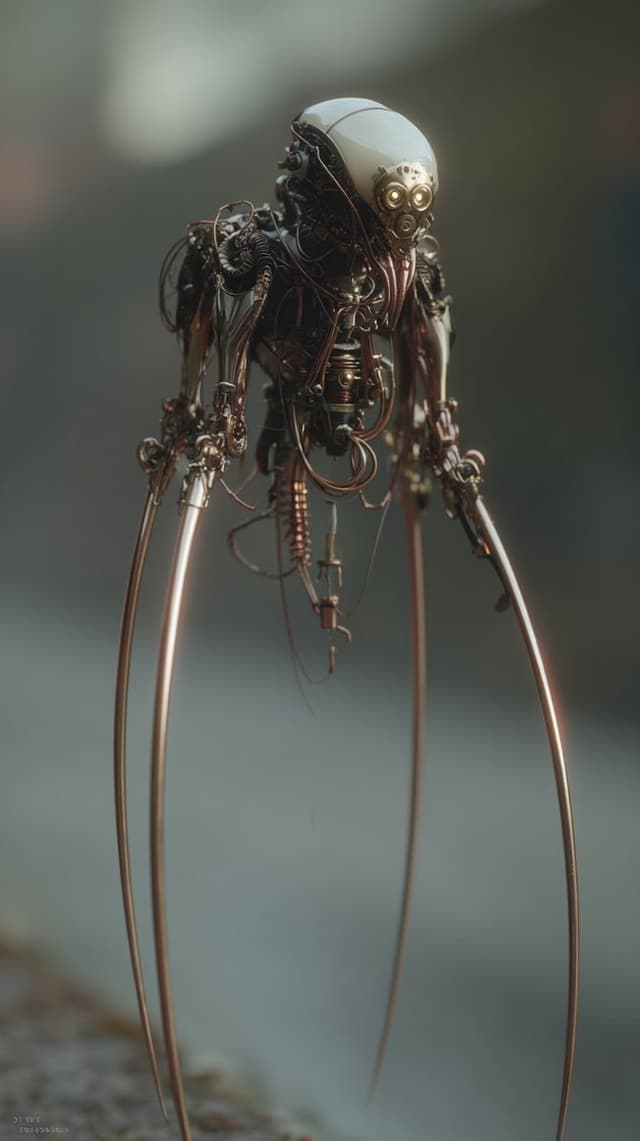
Image Editing Prompt: Adding Creatures to Background
Kyle SalazarGPT Image 1.5
using the first image and its style and size, add the creature from the second image into the first at varying distances in the background, ensure the focus and size of the creatures is appropriate for its distance, there should be a total of {argument name="number of creatures" default="7"} of them, their look and style may vary slightly from one another
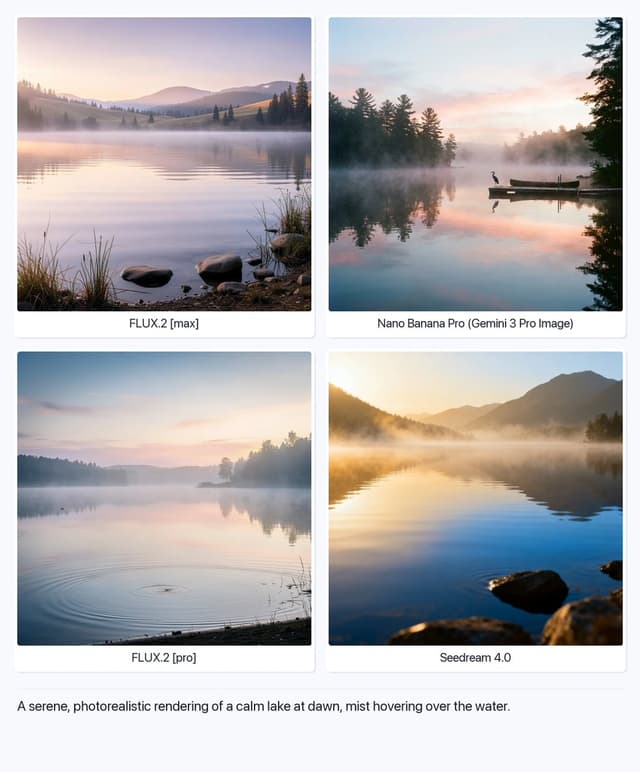
Serene Lake at Dawn
Artificial AnalysisGPT Image 1.5
A serene, photorealistic rendering of a calm lake at dawn, mist hovering over the water.

Structured Selfie Portrait Prompt
KeorUnrealGPT Image 1.5
{
  "scene": {
    "type": "bedroom_interior",
    "lighting": "natural_daylight",
    "atmosphere": "casual, cozy, domestic"
  },
  "subject": {
    "pose": {
      "position": "lying_prone_on_bed",
      "orientation": "facing_camera",
      "legs": "knees_bent_upwards, ankles_crossed",
      "arms": "left_arm_extended_for_selfie",
      "head": "resting_on_pillow"
    },
    "appearance": {
      "hair": "long, straight, {argument name="hair color" default="pink"}",
      "expression": "gentle_smile, direct_eye_contact",
      "complexion": "fair, rosy_cheeks"
    },
    "attire": {
      "top": {
        "item": "tank_top",
        "color": "light_green",
        "texture": "ribbed",
        "style": "spaghetti_straps"
      },
      "bottom": {
        "item": "gym shorts",
        "color": "light_green",
        "details": "ruffled_hem, scrunched_texture"
      },
      "accessories": {
        "feet": "white_crew_socks"
      }
    }
  },
  "environment": {
    "bedding": {
      "sheets": "white, rumpled",
      "pillows": "white_with_floral_pattern",
      "duvet": "white, puffy"
    },
    "background_elements": {
      "windows": {
        "quantity": 2,
        "features": "white_frames, horizontal_blinds"
      },
      "furniture": {
        "side_furniture": {
        "side_table": {
          "location": "left_side",
          "visible_items": [
            "skincare_products",
            "pink_mug",
            "small_potted_plant",
            "tissues"
          ]
        }
      }
    }
  },
  "composition": {
    "angle": "high_angle_selfie",
    "framing": "medium_shot",
    "focus": "sharp_subject, soft_background"
  }
}
Find your next direction
By use case
App / Web Design →Comics and storyboards →E-commerce images →Game assets →Educational graphics →Posters and flyers →Product marketing →Profiles and avatars →Social media posts →YouTube thumbnails →By style
3D renders →Anime and manga images →Chibi characters →Film stills →Cyberpunk images →Illustration →Chinese ink images →Isometric →Minimalism →Photography →Vintage images →Sketch and line art →Watercolor →Take the idea further.
Bring your prompts, references and results together in one creative space.
Open your canvas ↗