

YouTube Thumbnail Comparison: Human Effort vs. AI Efficiency
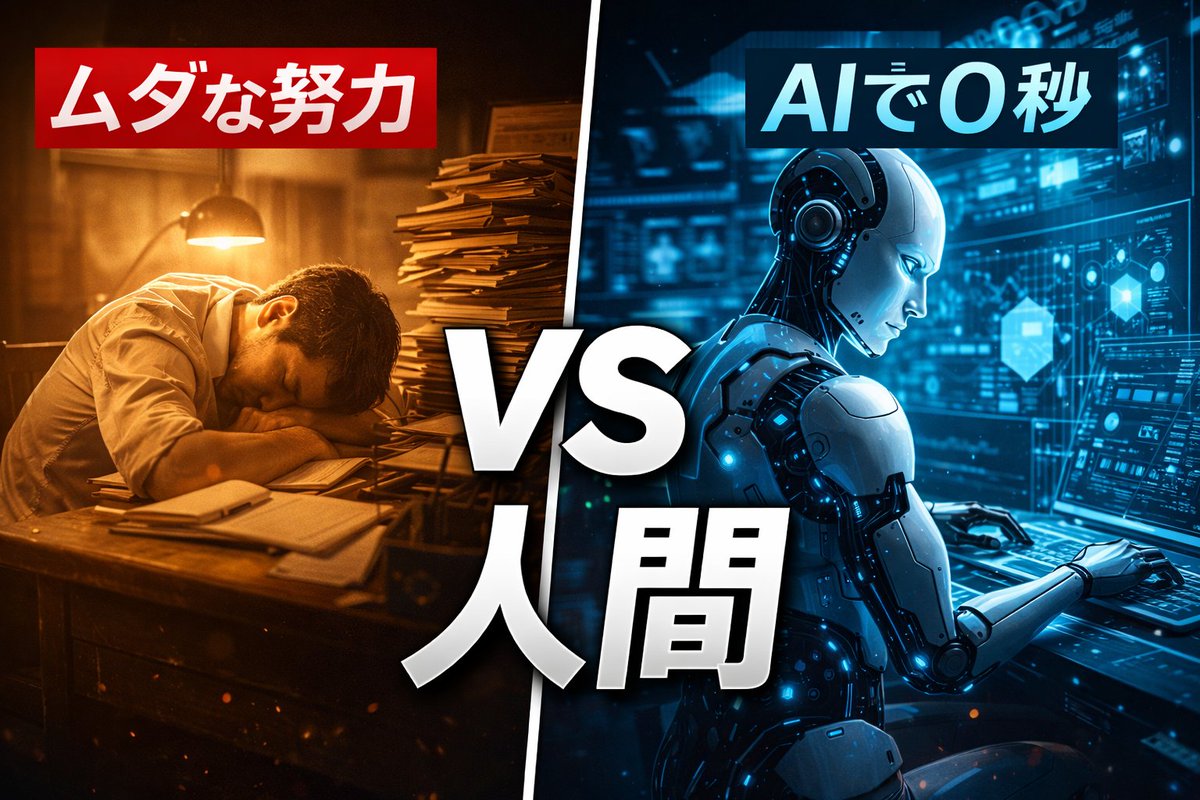
Generated output: YouTube Thumbnail Comparison: Human Effort vs. AI Efficiency — output 1
A detailed prompt designed to generate a split-screen YouTube thumbnail comparing 'Wasted Effort' (human) and '0 Seconds with AI' (AI robot). The prompt specifies composition, color schemes (sepia and futuristic blue), text overlays in Japanese, and cinematic lighting, used to compare GPT Image 1.5 and Nano Banana Pro.
A YouTube thumbnail image with a split-screen composition. The left side is sepia-toned showing a tired human overworked at an old desk, with red Japanese text above reading "{argument name="left text" default="Wasted Effort"}". The right side is futuristic blue showing a sleek AI robot working instantly, with blue Japanese text above reading "{argument name="right text" default="0 Seconds with AI"}". In the center, large white text with black outline reads "{argument name="center text" default="VS Human"}". Cinematic lighting. --ar 16:9From sourceView source ↗
More to explore
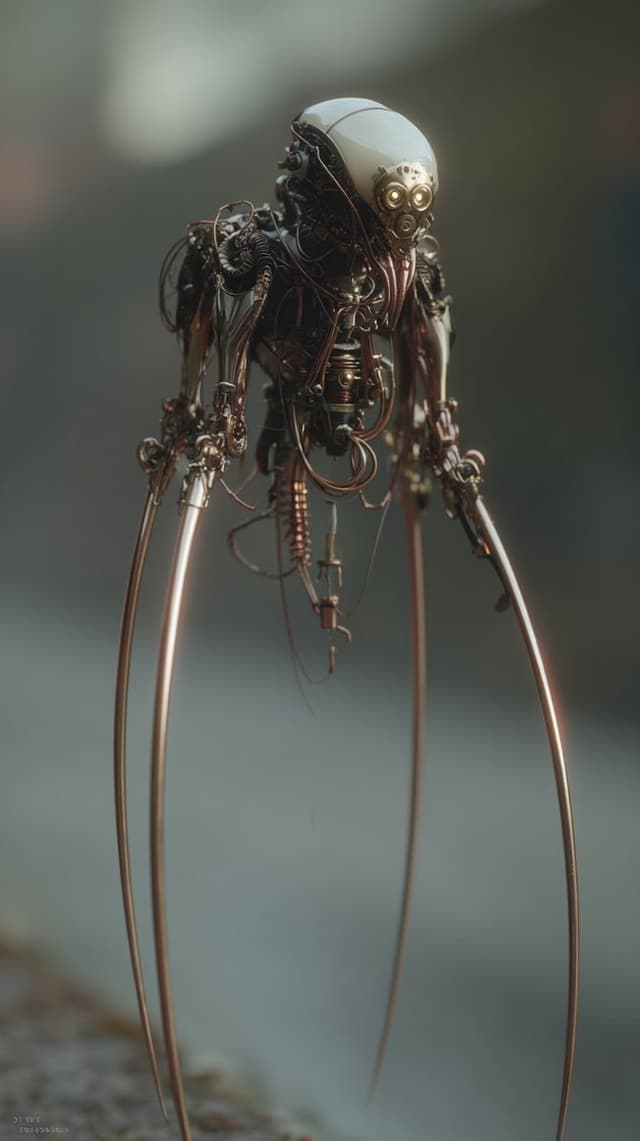
Image Editing Prompt: Adding Creatures to Background
Kyle SalazarGPT Image 1.5
using the first image and its style and size, add the creature from the second image into the first at varying distances in the background, ensure the focus and size of the creatures is appropriate for its distance, there should be a total of {argument name="number of creatures" default="7"} of them, their look and style may vary slightly from one another
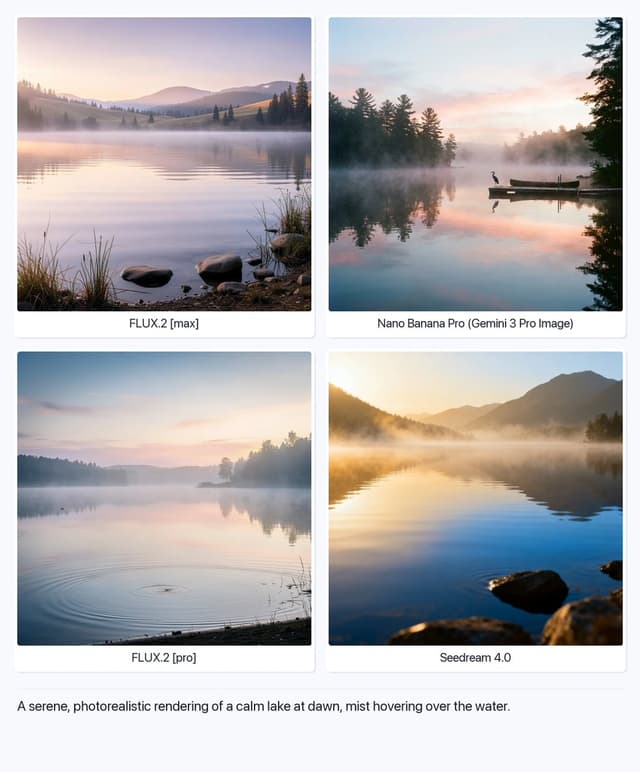
Serene Lake at Dawn
Artificial AnalysisGPT Image 1.5
A serene, photorealistic rendering of a calm lake at dawn, mist hovering over the water.

Structured Selfie Portrait Prompt
KeorUnrealGPT Image 1.5
{
  "scene": {
    "type": "bedroom_interior",
    "lighting": "natural_daylight",
    "atmosphere": "casual, cozy, domestic"
  },
  "subject": {
    "pose": {
      "position": "lying_prone_on_bed",
      "orientation": "facing_camera",
      "legs": "knees_bent_upwards, ankles_crossed",
      "arms": "left_arm_extended_for_selfie",
      "head": "resting_on_pillow"
    },
    "appearance": {
      "hair": "long, straight, {argument name="hair color" default="pink"}",
      "expression": "gentle_smile, direct_eye_contact",
      "complexion": "fair, rosy_cheeks"
    },
    "attire": {
      "top": {
        "item": "tank_top",
        "color": "light_green",
        "texture": "ribbed",
        "style": "spaghetti_straps"
      },
      "bottom": {
        "item": "gym shorts",
        "color": "light_green",
        "details": "ruffled_hem, scrunched_texture"
      },
      "accessories": {
        "feet": "white_crew_socks"
      }
    }
  },
  "environment": {
    "bedding": {
      "sheets": "white, rumpled",
      "pillows": "white_with_floral_pattern",
      "duvet": "white, puffy"
    },
    "background_elements": {
      "windows": {
        "quantity": 2,
        "features": "white_frames, horizontal_blinds"
      },
      "furniture": {
        "side_furniture": {
        "side_table": {
          "location": "left_side",
          "visible_items": [
            "skincare_products",
            "pink_mug",
            "small_potted_plant",
            "tissues"
          ]
        }
      }
    }
  },
  "composition": {
    "angle": "high_angle_selfie",
    "framing": "medium_shot",
    "focus": "sharp_subject, soft_background"
  }
}
Find your next direction
By use case
App / Web Design →Comics and storyboards →E-commerce images →Game assets →Educational graphics →Posters and flyers →Product marketing →Profiles and avatars →Social media posts →YouTube thumbnails →By style
3D renders →Anime and manga images →Chibi characters →Film stills →Cyberpunk images →Illustration →Chinese ink images →Isometric →Minimalism →Photography →Vintage images →Sketch and line art →Watercolor →Take the idea further.
Bring your prompts, references and results together in one creative space.
Open your canvas ↗