

How to Make Long AI Videos From Short, Consistent Shots

To make long AI videos, plan the finished story first, break it into short shots, generate and approve each shot separately, then assemble the clips, stills, narration, captions, and music in an editor. In the documented Astorie project, seven stills and several five-second clips became a 60-second historical short through external timeline editing.
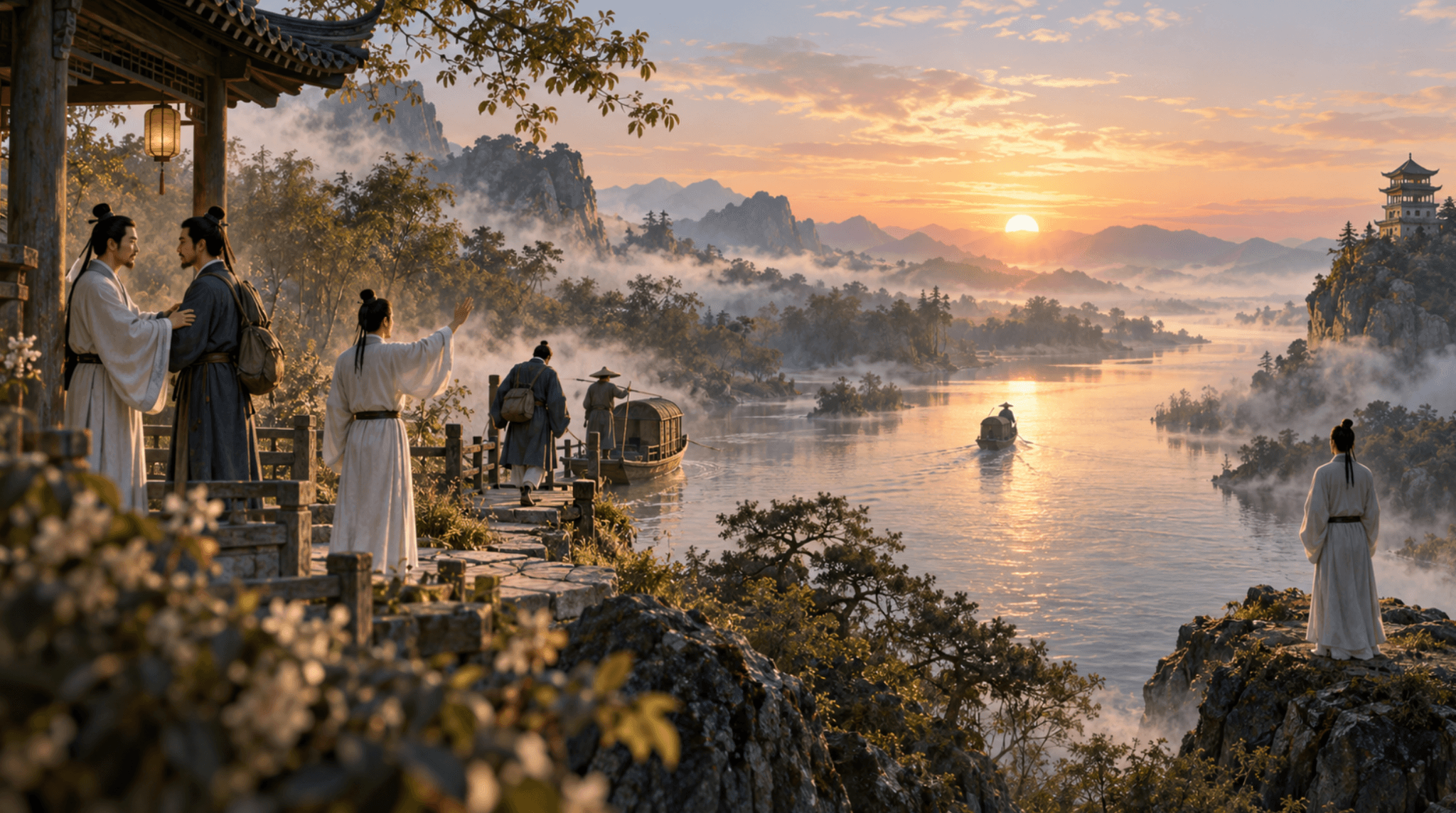
How Do You Make Long AI Videos?
Design the full runtime on paper, but generate it as short, controllable units. Each shot should have a purpose, an entry state, an exit state, and an approved duration. The final length comes from editing those units together—not from asking one prompt to sustain every character, location, camera move, and story beat for a minute or more.
This project began with one line of poetry—“The lone sail fades into the distant blue; only the Yangtze is seen flowing to the edge of the sky”—and expanded it into a farewell between Li Bai and Meng Haoran. The test materials include seven 16:9 stills, multiple five-second Seedance 2.5 clips, a 56.6-second Mandarin voiceover, captions, and a 60-second H.264/AAC final video.
Step 1: Write the One-Sentence Story and Runtime Goal
State what changes over the whole video. Here, two friends share a final moment, one leaves by boat, and the other remains until the river is empty. The target was 60 seconds. That target shaped the narration and edit; it did not require 60 seconds of newly generated motion.
Step 2: Turn the Story Into a Shot Map
Beat | Visual purpose | Suggested screen time |
1. Establish | River, tower, season and mood | 5–8 seconds |
2. Friendship | Two friends speak before departure | 7–10 seconds |
3. Farewell | The decision to leave becomes visible | 7–10 seconds |
4. Departure | Boat separates from shore | 6–8 seconds |
5. Distance | Boat becomes small; poet waits | 8–10 seconds |
6. Empty river | Absence becomes the subject | 6–8 seconds |
7. Resolution | Poem and final line complete the meaning | 8–12 seconds |
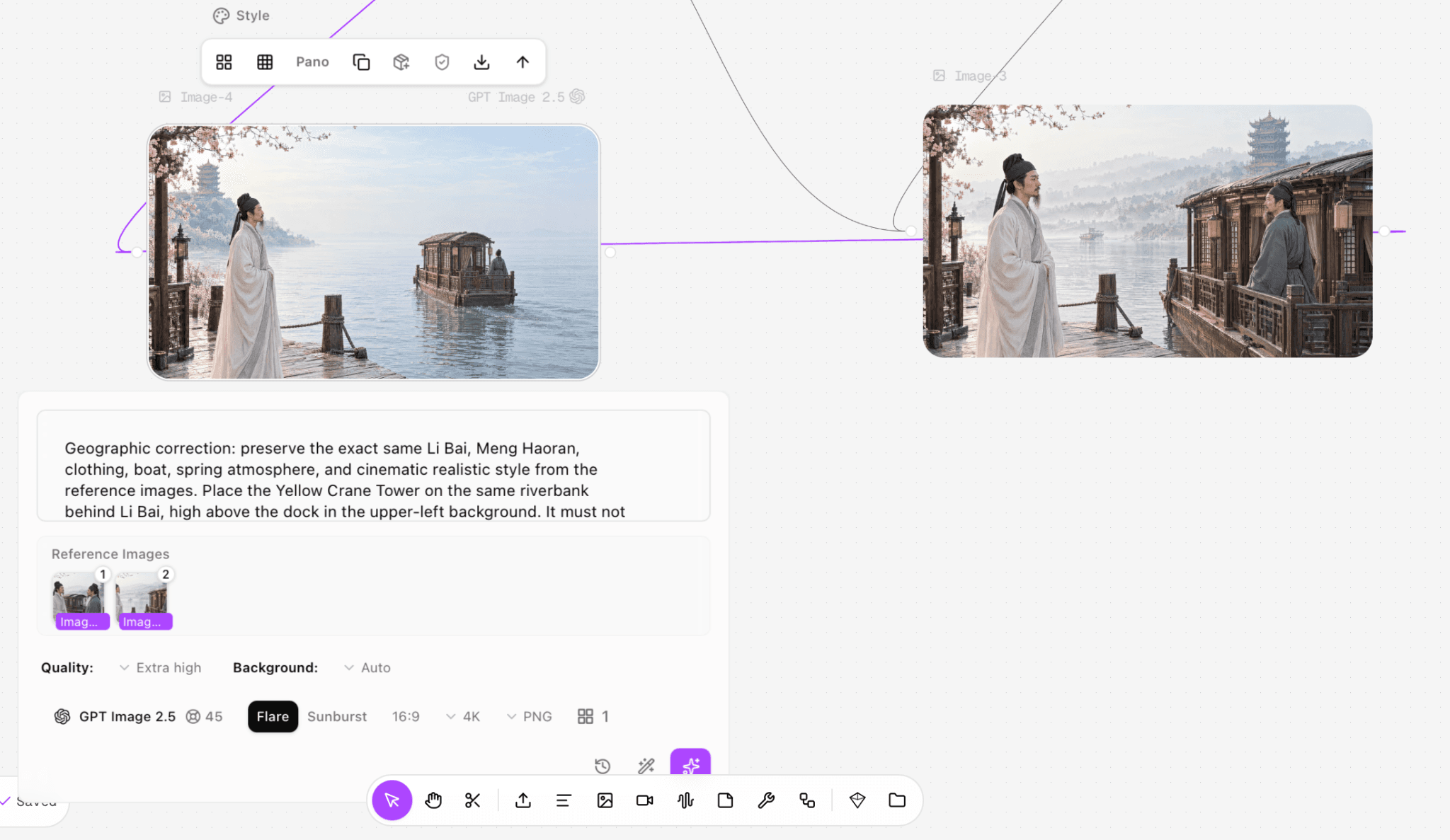
Figure 1. The Astorie canvas used to organize source images, prompts, and generated clips for the same story. This is a real project screenshot.
Step 3: Build a Continuity Pack Before Animation
Create the main character, secondary character, location, boat, palette, lighting, and costume as approved still images. Name every file by shot order. A long sequence magnifies small changes, so consistency decisions must be made before animation rather than repaired after every clip.
For this project, the seven images provided a beginning, middle, and end even without video. That mattered because the final edit could hold a strong still under narration instead of forcing a moving clip into every second.
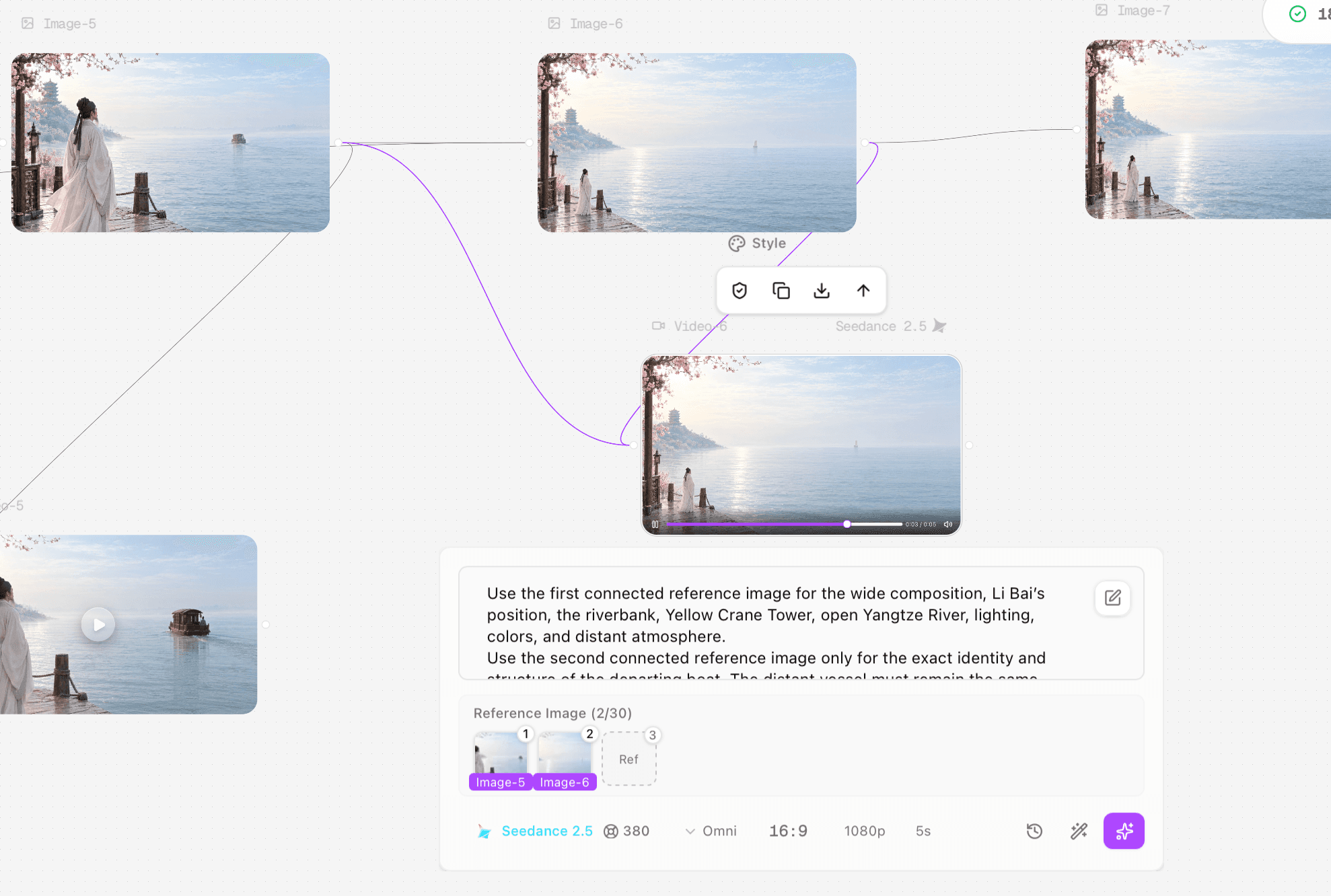
Figure 2. A later Astorie canvas state with multiple connected assets for the farewell sequence. The layout documents asset organization, not an internal final-edit timeline.
Step 4: Generate Short Clips With Matching Entry and Exit States
Add a video-generation node for one shot and connect the relevant still image.
Select the exact model and mode. The supplied test used Seedance 2.5 Omni for five-second, 1080p, 16:9 clips.
Prompt one story action. Specify what remains fixed, how the camera behaves, and what the final frame should show.
Generate, review and download the original MP4 before moving to the next shot.
Reject clips that create a new object or break the next shot. In the supplied material, one boat changed into a sailboat and was not used as a continuity success.
SUGGESTED SHOT PROMPT — NOT TESTED AS WRITTEN The same poet remains motionless on the riverbank while the same small covered passenger boat moves steadily farther toward the misty horizon. The river ripples gently; his sleeves move slightly in the breeze. Camera: very slow push forward. End with the boat smaller but still visible. No cuts, no return movement, no extra boats, no sailboat, no change of clothing or architecture. Use this as a planning template. It is based on the observed failure mode but was not rerun in the supplied project. |
Step 5: Build the Voiceover Before the Final Cut
Record or generate narration early enough to control pacing. The supplied Mandarin voice track is 56.6 seconds, leaving a short margin inside the 60-second video. Its final line is: “除了黄鹤楼,没有人知道那天李白在长江边,到底站了多久。” The final caption track was corrected so the poem did not repeat at the end.
Read the narration aloud before generating extra visuals. Mark pauses, names, and the poem. Then assign a shot or still to each phrase. This prevents the common mistake of creating too much beautiful footage that cannot support the spoken structure.
Step 6: Assemble the 60-Second Timeline
The supplied Astorie workspace did not document internal clip stitching. The final sequence was assembled in an external editor using the original clips, still-image holds, voiceover, and captions. This distinction matters: Astorie organized and generated the assets, while the external editor performed the timeline assembly and final synchronization.
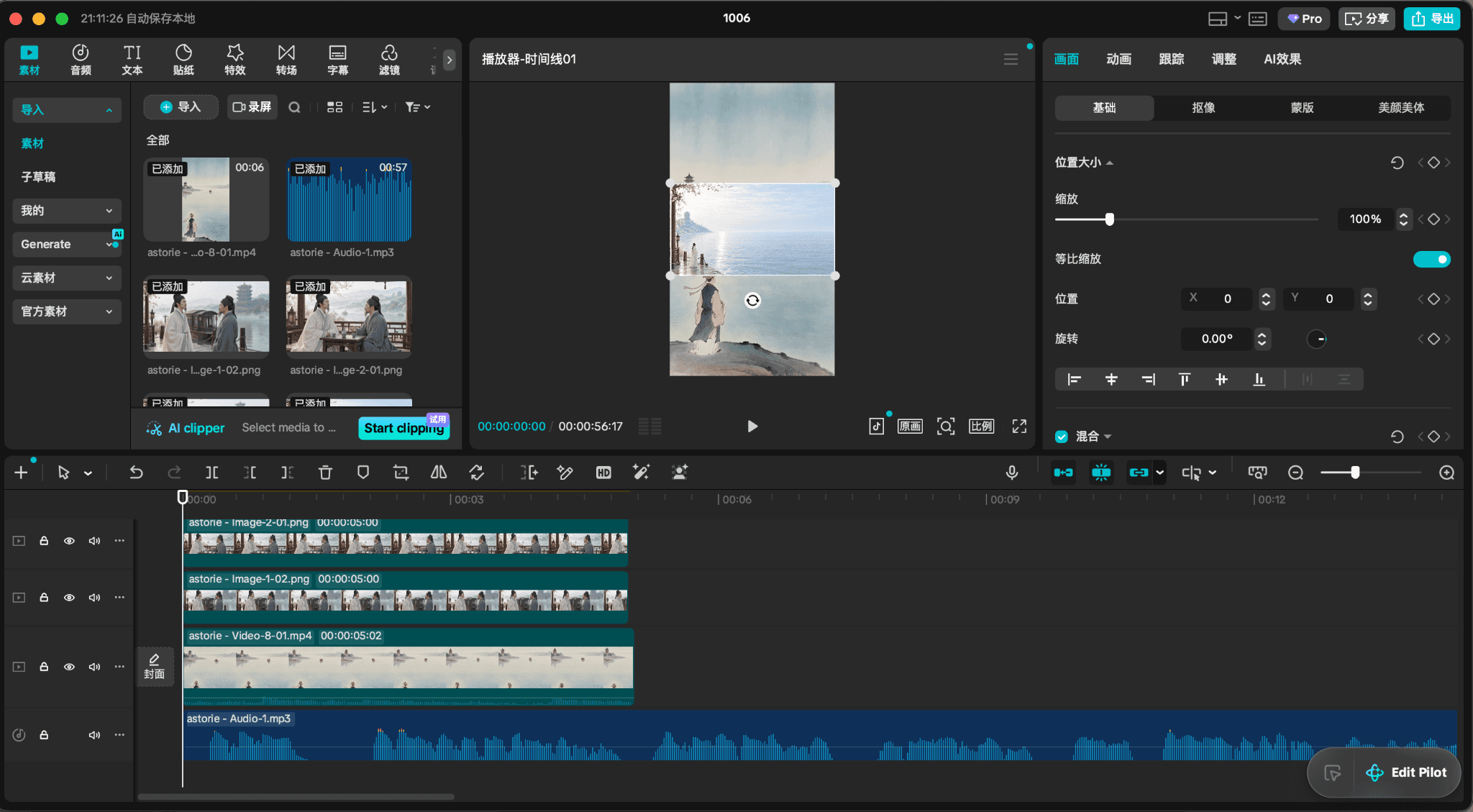
Figure 3. External editing timeline used to assemble and synchronize the 60-second film. This is where the separately generated assets became one finished video.
Step 7: Check Continuity, Timing, Audio and Captions
Watch the whole edit without stopping, then repeat four focused passes: visual continuity, narration timing, caption accuracy, and technical export. The final file was verified as 1920×1080, 24 fps, 60.0 seconds, H.264 video with AAC audio. The narration and subtitles were placed about one second later than the first visual beat to improve the opening rhythm.
Pass | Question | Fix before export |
Story | Can a viewer follow departure and waiting without explanation? | Reorder or lengthen establishing holds |
Continuity | Do boat, clothing and direction remain coherent? | Cut the faulty take or bridge with a still |
Audio | Does each sentence have space to breathe? | Trim pauses or change the visual hold—not the speaking speed first |
Captions | Does the last caption match the spoken last line? | Correct the subtitle source and check the ending again |
Technical | Is the full file 60 seconds with audio present? | Re-export and inspect duration, codec and audio stream |
Do Not Stretch Short AI Clips to Fake Length
Slowing a five-second clip far beyond its natural motion often reveals warping and makes the action feel weightless. A better long-form rhythm combines short motion, purposeful stillness, reaction shots, environment shots, cutaways, narration, and sound. Length should come from story information and pacing, not from repeating or overextending one generation.
Download, Name and Archive the Deliverables
Download every accepted source clip from its completed node. Keep rejected takes in a separate folder so they are not accidentally edited into the final. Archive the voiceover, subtitle file or transcript, stills, timeline project, and final MP4. Use versioned names for major edits, but keep only one clearly labeled delivery master.
Troubleshooting Long AI Video Workflows
Problem | Why it happens | Best next action |
Characters drift between shots | Each prompt redefines the person | Use the same approved reference pack and repeat stable identity facts |
The edit feels like unrelated clips | Shots were generated before a story map | Assign every clip a narrative job and remove decorative duplicates |
Not enough runtime | Voiceover was written after visuals | Build to the narration, add deliberate still holds or cutaways |
Too much runtime | Every generated take was kept | Keep the clearest beat and cut redundant motion |
A clip changes the boat | The model invents during motion | Reject it; bridge with a still or rerender with stronger invariants |
Astorie nodes will not run | Media is disconnected or a node is unsaved | Reconnect, save, confirm status, then retry; do not infer whether a failed attempt was charged without account evidence |
FAQ
Can I make a one- or two-minute AI film?
Yes, by expanding the shot map and maintaining a continuity pack. The workload grows with the number of characters, locations, actions, and dialogue beats, so approve a 30- or 60-second proof first.
How many clips do I need for 60 seconds?
There is no fixed number. This project mixed several five-second clips with still holds and an almost full-length voiceover. Let the narration and visual changes determine the count instead of forcing twelve five-second generations.
Should every shot move?
No. A carefully framed still can create a pause, protect continuity, and give narration room. Motion should communicate change, not merely prove that the image was animated.
Can I finish the entire long video inside Astorie?
The documented workspace proves asset generation and node organization. It does not prove internal clip stitching for this project, so the verified method uses an external editor for final assembly.
Hands-on Test Record
This record separates what the supplied project proves from details that were not documented. Missing timing, billing, or rerun data is not inferred.
Record field | Documented value |
Executor / date / host | Clara / October 6, 2026 / Astorie plus an external timeline editor |
Model route shown | Seedance 2.5, Omni for the generated short clips |
Inputs | Seven original 2048×1152 stills, seven supplied horizontal MP4 exports, one 56.556-second Mandarin narration file, and the final captioned timeline |
Original prompt status | The project used different prompts for separate story beats. Not every full original prompt is recoverable from the supplied evidence; the shot prompt in this article is labeled untested. |
Visible clip settings | 16:9, 1080p and 5 seconds in the tested Astorie route |
Runs / reruns | Seven horizontal exports were supplied. The complete number of attempts and reruns was not documented. One continuity-failing boat-to-sailboat result was excluded from the final success claim. |
Timing basis | One Astorie generation was reported at approximately three minutes; this was not a controlled benchmark. External editing time was not logged. |
Credits | A 380-credit estimate was shown for the tested clip setup. Final account debit, failed-run charging and total project spend were not documented. |
Audio review | The 56.556-second narration and final caption timing were reviewed during editing. No model-to-model voice quality comparison was performed. |
Final output | Li_Bai_Farewell_60s_final.mp4: 60.0 seconds, 1920×1080, 24 fps, H.264 video and mono AAC audio |
Ready to try it on the canvas?
Open Astorie and fan your prompt across every frontier model in one workflow.