

How to Make a Promo Video for a Launch, Event, or Sale

How to make a promo video: define one campaign objective, turn it into a short hook–proof–action script, connect approved brand assets to the generation node, and finish the result with accurate offer text and a single CTA. The hands-on case below produced a 15.072-second vertical UGC-style launch/review clip; it did not test a discount or event promotion, so those are presented as clearly labeled adaptations rather than test results.
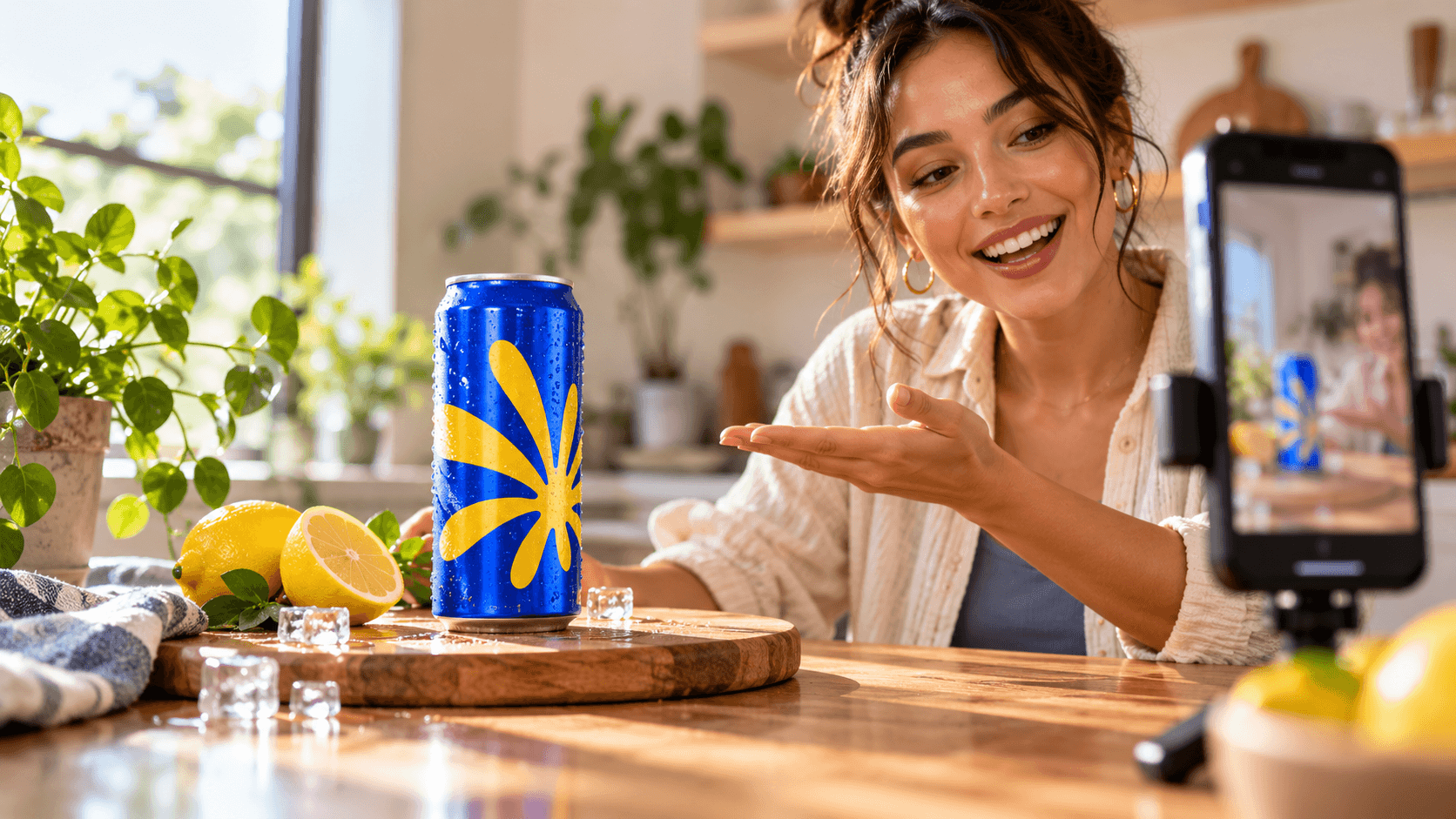
Hero concept: a creator-led vertical drink promotion with the product held close to the camera. Not test evidence.
How to make a promo video: the quick answer
Start with one sentence: ‘After watching, [audience] should [action] because [proof].’ Write a hook, reveal, demonstration, and CTA around that sentence. In Astorie, create the canvas, upload or generate the presenter, scene, opening frame, and approved product reference, connect them to the exact video model, select delivery settings, generate, and inspect the export. Add factual dates, prices, codes, and legal copy in editing, where they remain controllable.
1. Pick the promo type and its proof
Product launches, events, and sales are not interchangeable. Each needs a different reason to believe and a different final action. The creative style can stay consistent, but the information architecture must change.
Promo type | Primary objective | Proof to show | CTA example |
Product launch | Make the new product recognizable and desirable. | Packshot, use, texture, result, or creator reaction. | Discover the new flavor. |
Event | Turn awareness into attendance or registration. | Date, place, speaker/activity, atmosphere, and capacity if verified. | Reserve your place. |
Sale | Turn interest into a time-bound purchase. | Exact offer, eligible product, dates, code, and terms. | Shop the offer before [verified date]. |
Do not invent campaign facts: If a price, launch date, venue, discount, code, or availability window was not supplied and verified, leave it out of generation and add the approved information later. |
2. Reduce the brief to one message and one action
A practical promo brief has seven fields: audience, objective, offer, proof, tone, mandatory assets, and CTA. The tested brief was a new-product discovery: a young creator notices that Astorie makes a lemon sports drink, opens it, tastes it, and gives a short rating. Its implied objective was awareness, not an event registration or a discounted purchase.
Brief field | Tested launch case | What was missing for a finished campaign |
Audience | Short-form viewers receptive to casual product discovery. | A documented target segment. |
Objective | Introduce the lemon drink and make it recognizable. | A measurable campaign KPI. |
Offer | New lemon sports drink. | Verified availability, date, price, or retailer. |
Proof | Creator shows, opens, drinks, and rates the can. | Independent product substantiation was outside the test. |
CTA | None in the generated clip. | One approved next action. |
3. Script the 15-second promo
Write for what the viewer can see, not only what the presenter says. A reliable short promo gives each line a visible object or action and ends early enough to hold the packshot and CTA.
Time | Function | Tested content | Production note |
0–4.5s | Hook | Question beside a tall pile of destroyed cans. | The prop creates curiosity but must not confuse brand identity. |
4.5–9s | Reveal | Point to, lift, and hold the lemon can. | Keep the main wordmark facing camera. |
9–13s | Demonstration | Open the can and take one drink. | Separate hand actions so contact remains readable. |
13–15s | Verdict | Return can beside face and rate it. | A campaign version should reserve room for CTA. |
4. Prepare approved assets
The product image should be the packaging source of truth. Use the highest-resolution approved front/back reference available, confirm orientation, and avoid asking a moving model to recreate small compliance text. A presenter reference controls identity and wardrobe; a room reference controls composition and light; an opening frame controls the first visual surprise.
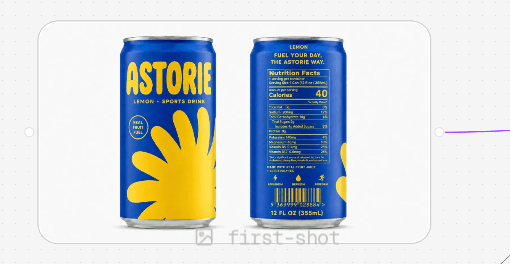
Figure 1. Original Astorie Lemon package reference supplied to the video workflow; it defines can form, colors, and label artwork.
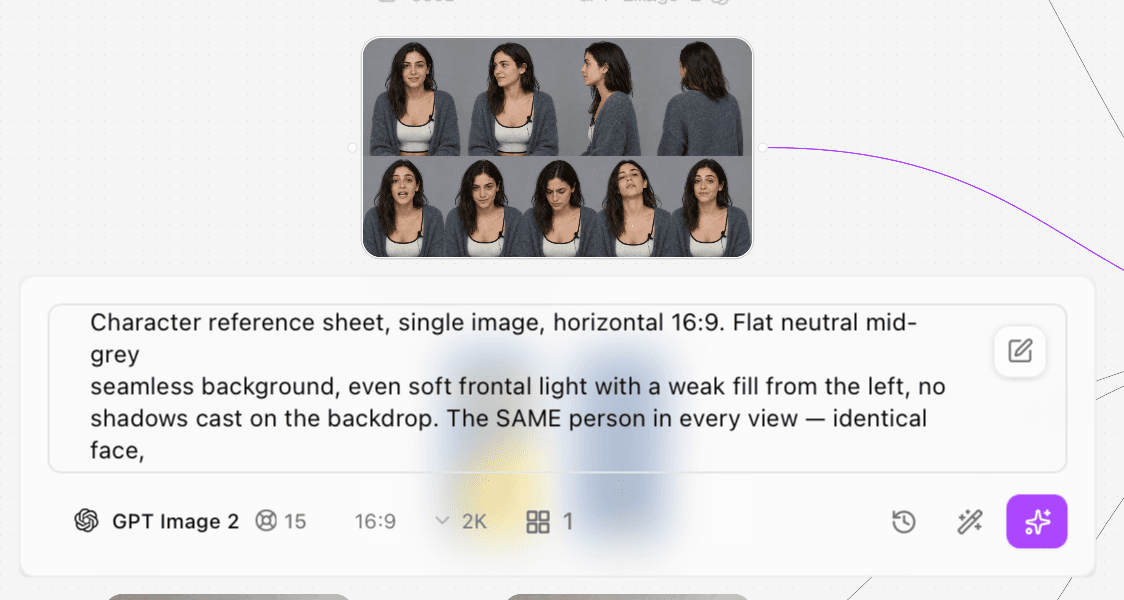
Figure 2. Original GPT Image 2 presenter sheet used to keep face, wardrobe, expression, and visible lavalier microphone consistent.
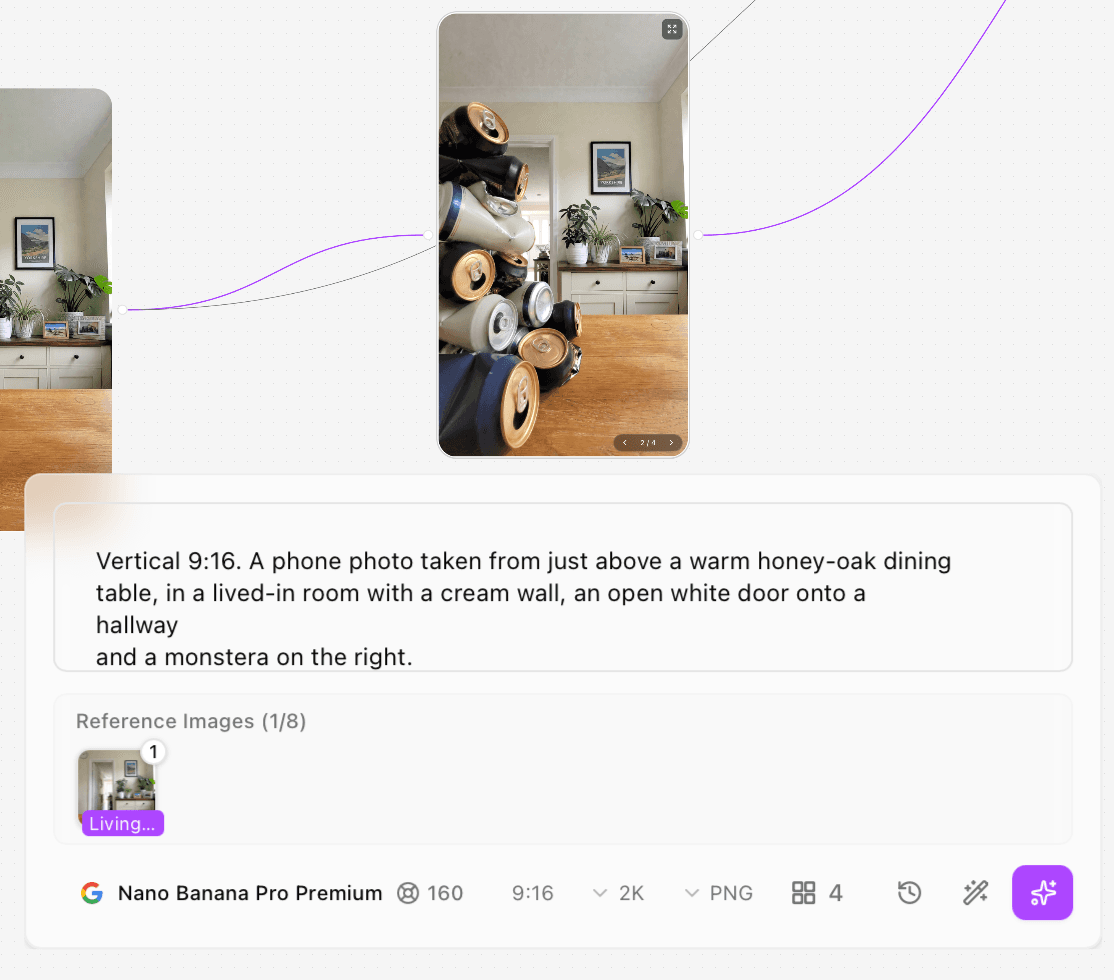
Figure 3. Original opening-frame asset generated with Nano Banana Pro Premium; its pile composition was used as the hook reference.
5. Build the promo workflow in Astorie
Create a new Astorie project and place the creative brief on the canvas.
Add image nodes for references you need to generate and image-input nodes for approved assets.
Generate or upload the presenter, room, opening frame, and product packshot; keep the originals unchanged.
Add a video-generation node and select Seedance 2.5 Omni, the exact model used in this test.
Connect @User, @first-shot, @Astorie-Lemon, and @Living room to the video node.
Write the prompt so each @reference owns a different part of the frame and timeline.
Set 9:16, 1080p, and 15 seconds; inspect the displayed credit estimate before generating.
Generate, open the completed result, and record the output plus any post-run billing/activity entry.
Download the selected clip, add verified campaign copy and captions, and export the delivery master.
Reference | Controls | Explicit ignore rule |
@User | Presenter face, hair, wardrobe, microphone. | Ignore reference-sheet panels, grey backdrop, and studio light. |
@first-shot | Opening pile placement and scale. | Do not carry the pile into later product shots. |
@Astorie-Lemon | Can shape, blue/yellow artwork, wordmark, rim, and base. | Ignore the white packshot background. |
@Living room | Room, table, lens position, framing, and daylight. | Ignore whatever appears on the reference table. |
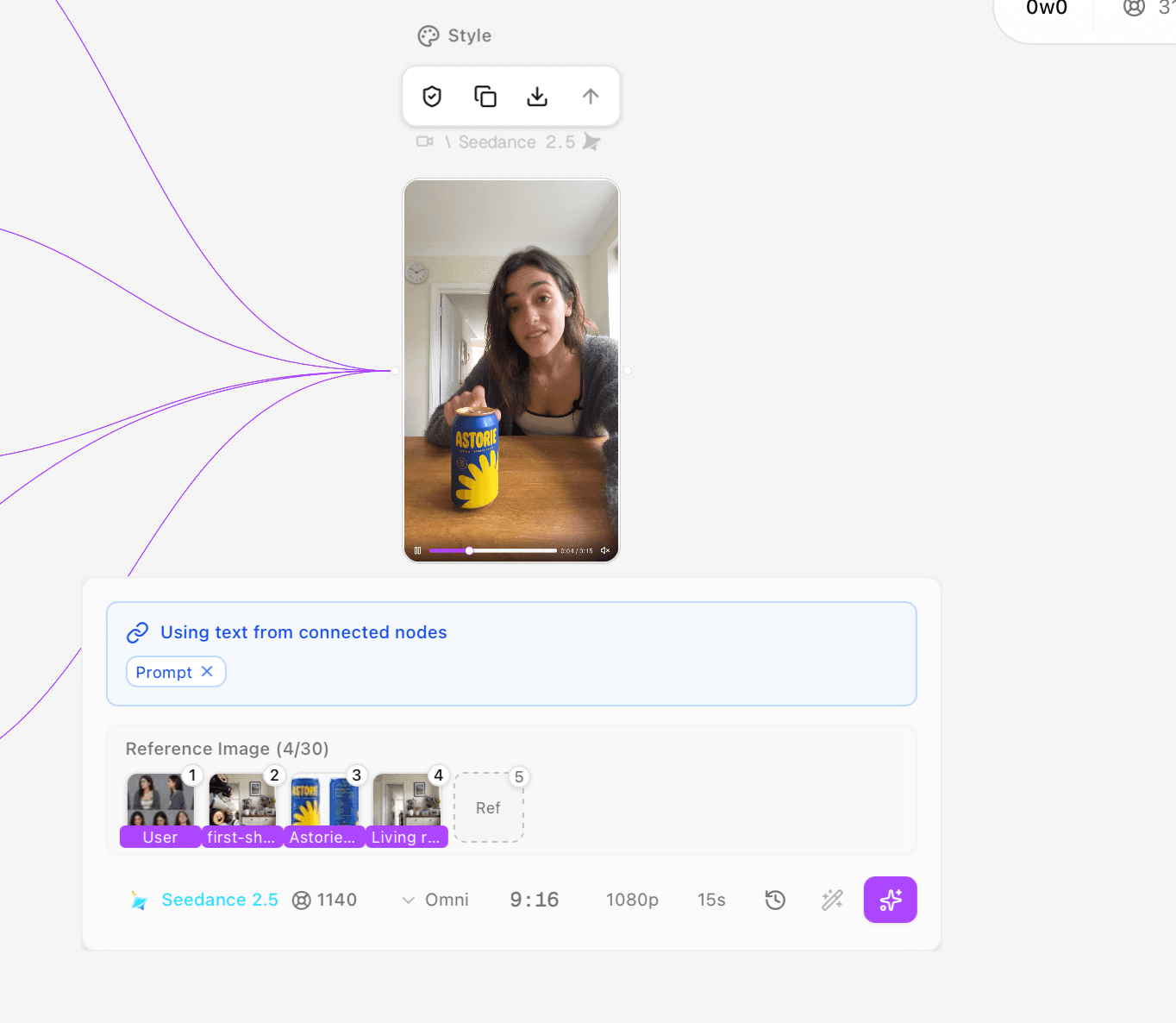
Figure 4. Original Astorie canvas and completed Seedance 2.5 Omni node used for the promo test.
6. Use the tested model settings
Setting | Tested value | Evidence boundary |
Video model | Seedance 2.5 Omni | Exact selected model in the supplied node. |
Aspect ratio | 9:16 | Matches vertical social delivery. |
Resolution | 1080p | Export measured 1080 × 1920. |
Duration | 15 seconds | Export measured 15.072 seconds. |
Outputs reviewed | 1 supplied successful clip | Total attempts were not logged. |
Displayed estimate | 1,140 credits | Pre-run interface estimate; actual debit not captured. |
The displayed estimate is useful for planning but is not an invoice. Capture the completed activity or billing record if the account exposes one, especially when comparing variants or reporting campaign production cost.
Audio control in this test: No separate audio toggle is visible in the supplied Seedance 2.5 Omni settings screenshot. The prompt requested close-mic speech, room tone, and an opening hiss, and the export contains an AAC track. For a new campaign, inspect the current node for an audio switch and record its state if present; do not infer a hidden toggle from the existence of an audio track. |
7. Use a role-first, timed promo prompt
The tested prompt first assigns reference ownership, then fixes the phone camera and room tone, then directs three shots with exact actions and lines. This makes the generation reproducible enough to audit. It also exposes two issues worth fixing in a future run: the spoken copy spaces the brand as ‘A Storie,’ and the opening prompt requests branded blue cans even though the opening image shows generic black, off-white, and navy cans.
Full tested prompt
@Living room controls the room, camera position, framing and light only — ignore Throughout, every shot: an iPhone front camera propped on the dining table, lens She sits behind the table in the right half of frame, chest up, slouched, hands Shot 1: she is leaned in close to the lens, elbows on the table, upper body Shot 2: hard cut, same lean-in distance held. The table is bare wood and one Shot 3: the can is back down on the table. She says, "Let's rate it one through Every label reads left to right, "A STORIE" never mirrored or warped. No watermark. |
The five screenshots below preserve the original long prompt as it appeared in the generation interface. They are evidence of the input, not a claim that every instruction was followed.
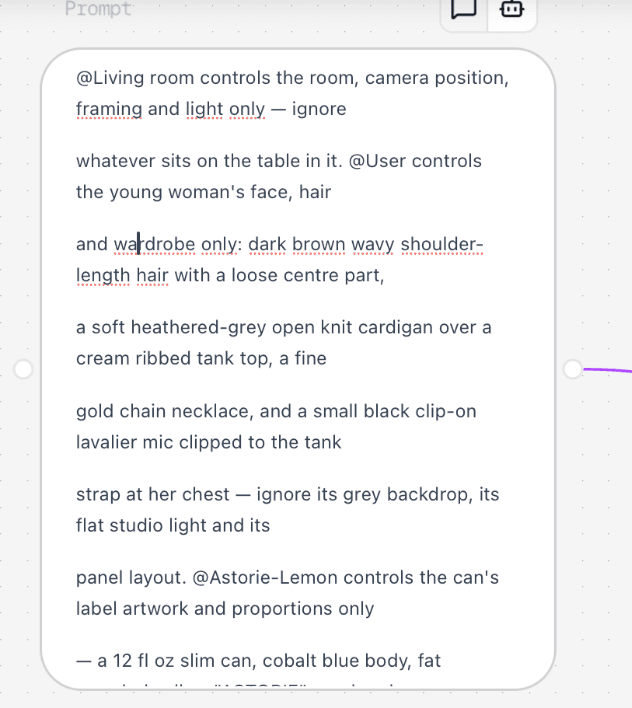
Figure 5. Original Seedance 2.5 Omni prompt screenshot 1 of 5 for the tested promo generation.
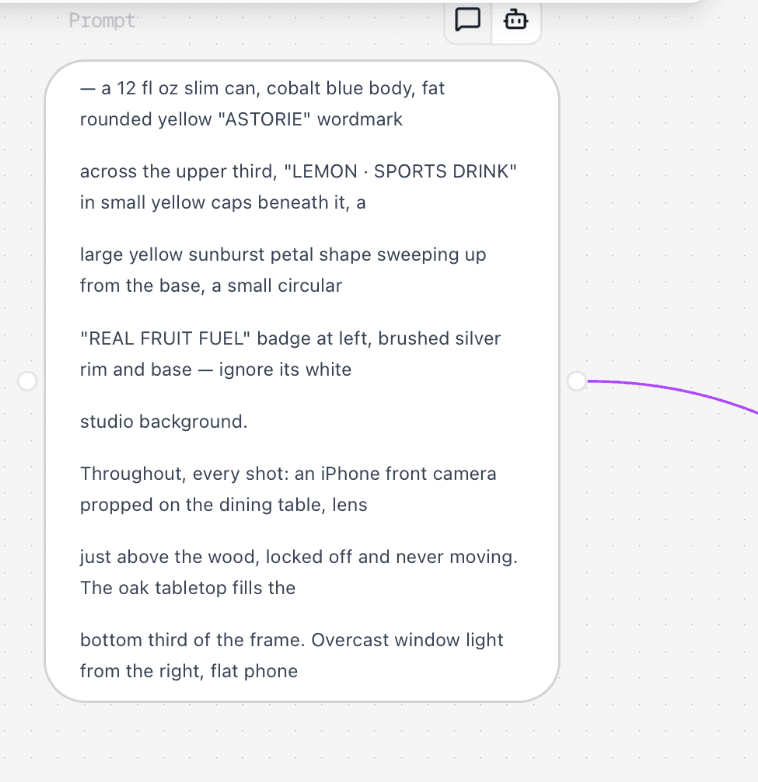
Figure 6. Original Seedance 2.5 Omni prompt screenshot 2 of 5 for the tested promo generation.
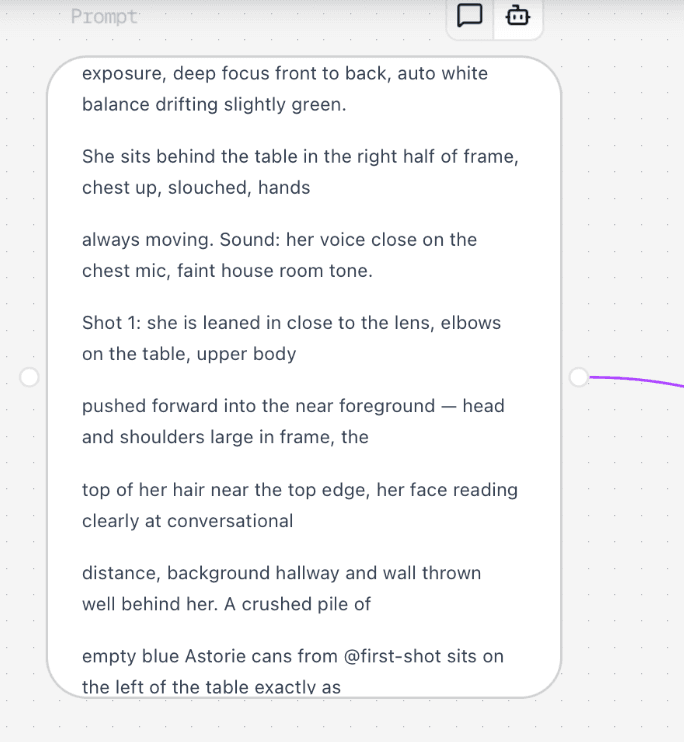
Figure 7. Original Seedance 2.5 Omni prompt screenshot 3 of 5 for the tested promo generation.
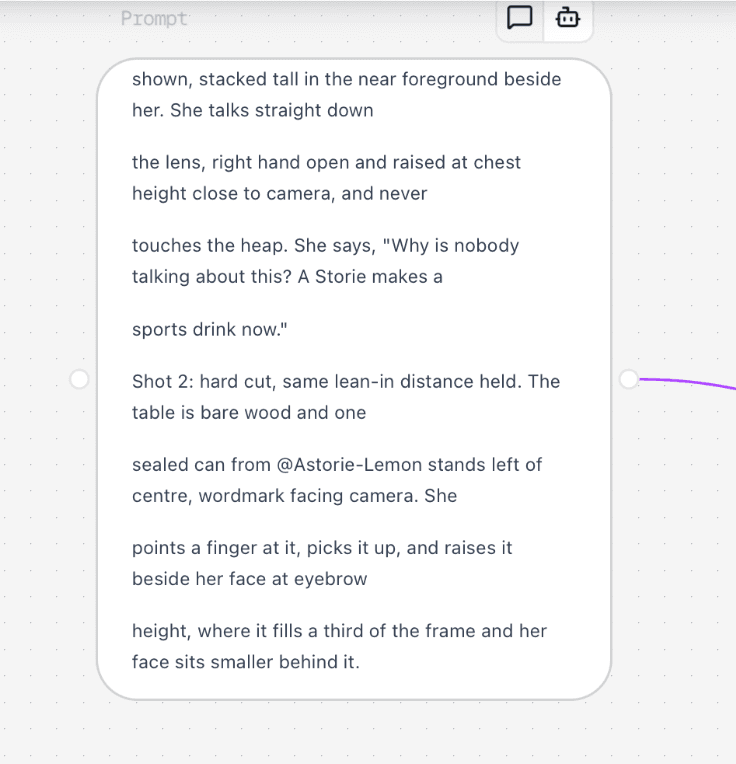
Figure 8. Original Seedance 2.5 Omni prompt screenshot 4 of 5 for the tested promo generation.
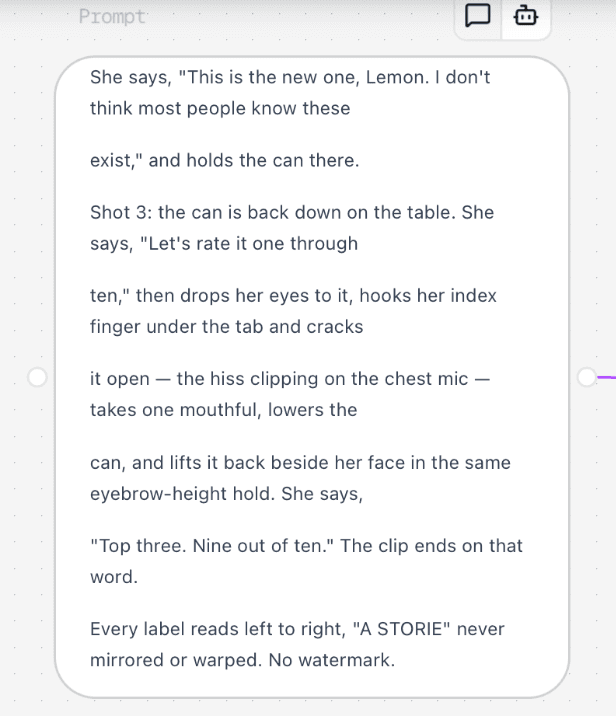
Figure 9. Original Seedance 2.5 Omni prompt screenshot 5 of 5 for the tested promo generation.
Test record
Field | Recorded value |
Executor | Clara |
Test date | October 6, 2026 |
Host | Astorie canvas |
Model/version | Seedance 2.5 Omni |
Input roles | Presenter @User; opening @first-shot; product @Astorie-Lemon; scene @Living room |
Original prompt | Reproduced in full above and preserved in five interface screenshots |
Settings | 9:16; 1080p; 15 seconds; four image references |
Generation count | One supplied successful output reviewed; total attempts not logged |
Timing | Generation time not logged; exported duration 15.072 seconds |
Displayed estimate | 1,140 credits |
Actual account debit | Not separately captured |
Output | astorie - Video-80-01(2).mp4; 1080 × 1920; 24 fps; HEVC |
Audio check | AAC stereo 32 kHz track present; spoken wording, delivery, and lip-sync accuracy were not independently transcribed or scored |
Rerun | No corrected brand-copy or opening-frame rerun documented |
8. Evaluate the generated launch promo
The output works as a UGC-style product introduction: it looks native to a phone feed, establishes curiosity, reveals the product, shows use, and ends with a reaction. It is not yet a complete event or discount advertisement because it contains no date, price, offer terms, registration action, or purchasing CTA.
Requirement | Observed result | Decision |
Mobile-native frame | 9:16, chest-up phone composition, flat household daylight. | Keep for creator-led placements. |
Immediate hook | Large crushed-can pile and direct address in the opening. | Keep, but clarify whether generic cans are intentional. |
Product recognition | Main ASTORIE wordmark and yellow graphic readable in close hold. | Use approved packshot overlay if every label detail must be exact. |
Demonstration | Pointing, pickup, opening, drink, and final hold all appear. | Keep after frame-level hand review. |
Brand consistency | Opening pile did not become uniformly branded blue cans. | Regenerate the opening asset or remove the branded-pile instruction. |
Campaign information | No date, price, offer, event details, captions, or CTA. | Add verified information in the finishing edit. |
Final video
9. Turn the launch structure into an event or sale promo
The following adaptations are production recommendations, not additional hands-on tests. Keep the same hook–proof–action rhythm, replace only the campaign facts and visuals that change, and preserve the approved product reference.
Beat | Product launch variant | Event variant | Sale variant |
Hook | ‘The new lemon flavor is here.’ | ‘One day, one location, live demos.’ | ‘The verified offer ends [date].’ |
Proof | Show package, opening, use, or result. | Show venue/activity/speaker imagery and exact date/place. | Show eligible product and exact discount/code/terms. |
CTA | Discover or try the new product. | Register, RSVP, or add to calendar. | Shop the offer before the verified deadline. |
Editable overlay | Launch date and retailer if approved. | Date, time, location, URL, access details. | Price, percentage, code, dates, exclusions. |
Why put offer copy in post? Dates, prices, codes, and terms change and must remain exact. Generate the visual performance, then add approved text as editable graphics rather than trusting moving in-scene typography. |
10. Add captions, CTA, and export variants
Transcribe and verify the exported speech before creating captions. Use one CTA that matches the campaign objective. Keep the product and CTA inside safe zones, and produce a clean master before platform-specific versions. A 9:16 vertical cut can be the primary asset, but a square or horizontal version should be reframed and rechecked rather than cropped automatically.
Product launch: preserve the product close-up and add an approved availability action.
Event: make date, time zone, venue or URL, and registration action readable without pausing.
Sale: show the exact discount, eligibility, dates, code, and exclusions supplied by the campaign owner.
All variants: caption from verified audio, check safe zones, and hold the CTA long enough to read.
Export QA: compare the final file with the approved packaging and campaign brief, then log the deliverable name and version.
Troubleshooting promo videos
Problem | Why it happens | Correction |
The video feels like a review, not a promotion | It ends with an opinion but no campaign action. | Add one verified CTA and the minimum information needed to act. |
The offer is unclear | Launch, event, and sale facts are mixed. | Choose one promo type and delete facts that do not support it. |
Packaging drifts | The model must rotate or handle fine moving text. | Use the approved packshot, reduce motion, or overlay a legal-approved still. |
The opening prop conflicts with the brand | The opening image and final prompt specify different colors or labels. | Fix the reference before video generation; do not ask the video model to redesign it during motion. |
The CTA is unreadable | It appears too late or outside safe zones. | Finish dialogue early and reserve a held final beat for the CTA. |
Credits are reported incorrectly | The pre-run estimate is treated as the final debit. | Label the estimate, then capture the completed billing/activity entry separately. |
Frequently asked questions
What should a promo video include?
At minimum: a hook, the thing being promoted, visible proof or demonstration, and one CTA. Events also need verified date/place/access details; sales need exact offer terms and dates.
How long should a promo video be?
Use the shortest duration that communicates the offer and action. The tested launch/review used 15 seconds; a more complex event may need a longer cut or separate reminder videos.
Can AI generate the price and discount text?
It can attempt visual text, but production copy should remain editable and exact. Add approved price, code, date, and terms in post, then proofread the export.
Is the tested clip a finished ad?
No. It is a coherent UGC product-launch/review base. It lacks captions, price or date, an explicit CTA, and campaign/legal copy.
How many references were used?
Four: character, opening frame, product, and room. Each reference had a defined role and an ignore rule.
Was the final generation exactly 1,140 credits?
The interface displayed a 1,140-credit estimate. The supplied evidence did not capture the final account debit, so the article does not report that estimate as an actual charge.
Ready to try it on the canvas?
Open Astorie and fan your prompt across every frontier model in one workflow.