

How to Create AI B-Roll from Photos
To create AI B-roll from photos, give each image a job in the story, generate a short clip with one restrained action or camera move, and check whether it adds the information the narration needs. Start with the sentence the audience will hear rather than asking for a generic cinematic montage.
The example below uses three AI-generated stills of a pocket park, not photographs of a documented real location. Clara ran three Seedance 2.5 Omni clips and one Director branch. They supply establishing, detail and resting-place candidates; narration placement and the final edit were not automated.
Plan what the B-roll should add
B-roll supplements the main material. It can establish place, clarify a detail or give a spoken idea something concrete to show. Adobe’s overview of B-roll describes these supporting roles. A moving picture that repeats no useful information can still distract from the line it covers.
Narration beat — editorial example | Supporting visual | Movement brief | What to protect |
|---|---|---|---|
Find a small green space in the middle of the city. | Pocket-park entrance, brick walls and curved path | Very short, slow approach | Entrance geometry and path direction |
Look closer, and there is texture in every leaf. | A complete leaf and its vein pattern | Locked camera; very slight leaf movement | Connected stem, leaf tip and focus |
Then pause beneath the trees for a moment. | Empty wooden bench under a canopy | Locked camera; minimal foliage movement | Whole bench, grounded legs and quiet lighting |
Those lines are a writing plan, not a recorded voiceover or an automatically matched transcript. Decide the actual timing after recording narration. A five-second generation target gives material to inspect; it does not determine the final cut length.
Prepare images that can support the requested shot
Use images you are entitled to use and keep the important subject inside the frame with some margin. A tightly cropped leaf gives the model little room to retain its tip during motion. A bench with missing legs or ambiguous ground contact is a weak starting point for a supposedly stable shot.
For this exercise the park, leaf and bench were generated as related scene inputs with a built-in image tool; its model version was not returned. They share a visual context, but they do not document an actual park or constitute exact camera views of one physical place. If a story depends on a real site, person or product, use appropriate real source material and check the generated result against it.
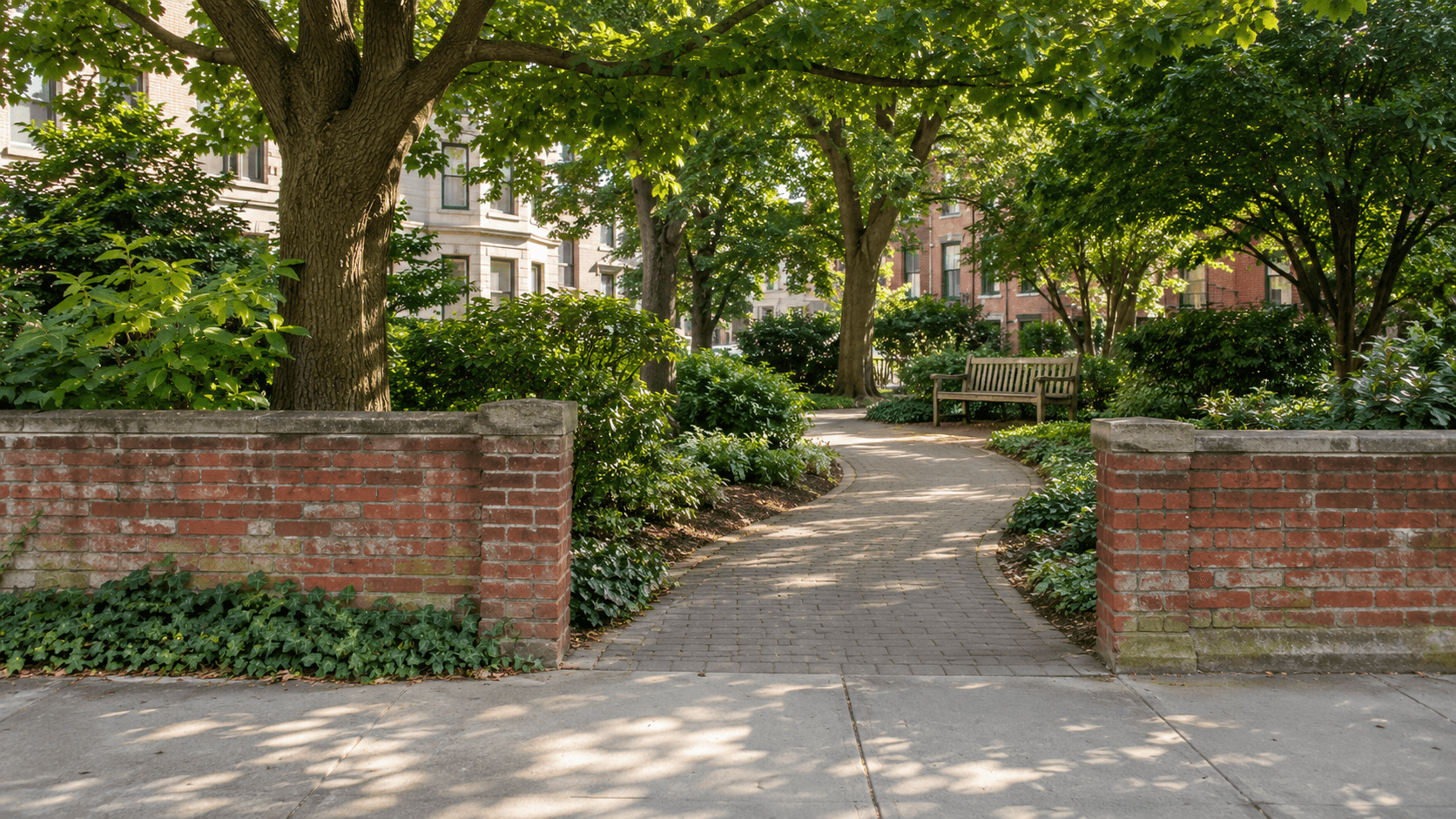
Figure 1. AI-generated pocket-park input used for the establishing shot. It is a scene reference, not footage or proof of a real location.
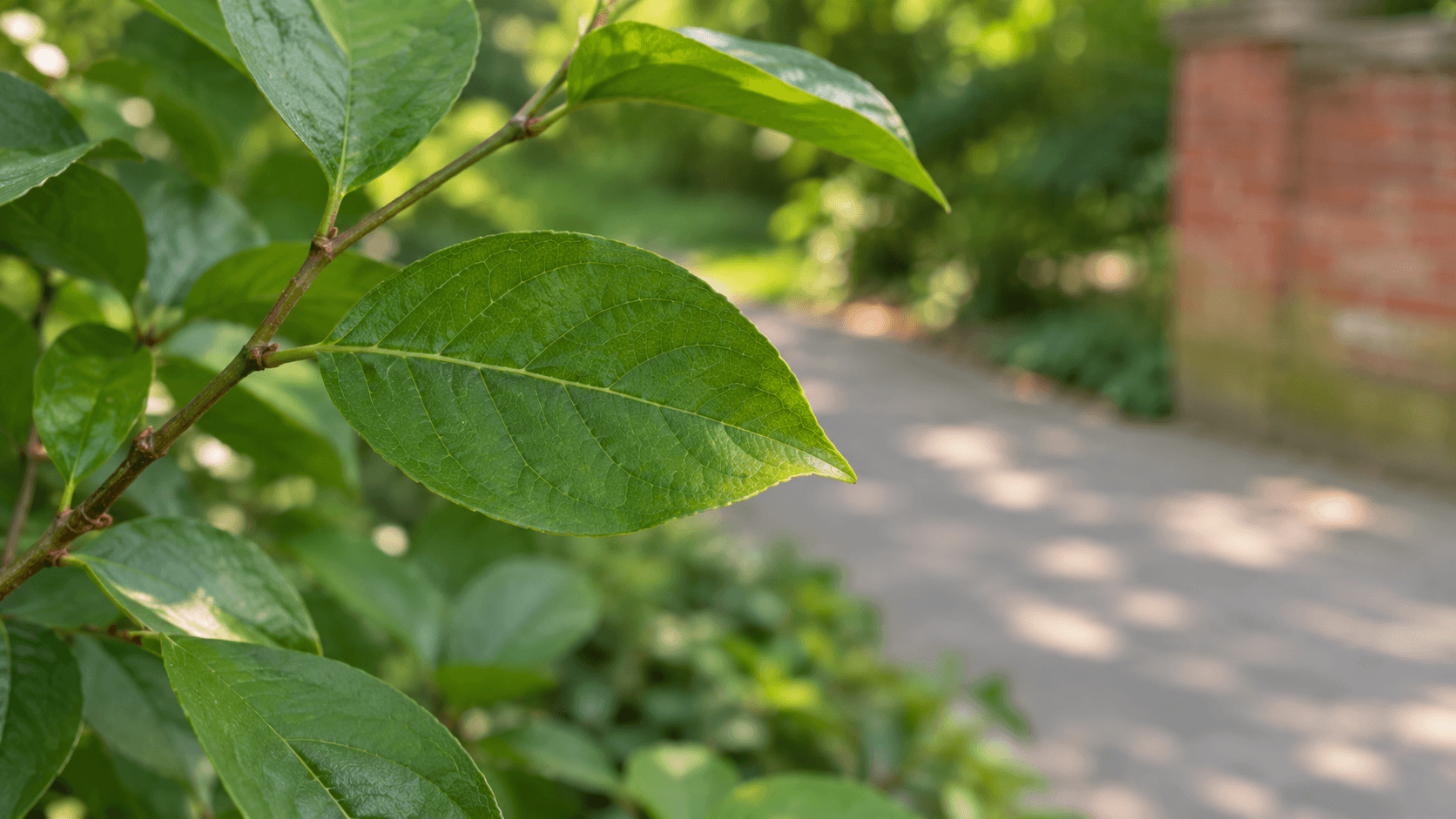
Figure 2. A newly generated leaf-detail input, prepared using the park only as scene and light context.
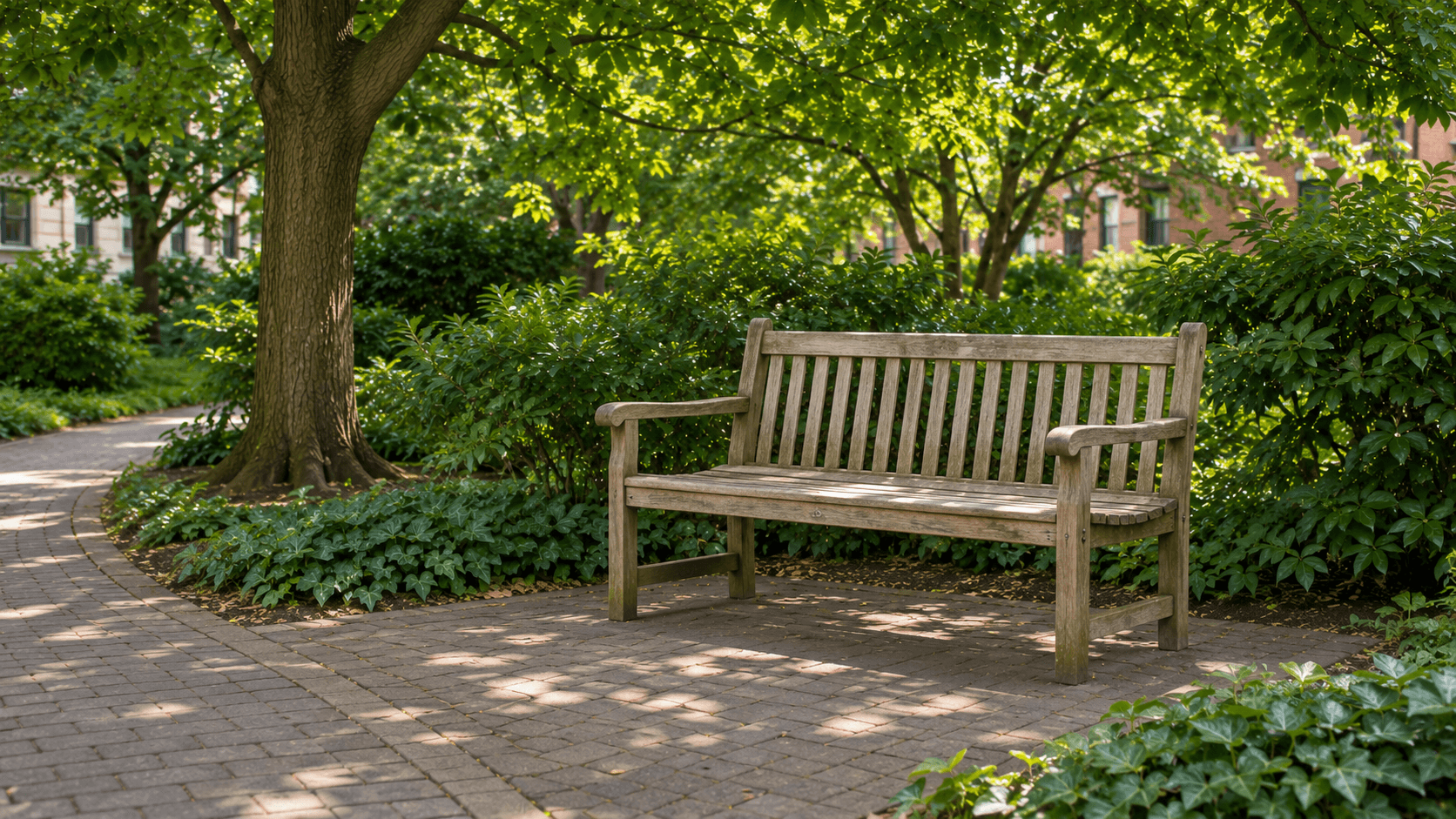
Figure 3. AI-generated bench input showing the full bench, grounded supports, path and canopy.
Generate the three Seedance clips in Astorie
Create a video node and connect the appropriate image
Open the canvas, add a Video node and select Seedance 2.5. In Clara’s actual nodes the mode was Omni and the attachment appeared under Reference Image (1/30). Connect one corresponding still to each node. Do not describe that image-reference route as a proven first-frame lock.
The image-to-video workflow is the general entry point. Within the project, keep the still and generated clip connected so the next review can identify which source produced which result.
Use the actual shared settings
Clara used Omni, Draft off, 16:9, 720p and 5s for all three Seedance runs. A screenshot’s nearby Draft label alone does not prove its state; Clara explicitly confirmed it was off. Each full supplied prompt was used unchanged once. Each node displayed a 165-credit quote; itemized actual charges were not verified.
Describe one job per clip
The establishing brief requests a restrained move toward the opening. The leaf brief keeps the camera still and allows only a slight connected leaf movement. The bench brief asks the furniture and ground to remain stable. This makes the result easier to assess than combining a moving camera, changing focus, weather and new subjects in the same five seconds.
Original park-establishing prompt used by Clara
Animate the uploaded first-frame image as one continuous 5-second photorealistic B-roll shot of a small urban pocket park.
Make a very slow, short forward camera move toward the opening between the two low red-brick walls and the beginning of the curved paved path. Keep the move subtle and steady, with gentle natural parallax between the near brick walls, shrubs and more distant trees. Maintain an eye-level perspective and the established path direction. Do not travel far into the park during this short shot.
Preserve the park entrance, brickwork, trees, green shrubs, path, empty wooden bench and neighborhood buildings from the input image. Keep the walls and paving lines solid and plausible. Let only a few small leaves move slightly in a light breeze; tree trunks, bench and buildings remain stable.
Maintain the reference image's natural morning daylight, realistic green foliage and modest dappled shade. Keep exposure and color steady, with readable depth and realistic materials. No time-of-day change, dramatic lighting effect or stylized color grade.
No cuts, sudden speed changes, orbit, pan, tilt, focus pull or additional camera moves. Do not add people, vehicles, animals, signs, text, logos, watermarks or new structures. No voiceover or music. One calm establishing shot that can accompany narration about finding a small green space in a city.
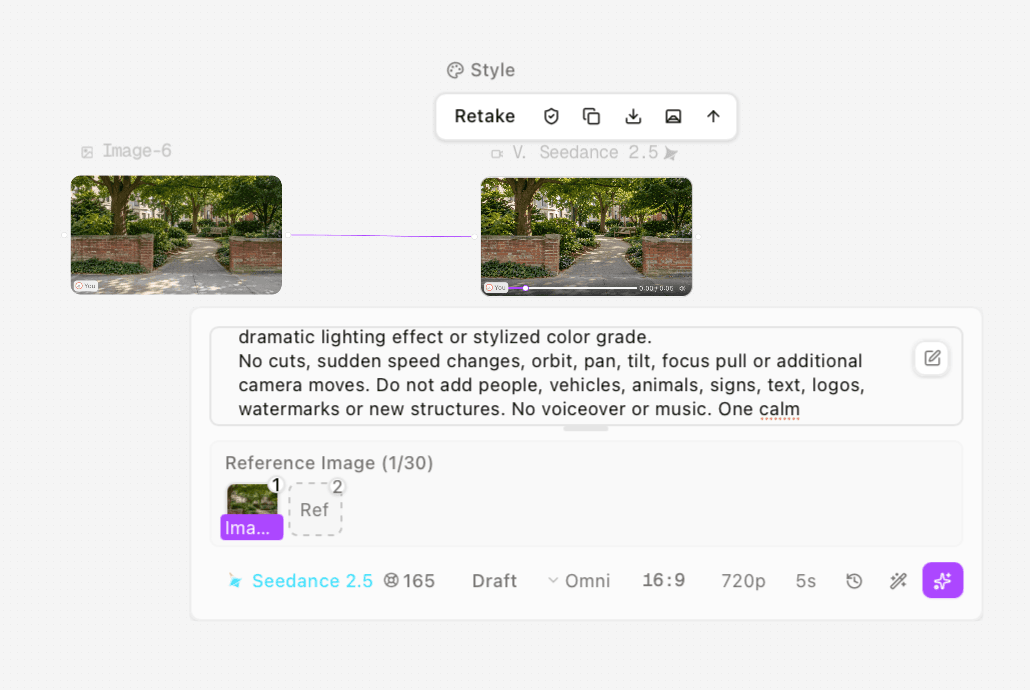
Figure 4. Actual park result and Seedance 2.5 Omni settings, with one reference image. Draft off was confirmed by Clara.
Seedance 2.5 Omni establishing candidate from the park input; the samples show an approach toward the entrance.
Original leaf-detail prompt used by Clara
Create one continuous 5-second photorealistic close-up B-roll shot of the leaves, using the attached leaf image as the visual reference.
Use a locked-off camera and preserve the reference composition. Keep the complete main leaf and its tip visible, attached to the same slender stem, with neighboring leaves around it. Keep the main leaf's central vein and fine surface texture readable, while the park path, brickwork and distant foliage remain softly blurred.
Allow only a barely perceptible, slow movement of the leaf and its thin stem in a light breeze. The main leaf should move as one connected natural surface, not grow, curl, split, change shape or detach. Do not add dew, rain, insects or new leaves. Keep the main subject in focus with no focus pull.
Match the image's soft natural morning light, realistic green colors and restrained highlights. Keep exposure and the blurred background stable. No camera movement, zoom, cuts, transitions, stylized grade, people, hands, animals, text, logos or watermarks. No voiceover or music. A calm detail shot to accompany narration about noticing the texture of leaves.
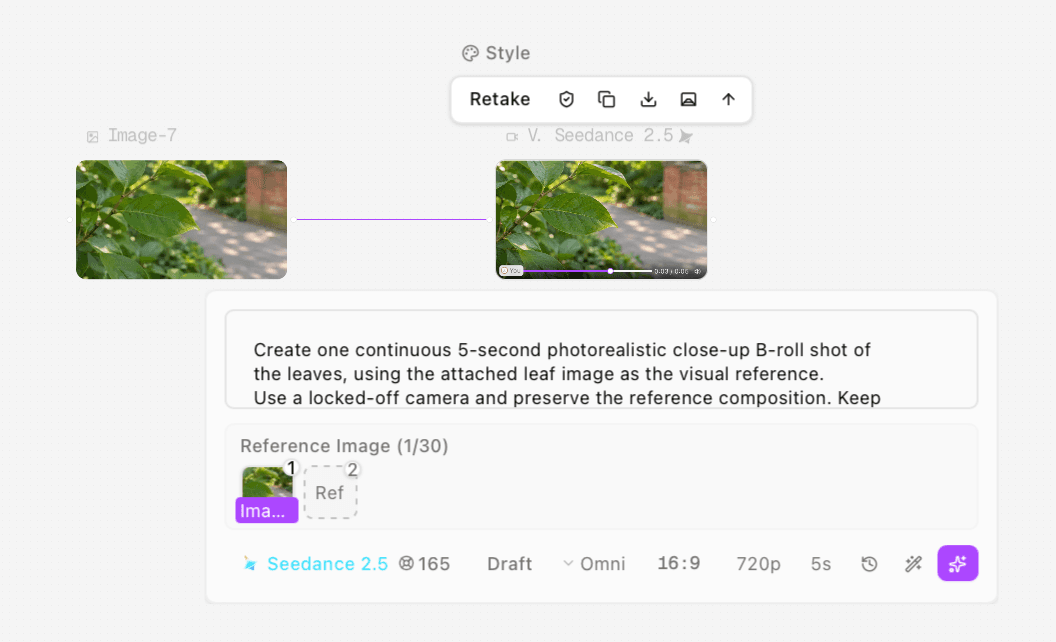
Figure 5. Leaf-detail result with the corresponding image reference and the same output settings.
Seedance 2.5 Omni leaf-detail candidate. The main leaf remains broadly complete and attached in the sampled frames.
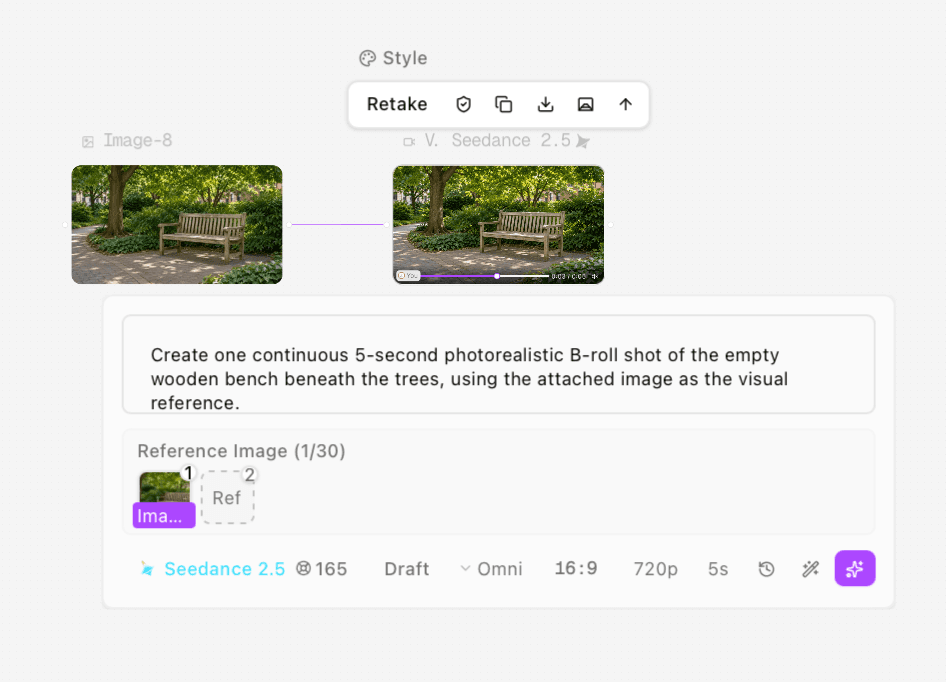
Figure 6. Bench result and actual Seedance settings. The complete bench is the main framing check.
Seedance 2.5 Omni resting-place candidate. The full bench remains inside the sampled frames, with no obvious added person in those samples.
Use Director when an exposed movement control is part of the brief
Clara also connected the original park image to an Astorie Director Video node. The actual controls were Movement Dolly in, Lens Wide deep focus, World Auto, Camera Auto and Color palette Auto, with 16:9, 720p, 5s and Real-time. The reference area showed 1/25. The underlying model version was not exposed.
This is a separate workflow branch, not a quality contest against Seedance. The node settings and prompt route differ. In the samples, the view progressively approaches the entrance while the park remains broadly recognizable; that is not a measurement of physically correct dolly geometry.
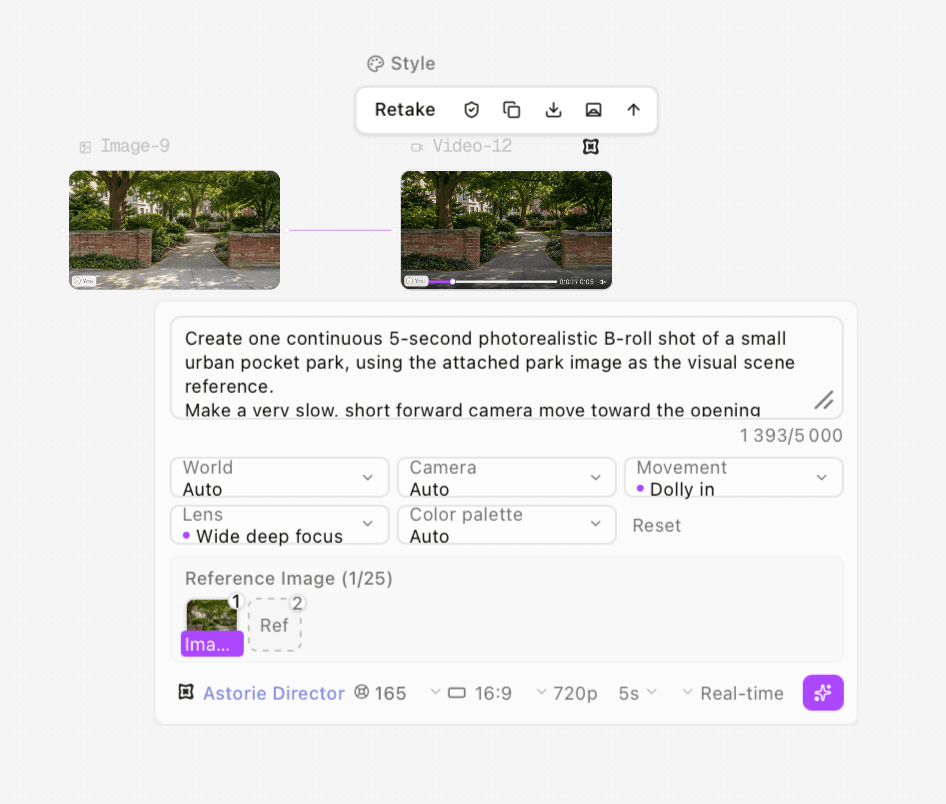
Figure 7. Director park branch with Dolly in and Wide deep focus selected. The same park source supports this separate creative route.
Astorie Director park-establishing branch using the original park image as a scene reference; complete original output.
Review and download before placing the B-roll
After a job completes, open its preview and inspect the full shot. Use Download on the video toolbar to retain the original MP4, and preserve a separate editing copy if you trim or conform it. Recheck the displayed quote and actual billing record separately when budgeting another run.
Compare the output with the intended narration beat. The entrance shot should orient the viewer; the leaf detail should make texture legible; the bench should provide a resting place rather than moving furniture. Then inspect the cut into and out of the shot. A slow-looking sample does not prove smooth movement, absence of flicker or an appropriate final rhythm.
For longer coverage, use the multi-shot planning guide. Keep only the material that advances the beat. The clips here were not assembled against a recorded voiceover, and their audio tracks were not listened to; do not assume generated sound is suitable for the narration mix.
Decide whether to simplify or replace
Problem | What to check first | Recommendation — not a retested fix |
|---|---|---|
Subject becomes cropped | Input margin and any requested camera approach | Use a wider source or reduce the movement |
Leaf or bench changes shape | Connected surfaces and rigid edges across the clip | Simplify subject action; consider a static hold if motion is unnecessary |
Shot adds little to narration | What new information the image supplies | Choose a more specific detail rather than a more dramatic move |
Generated scene implies a real place | Source provenance and story context | Use real location material or label the illustrative reconstruction |
The demonstrated simplification is translating each story beat into one visual brief and keeping the input, prompt and result together in Astorie. Final narrative placement, timing, sound, disclosure and delivery still need editorial work. Four nodes quoted 165 credits each, totaling 660 quoted credits for video generation, excluding preparation of the AI stills. No equivalent conventional production was timed, so this case does not support a percentage or hours-saved promise.
Frequently asked questions
Can I use my own photos?
Yes, prepare suitable images you have permission to use, choose a compatible image-input route and inspect the output against the real subject. This article’s inputs were AI-generated illustrations of a park.
Does an image reference fix the first frame?
Not automatically. The actual tested route was an Omni image reference. Use the visible input role of the selected model instead of assuming all image inputs are Start Frame controls.
Does Astorie automatically match these clips to narration?
That was not tested. The three narration lines and shot mapping are an editorial plan; no recorded voiceover or automatic placement was produced.
Should every B-roll shot move?
No. Use movement when it adds information or supports the beat. The leaf and bench briefs asked for a locked camera and only restrained natural foliage motion.
Test method and sources
Clara supplied four complete videos and settings and confirmed one unchanged run of each prompt, with Draft off for the three Seedance videos. The supplied files were checked on November 17, 2026; exact generation timestamps were not independently logged. Each is H.264, 1280×720, 24 fps, approximately 5.042 seconds and 121 decoded frames, with one audio track.
All frames decoded without a reader error. Eleven stills per clip were reviewed at half-second intervals. No continuous normal-speed, calibrated motion, brief-flicker or audio listening assessment was performed. General B-roll context comes from Adobe’s overview linked above; model settings and outcomes come from the supplied Astorie tests.
Ready to try it on the canvas?
Open Astorie and fan your prompt across every frontier model in one workflow.