
A standalone file workflow
- Choose a portrait apart from the project
- Judge the face without the lesson material
- Leave the audience context outside the brief
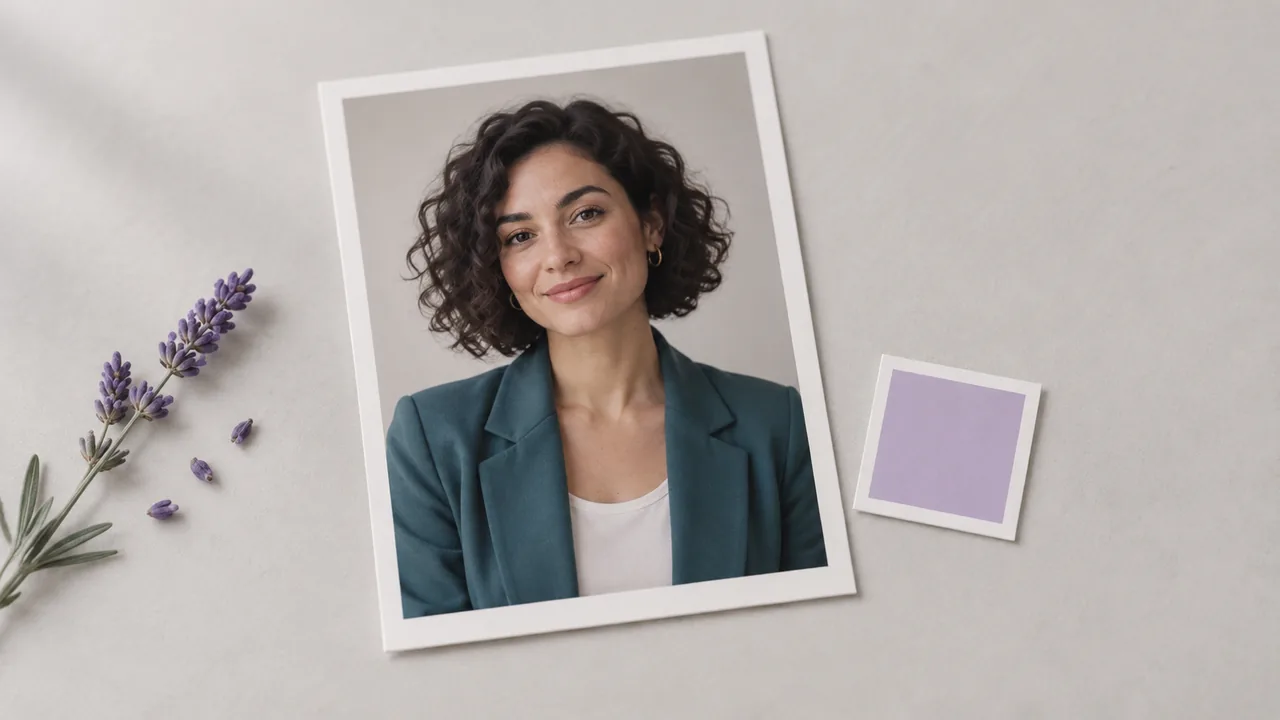
An AI avatar generator helps establish your virtual presenter's appearance as a still portrait. Develop the face on the canvas, then assess how its expression and setting fit the material it will introduce.

A portrait chosen without context may not fit the lesson or presentation it introduces. Assess the host beside the material the audience will see; illustrations show workflow concepts, not tested tool results.
Establish the teaching or presentation context first so the host's appearance serves a specific brief.
Start a project from the dashboard and add an Image node. Decide who the fictional presenter is and what kind of material the portrait needs to introduce.

Write the portrait brief around the subject being introduced and the audience who will see it. Decide whether a formal, conversational or illustrated appearance fits that context before running the image request.

Inspect the generated face and composition, then revise the brief if needed. Keep the selected image with the presentation material so you can assess the portrait in its intended context.

Give the presenter a clear visual role, then choose the portrait controls needed for that appearance.
Specify a fictional presenter in a text prompt. Develop the initial appearance without needing a source portrait, using the role and audience as the starting point for the image brief.
Open the canvasConnect a reference image to an image node that supports it. Use the source to guide the portrait while reviewing the result for unwanted changes.
Open the canvasAdjust the brief to explore a different outfit, backdrop, or expression. Compare the generated images before selecting the portrait that suits your presentation.
Open the canvasUse the selected portrait as an input to a separate avatar video workflow. A talking result requires an appropriate video model and audio input.
Open the canvasRequest a head-and-shoulders image or a wider composition in the brief. Check the final crop against the layout, including any space needed for a title or adjacent illustration.
Open the canvasSet the portrait request's image model in the canvas selector. Use the catalog to review its intended image work and decide whether it fits your presenter concept.
Open the canvasUse these prompts in a canvas Image node to develop a fictional host. The accompanying pictures are concept illustrations, not verified outputs from a specific model.



A lesson author needs a presenter image that suits a quiet explanatory tone. Develop the host's appearance alongside the teaching material, and choose a portrait whose clothing and expression fit the subject being introduced.
Open the canvas
A team is planning a narrated product introduction but has not decided how its fictional host should look. Compare still portrait directions first, then assess the selected face beside the actual product visuals.
Open the canvas
A training designer needs a virtual guide for new onboarding material. Review the proposed face with the people responsible for the lesson, and decide whether its tone feels appropriate to the workplace and subject.
Open the canvas
A producer is establishing a visual reference for a host across several episodes. Keep the chosen portrait in the project and inspect later image variations before treating them as part of the same presentation identity.
Open the canvas
An explainer creator prefers a drawn host to a photographic presenter. Develop the illustration treatment and face as a still, then judge how it sits with the diagrams and typography planned for the lesson.
Open the canvas
A creative team is pitching the appearance of a virtual host before the presentation is produced. Place a portrait beside the concept material so stakeholders can discuss how the person should relate to the intended audience.
Open the canvas
| Output | A static image created in a canvas image node. | |
|---|---|---|
| Input | Text description, with optional reference images on compatible models. | |
| Editorial context | Assess the chosen portrait beside the lesson or presentation it introduces. | |
| Talking video | Requires a separate avatar video model with a portrait and audio; the image step does not animate or clone a voice. | |
| Identity | Inspect facial proportions and distinctive traits across generations. | |
| Access and request cost | Check your account access and the displayed requirement for the configured operation. | Verified 2026-09-28 |
| Free account | A free plan is listed on the pricing page; no credit card is required to start. Specific task access is separate. | Verified 2026-09-28 |
| Commercial use | Paid-plan generated outputs have commercial rights subject to provider terms and input rights. Free-plan generation is for non-commercial evaluation. | Verified 2026-09-28 |
| Upload data use | Default-plan uploads, prompts and outputs may be used for training. Provider policies also apply. Enterprise opt-out needs an agreement; learned or aggregated data may persist after source deletion. | Verified 2026-09-28 |
These catalog image models support still artwork for presenter concepts. Compare their available portrait and reference controls before choosing a model.
The avatar workflow develops a visual stand-in for a presenter. Its portrait gives a lesson or introduction a recognizable human focal point. Consider the proposed host as part of the content's visual identity, with an appearance that the editorial team can discuss before production begins.
Yes, Astorie lists a free plan that can be started without a credit card. Visit pricing to understand the current account options before preparing a presenter concept. For a public presentation, also read the policy governing use of the resulting artwork; account availability and usage rights answer different questions.
Commercial use of paid-plan generated portraits is subject to Astorie's terms, provider conditions and input rights. Free-plan generation is for non-commercial evaluation. Obtain permission for a real-person reference and avoid implying an endorsement; a synthetic portrait does not remove those responsibilities. Consult the commercial-rights guide for the full policy.
Review the portrait beside the material it will introduce. Check whether the expression, clothing and background fit the subject and audience. Inspect the face at its final display size, and obtain feedback from the people responsible for the lesson before selecting the host's appearance.
Open an Image node and begin the visual brief for your fictional presenter.