

Consistent character reference
Reusing the same clean anchor portrait across scenes helps keep facial structure, hairstyle, and signature wardrobe recognizable from one clip to the next.
VIRTUAL CREATOR WORKFLOW
Build a recurring fictional persona from a permitted character reference image, choose a scene and camera framing, and explore short video clips for social channels. Check facial consistency, wardrobe details, and platform disclosure rules in every result. The three frames shown here are an illustrative storyboard, not verified video output.
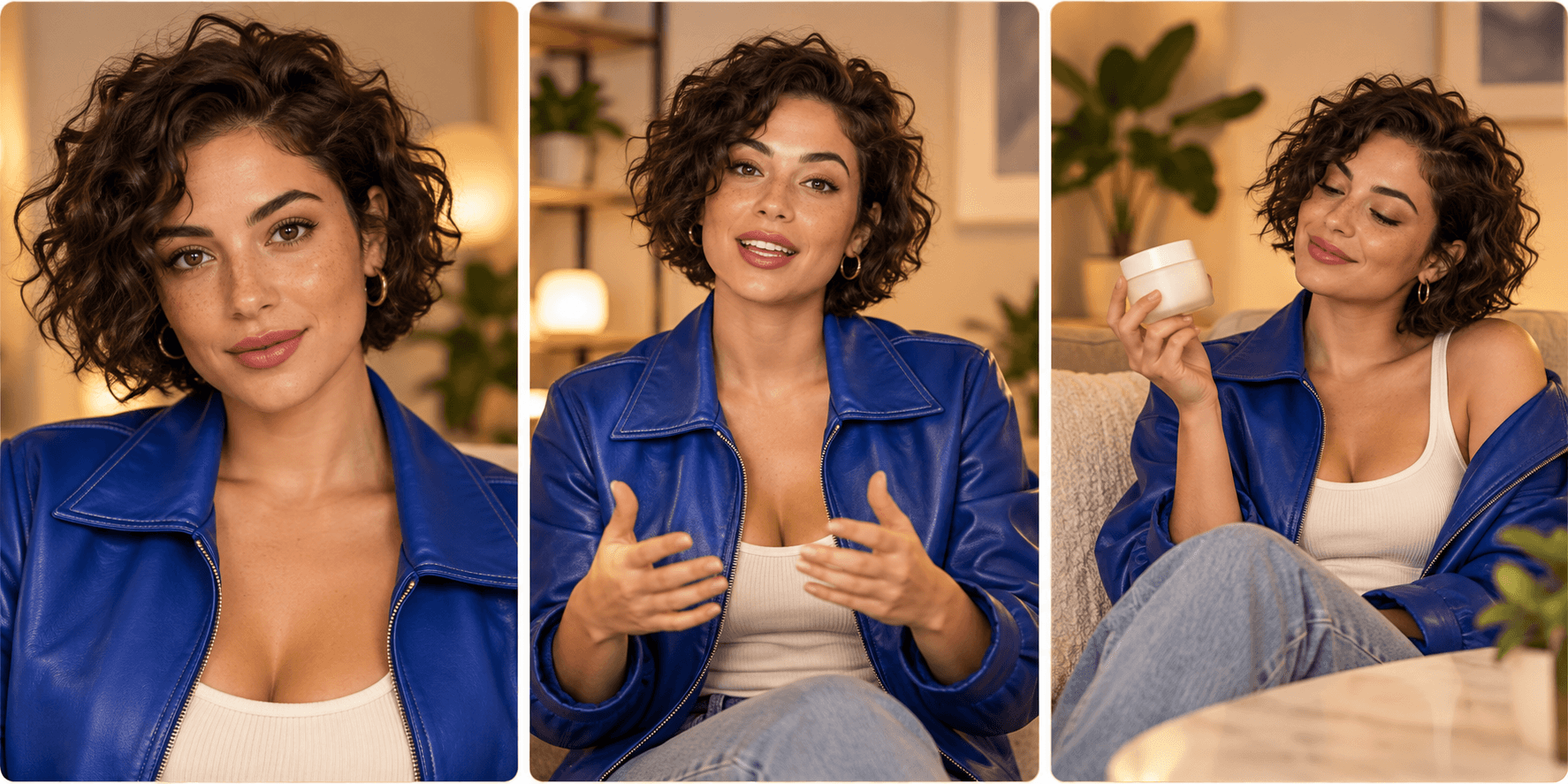
Use a character image you own and describe a short scene, camera framing, and action.
Start with an original fictional character portrait or a reference photo you have explicit permission to animate, with clear facial lighting and unobstructed features.
Specify the setting, framing (such as medium studio shot or vertical social framing), natural gestures, and camera stability for a single beat of your script.
Inspect facial identity, hands, and wardrobe across the clip, and add any required synthetic-media disclosures or labels before posting to social platforms.
Reusing the same clean anchor portrait across scenes helps keep facial structure, hairstyle, and signature wardrobe recognizable from one clip to the next.
Medium or head-and-shoulders framing with subtle conversational movement produces far fewer hand and background artifacts than rapid full-body choreography.
Never use a real person’s likeness or voice without documented permission, and follow platform policies on labeling AI-generated creator content and sponsorships.
| Input | A permitted character reference image (required) and a written prompt describing scene, camera framing, and movement. | |
|---|---|---|
| Output | A short generated video clip for visual review and post-production editing. | |
| Review | Verify facial stability, hand geometry, wardrobe accuracy, likeness permissions, and platform disclosure compliance before sharing. | |
| Free plan | 40 credits a month, no card needed; results are for personal exploration only and are not licensed for commercial use. |
Start every shot from the same high-resolution character reference image and keep lighting, lens distance, and wardrobe descriptions consistent across your prompts.
No. Only use original fictional character designs or photographs of individuals who have granted explicit, documented permission for their likeness to be used.
No. The tool on this page generates individual short video shots from a reference image and motion prompt. Combine clips, voice tracks, captions, and cuts in your video workflow after reviewing each shot.
Many platforms, including TikTok, YouTube, and Instagram, require creators to disclose realistic synthetic media, and advertising regulators require clear sponsorship disclosures. Always check current platform and local rules before publishing.
Start from an approved character reference image, describe a focused studio or lifestyle beat, and review the clip before editing.