

8 Genmo Alternatives Compared for 2026
Compare eight Genmo alternatives for video generation, cinematic motion, social effects, local workflows, open-source control, and cross-model production.
Key takeaways
- Runway is the best overall Genmo alternative when video generation must continue into editing, repair, audio, and delivery.
- Luma AI is the stronger choice when cinematic motion, camera direction, keyframes, and reframing matter most.
- Kling AI and Pika are more practical for frequent hosted experiments and short social clips.
- ComfyUI is the closest alternative for users who value Mochi’s open-source, local, and reproducible workflow.
- Astorie is useful for comparing several hosted video models on one connected canvas, but it does not replace Mochi’s local source code.
Runway is the best Genmo alternative for creators who want generation, editing, and delivery tools in one production workspace. Luma AI is the stronger choice when cinematic motion, keyframes, reframing, and camera direction are the priority. Kling and Pika make more sense for frequent social experiments, while ComfyUI is the closest match for people who value Genmo’s open-source side.
Genmo is unusual because it spans two worlds: a hosted playground and Mochi 1, an Apache-licensed text-to-video model that can run locally or inside ComfyUI. Replacing the website is easy. Replacing that degree of local control is a different decision, and the ranking below keeps those jobs separate.
Genmo Alternatives at a Glance
| Alternative | Best for | Price / access | Local / open source | Main trade-off |
|---|---|---|---|---|
| Runway | Full production workflow | Free; Standard $15/mo | No / No | Credit-heavy exploration |
| Luma AI | Directed cinematic motion | Plus $30/mo | No / No | Higher entry price |
| Seedance 2.5 | Current model quality and references | Host-dependent | No / No | Not a complete platform |
| Kling AI | Frequent motion tests | Limited free; Standard $10 list | No / No | Plan and queue variability |
| Pika | Effects and short clips | Basic $8/mo annually | No / No | Less sequence control |
| Hailuo AI | Expressive character motion | Hosted; live pricing | No / No | Rates and access change |
| ComfyUI | Reproducible local workflows | Free local; Cloud $20/mo | Yes / Yes | Hardware and setup burden |
| Astorie | Cross-model hosted comparison | Free; Standard $19/mo | No / No | Not a model or local runtime |
What Genmo Does Differently
Genmo’s Mochi 1 model can be downloaded, customized, and run through its open-source repository or ComfyUI. The official pricing page currently lists a free tier with 250 lifetime credits after adding a payment method, plus Lite and Standard tiers with 1,200 and 5,000 monthly credits. The live page did not expose stable dollar amounts during the publication-day check, so this article does not repeat the older $30 figure.
Most alternatives below are stronger as finished products. Fewer offer the same open-source ownership. If local deployment is the reason you chose Genmo, skip directly to ComfyUI before comparing glossy web interfaces.
How We Compared These Genmo Alternatives
The comparison focuses on first-pass prompt adherence, motion quality, subject consistency, camera control, generation time, visible credit cost, and the amount of work required after the clip is generated. The same five-second 16:9 text-to-video prompt is reserved for the top two products so the hands-on evidence measures the tool rather than a changing brief.
Runway and Luma were selected for the controlled comparison, but the supplied panels do not contain completed results. Their recommendations therefore rest on documented workflow and access differences, not invented claims about generation time, credit use, prompt adherence, or artifacts.
Why Adobe Firefly is not in the eight
Adobe Firefly was considered but removed from the main list because it is a weaker replacement for Genmo’s open-source and video-model workflow than Seedance 2.5. Firefly remains relevant to Adobe-centered production, but it is not counted as one of the eight alternatives below.
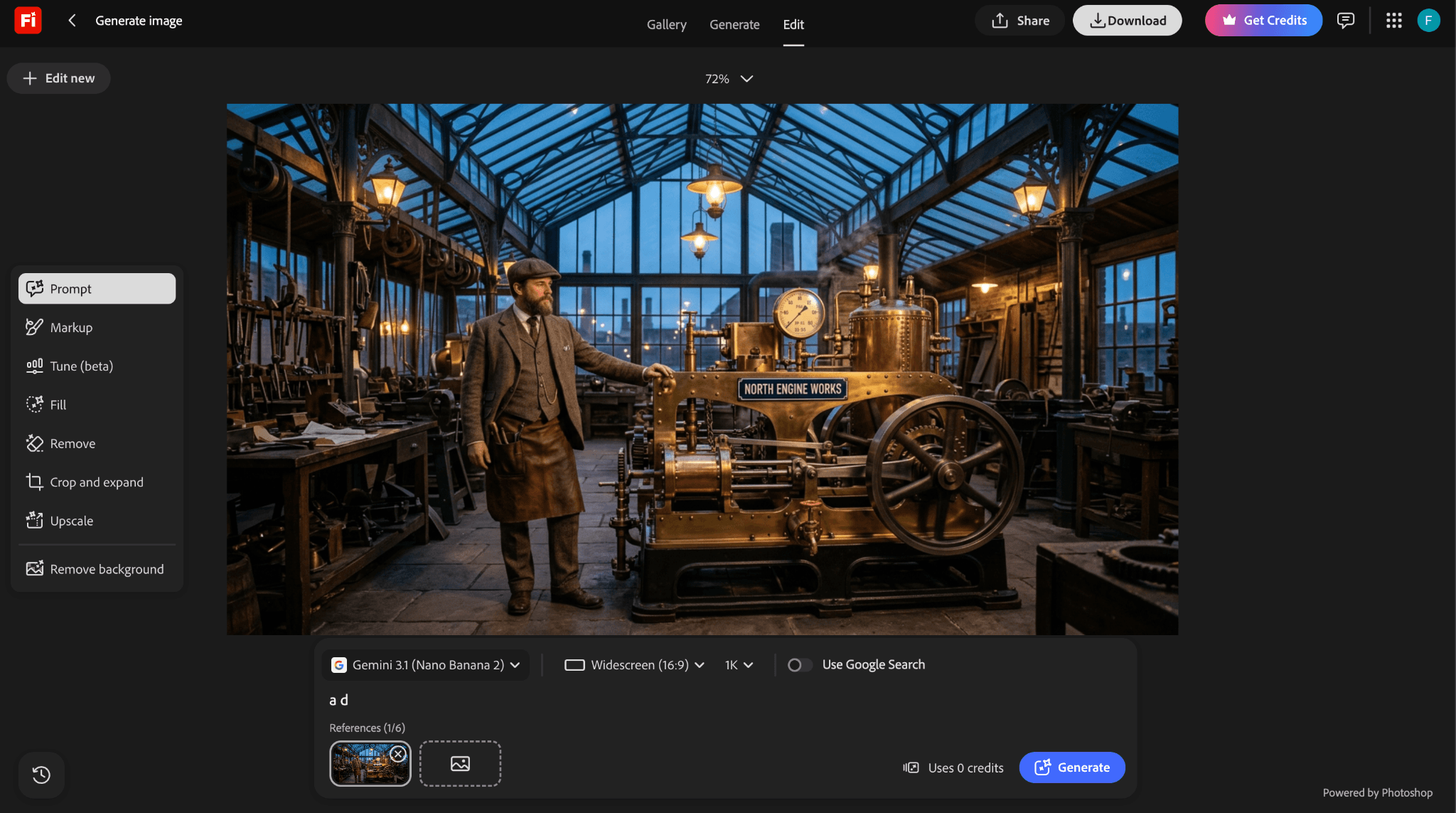
Figure 1. Adobe Firefly was reviewed as a platform-layer candidate but is not counted in the final eight.
1. Runway: Best Overall Genmo Alternative
Runway is the most complete replacement when the job continues after the first generation. The current workspace combines text-to-video, image-to-video, reference-based generation, editing, extension, audio tools, and multiple models. A creator can generate a shot, repair it, build coverage, and move closer to an edit without leaving the product.
That breadth is the reason to choose Runway over Genmo’s hosted playground. It is also the reason costs can rise: each exploratory generation, upscale, edit, or extension consumes credits. Runway is a better production environment, not necessarily the cheapest place to discover whether a prompt works.
Pricing checked September 6, 2026: Runway has a free plan. Standard is $15 per month or $12 per month when billed annually, with 625 monthly credits. Official pricing
2. Luma AI: Best for Cinematic Motion and Direction
Luma AI is the better alternative when the shot needs deliberate camera movement, reframing, multiple keyframes, or a stronger route into professional finishing. Its current video model is Luma Ray3.2, not the older Dream Machine or Ray2 names that still appear in outdated comparisons. The product also supports image creation through Luma UNI and multi-model workflows inside the Luma App.
Luma’s appeal is control over a shot rather than a long list of playful effects. Multi-Keyframe direction, video modification, reframing, HDR, and professional export options make it easier to carry a promising generation into a larger production. The trade-off is price and complexity for someone who only needs an occasional five-second clip.
Pricing checked September 6, 2026: Luma Plus is $30 per month, or $300 billed yearly, with 10,000 credits. Official pricing
3. Seedance 2.5: Best Current Model-Layer Alternative
Choose Seedance 2.5 when Genmo’s hosted model quality or Mochi’s older generation capabilities are the bottleneck, but you do not need an open-source model you can run locally.
Seedance 2.5 is a proprietary ByteDance video model rather than a complete filmmaking platform. It is available through selected hosts, where the surrounding editor, reference controls, resolution, credits, and commercial terms depend on that host. You gain a current high-end video engine and strong reference-led workflows; you give up Mochi’s downloadable weights, Apache-licensed code, and reproducible local path.
Pricing checked September 6, 2026: Seedance 2.5 has no single standalone consumer subscription. Access and generation cost vary by host. Official product information
4. Kling AI: Best for Strong Motion at a Lower Entry Cost
Kling AI is a practical alternative for creators who want visible subject movement, camera motion, and frequent image-to-video experiments without beginning in a full production suite. Current versions support text and image references, several quality modes, and creator-oriented tools around generated clips.
Kling can be a better value than Runway or Luma for repeated exploration, but the experience depends heavily on the model version, plan, queue, and region. A fair budget comparison should record the exact model and credits shown at the moment of generation rather than quote one promotional price as the universal cost.
Pricing checked September 6, 2026: Kling has limited free access. Standard carries a $10 list price; current first-month and recurring promotions vary. Official pricing
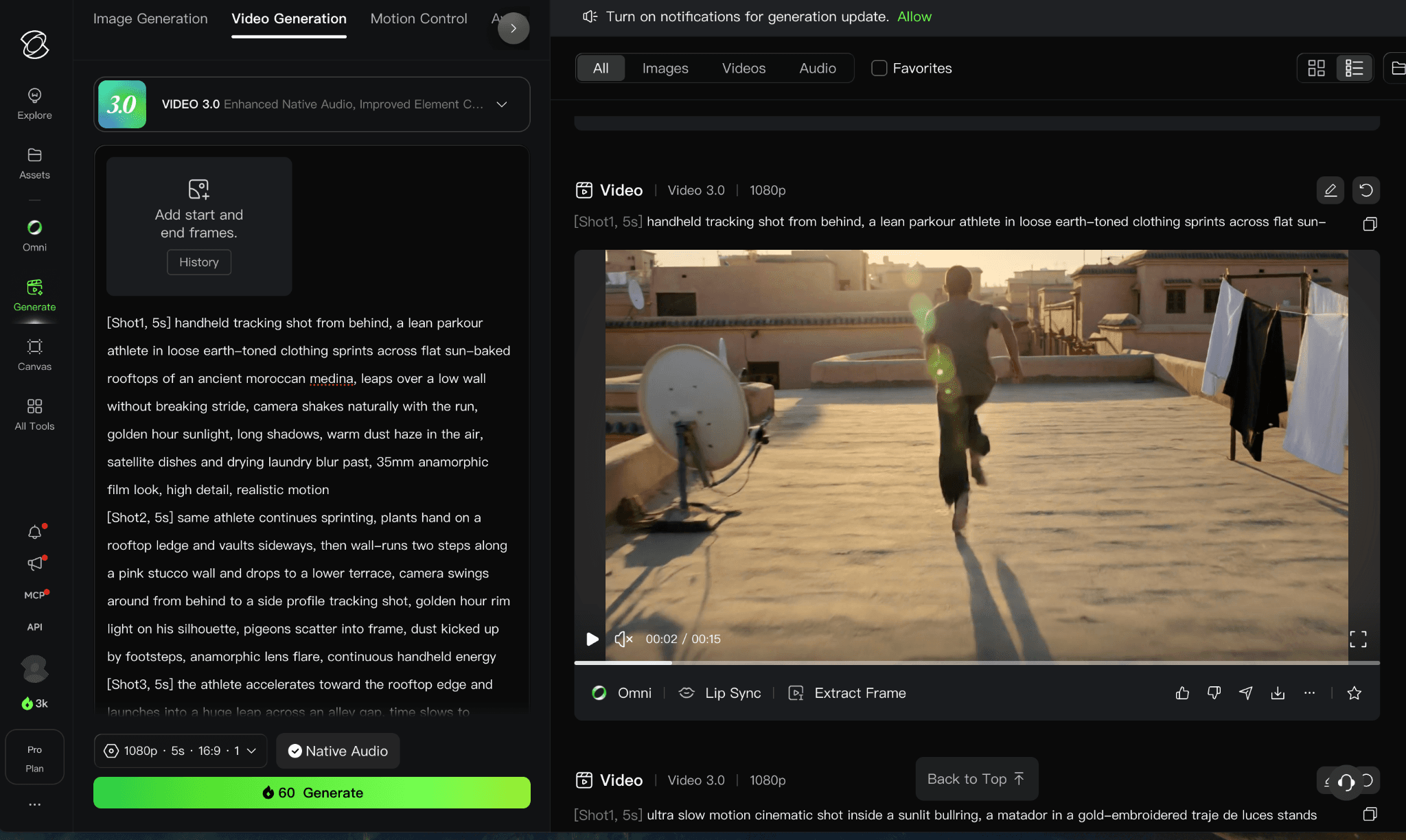
Hosted Kling Video 3.0 controls and result view from the supplied account.
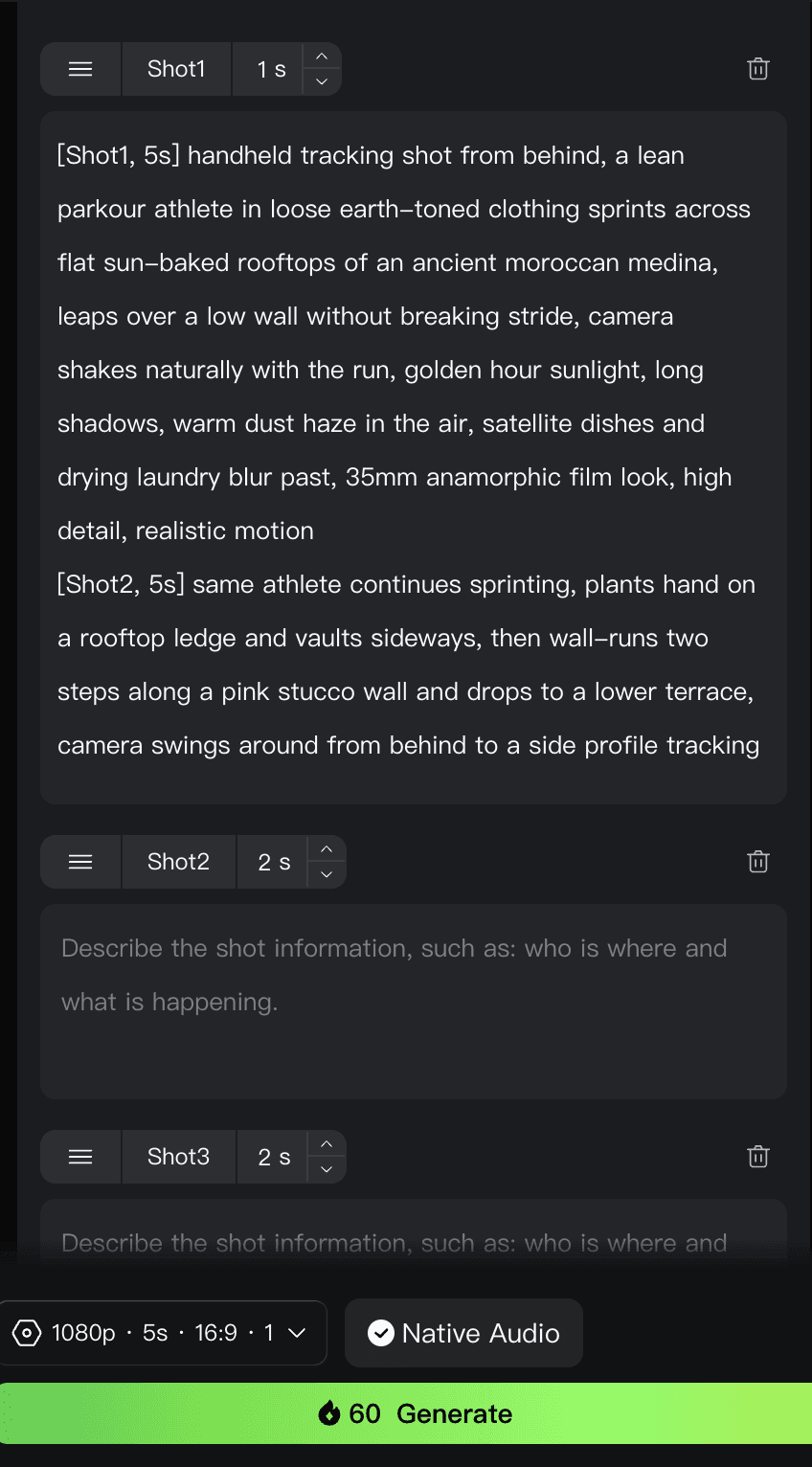
The hosted Kling interface provides separate prompts and durations for multiple shots.
The supplied hosted-account screenshots show Video 3.0 with a multi-shot mode, separate shot prompts and durations, and a 60-credit quote for the displayed five-second 1080p generation. The account also showed 66 promotional credits. Because this was not a completed native Kling generation using the shared Genmo brief, it is evidence of access and controls only, not a result-quality or speed test.
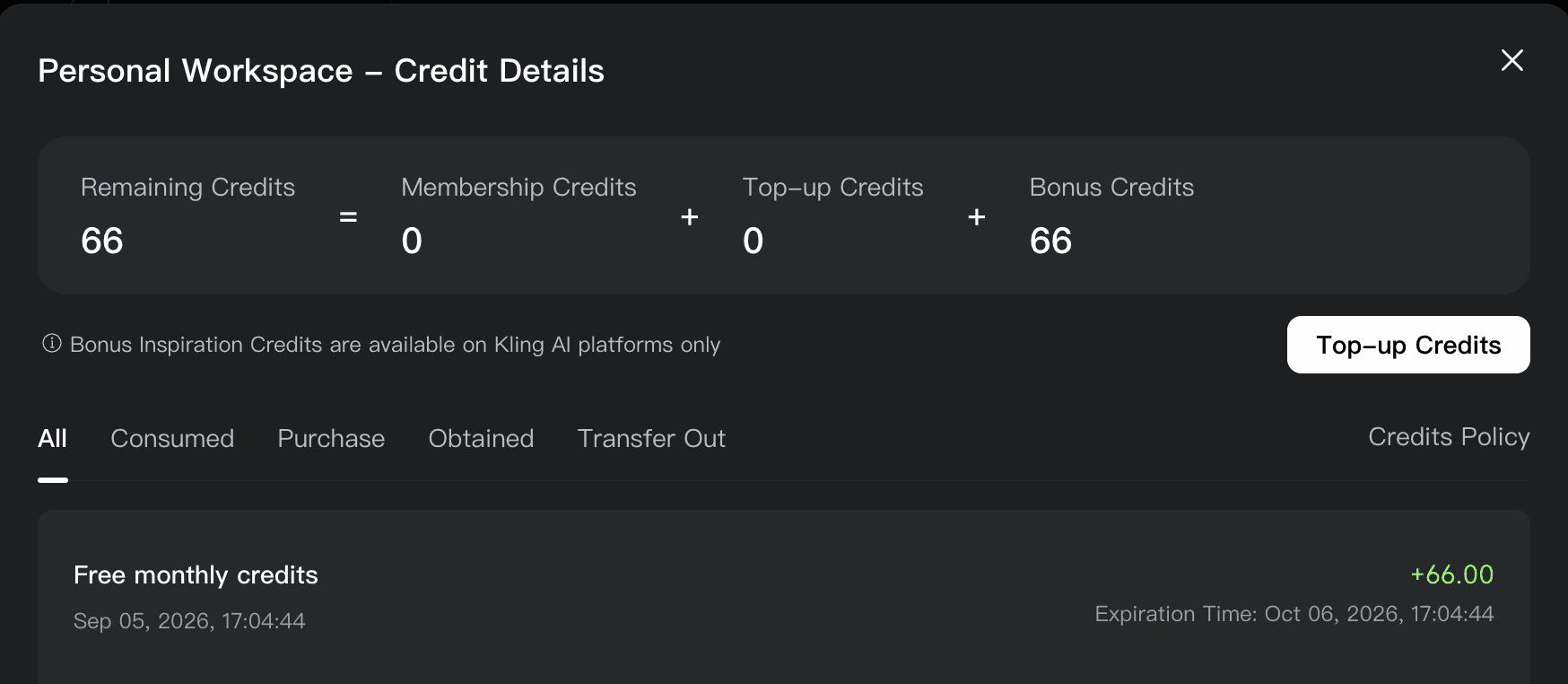
Figures 2–4. Hosted Kling Video 3.0 controls, result view, and account-specific credit balance.
5. Pika: Best for Fast Social Effects and Short Experiments
Pika is easier to recommend for short, effect-led work than for a carefully blocked cinematic sequence. Its web product combines text-to-video and image-to-video with scene, addition, swap, twist, and effect tools. That makes it quick to turn one image into a visible transformation or social clip without building a technical graph.
The current free tier is useful for learning the interface, and paid plans unlock higher resolutions and more credits. The limitation is depth: when continuity, precise keyframes, or a multi-shot production matters, Runway, Luma, or a controlled ComfyUI workflow offers more room.
Pricing checked September 6, 2026: Pika Basic is $8 per month when billed yearly; credits and feature costs vary by model and operation. Official pricing
6. Hailuo AI: Best for Expressive Character Motion
Hailuo AI is worth considering when the clip centers on facial expression, stylized character motion, or a quick image-to-video transformation. The current product supports text-to-video and image-to-video, with faster model variants for cheaper iteration.
It is not the strongest choice for a local or deeply reproducible pipeline. Availability, daily trial credits, and model rates can change, so it is better treated as a generation option to test on the exact subject than as a blanket upgrade over Genmo.
Pricing checked September 6, 2026: Hailuo offers hosted paid plans and occasional account-specific free credits; use the live model quote. Official website
7. ComfyUI: Best Open-Source Alternative for Local Control
ComfyUI is the closest alternative to the reason technical users choose Mochi in the first place. It is a free, open-source node-based application that runs locally, exposes the workflow, and supports reproducible graphs for image, video, audio, and 3D. Genmo itself points to ComfyUI as one way to run Mochi.
The cost is not a subscription; it is setup time, GPU hardware, model storage, troubleshooting, and workflow maintenance. Comfy Cloud removes the local GPU requirement, but then the comparison shifts back toward hosted credits. Choose it when control and repeatability justify the operational work.
Pricing checked September 6, 2026: ComfyUI Desktop is free and open source. Comfy Cloud Standard is $20 per month or $16 per month when billed yearly. Official pricing
8. Astorie: Best for Comparing Hosted Video Models on One Canvas
Astorie is not a replacement for Mochi as a model. It is useful when the problem is account and workflow sprawl: one source image or prompt can branch into several hosted video models, and the outputs remain visible on the same canvas for comparison and follow-up work.
That makes Astorie relevant to creators who are still deciding which model fits a shot. It is less relevant to someone who chose Genmo for open-source code, local inference, or custom model work. In that case, ComfyUI is the more direct alternative.
Pricing checked September 6, 2026: Astorie offers a free plan; Standard is $19 per month. Annual introductory pricing may differ. Official pricing
| Product | Best fit | What you gain | Price / access | Local / OSS | What you give up vs Genmo |
|---|---|---|---|---|---|
| Runway | Production | Editing, references, audio, delivery | Free; $15/mo | No / No | Local model control |
| Luma | Camera direction | Keyframes, reframe, modify | $30/mo | No / No | Lower-cost entry |
| Seedance 2.5 | Model quality | Current proprietary video engine | Host-dependent | No / No | Mochi weights and code |
| Kling | Motion tests | Accessible repeated generation | $10 list | No / No | Open-source ownership |
| Pika | Social effects | Fast transformations | $8/mo annual | No / No | Production depth |
| Hailuo | Character motion | Expressive hosted generation | Live pricing | No / No | Stable access and rates |
| ComfyUI | Local workflow | Visible graphs and reproducibility | Free; cloud optional | Yes / Yes | Hosted simplicity |
| Astorie | Model comparison | One canvas and shared hosted credits | Free; $19/mo | No / No | Mochi source and local use |
Which Genmo Alternative Should You Choose?
Choose Runway if the generated clip must move into editing, repair, audio, or a larger production workflow.
Choose Luma AI if camera direction, keyframes, reframing, and cinematic finishing matter most.
Choose Seedance 2.5 when a newer proprietary model matters more than Mochi’s local path.
Choose Kling or Pika when the goal is frequent hosted experimentation with less production overhead.
Choose Hailuo when expressive character motion matters more than local control.
Choose ComfyUI if local control, workflow ownership, and reproducibility are the reason you use Mochi.
Choose Astorie if you want to compare hosted models without rebuilding the same source and prompt in separate products.
What Do You Lose When Leaving Genmo?
Leaving Genmo can mean giving up Mochi’s Apache-licensed weights, local ComfyUI path, reproducible settings, and any saved playground work. A polished hosted suite may produce a better first pass, but it replaces model ownership with account limits, changing credits, and vendor-controlled access. If a team already maintains Mochi workflows or custom code, the gain from a new interface must outweigh the cost of rebuilding them.
Is Genmo Still Worth Using?
Yes, especially if Mochi’s open-source license and local customization are central to the project. Genmo offers something a polished hosted generator cannot: a path from a simple playground into a model and workflow your technical team can run and adapt.
If you only want the strongest first-pass clip or the most complete production interface, the alternatives are easier to recommend. Runway and Luma have broader finishing workflows, while Kling and Pika lower the friction of casual experimentation. The right answer depends on whether you are choosing a model, an application, or an entire production system.
Related reading
Runway Gen4 vs Veo vs Kling: Practical Video Production Comparison
Practical comparison for AI video production choices across Runway Gen4, Google Veo, and Kling.
7 Best Photoroom Alternatives in 2026 (Tested for Ecommerce Photography)
Do you need a Photoroom alternative that goes beyond simple background cutouts and batch image processing? Try these 7 tools and pick the one that best matches your AI product photography use cases.
6 Ideogram Alternatives for Killer AI Image Generation
Here are 6 tried and tested Ideogram alternatives that work best for prompt accuracy, text, image realism, character consistency and are intelligent enough to render real-world scenarios and logic.
Frequently asked questions
- What is the best Genmo alternative overall?
Runway is the best general alternative because generation, editing, extension, references, and audio tools live in one production workspace. Luma AI is the stronger specialist choice for directed camera work and cinematic motion.
- What is the best free Genmo alternative?
ComfyUI is the strongest genuinely free route if you already have suitable hardware: the software is open source and can run local video workflows without a subscription. For a hosted test, Runway provides a small free allowance, although the included models, credits, and export options are limited by the current plan.
- What is the best open-source Genmo alternative?
ComfyUI is the most practical open-source workflow environment, but it is not one video model. It can run Mochi and other compatible models locally, which makes it a complement to Genmo as much as an alternative.
- Is Genmo free?
Mochi 1 is open source, but running it still requires suitable hardware or paid cloud compute. Genmo’s hosted pricing page currently lists Free, Lite, and Standard tiers, but it did not expose stable dollar amounts during the publication-day check.
- Can Astorie replace Genmo?
Astorie can replace the need to open several hosted model sites when you want to compare outputs. It cannot replace Mochi’s source code, local inference, or model customization.
Ready to try it on the canvas?
Open Astorie and fan your prompt across every frontier model in one workflow.