

10 Best Stable Diffusion Alternatives in 2026 for Image Generation and Local Workflows
FLUX is the closest option for teams that want modern open-weight image generation with a supported API path, while Midjourney is the clearest switch for art direction without local setup. Stable Diffusion remains unusually strong when your advantage depends on a mature local stack of checkpoints, LoRAs, ControlNet graphs, extensions, exact seeds, and private infrastructure—so most alternatives replace only part of that system.
Key takeaways
- FLUX is the closest model-family alternative for teams that want current open-weight options and an official hosted API path, but Stable Diffusion assets do not transfer automatically.
- Midjourney is the clearest hosted alternative for rapid art direction, while Ideogram is better suited to typography, posters, and graphic layouts.
- Gemini and OpenAI image generation are stronger for conversational creation and precise iterative edits, but neither replaces local checkpoints or node-level control.
- Adobe Firefly fits Creative Cloud production, Recraft specializes in vectors and branded assets, and Qwen Image or HiDream-I1 suit technical teams exploring other open model families.
- Keep Stable Diffusion when local privacy, LoRAs, ControlNet, reproducible seeds, custom nodes, and existing infrastructure are the real source of value.
This guide separates model alternatives from hosted creative products and workflow layers. It prioritizes the decision to switch, what you gain, and what you must rebuild rather than treating every image generator as interchangeable.
Quick answer
Closest open-weight/API replacement: FLUX, when you need stronger first-pass fidelity and a maintained commercial delivery path but can rebuild custom nodes and adapters.
Best polished hosted alternative: Midjourney, when art direction and fast ideation matter more than local deployment, deterministic pipelines, or deep extensions.
Best for text-heavy layouts: Ideogram. Best for conversational edits: Google’s Gemini image tools or OpenAI image generation. Best for brand-safe Adobe workflows: Firefly.
Keep Stable Diffusion when your checkpoint/LoRA/ControlNet library, local privacy, deterministic seeds, or existing ComfyUI/Automatic1111 workflow is the real product—not just the base model.
Stable Diffusion alternatives at a glance
Alternative | Type / scope | Best for | Switch trigger |
FLUX | Open-weight model + API | Modern model quality with deployment options | Stable Diffusion quality or vendor support is the bottleneck |
Midjourney | Hosted creative platform | Fast art direction and ideation | You want strong aesthetics without model ops |
Ideogram | Hosted image product/API | Typography and graphic layouts | Readable text is a primary requirement |
Gemini image tools | Conversational product/API | Iterative, multimodal editing | Natural-language revisions matter most |
OpenAI image generation | Hosted product/API | Instruction-following and precise edits | You need prompt-to-edit continuity |
Adobe Firefly | Creative suite + models | Adobe-native brand production | Licensing posture and Creative Cloud handoff matter |
Recraft | Hosted design platform/API | Vectors, icons, brand assets | Design-system output matters more than local models |
Qwen Image | Open model family | Research and multilingual experimentation | You can operate open models and validate licenses |
HiDream-I1 | Open model | Local research and customization | You accept engineering work for open deployment |
Astorie | Multi-model workflow layer | Team orchestration across models | The bottleneck is collaboration, not local inference |
Alternative | What you gain | What you lose vs Stable Diffusion | Pricing / access |
FLUX | Modern open-weight options and API delivery | SD extension/LoRA ecosystem is not portable | Hosted API and model-specific licenses; open releases vary |
Midjourney | High-quality aesthetic defaults | No local deployment or SD-style nodes | Paid subscription; web/Discord access |
Ideogram | Typography and layout control | Less local pipeline control | Free entry and paid tiers; limits vary |
Gemini image tools | Conversational multimodal iteration | Less checkpoint-level control | Google AI plans/API; region and quota vary |
OpenAI image generation | Precise instruction-led edits | Closed model and metered access | ChatGPT plan/API access; usage terms vary |
Adobe Firefly | Creative Cloud integration | Less open-model flexibility | Free credits and paid credit plans |
Recraft | Vector and branded design outputs | Free plan is noncommercial | Free noncommercial tier; paid plans add rights |
Qwen Image | Open research flexibility | More deployment and validation work | Open access; compute and license depend on release |
HiDream-I1 | Local experimentation | Smaller ecosystem and more setup | Open access; verify model license |
Astorie | Collaborative node canvas | Not a local inference replacement | Workspace pricing and model costs vary |
How these alternatives were evaluated
The ranking weighs five factors: replacement scope, control, output quality, deployment options, and migration cost. Supplied screenshots document selected interfaces and plan surfaces; they are not presented as a controlled benchmark across all ten tools. Product and access claims come from official sources checked on the date above. No synthetic timing, preference score, or user-review data was invented.
What do you lose when switching from Stable Diffusion?
A Stable Diffusion installation is often an ecosystem rather than one model. Leaving it can strand tuned checkpoints, LoRAs, textual inversions, ControlNet preprocessors, extension settings, custom ComfyUI graphs, seed-based reproducibility, and scripts built around a specific sampler or VAE. A hosted alternative may improve first-pass quality while reducing the ability to inspect, pin, or replace every component.
Local privacy is another boundary. With self-hosted inference, prompts and source images can remain inside your network; hosted tools introduce provider terms, retention policies, quotas, and regional availability. If a mature LoRA/checkpoint/ControlNet workflow already produces reliable work, switch only when the gains exceed the cost of rebuilding and revalidating that pipeline.
1. FLUX — Best for open-weight teams that want a current model family
Switch when your Stable Diffusion base model is the bottleneck and you can retrain or replace model-specific assets. You gain strong prompt adherence, current open-weight options, and an official hosted API path. The main trade-off is the Stable Diffusion extension ecosystem, checkpoint compatibility, and many community workflows do not transfer automatically.
Where it fits—and where it does not
FLUX is the closest model-family alternative in this list, but it is not a drop-in replacement for Stable Diffusion weights or ControlNet graphs. Black Forest Labs currently positions FLUX.2 for production image generation and editing and FLUX 3 as its newer family; choose a specific release only after checking its license, VRAM needs, and supported adapters.
Pricing and access
Official access includes hosted APIs and selected downloadable weights. Pricing is model- and endpoint-specific; open-weight availability does not make inference compute free.
2. Midjourney — Best for rapid art direction and aesthetic exploration
Switch when you want polished concepts quickly and do not need local deployment, custom model training, or node-level control. You gain cohesive style exploration, simple variation workflows, and less infrastructure to maintain. The main trade-off is closed-model dependence, subscription limits, and less deterministic control than a locally pinned Stable Diffusion stack.
Where it fits—and where it does not
Midjourney is a creative platform, not a local model ecosystem. It is strong for concept art, mood boards, and visual ideation; it is weaker when your workflow requires reproducible seeds across versions, custom LoRAs, or automated on-premise batches.
Pricing and access
Midjourney offers paid subscription plans with monthly or annual billing. Plan features and generation modes can change; consult the official plan comparison before committing.
3. Ideogram — Best for typography, posters, and graphic layouts
Switch when misspelled text or weak layout fidelity is costing more time than model flexibility. You gain a product experience centered on readable lettering, design prompts, and quick remixing. The main trade-off is less access to local samplers, custom checkpoints, and the broad Stable Diffusion extension ecosystem.
Where it fits—and where it does not
Choose Ideogram for campaign concepts, covers, packaging mockups, and social graphics where text is part of the image. Keep a separate editor for exact production typography and accessibility review.
Pricing and access
Ideogram maintains free entry and paid tiers, with usage allowances and current model access varying by plan.
4. Google Gemini image generation — Best for conversational image creation and editing
Switch when your team wants to describe changes in natural language and keep image work inside a broader Gemini workflow. You gain multimodal context, conversational iteration, and access through Google product and developer surfaces. The main trade-off is less low-level control over checkpoints, samplers, adapters, and local data handling.
Where it fits—and where it does not
Gemini image tools are better framed as an editing and ideation surface than as a replacement for Stable Diffusion infrastructure. Availability and the exact image model exposed depend on the Google product, region, and account.
Pricing and access
Access is available through eligible Google AI plans and developer products; quotas, commercial terms, and regional support should be checked at deployment time.
Evidence note
The supplied screenshot documents a Gemini image-creation session. It is interface evidence, not a cross-model quality score.
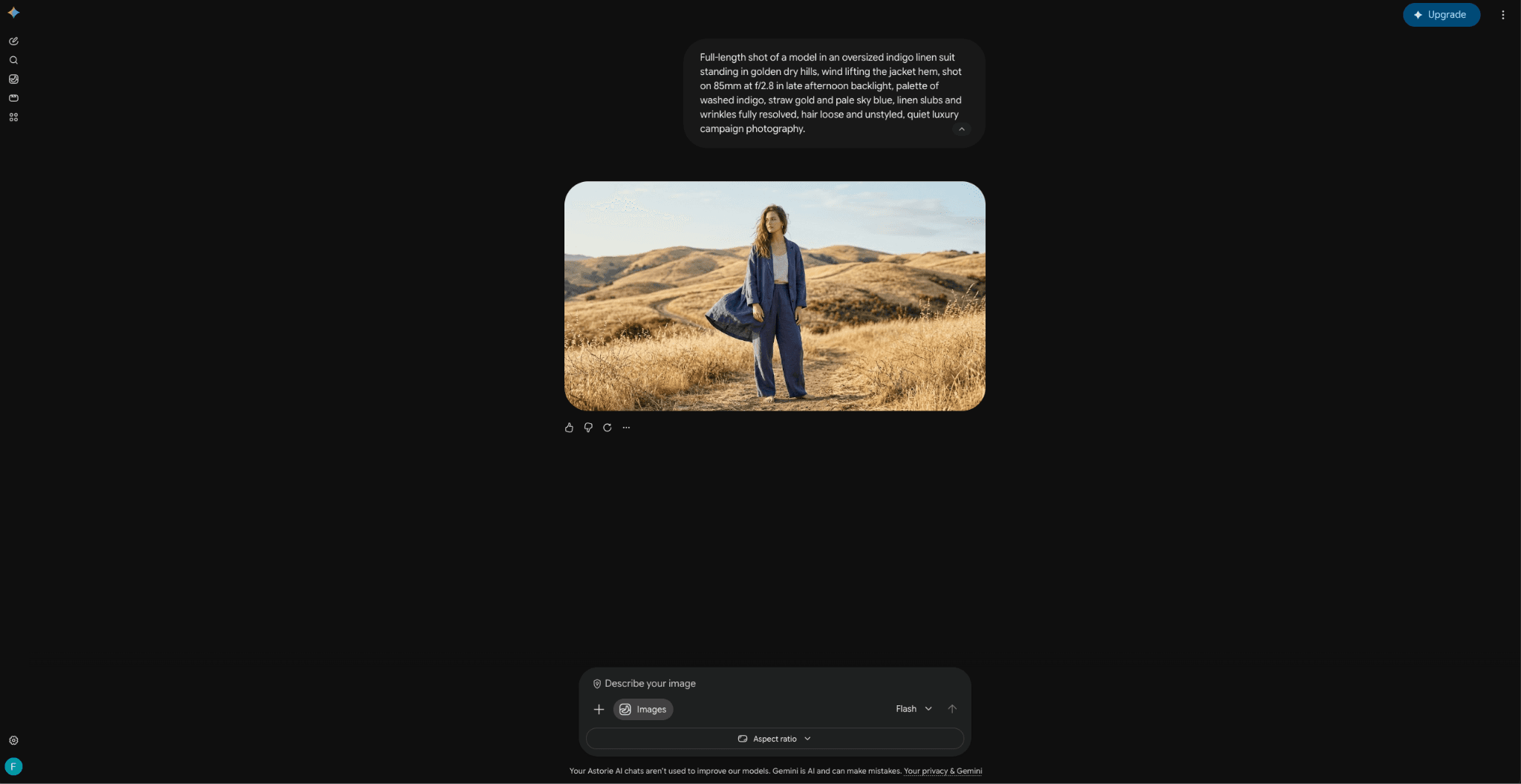
Figure 1. Supplied Gemini image-generation session, preserved from the original draft.
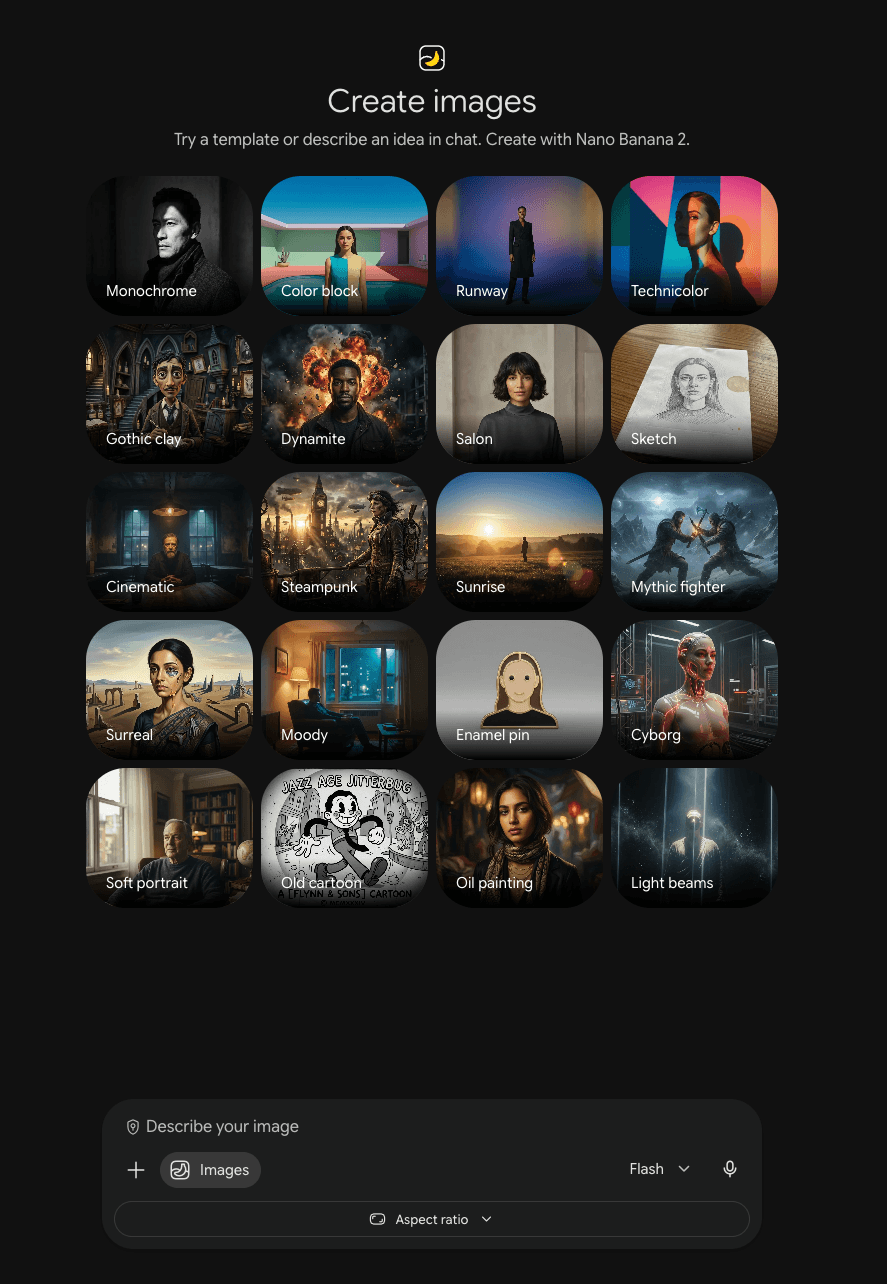
Figure 2. Gemini image-creation presets shown in the supplied account.
5. OpenAI image generation — Best for instruction-following and iterative edits
Switch when you need a hosted workflow that can create and revise images from detailed natural-language instructions. You gain strong prompt-to-edit continuity and integration with ChatGPT or the Images API. The main trade-off is a closed model, metered service, and no replacement for local checkpoints or Stable Diffusion extensions.
Where it fits—and where it does not
OpenAI image generation fits teams that value precise revisions, compositing instructions, and a familiar chat surface. It does not provide Stable Diffusion-style weight access or local inference.
Pricing and access
Access depends on the current ChatGPT plan or API model. Usage limits, pricing, and supported features should be checked on OpenAI’s official developer and plan pages.
Evidence note
The supplied screenshot records the image-creation entry point; it does not establish output superiority.
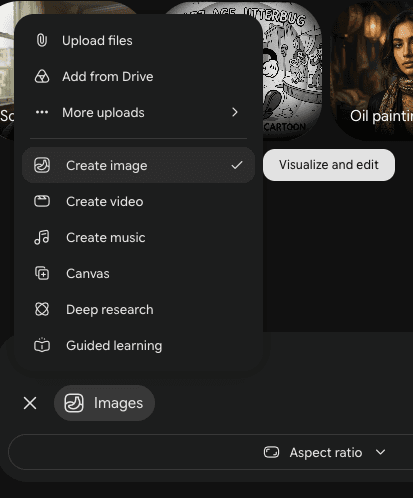
Figure 3. Image-creation option in the supplied ChatGPT interface.
6. Adobe Firefly Image — Best for Creative Cloud and brand-production workflows
Switch when the cost of moving assets between a generator and Photoshop, Illustrator, or Express is greater than the value of open-model control. You gain Adobe-native editing, brand-friendly production handoff, and access to Adobe and partner models in one environment. The main trade-off is less control over model internals and fewer community checkpoints than Stable Diffusion.
Where it fits—and where it does not
Firefly is most persuasive for design teams already standardized on Adobe. Evaluate the specific model and feature used, because generative credits, partner-model access, and commercial terms can differ.
Pricing and access
Adobe offers limited free generative credits and paid plans. Credits reset according to the plan; current prices vary by market and promotion.
Evidence note
The original draft’s pricing screenshot is preserved as dated account evidence. Treat the official live plan page—not the screenshot—as the purchase authority.
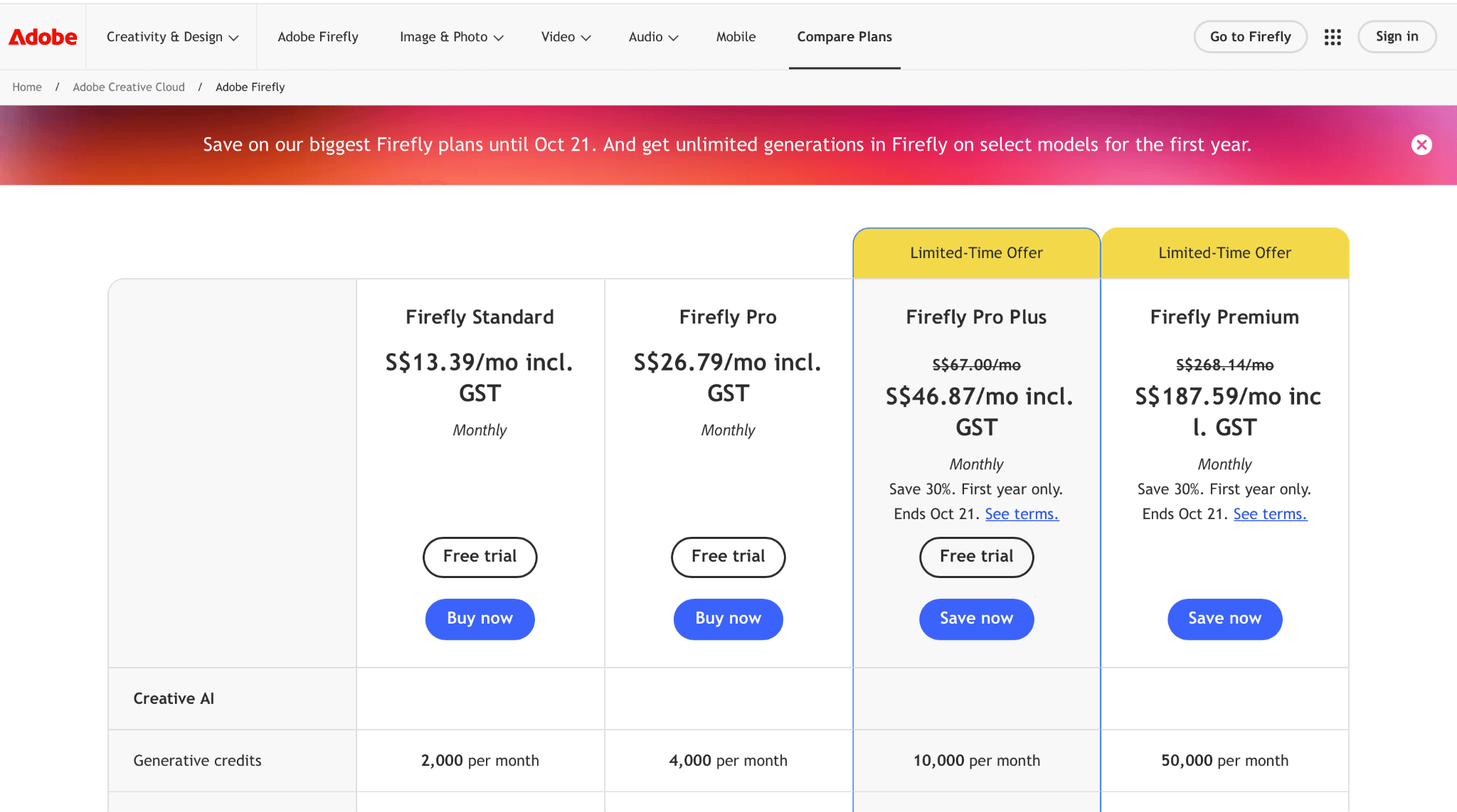
Figure 4. Adobe Firefly plan page captured in the supplied draft; prices are time- and region-sensitive.
7. Recraft — Best for vectors, icons, and branded design systems
Switch when you need editable design assets and consistent brand styles more than a general local image model. You gain vector-oriented output, structured brand tools, and a design workflow for icons and marketing assets. The main trade-off is the freedom to run locally and the broad Stable Diffusion community model library.
Where it fits—and where it does not
Recraft is a better replacement for the design-deliverable stage than for open-model experimentation. It belongs in this list because it can remove the need for a local generation-plus-vectorization chain.
Pricing and access
The official site states that free-account creations are for noncommercial use, while paid plans add commercial rights and private generation. Verify ownership and licensing on the official terms before commercial publication.
8. Qwen Image — Best for open-model research and multilingual experimentation
Switch when you want another open model family and have the engineering capacity to evaluate checkpoints, tooling, and license terms. You gain open experimentation and a path to local or controlled deployment. The main trade-off is a smaller ready-made workflow ecosystem and more validation work than a mature Stable Diffusion stack.
Where it fits—and where it does not
Qwen Image can be attractive for researchers and technical teams, but “open” does not guarantee compatibility with Stable Diffusion nodes or identical commercial rights. Benchmark the exact release on your languages, typography, and hardware.
Pricing and access
Model files may be openly accessible, while compute, hosting, and commercial permissions depend on the chosen release and deployment provider.
9. HiDream-I1 — Best for open local experimentation
Switch when your priority is testing an alternative open architecture and you accept hands-on deployment work. You gain another route to self-managed inference and model research. The main trade-off is less ecosystem maturity, fewer proven extensions, and a higher integration burden.
Where it fits—and where it does not
HiDream-I1 is for teams able to own environment setup, memory planning, evaluation, and safety review. It is not the easiest option for nontechnical creators and should not be assumed to match Stable Diffusion plug-ins.
Pricing and access
Check the official repository or model card for the exact weight license, dependencies, and hardware guidance before use.
10. Astorie — Best for collaborative multi-model image workflows
Switch when local inference is not the central requirement and your team instead needs a shared canvas for prompts, assets, model steps, and approvals. You gain a node-based collaborative layer that can connect multiple generation and editing steps. The main trade-off is Astorie does not replace Stable Diffusion weights, local privacy, LoRAs, ControlNet, or self-hosted inference.
Where it fits—and where it does not
Astorie is a workflow alternative, not a base model. It can reduce handoff friction across ideation, generation, editing, and review, but teams that require local inference should keep their model stack and evaluate Astorie only as an orchestration surface.
Pricing and access
Workspace and model-usage costs depend on the current product configuration. Confirm plan access and the models exposed in your region before adopting it as a team standard.
How to choose the right Stable Diffusion alternative
List the assets that are expensive to rebuild: checkpoints, LoRAs, ControlNet graphs, extensions, seeds, scripts, and approval rules.
Separate model quality from workflow quality. A better first image can still create a worse production system if it removes repeatability or privacy.
Test one representative job end to end, including source-image handling, revision rounds, export format, legal review, and downstream editing.
Calculate total migration cost: subscriptions or API use, compute, retraining, prompt conversion, QA, and staff learning time.
Keep a rollback path until the alternative consistently meets both quality and operational requirements.
When should you keep Stable Diffusion?
Keep Stable Diffusion when your differentiated value comes from local control, private data, custom fine-tunes, reproducible pipelines, or a large working library of community components. In that case, a hosted generator may be a useful ideation tool without being a sensible system replacement.
Final verdict
Choose FLUX when you want the nearest modern model-family alternative and can absorb migration work. Choose Midjourney for fast creative direction, Ideogram for typography, Gemini or OpenAI for conversational editing, Firefly for Adobe production, and Recraft for design assets. Keep Stable Diffusion when its local ecosystem is the advantage. The correct decision is the smallest switch that removes your real bottleneck without discarding valuable workflow capital.
Sources and verification notes
Volatile product facts were rechecked on September 12, 2026. Pricing and availability can vary by region, billing cycle, account eligibility, and product surface; verify the linked official page before purchase or deployment.
Related reading
Runway Gen4 vs Veo vs Kling: Practical Video Production Comparison
Practical comparison for AI video production choices across Runway Gen4, Google Veo, and Kling.
7 Best Photoroom Alternatives in 2026 (Tested for Ecommerce Photography)
Do you need a Photoroom alternative that goes beyond simple background cutouts and batch image processing? Try these 7 tools and pick the one that best matches your AI product photography use cases.
6 Ideogram Alternatives for Killer AI Image Generation
Here are 6 tried and tested Ideogram alternatives that work best for prompt accuracy, text, image realism, character consistency and are intelligent enough to render real-world scenarios and logic.
Ready to try it on the canvas?
Open Astorie and fan your prompt across every frontier model in one workflow.