GPT Image 2 prompts

Browse GPT Image 2 prompts for fashion portraits and graphic compositions. Compare how each prompt describes its subject and the way the image is arranged.

Explore prompts

10,094 prompts

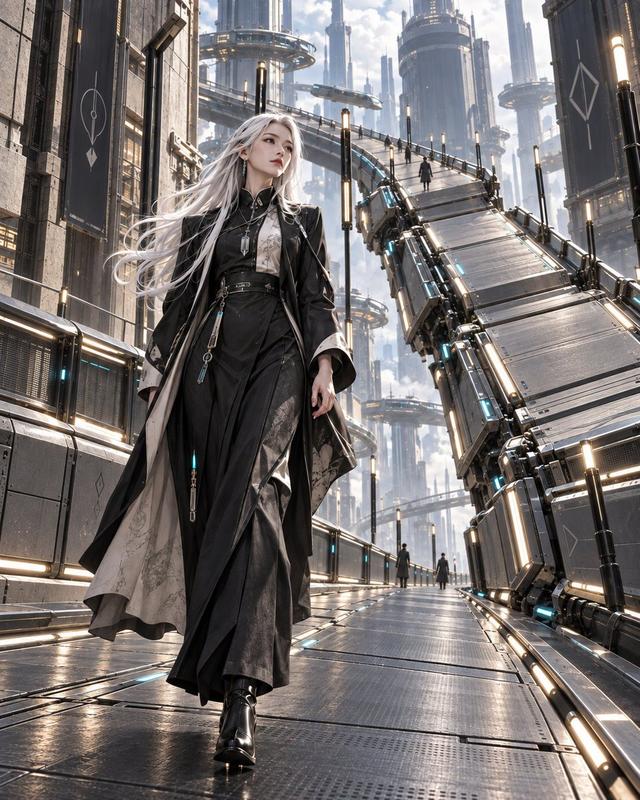
Game Asset - Gravity Lane Futuristic Fashion Walk — output

Game Asset - Gravity Lane Futuristic Fashion Walk

Benjamin PengGPT Image 2
Create a cinematic vertical sci‑fi fashion illustration of {argument name="character name" default="JFC-01, the woman of the Gravity Lane"} walking through a futuristic megacity where architecture and gravity seem to bend to open a path for her. The main subject is a tall, elegant young woman in the lower-left foreground, full body, striding confidently toward the viewer while looking slightly up and to her left with a calm, distant expression. She has very long wind-swept {argument name="hair color" default="silver-white"} hair flowing dramatically behind her, pale skin, refined facial features, subtle makeup, and small dangling earrings. Her outfit is high-fashion gothic cyberpunk: a long black layered coat with wide sleeves, structured shoulders, black high-collar inner dress, flowing asymmetrical skirt panels, pale patterned lining visible inside the coat, slim belts and hanging metallic charms, a small glowing cyan pendant-like accessory, and polished black heeled boots. The setting is a vast vertical futuristic city of steel, glass, and concrete, with towering cylindrical skyscrapers, skybridges, floating circular platforms, and suspended transit structures disappearing into misty depth. A massive segmented metallic pedestrian lane rises and curves upward on the right side of the composition, as if gravity has shifted; it has articulated panels, railings, mechanical joints, glowing cyan details, and warm vertical light bars. The ground is a wet reflective metal walkway with panel seams, grates, rails, and embedded cyan light strips, creating strong perspective lines toward the background. Include exactly 5 small distant pedestrians: 3 silhouettes on the elevated curved bridge and 2 silhouettes on the lower walkway in the distance. Use bright overcast daylight with soft clouds, atmospheric haze, rim lighting on the hair, glossy reflections on metal, and a premium concept-art/anime-realism hybrid style with ultra-detailed materials. Color palette: black, graphite, silver, pale concrete, cyan accent lights, and warm white lamps. Camera: low-angle full-body fashion shot, 3/4 view, wide architectural depth, dynamic leading lines, sharp foreground detail and slightly hazy background. No visible title text, no logo, no watermark, no extra characters in the foreground.
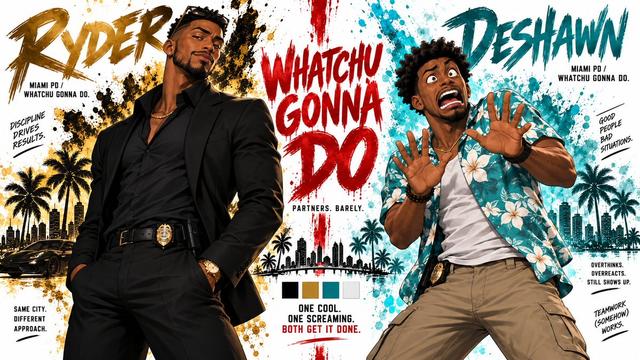
Comic / Storyboard - Ryder and Deshawn Buddy Cop Character Sheet — output

Comic / Storyboard - Ryder and Deshawn Buddy Cop Character Sheet

Mahnoor FatimaGPT Image 2
Goal: Create a premium cinematic illustrated buddy-cop character bible sheet for two original characters, {argument name="left character name" default="Ryder"} and {argument name="right character name" default="Deshawn"}, with a chaotic action-comedy Miami police tone.

Canvas: Wide 16:9 horizontal poster/character sheet on a mostly white background, high-energy comic-book concept art with ink splatters, brush lettering, dramatic lighting, saturated accent colors, and gritty cinematic polish.

Layout: Split-screen partner format with exactly 2 full-body/three-quarter characters: 1 character on the left and 1 character on the right. Use a bold vertical red paint-streak dividing element in the center. Place a huge central brush slogan reading {argument name="central slogan" default="WHATCHU GONNA DO"} in red, stacked in three lines, with the smaller caption “PARTNERS. BARELY.” underneath. Add a Miami skyline silhouette with palm trees running along the bottom behind both characters, plus paint splatter textures throughout.

Left character details: Show Ryder as a tall, confident, cool Black male Miami PD detective wearing an all-black tailored suit, black open-collar shirt, gold chain, gold watch, black belt, visible police badge clipped at the waist, and a holstered sidearm. He stands relaxed with one hand in his pocket, chin lifted, smirking, looking self-assured. Behind him use gold and black splashes, a black sports car at the lower left, palm trees, and city buildings. Large gold brush-script name at the top left: “RYDER”. Small text under it: “MIAMI PD / WHATCHU GONNA DO.” Add exactly 2 handwritten note blocks on the left side: “DISCIPLINE DRIVES RESULTS.” and “SAME CITY. DIFFERENT APPROACH.”

Right character details: Show Deshawn as an energetic, expressive Black male Miami PD detective with short curly hair, startled wide eyes, open mouth, and raised palms as if panicking or overreacting. He wears a teal Hawaiian shirt with white hibiscus flowers over a white T-shirt, tan cargo pants, bracelet, watch, gold chain, visible police badge at the waist, and a casual slightly messy stance. Behind him use teal splashes, palm trees, and city skyline. Large teal brush-script name at the top right: “DESHAWN”. Small text under it: “MIAMI PD / WHATCHU GONNA DO.” Add exactly 3 handwritten note blocks on the right side: “GOOD PEOPLE. BAD SITUATIONS.”, “OVERTHINKS. OVERREACTS. STILL SHOWS UP.”, and “TEAMWORK (SOMEHOW) WORKS.”

Bottom center details: Include exactly 4 small square color swatches in a row: black, gold, teal, and light gray/white. Beneath them add the tagline in stacked text: “ONE COOL. ONE SCREAMING. BOTH GET IT DONE.” with “BOTH GET IT DONE.” emphasized in red.

Visual style: High-end digital illustration, dynamic action-comedy poster art, crisp anatomy, expressive faces, cinematic shadows, rim lighting, sharp ink outlines, paint splashes, distressed brush typography, urban Miami atmosphere, premium character bible sheet presentation.

Constraints: Use only the 2 named characters, exactly 5 handwritten note blocks total, exactly 4 color swatches, no franchise references, no extra logos, no watermark, keep all text legible and spelled exactly as specified.
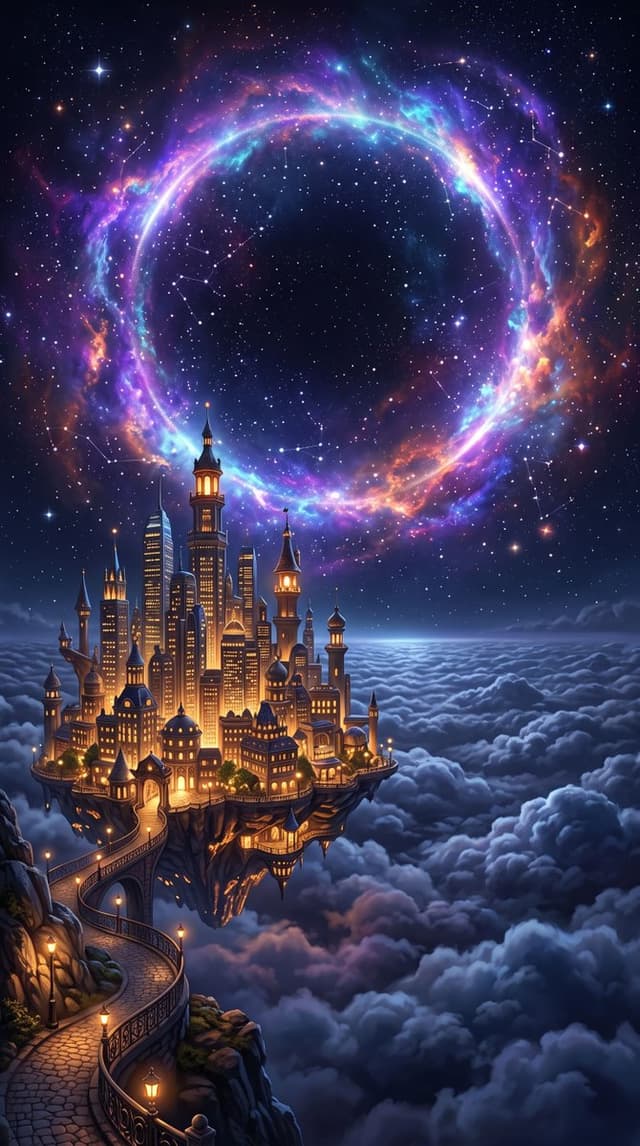
YouTube Thumbnail - Futuristic Metropolis Above the Clouds — output

YouTube Thumbnail - Futuristic Metropolis Above the Clouds

VikiGPT Image 2, Nano Banana Pro
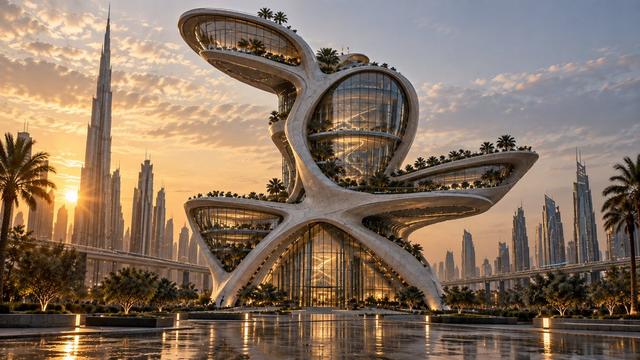
A breathtaking vertical view of a futuristic metropolis floating gracefully above an endless sea of dense, rolling dark grey clouds at twilight. The sprawling city skyline features numerous towering skyscrapers with glowing windows that cast warm amber and orange lights onto the urban landscape below. Dominating the upper portion of the frame is a magnificent cosmic ring, a glowing circular nebula composed of {argument name="nebula colors" default="vibrant purples, deep blues, and brilliant warm golden hues"}, sprinkled with countless twinkling stars and distant galaxies across the pitch-black night sky. The composition is balanced and majestic, with the dark cloud layer grounding the lower foreground, contrasting sharply with the radiant cosmic phenomenon above. The lighting is surreal and ethereal, blending the warm artificial glow of the city lights with the cosmic luminescence of the nebula. The atmosphere is quiet, awe-inspiring, and mystical, evoking a sense of interstellar wonder and urban isolation. The detailed textures of the soft, voluminous clouds, the sleek glass and steel architecture of the skyscrapers, and the starry cosmic dust create a high-contrast, visually striking scene.
YouTube Thumbnail - 3D RPG Game Screenshot UI — output

YouTube Thumbnail - 3D RPG Game Screenshot UI

underwoodGPT Image 2
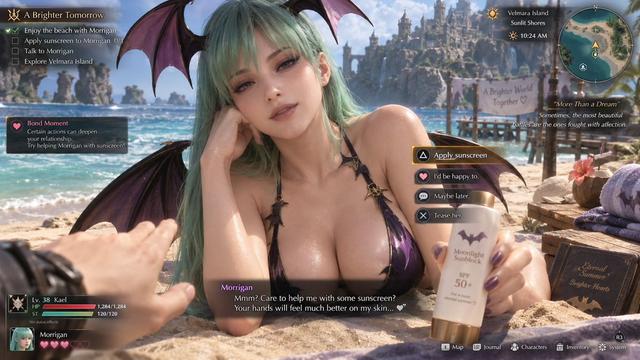
Please capture a realistic screenshot from a fictional next-generation 3D open-world {argument name="game genre" default="romance RPG"}, presented from the male protagonist’s first-person perspective.  On the {argument name="location" default="beach"}, {argument name="character" default="Morrigan Aensland from Darkstalkers"} invites the protagonist to help her apply sunscreen.  The overall visual style must feature high-quality cartoon-rendered 3D characters combined with Unreal Engine 5-level graphics, achieving AAA-quality visual fidelity. It should include ultra-detailed character modeling, realistic skin shading, cinematic lighting, PBR materials, high-precision clothing textures, and finely rendered classroom environments. The final image must look like an actual playable game screenshot, including a complete game user interface: minimap, quest display, character status bars, interaction prompts, dialogue subtitles, HUD elements, and more.
Profile / Avatar - Dreamy Qipao Portrait Photography — output

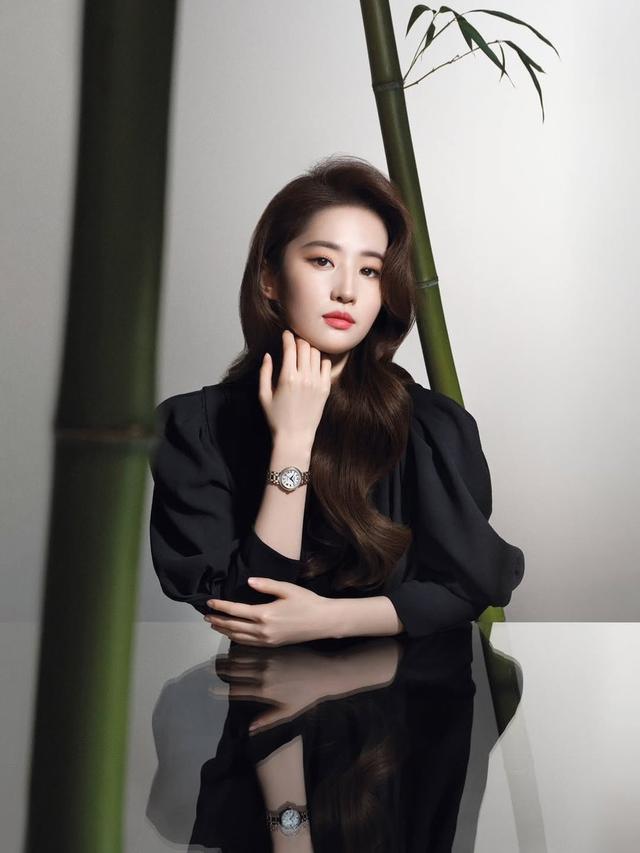
Profile / Avatar - Dreamy Qipao Portrait Photography

BubbleBrainGPT Image 2
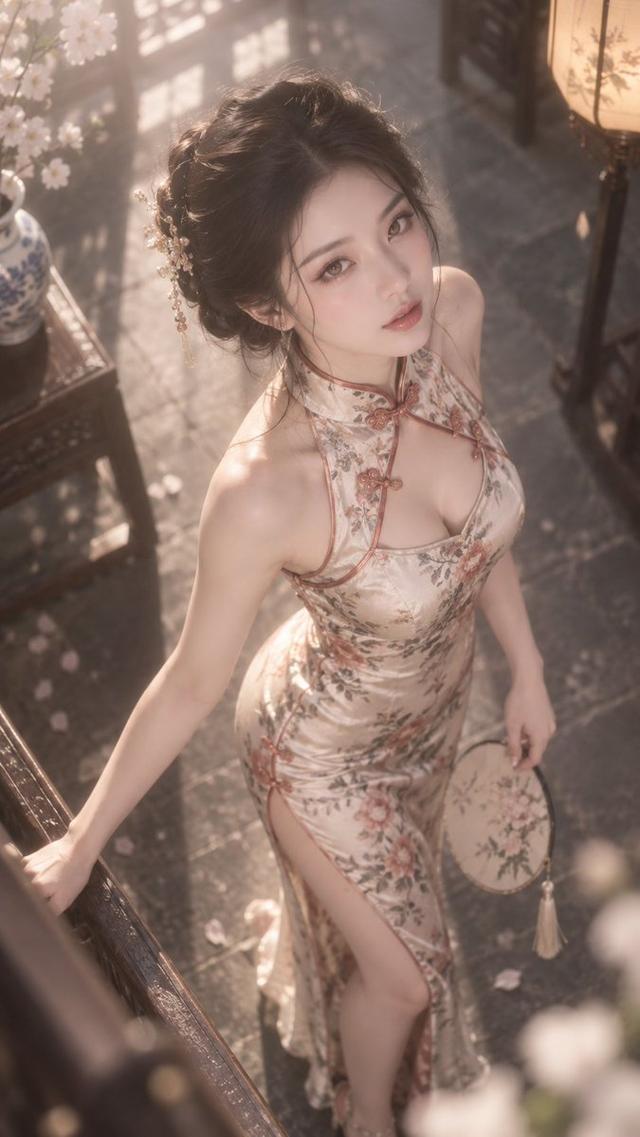
9:16, wearing a {argument name="clothing" default="qipao"}, {argument name="lighting" default="soft light bloom"}, dreamy blur, high-angle shot looking down, {argument name="model type" default="tall slender model figure"}, refined makeup, fox-like beauty face
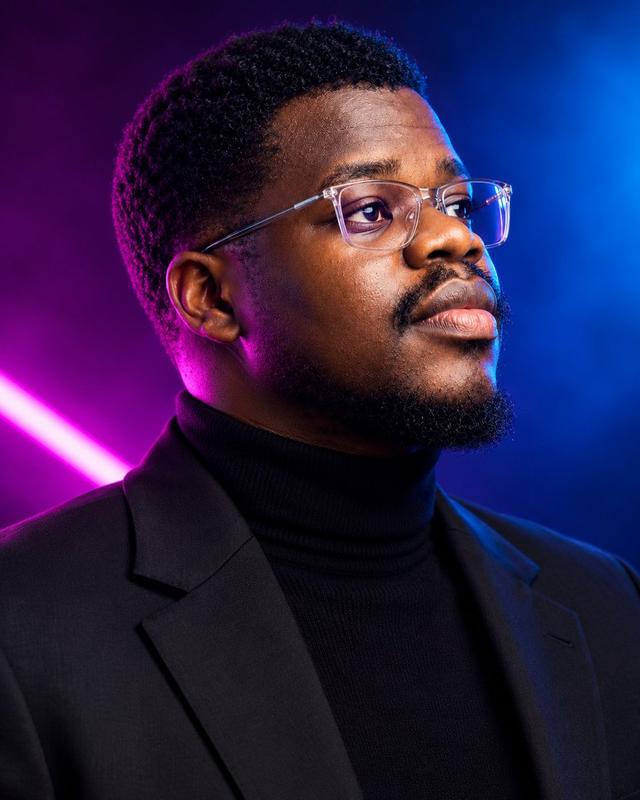
Profile / Avatar - Cinematic Studio Portrait Dual Lighting — output

Profile / Avatar - Cinematic Studio Portrait Dual Lighting

SimplyDera ◻GPT Image 2
Create an ultra-realistic close-up studio portrait of an {argument name="subject" default="adult man"} with a confident, thoughtful expression, photographed from the chest upward in a premium modern editorial style. Give him {argument name="hair style" default="thick, neatly styled short black hair"} with natural volume on top and clean tapered sides. Add a well-groomed full beard and mustache with sharp but natural edges. He is wearing transparent rectangular eyeglasses with subtle reflections from the studio lights. Dress him in a fitted black turtleneck sweater layered underneath a sophisticated black tailored blazer with structured lapels. Keep the outfit completely minimal and monochrome with no visible jewelry or unnecessary accessories. Pose him facing slightly away from the camera, with his head gently tilted upward and his eyes looking toward the upper-right side of the frame, creating a calm, intelligent, aspirational mood. Use dramatic dual-tone studio lighting: {argument name="rim light color" default="vivid magenta/purple"} rim light illuminating the left side of his hair and face, and vibrant electric-blue/cyan light illuminating the right side. Keep soft neutral frontal lighting on the face so the skin remains realistic, detailed, and properly exposed. Create a blurred futuristic studio background with a rich gradient transitioning from deep purple and magenta on the left to electric blue on the right. Add a glowing diagonal neon-magenta light bar in the lower-left background for extra visual depth. Emphasize realistic skin texture, detailed beard hairs, sharp eyes, natural eyeglass reflections, crisp fabric texture, cinematic contrast, shallow depth of field, smooth colorful bokeh, premium personal-branding photography, high-end corporate editorial aesthetic, ultra-photorealistic, 85mm portrait lens look, f/1.8, 8K detail, vertical 4:5 composition.
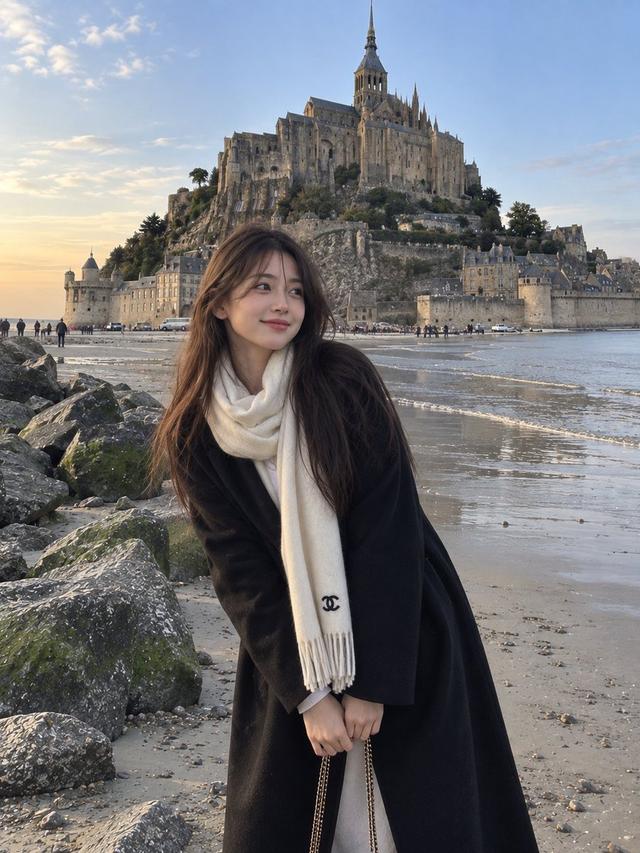
Social Media Post - Candid Travel Portrait European Coast — output

Social Media Post - Candid Travel Portrait European Coast

𝗦𝗮𝗻𝗶𝗮GPT Image 2
A photorealistic candid travel portrait of a {argument name="subject" default="young East Asian woman"} standing on a {argument name="location" default="quiet sandy shoreline beside large moss-covered rocks"}, with a magnificent {argument name="landmark" default="historic stone abbey and medieval castle-like architecture"} rising dramatically on a rocky island behind her. She has long straight dark brown hair falling naturally over one shoulder, soft youthful facial features, and a gentle warm smile while looking directly at the camera. She is wearing a long oversized black coat with her hands casually tucked inside the pockets, layered over a light-colored outfit. A large soft cream-white scarf is wrapped warmly around her neck, hanging down the front with a small black designer-style emblem near the end. A delicate chain shoulder bag is partially visible. The composition captures her in the foreground while the vast historic abbey dominates the background, surrounded by ancient stone walls, rocky cliffs, sandy tidal flats, and a calm coastal atmosphere. A few small distant vehicles and people add realistic scale to the scene. Soft natural evening light and a clear pale blue sky create a peaceful European travel mood. Ultra-realistic photography, authentic candid travel photo, natural skin texture, realistic fabric details, soft cinematic lighting, subtle smartphone camera aesthetic, slightly dreamy color grading, natural proportions, detailed architecture, peaceful coastal atmosphere, vertical composition, 3:4 aspect ratio.
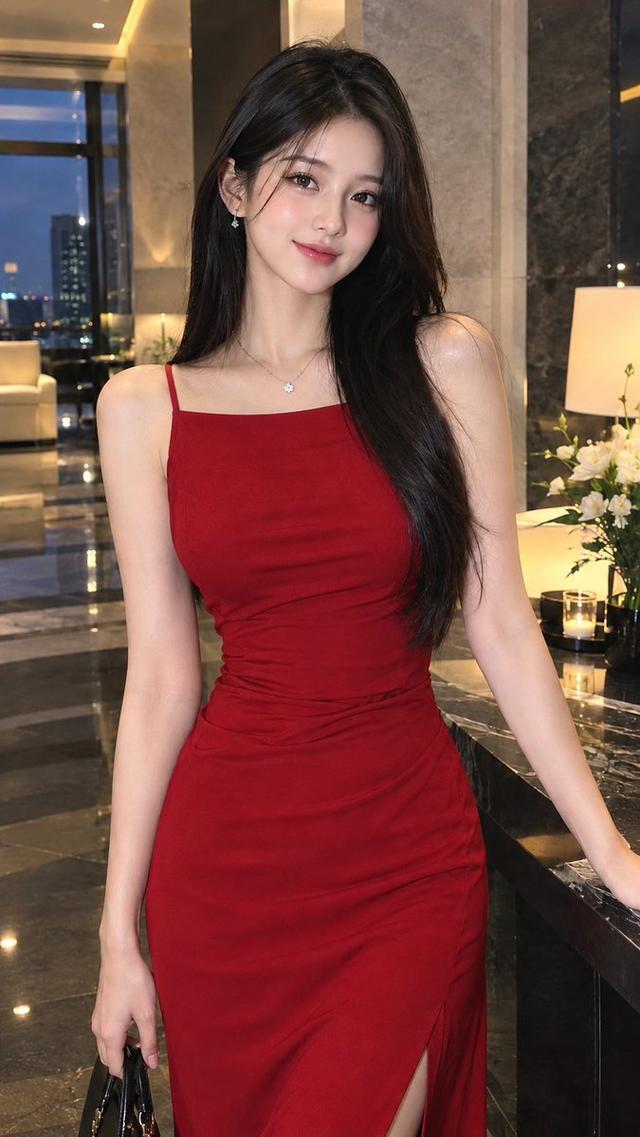
Social Media Post - Editorial Fashion Portrait of Asian Woman — output

Social Media Post - Editorial Fashion Portrait of Asian Woman

EeshaGPT Image 2
Ultra-realistic {argument name="ethnicity" default="Asian"} woman in her early 20s wearing a stunning, elegant {argument name="dress color" default="red"} one-piece dress with a fitted silhouette, delicate fabric details, and a graceful neckline. Natural makeup, long silky dark hair, soft confident expression, feminine and sophisticated look, standing naturally in a {argument name="setting" default="luxurious modern setting"}. Cinematic soft lighting, realistic skin texture, natural body proportions, high-fashion editorial photography, subtle depth of field, premium magazine aesthetic, photorealistic, 4K, vertical 9:16.
E-commerce Main Image - Photorealistic UGC Image Strategy — output

E-commerce Main Image - Photorealistic UGC Image Strategy

MikoGPT Image 2
“using this json as reference, generate a person holding my product [attach product image]”

> GPT-Image 2.5 generates the photo with that person holding your product

compare it with a version generated without the reference and look at the difference in the lighting and color grading

> save the generated character photo you’re happy with as your reference

> for future generations, attach the character photo each time and ask it to preserve the same facial features

now you have a reference character you can use across multiple product photos

you can also iterate the base json prompt and chat back and forth with GPT-6 Astra based on what you want, then repeat the same process..

i like this because it gives you much more direction over the color grading instead of leaving everything up to the model

the basic colours and grainy look are some of the things that can make an image feel AI-generated, so pay attention to those when comparing your results

this is how you can start building a library of high quality ugc images around your own products

the json gives GPT-Image 2.5 the lighting and color direction, your character reference helps with consistency, and you control the product placement

once you have that starting point, you can keep creating variations without writing everything from scratch

GPT-Image 2.5 Sunburst & Flare are available on Higgsfield. try this with your own product and reference images there
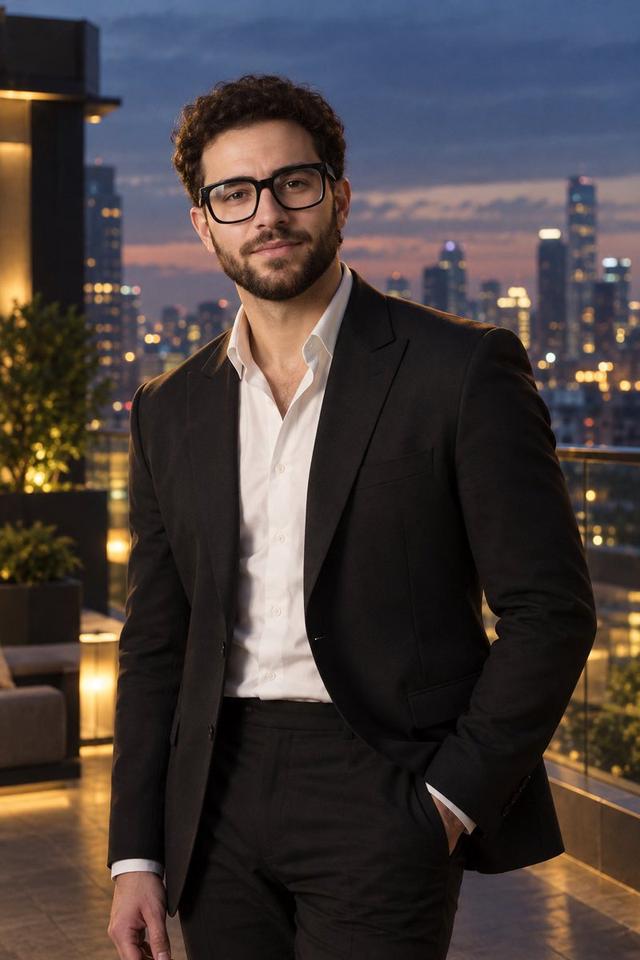
Profile / Avatar - Sophisticated Man Rooftop Portrait — output

Profile / Avatar - Sophisticated Man Rooftop Portrait

AegonGPT Image 2
Photorealistic cinematic portrait of a {argument name="subject" default="handsome adult man with tousled medium-length brown hair and a neatly trimmed beard"}, wearing a {argument name="outfit" default="sophisticated black tailored suit with a crisp white open-collar shirt"}, elegant and modern with no tie. He is standing at a slight angle to the camera, one hand casually resting in his trouser pocket while the other hangs naturally by his side, with relaxed shoulders and a confident, composed posture. His head is slightly turned toward the camera, maintaining a calm, intense, subtly contemplative expression. Set in a {argument name="setting" default="luxurious modern rooftop at twilight"}, with softly illuminated city buildings and distant skyline lights creating an elegant urban atmosphere in the background. Subtle warm architectural lights contrast with the cool blue tones of the evening sky. Cinematic depth, gentle atmospheric haze, realistic environmental reflections, and softly blurred city lights. Soft directional key light illuminates his face naturally, with a subtle warm rim light separating his hair and shoulders from the background. Natural skin texture, sharp expressive eyes, realistic facial details, authentic hair strands, realistic fabric texture, shallow depth of field, professional fashion photography, 85mm portrait lens, f/1.8, creamy bokeh, cinematic contrast, sophisticated color grading, luxury fashion editorial aesthetic, ultra-detailed, photorealistic, 8K.
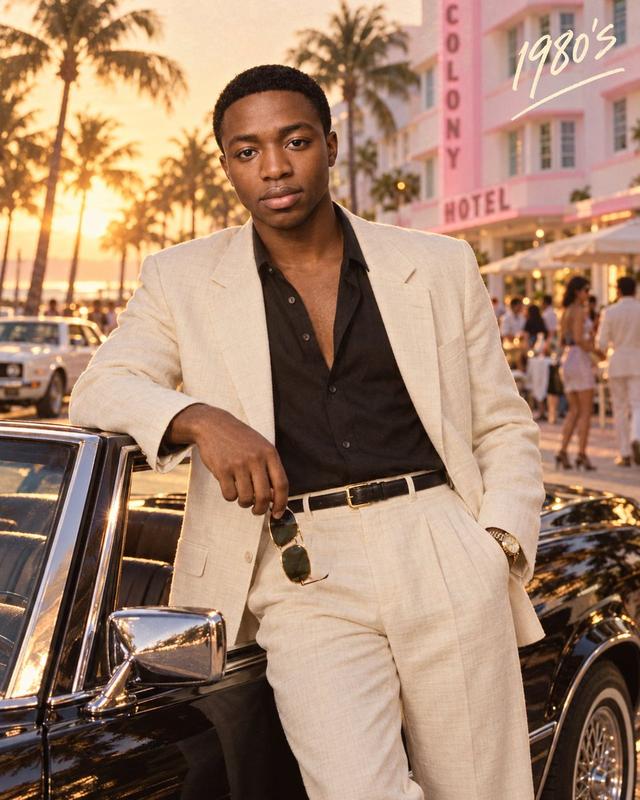
Social Media Post - 1980s Miami Retro Fashion Portrait — output

Social Media Post - 1980s Miami Retro Fashion Portrait

Abkr SadiqGPT Image 2
Use the uploaded image as the main composition, styling, pose, lighting, and environment reference. Create a photorealistic 1980s-inspired Miami lifestyle fashion portrait of an {argument name="subject" default="adult man"} standing beside a {argument name="car" default="glossy black vintage convertible"} during golden hour.

Frame him from approximately mid-thigh upward, leaning casually against the open driver-side door with a relaxed, confident expression while looking toward the camera. One hand rests naturally near the car while holding a pair of classic aviator sunglasses, and the other hand is casually tucked into his trouser pocket.

Dress him in an elegant {argument name="outfit" default="cream/off-white linen suit"} with a relaxed tailored blazer and high-waisted pleated trousers. Underneath, add a black open-collar shirt with the top buttons undone for a sophisticated retro look. Add a slim black leather belt with a polished gold buckle and a classic gold-tone wristwatch. Keep the styling refined, masculine, minimal, and authentic to the 1980s.

Place the scene on a glamorous Miami Beach–inspired boulevard, surrounded by tall palm trees, pastel Art Deco architecture, outdoor cafés, vintage cars, and softly blurred pedestrians in the distance. Position a pastel pink-and-white Art Deco hotel building in the background to enhance the vintage South Beach atmosphere.

Use warm late-afternoon sunlight, golden rim lighting around the subject, soft shadows, subtle lens flare, cinematic highlights reflecting across the black car, and a warm nostalgic film color grade. Add realistic skin texture, natural facial details, crisp linen fabric texture, shallow depth of field, soft atmospheric bokeh, subtle film grain, and premium editorial photography.

Add handwritten cream-colored text “{argument name="text" default="1980’s"}” in the upper-right corner with a loose underline stroke.

Style: vintage luxury fashion campaign, 1980s Miami aesthetic, cinematic editorial photography, warm analog film look, realistic DSLR quality, 50mm lens, shallow depth of field, ultra-detailed, natural proportions, photorealistic.

Aspect ratio: 4:5 vertical.
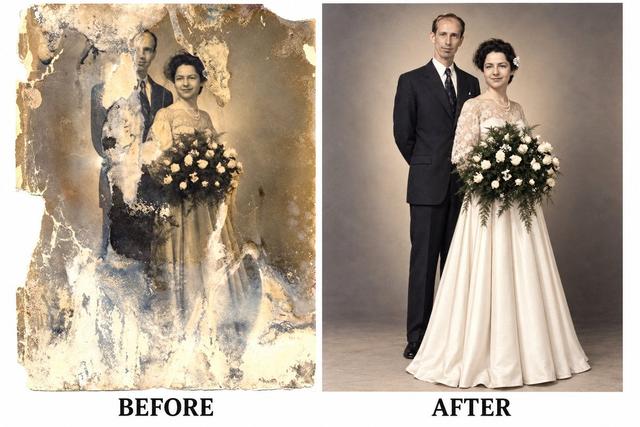
Profile / Avatar - Vintage Portrait Restoration and Colorization — output

Profile / Avatar - Vintage Portrait Restoration and Colorization

Abkr SadiqGPT Image 2
Use the uploaded image as the main restoration and identity reference. Convert this severely damaged old portrait into a clean, fully restored modern-looking photo while preserving the original appearance, pose, and composition.

Restore all missing and damaged areas of the photograph, including torn sections, faded parts, scratches, stains, cracks, peeling emulsion, discoloration, and burned or washed-out regions. Reconstruct the man and woman completely so both subjects appear whole, natural, and clearly visible.

Keep the same arrangement: the woman standing in front holding a large bouquet of flowers, and the man standing slightly behind her. Preserve their facial features, expressions, body proportions, posture, and elegant formal clothing, but refine everything to look polished, realistic, and complete.

Transform the image from an antique sepia damaged print into a high-quality modern portrait with:

clean natural skin tones

realistic facial details

sharp focus

balanced lighting

soft studio background

improved clarity and texture

realistic modern photo finishing

The final image should feel like a professionally restored contemporary portrait, as if the same couple was photographed clearly with a modern camera, while still keeping the classic formal elegance of the original scene.

Style: photorealistic, high detail, restored portrait, modern studio photography, clean, elegant, natural colors, sharp and realistic.
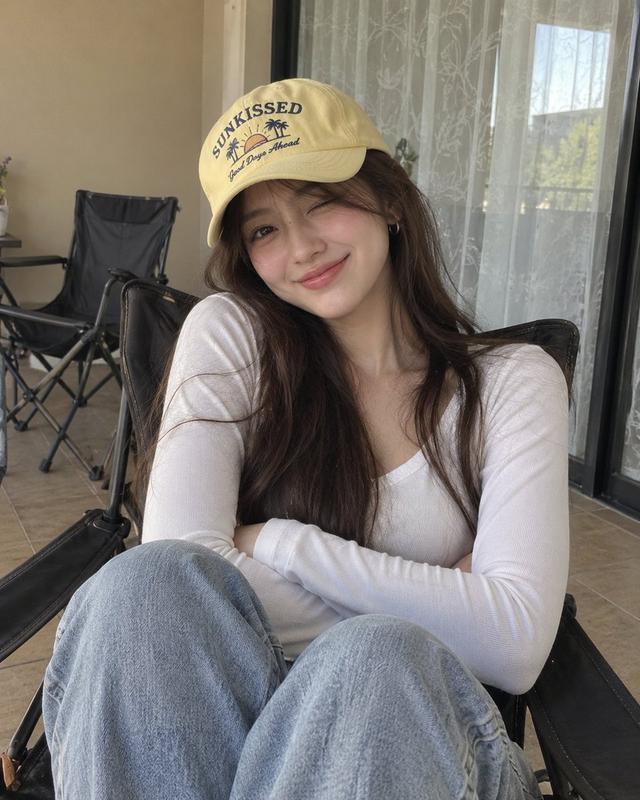
Profile / Avatar - Cozy Indoor Balcony Casual Portrait — output

Profile / Avatar - Cozy Indoor Balcony Casual Portrait

AqsaGPT Image 2
Ultra-realistic casual portrait of {argument name="subject description" default="a young woman"} sitting comfortably in a dark folding lounge chair, photographed indoors with a smartphone. She has long, straight dark-brown hair falling naturally over her shoulders, soft facial features, smooth natural skin, dark expressive eyes, and a warm playful smile with her eyes gently squinting. She wears small silver hoop earrings and {argument name="headwear" default="a pale yellow baseball cap with a playful vintage graphic and lettering on the front"}.
She is dressed in {argument name="clothing" default="a simple fitted white long-sleeve V-neck top and light blue relaxed-fit jeans"}. Her arms are comfortably crossed over her torso, creating a relaxed and confident pose. She is seated with her knees slightly raised toward the camera.
The setting is a cozy indoor balcony or casual room, with a beige wall, a large window covered by sheer patterned curtains, tiled floor, and dark folding chairs in the background. Soft natural daylight enters through the window, producing even illumination and gentle shadows.
Authentic smartphone photography, candid lifestyle aesthetic, natural skin texture, realistic hair strands, detailed clothing fabric, subtle imperfections, soft neutral color palette, relaxed youthful mood, shallow depth of field, realistic proportions, photorealistic, high resolution, vertical 4:5 composition.
Negative prompt: cartoon, anime, CGI, plastic skin, excessive makeup, distorted face, asymmetrical eyes, malformed hands, extra fingers, unnatural pose, unrealistic hair, blurry subject, oversaturated colors, warped background, excessive retouching, text artifacts, watermark.
Profile / Avatar - Japanese Aesthetic Influencer Portrait — output

Profile / Avatar - Japanese Aesthetic Influencer Portrait

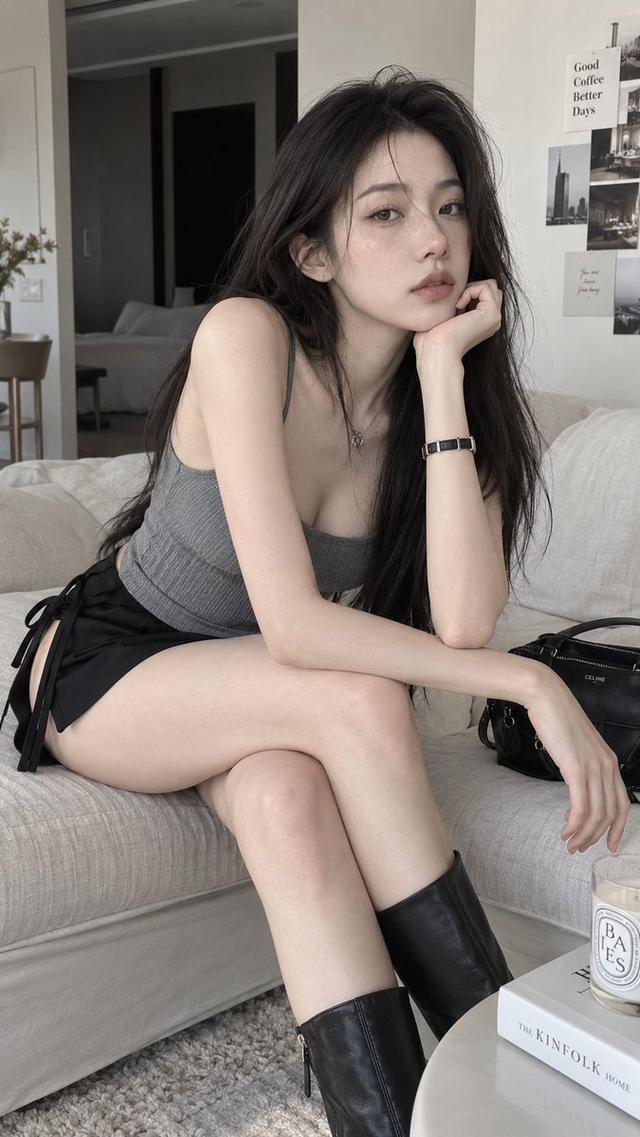
BubbleBrainGPT Image 2
A {argument name="nationality" default="Taiwanese"} {argument name="portrait style" default="Instagram-style"} adult female influencer, clearly an adult, with fair cool-toned porcelain skin and a few natural faint freckles on the nose bridge and cheeks. She has a {argument name="facial features" default="refined, cool fox-like small face"}: narrow and flowing in shape, with a defined jawline and a small, slightly pointed chin that is not overly sharp. Slender natural eyebrows with a soft arch. Slightly elongated eyes with narrow double eyelids, clear inner corners, and gently upturned outer corners; her gaze is quiet, cool, and slightly distant. Slim straight nose with a small rounded tip. Refined lips, the upper lip slightly thinner and the lower lip a little fuller, with naturally relaxed corners. Not a glamorous or heavily made-up influencer face, but a natural, lightly mature, cool Japanese-beauty look that is distinctive and holds up well. Slender, long-limbed figure with natural proportions. 9:16
Profile / Avatar - Elevated Magazine Style Studio Portrait — output

Profile / Avatar - Elevated Magazine Style Studio Portrait

simeon-sanaiGPT Image 2
Transform this photo into an elevated fashion studio portrait. Choose a {argument name="background color" default="complementing-color"} background that enhances the subject's skin tone. Keep a tight head-and-shoulder composition with the subject centered and facing the camera straight with an optimistic expression. Apply directional lighting with subtle shadows. Preserve natural skin tones while making the image polished, minimal, and editorial—like a magazine photoshoot.
Social Media Post - High Resolution Forest Clearing Photo — output

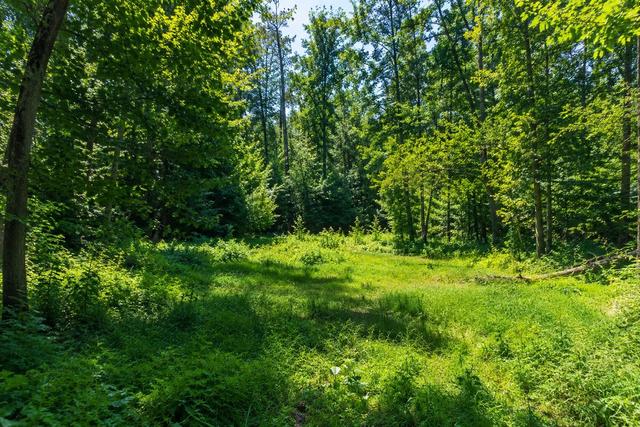
Social Media Post - High Resolution Forest Clearing Photo

BlueskiGPT Image 2
Sunny day, {argument name="scene description" default="a clearing in the woods"}, surrounded by a large amount of green branches and leaves, extremely rich in detail, shot with a high-quality high-resolution mirrorless camera, excellent dynamic range, clear and blur-free, {argument name="aspect ratio" default="5:3"}
Infographic / Edu Visual - Hairstyle Analysis Comparison Portrait — output

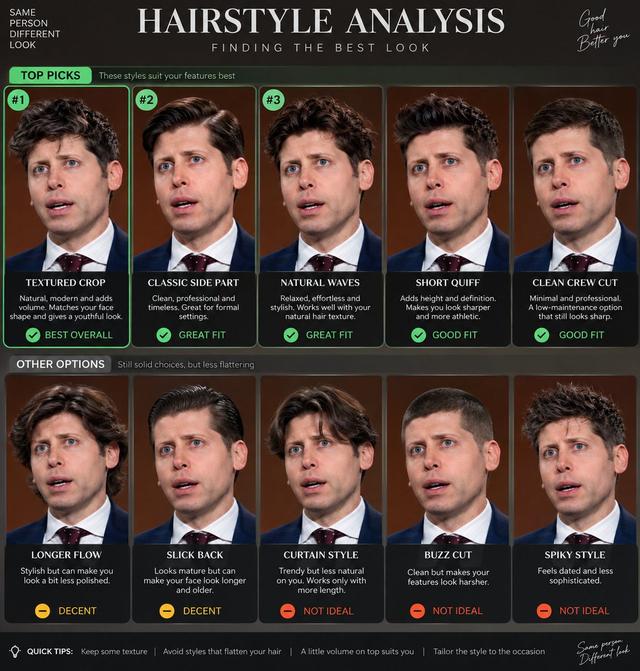
Infographic / Edu Visual - Hairstyle Analysis Comparison Portrait

VeeeGPT Image 2
Create a {argument name="task" default="hairstyle analysis graphic"} using this portrait. Show side-by-side {argument name="subject" default="hairstyle"} comparisons to highlight which {argument name="plural_subject" default="hairstyles"} suit the subject best
Social Media Post - GIF Sprite Sheet Animation Generator — output

Social Media Post - GIF Sprite Sheet Animation Generator

Gorden SunGPT Image 2
Generate every frame of a GIF emoji spritesheet of the character in the image in a {argument name="style" default="cartoon Line style"} as a bust. Ensure headwear and hairstyle are accurate. Use a 4x4 grid layout to generate a total of 16 small images. These 16 images should represent continuous split actions for a "{argument name="action" default="blowing a kiss"}" animation, which can be combined to form a complete, realistic looping animation where the last frame flows smoothly back to the first. Include the Chinese characters "{argument name="text" default="Love you"}" in each of the 16 images using a font that matches the visual style. Ensure sufficient white space between the 16 small images for easy cutting, and each image must not exceed its own area. Do not copy the original image exactly; only use the character. The background should be pure white without divider lines. The aspect ratio is 1:1.
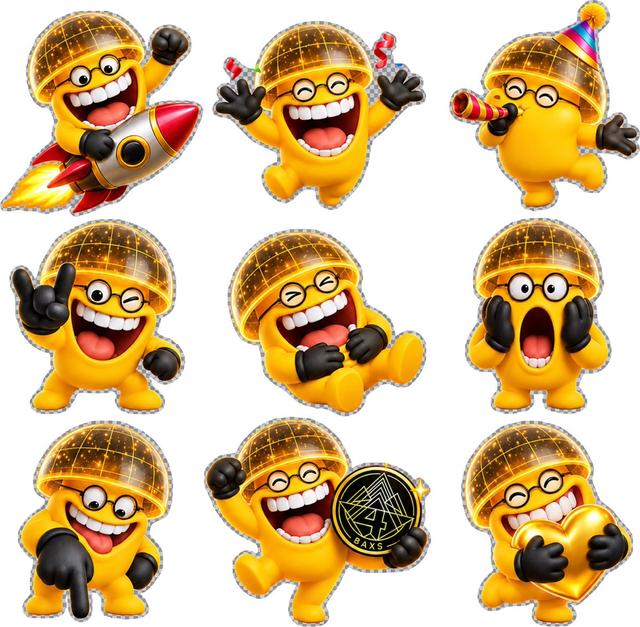
Game Asset - 3D Transparent Sticker Sheet Designer — output

Game Asset - 3D Transparent Sticker Sheet Designer

币安小说🍄 头GPT Image 2
Based on the image I uploaded, design a set of {argument name="style" default="3D emoji"} 1:1 transparent sticker sheets, containing {argument name="sticker count" default="9"} distinct stickers. Arrange them in a 3x3 grid, with each sticker showing a different expression, pose, or reaction. Leave wide and completely transparent gaps between the stickers. No background, shadows, or overlapping elements, incorporating {argument name="emojis" default="🚀🎉🥳🤟"}.
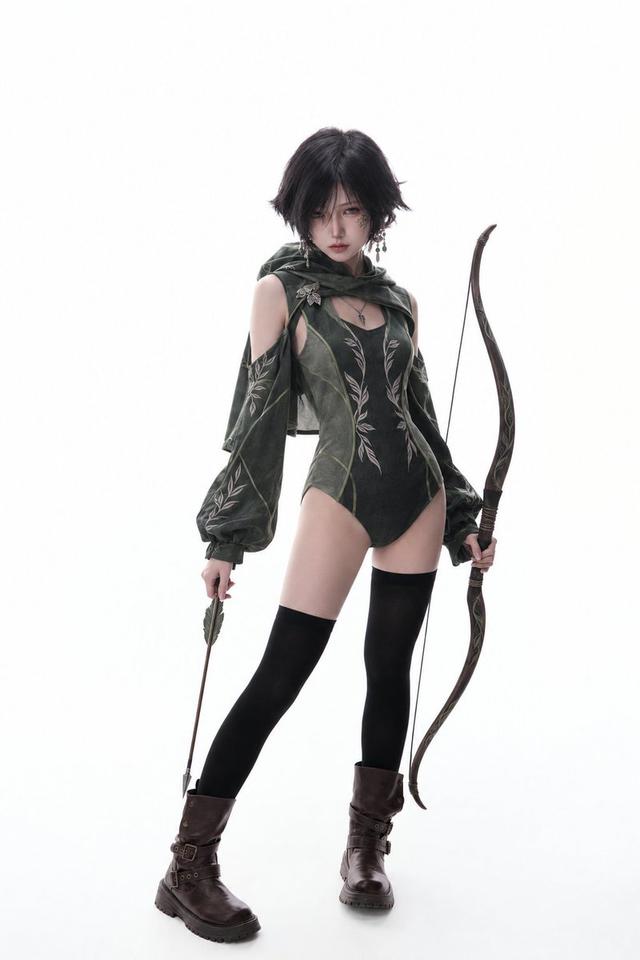
Profile / Avatar - Photography Scheme Reference Guide — output

Profile / Avatar - Photography Scheme Reference Guide

南鸢 nuyoahGPT Image 2
Use the attached image as a photography scheme reference. Retain its exposure relationships, lighting direction, clothing texture, and compositional rhythm; redesign the character and thematic color palette. The subject should be a {argument name="subject" default="adult"}; do not copy the face of the reference person. After generation, check against the original: have you changed the lighting, thickened the clothing, or made the skin excessively smooth without authorization?
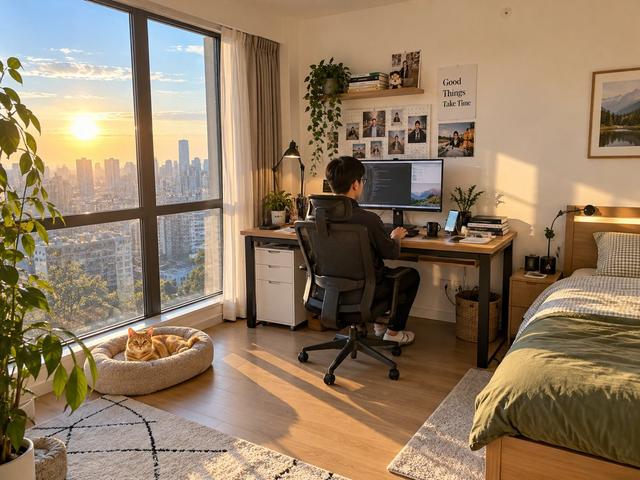
E-commerce Main Image - Realistic Room Promotion Render from Sketch — output

E-commerce Main Image - Realistic Room Promotion Render from Sketch

安伈XinAnGPT Image 2
Create a real-life room promotional image to market my room to potential tenants. The theme is room layout: a large floor-to-ceiling window on the left with excellent sunlight and lighting. Beside the window is a cat bed with a {argument name="pet" default="orange cat"} lying on it. Inside the bedroom is a large desk with daily items like a computer, keyboard, mouse, and phone. A young Chinese male is sitting on an ergonomic chair operating the computer. To the right of the desk is a single bed. The overall spatial relationship follows the sketch. Lighting and textures should look like a bedroom photo taken with a phone. Hard requirements: all items drawn in the sketch must appear, including the sun outside the window. Problems to avoid: do not include any elements or phenomena that contradict real daily life. Other proportions and room details are up to you to ensure a natural, realistic, and unforced effect.
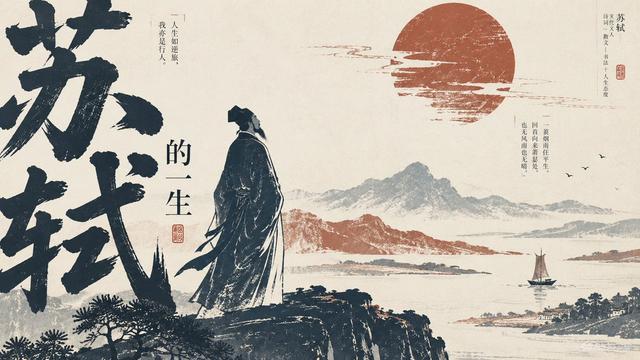
Infographic / Edu Visual - Editorial PPT Cover Design — output

Infographic / Edu Visual - Editorial PPT Cover Design

小小东GPT Image 2
@Create Image
Form a massive visual anchor with a strong brush weight using the core text or symbols of the theme. Let the letterforms act as a vertical architectural skeleton of the frame, colliding in scale, overlapping, and partially crossing boundaries with the main image. Summarize the main subject as an exaggerated, enlarged flat silhouette, organizing the image with sharp white-out lines, limited but layered color blocks, and clear boundaries. Let the environment support the form, creating a foreground-midground-background relationship around the subject while maintaining a central breathing zone. Use an asymmetric composition where the high-density main form creates a strong crop along one edge, while the secondary subject crosses the central axis into the white space. The bottom is stabilized by a wider supporting shape. The reading flow moves naturally from high-contrast anchors through image events down to the lower information zone. Use deep, low-saturation theme colors for structural weight, warm near-whites to open up space, and brighter or warmer focal colors within the same palette to mark theme events. Use near-black text for maximum readability. Let hand-written or seal-like cultural symbols related to the theme become emotional anchors juxtaposed with the subject. Fine titles, descriptions, poems, and signatures serve as low-register editorial annotations, adapted to the text system's structure. Form a multi-part rhythm of main character skeletons and secondary character breathing through scale, density, direction, and weight, allowing text to actively intersperse with color blocks, images, and white space, creating a restrained, vivid, and narratively tense editorial visual.

Subject: {argument name="subject" default="The Life of Su Shi"}
Purpose: {argument name="purpose" default="PPT cover for courseware"}.
Total 10 images.
Note: No serial numbers or coding logic, award-winning courseware level.
Browse by model, style or topic

Find your next direction

ASTORIE CANVAS

Take the idea further.

Bring your prompts, references and results together in one creative space.

Open your canvas ↗