

10 Best Krea AI Alternatives for Images, Video, and Creative Workflows in 2026
Magnific is one of the broadest Krea alternatives for stock assets, generation, editing, and collaborative workflows. Leonardo.Ai is stronger for image production and custom models, while Recraft specializes in vectors and brand graphics.
Key takeaways
- Magnific is one of the broadest Krea alternatives when stock assets, generation, editing, video, audio, and team collaboration need to share one account.
- Leonardo.Ai is the stronger image-production alternative for custom models, conventional generation controls, editing, and finished asset management.
- Recraft is the clearest specialist for vectors and brand graphics, while Midjourney focuses on distinctive image aesthetics.
- Runway provides deeper professional video tools, and ComfyUI offers the greatest local control and workflow reproducibility.
- No alternative in this list exactly reproduces Krea’s responsive realtime creation loop, so creators who depend on live visual feedback may be better off keeping Krea.
Magnific is one of the broadest Krea alternatives when stock assets, image and video generation, editing, and a shared canvas need to sit under one account. Leonardo.Ai fits image-led production and custom-model work, while Recraft is the clearest specialist for vectors and brand graphics.
Krea is difficult to replace because realtime creation, image and video generation, enhancement, training, 3D, and access to several models share one browser workflow. Specialists often go deeper in one area but give up the live feedback loop that makes Krea useful.
Pricing and product availability were rechecked on September 11, 2026. Promotions, annual discounts, model access, and compute allowances change, so confirm the current checkout page before purchasing.
Quick Answer
| Need | Best pick | Why switch from Krea | What you give up |
|---|---|---|---|
| Broad suite plus stock | Magnific | One account covers stock, generation, editing, audio, video, and Spaces | Less immediate than Krea Realtime |
| Image production and custom models | Leonardo.Ai | A conventional browser workflow for trained models, editing, and finished assets | Slower live loop than Krea |
| Vectors and brand graphics | Recraft | Native vectors, mockups, typography, and brand-oriented controls | No equivalent all-media workflow |
| Distinctive image aesthetics | Midjourney | A focused model and interface for developing visual direction | No realtime canvas or broad utility suite |
| Professional video workflow | Runway | Deeper motion, editing, audio, and delivery tools | Less suitable for fast image sketching |
| Local or modular control | ComfyUI | Reproducible node graphs with control over models, data, and compute | More setup and weaker collaboration |
How We Compared the Alternatives
Krea's breadth makes feature counting misleading. The useful question is whether an alternative improves the work you do most often without removing a capability you rely on every day.
| Criterion | Question |
|---|---|
| Creation quality | Does the first output follow the brief and produce a usable composition? |
| Iteration | Can the creator revise the result without rebuilding the idea from the beginning? |
| Workflow depth | Does the product cover the work after generation, such as editing, vectors, video, or export? |
| Control and consistency | Can references, styles, text, or trained assets stay consistent across variations? |
| Cost clarity | Can the user understand the plan and the model-specific consumption before a large batch? |
| Evidence | Are claims limited to official documentation and what is directly visible in the supplied screenshots, without treating those images as a controlled benchmark? |
Why People Look for Krea AI Alternatives
Krea's main strength is also the source of some friction: it does many things. A creator who only needs vector design, cinematic video, or a distinctive image model may pay for breadth while still moving the final work elsewhere. A specialist can offer a cleaner interface and deeper controls for that one deliverable.
The compute-unit system also changes the cost of experimentation. Different image, video, enhancement, and third-party models consume very different amounts. Krea shows these costs, but a high-volume team may prefer a product whose plan maps more directly to the work it produces.
Realtime generation is the feature to protect when comparing alternatives. If you sketch, move shapes, use a webcam, or type while the image updates, many competitors will feel slower even when their final still image is excellent. Replacing Krea makes the most sense when another product's specialist advantage matters more than that live loop.
1. Magnific Spaces (formerly Freepik Spaces)
Choose Magnific Spaces when Krea's realtime tools matter less than keeping stock assets, generation, editing, and team review under one account.
Spaces covers a broader campaign workflow than Krea's fast creation loop. References, generated assets, edits, and team discussion can stay on one canvas, while the wider Magnific suite adds stock, image, video, audio, design, 3D, and upscaling tools. This makes it a broad platform alternative rather than a like-for-like replacement for Krea Realtime.
Magnific now carries the former Freepik Spaces workflow under its own brand. The current plans combine Spaces with the wider creative suite, but a switch still gives up Krea's unusually responsive realtime image loop. Compare the current credit allowance and model access against the Krea modes used in real projects.
Choose Magnific if: several people need to explore, review, and develop campaign assets in one visual workspace.
Look elsewhere if: Krea's live image response is central to the work, or the workflow must run on local hardware.
Pricing: Free entry is available. Premium is $20 month to month or $14.50 per month billed annually, excluding VAT and local taxes. Usage is credit based. Official pricing
The supplied Magnific images are retained as interface references only. They show a generation workspace and a grid of variations, but they were not produced from the same brief or settings as the Leonardo.Ai image below. They are therefore not used to rank image quality, speed, consistency, collaboration, or free-plan access.
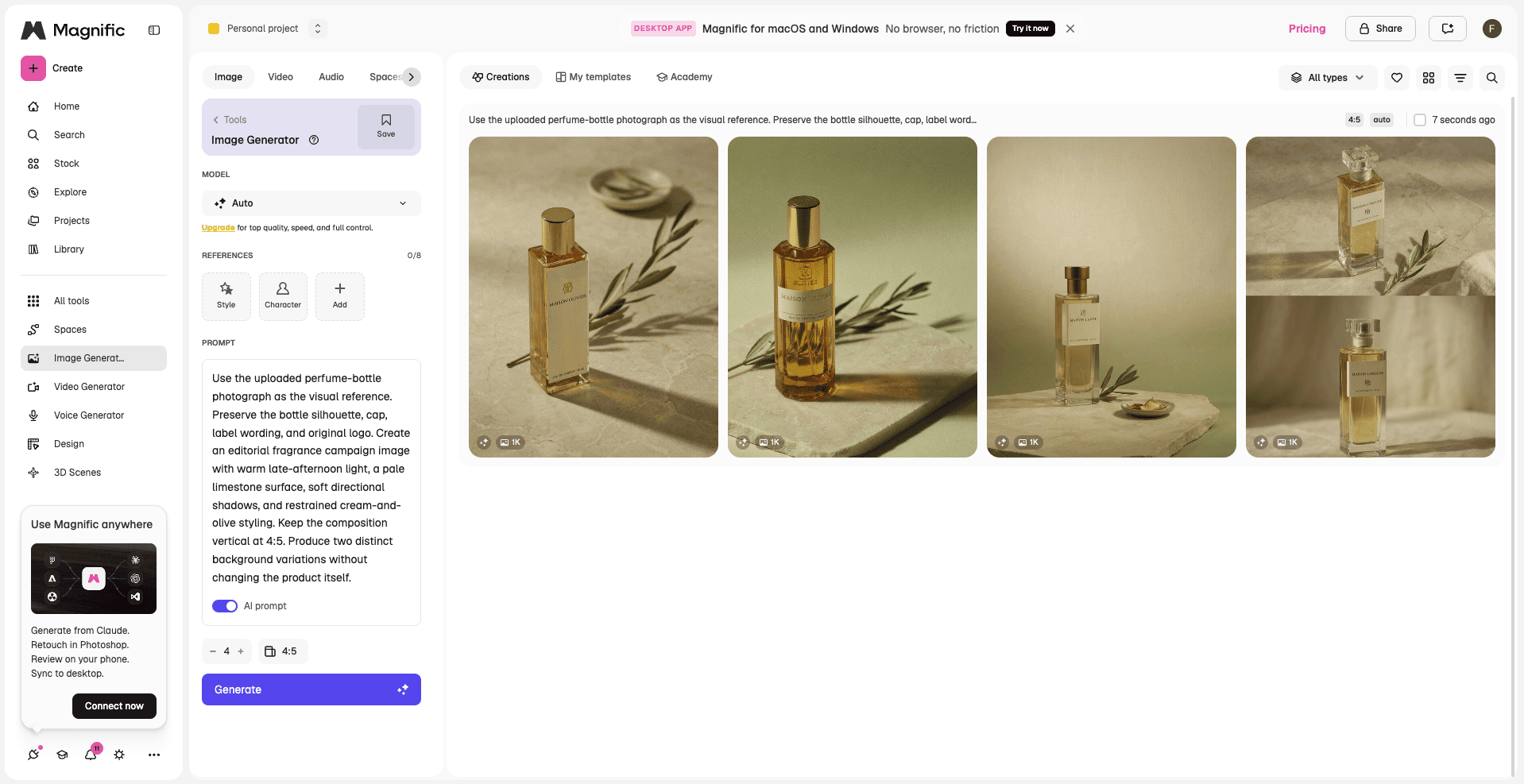
Magnific image-generation workspace showing a four-variation grid.
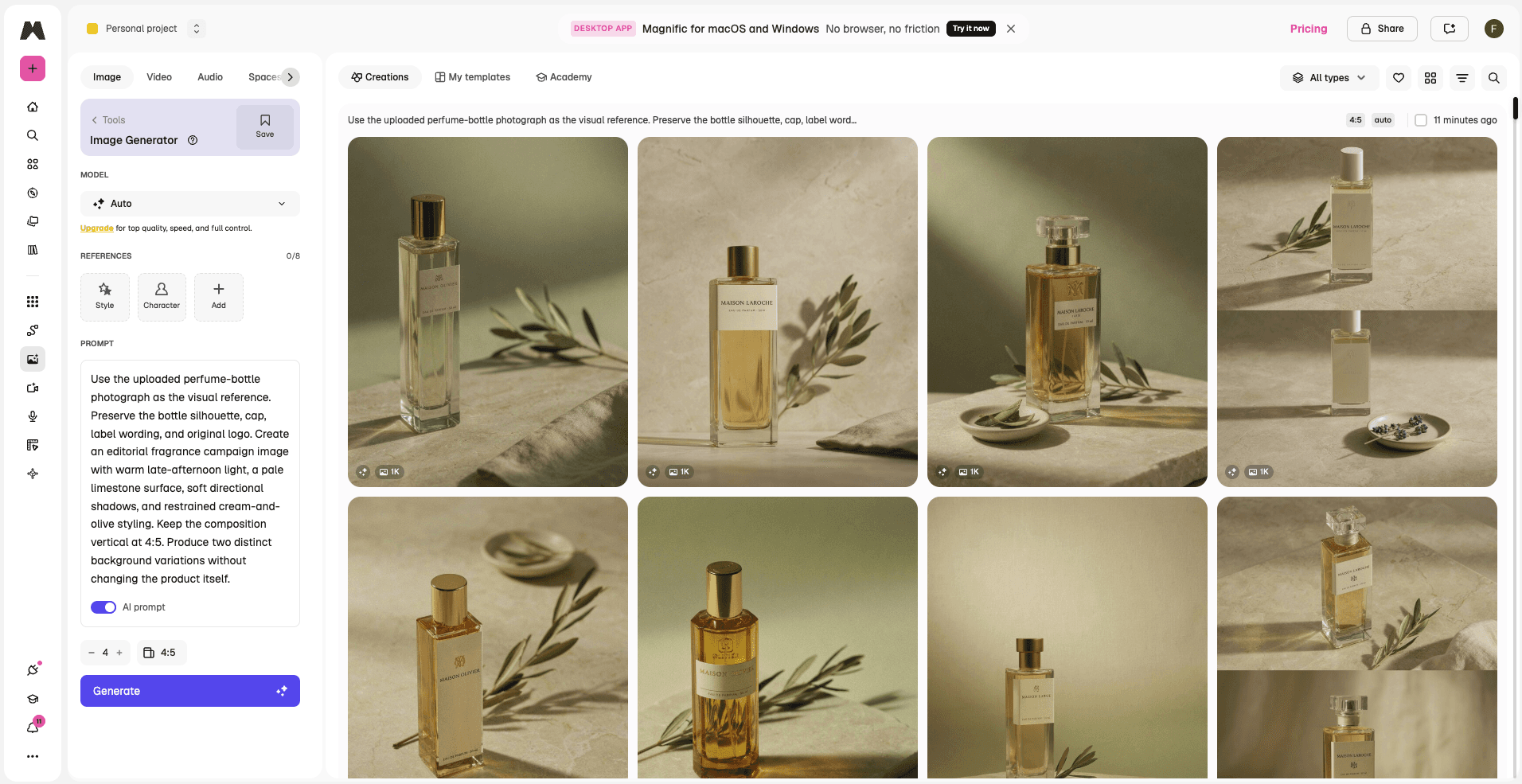
Magnific results grid shown in the supplied screenshot.
2. Leonardo.Ai: Browser-Based Generation Without Setup
Choose Leonardo.Ai when Krea's live canvas matters less than a conventional browser workflow for image generation, custom models, editing, and asset delivery. It removes local setup and organizes models, presets, and output tools around finished assets. The trade-off is a slower feedback loop and less of Krea's compact, all-media experimentation.
Pricing: The free plan includes 150 daily fast tokens. Essential is $12 per month before tax on monthly billing; yearly billing advertises savings of up to 20%. Usage is token based. Official pricing
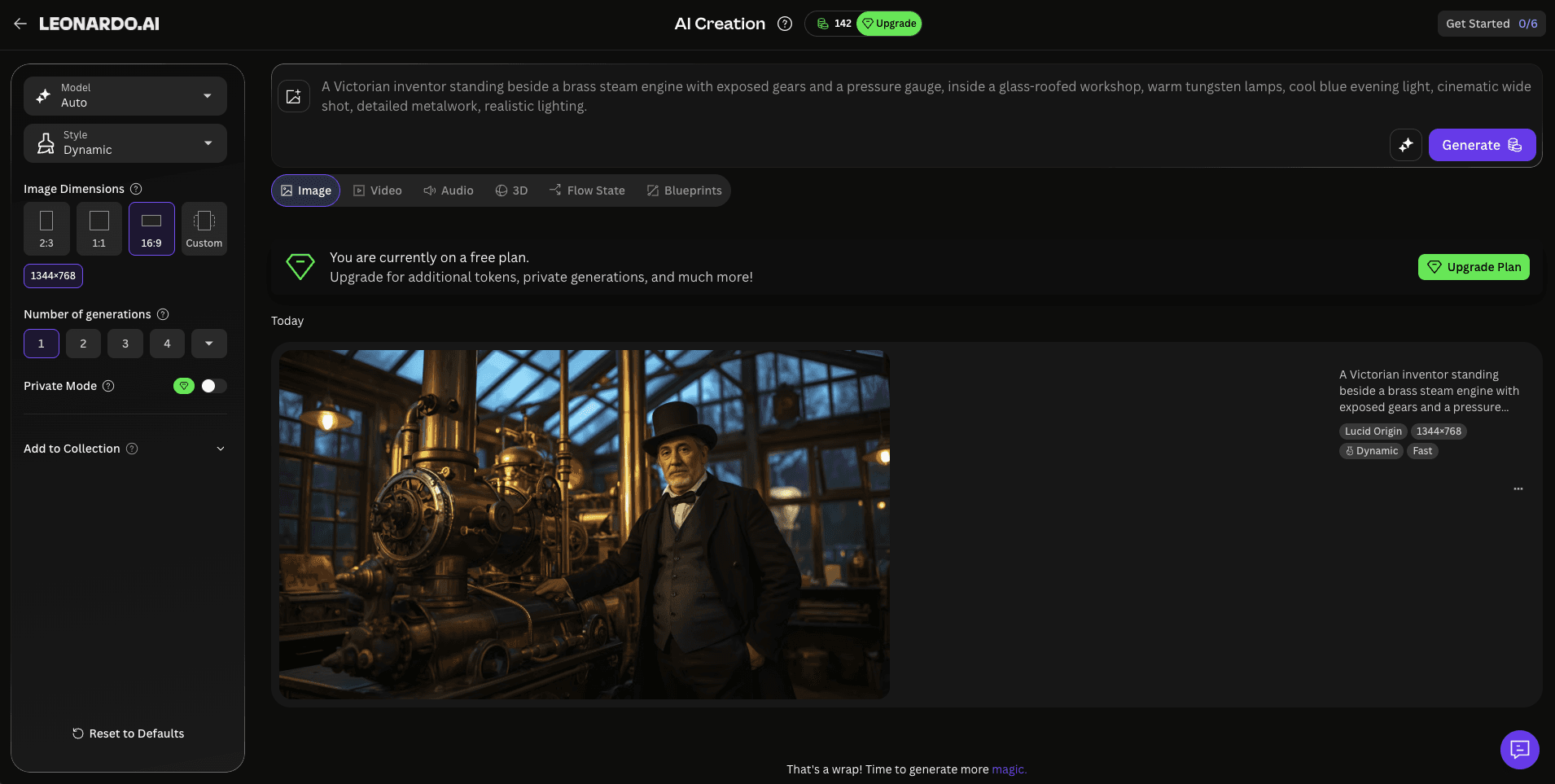
Leonardo.Ai generation workspace showing a Victorian-workshop prompt result.
Leonardo.Ai is organized around a conventional generation workspace with model, size, prompt, seed, and output controls. That structure is easier to document and repeat than Krea's live sketch loop, but it does not reproduce the same instant visual feedback. The screenshot is a visual reference to that workspace, not evidence of a controlled comparison with Magnific or Krea.
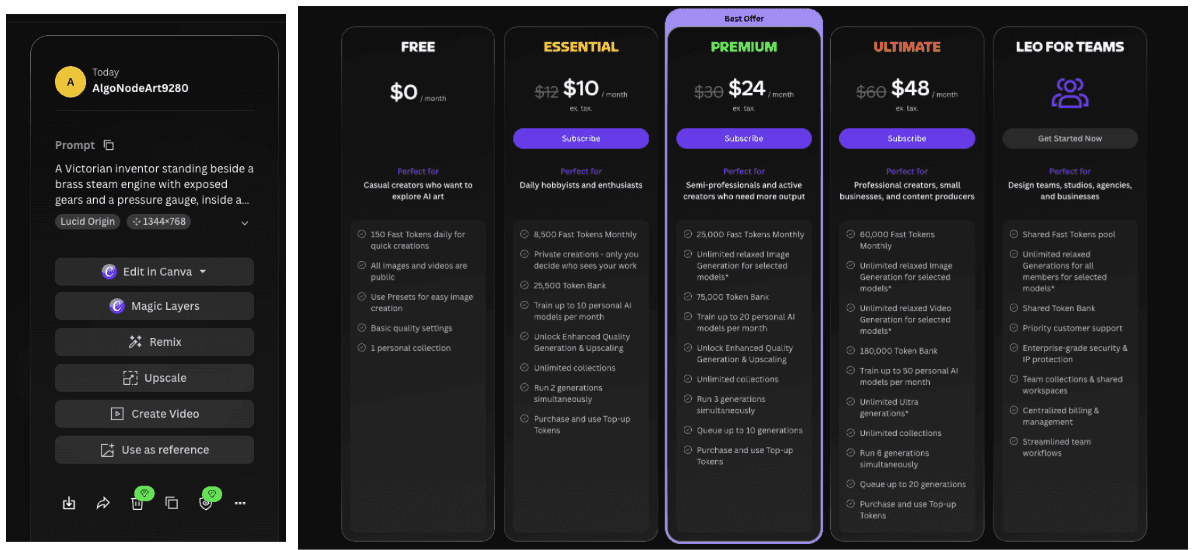
The supplied Leonardo.Ai result shows the available post-generation actions for one generated image.
The supplied pricing screenshot is retained for interface context and does not determine the product ranking.
3. Recraft
Best for: Designers making vectors, logos, icons, mockups, and brand graphics.
Choose Recraft when Krea's broad media toolkit is less important than producing vectors, logos, icons, mockups, and controlled brand graphics. Recraft combines raster generation with native vectors, text positioning, background tools, and element-level editing in a design-oriented workspace.
It solves Krea's lack of a deep vector and brand-asset workflow. When the deliverable is a logo system, icon family, packaging concept, or scalable illustration, Recraft produces formats that fit the job more directly.
Trade-off: Recraft gives up Krea's broad video, audio, 3D, and realtime ecosystem. It is a better specialist for graphic production, not a complete replacement for a creator who uses every Krea mode.
Pricing: A free option is available. Basic is the lowest paid tier, annual billing is advertised at 20% off, and usage is credit based. Confirm the live checkout price. Official pricing
4. Midjourney
Best for: Creators who value a distinctive visual result more than an integrated editing suite.
Midjourney remains a focused choice for image generation with a strong aesthetic point of view. It is useful for concept art, fashion, environments, and visual directions where the first image needs to feel authored rather than merely accurate.
Move to Midjourney when Krea's tool selection gets in the way of developing a visual direction. The narrower workflow keeps attention on prompting, variations, and image selection.
Trade-off: Midjourney has no Krea-style realtime canvas and offers less of Krea's all-in-one editing, enhancement, video, and training workflow. It also has no permanent free plan.
Pricing: There is no permanent free plan. Basic costs $10 month to month or $8 per month when billed annually ($96 per year). Usage is based on GPU time. Official pricing
5. Adobe Firefly
Best for: Creative teams that need Adobe integration, brand review, and commercially governed workflows.
Firefly is strongest when generated assets are only one step in an Adobe project. Images and video can move into tools such as Photoshop and Premiere Pro, where designers already manage layers, timelines, approvals, and final exports.
Choose Firefly when Krea's professional handoff becomes the bottleneck. Teams can keep generation close to established files, permissions, and review processes instead of moving experimental assets between unrelated apps.
Trade-off: Firefly gives up Krea's model variety and responsive realtime experimentation. It can also feel conservative for creators who want unusual visual exploration rather than an Adobe-centered production path.
Pricing: Free daily generations are available. Standard costs $9.99 per month and includes 2,000 monthly generative credits for premium features. Official pricing
6. Runway
Best for: Filmmakers and motion teams that have outgrown Krea's general-purpose video tools.
Runway is a specialist alternative for video production. Its current models support text-to-video and image-to-video, while the wider platform adds references, transformation, keyframes, editing, and professional output formats.
Runway makes more sense once Krea's post-generation video depth becomes limiting. A creator can develop a shot, revise motion, transform existing footage, and prepare a production file in one environment.
Trade-off: Runway gives up Krea's quick realtime image loop, broad enhancement tools, and compact all-media workspace. It is more complex and can be more expensive when used for frequent high-end generations.
Pricing: Free includes 125 one-time credits. Standard costs $15 month to month or $12 per month when billed annually, with 625 monthly credits. Official pricing
7. Ideogram
Best for: Posters, social graphics, and image briefs where readable text is central.
Ideogram is a practical alternative when the image must include a headline, label, sign, or graphic layout. Its interface is focused on image generation and remixing, which can be easier to manage than Krea's larger collection of tools.
Choose Ideogram when Krea's general image workflow struggles with text-heavy briefs. It is a specialist for typography-led images rather than a replacement for the wider creative suite.
Trade-off: Ideogram gives up Krea's video generation, realtime canvas, enhancement, training, and 3D tools. It is a specialist choice for graphic images, not an all-media replacement.
Pricing: Eligible free accounts receive weekly slow credits. Plus costs $20 month to month or $15 per month when billed annually ($180 per year), with 1,000 monthly priority credits and unlimited slow generation. Official pricing
8. ComfyUI
Best for: Technical users who want local control, reproducible node graphs, and access to open models.
ComfyUI replaces Krea's managed interface with a node-based system that can run locally or on hosted infrastructure. It gives users control over models, conditioning, samplers, extensions, data, and reusable graphs. That makes it valuable for repeatable pipelines and private work.
The reason to switch is control. A ComfyUI workflow can be versioned and adapted at a level that a managed creative suite does not expose. If local installation is the only concern, hosted ComfyUI services keep the graph-based workflow while removing most GPU maintenance.
Trade-off: ComfyUI gives up Krea's immediate browser experience, realtime simplicity, managed updates, and approachable collaboration. Local use also brings setup, hardware, dependency, and maintenance costs; hosted services reduce the setup and maintenance burden, but they add another provider and bill and do not necessarily cost less.
Pricing: The software is open source with no license fee. Costs come from local hardware or hosted compute, storage, models, and provider fees. Official source
9. FLORA
Best for: Visual teams that want a collaborative canvas for arranging models, references, and creative branches.
FLORA is organized around a shared visual workspace. Teams can place references, generations, and workflow steps on a canvas, which makes creative exploration easier to review than a chronological gallery of prompts.
Choose FLORA when Krea's collaboration and workflow visibility become limiting. A group can see how an idea branches and discuss the process in context instead of passing isolated exports between tools.
Trade-off: FLORA gives up Krea's unusually fast realtime generation loop and some of its mature enhancement and utility tools. It is better for a visible team process than for a solo creator who wants immediate live feedback.
Pricing: The free plan supports one solo seat and up to 17 generations. Starter is $18 per seat per month with $12 in included usage under a launch offer shown through September 30, 2026. Usage is metered. Official pricing
10. Astorie
Best for: Creators comparing image-to-video models from the same source on a visual canvas.
Astorie is relevant to a narrow part of Krea's workflow: video-model comparison. A source image can branch into separate model nodes, keeping the input visible while different video engines interpret the same motion brief.
Astorie's useful difference is traceability when Krea's model menu is not enough. The canvas keeps the source, prompt, model, and resulting branch visible together.
Trade-off: Astorie does not replace Krea's realtime image creation, image editing, enhancement, model training, stock assets, or 3D tools. It is also not a full timeline editor; finished clips still need another tool for cuts, sound, text, and delivery.
Pricing: Free entry is available. Standard is currently $12 per month billed annually for the first year, with 1,600 monthly credits. Model, resolution, and duration affect credit use. Official pricing
Krea AI Alternatives Compared
| Tool | Type and scope | What you gain | Main loss vs Krea | Pricing and access |
|---|---|---|---|---|
| Magnific | Broad platform | Stock, generation, editing, audio, video, and Spaces | Less immediate than Krea Realtime | Free; Premium $20 monthly or $14.50 annual; credits |
| Leonardo.Ai | Broad partial replacement | Image production, custom models, editing, and assets | Slower live loop | Free; Essential $12 monthly before tax; tokens |
| Recraft | Design specialist | Native vectors, mockups, and brand controls | No equivalent all-media workflow | Free; Basic paid tier; 20% annual saving; credits |
| Midjourney | Image specialist | Focused visual direction and aesthetic exploration | No realtime canvas or broad utility suite | No free plan; Basic $10 monthly or $8 annual; GPU time |
| Adobe Firefly | Adobe production platform | Creative Cloud handoff and governed production | Less model variety and live experimentation | Free daily; Standard $9.99 monthly; credits |
| Runway | Video platform | Deeper motion, editing, audio, and delivery | Not a broad image sketch workspace | Free 125 one-time credits; Standard $15 monthly or $12 annual |
| Ideogram | Image specialist | Text-heavy graphics and private generation on paid plans | No broad video, training, or 3D suite | Free weekly slow credits; Plus $20 monthly or $15 annual |
| ComfyUI | Technical workflow alternative | Local graphs, open models, and reproducible control | Setup and collaboration burden | Open source; local or hosted compute costs |
| FLORA | Collaborative workflow platform | Shared canvas, model branching, and team review | Less realtime utility depth | Free; Starter $18/seat monthly plus metered usage |
| Astorie | Partial workflow alternative | Visual branching for image-to-video model comparison | Does not replace Krea image editing or Realtime | Free; Standard $12 annual first year; credits |
Do You Need a Full Krea Replacement or a Specialist Tool?
Krea combines several jobs in one fast browser workflow. A broad replacement makes sense when you want one account for most of them; a specialist is better when one deliverable matters more than Krea’s realtime loop.
| Need | Best fits | What they replace |
|---|---|---|
| Broad replacement | Magnific or Leonardo.Ai | Several parts of Krea, including generation, editing, assets, and production tools |
| Image aesthetics | Midjourney | The image-generation experience, not Krea’s wider workflow |
| Vector and brand work | Recraft | A specialist replacement for scalable design assets |
| Video | Runway | Deeper motion and post-generation work |
| Technical control | ComfyUI | Models, graphs, data, and compute ownership |
| Collaboration | FLORA | A visible team canvas and shared branching process |
Krea Feature to Best Alternative
This matrix separates tools that cover a large share of Krea from specialists that replace one feature well. None reproduces every part of Krea’s realtime, multi-tool loop.
| Krea feature | Best alternative | Coverage | Main compromise |
|---|---|---|---|
| Stock, generation, editing, and teams | Magnific | Broad replacement | Less immediate than Krea Realtime |
| Image production and custom models | Leonardo.Ai | Broad partial replacement | More settings and a slower live loop |
| Realtime generation | Keep Krea | No exact replacement in this list | Specialists change the workflow |
| Vector and brand graphics | Recraft | Specialist | Does not replace Krea's broad media suite |
| Distinctive image aesthetics | Midjourney | Specialist | No realtime canvas or all-in-one editor |
| Adobe production handoff | Adobe Firefly | Production specialist | Less model variety and live exploration |
| Video production | Runway | Specialist | Not a broad image workflow |
| Text inside generated images | Ideogram | Specialist | No broad media and enhancement suite |
| Technical node workflows | ComfyUI | Technical workflow alternative | Setup and maintenance burden |
| Collaborative visual canvas | FLORA | Partial replacement | Less realtime utility depth |
| Compare image-to-video models | Astorie | Partial workflow alternative | No replacement for Krea Realtime or image editing |
What Do You Lose When Switching From Krea?
Leaving Krea can split a fast, connected workflow across several products. Existing realtime canvases, trained models, enhancement settings, generated assets, video projects, credit balances, and team habits may not transfer. A specialist can improve one deliverable while adding exports, subscriptions, and review steps elsewhere.
Keep Krea when realtime exploration links several stages of the week's work or when rebuilding those assets would cost more than the specialist improvement. Switch when one repeatable output, such as vectors, video, typography, or local node workflows, consistently matters more than Krea's breadth.
How to Choose the Right Krea Alternative
- Choose Magnific if stock assets, generation, editing, and team work need to share one account.
- Choose Leonardo.Ai if custom models, image production, and asset organization matter more than live sketching.
- Choose Recraft if the final file needs to be a vector, mockup, logo, icon, or tightly controlled brand graphic.
- Choose Midjourney if a distinctive still-image aesthetic is the main requirement.
- Choose Runway if the project is primarily video and the shot must continue into a deeper production workflow.
- Choose ComfyUI if control, privacy, reproducibility, and open models justify technical setup.
- Choose FLORA for a shared creative canvas, or Astorie for the narrower task of branching one image into several video models.
Before switching, repeat one real task in Krea and the top alternative. Use the same prompt, ratio, number of outputs, and source files. Keep the first result, make one edit, and export the final asset. The friction usually appears after generation, not in the sample gallery.
Is Krea AI Still Worth Using?
Yes, especially for creators who move quickly between realtime generation, standard image models, enhancement, and video. Krea's advantage is not that it wins every specialist category; it is that several useful creative modes live in one fast browser workflow.
An alternative is more convincing when your work has settled into one repeatable deliverable. Recraft is better for vectors, Runway is deeper for video, and ComfyUI exposes far more technical control. If your week includes all three kinds of work, Krea may still be the simpler subscription.
Bottom Line
Magnific is one of the strongest broad Krea alternatives for teams that need stock, generation, editing, and collaboration. Leonardo.AI is the better image-production replacement, while Recraft wins for vector and brand work. Runway is the specialist choice for video, and ComfyUI is the choice for technical control.
Do not leave Krea because another tool has a longer feature list. Leave when a specialist solves the part of the workflow that costs you the most time. If realtime exploration remains central, Krea is still difficult to replace cleanly.
Related reading
Seedance 2 Handbook: Variants, Best Workflows, and How to Use It on Astorie
Hands-on guide to Seedance 2 — variants, strengths, and the production workflows it fits on Astorie's canvas.
GPT Image 2 Guide: Workflows, Strengths, and Where It Fits on Astorie
How GPT Image 2 fits product, text, and reference image workflows on Astorie's multi-model canvas.
Nano Banana 2 Workflows for Multi-Image Reference and Character Consistency
Multi-image reference and character consistency workflows on Astorie using Nano Banana 2.
Frequently asked questions
- What is the best overall Krea AI alternative?
Magnific is one of the broadest replacements because it combines a large stock library with image, video, audio, editing, enhancement, and team tools. Leonardo.AI is a closer fit for creators who care more about image generation, training, and asset production.
- Which Krea alternative is best for graphic design?
Recraft is the strongest option for native vectors, logos, icons, mockups, and controlled brand graphics. Ideogram is worth testing when readable text is the main requirement.
- Which alternative keeps the most technical control?
ComfyUI offers the most control because the workflow, models, extensions, and compute can be managed directly. Hosted ComfyUI is the middle path for users who want node graphs without maintaining a local GPU setup.
- Can Astorie replace Krea AI?
Only for a narrow job. Astorie can help compare image-to-video models from the same source on a visual canvas. It does not replace Krea's realtime image creation, enhancement, editing, training, or broader creative suite.
Ready to try it on the canvas?
Open Astorie and fan your prompt across every frontier model in one workflow.