

Video Quality Control: A Checklist for AI-Revised Commercial Shots
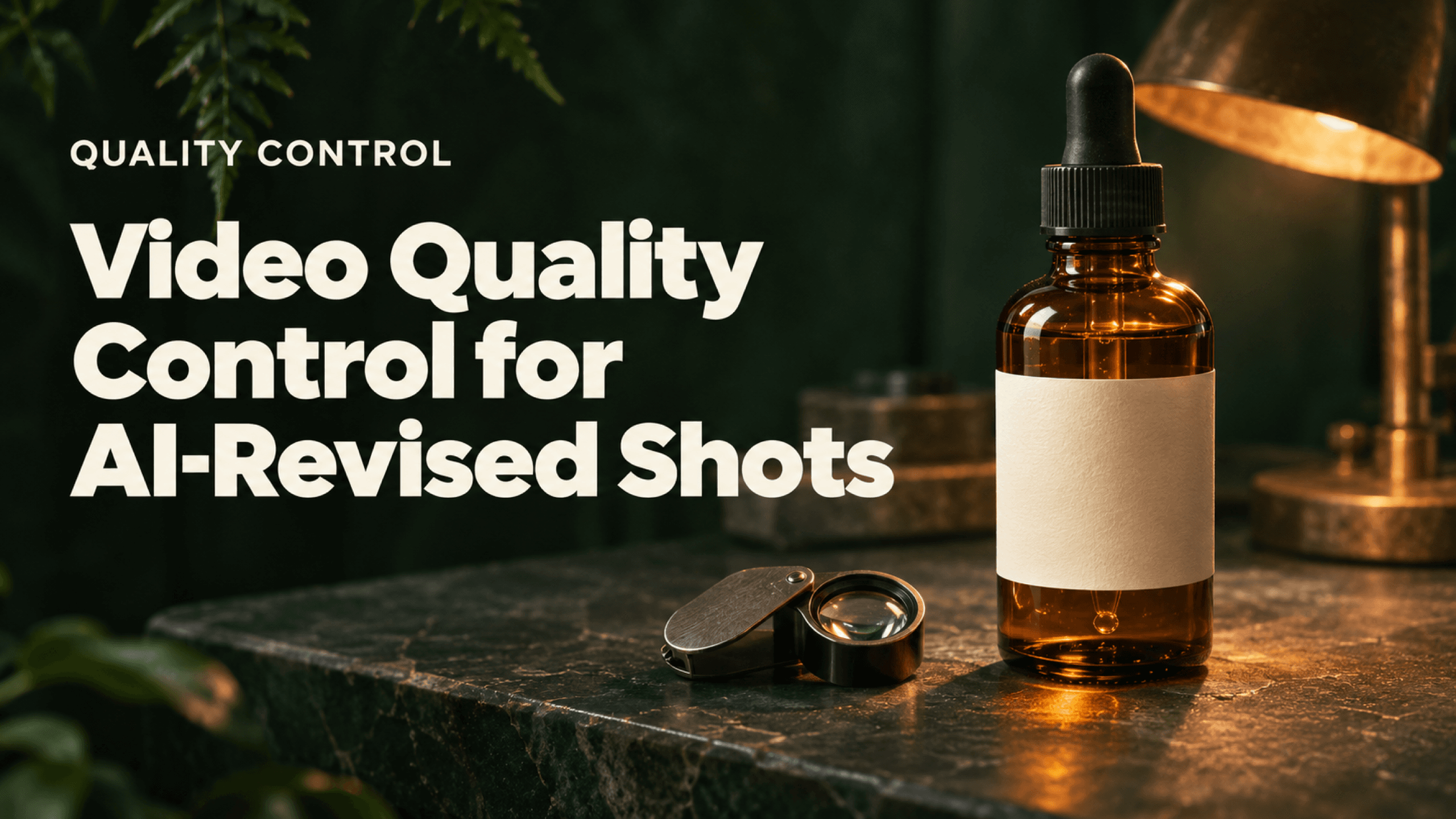
Video quality control checks whether the delivered file matches the approved creative and technical brief. For an AI-revised commercial shot, inspect the requested change, protected product details, behavior over time, audio and export specifications. Approve the exported master only after those checks have an owner and a recorded result.
An object disappearing is one check. It does not establish that the product, lighting, performance or delivery file remained acceptable. Use the checklist below to turn a plausible preview into a clear release decision.
Video quality control begins with the approved reference
Keep the original approved shot beside the revised candidate. Record its filename, usable range and required delivery specifications. Then separate the requested change from everything that must remain protected.
For a product shot, protected details may include the label wording, bottle silhouette, cap, material, scale and contact shadow. For a performance shot, they can include hand contact, gaze, action timing and speech. The client or brand owner should decide which differences are unacceptable; the editor should not invent that tolerance after seeing the output.
Before review | Record |
Approved source | Shot ID, filename, version and usable range |
Requested change | One clear instruction and its affected area |
Protected elements | Product identity, people, setting, action and original audio as required |
Delivery brief | Frame size, aspect ratio, frame rate, codec/container, duration, audio and naming |
Acceptance owner | Person authorized to approve each creative and technical requirement |
Place this gate within the wider video production pipeline, after revision selection and again on the final exported master.
A product edit that needs more than a removal check
Clara tested a skincare product scene in Astorie on November 11, 2026. The still showed an amber dropper bottle with a visible LUMA label and one green leaf on a stone pedestal. The label is part of the supplied synthetic test scene, not a product claim or endorsement.

Figure 1. Clara’s source still defines the bottle, label, leaf and stone surface against which the revision can be checked.
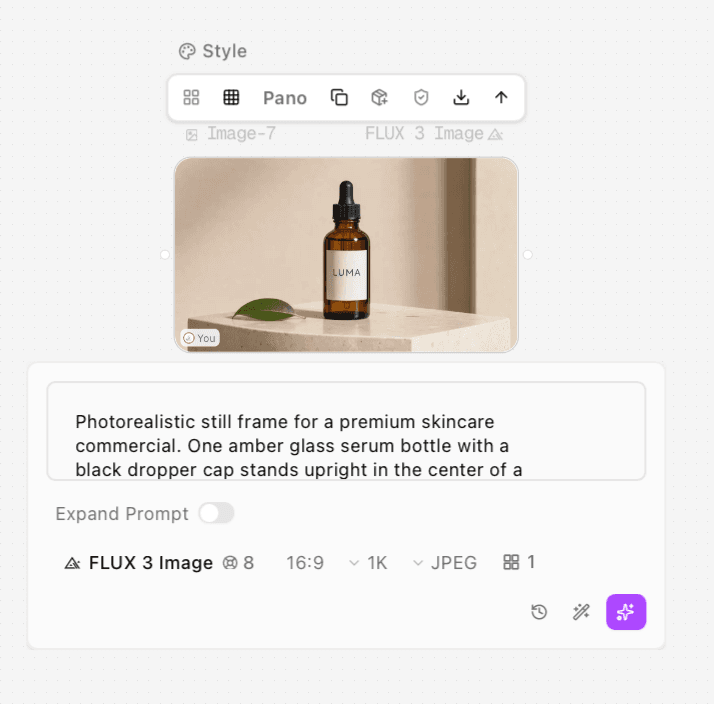
Figure 2. The still-image run shows the Astorie UI label FLUX 3 Image, 16:9, 1K, JPEG and one result. It establishes the actual image preparation settings.
A MiniMax H3 Omni source video used the still as its first frame, with 16:9, 768p and 8s selected. Gemini Omni Video then received that clip in Input Video for leaf removal, with 16:9, 720p and 6s selected. Those are observed Astorie UI settings, not a general claim about every version or access route for either model.
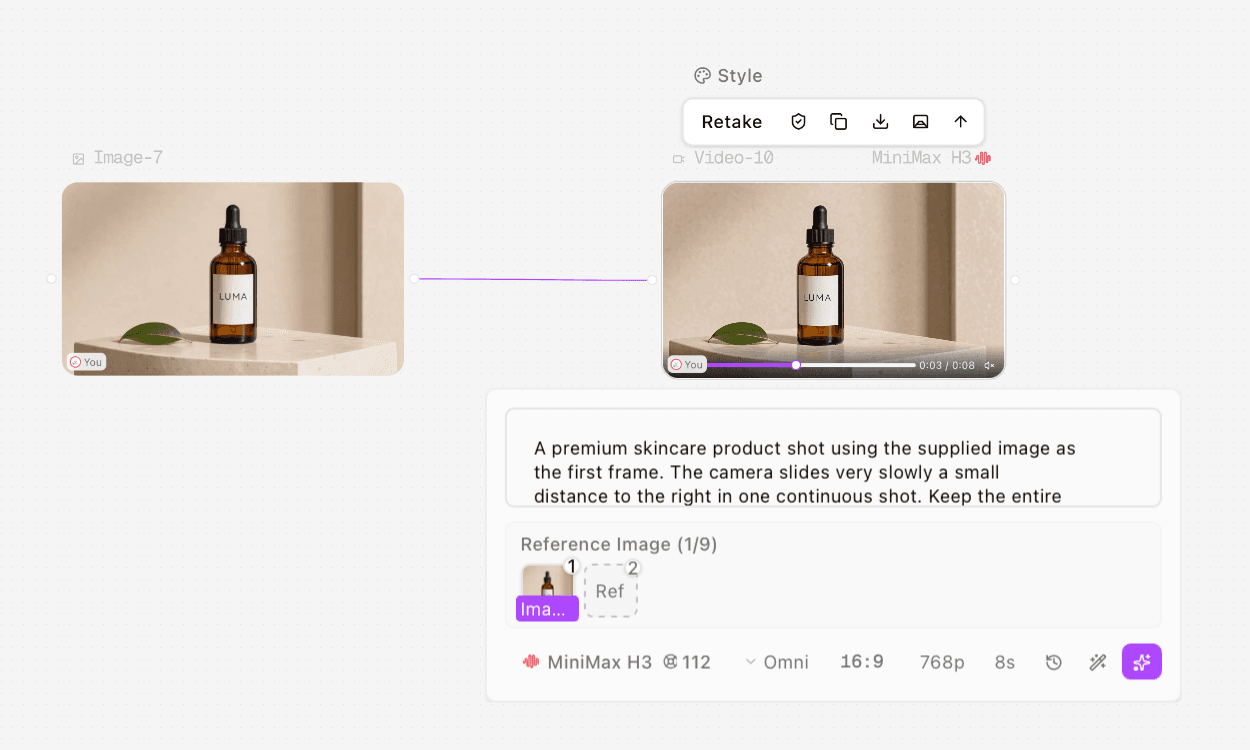
Figure 3. The source video setup shows MiniMax H3 in Omni mode with an image reference. This generated source must be distinguished from the later removal result.
Original product clip with the green leaf on the pedestal.
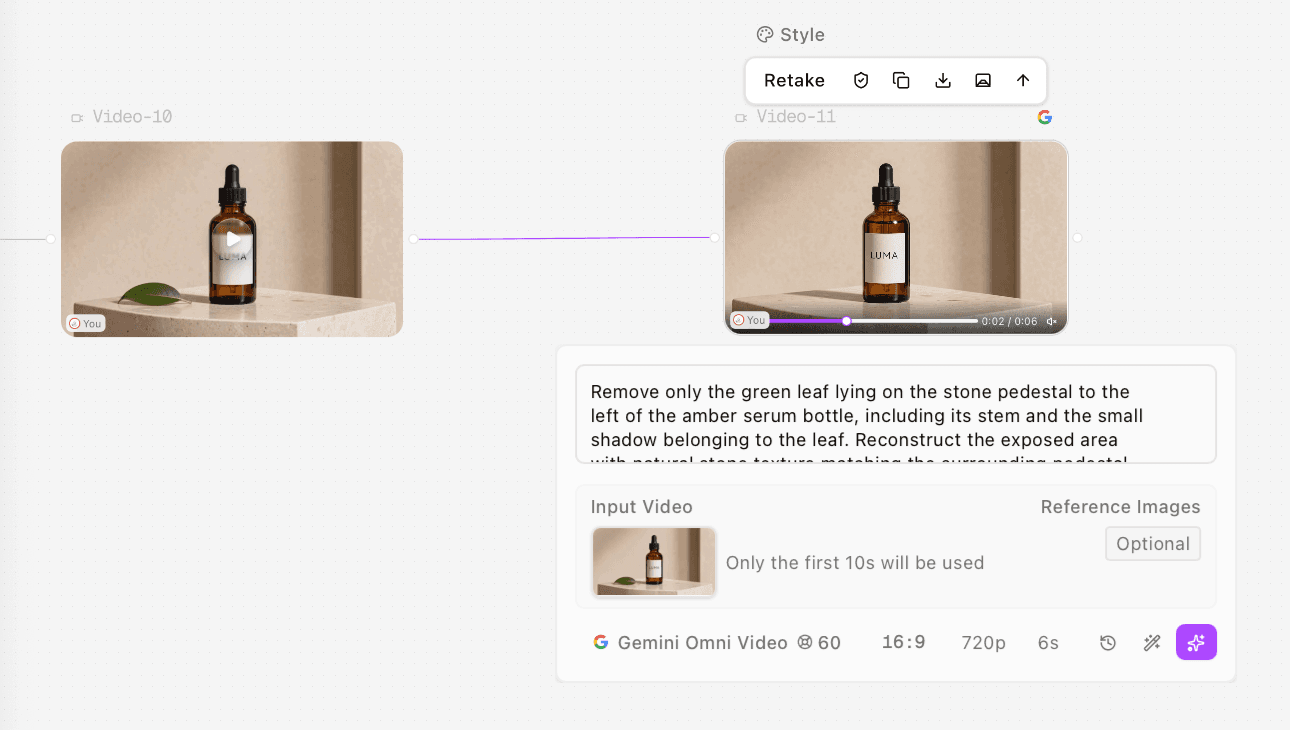
Figure 4. The completed Gemini Omni Video node shows the source as Input Video and the requested leaf removal. The displayed 60-credit figure is a UI quote, not proof of the actual charge.
Leaf-removal candidate. Compare the reconstructed stone and the changed shadow before approving.
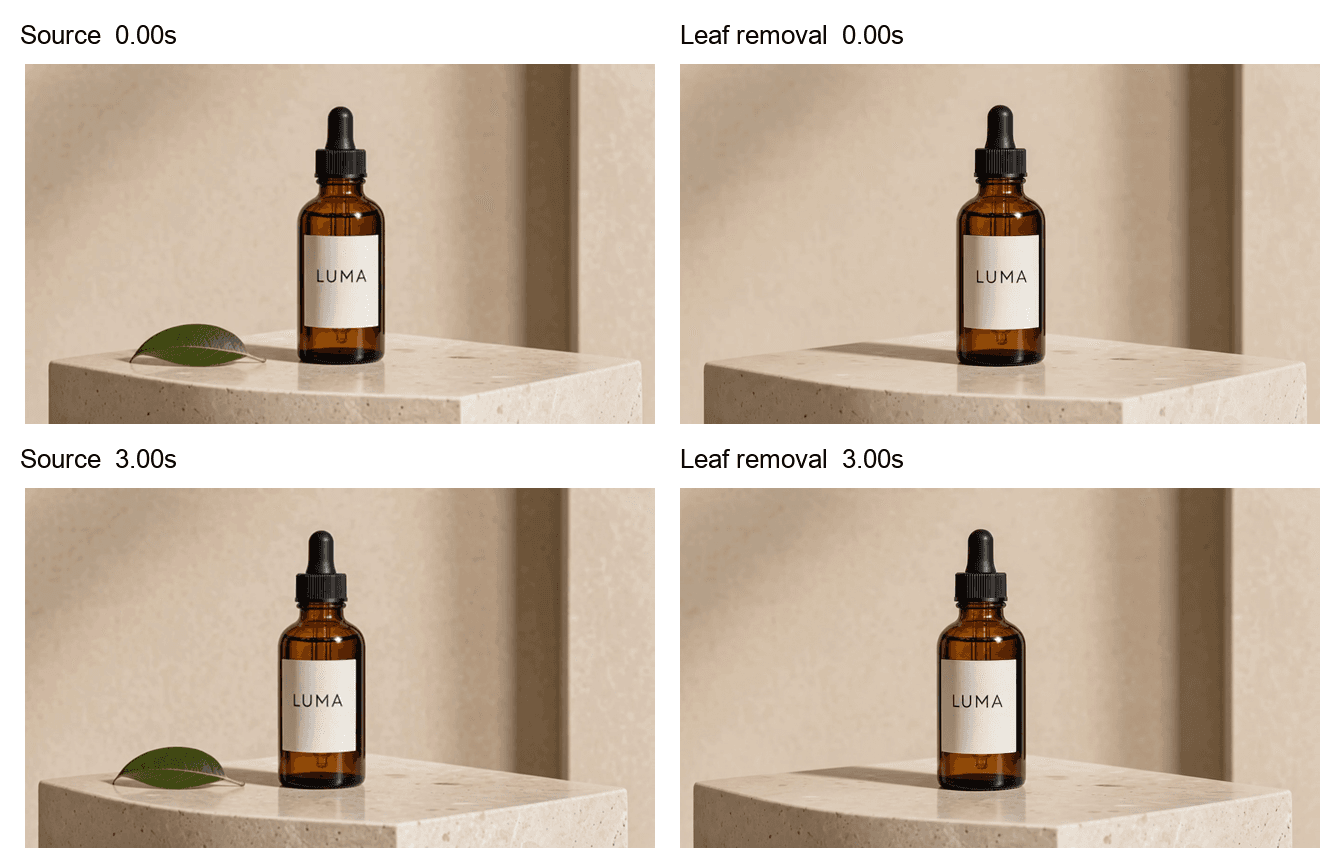
Figure 5. PASS for leaf removal; FAIL for lighting preservation under the unchanged-lighting criterion below. Matched samples at 0.00s and 3.00s show the leaf absent and a stronger shadow to the bottle’s left. The shadow is not established as a residual leaf shadow.
For this worked example, require the leaf to disappear while the approved pedestal lighting remains visually consistent. Target removal is PASS in the displayed samples: the leaf is absent. Lighting preservation is FAIL against that criterion: the elongated shadow to the bottle’s left is visibly stronger. The label remains readable at the sampled viewing size. These are editorial QC judgments of the samples, not a reported client rejection or a full-clip approval.
File property | Source export | Edited export | QC consequence |
Frame size | 1344 × 768 | 1280 × 720 | Confirm conformance to the delivery brief |
Frame rate | 24 fps | 24 fps | Same measured frame rate; still verify timeline interpretation |
Duration | 8.000s | 6.500s | Recheck the usable range and edit handles |
UI duration selection | 8s | 6s | Selection and exported duration are separate records |
The source frame size is not exactly 16:9 even though the UI showed that ratio. Check the exported file, rather than treating a dropdown value as final technical proof.
Copyable QC checklist for an AI revision
Copy the table into the project’s review record. A blank result is not a pass. Use Pass, Fail, Needs review or Not applicable, with a timecode and an owner for every issue.
Check | Pass condition | Evidence to record | Acceptor |
Requested change | Target change is complete throughout the usable range | Opening, middle, end and all target events | Editor |
Product identity | Required label, silhouette, cap, color and proportions match the approved reference | Source/candidate comparison at useful scale | Brand or client approver |
Protected regions | Faces, hands, wardrobe, set and unrelated props remain acceptable | Timecoded comparisons outside the target | Editor and client |
Contact and occlusion | Fingers and foreground objects keep plausible boundaries | Slow review around crossings and contact | Editor or compositor |
Reconstruction | New background fits texture, perspective and lighting | Close inspection of the filled area | Compositor or editor |
Shadow and reflection | Removed object’s effects are gone; protected effects remain plausible | Surface and reflection comparison | Editor and client |
Temporal behavior | No unacceptable flicker, texture swimming, popping or timing change | Full-speed playback plus targeted frame stepping | QC owner |
Edit continuity | Action, direction and eyeline work with adjacent shots | Playback with lead-in and tail | Editor |
Audio and sync | Approved audio is present as required, intelligible and synchronized | Actual listening and sync review of export | Audio or QC owner |
Technical delivery | Actual file matches the agreed duration, dimensions, rate and format | File properties and delivery brief | QC owner |
Final package | Correct approved version, filename and accessible upload | Manifest and receipt | Producer |
The listed roles are a suggested division of responsibility. A small team may combine them, but should still name the person making each decision. This is a manual checklist, not an automated Astorie quality-control feature.
Classify defects by what they prevent
Severity | Example | Release rule |
Blocker | Wrong product wording, missing required action, incorrect master or unusable audio | Hold delivery until fixed and rechecked |
Major | Visible hand deformation, persistent texture swimming or a lighting change the client rejects | Repair or replace the candidate; repeat affected checks |
Minor | Small acceptable background variation outside a protected area | Record the timecode and obtain the relevant acceptance |
Severity depends on the brief and viewing context. A tiny label error can be a blocker; a larger background variation can be acceptable. Do not average severe defects away with a high aesthetic score.
Under the worked example’s unchanged-lighting criterion, the shadow difference is a Major failure: hold the candidate for repair or replacement and recheck it. If a real client permits a lighting change, record that revised criterion and approval before release. Technical acceptance still depends on the actual delivery brief; these samples do not establish a release-ready master.
Review the export in three passes
First, watch the entire usable range at normal speed with the adjacent edit. Look for changes that disturb attention or timing. Second, inspect risky moments slowly: target crossings, hands, label edges, repeated textures, reflections and the first and last frames. Third, listen to and check the actual exported master against the delivery specifications.
Use a consistent display size for source/candidate comparisons. Zoom in for local defects, then return to normal viewing size to judge their practical effect. A side-by-side still is useful for identity and lighting; it cannot establish continuous temporal quality or sound.
If the only failure is insufficient resolution, consider a separate upscale-to-4K workflow after approving the underlying shot. Upscaling does not fix an incorrect label, missing gesture or unacceptable reconstruction. Repeat QC on the upscaled export.
Write a release note that can be acted on
A useful review note names the version, time range, issue, expected behavior and owner. For example: “SH010_v02, 00:00–00:03: the shadow to the bottle’s left is stronger than the approved source. Editor to compare lighting; client to accept the change or request repair.” This is an example note, not a claim that a client reviewed Clara’s test.
When a repair is complete, check the repair and neighboring regions again. Keep the previous candidate for comparison, but put only one approved version in the delivery manifest.
Frequently asked questions
Is a clean first frame enough
No. It can reveal a good opening reconstruction while later frames contain boundary, timing or lighting changes. Review the usable moving range.
Does an audio track mean audio QC passed
No. Track presence is a file property. Listening, intelligibility, noise, sync and agreement with the approved sound are separate checks.
Can a technically valid file still fail QC
Yes. A file can have the requested frame rate and codec while showing the wrong product, action or edit. Creative acceptance and technical conformance both matter.
Ready to try it on the canvas?
Open Astorie and fan your prompt across every frontier model in one workflow.