Video

Video to Video AI

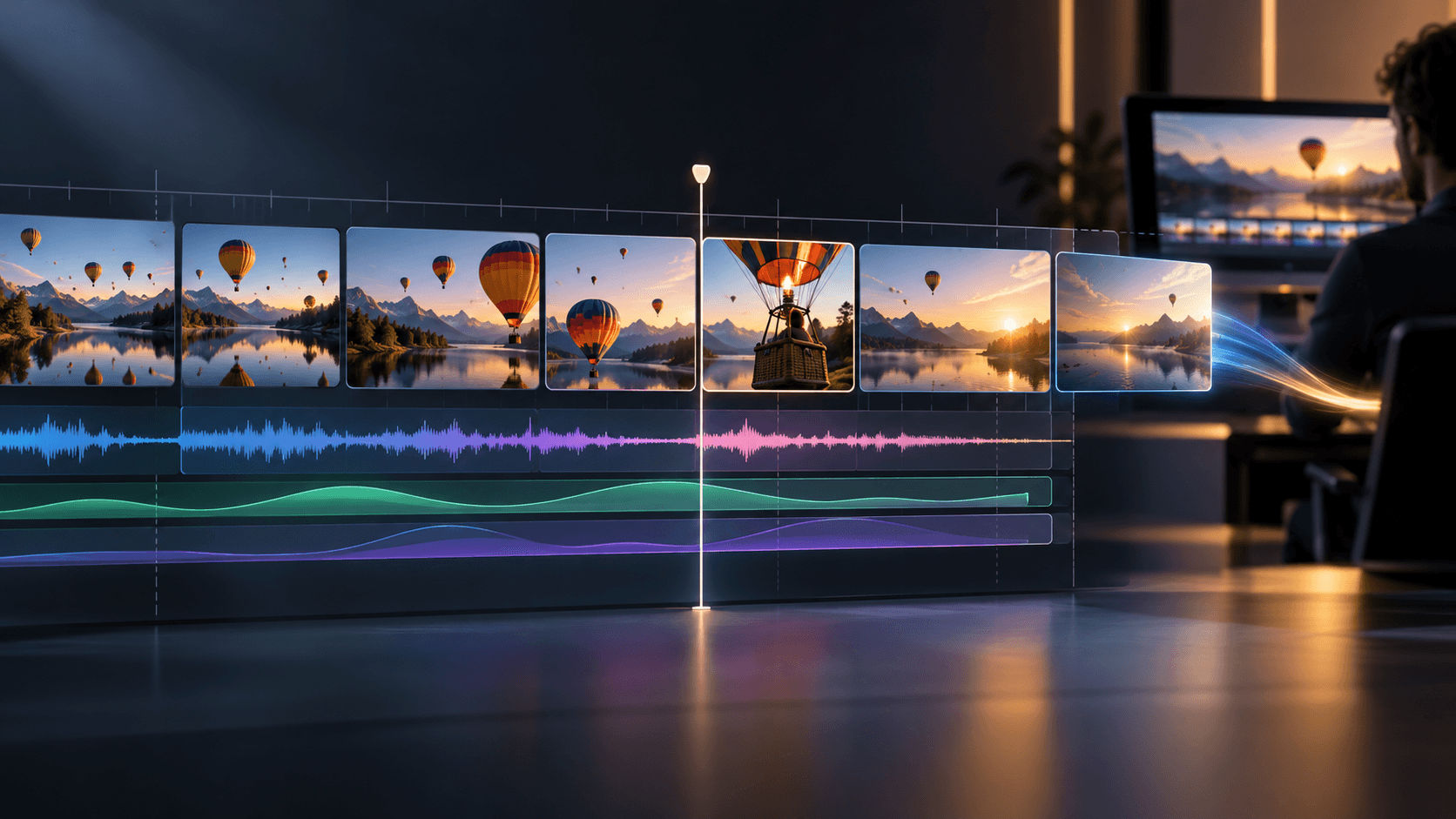
Most V2V tools transfer one style across one shot. Astorie chains video-to-video transformations across multi-shot pipelines on the canvas — Runway Aleph for restyle, Kling O3 for object swap, Wan for extension and remix. Take a single source clip in, ship a sequence of transformed cuts out, all on one surface.

What this feature solves

Video-to-video AI is the workflow most creators ask for first — they have a clip, they want a transformed version of it, and they want it without re-shooting. Most V2V tools deliver on the basic promise (input clip, output clip with style applied) but the entire workflow is single-shot. You feed in one clip, you get one transformed clip, you download it, you start over for the next shot. Real video work is multi-shot — every cut in an edit could potentially benefit from V2V — and single-shot tools force a brutal repeat-yourself loop that kills the speed advantage.

The deeper problem is style consistency across shots. When you V2V five different source clips in five separate sessions, the style drifts shot to shot — even if you used the same style reference each time, the model interprets it slightly differently per generation. The resulting edit reads as a montage of related-but-not-quite-matching transformations rather than as a unified piece. Without a workflow that locks the style reference and chains it across multiple V2V operations, multi-shot V2V remains brittle.

And then there is the export-to-edit gap. Even when individual V2V generations are clean, getting them into Premiere or DaVinci as a real timeline (not a folder of mismatched MP4s with different frame rates) is its own multi-hour problem. Every codec mismatch is a re-import, every frame-rate drift is a re-conform. A V2V workflow that ends at MP4 is half-done.

Why Astorie is different

Astorie chains V2V across an entire shot list on one canvas. Drop a style reference image into a node, then wire each source clip into a Runway Aleph or Kling O3 video-edit node that reads the same style anchor. Five shots, five transformed cuts, identical style — because the reference never moved between operations. The canvas becomes a V2V pipeline rather than a single-clip transformer, and multi-shot V2V finally becomes practical for branded film and editorial work.

Multi-model V2V is the unlock for sophisticated transformations. Runway Aleph leads on creative restyle, Kling O3 (reference mode) handles precise object and character replacement, Wan extends and remixes duration. Different shots in the same sequence can use different V2V engines while sharing the same style reference. Need a heavy creative restyle on the establishing shot but a precise product swap on the hero cut? Use Aleph for the first and Kling O3 for the second — both reading the same brand reference.

Model-comparison-per-shot is what makes the canvas a real V2V workbench rather than a single-engine wrapper. Wire the same source clip into Runway Aleph, Kling O3, and Wan side by side — three V2V engines reading the same source and the same style reference, each producing a candidate transformation in parallel. The canvas lets a director pick the winning engine per shot based on actual output, not on engine reputation, and the picked candidates flow downstream while the rejected ones stay visible for revisit. Aleph might own the establishing shot, Kling O3 the precise hero replacement, Wan the duration-extended insert — every shot picks the engine that handles its specific reference style best, and the per-shot decisions become reusable evidence about which V2V model actually wins for which class of transformation.

Common use cases

V2V model fanout — Aleph vs Kling O3 vs Wan on the same source clip

Wire one source clip into Runway Aleph, Kling O3, and Wan in parallel with identical prompts and style references. Three V2V engines render the same shot side by side so a director can pick the best output per shot based on actual results, not on engine reputation.

Re-shot existing clips with new characters or products

Use Kling O3 reference mode to swap a character or product across frames and ship the new version without re-shooting the plate.

Style-reference V2V across cuts (consistent visual language across edits)

Pin a single style-reference image as the canonical anchor and feed it into every V2V node in the sequence. Aleph, Kling O3, and Wan all read the same reference, so the visual language of the cut stays unified across mixed engines and mixed source clips — no shot-to-shot style drift.

Multi-shot V2V for editorial and film projects

Apply a coherent V2V transformation across every cut in a long-form piece using one style reference and chained operations.

V2V cost-per-second comparison across engines

Run the same shot through Aleph, Kling O3, and Wan and compare cost-per-second of output alongside visual quality. The canvas exposes per-engine pricing per generation, so V2V model selection becomes a budget decision backed by per-shot evidence rather than a guess.

V2V remix for music videos and creative work

Chain restyle, replace, and remix operations into experimental music-video and creative-film workflows on one canvas.

Recommended model stack

How the workflow works in Astorie

  1. 1

    1. Pick the V2V engine based on transformation class

    Model selection comes first. Runway Aleph leads on creative restyle and aggressive visual transformation. Kling O3 reference mode owns precise object and character replacement across frames. Wan handles duration extension and remix. The wrong engine for the job wastes credits and produces flat output — match the engine to the V2V operation class before wiring anything.

  2. 2

    2. Fanout candidate engines for high-stakes shots

    For hero shots where engine choice matters, wire the same source into two or three V2V engines in parallel — Aleph, Kling O3, and Wan all reading the same reference. Compare the candidate outputs side by side on canvas and pick the winning engine per shot rather than committing to one V2V model up front.

  3. 3

    3. Pin the style reference as the canonical anchor

    Drop the style or character reference into a single image node and wire it into every V2V engine in the sequence. The reference stays canonical across mixed engines, so consistency comes from the pinned anchor — not from hoping each engine interprets the reference identically per generation.

  4. 4

    4. Run V2V per shot with the right engine per operation

    Different shots in the same sequence often need different V2V engines. The establishing shot might want Aleph restyle, the hero cut wants Kling O3 product swap, the insert wants Wan duration extension. Mix engines per operation type, all reading the same reference, and the cut stays unified visually while each shot uses its strongest tool.

  5. 5

    5. Chain multi-engine V2V operations when one shot needs more than one transform

    For shots that need both restyle and object swap, chain the V2V engines — Aleph restyle output flows into a Kling O3 swap node, which flows into a Wan extension. Each engine handles its own specialty in the chain. The canvas keeps every intermediate output visible for revisit.

  6. 6

    6. Compare per-engine cost and quality before locking the cut

    Once candidate outputs are in, compare per-shot quality and per-second cost across engines on the canvas. Lock the winning V2V model per shot, archive the runner-up versions for fallback, then pass the locked sequence to NLE export. The per-engine decisions become reusable evidence for the next campaign.

Example workflow

An indie filmmaker has six minutes of black-and-white test footage of a stylized urban scene and wants to ship a moody color version for the festival cut. Drop the source footage into video nodes (one per shot) and the color treatment reference (a hand-graded still that captures the desired look) into an image node. Each shot wires into a Runway Aleph V2V node with the color reference. Aleph produces six restyled versions, all reading the same color anchor — the look is consistent across cuts. One scene needs a different actor (the original take had a continuity issue) — that shot also passes through a Kling O3 reference-mode swap with the alternate actor portrait. The transformed shots drop into the sequence builder in cut order. NLE export ships the festival cut to DaVinci Resolve for final color and grading. Six minutes of polished restyled footage in an afternoon, end to end.

Tips and common mistakes

Tips

  • Use the highest-quality source footage. Compression and noise in the source amplify through V2V transformation.
  • Lock the style reference once and reuse it across every V2V node. Multi-shot consistency depends on the reference staying pinned.
  • Pick the V2V model per operation type. Aleph for restyle, Kling O3 for swap, Wan for duration — do not pick favorites.
  • For complex transformations, chain V2V operations in deliberate order — style first, content swap second, duration third.
  • Save the canvas as a template after a successful project. The next V2V campaign reuses the workflow rather than rebuilding it.

Common mistakes

  • Trying to do two V2V operations in one node prompt. Chain separate nodes instead.
  • Re-uploading the style reference per V2V node. Wire from the canvas-level image node so the reference stays canonical.
  • Mixing V2V models for the same operation type within one sequence. Inconsistency creeps in shot to shot.
  • Skipping side-by-side comparison with the source. V2V drift is real — preview before committing.
  • Exporting individual V2V clips and rebuilding the timeline by hand. Use the sequence + NLE export chain.

Related how-to guides

Related models and tools

Related features

AI Video Reference Images — Preserve Subject and Style

Lock subject, character, and style across every video generation on Astorie's canvas — Vidu, Kling O3, Seedance 2, Nano Banana 2 reference workflows.

AI Camera Control — Orbit, Push, Pull, Pan, Crane

Direct AI video like a real DP — Sora 2, Kling 3, Runway Gen-4, Veo with director-level shot planning on Astorie's canvas.

AI Video Editing — Transform and Extend Existing Clips

Restyle, replace, extend, and transform existing clips on Astorie's canvas — Runway Aleph, Kling O3, Wan, Seedance 2 chained into a real edit.

Multi-Shot AI Video — Build Connected Scenes, Not Isolated Clips

Plan, generate, and sequence multi-shot AI video on Astorie — keep characters, style, and motion consistent across shots.

AI Image to Video — Animate Stills Into Production-Ready Shots

Turn still images into production-ready video shots on Astorie's canvas — multi-model, reference-aware, NLE-export ready.

AI Product Video Generator — From Product Image to Ad Video

Create product ads and demos from product images on Astorie's canvas — chain product photo to multi-shot video across Seedance, Runway Gen-4, and GPT Image.

AI Ad Creative Generator — Multi-Format Ad Visuals and Video

Generate ad visuals and videos across Ideogram, Flux, Seedance, and Runway on Astorie — every aspect ratio, every variant, one canvas.

AI Influencer Video Generator — Repeatable Character Pipeline

Design, generate, and scale AI influencer videos on Astorie — character library, voice cloning, lip-synced video, all on one canvas.

AI Avatar Video Generator — Talking Avatars from Image and Audio

Create talking avatar videos from image and audio on Astorie's canvas — Kling Avatar, OmniHuman, ElevenLabs, locked identity across every clip.

AI Talking Head Video — Spokesperson, Course, and Narration

Produce spokesperson, course, and narration videos on Astorie's canvas — Kling Avatar, OmniHuman, ElevenLabs, Fish Audio, locked identity end to end.

AI Video Generator — Multi-Model AI Video Production on Astorie

Multi-model AI video generation with text, image, reference, and editing workflows on Astorie's canvas.

Text to Video AI — Generate Video From Prompts on Astorie

Generate video from prompts and chain outputs into scenes on Astorie's multi-model canvas.

Consistent Character AI Video — Reference-Driven Video on Astorie

Preserve character identity through reference-driven video models on Astorie.

AI Explainer Video — Educational and B2B Demo Videos

Generate explainer videos, B2B demos, and educational content on Astorie's canvas.

Related docs

Related reading

Comparisons

Frequently asked questions

What is video-to-video AI exactly?

V2V AI takes an existing video clip as input and produces a transformed version as output — restyled, with objects or characters replaced, with duration extended, or with the entire visual treatment shifted. Unlike text-to-video which generates from scratch, V2V preserves the motion and composition of the source while changing what the clip looks like.

Which V2V model is best for creative restyle?

Runway Aleph is the current best-in-class for creative V2V restyle — taking original footage and applying a new visual treatment, color grade, or art style across motion. For more precise control over what changes (specific objects or characters), use Kling O3 reference mode instead.

How long can a V2V source clip be?

Most V2V models accept clips up to 10-30 seconds for highest quality, depending on the engine. For longer footage, V2V each shot separately and stitch through the sequence builder — multi-shot V2V is exactly what the canvas is built for.

Can I keep the original camera moves intact during V2V?

Yes — V2V models preserve the source motion and composition by default. The transformation operates on style and content rather than rebuilding the underlying motion. For very strong restyle prompts, occasionally the camera language softens — use a more conservative restyle direction or chain through Kling 3 for camera fidelity.

How does this compare to running Runway Aleph directly?

Runway Aleph direct gives you one transformed clip at a time. Astorie chains Aleph into a multi-shot V2V pipeline — same reference, multiple source clips, transformed in parallel and ordered into a sequence. For one-clip work, Aleph direct is fine. For multi-shot V2V projects, the canvas saves a multi-day editing job.

What does multi-shot V2V actually cost?

Costs scale with the number of V2V operations and the duration of each clip. Five 6-second restyle operations cost roughly five times one operation, plus the underlying model rate per second. The savings come from faster iteration and avoided re-shoots, not from per-generation discounts.

Build it on the canvas

Open Astorie and wire this workflow up in minutes. Free to start — no card required.

This website uses cookies

We use basic cookies and product analytics to keep Astorie secure, remember preferences, and plan long-term improvements. You can also allow full marketing tags.

Read more