

How to Create AI Perfume Photography
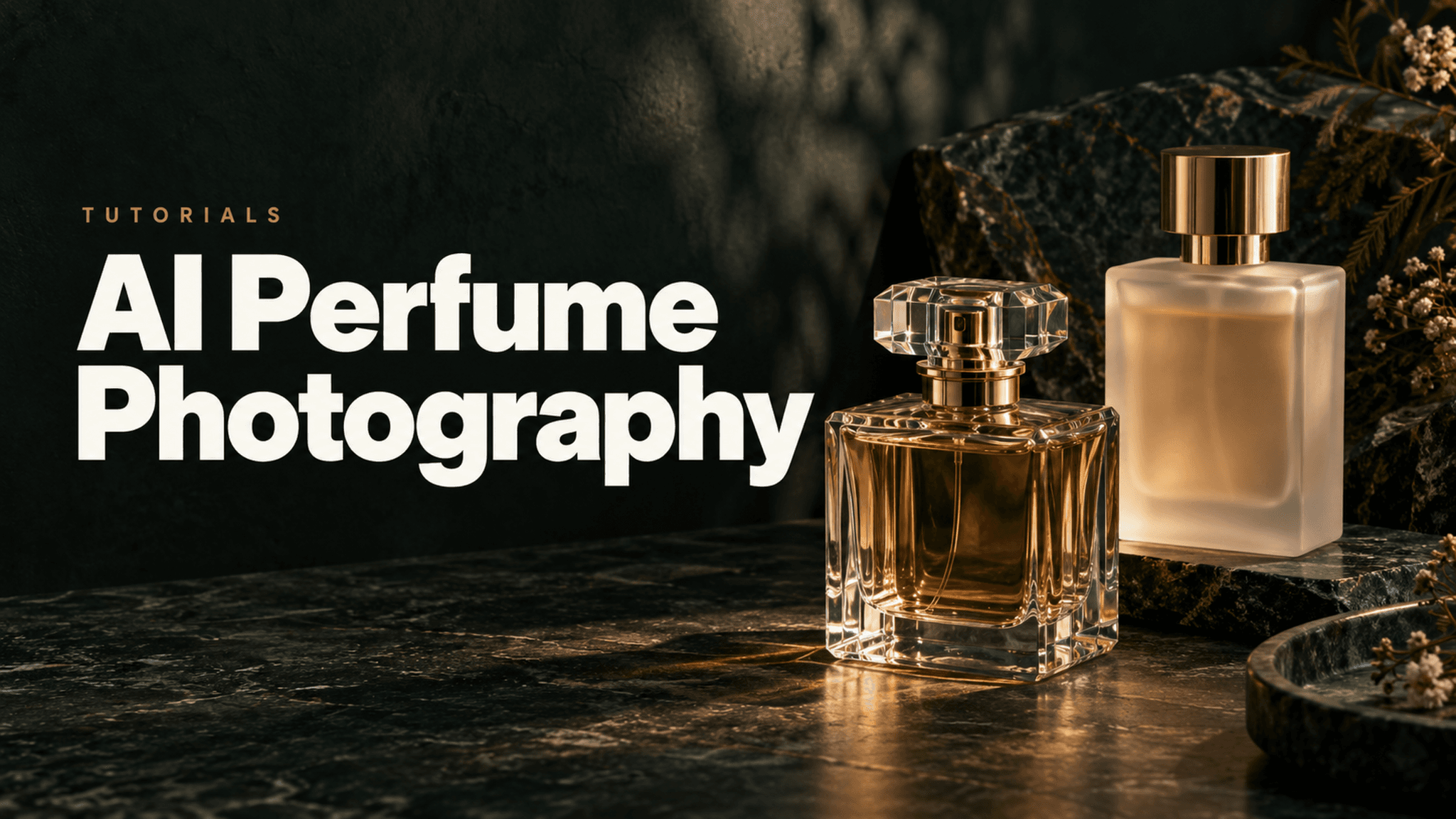
AI perfume photography needs a material-specific brief: opaque bottles require surface highlights, frosted glass needs diffuse transmission, and clear glass needs credible refraction and liquid cues. Start with the actual bottle reference, then inspect geometry, labels and reflections against it.
AI perfume photography: identify the material first
Use the product’s real material and construction to choose the lighting. A bottle with an opaque white exterior cannot honestly display a liquid level. A frosted bottle should soften transmitted light, while clear decorated glass may show strongly distorted surroundings. The goal is a coherent representation of the bottle, not a generic “luxury glass” effect.
Reference appearance | Lighting objective | Do not invent |
Opaque Buly Eau Triple bottle | Readable front label, edge highlights and controlled surface reflection | Visible liquid or a transparent body |
Frosted Vodka on the Rocks body | Soft transmission without removing the frost | A sharp internal fill line absent from the reference |
Clear Roses on Ice bottle | Glass thickness, restrained refraction and visible liquid cues | Hidden liquid boundaries or new internal components |
1. Prepare each reference as a separate branch
Clara used Buly Eau Triple Rose de Damas, KILIAN Vodka on the Rocks and KILIAN Roses on Ice. The reviewed KILIAN pages identify the selected products as 100 ml and 50 ml respectively [2–3]. Their different capacities and reference framing are not a physical size comparison. The Vodka page describes the frosted appearance; the Roses page describes decorated glass and a gold metal name plaque.
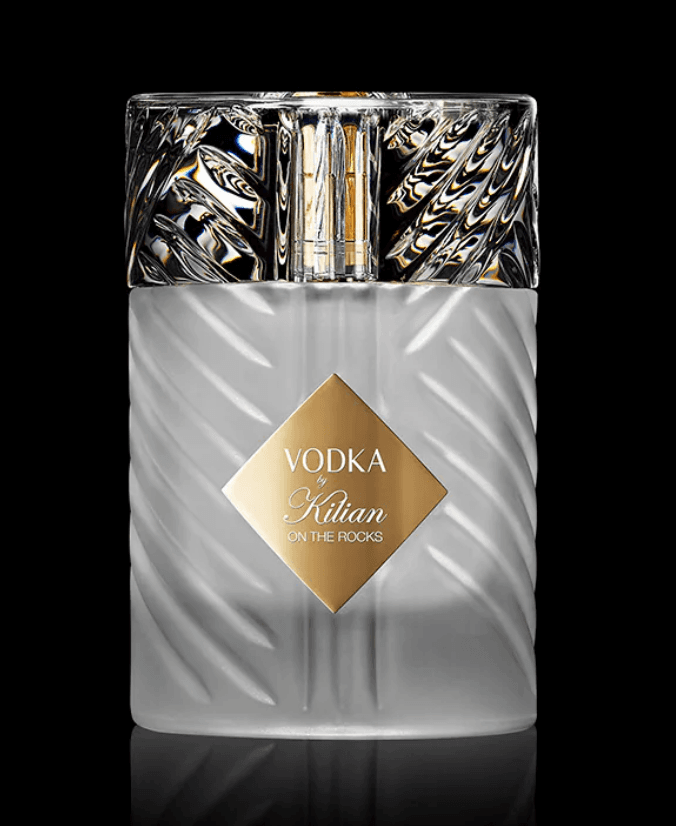
Figure 1. Original reference: KILIAN Vodka on the Rocks, with a frosted body and transparent textured cap.
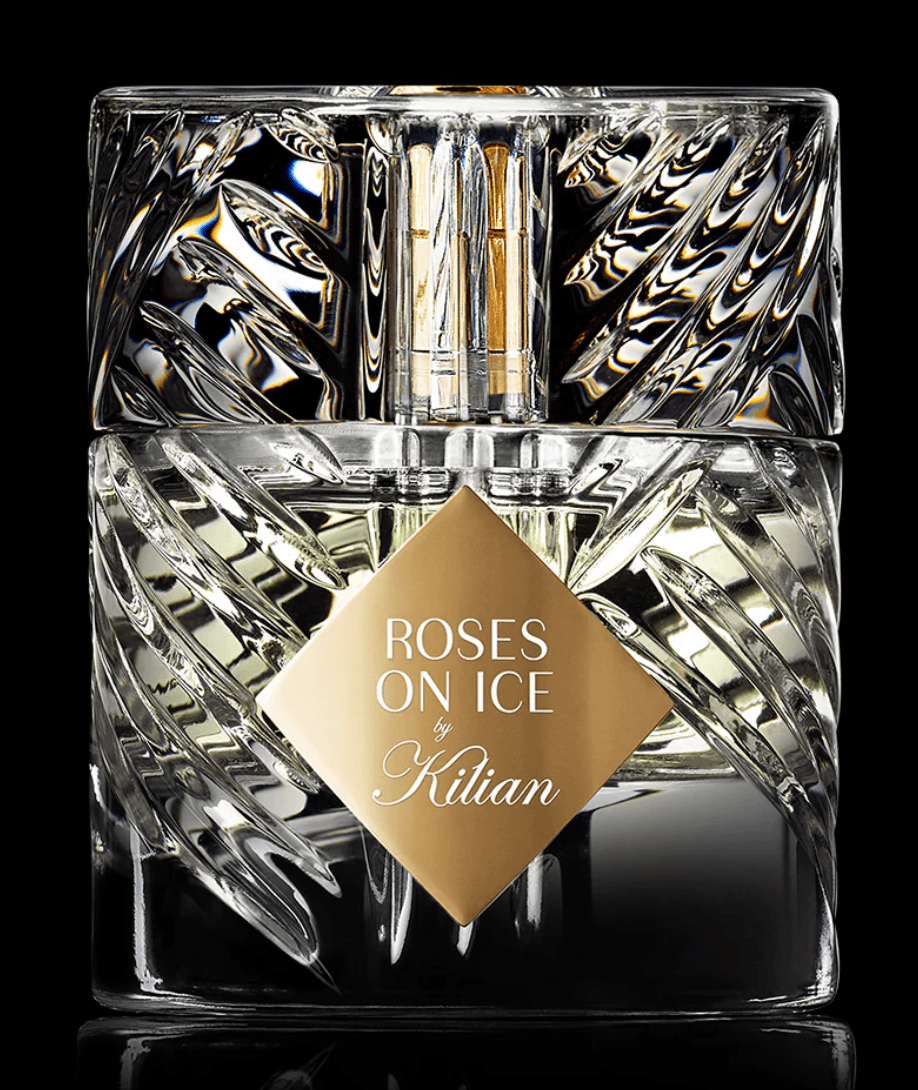
Figure 2. Original reference: KILIAN Roses on Ice, with clear decorated glass, visible pale liquid cues and a gold plaque.
Upload the originals into Astorie, add one image-generation node per test and connect the appropriate reference. Select GPT Image 2.5 and portrait 3:4. Clara used Extra high, Auto background, PNG, one result and the 4K preset. Each supplied portrait export is 1533 × 2048 pixels, not a verified 4K file.
2. Light the opaque bottle without changing its material
For the Buly bottle, ask for soft front light, a restrained edge highlight and a dark polished surface. Keep the cap attached and the white exterior opaque. A reflection beneath the base can support the scene, but it should align with the product rather than looking like a second upright bottle.
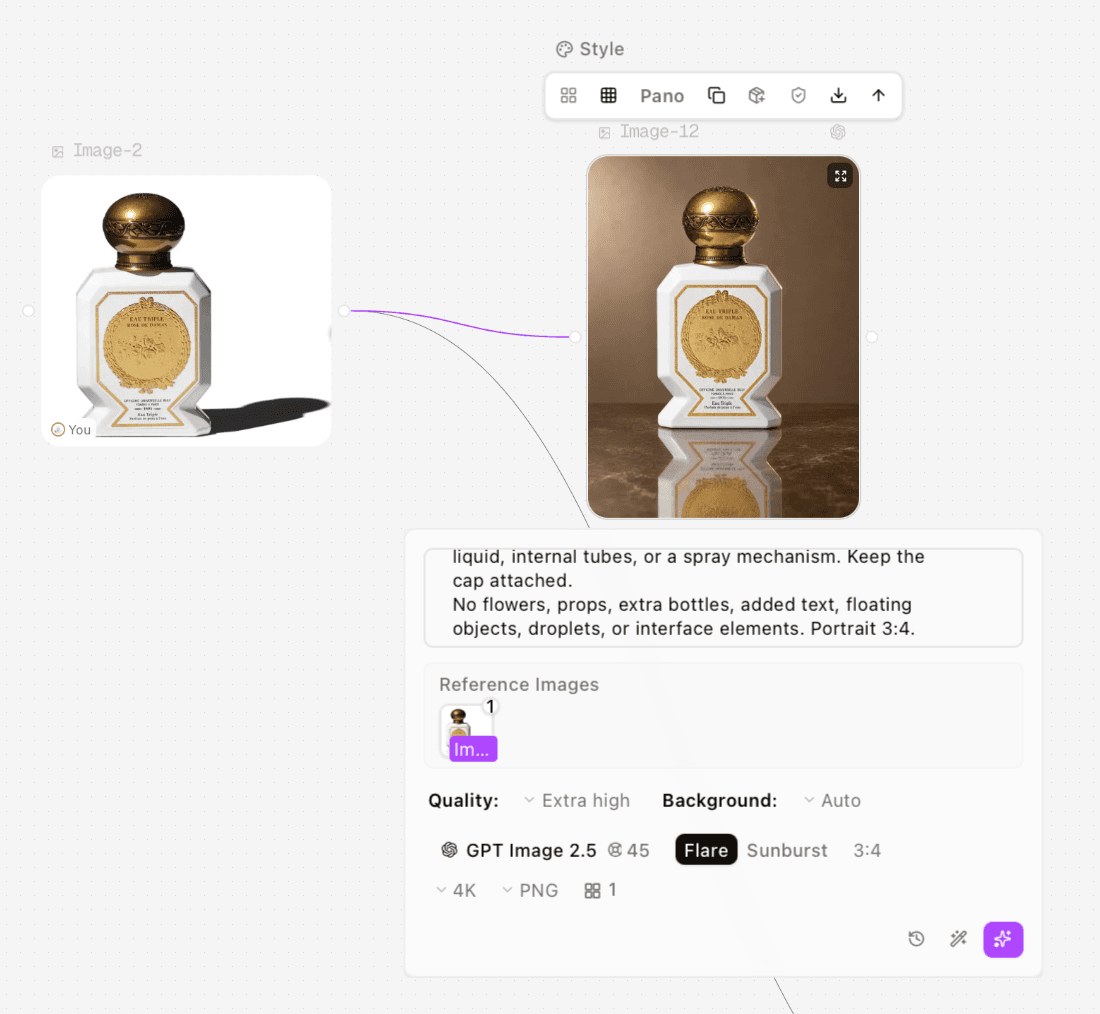
Figure 3. Clara’s Buly perfume branch, with the opaque source and recorded settings.
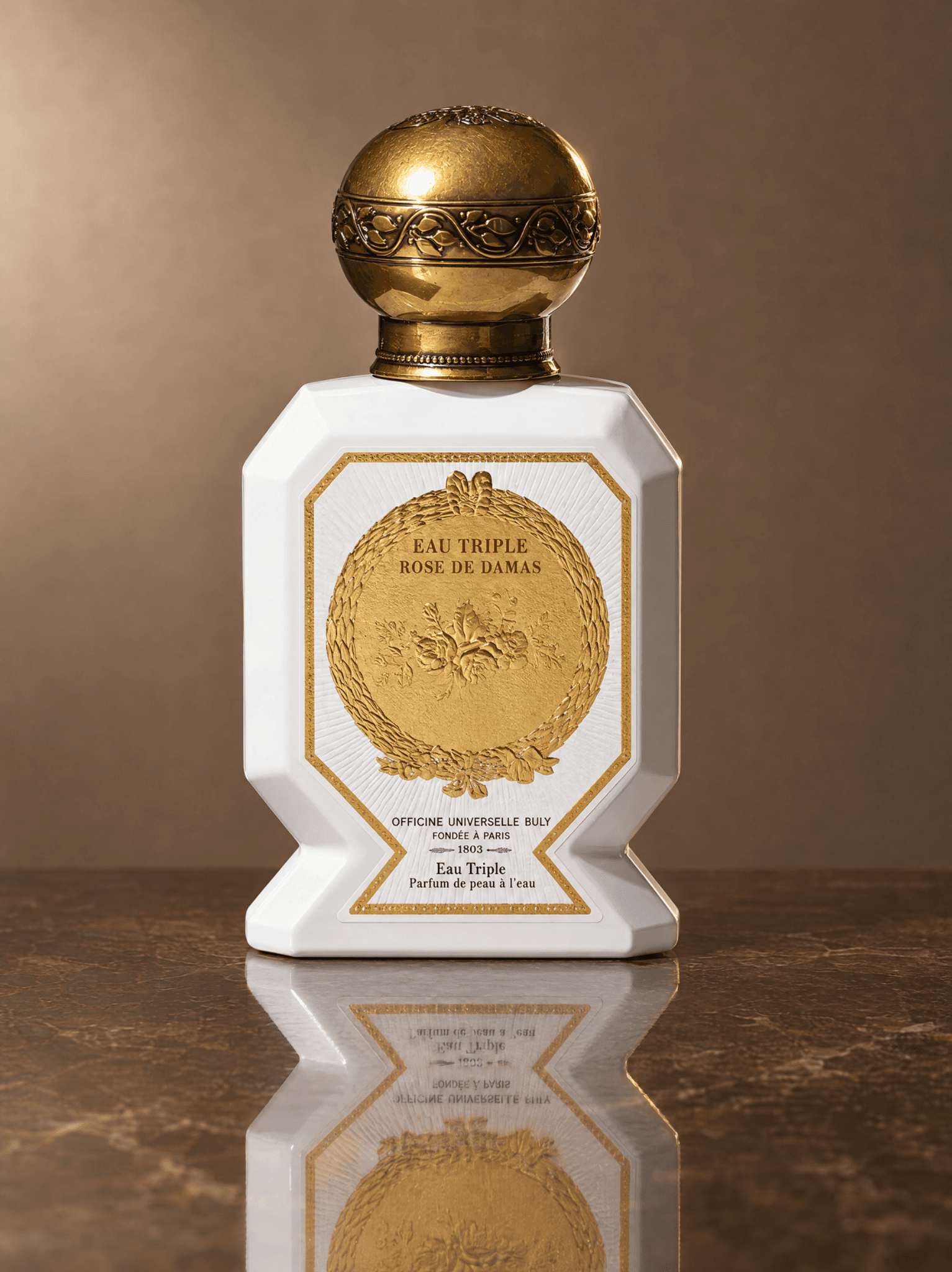
Figure 4. Image-12: complete opaque bottle, gold cap and pronounced reflection on dark stone. The reflection is stronger than the requested subtle effect.
The product name remains readable, and the image preserves the broad silhouette. The substantial reflection and intense cap highlight are visible styling outcomes, not proof of physically accurate light transport. If a quieter image is needed, reduce reflectivity or use a matte surface in a new attempt.
3. Retain frost while replacing the background
For Vodka on the Rocks, use a pale grey setting, soft backlight and enough front fill to read the gold plaque. State that the body must remain frosted. Do not ask for a sharp liquid boundary where the original does not reveal one. Review the cap separately: a bright replacement background can conflict with dark regions inherited from a black source image.
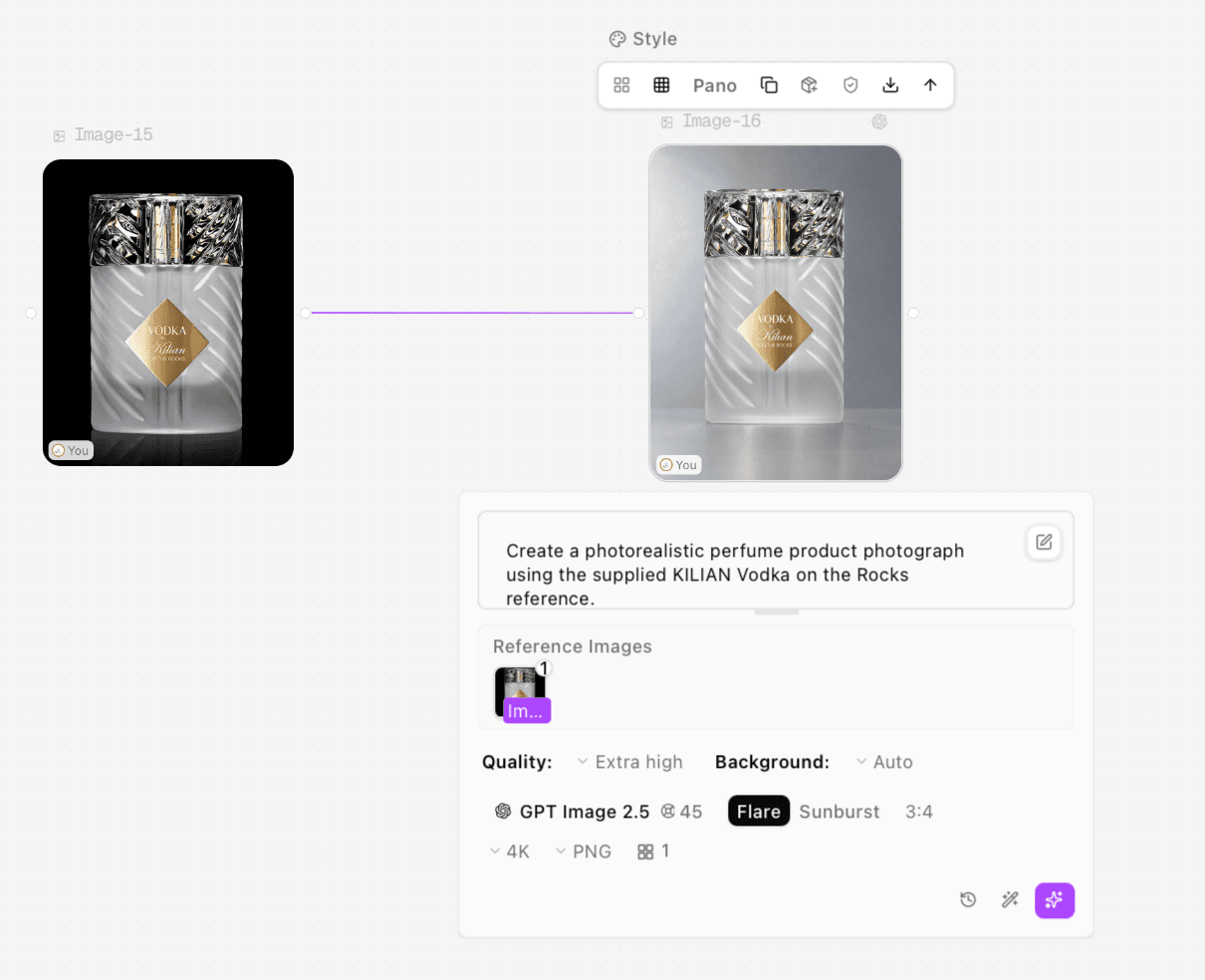
Figure 5. Clara’s frosted-bottle test: original black-background source connected to the grey-scene generation.
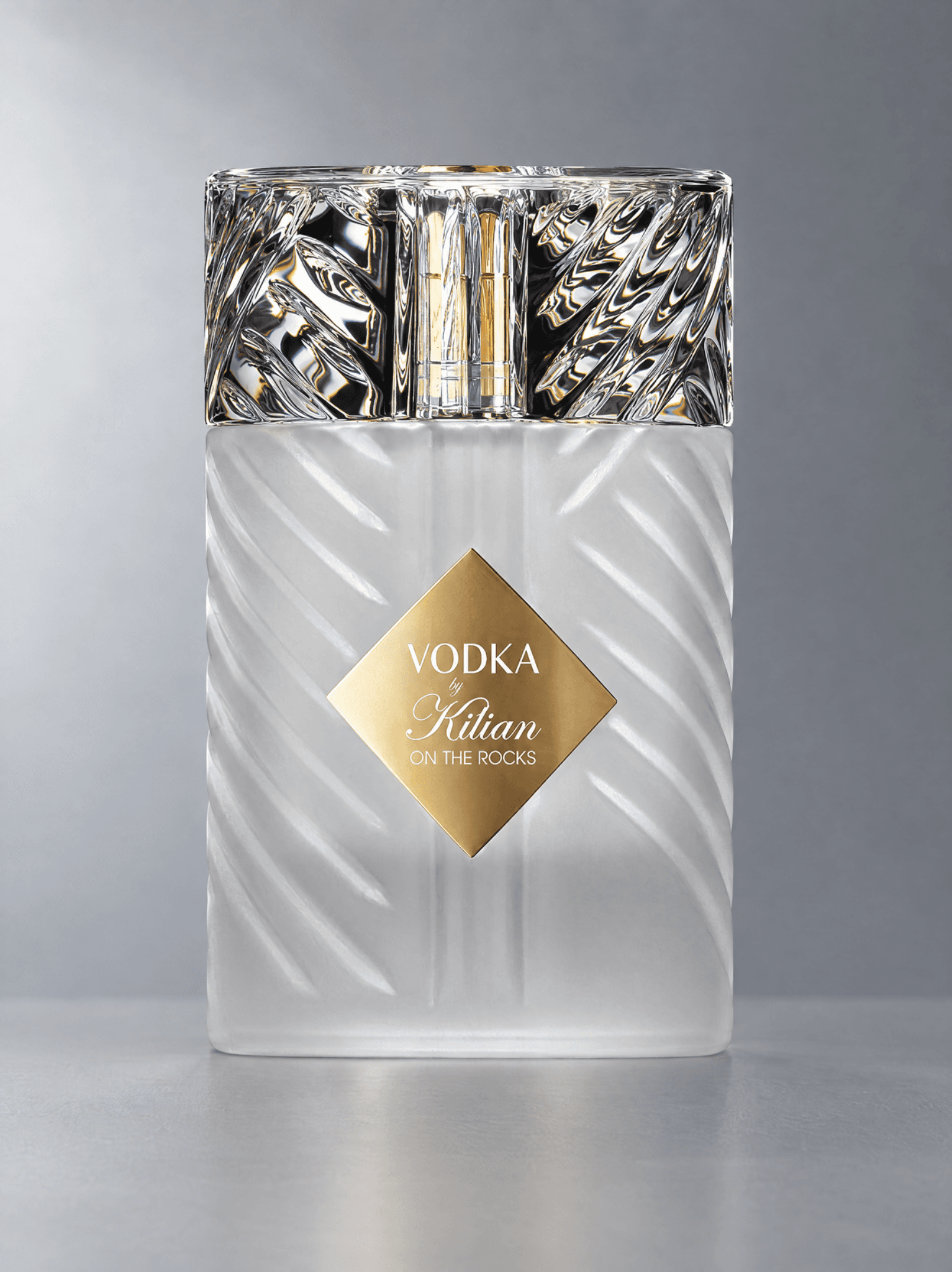
Figure 6. Image-16: frosted body and readable plaque on grey. Dark areas remain inside the clear cap and need environment-consistency review.
Some dark edges can be natural reflections or refraction; darkness alone does not prove a background-removal error. The practical check is whether the overall transmitted environment makes sense. Avoid describing the cap as optically correct solely because it looks detailed.
4. Test clear decorated glass and liquid cues
Reusable clear-glass template — adapt before running:
Photograph the supplied closed perfume bottle, fully visible and front-facing, on a pale grey matte surface. Preserve the clear decorated glass, thick base, cap structure, original proportions and gold plaque wording. Retain the subtle liquid tint and apparent fill level only where visible in the source. Use soft backlight and gentle front fill. Keep visible liquid surfaces horizontal and refraction consistent with the grey environment. Remove the old black background without flattening natural dark glass edges. No extra internal components, bubbles, splashes, props or added text. Portrait 3:4.
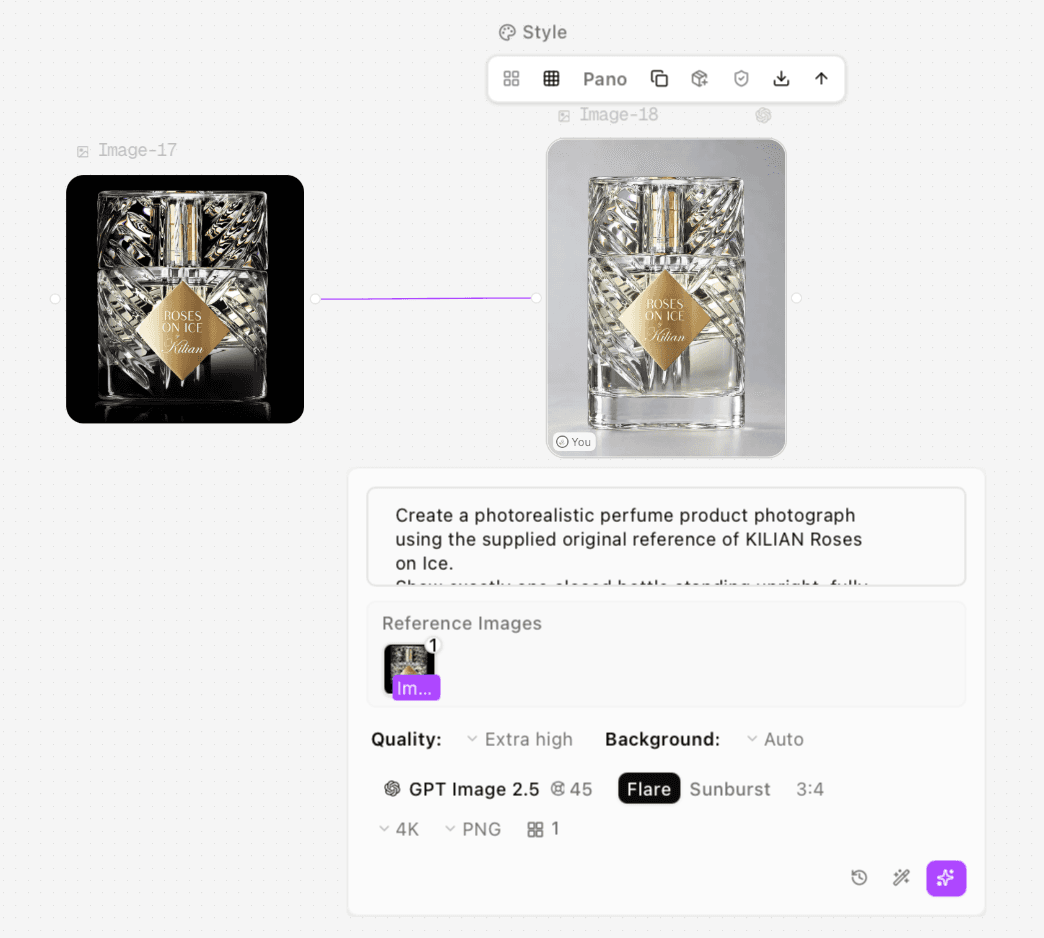
Figure 7. Clara’s Roses on Ice reference-to-output branch. The screenshot shows GPT Image 2.5, 3:4, Extra high, PNG and one result.
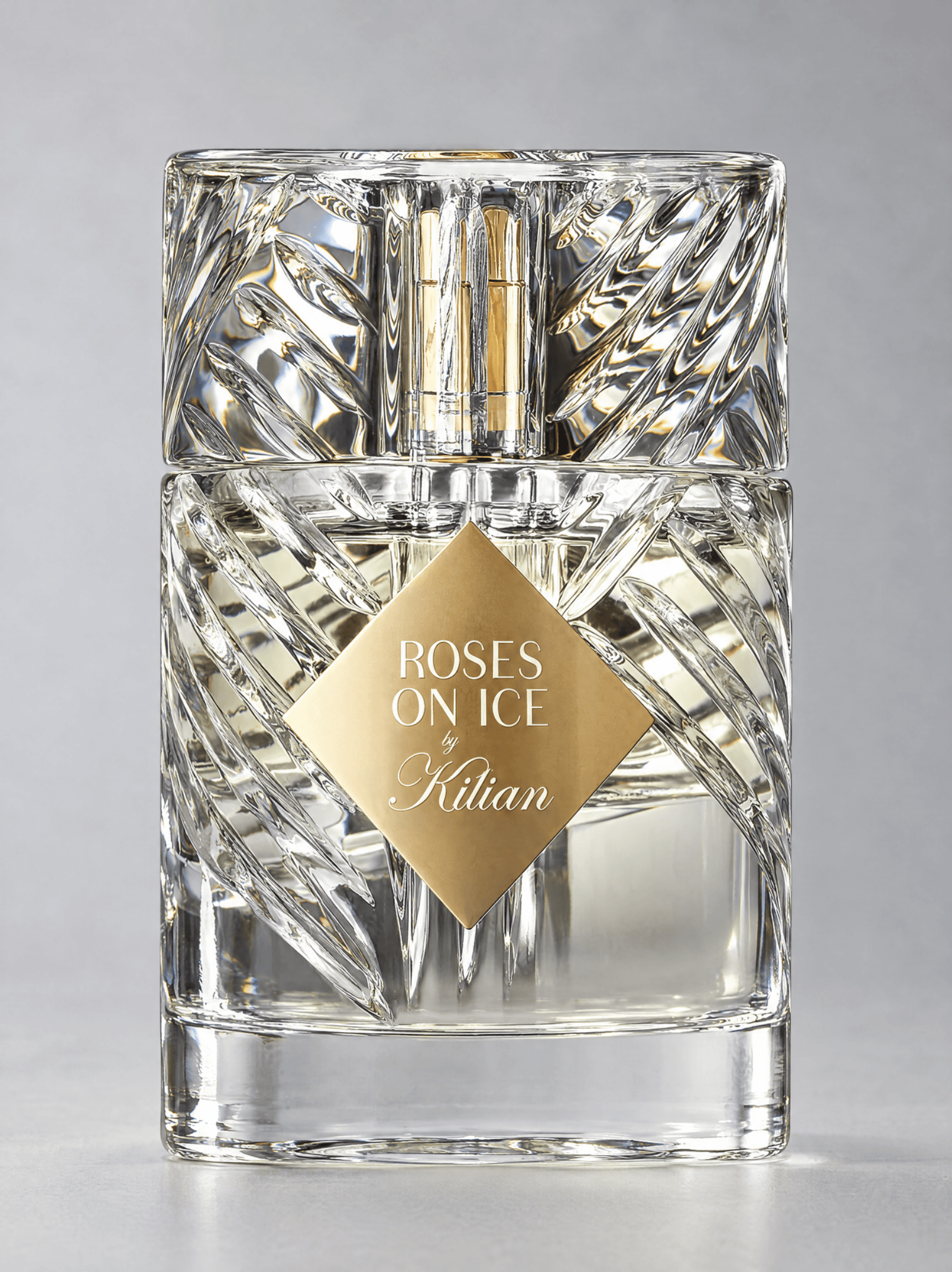
Figure 8. Image-18: readable ROSES ON ICE by Kilian plaque and transparent glass on grey. The bottle appears more elongated than its source.
The clear-glass result replaces much of the black source environment with grey and keeps the plaque wording legible. Glass decoration, the cap and a thick base remain visible. However, the silhouette is more elongated than the reference, and the geometry has been redrawn. Liquid level cannot be certified precisely through the plaque and decorative refraction. The result is a useful material-study image, not an exact catalogue reproduction.
5. Inspect the result in a fixed order
Priority | Acceptance question |
Identity | Is the fragrance name correct, and is this the right bottle variant? |
Geometry | Do width, height, cap size and shoulder position match the source? |
Material | Has opaque, frosted or clear glass stayed in its correct category? |
Liquid | Are the visible tint and boundaries plausible without invented detail? |
Light | Do highlights, dark edges, contact shadow and any reflection fit the scene? |
Text | Does the gold plaque remain readable without invented wording? |
If the silhouette drifts, return to the original reference rather than branching indefinitely from a distorted output. If only the background is needed, composite the original bottle instead. For clear glass, inspect the composite’s transparent regions carefully; a simple opaque cutout may keep the old background trapped inside the bottle.
6. Correct the scene while protecting bottle geometry
Recommended finishing route — not demonstrated in these three generations: when a clear bottle is stretched, return to its original reference and build the new scene around it in an editor with layers. Keep the bottle’s aspect ratio locked and compare shoulder height, base thickness and cap width before exporting.
Transparent glass needs more than an opaque cutout. Inspect the cap, neck, liquid and clear areas over both a light and a dark temporary background. Look for old black surroundings trapped inside the glass, pale edge halos and sharp reflections that do not fit the new scene. Use a genuine alternate-background photograph when those regions cannot be recovered reliably from the source. Avoid erasing every dark edge: some belong to the glass reflections.
Use the same reference and change one lighting instruction at a time when testing again. Save each result separately and compare it with the source at matched display size. Keep any untested correction labeled as a suggestion until a new output has been inspected.
7. Run, download and preserve the comparison
Confirm the reference thumbnail, ratio and current quote before generating. Inspect the result or any explicit status/error before retrying. Download the original PNG with the node toolbar control and compare it at full size with the source. Keep both files for the material check; a small canvas preview can hide label and silhouette changes.
Test record and output settings
Clara supplied Image-12, Image-16 and Image-18 from Astorie on 20 October 2026. The screenshots show GPT Image 2.5, 3:4, Extra high, Auto background, PNG, one result per displayed node and the 4K preset. Each supplied original export measures 1533 × 2048 pixels. The examples explore opaque, frosted and clear appearances; they do not compare models or verify optical simulation, exact liquid level or hidden cap construction.
The screenshots preserve reference connections, visible settings and prompt excerpts. Complete original prompts, total attempts and retries, processing time, status history and confirmed debits are not present in the supplied record. The visible 45-credit control is not a billing receipt. Every reusable prompt in this guide is a suggested template; it is not the original input for the displayed outputs. The 4K preset is an interface selection, not the measured export size.
FAQ
Can I remove the cap to show the atomizer?
Use an actual uncapped reference first. A closed bottle image does not verify the spray head or the underside of its cap.
Should transparent glass have no dark areas?
No. Glass can create dark edge reflections. Check their relationship to the new environment rather than deleting all contrast.
Can AI preserve the exact liquid level?
It may retain visible cues, but these examples do not prove exact preservation. Use clear source evidence and inspect the output; do not infer fill level from a partly obscured reference.
Astorie’s canvas helps retain opaque, frosted and clear-glass branches together: https://astorie.ai/tools/ai-canvas-workflow. The material rendering comes from the selected image model; the canvas organizes the inputs and revisions.
Ready to try it on the canvas?
Open Astorie and fan your prompt across every frontier model in one workflow.