

How to Create AI Food Product Photography
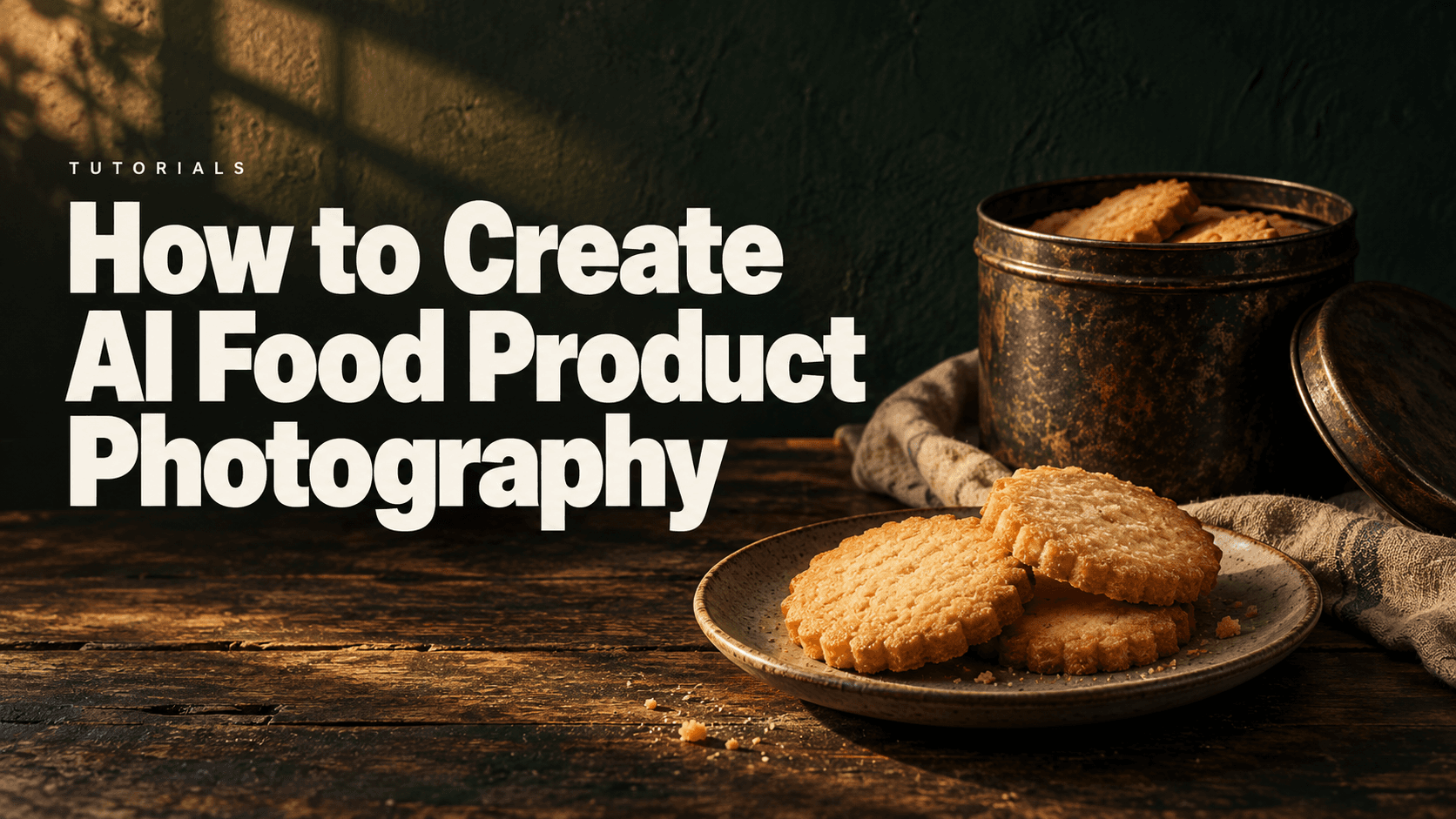
AI food product photography works best when the food and its packaging each have a real reference. Generate the scene around those references, then inspect the product’s shape, color, texture and printed information separately. This guide uses the Astorie route labeled GPT Image 2.5 to show both a vintage biscuit-tin scene and a reference-led photograph of the biscuits themselves.
The distinction matters. A closed tin establishes packaging, but it does not show the food inside. In the supplied tests, the tin gained a convincing tabletop setting while small text changed. A separate biscuit reference then supported a food photograph, although the generated surface texture became more pronounced.
AI food product photography needs food and packaging references
Prepare an image of the food you actually want to represent, plus a separate pack photograph if packaging will appear. Collect additional views for any thickness, filling or cut surface that the planned composition exposes. When those views are unavailable, choose a composition that stays within what the reference shows.
The supplied biscuit photograph clearly establishes round shapes, golden baked surfaces and slight irregularities. It does not establish the texture inside a broken biscuit. An overhead scene with intact biscuits therefore asks fewer unsupported questions than a side view with crumbs and an exposed center.
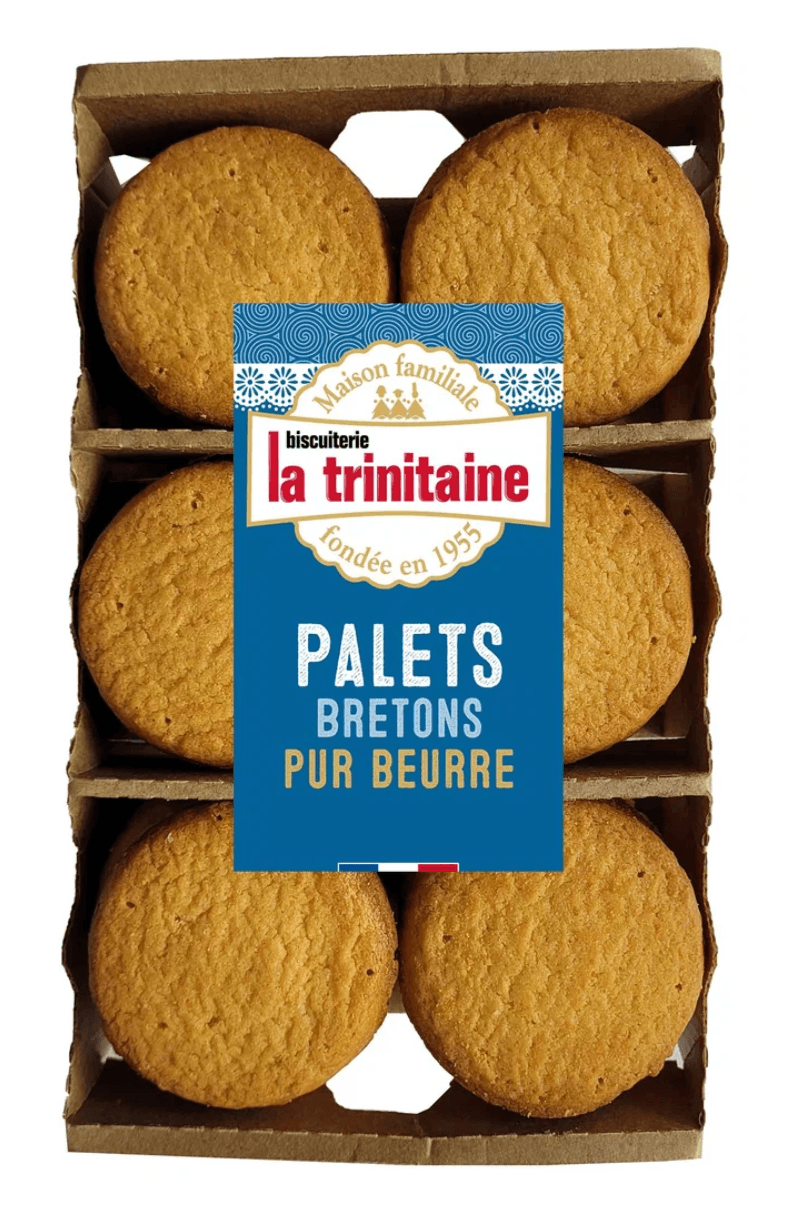
Figure 1. Supplied La Trinitaine biscuit reference. The visible top surfaces guided the food photograph.
Two closed tin references were also supplied: a blue-green tin and a cream-and-red tin. They are separate packaging references, not an approved recoloring pair. The blue-green tin was used in the documented scene test; the cream-and-red version remained a source option.
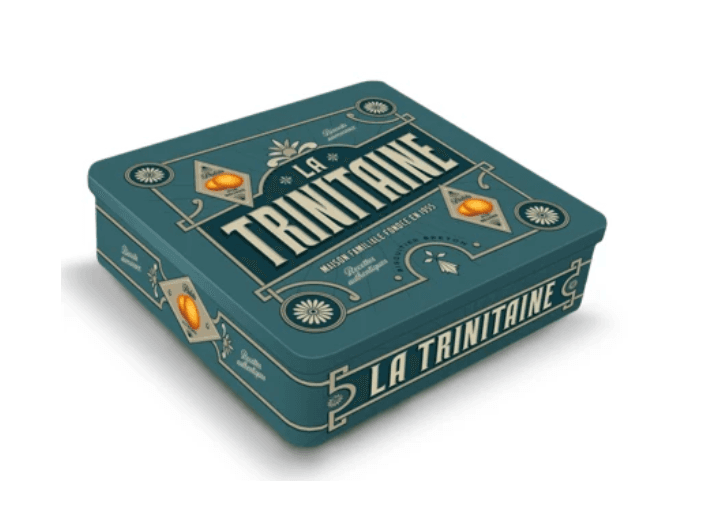
Figure 2. Blue-green tin used for the packaging scene test.
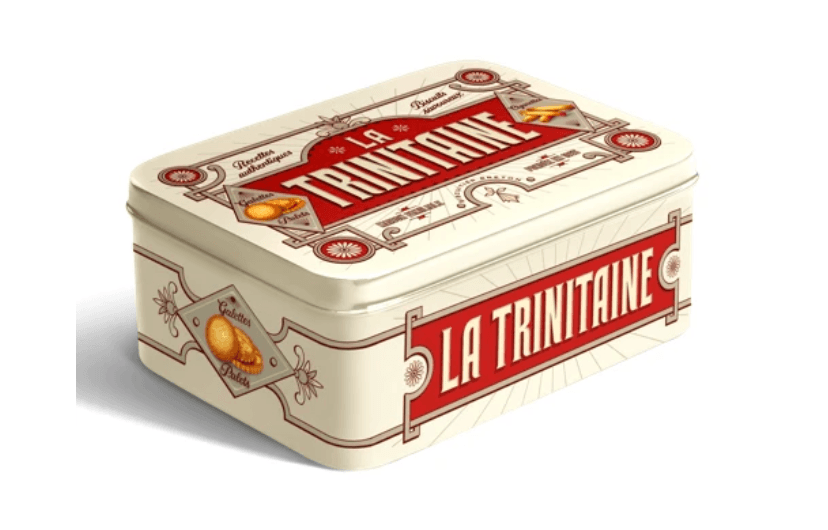
Figure 3. Separate cream-and-red packaging reference. No generated result for this version is claimed.
The brand’s official pages identify the blue Vintage coffret as containing palets bretons and list palets bretons pur beurre as a separate product. [1][2] The two source photographs are useful references for this tutorial, but they do not verify the exact internal arrangement of biscuits in the tin. Keep the tin closed unless you have an actual open-pack reference.
Build the packaging scene first
In an Astorie project, import the pack image and attach it to an Image node. Select GPT Image 2.5 and check the Reference Images area. Choose the required ratio in the interface, then describe the setting and the packaging features that must remain. The supplied screenshot records the actual source-to-result connection. [3]
For the blue-green tin, the brief added a wooden table, a cream teacup, linen and afternoon light. Keeping the viewing angle close to the source made the visible top and front panels easier to compare.
The screenshot confirms this prompt opening: “Create a photorealistic editorial product photograph using the supplied La Trinitaine biscuit tin as the exact product reference.” Only that visible excerpt is quoted as historical input.
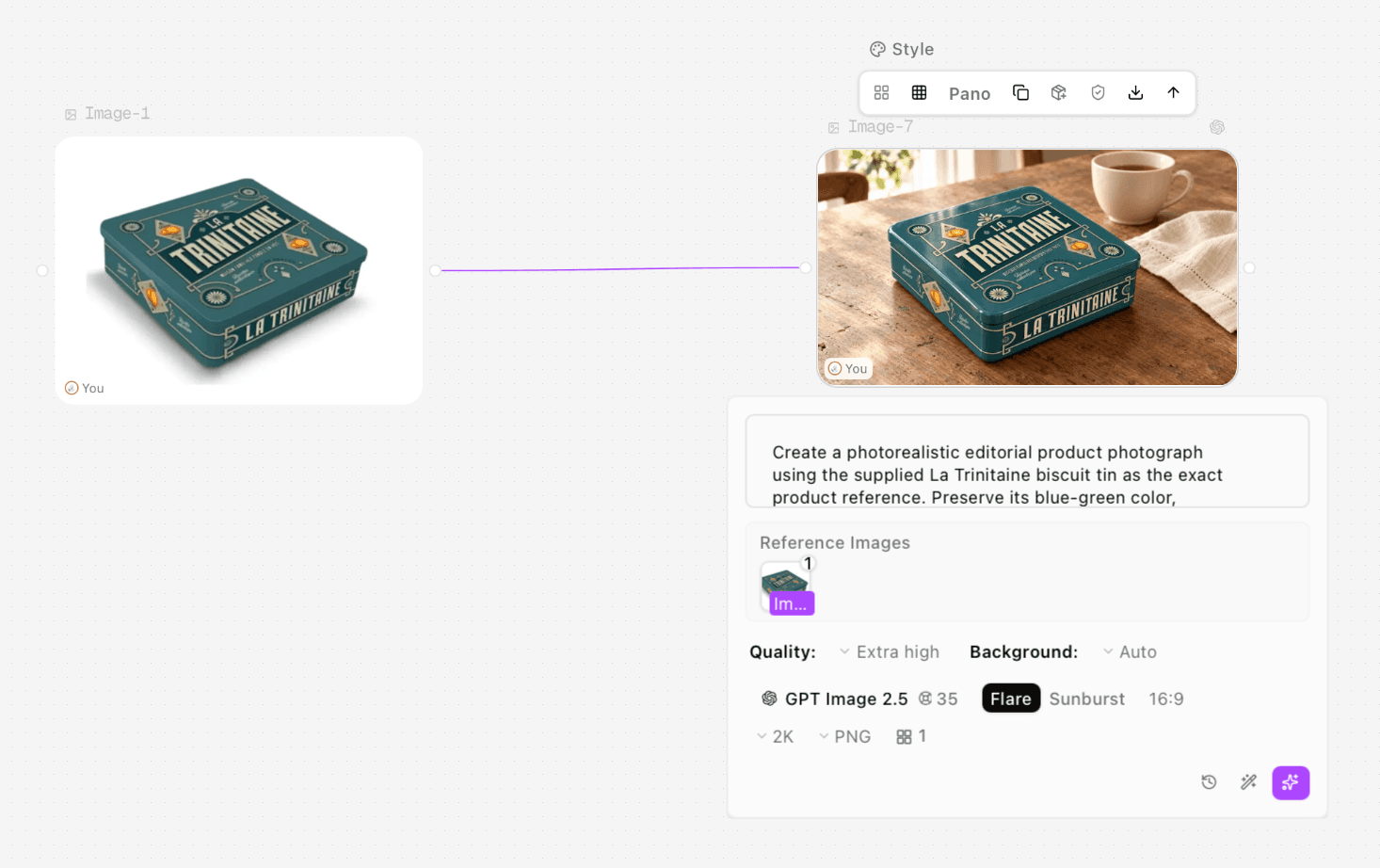
Figure 4. Actual GPT Image 2.5 packaging setup, with the original tin connected to Image-7.
Test asset | Recorded controls | Exported image |
Image-7 packaging scene | GPT Image 2.5, Extra high, Auto background, 16:9, 2K, PNG | 2048 × 1152 pixels |
Image-11 packaging revision | Same route and visible output controls; one reference shown | 2048 × 1152 pixels |
Image-13 selected food result | Same route and quality; 9:16, 2K, PNG | 1152 × 2048 pixels |
Flare is selected beside Sunburst in the supplied panels; its effect was not separately tested. The displayed 35 is not evidence of the account’s actual deduction. The food result selector shows 2/2, so there were at least two selectable results in that node history; only the selected Image-13-02 file was supplied for assessment. The full run history is not established.
Check the pack before accepting the scene
Image-7 placed the tin in a coherent setting, but its small founding-year line contained repeated, incorrect text. That is a concrete reason to inspect printed details at full size even when the large brand name looks plausible.
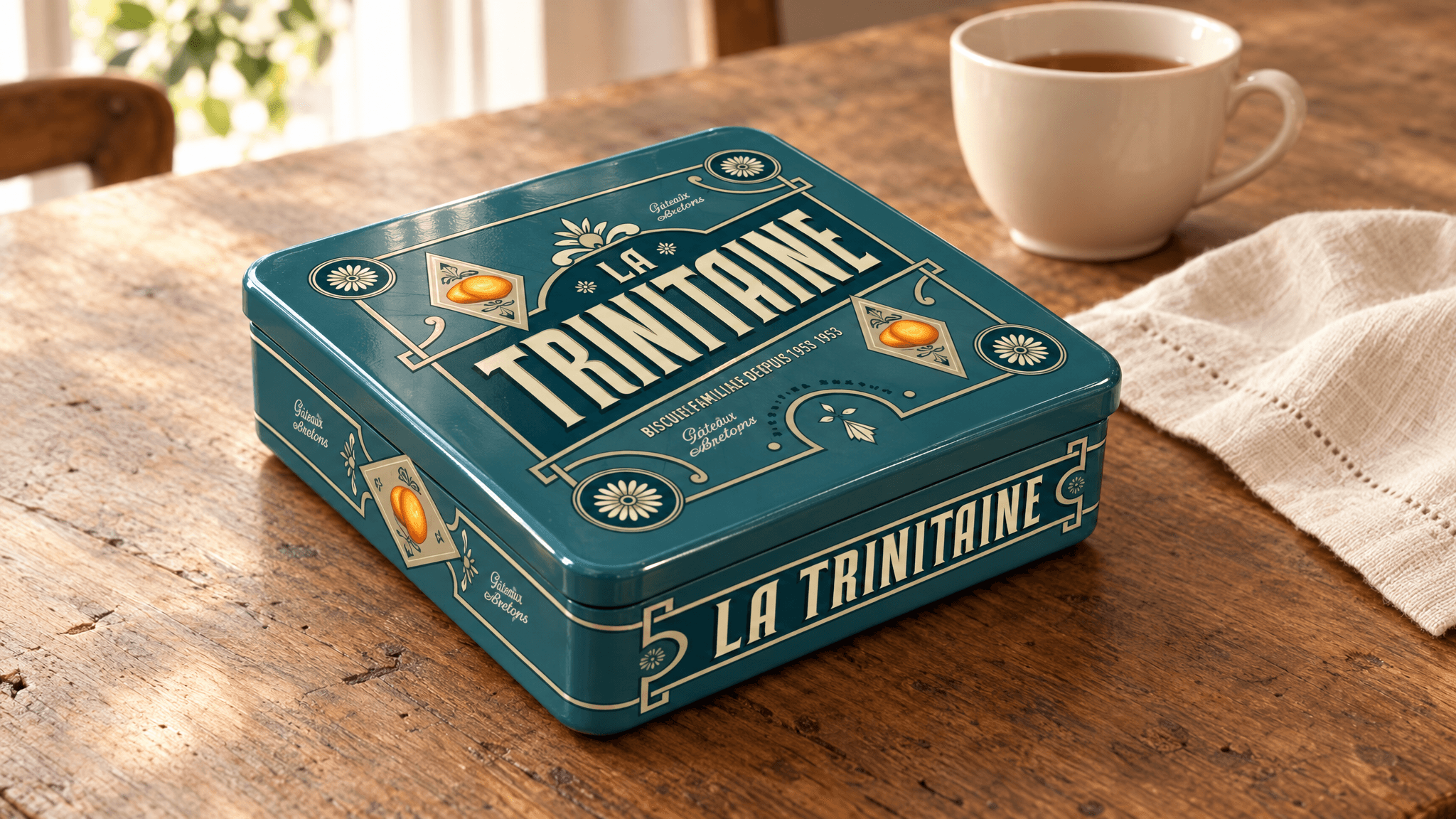
Figure 5. First supplied tin result. The repeated year text is a packaging error, despite the coherent scene.
The revision, Image-11, changed the year to 1955 and removed the repetition. It also altered smaller decoration and wording. The revision screenshot shows only one reference attached, coming from the generated scene. Although the visible prompt mentions two references, the recorded setup does not establish a two-reference correction.
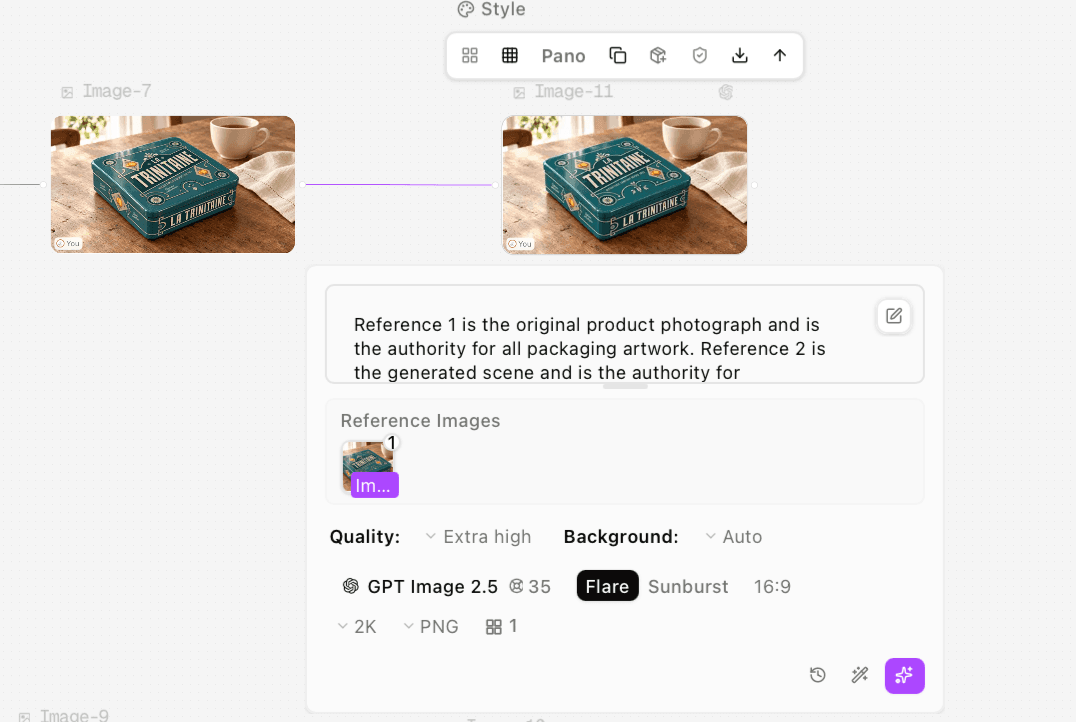
Figure 6. Actual revision setup. One reference is visible even though the prompt opening describes two reference roles.
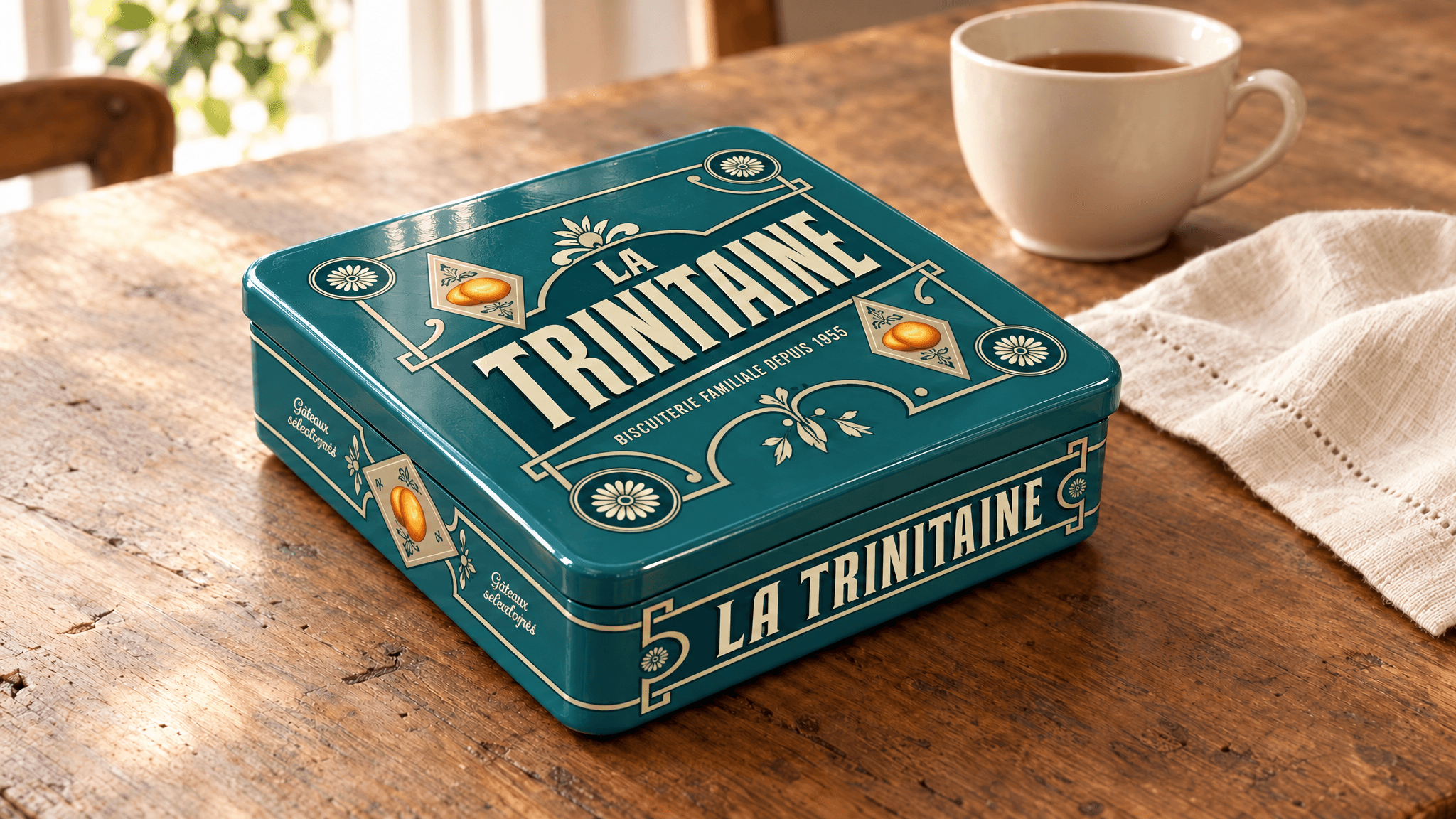
Figure 7. Image-11 removed the repeated year but changed other packaging details. It is a partial correction.
For another correction, attach both the approved pack photograph and the generated scene. Assign packaging accuracy to the first and scene composition to the second. Confirm their order in the reference area before generating. This is a recommended next approach, not a repair verified by Image-11.
When exact print artwork is required, preserve it through retouching or compositing rather than accepting a plausible reconstruction. A clean-looking revision can still be a different package.
Create the food photograph from the food reference
Use a separate node for the biscuit scene. Attach the real biscuit image, describe intact biscuits from above and keep the food’s visible properties specific. Separating this task from the packaging edit avoids asking one generation to solve dense lettering and food texture at the same time.
The supplied food screenshot begins: “Use the supplied La Trinitaine biscuit photograph as the food appearance reference.” It shows a 9:16 selection, which explains the portrait output despite the earlier request for a wide composition.
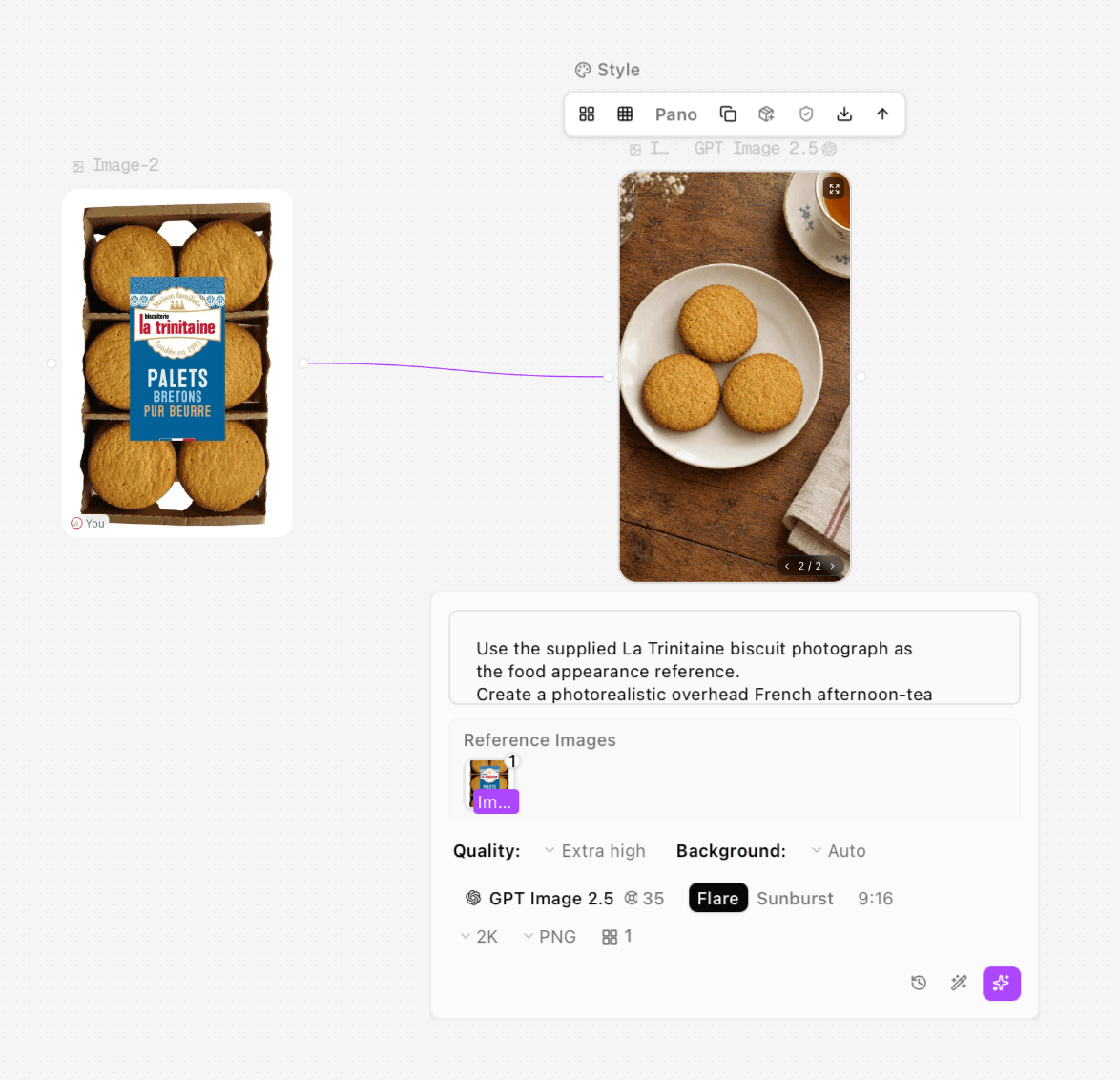
Figure 8. Actual food reference setup and selected result. The interface ratio is 9:16.
Here is a reusable template for a new image. It is not presented as the complete original test transcript:
Use the attached biscuit photograph as the food appearance reference. Arrange three intact biscuits on a plain ivory plate, viewed from above, on an aged wooden table with a linen napkin and a partly visible teacup.
Match the visible round shape, baked color, small surface cracks and irregular edges. Use soft window light. Keep the texture natural rather than sharpening every pore.
Do not add fillings, coatings, fruit, nuts, broken centers, packaging text or extra biscuits. Use the ratio selected in the interface.
The selected Image-13 result contains three intact biscuits and no added filling or coating. The golden palette and tabletop styling fit the brief. Its granular texture and cracks are stronger, however, and the edges are more regular than those in the reference. It is a useful scene-generation result, not a precise duplication of individual biscuits.
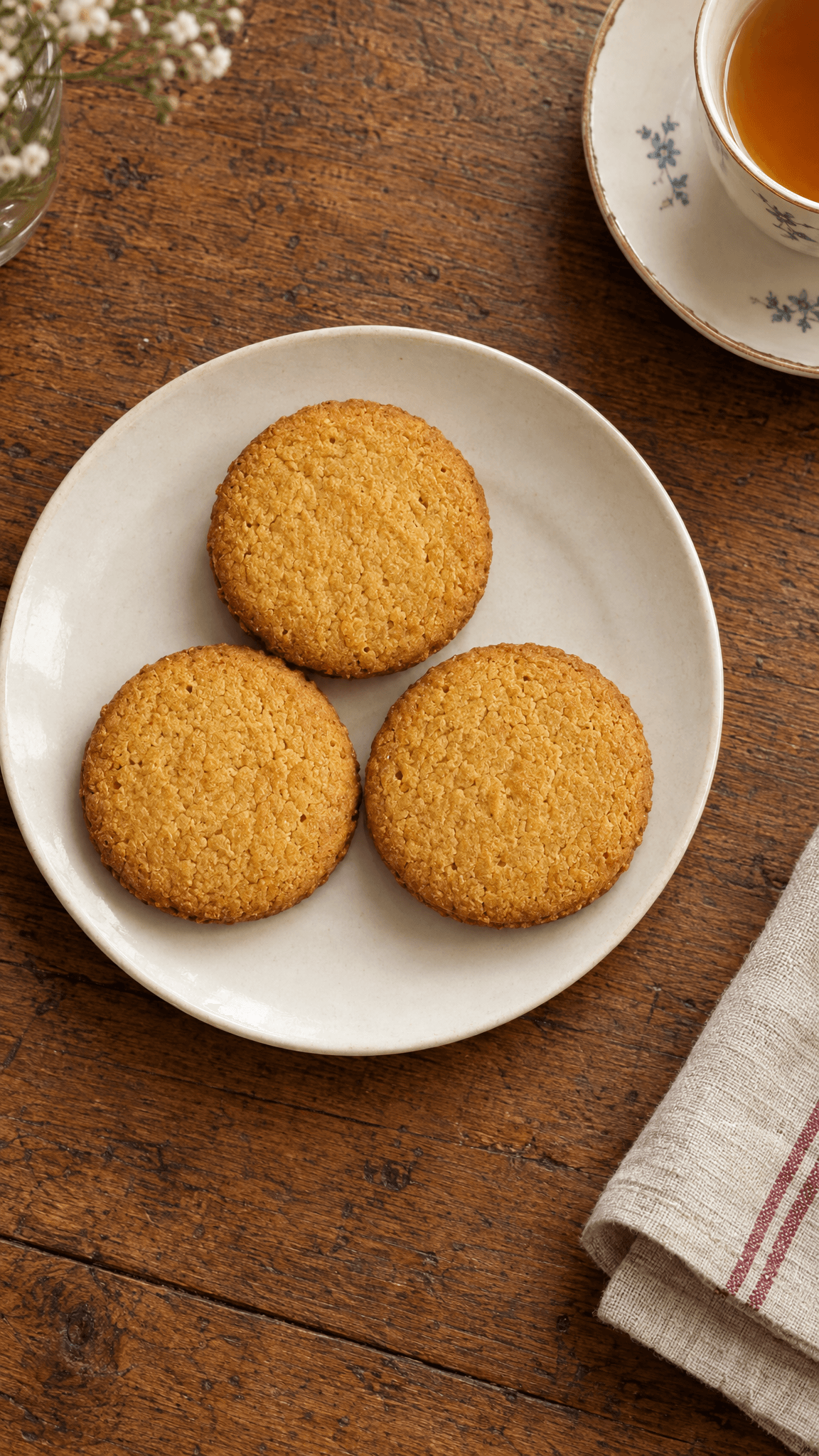
Figure 9. Selected Image-13-02 food result. Compare its stronger surface texture with the real reference in Figure 1.
Review appetite appeal without changing the food
Food can look polished while becoming less representative. Compare the exported image with the reference before assessing its styling. Look for an altered bake color, a larger portion, a new coating or texture repeated too uniformly across every item.
Review item | Acceptance question | Response when it fails |
Product identity | Are shape and visible ingredients consistent with the reference | Remove unsupported additions and return to the real food image |
Color | Does the bake color remain representative | Reduce stylized lighting or color changes |
Texture | Are cracks and pores plausible without exaggerated repetition | Request a restrained surface treatment and compare again |
Portion | Is the displayed count intentional | State the intended serving composition and verify the output |
Packaging | Are wording and artwork accurate | Review the pack independently from the food |
The three-biscuit arrangement here is a styling choice; it is not a claim about how many biscuits the retail package contains. Likewise, a generated surface cannot establish taste, freshness or actual crispness. Keep the description tied to visible appearance.
Generate download and prepare the final image
Before running, verify the attached reference, ratio, format and current displayed quote. After the result is ready, use the node’s download control to save the original PNG. Confirm its dimensions and inspect it outside the small preview. Astorie documents image controls and downloads in its Image Node guide. [3]
Keep the source, selected output and setup screenshot together. Save unsuccessful packaging versions as well; they explain why a correction was necessary. Make a separate wide composition if the destination requires one rather than assuming a portrait image will crop cleanly.
If a job fails, check that the input file loads, the image is attached to the intended node and the selected route accepts the chosen input. Preserve the error state before retrying. Do not infer a completed charge or refund from a changed preview alone; use the account’s actual transaction record when cost matters.
For a general product workflow, see the Astorie product photo guide. Use the product photo tool for its separate preset-based route; its interface should not be confused with the canvas settings documented in this case.
FAQS
Can I generate food from a packaging photo alone
You can request a concept, but the closed package does not establish the actual food appearance. For a product-specific tutorial or campaign, add a real food photograph.
Do I need an image of the inside of a biscuit
Only if the planned shot exposes it. This example stays with intact top surfaces because no broken-center reference was supplied.
Can I use the generated tin and food together
Yes, as a planned composition after checking both references. Do not imply that a generated open tin reproduces the real internal packing when no open-pack photograph supports it.
Is the most detailed output the most accurate one
No. Image-13’s stronger texture is visually clear, but more pronounced cracks do not prove greater fidelity. Compare detail with the real product.
Use packaging images to establish the pack and food images to establish the food. That separation keeps the creative scene useful without making unsupported product claims.
Ready to try it on the canvas?
Open Astorie and fan your prompt across every frontier model in one workflow.