Prompts for educational graphics

Explore a travel-poster example that brings architectural details into a graphic layout. Use its prompt as a starting point for deciding what your own visual should explain.

Explore prompts

612 prompts

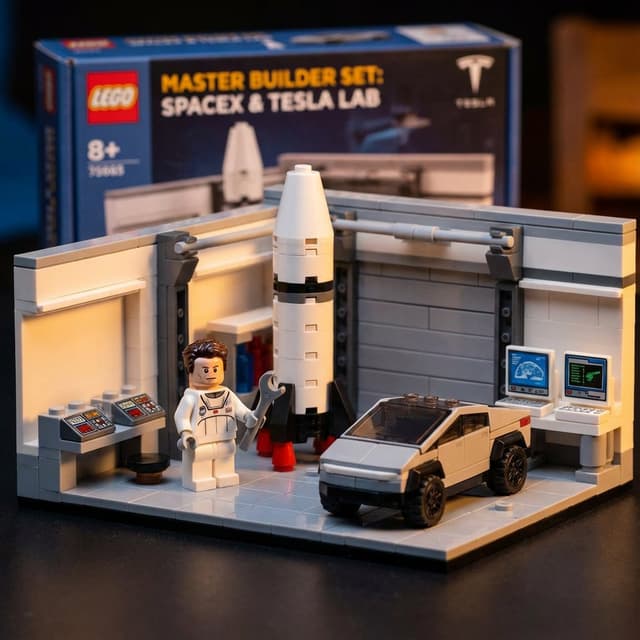
Infographic / Edu Visual - LEGO History Retelling Template — output

Infographic / Edu Visual - LEGO History Retelling Template

GadgetifyNano Banana Pro
<instructions> Retelling history through plastic construction blocks. Input Variable: {argument name="inventor" default="[INSERT INVENTOR]"} Workflow: 1. Medium Shift: The subject and their laboratory are constructed entirely of high-gloss plastic interlocking bricks (LEGO-style). 2. Context: A "Master Builder" set depicting a famous laboratory relevant to the inventor. 3. Action: The minifigure version of [INSERT INVENTOR] is holding a tiny plastic tool, standing next to a brick-built version of his greatest invention, building, or lab environment. Style: Macro Toy Photography (Tilt-Shift). </instructions>
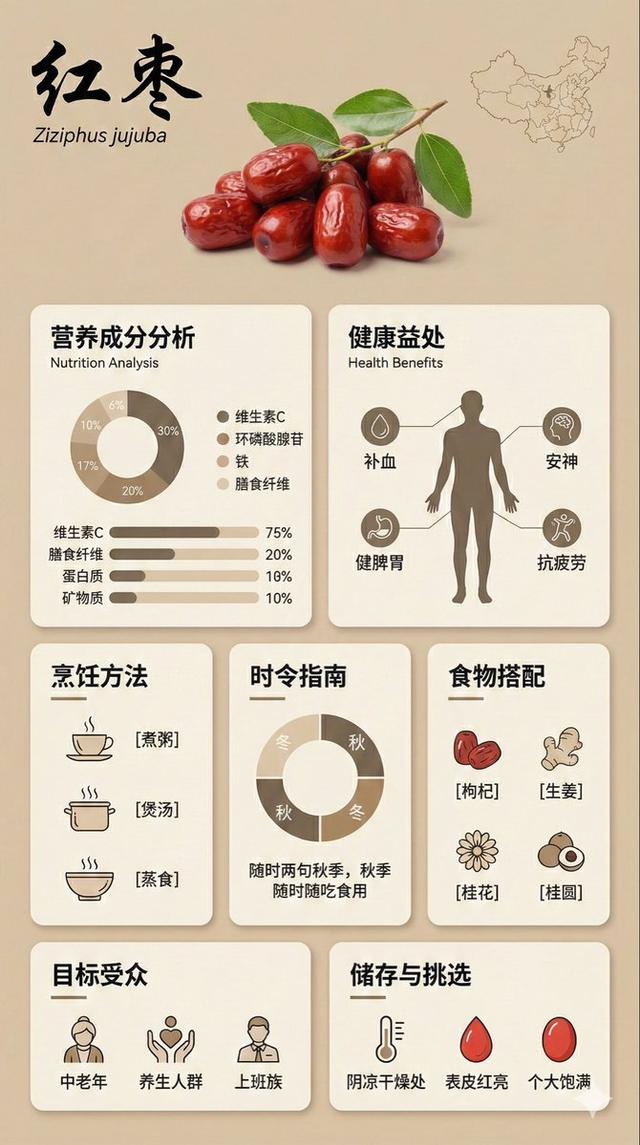
Infographic / Edu Visual - Bento Grid Infographic Prompt for Food Science — output

Infographic / Edu Visual - Bento Grid Infographic Prompt for Food Science

xiaobeiLinNano Banana Pro
{
  "image_analysis": {
    "subject": "Infographic about {argument name="ingredient name" default="Goji Berry"}, 9:16",
    "style": "Modular Bento Grid Design / Minimalist UI Design",
    "tone": "Professional, warm, high-end, educational",
    "primary_colors": ["Beige", "Cream", "Dark Brown", "Warm Earth Tones"]
  },
  "prompt_elements": {
    "subject_description": "A high-quality educational infographic poster about {argument name="ingredient name" default="Goji Berry"}.",
    "layout": "Bento box style modular grid layout, clean UI/UX interface design, divided into clear rectangular cards.",
    "visual_details": [
      "Top header with a striking, elegant Chinese calligraphy title 'Ingredient Chinese Name' and its scientific name",
      "Center top features a hyper-realistic photographic image of [visual description of fresh ingredient]",
      "A small outline map of [origin/country] in the corner",
      "Section 1: Nutritional analysis with donut charts and bar charts, percentages indicating proportions",
      "Section 2: Human silhouette diagram showing health benefits with connecting lines",
      "Section 3: Cooking method matrix with minimalist line icons ([Cooking Method 1], [Cooking Method 2], [Cooking Method 3])",
      "Section 4: Seasonal consumption guide with circular charts",
      "Section 5: Food pairing grid with simple icons ([Pairing 1], [Pairing 2], [Pairing 3])",
      "Section 6: Target audience profile icon",
      "Section 7: Storage and selection guide with temperature and weather icons"
    ],
    "art_style": "Minimalist graphic design, soft vector illustrations combined with product photography, flat design icons, clean typography.",
    "lighting": "Soft diffused studio lighting, shadowless and flat lay aesthetic.",
    "color_palette": "Monochromatic warm beige background, off-white cards, dark brown and charcoal grey text, soft accents."
  "negative_prompt": "Cluttered, neon colors, messy layout, low resolution, blurry, distorted text, 3D rendering, dark background, chaos, oversaturated, watermark"
}
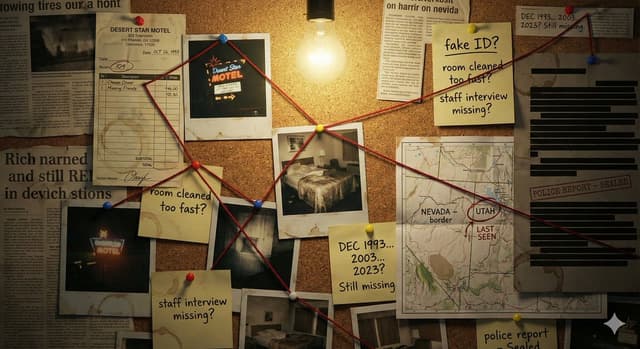
Comic / Storyboard - Detective Evidence Board Generation — output

Comic / Storyboard - Detective Evidence Board Generation

Artificial intelligence (Ai),Open AiNano Banana Pro
"A detective's evidence board investigating \\{argument name="subject/mystery" default="[SUBJECT/MYSTERY]"}\\\. Cork surface covered with pinned items: polaroid photographs with handwritten dates, a street map with circled locations, newspaper clippings with highlighted passages, sticky notes with theories and question marks, and printed documents with redacted black bars. Red string connects related evidence across the board, creating a web of connections. Thumbtacks in primary colors. A single bare bulb casts dramatic shadows. Coffee ring stains on some papers. The atmosphere is obsessive, late-night, noir—someone has been piecing this together for months. A few pins have fallen, suggesting frantic recent activity."
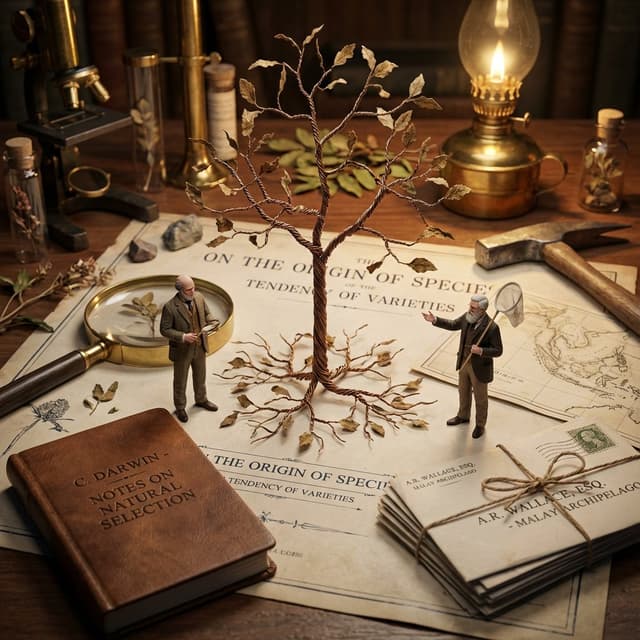
Infographic / Edu Visual - Macro Diorama Historical Rivalry (Science Wars) — output

Infographic / Edu Visual - Macro Diorama Historical Rivalry (Science Wars)

GadgetifyNano Banana Pro
<instructions> 
Input: Invention/Rivalry = {argument name="invention/rivalry" default="[User Choice]"}

Phase 1: Chronological Profiling
Ancient (Pre-500 AD): Stone/Papyrus, Oil Lamps. Labeling = Carved symbols or scroll signatures.
Renaissance (1400-1600): Parchment, Candlelight. Labeling = Wax seals, hand-lettered envelopes, book spines.
Industrial (1800-1940): Blueprints, Gaslight. Labeling = Typed Patent headers, Business Cards, Newspaper Headlines.
Modern (1950-Present): Circuit diagrams, Neon. Labeling = ID Badges, Magazine covers, Computer login screens.

Phase 2:
Goal: A hyper-detailed Macro Diorama where the environment identifies the rivals.

1. The Stage (The Document):
 The ground is the primary design medium of the era (Clay Tablet, Parchment, Blueprint, or CAD Printout).
The Invention:A 3D Prototype is rising from the center, separating the two figures.

2. The Living Miniatures: Two tiny, hyper-realistic figurines (The Rivals) interact with the invention.
  They are dressed strictly in period-accurate clothing.

3. The Identity Anchors (CRITICAL - Labeling):
Instruction: You must seamlessly integrate readable text into the "Giant" props near each figure to identify them to the viewer.
Prop A (Near Rival 1): Place a "Giant" personal item with their name visible. (e.g., A letter addressed to "Mr. T. Edison", a book titled "By C. Darwin", or a security badge reading "S. Jobs").
Prop B (Near Rival 2):Do the same for the second figure. (e.g., A Patent application signed "Nikola Tesla", or a court summons for "Mark Zuckerberg").
Context: These items must look like they were carelessly left on the desk, not floating labels.

4. The "Giant" Atmosphere:
The Tools: Giant-scale era-appropriate tools (Chisels, Quills, Soldering Irons) tower over the figures.
The Clutter: Period-specific debris (Marble dust, Ink spills, Burnt fuses, Empty soda cans).

5. Technical Specs:
Lighting: Era-appropriate source (Fire vs. Filament vs. LED).
Perspective:Tilt-shift macro photography (45-degree angle). focus on the miniatures.

Output: ONE image, 4:5 aspect ratio, photorealistic historical macro photography with legible environmental text. </instructions>
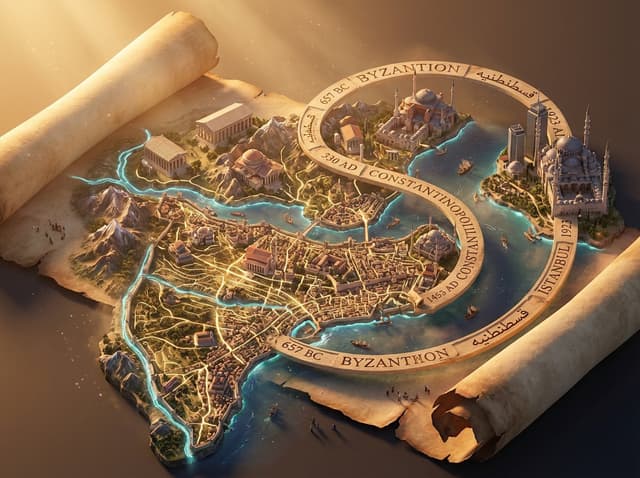
Game Asset - 3D Isometric Atlas Scene in Firefly Style — output

Game Asset - 3D Isometric Atlas Scene in Firefly Style

Alexandra AislingNano Banana Pro
Epic 3D isometric atlas scene: a massive ancient map of {argument name="subject" default="[SUBJECT]"} erupts from an unfurled parchment scroll, filling nearly the entire frame. Ink lines ignite into living terrain: mountain ranges push upward, cities rise in vertical layers, rivers glow and flow, borders burn softly in gold. Multiple civilizations {argument name="civilization layers" default="[CIVILIZATION LAYERS]"} coexist in stacked time, their architectures phasing through one another as if time is folding. A carved timeline spirals across the map with engraved dates. All text in {argument name="language" default="[LANGUAGE]"}. Extreme scale contrast, dense micro-detail everywhere, dramatic golden-hour light, volumetric dust, cinematic depth, 8K, UE5.
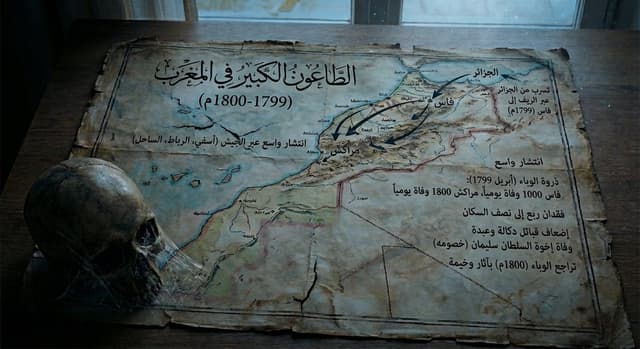
Map of Morocco in 1799–1800 with plague spread — output

Map of Morocco in 1799–1800 with plague spread

YouMindNano Banana Pro
Give me a map of {argument name="region_en" default="Morocco"} in {argument name="period_en" default="1799–1800"}, showing how the plague spread at that time and its consequences, and make it a bit dark in tone.
Map of Morocco in 1799–1800 with plague spread — output

Map of Morocco during the 1799–1800 plague

roojdi M7 ®️Nano Banana Pro
Give me a map of {argument name="region_en" default="Morocco"} in {argument name="period_en" default="1799–1800"}, showing how the plague spread at that time and its consequences, with a somewhat dark tone.
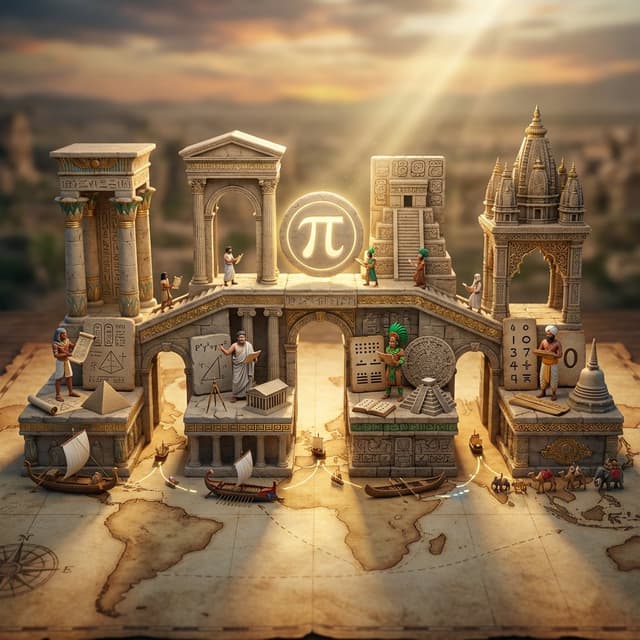
Infographic / Edu Visual - Miniature Bridge of Ancient Mathematical Knowledge — output

Infographic / Edu Visual - Miniature Bridge of Ancient Mathematical Knowledge

GadgetifyNano Banana Pro
<instruction>
Input A is an invention or technology  
Analyze: how this innovation appeared independently or was transmitted across ancient civilizations (Egyptian, Chinese, Islamic, Mayan, Greek, etc.).
Goal: Miniature bridge structure connecting 3-5 civilization "islands."
Rules:
* Base: ancient world map (aged parchment) as foundation
* Bridge structure: ornate multi-level walkway with different architectural styles for each section (columns, arches, pagoda elements)
* Each "island" platform: distinct civilization's version of Input A invention (Chinese compass vs Viking sunstone, Mayan zero vs Indian zero, etc.)
* Civilization figurines: tiny scholars/inventors from each culture examining each other's versions
* Include: trade route markers, tiny ships/caravans between islands, scrolls being passed
* Center of bridge: the "universal truth" they all discovered (mathematical formula, physical principle) etched in neutral symbol
* Materials: stone textures, gold leaf accents, cultural pattern details
* Lighting: mystical golden hour with light ray connecting all islands
Output: 1 x image, 16:9 landscape for maximum bridge span visibility, mythological epic photography
</instruction>
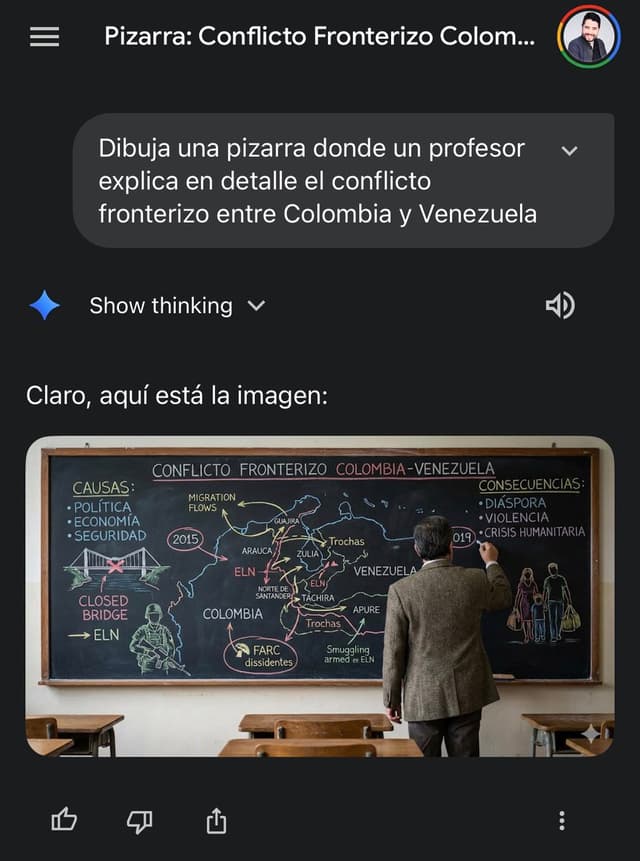
Military briefing on Caribbean tensions — output

Military briefing on Caribbean tensions

YouMindNano Banana Pro
Draw a blackboard where a {argument name="instructor_en" default="U.S. soldier"} explains in detail the {argument name="topic_en" default="military tension in the waters of the Caribbean Sea between the United States and Venezuela"}.
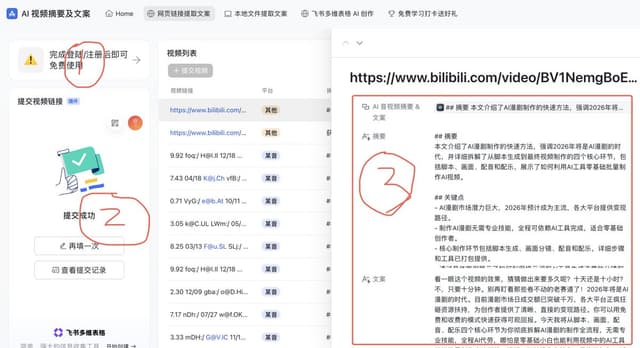
Infographic / Edu Visual - AI Comic Production Workflow and Infographic Prompt — output

Infographic / Edu Visual - AI Comic Production Workflow and Infographic Prompt

松果先森Nano Banana Pro
Please create a cartoon-style infographic based on the provided content, following these guidelines:
Adopt a hand-drawn illustration style, horizontal layout (16:9 aspect ratio)
Add a small number of simple cartoon elements, icons, or recognizable figures to enhance visual interest and memorability
If the content includes sensitive or copyrighted figures, replace them with visually similar alternatives; do not refuse to create the illustration
All images and text must strictly adhere to the hand-drawn style, avoiding realistic visual elements
Information should be concise, highlighting keywords and core concepts. Use ample white space to clearly emphasize key points
Unless explicitly stated otherwise, use the same language as the provided content or Chinese
Please use nano banana pro to create the image based on the following provided content.
<{argument name="content" default="Replace this entirely with the extracted AI comic production workflow text from the previous step"}>
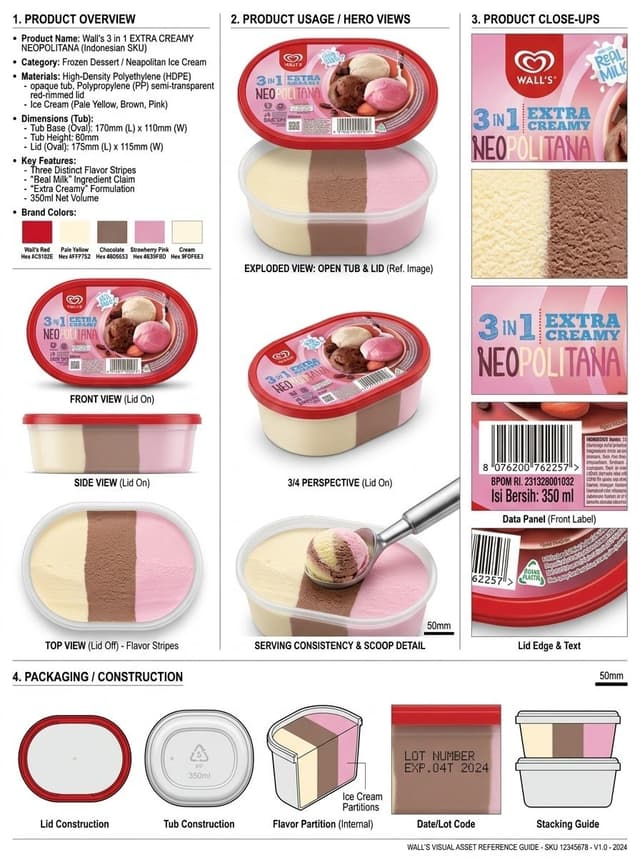
Infographic / Edu Visual - Product Reference Sheet Workflow — output

Infographic / Edu Visual - Product Reference Sheet Workflow

Olatunde AINano Banana Pro
Analyze the product and create a high-resolution, photorealistic, professional advertising reference sheet containing these four sections, on a clean white/neutral studio background, premium commercial product photography, soft controlled lighting, realistic materials, sharp details, subtle shadows, and a professional editorial grid.
1. PRODUCT OVERVIEW; name, category, materials, dimensions/size, key features, and brand colors.
2. PRODUCT USAGE/HERO VIEWS - front, back, side, 3/4, and functional/use view where relevant.
3. PRODUCT CLOSE-UPS - logo/label, texture/material, key components, packaging details, and other important identifying features.
4. PACKAGING / CONSTRUCTION - relevant packaging or structural views where applicable. 
The entire sheet must function as a visual continuity bible for AI image/video production. Every product view must depict the exact same physical product with absolute consistency. Do not redesign, add variants, alter branding, or change proportions. Use cean typography, clear section labels, thin dividers, balanced spacing, sophisticated production-design aesthetic.
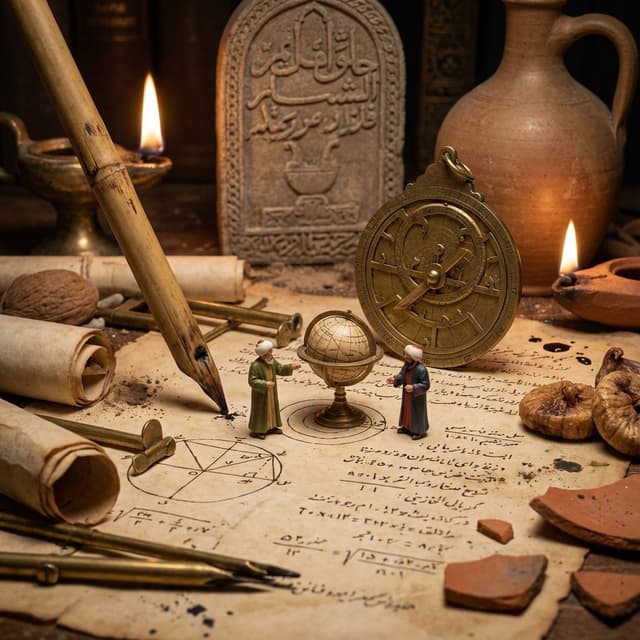
Infographic / Edu Visual - Historical Macro Diorama: Culinary Atlas Grid — output

Infographic / Edu Visual - Historical Macro Diorama: Culinary Atlas Grid

GadgetifyNano Banana Pro
Role:Historical Art Director & Macro Photographer.
Input: Invention or Rivalry = [{argument name="user choice" default="User Choice"}]

Phase 1: Chronological Profiling
Before rendering, analyze the Year of the invention to determine the "Era Texture":
If Ancient (e.g., 200 BC): Surface = Rough Stone or Papyrus. Light = Oil Lamp/Torch. Clutter = Clay shards, bronze chisels, scrolls, figs/grapes.
If Renaissance (e.g., 1500): Surface = Dark Oak & Vellum. Light = Candle. Clutter = Quill feathers, wax seals, brass astrolabes, leather binding.
If Industrial (e.g., 1890): Surface = Green Felt or Mahogany. Light = Gas/Filament. Clutter = Newsprint, pocket watches, copper wire, soot.
If Modern (e.g., 1980): Surface = Formica or Metal. Light = Fluorescent/Neon. Clutter = Circuit boards, Polaroid photos, soda cans, plastic casings.

Phase 2: Visual Execution
Goal: A hyper-detailed "Macro Diorama" where the environment tells the story of the time period.
Subject: A messy, chaotic workspace viewed through a macro lens.

1. The Stage (The Document):
The "ground" is the primary design medium of that era 
The surface is filled with era-specific sketches/carvings of the invention.

2. The Living Miniatures:
Two tiny, hyper-realistic figurines (The Inventor & The Rival) stand on this surface.
They are dressed strictly in period-accurate clothing (Togas vs. Frock Coats vs. Turtlenecks).
Action: They are interacting with a 3D Prototype of the invention that is rising physically out of the document/tablet.

3. The "Giant" Atmosphere (Dynamic Enrichment):
The Wall: A massive background object establishing context (e.g., a carved stone stele, a tapestried wall, a vintage newspaper, or a stack of VHS tapes).
The Tools: Giant-scale tools used to make the invention loom over the figures like trees (e.g., a giant chisel, a massive quill dipped in ink, or a soldering iron).
The Debris: The mess of the creative process (e.g., stone dust, spilled ink, burnt fuses, or crumpled layout paper).
The Comforts: Food/Drink of the era (e.g., an earthen jug of wine, a porcelain tea cup, or a can of cola).

4. Technical Specs:
Lighting: Must match the "Era Light" determined in Phase 1 (Flickering warm fire vs. cold electric buzz).
Perspective: Tilt-shift macro photography (45-degree angle).
Texture: Extreme focus on material weathering (rust, dust, parchment cracks, or plastic sheen).

Output: ONE image, 4:5 aspect ratio, "Historical Macro Realism."
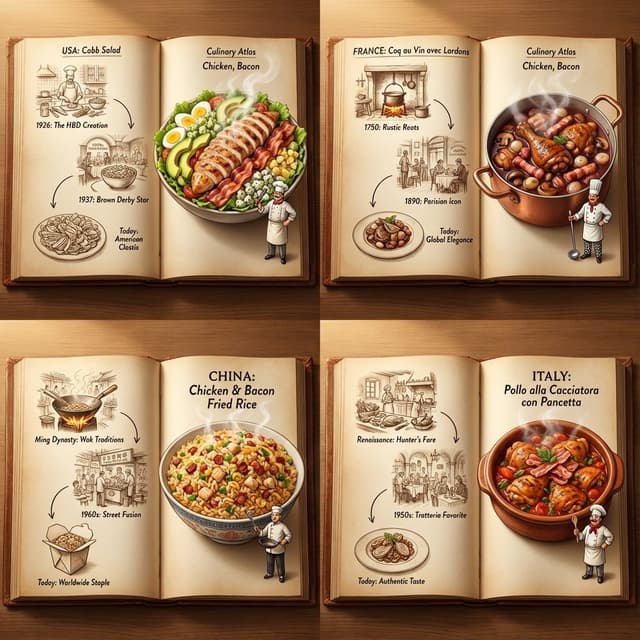
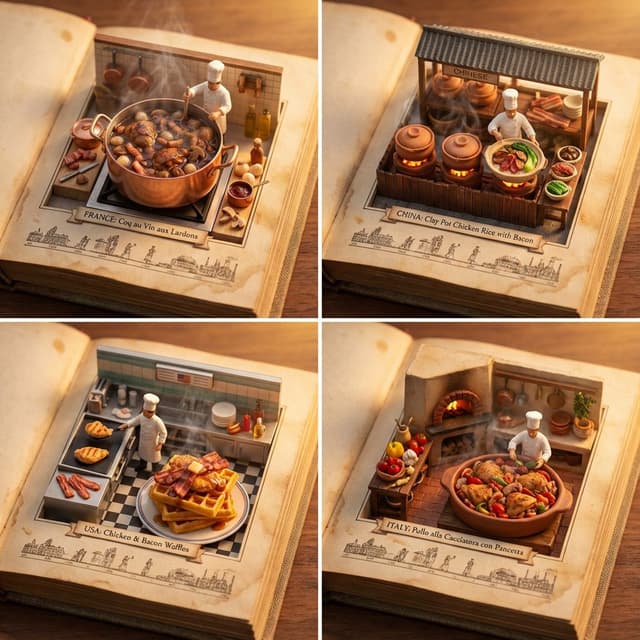
Infographic / Edu Visual - Culinary Atlas Grid: 3D Pop-up Recipe Dioramas — output

Infographic / Edu Visual - Culinary Atlas Grid: 3D Pop-up Recipe Dioramas

GadgetifyNano Banana Pro
<instruction>
Inputs: Ingredients = [{argument name="ingredient 1" default="Chicken"}, {argument name="ingredient 2" default="Bacon"}]

Step 1: Global Analysis
Analyze the ingredients.
Select 4 Distinct Countries with a famous dish using these ingredients  

Goal: A "Culinary Atlas" Grid showing 4 different cultural variations of the ingredients.

Layout Rule:
Output Format: A 2x2 Grid.
Content per Panel: Each of the 4 panels must show a Single Open Book Spread for that specific country.

Inside Each Panel (The Book Spread Rule):
Left Page (The History): 2D Vintage Sepia Sketches. A visual timeline or illustrated recipe of the dish (e.g., "1850 -> 1920 -> Today"). Flat, ink-drawn style.
Right Page (The Reality): 3D Pop-up Diorama. The finished, steaming meal emerges physically from the page. A tiny miniature chef from that country is standing on the page next to the massive food.
Consistency: All 4 books should look like part of the same series, but with different cultural contents.

Lighting: Cinematic top-down lighting, highlighting the depth difference between the flat left page and the 3D right page.
Output: 2x2 Grid, High Definition, Macro Detail.
</instruction>
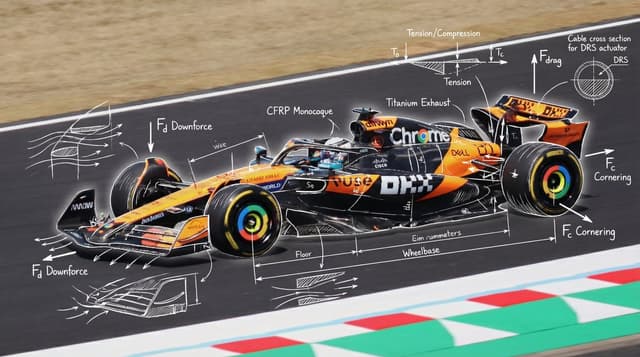
Engineering annotations overlay — output

Engineering annotations overlay

YouMindNano Banana Pro
Overlay technical, engineering handwritten annotations on top of the image.
Use white chalk-style handwriting and clean technical sketch lines.
Include labels, arrows, dimensions, forces, engineering diagrams, and cross-sections.
Style: blueprint-like doodles,
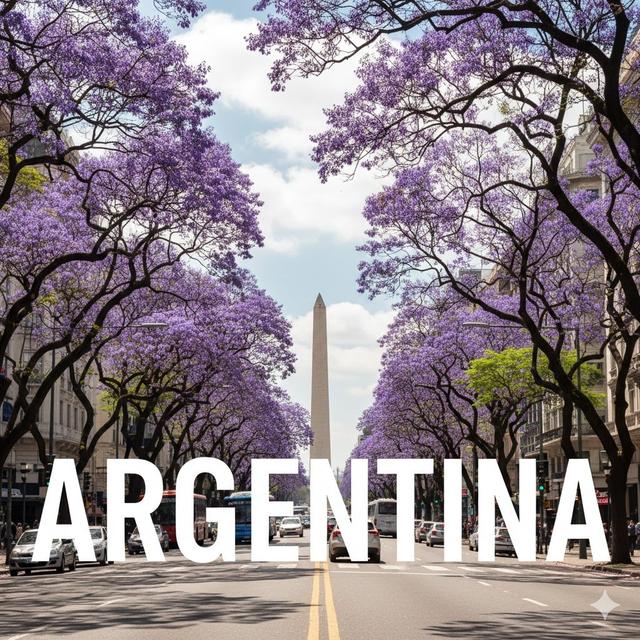
Buenos Aires avenue lettering scene — output

Buenos Aires avenue lettering scene

YouMindNano Banana Pro
Write {argument name="text" default="Argentina"} over {argument name="avenue" default="9 de Julio"} in Buenos Aires, making sure the Obelisk and jacaranda trees in spring are visible.
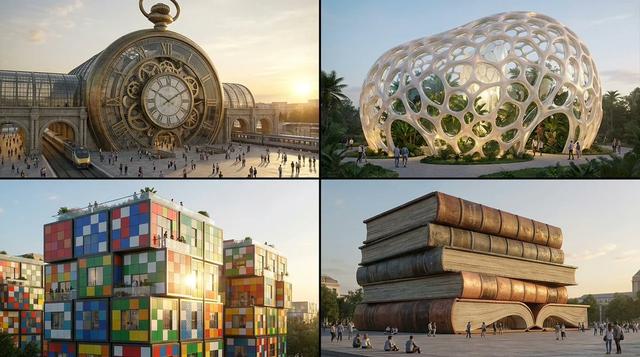
Infographic / Edu Visual - Object-to-Building Transformation Prompt — output

Infographic / Edu Visual - Object-to-Building Transformation Prompt

GadgetifyNano Banana Pro
Turning random objects into buildings.

2x2 grid, do this for 4 different random objects. Concept: Turn objects into a landmark building that could exist.

1. ANALYZE INPUT (Massing & Structure):

Mass: (Monolithic/Fragmented/Stacked/Spindly)

Surface: (Reflective/Porous/Layered/Patterned)

Mechanism: (Static/Kinetic/Modular)

2. AUTO-SELECT BUILDING TYPE:

IF Monolithic + Stone-like → Museum

IF Reflective + Aerodynamic → Skyscraper

IF Modular + Stacked → Housing complex

IF Porous + Organic → Botanical conservatory

IF Kinetic + Mechanical → Transit hub

3. EXECUTE:
Golden-hour exterior render, people for scale, plausible materials, cinematic wide lens.
Infographic / Edu Visual - Food Recommendation System Prompt for Cookbook Generation — output

Infographic / Edu Visual - Food Recommendation System Prompt for Cookbook Generation

GadgetifyNano Banana Pro
do this for {argument name="ingredient one" default="bacon"} and {argument name="ingredient two" default="chicken"}: <instructions> step 1. user enters one or more ingredients. step 2. analyze the ingredients, their taste and delicious meals that can be made with all of them. step 3. pick 4 random countries and their popular food that maybe be less known that use all these ingredients (if given one, only that, if given 2, the meal should have both those). Goal: A cookbook where ingredients and dishes emerge in delicious detail Rules: Base: A vintage cookbook with stained pages and fabric cover, historical timeline of food Scene: 3D Miniature kitchen or market scene with 3D chef & ingredients Details: Detailed and accurate food textures, steam effects, cooking implements Lighting: Warm kitchen lighting with golden hour quality Output: a 2x2 grid, each with a Single 1:1 image of the meals  with appetizing details </instructions>
Browse by model, style or topic

Find your next direction

ASTORIE CANVAS

Take the idea further.

Bring your prompts, references and results together in one creative space.

Open your canvas ↗