
A 5-Stage AI Content Pipeline for Solo Creators
An AI content pipeline for solo creators is a repeatable system that moves one approved idea through five controlled stages: brief, source asset, derivatives, quality assurance, and archive. The goal is not to publish more AI output; it is to reduce repeated decisions while keeping a human responsible for the promise, the facts, the brand, and the final release.
Astorie fits this workflow when a creator wants prompts, references, model outputs, and versions to remain connected on one canvas. Its value is orchestration: the same approved source can feed several image or video branches without rebuilding the production context in every tool.
A 5-Stage AI Content Pipeline for Solo Creators: Key Takeaways
• Build around a source-of-truth asset, not around a list of social platforms.
• Automate movement and formatting only after the idea, facts, and brand references are approved.
• Give every stage one deliverable, one acceptance rule, and one stop condition.
• Archive prompts, references, outputs, and decisions together so the next cycle starts from a proven system.
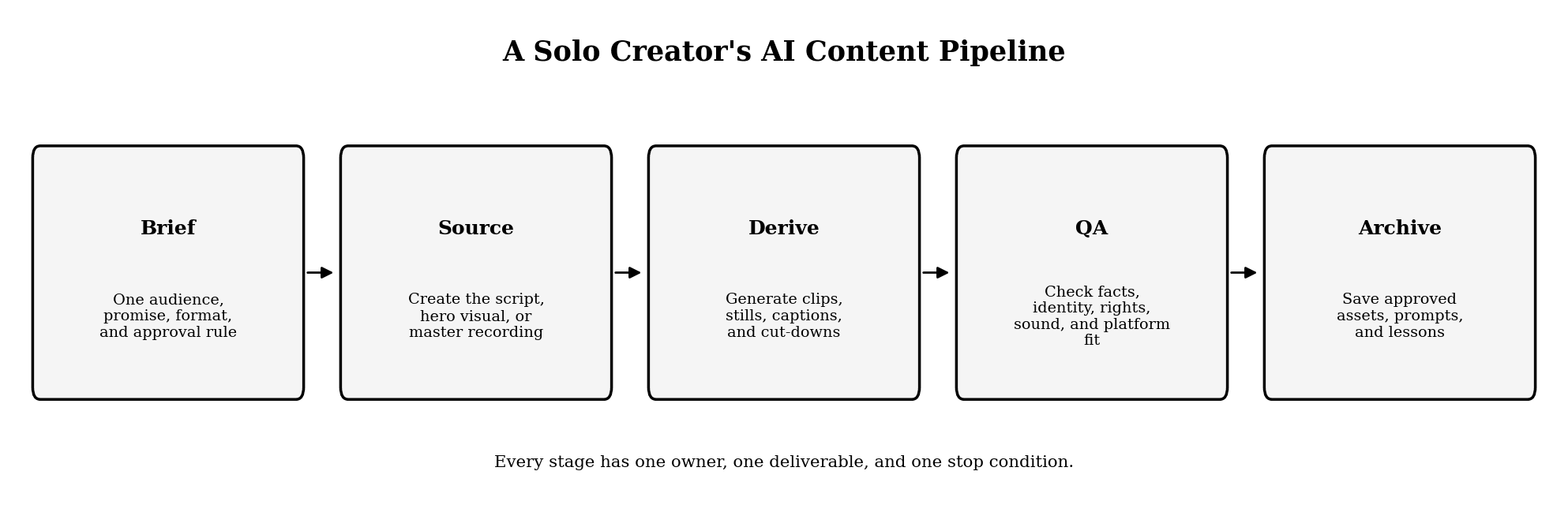
Figure 1. A five-stage AI content pipeline for a solo creator.
What Is an AI Content Pipeline for Solo Creators?
An AI content pipeline is the operating system behind recurring content. It defines where ideas enter, which asset becomes the source of truth, how derivatives are produced, where judgment is required, and what is stored after publication.
The distinction matters. A prompt library is not a pipeline, and a scheduler is not a pipeline. A real pipeline connects editorial decisions to production outputs and preserves the context needed to revise them later.
For a solo creator, the best design is deliberately small. Use one intake list, one weekly brief, one reference pack, one production workspace, and one archive. Add a tool only when it removes a recurring bottleneck without adding a second place where the same decision must be maintained.
The Five Stages of a Sustainable AI Content Pipeline
1. Score Ideas Before Opening a Generation Tool
Choose the idea with a short decision card: audience, problem, promise, proof, source format, required channels, and deadline. Add a kill rule such as “do not produce if the claim cannot be verified” or “do not produce if the idea cannot support one strong source asset.”
This gate prevents the most expensive form of waste: polishing a weak premise. It also gives every later model the same brief instead of asking each tool to reinterpret the project.
2. Build One Source-of-Truth Asset
The source asset can be a long-form script, a recorded interview, a product demonstration, a research note, or a fully approved hero visual. It should contain the complete argument and the references that downstream assets must preserve.
Lock facts, names, numbers, product states, pronunciations, and required disclosures here. If the source keeps changing while derivatives are being produced, every downstream branch becomes a version-control problem.
3. Generate Derivatives in Parallel
Create channel branches from the approved source: a short video, carousel, newsletter section, blog excerpt, thumbnail, and caption set. Parallel production is useful only when each branch has a defined job.
A derivative is not merely the same content resized. A vertical video needs a faster opening and safe text zones; a carousel needs a page-by-page argument; an email needs a subject line and a single next action. Preserve the core claim, then redesign the delivery for the channel.
4. Run Quality Assurance Before Scheduling
Use four separate checks: factual accuracy, brand consistency, platform fit, and rights or consent. A single “looks good” review hides different kinds of risk.
For AI visuals, compare faces, products, packaging, colors, and typography against the canonical references. For copy, verify every factual claim against its source. For audio and video, listen once without watching and watch once without sound; each pass catches different failures.
5. Archive the Production Package
Store the final asset with its source brief, approved references, prompts, model or route, version label, captions, export settings, and one sentence on what changed during review. The archive should make a revision possible without reconstructing the project from memory.
Stage | Required output | Approval question | Stop condition |
Idea | One-page brief | Is the promise useful and supportable? | Claim or audience is unclear |
Source | Approved master asset | Is this the definitive version? | Facts or references are still moving |
Derivatives | Channel-specific variants | Does each format have a distinct job? | Variant only resizes the source |
QA | Signed-off release package | Are facts, brand, rights, and delivery correct? | Any critical check fails |
Archive | Reusable production record | Could this be revised in six months? | Prompt, source, or approval history is missing |
How to Build the Pipeline on Astorie
Start With Fixed Inputs
Place the brief, script, brand reference pack, and approved source assets at the beginning of the canvas. Treat these as controlled inputs. If a downstream result reveals a problem in the brief, revise the source first rather than patching each derivative separately.
Turn the Workflow Into a Reusable Template
Build a stable pattern: source text to visual concepts, approved image to motion branches, narration to captions, and selected outputs to delivery folders. Save it as a reusable Template - called a Recipe in Astorie's workflow system - so the structure stays fixed while the weekly subject changes.
Use Astorie when repeated handoffs and re-uploads are the bottleneck. You gain connected references and a visible production graph; you give up some of the simplicity of a single-purpose app. The switch trigger is clear: move from isolated tools when the same source is being copied across three or more generation or packaging steps.
Add Human Gates Between Expensive Stages
Approve the idea before generating assets, approve the source before creating derivatives, and approve low-cost drafts before final rendering. Do not let an automated chain turn one bad assumption into twenty polished outputs.
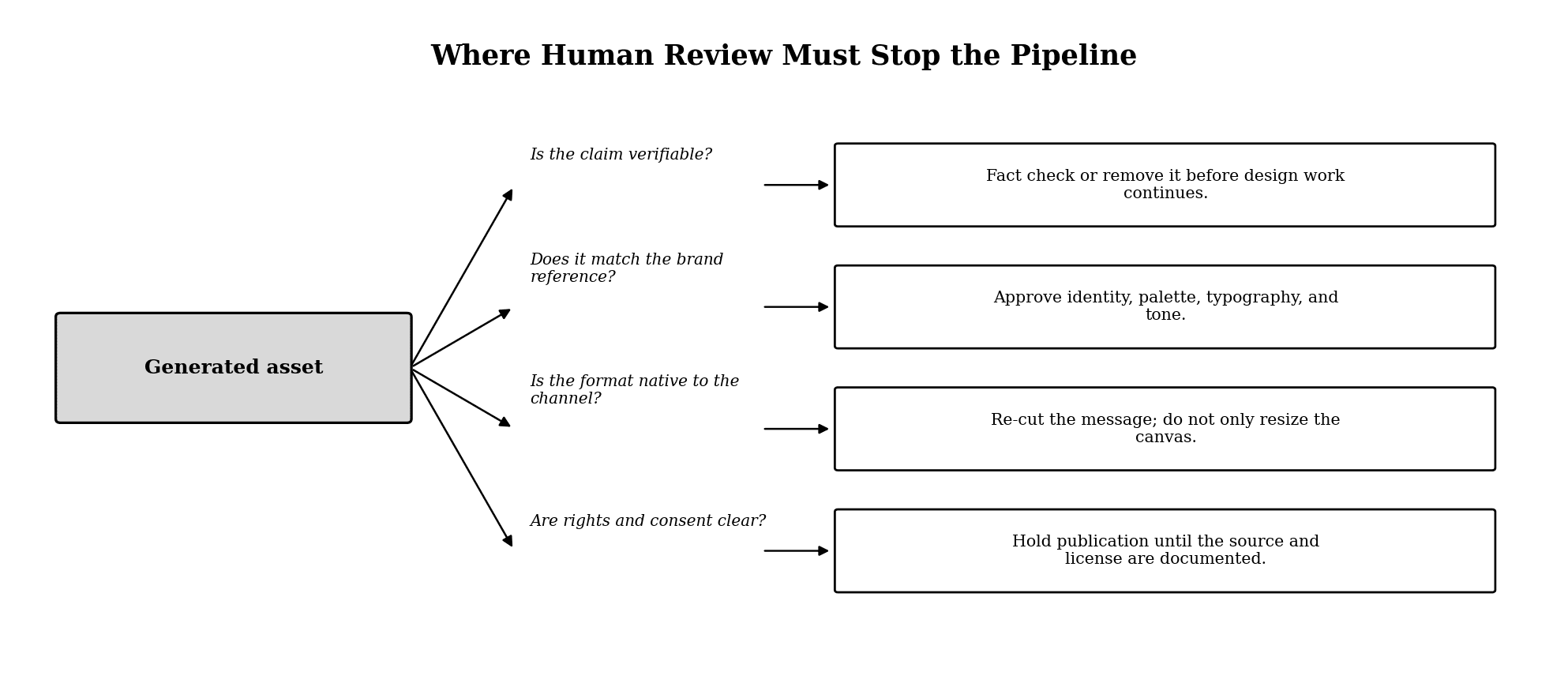
Figure 2. Human review gates that prevent automation from multiplying an error.
Preserve Variants Without Treating Them as Final
Keep alternatives for comparison, but label one asset as approved. A version tray is useful only when the team can distinguish exploration from a release candidate. Use simple states such as Draft, Review, Approved, Published, and Retired.
A Weekly Content Operating Rhythm
A weekly cadence separates decision days from production days. That reduces context switching and makes it easier to measure where the system is failing.
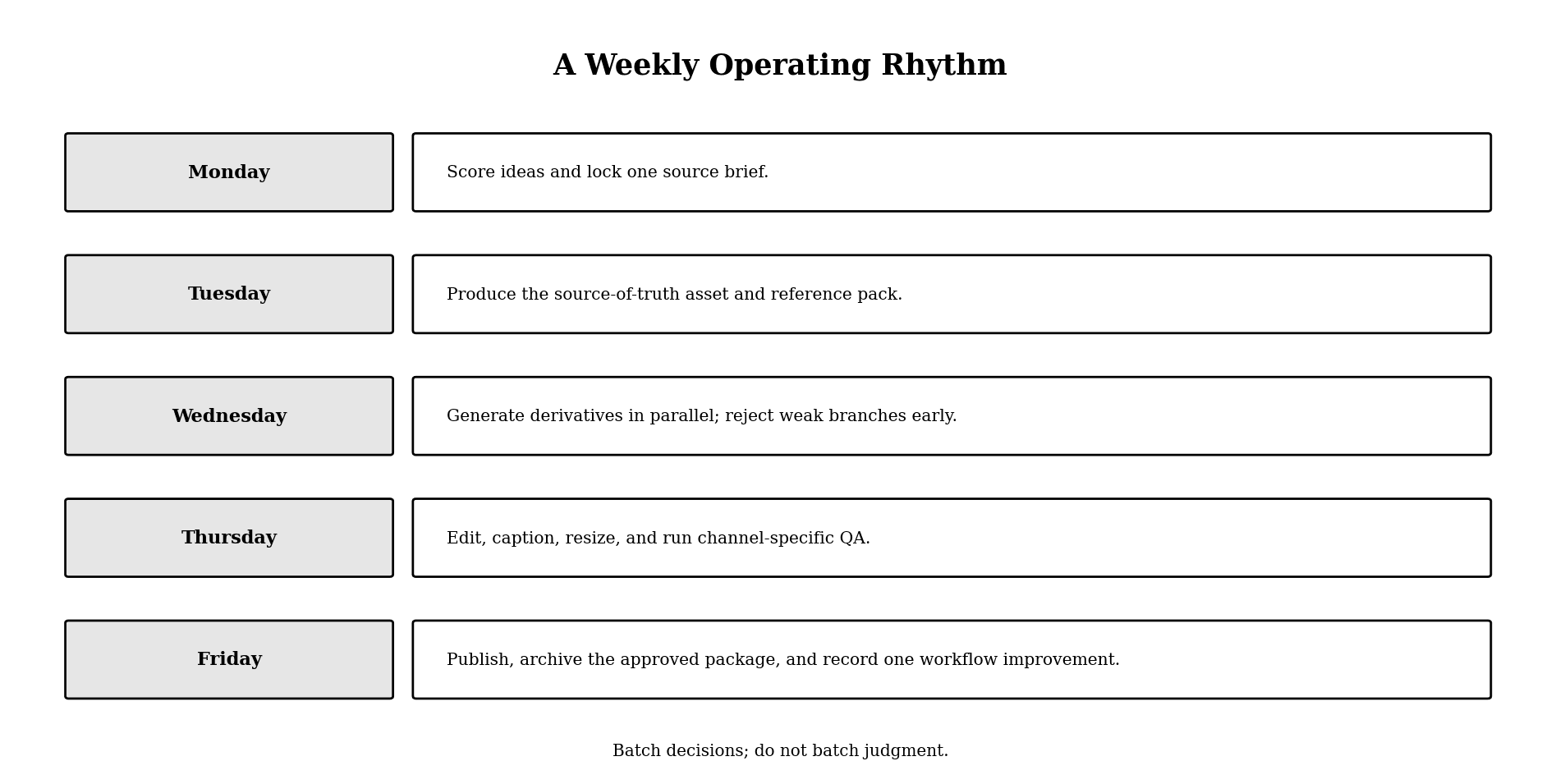
Figure 3. A practical weekly cadence for one-person content operations.
The cadence is a starting point, not a quota. If the source asset is weak on Tuesday, do not compensate by generating more derivatives on Wednesday. The pipeline should surface a problem early enough to stop.
When to Keep a Simpler Stack
Stay with one writing tool, one design tool, and one scheduler when you publish a single format, revise rarely, and do not reuse references across media. You gain less setup and fewer moving parts, but you give up connected lineage and reusable branching.
Switch to a canvas-based pipeline when you repeatedly produce image, video, audio, and copy from the same source. The benefit is not that every task happens automatically; it is that every task can see the same approved context.
Avoid migration when rebuilding templates and archives would cost more than the coordination problem you are solving. Run one project through the proposed pipeline first. Move the rest only when that pilot reduces handoffs or review errors.
Common Failure Modes
Automating Before the Editorial Standard Exists
If you cannot describe what makes an idea publishable, automation will only create inconsistent volume. Write the approval rule first.
Using One Model for Every Asset
Route by the hardest constraint. A model suited to aesthetic exploration may not be the right one for precise typography or identity-preserving edits. Switching models adds handoff cost, so switch only at a stage boundary with a clear gain.
Treating Every Variant as a New Idea
Derivatives should inherit the source claim. If a social caption introduces a stronger promise than the approved script, it is no longer a derivative; it needs editorial review as a new claim.
Measuring Output Instead of System Health
Track time to approved source, rejection reasons, revision rounds, reuse rate, and percentage of assets that ship without factual correction. These measures reveal whether the pipeline is reducing work or merely hiding it.
A Copyable Pipeline Brief
Use this before production:
• Audience: Who must understand or do something?
• Problem: What is blocking them now?
• Promise: What will this content help them achieve?
• Proof: Which source, demonstration, or example supports the promise?
• Source asset: What is the definitive master?
• Derivatives: Which formats have a distinct distribution job?
• Brand locks: Which references, words, colors, people, or products must remain unchanged?
• Release gates: Who verifies facts, brand, rights, and delivery?
• Archive: Which files and decisions must remain reproducible?
Hands-On Case: A Five-Stage MORROW Pipeline
This real workflow test used MORROW, a fictional sparkling-tea brand, so the production decisions could be documented without introducing unverified customer or performance claims. The project moved through the same five stages described above: brief, source-of-truth assets, derivatives, quality assurance, and archive.
Stage 1 — Brief and acceptance rules
The project began on a blank 16:9 Astorie canvas. A one-card brief defined the viewer outcome, audience, core message, and a 30–35 second target. A separate continuity contract then locked the MORROW spelling, tall amber bottle, black metal cap, matte oat label, copper circle, restrained daylight, and prohibited claims. This kept creative decisions separate from factual and brand boundaries.
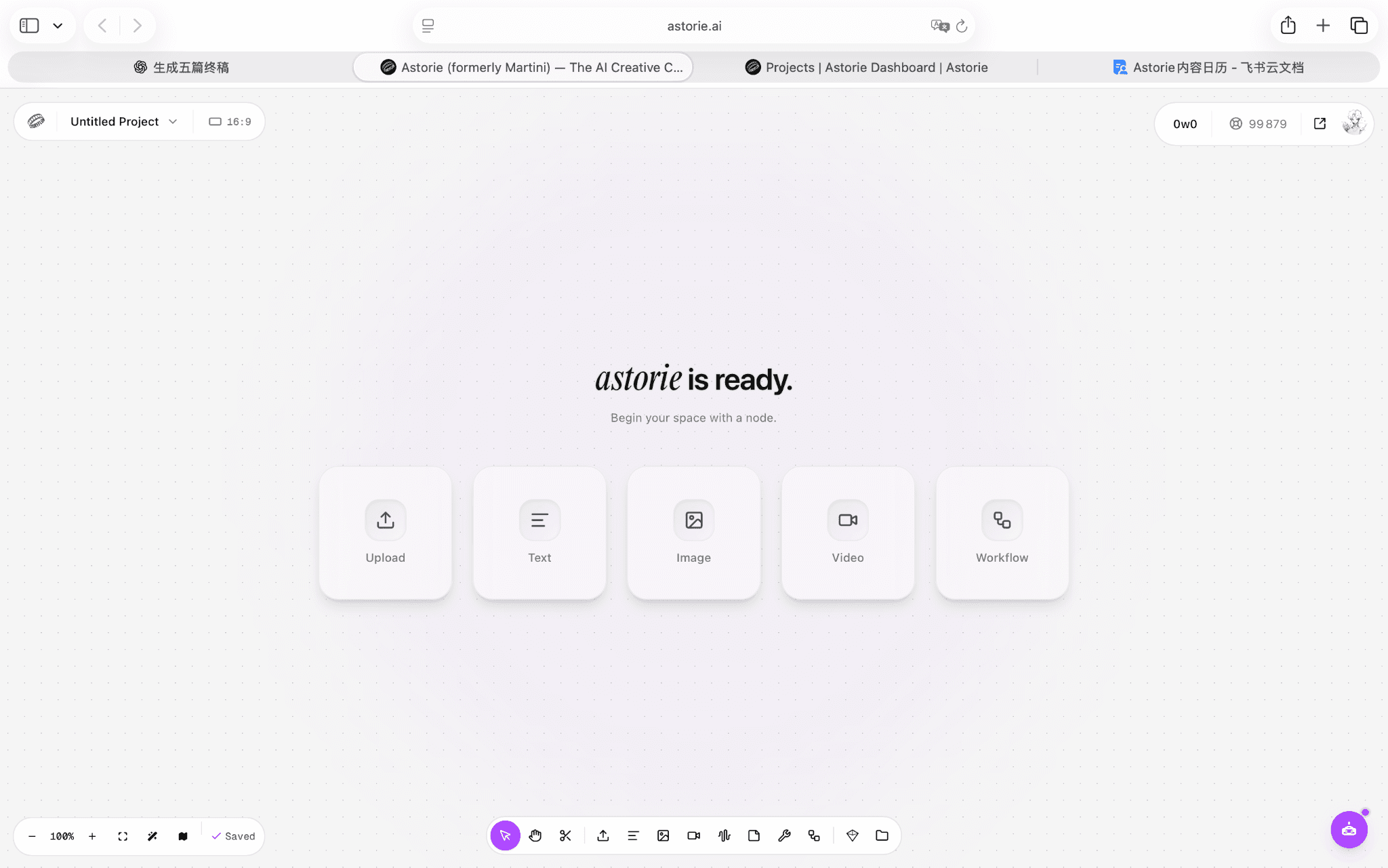
Figure 4.1. The Astorie canvas before the MORROW production nodes were added.
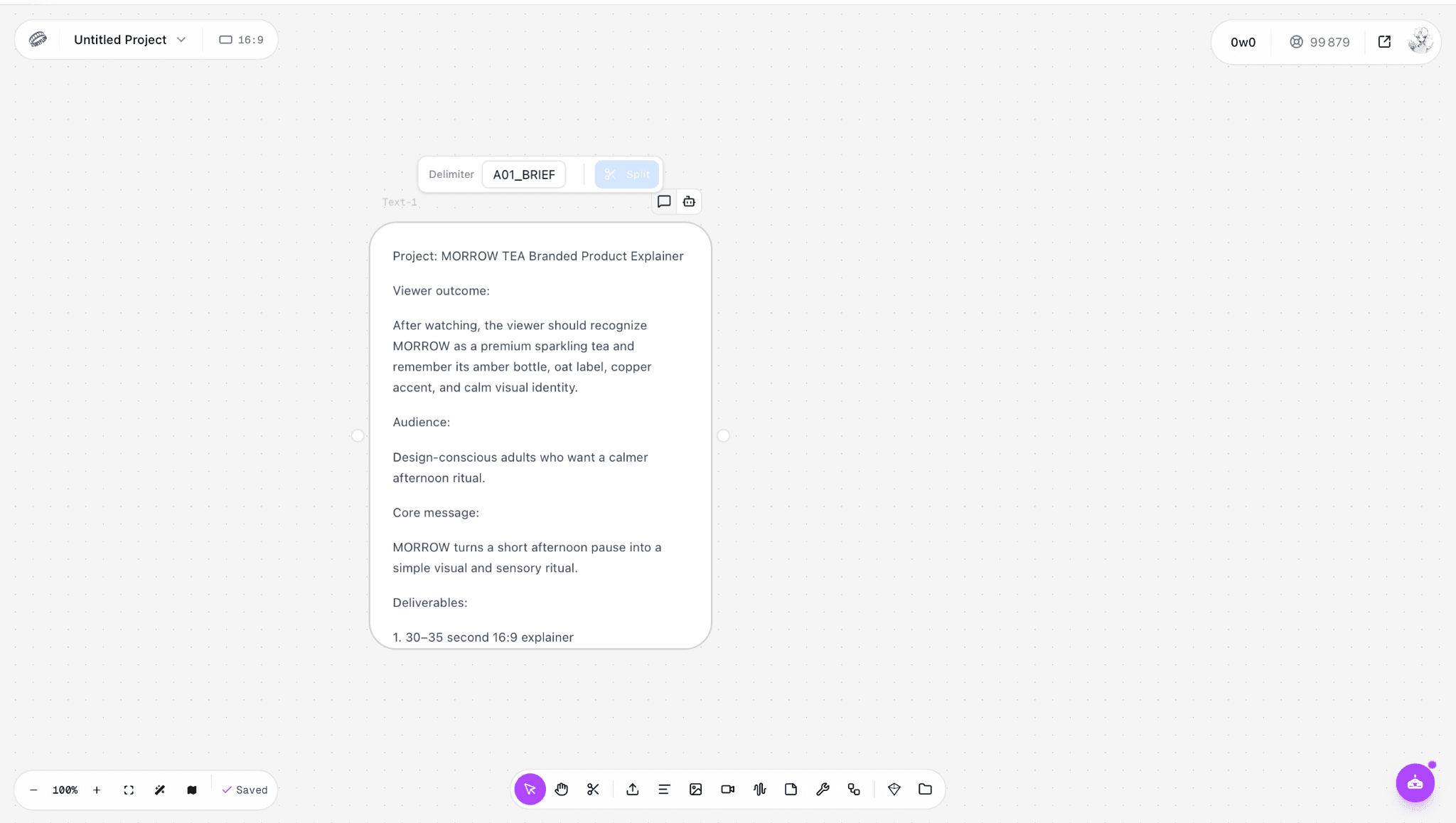
Figure 4.2. The MORROW project brief captured as the first source-of-truth node.
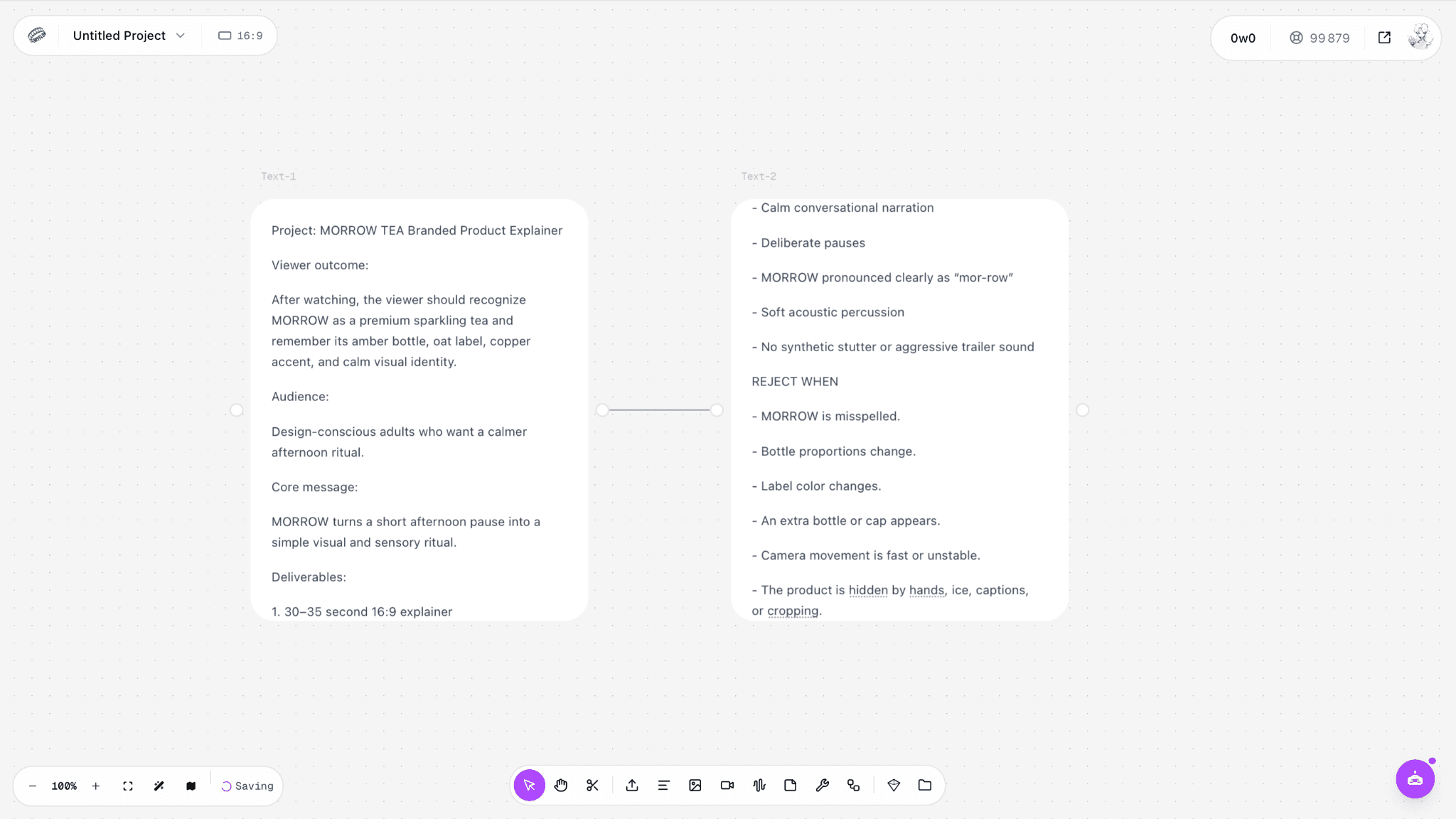
Figure 4.3. The brief connected to narration and brand constraints.
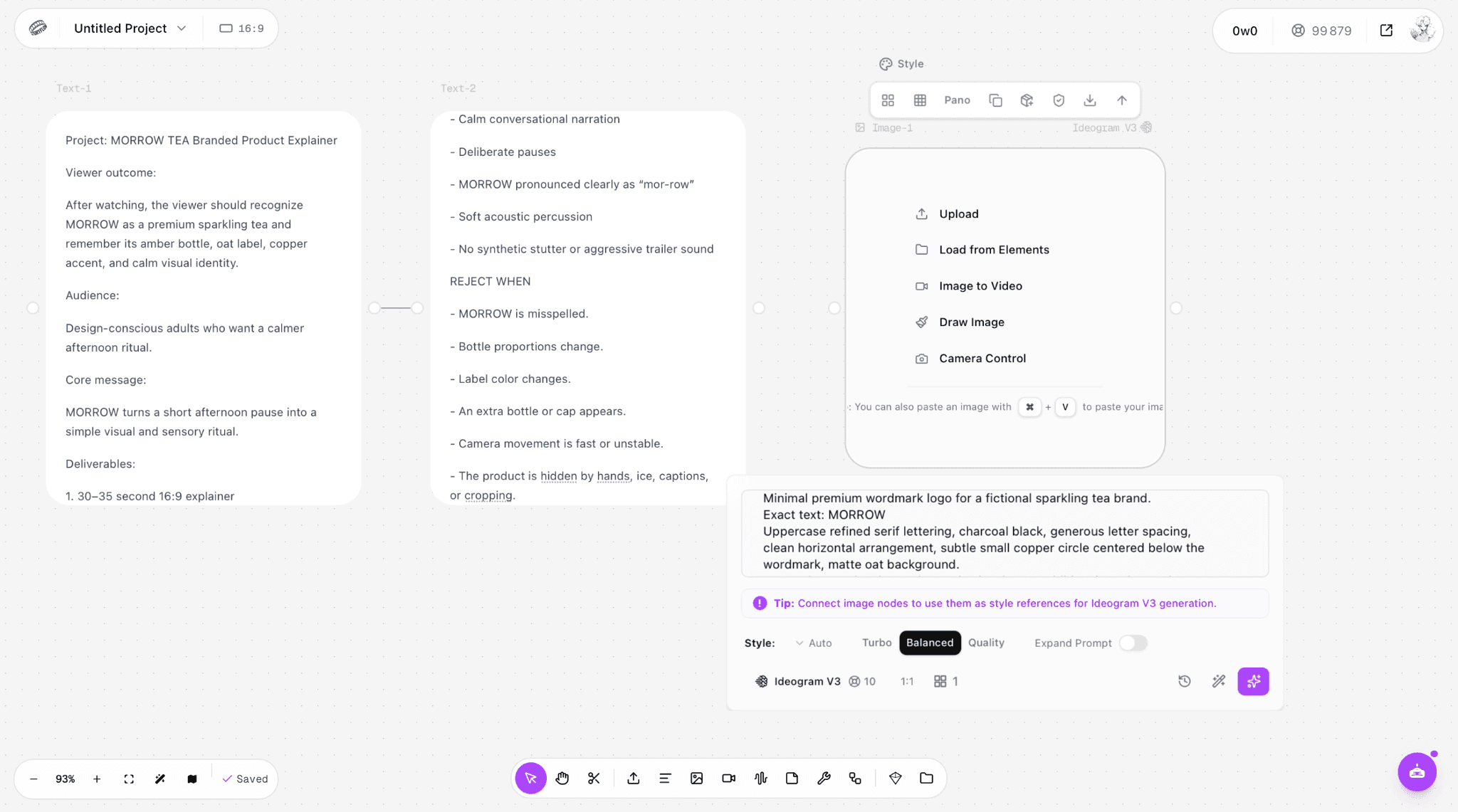
Figure 4.4. Approved inputs routed into the first image-generation branch.
Stage 2 — Source-of-truth assets
The wordmark was generated and approved first, then used as the style reference for the product hero. The source pack explicitly named the approved brief, continuity contract, wordmark, hero image, and palette. Downstream prompts therefore referred to approved assets instead of repeatedly describing the brand from memory.
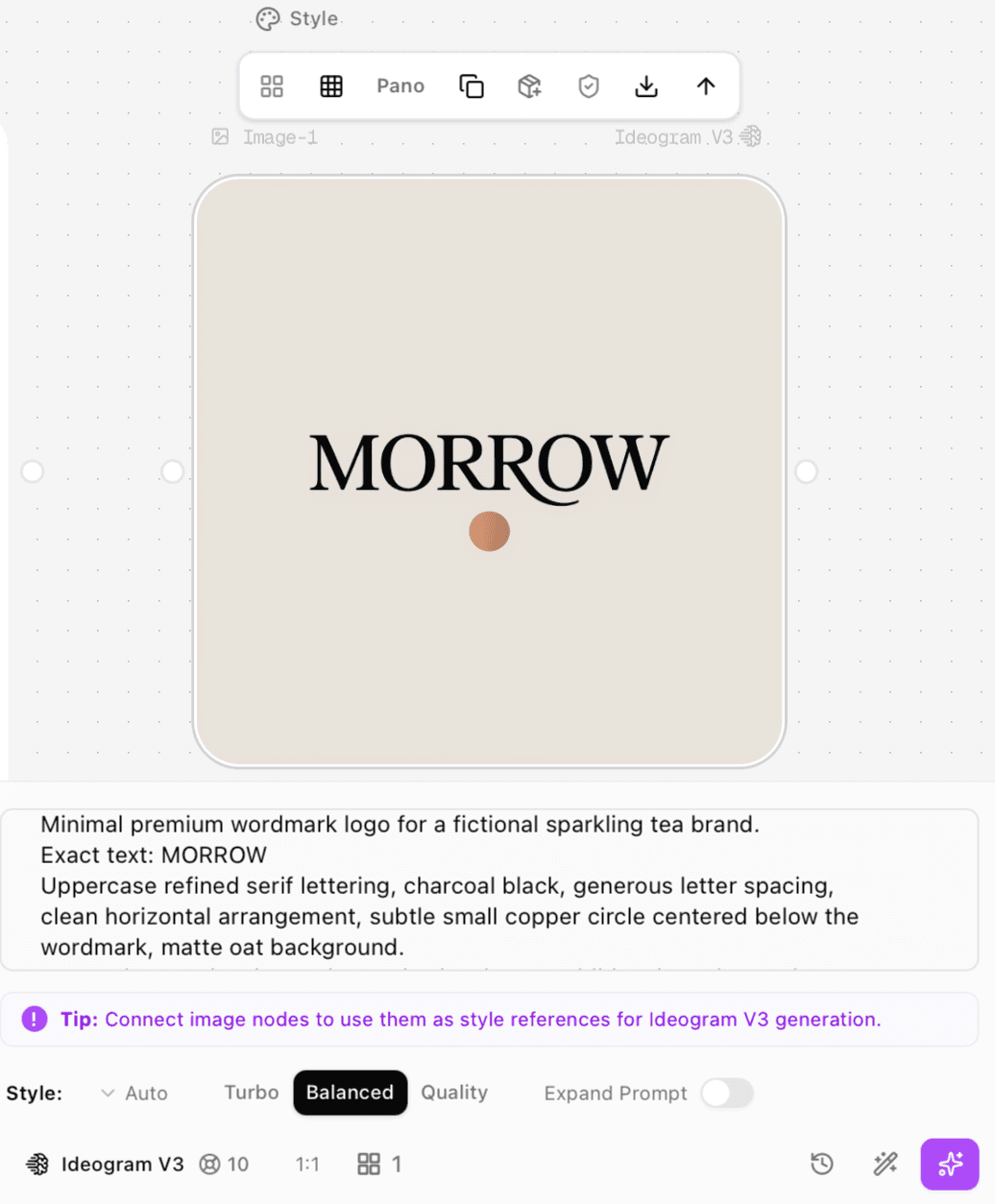
Figure 4.5. Approved MORROW wordmark with the copper-circle mark.
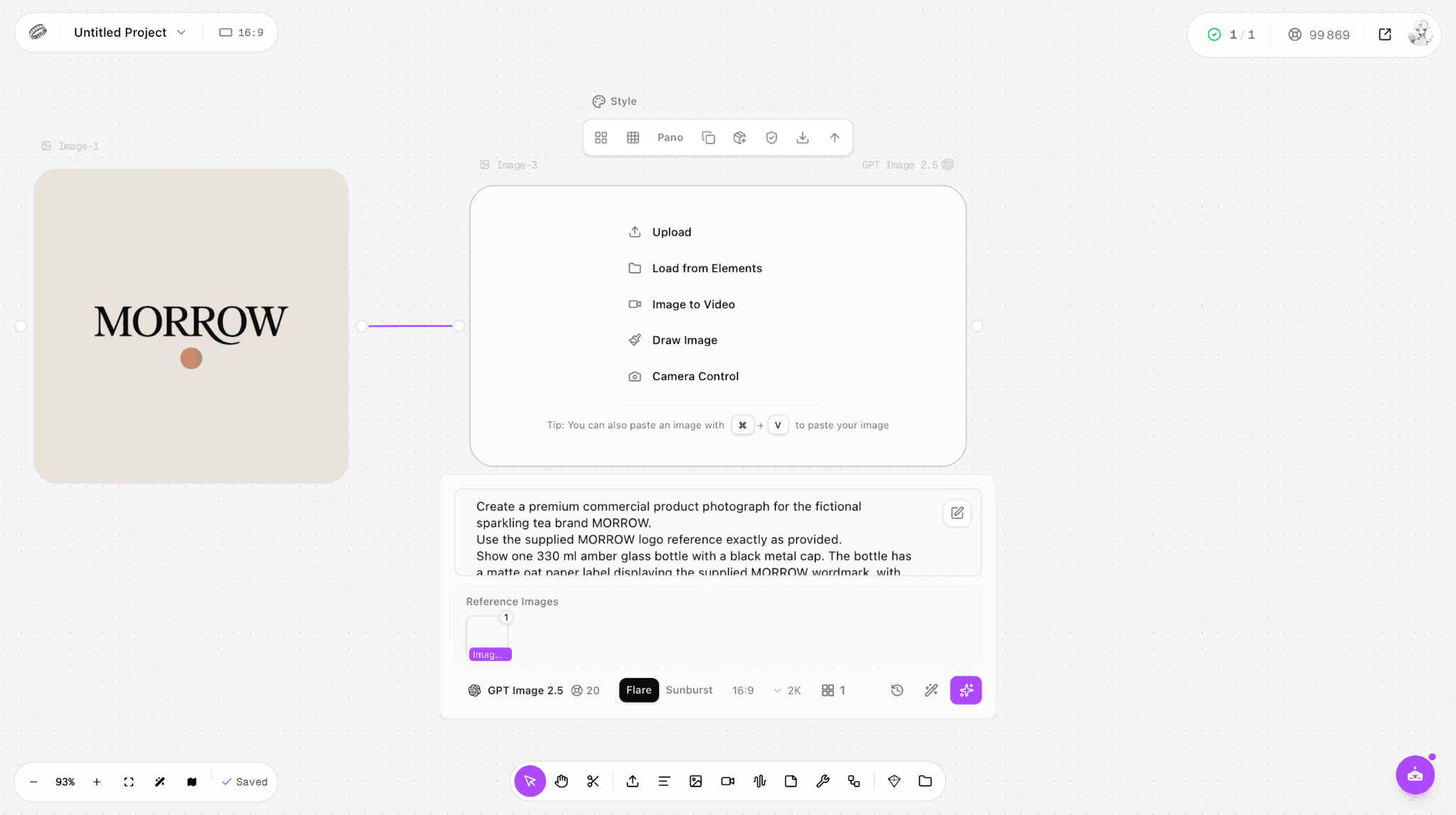
Figure 4.6. The approved wordmark routed into the product-hero generation node.
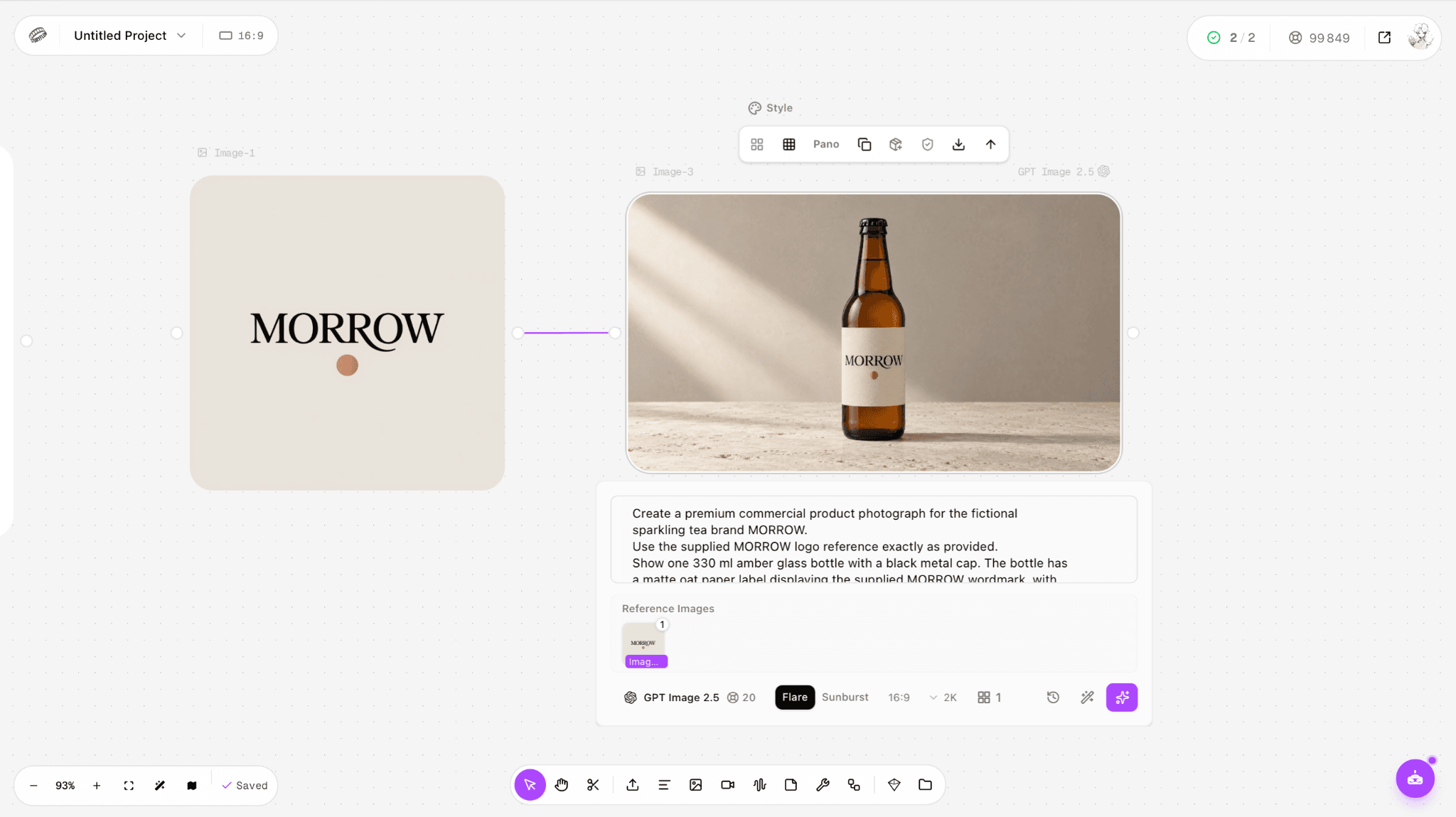
Figure 4.7. Approved product hero used as the canonical bottle reference.
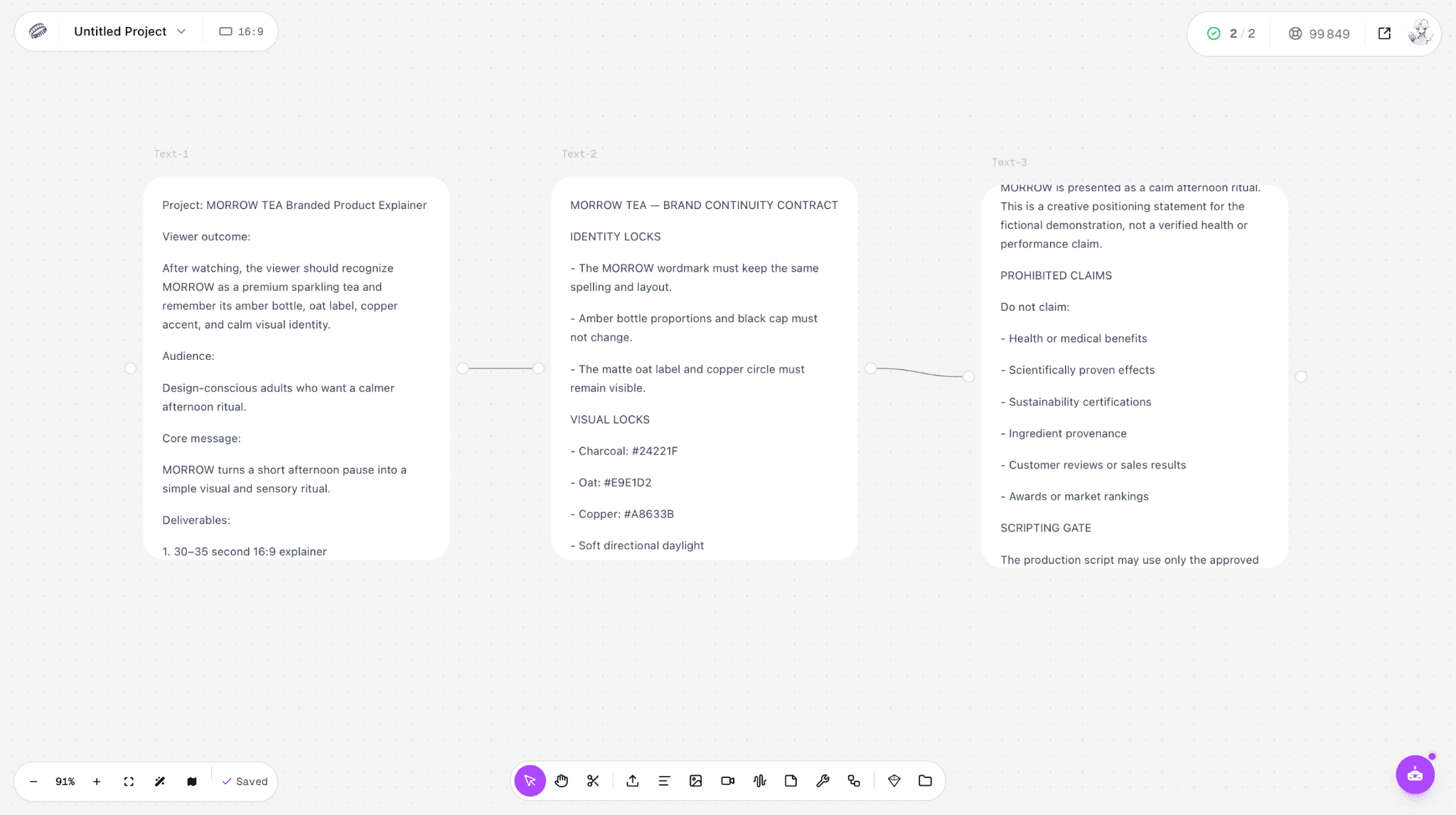
Figure 4.8. Brief, continuity contract, and approved source pack connected in sequence.
Stages 3–5 — Derivatives, QA, and archive
The locked script and timing sheet preceded the storyboard, so each derivative had a defined narration beat rather than an open-ended visual prompt. Image and motion candidates were reviewed against the continuity contract. Several Seedance clips were rejected for bottle, label, camera, or bubble drift; the approved package therefore used still keyframes, approved narration, approved instrumental music, an asset-selection record, and an external finishing manifest. The archive retained inputs, outputs, rejected tests, and reviewer decisions instead of saving only the attractive files.
Stage | What the MORROW case produced | Gate used |
Brief | Viewer outcome, audience, core message, prohibited claims | The promise is clear and supportable |
Source | Continuity contract, wordmark, product hero, source pack | Identity locks are explicit |
Derivatives | Locked script, five storyboard stills, narration, music, motion tests | Every asset has a distinct role |
QA | Pass/reject decisions for stills, clips, voice, and music | Brand, physics, timing, and delivery pass |
Archive | Approved asset list, A13 selection record, A14 handoff manifest | A future editor can reconstruct the decision |
What this case does—and does not—prove
The screenshots prove that a solo creator can keep a brief, references, prompts, generated assets, and review decisions connected in one Astorie project. They do not prove a universal time saving, a fixed success rate, or a completed in-app NLE export. In the tested workspace, final finishing still required an external editor.
Frequently Asked Questions
What should a solo creator automate first?
Automate repetitive movement after approval: naming, resizing, transcription cleanup, caption variants, and routing approved assets into channel templates. Keep idea selection, factual approval, identity review, and final release decisions human.
How many tools should an AI content pipeline include?
Use the fewest tools that cover the source asset, derivative formats, quality checks, and publishing needs. Add a tool only when it removes a repeated bottleneck that cannot be solved by a template or a clearer gate.
Do I need a different pipeline for every platform?
No. Keep one core pipeline and branch at packaging. The claim and source stay fixed; the hook, pacing, layout, caption, aspect ratio, and call to action adapt to the channel.
When should I switch to Astorie?
Switch when connected image, video, audio, and copy work has created repeated uploads, lost versions, or inconsistent references. You gain a visible multi-model workflow; you trade the simplicity of a single-purpose app for a system that requires naming and review discipline.
What is the minimum viable archive?
Save the brief, approved source, final exports, reference pack, prompts, model or route, captions, and a short decision log. That is enough to revise, localize, or repurpose the project without starting over.
Ready to try it on the canvas?
Open Astorie and fan your prompt across every frontier model in one workflow.