
MiniMax H3 Reference Guide for Images Video and Audio
MiniMax H3 Reference Guide for Images Video and Audio
MiniMax H3 accepts a prompt plus image, video and audio references to guide a new video, but the reference mode is different from fixing an exact first or last frame. Use a first-frame image when the opening composition must match; use references when appearance, movement, camera or sound should guide the whole clip. The official H3 video output is four to fifteen seconds at 768p or 2K on its public API.
Reference selection is the hard part of a repeatable production workflow. In Astorie, a creator can keep three storyboard stills connected to one H3 video node, inspect their order, prompt, settings and completed result together, then compare it with a one-image variant. That canvas arrangement helps preserve the evidence of a decision; H3 remains the model generating the video.
MiniMax H3 reference guide at a glance
Mode | What you provide | What it controls | Best fit |
Text to video | Text prompt | A scene without exact visual assets | Exploration |
First or last frame | Text and up to two endpoint images | Opening and/or ending visual frame | Animate an approved still |
Reference generation | Prompt and supported images, clips or audio | Subject, movement, style or sound over time | A short scene informed by several assets |
These modes are the official H3 API categories. The reference route accepts at most nine images, three video clips and three audio clips, with a twelve-file combined cap. Video references may total no more than fifteen seconds, and audio references have their own fifteen-second combined limit. Limits apply to the public documented route; an interface can expose a narrower subset. Check image dimensions, codecs and file sizes on the current MiniMax video guide before preparing a large input pack.
How should you use reference images?
Give each image a job before upload: subject identity, object detail, location, or shot order. Three visually contradictory portraits cannot all define one precise face. For a book illustration, retain a common costume, palette and architecture across the frames, then make the prompt name what remains fixed and what changes. A reference image informs the model; it does not guarantee that any single pictured pose appears at an exact time.
Our supplied project used three ordered stills: a wide canal-side scholar, a view of the same figure crossing the bridge, and a closer view reading a book. The connected H3 node showed Omni, 16:9, 768p, eight seconds and a 112-credit quote. The completed sequence took roughly three minutes by the tester’s estimate. The character and painted setting remained recognizable, there was natural-looking movement in parts and no obvious deformation, but the audio included ambient sound and a vocal-like sigh. This is one completed generation, not a character-consistency rate.
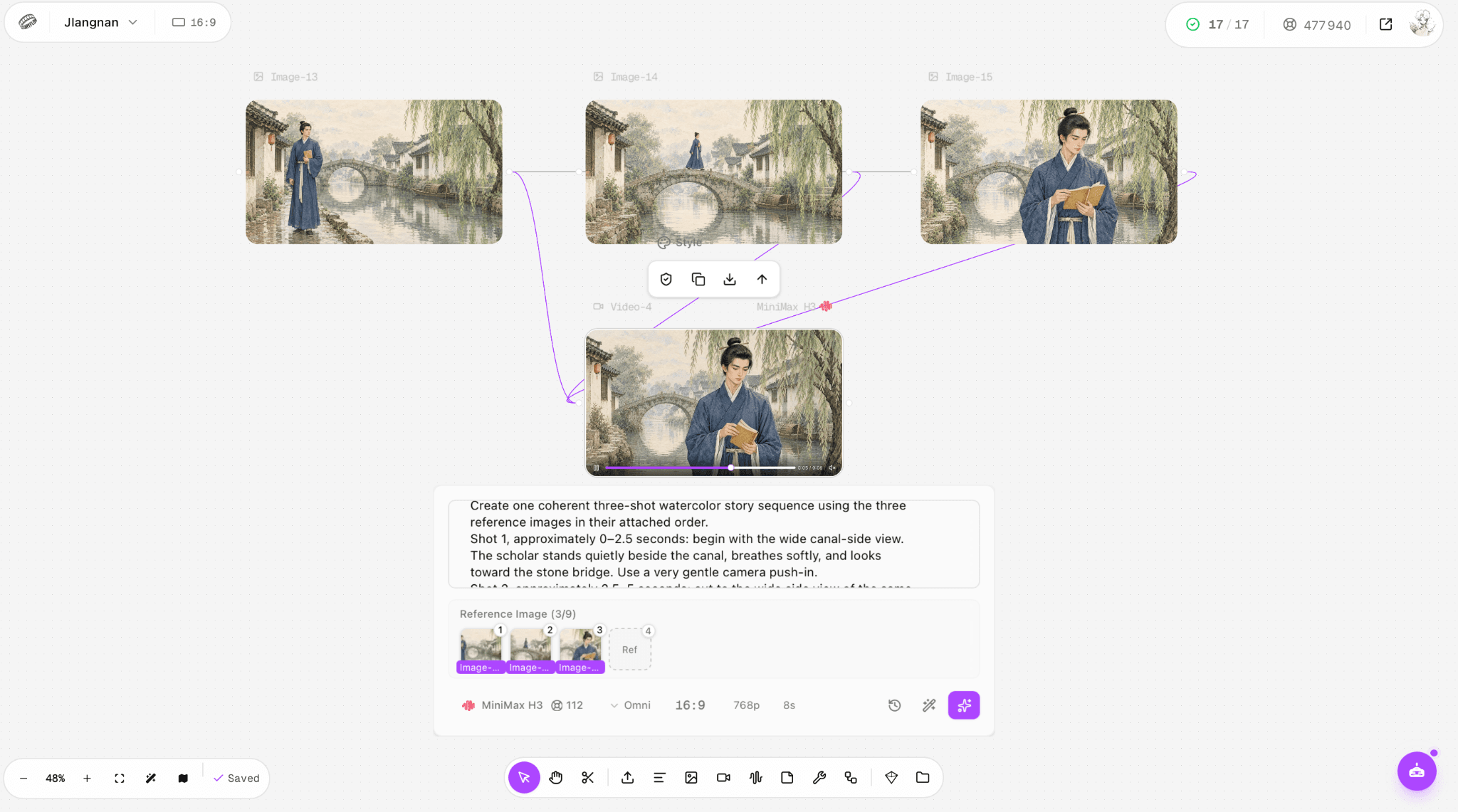
Figure 1. Three ordered Jiangnan stills connected to one H3 node; the pictured workflow is a real reference run.
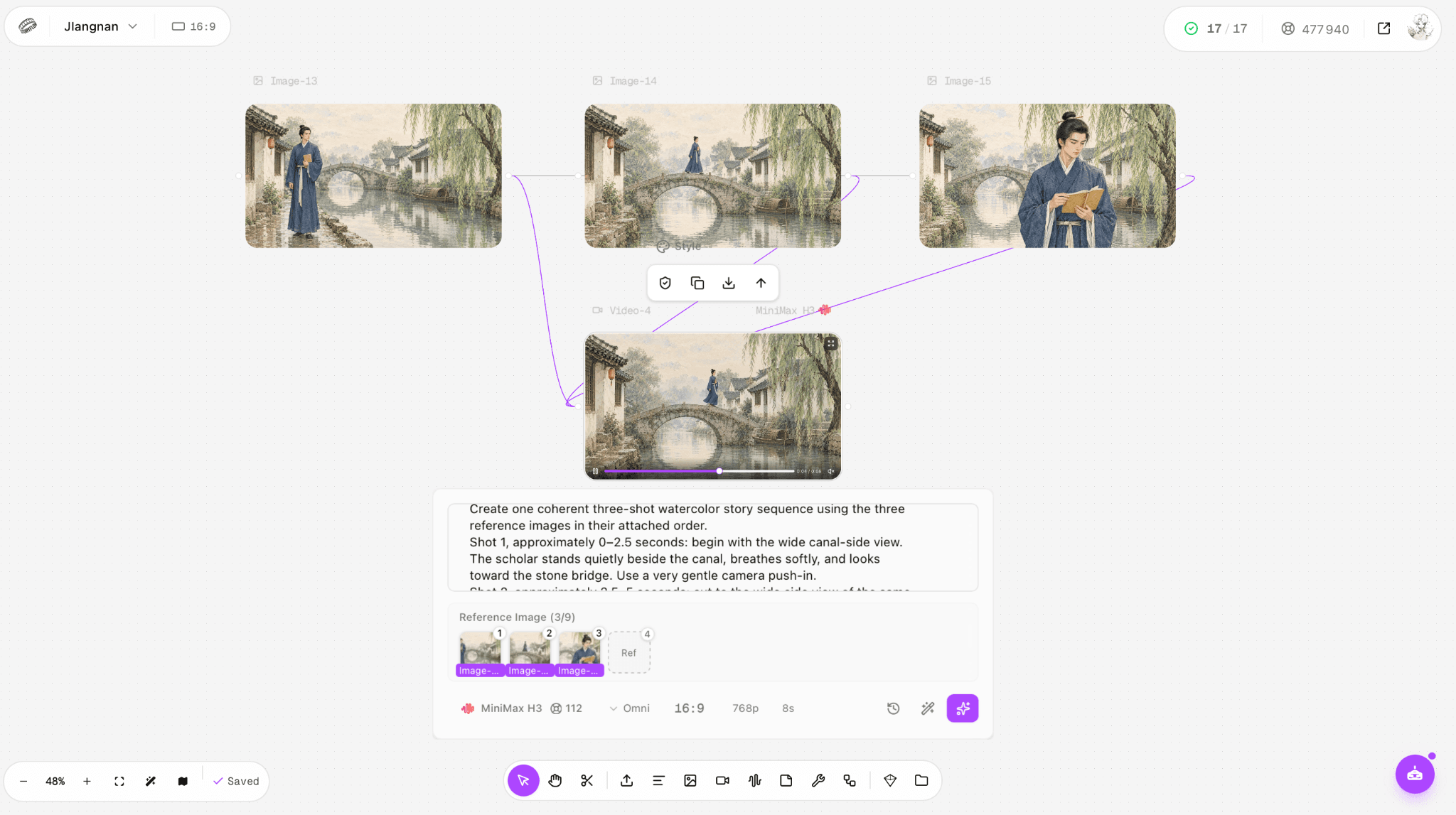
Figure 2. Completed eight-second H3 sequence alongside the three storyboard references.
What changes when you supply a reference video?
A short reference video is useful when motion, a camera move or editing rhythm matters more than a single pose. It is a different input from the first frame. Describe the desired relationship explicitly: “Follow the slow left-to-right camera movement in Video 1; keep the scholar and canal design from Image 1.” MiniMax documents H.264/H.265 video inputs and a fifteen-second total duration across up to three reference clips; consult the current file-size and aspect-ratio restrictions before uploading.
We did not supply a motion-reference video in the Jiangnan run. The bridge crossing visible in the output therefore cannot be presented as proof of video-reference motion transfer. If motion fidelity determines your choice, set aside one short source clip, hold the image and prompt constant, and compare the resulting first take with the three-image version. Name the untested route clearly in any report.
What does a reference audio clip do?
Reference audio can guide sonic character or timing in H3 reference generation, with up to three audio files and a combined fifteen seconds in the official requirements. Accepted audio formats are WAV and MP3. It is an input cue for a new video, not a guarantee that the resulting waveform exactly copies the sample. Add an instruction about the intended sound and any exclusions, and review the export with headphones.
Neither supplied Jiangnan test attached a separate reference audio file. Both nevertheless generated audio: the one-image clip and the three-image sequence contained ambience plus an unwanted sigh. That finding says something about these rendered soundtracks, not about H3’s performance with an audio reference. For quiet scenes, request water and breeze explicitly and disallow dialogue or human vocalizations, then inspect the whole timeline.
How do you choose first frame versus references?
Your constraint | Choose | Main loss if you choose the other route |
Exact approved opening | First-frame image to video | Reference-only mode does not promise an identical start |
Consistent visual identity across a clip | Image reference | One first frame alone may not cover side or close views |
A particular movement style | Video reference | Stills lack actual timing information |
A sonic mood or pacing cue | Audio reference | Text-only sound instructions can be ambiguous |
Start with the fewest assets that explain the job. Nine images are an upper bound, not a quality recommendation. First/last frame and reference generation are distinct request modes with different media roles; consult the host’s controls rather than assuming a thumbnail with the same picture means the same kind of constraint. In Astorie, the visible connection and model label help document the chosen route, while the exported clip remains the real acceptance test.
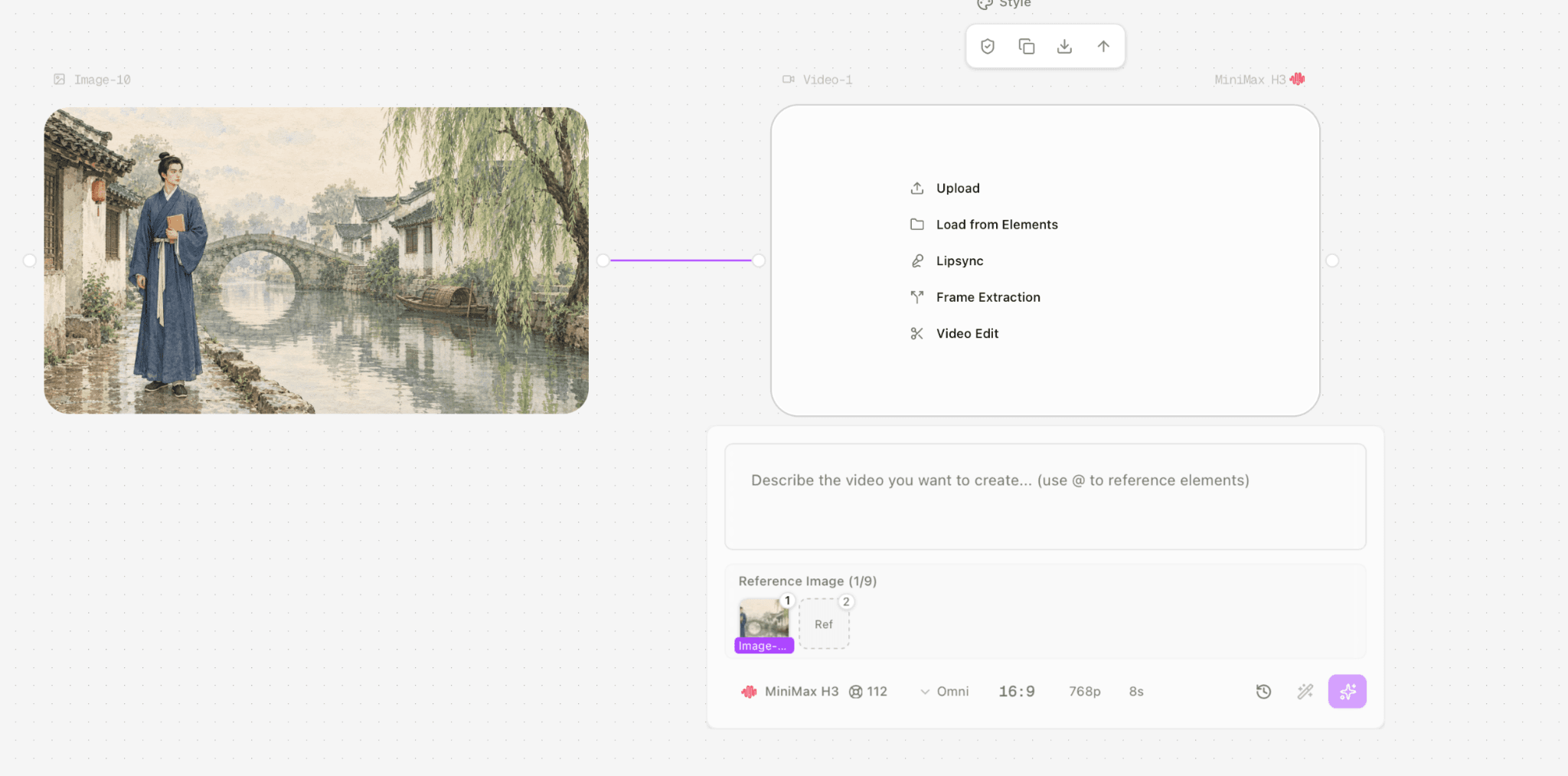
Figure 3. Separate one-image H3 node provides the comparison context for a first-frame-led opening shot.
A reproducible prompt and inspection checklist
Sample for the three-frame experiment: “Create a quiet watercolor sequence of the same blue-robed scholar in the same Jiangnan town. Use Image 1 for the canal-side establishing view, Image 2 for the bridge crossing and Image 3 for the reading close-up. Keep the same face, robe, stone bridge, houses and willow. Gentle motion and slow camera changes. Soft canal ambience; no speech or vocal breath.” This is a recommended formulation based on the visual brief, not the verbatim submitted prompt.
Verify the image order and labels before generation.
Save the source images, prompt, duration, ratio, output resolution and credit quote.
Check the subject face, book color, bridge shape and boat placement at several times.
Listen for unintended voice-like sounds separately from the picture.
Report the first result and any failed attempts; do not silently substitute a better retry.
Price and limitations of reference generation
MiniMax’s official H3 video list price is $0.08 per output second at 768p and $0.13 at 2K. The first five input images are free on its cited material schedule; each additional image is $0.04. Input audio is free under that schedule; input video is billed by input duration and selected output resolution. Eight seconds at 768p has a $0.64 base output price before any billable video or extra image inputs. The 112 shown in our Astorie screenshots is a separate credit quote, not $112 and not proof of a universal exchange rate.
Reference capacity is not the same as reference obedience. The supplied H3 sequence demonstrated a workable short progression but also a sound artifact. If a client requires an exact three-shot edit, explicit identity lock and a flawless soundtrack, plan to inspect each shot and edit audio afterward. Switch to first-frame mode when exact opening composition is the bottleneck; switch to a reference pack when retaining subject and setting through changing viewpoints becomes more important than matching one precise starting frame.
FAQ
Can H3 use an audio file alone?
The guide lists reference audio, but valid media combinations and a prompt still depend on the selected route. Check the current API reference before assuming audio-only is accepted.
Do nine images produce nine shots?
No. Nine is a reference-image limit, not a shot-count promise.
Is H3 an image generator?
The documented H3 result is video; an input still or an extracted output frame does not make it a still-image-generation endpoint.
Sources and scope
Official product and API information checked September 25, 2026. Test observations describe only the supplied runs; quoted platform credits are not equivalent to provider API dollar prices.
MiniMax official video generation guide: https://platform.minimax.io/docs/guides/video-generation
MiniMax official H3 input and output pricing: https://platform.minimax.io/docs/guides/pricing-paygo
Our supplied three-frame H3 sequence: https://s3.astorie.ai/req/req_701aa7ce01404ef2a787/0.mp4
Our supplied one-image H3 clip: https://s3.astorie.ai/req/req_8043042fb4fa4c90941e/0.mp4
Ready to try it on the canvas?
Open Astorie and fan your prompt across every frontier model in one workflow.