Prompts for educational graphics

Explore a travel-poster example that brings architectural details into a graphic layout. Use its prompt as a starting point for deciding what your own visual should explain.

Explore prompts

612 prompts

Infographic / Edu Visual - Nano Banana Pro Prompting Strategy for Stable Output — output

Infographic / Edu Visual - Nano Banana Pro Prompting Strategy for Stable Output

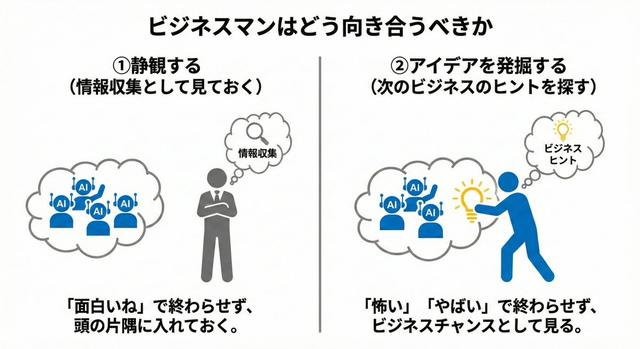
みやび|AI最適ビジネス研究家Nano Banana Pro
① Always switch the mode to 'Thought' or 'Pro' (I feel 'Thought' is better)
② 'Describe the scene in sentences' rather than listing keywords
③ Specify the subject, background, and atmosphere as a set of three points
④ Don't aim for perfection in one go; apply 'gradual corrections'
⑤ Avoid negative expressions; give instructions in positive sentences
⑥ Add quality keywords (4K, high resolution) in English
⑦ Clearly state the purpose at the beginning (e.g., "{argument name="purpose" default="Diagram for a proposal"}")
⑧ Exclude unnecessary elements using negative prompts
⑨ Do not attempt complex edits all at once; proceed in segments
⑩ Save frequently used prompts as templates
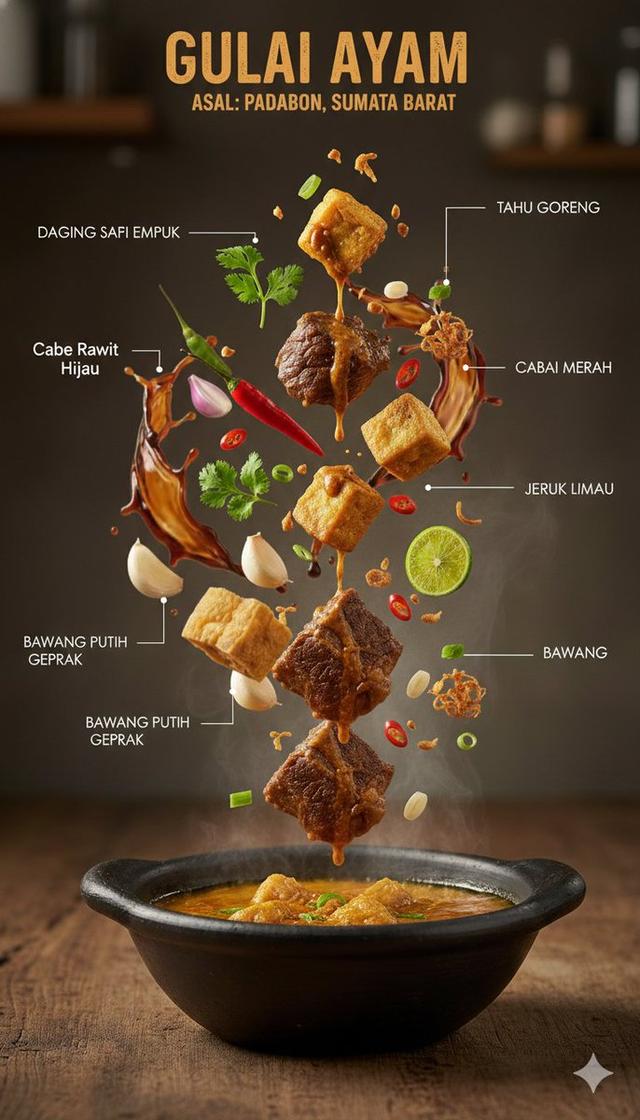
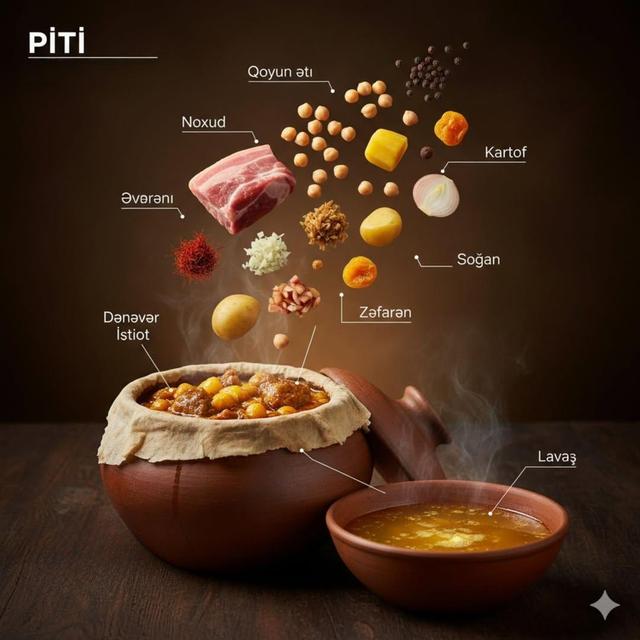
Infographic / Edu Visual - Ultra-Realistic Indonesian Culinary Infographic — output

Infographic / Edu Visual - Ultra-Realistic Indonesian Culinary Infographic

JohnnNano Banana Pro
{
  "image_prompt": {
    "type": "Ultra-realistic culinary infographic",
    "subject": {
      "cuisine": "{argument name="cuisine type" default="Indonesian"}",
      "base_element": "A traditional serving bowl holding a steaming hot dish",
      "levitating_ingredients": [
        "Tender meat pieces",
        "Golden crispy tofu",
        "Rich sauce droplets in mid-air",
        "Fresh green herbs",
        "Red chilies",
        "Sliced lime",
        "Crushed garlic",
        "Crispy fried shallots"
      ]
    },
    "composition": {
      "layout": "Minimal, vertically stacked layout",
      "arrangement": "Ingredients floating naturally as if suspended in motion",
      "background": "Textured rustic wooden tabletop",
      "visual_hierarchy": "The bowl remains grounded at the base, with ingredients ascending above it"
    },
    "graphic_design_elements": {
      "labels": "Clean Indonesian-language annotations",
      "lines": "Fine white connector lines",
      "style": "High-end editorial food infographic, magazine-quality design"
    },
    "lighting_and_mood": {
      "lighting": "Controlled cinematic studio lighting",
      "color_palette": "Warm, appetizing color tones",
      "effects": "Visible steam and frozen-action food elements"
    },
    "technical_specs": {
      "camera_settings": "Shallow depth of field with crisp focal detail, DSLR-style capture",
      "details": "Extremely detailed surface textures",
      "resolution": "8K, photorealistic finish"
    }
  }
}
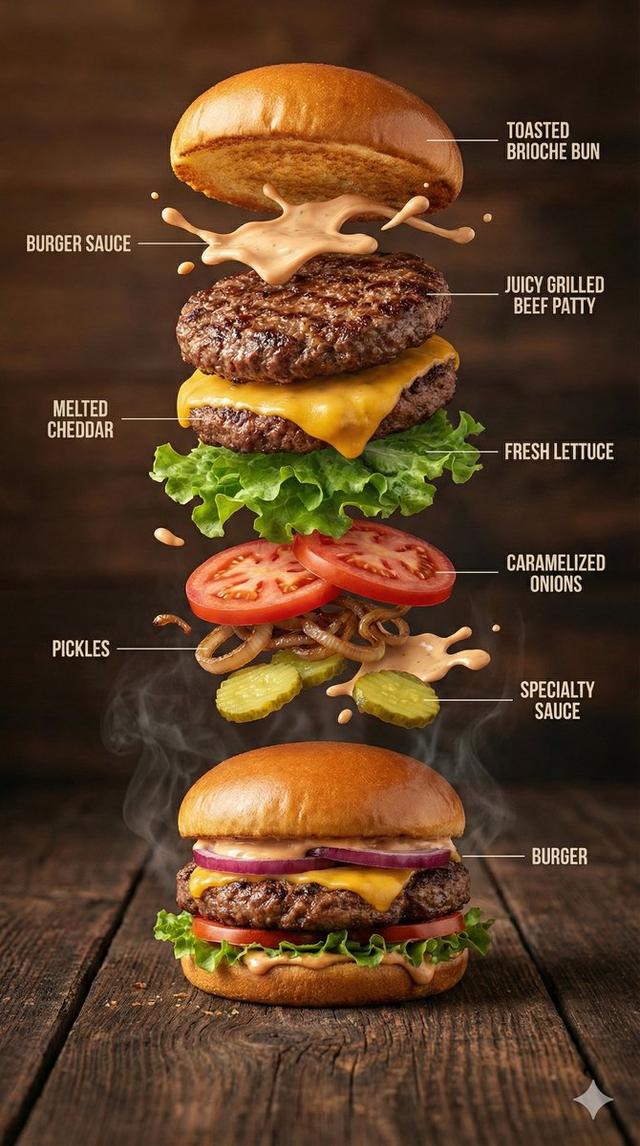
Infographic / Edu Visual - Hyper-Realistic Gourmet Burger Infographic — output

Infographic / Edu Visual - Hyper-Realistic Gourmet Burger Infographic

JohnnNano Banana Pro
{
  "image_prompt": {
    "type": "Hyper-realistic food infographic",
    "subject": {
      "dish": "Gourmet burger",
      "base_element": "A freshly assembled burger resting on a rustic surface, gently steaming",
      "levitating_ingredients": [
        "Toasted brioche bun",
        "Juicy grilled beef patty",
        "Melted cheddar cheese",
        "Fresh lettuce leaves",
        "Ripe tomato slices",
        "Caramelized onions",
        "Crispy pickles",
        "Glossy burger sauce splashes"
      ]
    },
    "composition": {
      "layout": "Clean vertical infographic composition",
      "arrangement": "Ingredients floating upward in a realistic, gravity-defying stack",
      "background": "Dark rustic wooden tabletop",
      "visual_hierarchy": "Burger base anchored at the bottom with ingredients rising layer by layer"
    },
    "graphic_design_elements": {
      "labels": "Minimal, clear text labels",
      "lines": "Thin white guide lines pointing to each ingredient",
      "style": "Editorial food infographic inspired by premium food magazines"
    },
    "lighting_and_mood": {
      "lighting": "Cinematic studio lighting with soft highlights",
      "color_palette": "Warm, rich, appetizing tones",
      "effects": "Subtle steam, frozen motion details, sauce suspended mid-air"
    },
    "technical_specs": {
      "camera_settings": "Shallow depth of field, sharp focus, DSLR-style realism",
      "details": "Ultra-detailed textures on bun, meat, and vegetables",
      "resolution": "8K ultra-realistic quality"
    }
  }
}
Infographic / Edu Visual - Cinematic Food Infographic of Levengi Chicken — output

Infographic / Edu Visual - Cinematic Food Infographic of Levengi Chicken

TaarukNano Banana Pro
{
  "image_prompt": {
    "main_subject": "Whole roasted chicken stuffed with walnut and pomegranate sauce (Levengi)",
    "plating_and_presentation": {
      "dish": "Rustic ceramic plate",
      "texture": "Golden glossy skin, rich caramelized texture",
      "effects": "Soft steam rising"
    },
    "infographic_composition": {
      "style": "Editorial food infographic with floating ingredients",
      "arrangement": "Ingredients suspended above the dish neatly",
      "graphic_elements": "Thin connector lines, minimalist labels in Azerbaijani",
      "levitating_items": [
        "Walnuts",
        "Pomegranate molasses (Narşərab)",
        "Onion",
        "Cilantro",
        "Spices",
        "Pepper",
        "Love/Heart symbol"
      ]
    },
    "lighting_and_atmosphere": {
      "lighting": "Warm studio lighting",
      "background": "Dark moody background",
      "contrast": "High contrast",
      "shadows": "Natural shadows"
    },
    "technical_specs": {
      "style": "Ultra-realistic cinematic food photography",
      "camera_settings": "Shallow depth of field, sharp focus on chicken",
      "quality": "8K detail, professional DSLR look"
    }
  }
}
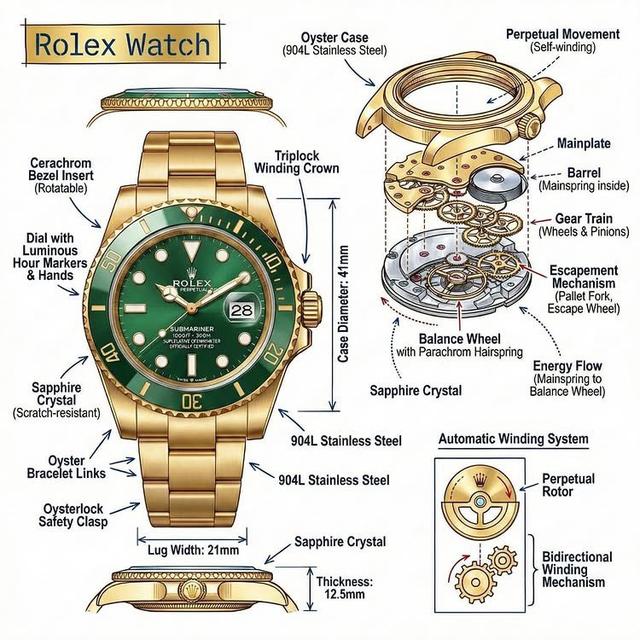
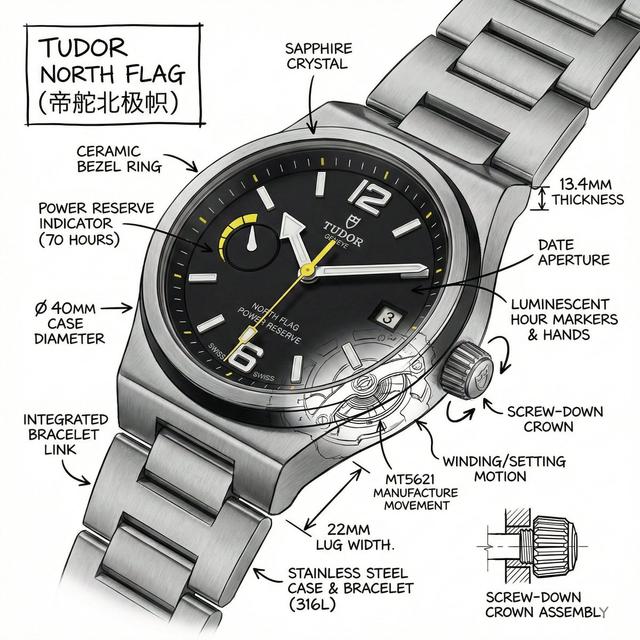
Infographic / Edu Visual - Technical Infographic Overlay on a Photorealistic Object — output

Infographic / Edu Visual - Technical Infographic Overlay on a Photorealistic Object

Duet | AINano Banana Pro
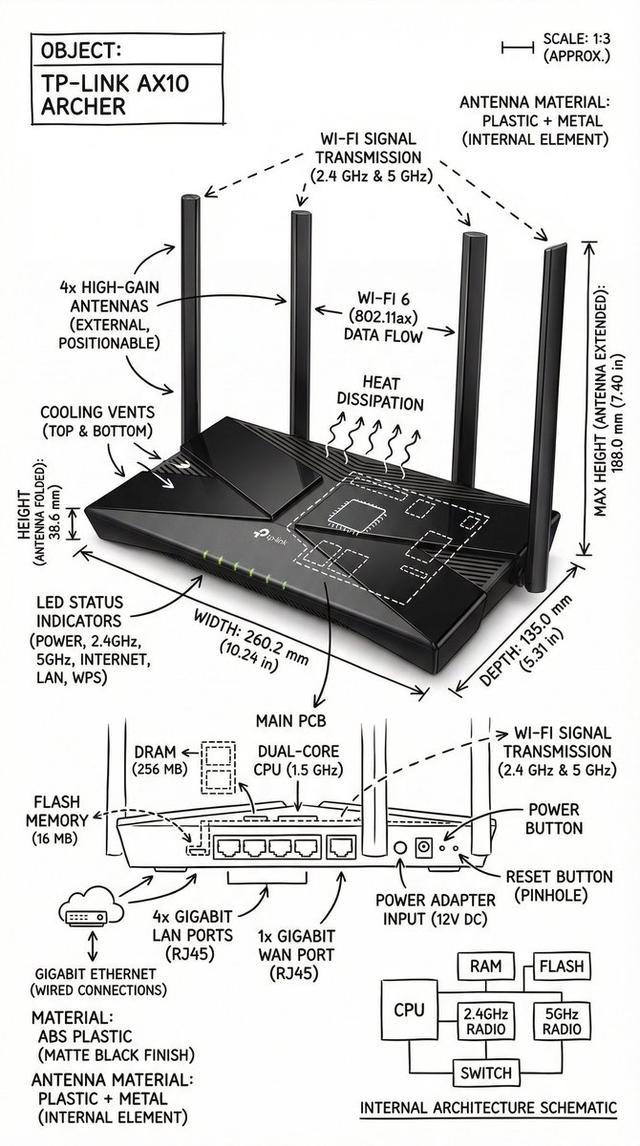
Create an infographic image of {argument name="object" default="[OBJECT]"}, combining a realistic photograph or photorealistic render of the object with technical annotation overlays placed directly on top.

Use black ink–style line drawings and text (technical pen / architectural sketch look) on a pure white studio background.

Include:
•Key component labels
•Internal cutaway or exploded-view outlines (where relevant)
•Measurements, dimensions, and scale markers
•Material callouts and quantities
•Arrows indicating function, force, or flow (air, sound, power, pressure, movement)
•Simple schematic or sectional diagrams where applicable

Place the title {argument name="object title" default="[OBJECT]"} inside a hand-drawn technical annotation box in one corner.

Style & layout rules:
•The real object remains clearly visible beneath the annotations
•Annotations look hand-sketched, technical, and architectural
•Clean composition with balanced negative space
•Educational, museum-exhibit / engineering-manual vibe

Visual style:
Minimal technical illustration aesthetic.
Black linework layered over realistic imagery.
Precise but slightly hand-drawn feel.

Color palette:
Pure white background.
Black annotation lines and text only.
No colors.

Output:
1080 × 1080 resolution
Ultra-crisp
Social-feed optimized
No watermark
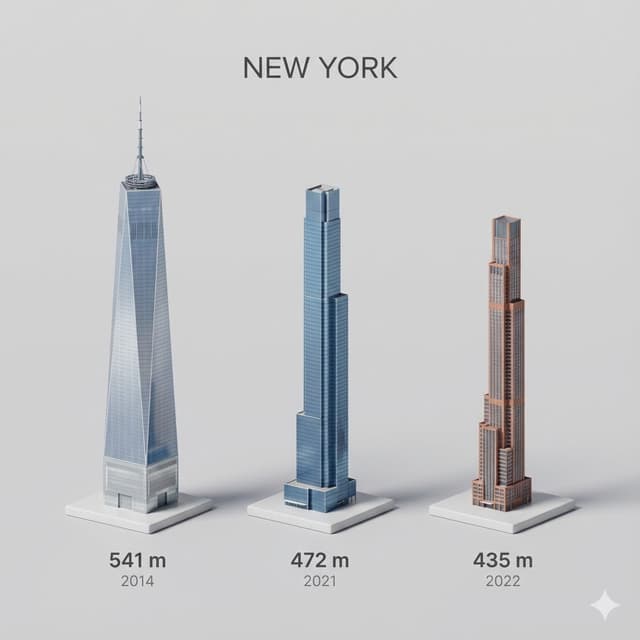
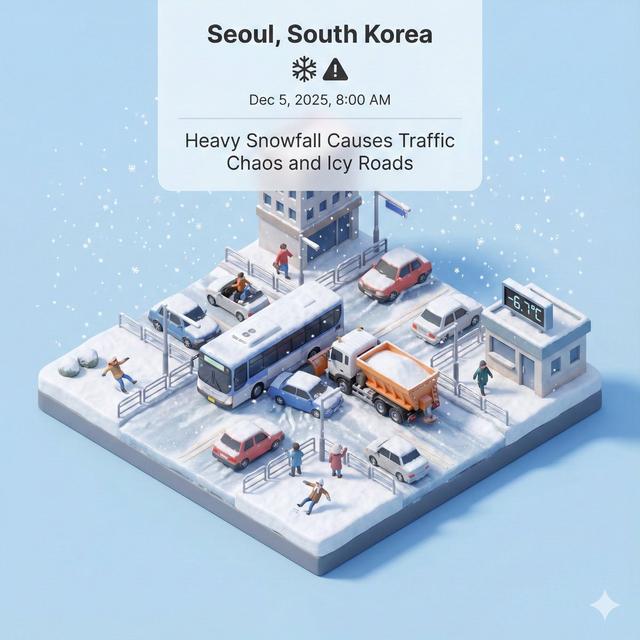
City tallest buildings 3D cartoon showcase prompt — output

City tallest buildings 3D cartoon showcase prompt

Michal MalewiczGemini 3, Nano Banana Pro
Present a clear, side miniature 3D cartoon view of the tallest buildings in {argument name="city in English" default="YOUR CITY"}. Use minimal textures with realistic materials and soft, lifelike lighting and shadows. Use a clean, minimalistic composition showing exactly the three tallest buildings in {argument name="reference city in English" default="Sopot"}, arranged from left to right in strict descending height order. The tallest must appear visibly tallest, the second must be clearly shorter than the first, and the third must be clearly shorter than the second.
All buildings must follow accurate relative proportions: if a building is taller in real life, it must be taller in the image by the same approximate ratio. No building may be visually stretched or compressed.
Each building should stand separately on a thin, simple ceramic base. Below each base, centered text should display:
Height in meters — semibold sans-serif, medium size
Year built — lighter-weight sans-serif, smaller size, directly beneath the height text
Provide consistent padding, spacing, leading, and kerning. Write “{argument name="city name title" default="YOUR CITY NAME"}” centered above the buildings, using a medium-sized sans-serif font.
No building top should overlap or touch the text above. Use accurate architectural proportions based on real-world references. Maintain a consistent camera angle and identical scale for each building model.
No forced perspective. Use straight-on orthographic-style rendering. Do not exaggerate or stylize size differences beyond proportional accuracy.

Use a square 1080×1080 composition. Use a clean, neutral background. Ensure no extra objects are present.
Infographic / Edu Visual - Technical Infographic for E-commerce Product Description — output

Infographic / Edu Visual - Technical Infographic for E-commerce Product Description

Zerui HuiNano Banana Pro
Create an infographic image of {argument name="object" default="Tudor North Flag"}, combining a realistic photograph or photorealistic render of the object with technical annotation overlays placed directly on top.

Use black ink–style line drawings and text (technical pen / architectural sketch look) on a pure white studio background.

Include:
•Key component labels
•Internal cutaway or exploded-view outlines (where relevant)
•Measurements, dimensions, and scale markers
•Material callouts and quantities
•Arrows indicating function, force, or flow (air, sound, power, pressure, movement)
•Simple schematic or sectional diagrams where applicable

Place the title {argument name="object title" default="[OBJECT]"} inside a hand-drawn technical annotation box in one corner.

Style & layout rules:
•The real object remains clearly visible beneath the annotations
•Annotations look hand-sketched, technical, and architectural
•Clean composition with balanced negative space
•Educational, museum-exhibit / engineering-manual vibe

Visual style:
Minimal technical illustration aesthetic.
Black linework layered over realistic imagery.
Precise but slightly hand-drawn feel.

Color palette:
Pure white background.
Black annotation lines and text only.
No colors.

Output:
Ultra-crisp
Social-feed optimized
No watermark
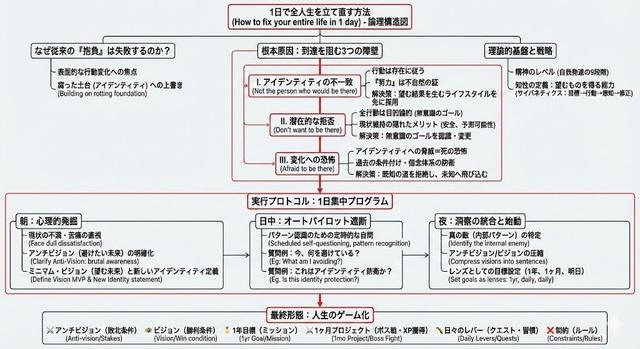
Infographic / Edu Visual - Prompt for Generating Logical Tree Diagrams with Nano Banana Pro — output

Infographic / Edu Visual - Prompt for Generating Logical Tree Diagrams with Nano Banana Pro

まぐまぐNano Banana Pro
Illustrate this article
({argument name="article text" default="Paste the article text you want to illustrate"})
This is how to illustrate it
A dense and expansive Japanese logic tree diagram drawn on a clean white page. The image is packed with structured information: neat hierarchical boxes, lists of bullet points, and precise connecting lines drawn with a fine-point pen.

There is no messiness; the "chaos" comes from the sheer overwhelming volume of organized data and Japanese text. It looks like a complex master plan or algorithm design. Important nodes are boxed in red. The handwriting is small, neat, and rapid.

Style: Technical diagram, neat handwriting, information visualization, minimalist background.
Quality: High definition, distinct Japanese text.
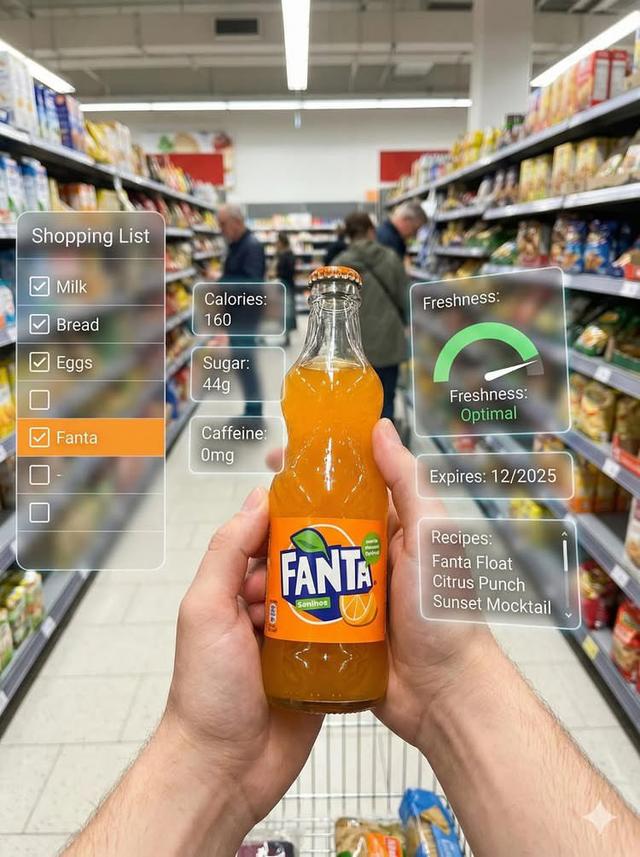
Infographic / Edu Visual - Mixed Reality Retail Experience Prompt — output

Infographic / Edu Visual - Mixed Reality Retail Experience Prompt

Duet | AINano Banana Pro
First-person perspective inside a brightly lit supermarket aisle or section. Realistic human hands are holding {argument name="product name" default="[PRODUCT NAME]"} close to the camera. The product’s [key visual traits: color, texture, packaging, freshness details] are clearly visible under natural store lighting.

The {argument name="product name 2" default="[PRODUCT NAME]"} is surrounded by a multi-layered holographic augmented reality interface displaying relevant product information, including [nutritional or product data such as calories, protein/sugar/caffeine, vitamins, freshness indicator, origin, expiration date, usage or recipe suggestions].

The AR UI elements smoothly shift and reorganize based on the viewer’s gaze direction, as if dynamically responding to user focus. In the left peripheral vision, a vertical semi-transparent shopping list is visible with checked-off items, where {argument name="product name 3" default="[PRODUCT NAME]"} is highlighted as the currently active selection.

Hyper-realistic mixed reality, clean futuristic AR design, glass-like UI panels, soft ambient glow, realistic lighting and shadows, natural depth of field, immersive first-person interface, showcasing next-generation retail technology.
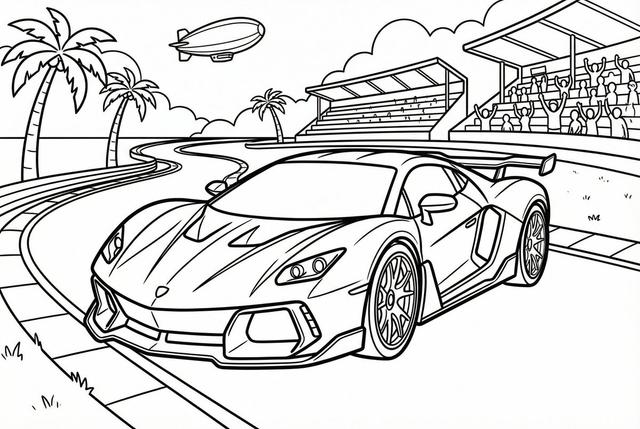
Coloring book line art prompt for Nano Banana Pro — output

Coloring book line art prompt for Nano Banana Pro

SSSS_CRYPTOMANGemini 3, Nano Banana Pro
Create line art for a coloring page. The target age is {argument name="target age" default="9"} years old, and the coloring subject is {argument name="coloring subject" default="a sports car"}. Draw everything with black lines and keep the background completely white (#ffffff). Make it in a format suitable for printing, and do not draw any extra elements outside the canvas.
Infographic / Edu Visual - Infographic Image with Technical Annotation Overlay — output

Infographic / Edu Visual - Infographic Image with Technical Annotation Overlay

@Q.AlzeidiNano Banana Pro
Create an infographic image of {argument name="object" default="[OBJECT]"}, combining a realistic photograph or photorealistic render of the object with technical annotation overlays placed directly on top.

Use black ink–style line drawings and text (technical pen / architectural sketch look) on a pure white studio background.

Include:
•Key component labels
•Internal cutaway or exploded-view outlines (where relevant)
•Measurements, dimensions, and scale markers
•Material callouts and quantities
•Arrows indicating function, force, or flow (air, sound, power, pressure, movement)
•Simple schematic or sectional diagrams where applicable

Place the title {argument name="object title" default="[OBJECT]"} inside a hand-drawn technical annotation box in one corner.

Style & layout rules:
•The real object remains clearly visible beneath the annotations
•Annotations look hand-sketched, technical, and architectural
•Clean composition with balanced negative space
•Educational, museum-exhibit / engineering-manual vibe

Visual style:
Minimal technical illustration aesthetic.
Black linework layered over realistic imagery.
Precise but slightly hand-drawn feel.

Color palette:
Pure white background.
Black annotation lines and text only.
No colors.

Output:
1080 × 1080 resolution
Ultra-crisp
Social-feed optimized
No watermark
Mid-20th-century war photojournalism style framework — output

Mid-20th-century war photojournalism style framework

VoxcatAIGemini 3, Nano Banana Pro
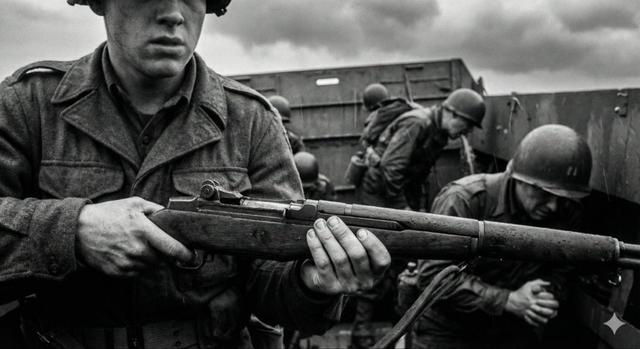
[Instruction: Based on the structured description below, generate an authentic documentary photography image.]

Visual style: mid-20th-century war news photojournalism (1940–1970) – raw and unposed.

1. Core subject (specific micro narrative)
{argument name="core scene" default="a mud-covered medic in a rainy trench bandaging a soldier’s arm, looking exhausted, with barbed wire obscuring the foreground"}

2. Aesthetic characteristics (anti-cinematic approach)
Photography style definition:
This must not look like a carefully lit movie still. It has to look like a raw, even slightly blurry moment, snapped by a war photographer under extreme pressure and danger. The composition should feel accidental, chaotic, slightly off-balance or imperfect. Prioritize absolute authenticity over perfect framing.

Light and atmosphere:
Avoid overly dramatic, theatrical, perfectly staged lighting. Use whatever light is available on site (usually bad): flat and oppressive overcast diffuse light, dim flickering indoor light, or harsh direct flash creating hard, ugly shadows. The atmosphere should feel gritty, dirty, and suffocatingly immersive.

3. Physical texture (film realism)
Physical properties:
Simulate high-speed, coarse-grain black-and-white film that has been push-processed.
* Focus and blur: because of the chaotic, tense environment, the main subject may be slightly out of focus, soft, or shaken. Moving people or objects must show obvious motion blur to reflect the forced use of slow shutter speeds.
* Grain: the whole image is covered with heavy, organic silver halide film grain. Avoid artificial scratches or frame borders added in post; focus on the rough materiality of the film itself.

4. Technical constraints
* Color mode: monochrome black and white.
* Lens language: 35mm wide-angle prime lens (classic reportage perspective including more environmental information).
* Period accuracy: strictly consistent with the 1940s–1970s timeline (clothing, weapons, environmental details).
Infographic / Edu Visual - Minimalist Flowchart/Diagram Generation Style Guide — output

Infographic / Edu Visual - Minimalist Flowchart/Diagram Generation Style Guide

Zephyr.在思考丨阿杭杭杭Nano Banana Pro
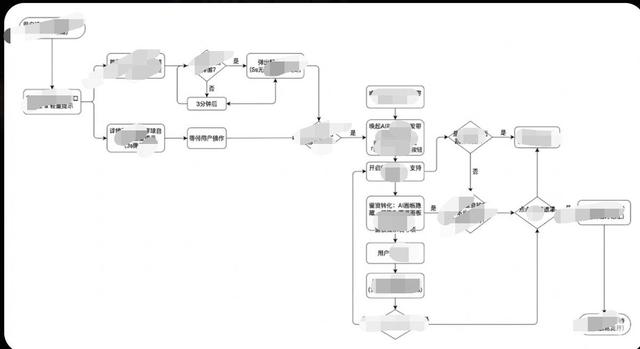
Generate image, 1. Style Core Parameter Extraction (Style Guide)
Please refer to the following parameters:
Color Palette:
Background: Pure white (#FFFFFF)
Lines/Borders: Dark gray or pure black (#333333 or #000000)
Text: Dark gray (#333333), regular weight, no bold.
Fill: No fill (transparent) or pure white fill, to cover lines behind.
Lines/Connectors:
Type: Orthogonal/Elbow lines, meaning only vertical and horizontal lines, with right-angle corners.
Thickness: Extremely thin (1px).
Arrow: Solid small triangle (Solid Arrowhead), black.
Shapes:
Normal Node: Rounded Rectangle, very small corner radius (approx. 4px - 8px).
Decision Node: Diamond.
Start/End: Capsule shape or rectangle with larger rounded corners.
Typography:
Alignment: Center aligned.
Font: Sans-serif font, such as Arial, Roboto, or Source Han Sans. Small font size (approx. 12px-14px).

Apply the style above along with your user journey/process to Gemini, and it will present the corresponding effect without needing adjustments.
Infographic / Edu Visual - Minimal Abstract Vector Illustration Style — output

Infographic / Edu Visual - Minimal Abstract Vector Illustration Style

SRKDANNano Banana Pro
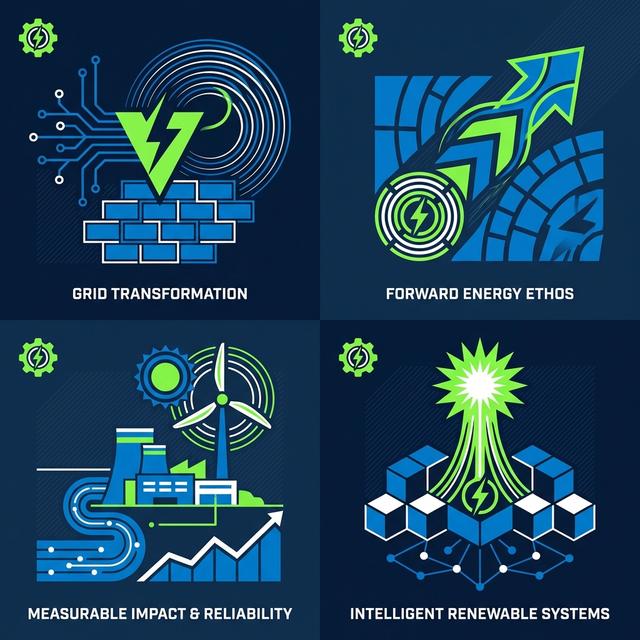
Minimal abstract illustration.
Flat but layered vector-style shapes,
precise curves, consistent stroke logic,
limited color palette with high harmony,
balanced spacing and alignment,
designed to feel systemized and scalable,
like a mature brand illustration set.
Infographic / Edu Visual - Universal Pet Feeding Guide Generator — output

Infographic / Edu Visual - Universal Pet Feeding Guide Generator

沐阳Nano Banana Pro
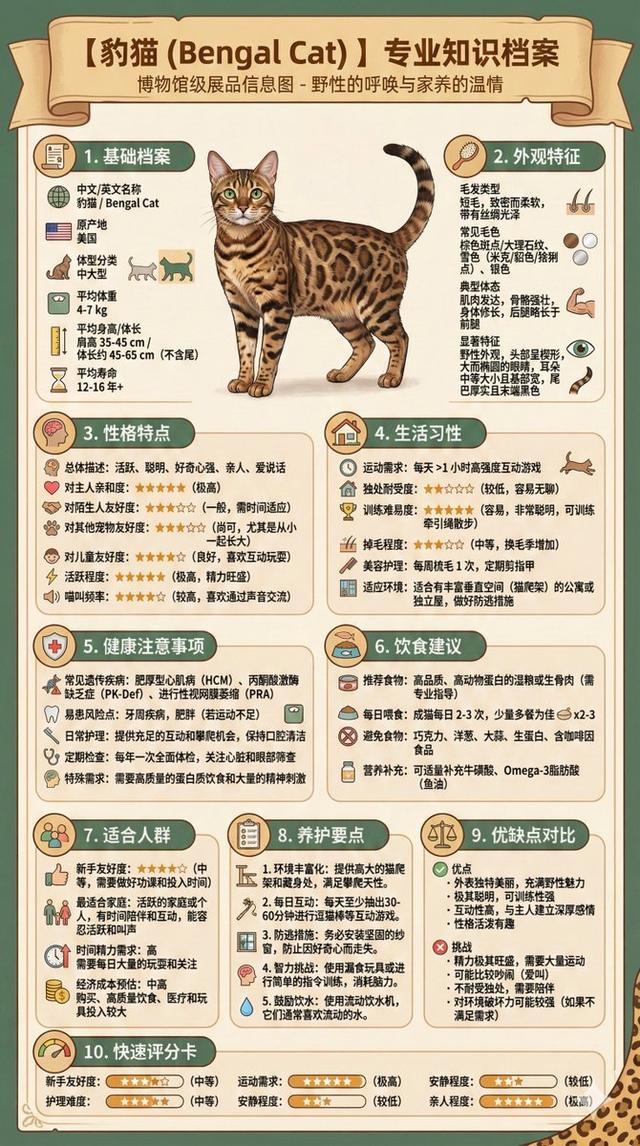
I am considering getting a pet dog but am still struggling to choose a breed. Please help me generate an infographic that centrally displays the characteristics, temperament, common health issues, and feeding guide for the following potential breeds: {argument name="breeds" default="Golden Retriever, Poodle, Corgi"}. The infographic needs to be clear and easy to compare.
Infographic / Edu Visual - Technical Product Documentation Prompt (Porsche) — output

Infographic / Edu Visual - Technical Product Documentation Prompt (Porsche)

Ravikesh KumarNano Banana Pro
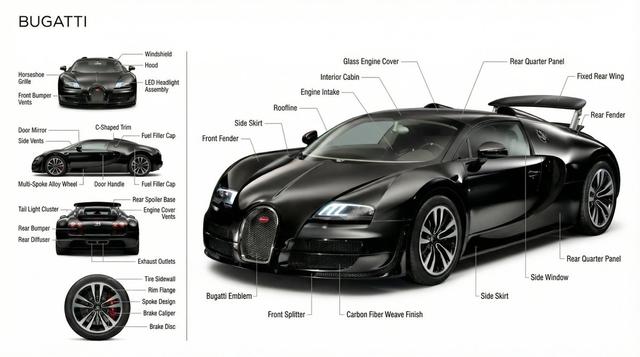
Use the uploaded image as the sole source of truth.
Do NOT assume model, specs, or performance.

Pure white, distraction-free background.

Top-left: PORSCHE (modern sans-serif).
Left column: auxiliary views
(front / side / rear / detail).
Right side: large photorealistic hero render.

Visually analyze only what is visible.
Identify distinct physical components.
Label each component with hairline-thin vector lines.
Use neutral, factual terms only.
No marketing language.
No hallucinated features.
No assumed performance.

Scandinavian, modern, industrial documentation style.
Soft studio lighting.
Ultra-high resolution.
Exact proportions and geometry fidelity.
Infographic / Edu Visual - Helical Tower Sculpture Prompt for Visualizing Historical Evolution — output

Infographic / Edu Visual - Helical Tower Sculpture Prompt for Visualizing Historical Evolution

GadgetifyNano Banana Pro
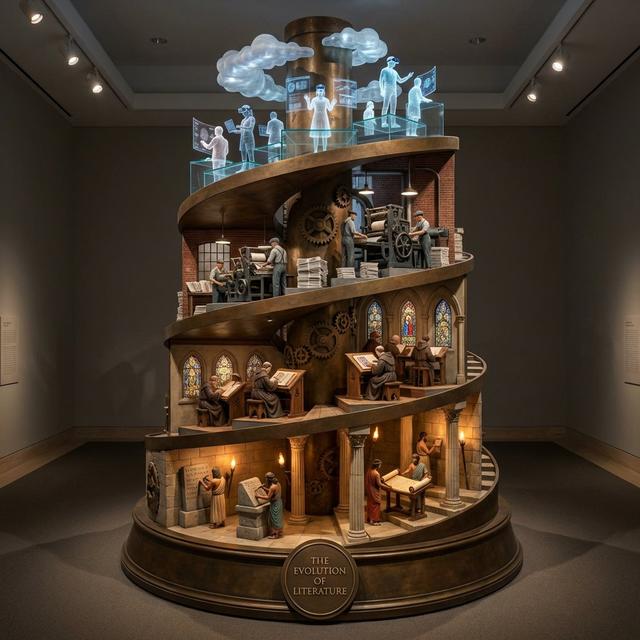
Do this for literature: <instruction>
 
Input A is a Topic with a clear historical progression (e.g., {argument name="topic" default="Literature"}, Medicine, Flight, Computing).
Deconstruct the history into   4 Vertical Eras  :
     Level 1 (The Foundation - Bottom):  The Ancient Origin.
         (e.g., Literature -> Stone Tablets & Scrolls. Flight -> Da Vinci Wings & Kites). 
     Level 2 (The Tradition - Lower Mid):  The Medieval/Renaissance Era.
         (e.g., Literature -> Scriptorium & Monks. Flight -> Hot Air Balloons). 
     Level 3 (The Revolution - Upper Mid):  The Industrial Age.
         (e.g., Literature -> Printing Press & Newspapers. Flight -> Propeller Planes). 
     Level 4 (The Horizon - Top):  The Digital/Future Age.
         (e.g., Literature -> Holographic Data & VR. Flight -> Spacecraft & Ion Thrusters). 

  2.  Container (The Rotunda):  
Goal: "Museum Installation" 3D Art.
     The Object:  A massive, freestanding   Helical Tower Sculpture   standing in a dark museum hall.
     The Base:  A circular Bronze Plinth with a gold plaque reading: "THE EVOLUTION OF [{argument name="topic" default="INPUT A"}]".

  3. The Structure (The Spiral):  
     The Spine:  A central mechanical or architectural pillar supports the structure.
     The Ramp:  A continuous, wide   Spiral Ramp   winds upwards around the central pillar (like the Tower of Babel or DNA).
     The Vignettes:  Along the ramp at each level, detailed   Architectural Dioramas   are built:
         Bottom:  Stone arches, caves, or temples.
         Middle:  Timber frames, brick factories, or iron trusses.
         Top:  Floating glass platforms, laser grids, or cloud computing nodes.

  4. The Narrative Scale (The Population):  
     Scale:  1:50 Scale Figures.
     Action:  At every level, figures are actively "working" on the technology of their time (e.g., Scribes writing, Mechanics wrenching, Cyborgs interfacing).
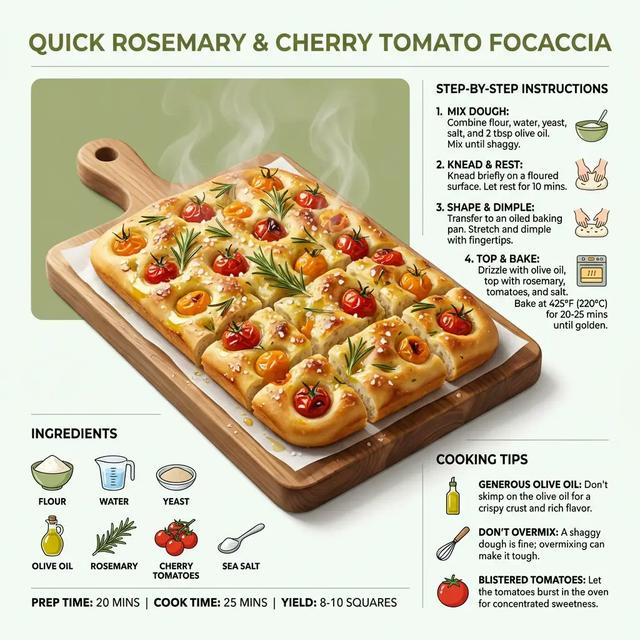
Infographic / Edu Visual - Ultra-Clean Modern Recipe Infographic for Focaccia — output

Infographic / Edu Visual - Ultra-Clean Modern Recipe Infographic for Focaccia

Sharon RileyNano Banana Pro
"style": "ultra_clean_modern",
  "dish": "{argument name="dish name" default="quick rosemary and cherry tomato focaccia"}",
  "presentation": {
    "form": "sliced into squares",
    "serving": "minimal board or plate",
    "perspective": "slightly elevated, dynamic angled view"
  },
  "hero_visual": {
    "main_item": "golden dimpled focaccia",
    "toppings": ["blistered cherry tomatoes", "fresh rosemary", "glossy olive oil"]
  },
  "layout": {
    "ingredients": "neatly arranged around main image",
    "steps": "step-by-step instructions",
    "tips": "helpful cooking tips"
  },
  "composition": {
    "lighting": "bright, appetizing",
    "balance": "visually balanced",
    "focus": "clarity and modern design"
  }
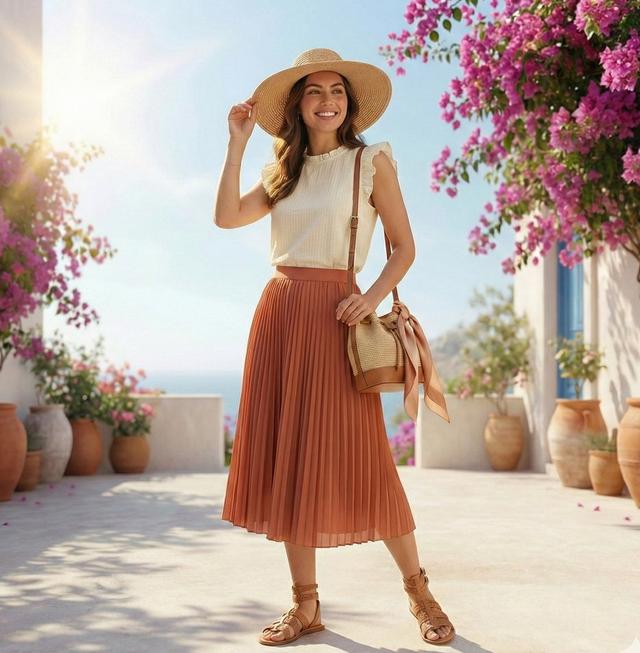
Infographic / Edu Visual - High-Fashion Summer Outfit Infographic with Exploded Composition — output

Infographic / Edu Visual - High-Fashion Summer Outfit Infographic with Exploded Composition

SynthiaNano Banana Pro
High-fashion summer outfit infographic with color-coordinated floating elements arranged in an elegant exploded circular composition, featuring a breathable straw hat, sleeveless organic cotton top, fluid pleated skirt, artisan leather sandals, and a woven palm-leaf bag; refined callouts highlight fabric breathability, crisp texture, moisture-wicking, and seasonal comfort, with warm neutral tones of {argument name="color palette" default="ivory, terracotta, sand, and soft tan"}; subtle motion trails and airy fabric swirls suggest a gentle summer breeze, bright natural sunlight creates soft shadows and a sun-kissed glow, Mediterranean gemini lifestyle mood, premium editorial aesthetic, ultra-sharp details, minimal typography, luxury fashion magazine infographic style, Instagram-ready
Infographic / Edu Visual - Consulting-Grade Presentation Cover Visual Prompt — output

Infographic / Edu Visual - Consulting-Grade Presentation Cover Visual Prompt

SRKDANNano Banana Pro
Clean case-style visual layout.
Structured grid composition,
subtle abstract data cues (lines, blocks, rhythm),
neutral professional color palette,
soft lighting with no dramatic contrast,
designed to feel credible, calm, and serious,
like a consulting-grade presentation cover.
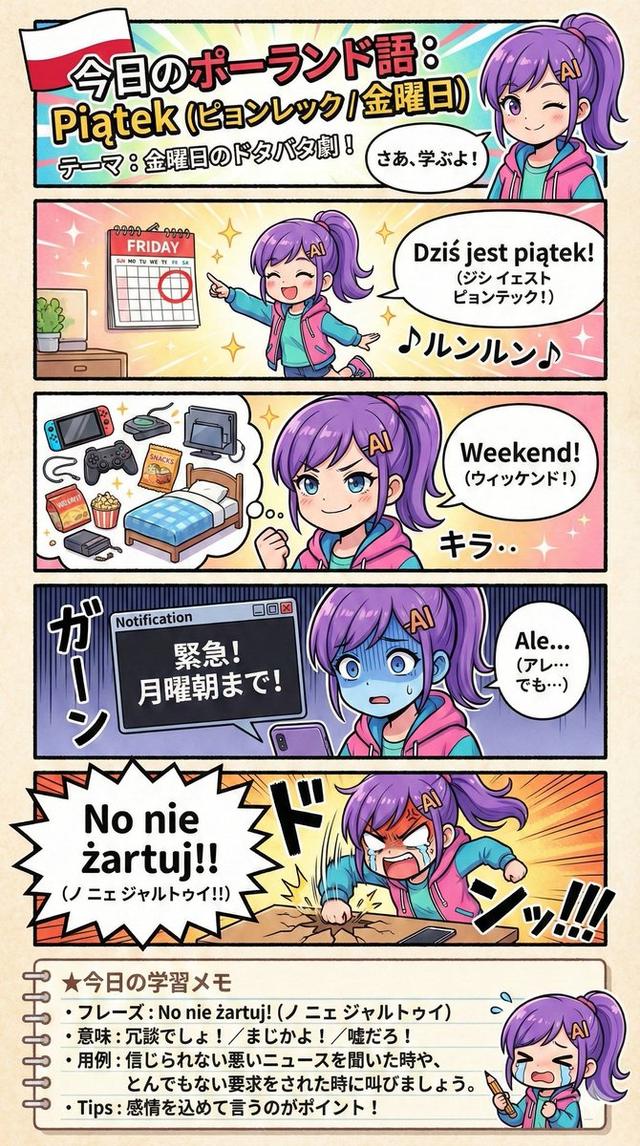
Comic / Storyboard - Creating a Geography Manga about Poland — output

Comic / Storyboard - Creating a Geography Manga about Poland

トクツー/TK2Nano Banana Pro
For NanoBanaPro (via GeminiPro), I define the direction, such as the design structure, in the prompt.

Using the attached image as the main visual, create an educational manga about Poland based on the following prompt:
<{argument name="Prompt" default="Prompt"}>
Browse by model, style or topic

Find your next direction

ASTORIE CANVAS

Take the idea further.

Bring your prompts, references and results together in one creative space.

Open your canvas ↗