Prompts for educational graphics

Explore a travel-poster example that brings architectural details into a graphic layout. Use its prompt as a starting point for deciding what your own visual should explain.

Explore prompts

612 prompts

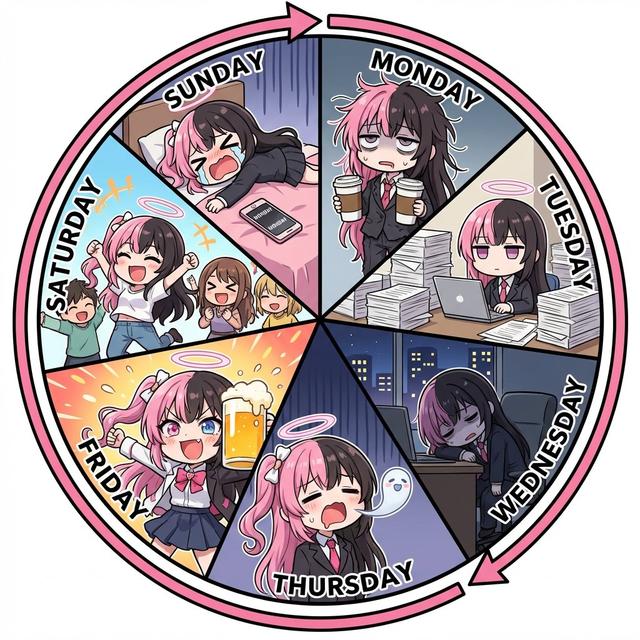
Infographic / Edu Visual - Infographic prompt for 'Monday to Sunday' infinite loop manga — output

Infographic / Edu Visual - Infographic prompt for 'Monday to Sunday' infinite loop manga

SSSS_CRYPTOMANNano Banana Pro
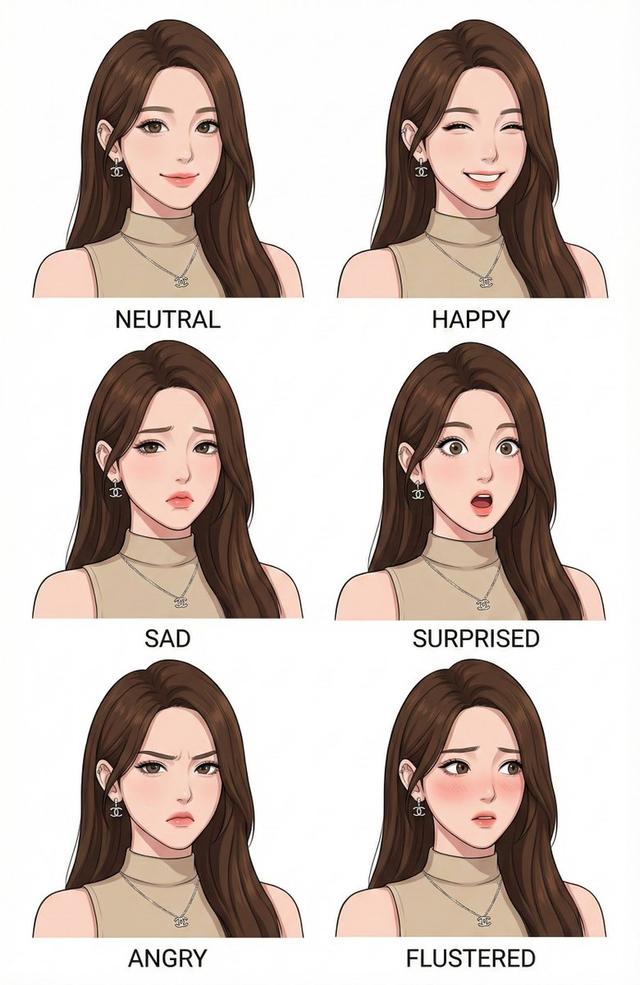
[Character Reference Specification]
Must use the character from the reference image.
Must depict the same person in all panels.
Facial features, hairstyle, eye shape, and atmosphere must be perfectly consistent.
Changing the person, face, or hairstyle is prohibited.
Clothing may change for each day of the week, but the character itself must be the same.
Even if deformed, the character must be instantly recognizable as the person in the reference image.

[Overall Concept]
An anime illustration representing one week from Monday to Sunday,
in a perfectly circular shape.

[Composition/Layout]
・The entire circle must be divided into exactly 7 pizza-cut segments.
・6 or 12 divisions are prohibited.
・Exactly 7 equal sectors.
・Infographic-style layout.
・All 7 panels must connect naturally.

[Order of Days (Strictly Enforced - Clockwise)]
MONDAY → TUESDAY → WEDNESDAY → THURSDAY → FRIDAY → SATURDAY → SUNDAY → returns to MONDAY

[Circulation Expression]
・Place a thick circular arrow on the outer circumference of the circle.
・Clockwise direction.
・Emphasize that the week repeats infinitely.

[Character Design]
・Comical anime character with strong deformation.
・Chibi-style body shape.
・Large head and small body.
・Short limbs.
・Expressions are extreme and gag-oriented.
・Cute and exaggerated reactions.

[Text Rules]
・Only English day names are placed in each panel:
"MONDAY", "TUESDAY", "WEDNESDAY", "THURSDAY",
"FRIDAY", "SATURDAY", "SUNDAY".
・No dialogue, speech bubbles, or Japanese text whatsoever.
・Day names must be bold, easy to read, and without distortion.
・Placed along the shape of each panel.

[Depiction of Each Day]

MONDAY:
Deformed office worker (OL) in a suit.
Messy hair, dead eyes.
Holding two large coffees.

TUESDAY:
Working silently on a computer.
Surrounded by a mountain of documents taller than herself.

WEDNESDAY:
Working late overtime.
Dark office, night view outside the window.
Slumped posture, utterly exhausted.

THURSDAY:
Comical expression of the soul leaving the mouth.
A transparent, cute soul floats up from the body.
Depicting extreme fatigue as a gag.

FRIDAY:
High-tension expression.
Taking off her jacket,
Holding a large beer mug overflowing with foam.
Festive atmosphere.

SATURDAY:
Out happily with friends in casual clothes.
Energetic pose, jumping.
Bright and lively atmosphere.

SUNDAY:
Lying down on the bed as if collapsing.
The word "MONDAY" is visible on the smartphone screen.
Exaggerated despair.

[Art Style/Quality]
・Comical anime style with strong deformation.
・Thick line art.
・Simple shading.
・Bright and pop color scheme.
・Expressions are very easy to understand.
・High-quality illustration.

[Negative Prompts]
・Realistic style, photorealistic expression.
・Changes in character's face or hairstyle.
・Composition other than 7 divisions.
・Disruption of the day order.
・Japanese day names.
・Dialogue, speech bubbles.
・Distortion or collapse of text.
・Square panel division.
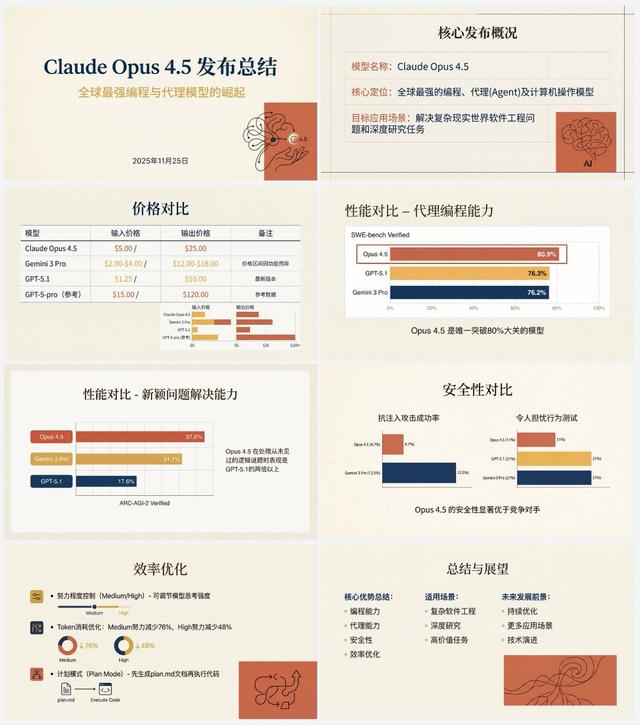
Anthropic-style warm academic PPT workflow prompt — output

Anthropic-style warm academic PPT workflow prompt

歸藏(guizang.ai)Gemini 3, Nano Banana Pro
Based on the following article, create a professional Chinese PPT for me.
First write a PPT outline and plan the content of each slide.
Then feed the content of each slide to Nano Banana Pro to generate the corresponding PPT page, ensuring a consistent style.

The specific PPT style should be an “Anthropic/Claude-style” warm academic humanistic design.
Background: use warm beige/cream (#F3F0E9) as a solid base color, with a slightly premium paper texture.
Fonts: use an elegant serif font for titles and a modern sans-serif font for body text.
Color palette: the main colors are terracotta red (#D67052) and mustard yellow (#F0B857), accented with deep navy blue. Avoid neon colors or pure black.
Visual elements: use a grid layout that emphasizes typography. Illustration style should be abstract, organic black hand-drawn line art placed on solid terracotta red blocks. You must use illustrations and decorative elements very sparingly, and they should serve the content.
Charts: flat and minimal charts that emphasize data comparison, removing unnecessary borders.

Both text and images are generated by Nano Banana Pro. Also, do not turn the PPT into one single large image; it should be one image per slide.

The article content is:
Infographic / Edu Visual - Layered Diorama of Religious Architecture Evolution — output

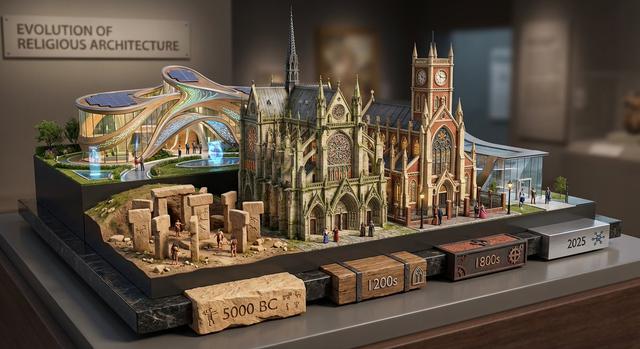
Infographic / Edu Visual - Layered Diorama of Religious Architecture Evolution

GadgetifyNano Banana Pro
Layered Diorama: Evolution of Religious Architecture
Layers: Front ({argument name="era 1" default="5000 BC Architecture"}), middle 1 ({argument name="era 2" default="1200s Architecture"}), middle 2 ({argument name="era 3" default="1800s architecture"}) rear (2025 Architecture).
Details: Polished stone base with era-coded tabs (with appropriate materials and elements for each era). Details include stained glass windows, flying buttresses, and other era relevant elements. All years should be visible
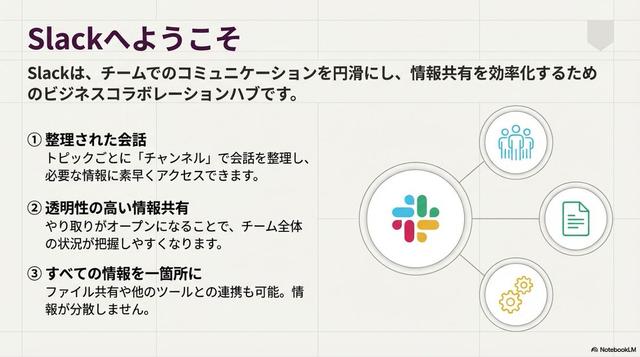
Clean flat slide design style guide for NotebookLM — output

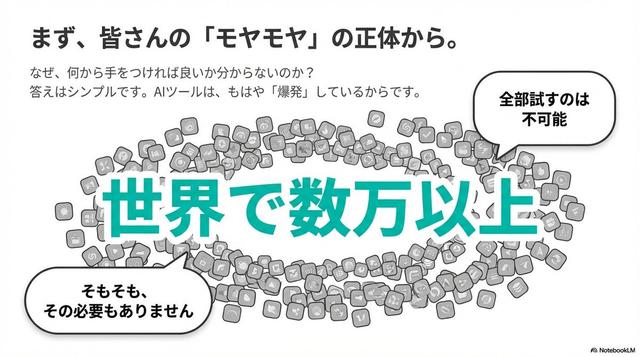
Clean flat slide design style guide for NotebookLM

しんやん@AIツールギャラリーGemini 3, Nano Banana Pro
Brand color: [{argument name="brand color" default="#06c7b0"}]
A simple and clean flat design.
Place people and icons drawn with uniform black outline lines, and partially use pastel accent colors (such as sky blue and coral pink).
Emphasize rounded shapes and a soft overall impression.
Use a diagram-centered layout (for example: Venn diagrams, bar graphs, speech bubbles), with a friendly tone suitable for materials and social media content aimed at students and younger audiences.
Leave plenty of white space to prioritize legibility and balanced composition.
Infographic / Edu Visual - Isometric 3D Diorama of Product Evolution Prompt — output

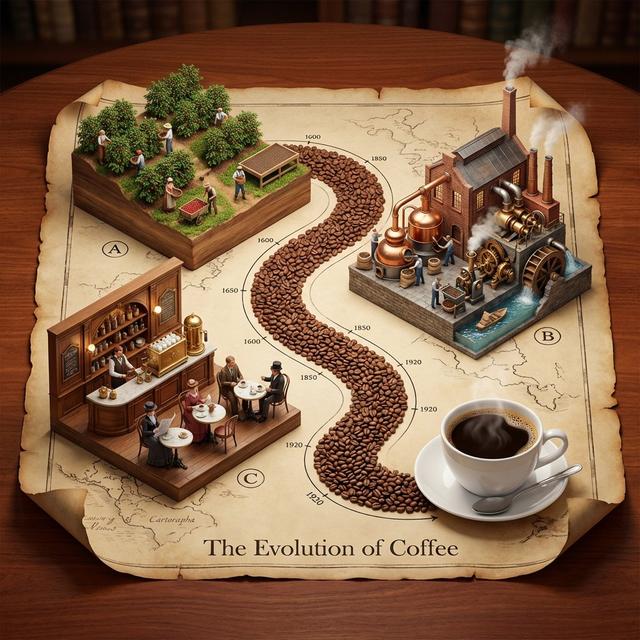
Infographic / Edu Visual - Isometric 3D Diorama of Product Evolution Prompt

GadgetifyNano Banana Pro
Input Variable:   {argument name="topic" default="[INSERT TOPIC]"} (e.g., The History of Bread, The Making of Whiskey, The Story of Silk, The Evolution of Paper)

  System Instruction:  
Generate a hyper-realistic, isometric 3D diorama displayed on an unrolled antique map. Use the following logic to procedurally generate the scene:

  1.  Deconstruction:  
      Analyze the Input:   Break the topic into   3 Phases of Production   (From Nature to Consumption).
      The Material Path:   Identify the raw unit of the topic (e.g., Coffee Beans, Wheat Grains, Silk Cocoons, Wood Chips). This material will form the physical "Road" connecting the scenes.

  2. Container (The Chart):  
      The Object:   A large, textured   Parchment Scroll   with curled edges, unrolled on a rich Mahogany wooden table.
      The Layout:   An   "S-Curve" Path   winds through the center of the scroll, connecting three distinct raised platforms.
      The Timeline:   Delicate black ink timeline markers (dates like 1600, 1850, 1920) run alongside the path.

  3.  Vignettes (The Production Line):  
  CRITICAL:   Do not generate Sci-Fi. Stick to   Historic and Modern Classic   aesthetics.

 Top Left - The Source):  
         Concept:  The Agricultural or Raw Origin.
         Visuals:  Rows of crops, a mine, or a forest growing directly out of a wooden block base.
         Figures:  Tiny farmers or laborers in period-appropriate rustic clothing harvesting the raw material.

 Top Right - The Industry):  
         Concept:  The Processing and Refinement (Industrial Revolution Era).
         Visuals:  A factory or mill with   Copper Stills, Brass Gears, Smokestacks, or Water Wheels  .
         Figures:  Workers operating machinery, steam rising from vents.

 Bottom Left - The Experience):  
         Concept:  The Final Consumption (The "Golden Age").
         Visuals:  A warm, inviting interior. A Victorian Pub, a Parisian Cafe, a Tailor Shop, or a Library.
         Figures:  Patrons enjoying the finished product in a social setting.

  4. The "Hero" Object (Bottom Right):  
    Instead of a fourth building, the path ends at a   Life-Sized "Hero" Object   sitting on the paper.
         (e.g., A perfect porcelain Cup of Coffee, A Loaf of Sourdough, A Crystal Whiskey Tumbler). 

  5. Visual Syntax:  
      The Path:   The road connecting the buildings is NOT dirt or asphalt. It is a   River of the Raw Material   (e.g., A road paved with Coffee Beans or Wheat grains).
      Typography:   An elegant Serif Header at the bottom: "The Evolution of [Input]".
      Lighting:   Warm, indoor "Library" lighting. Soft shadows, rich wood tones, no harsh neons.

  Output:   ONE image, 1:1 Aspect Ratio, Isometric Diorama, "Anno 1800" Strategy Game Aesthetic, High Texture,
Infographic / Edu Visual - Newspaper Mid-Unfold Diorama Prompt — output

Infographic / Edu Visual - Newspaper Mid-Unfold Diorama Prompt

Nano banana pro🍌Nano Banana Pro
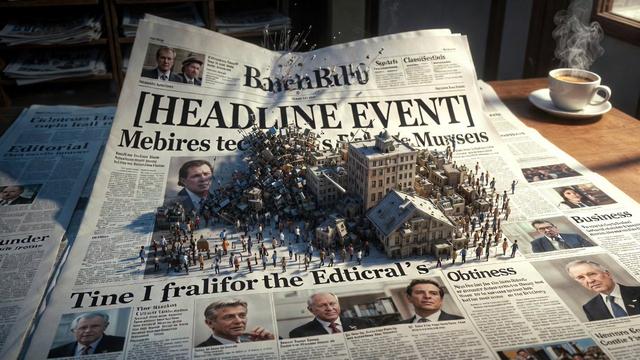
Epic 3D scene: a massive broadsheet newspaper mid-unfold, its headlines erupting into the events they describe. Front page stories become dioramas pushing off the page. {argument name="headline event" default="[HEADLINE EVENT]"} manifests in miniature chaos. Photographs animate and expand into three dimensions. Column text rises as city blocks of information. Editorial section becomes a battlefield of arguing figures. Classifieds transform into tiny desperate lives. Different sections occupy different worlds: sports as stadium, business as trading floor, obituaries as memorial garden. Yesterday's news composites beneath as fading ghost layer. Ink smells almost visible as atmosphere. Newsstand visible at the edge, morning light, coffee steam, 8K, photorealistic.
Cartoon drone-style Google Maps aerial illustration prompt — output

Cartoon drone-style Google Maps aerial illustration prompt

SaaS Junction || AI & SaaS UpdatesGemini 3, Nano Banana Pro
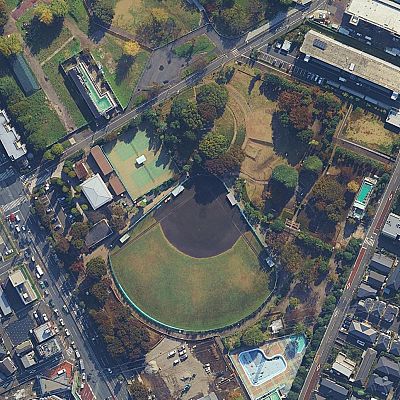
Transform this aerial map view into an illustrated aerial photograph captured from above. Create a vibrant, animated aesthetic with brilliant colors and scatter miniature figures throughout the scene for a whimsical, magazine-quality illustrated result.
Infographic / Edu Visual - First-Person AR Shopping Interface Overlay — output

Infographic / Edu Visual - First-Person AR Shopping Interface Overlay

𝐌Nano Banana Pro
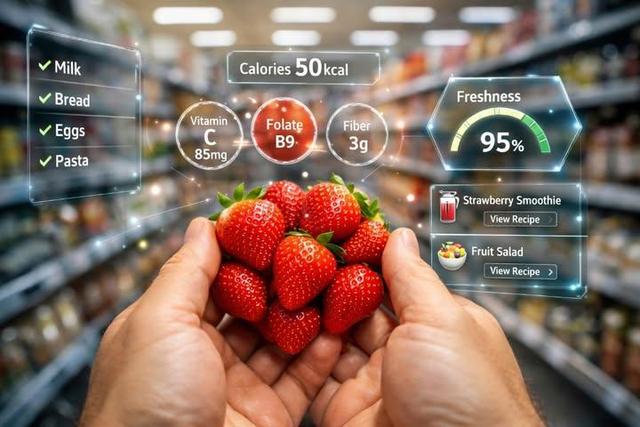
A realistic first-person perspective (POV) shot of a person's hands holding a bunch of fresh, red strawberries in a blurred supermarket aisle. The image features a futuristic Augmented Reality (AR) interface overlay. 

Glowing holographic graphics surround the strawberries displaying nutritional information like 'Calories {argument name="calories" default="50kcal"}', 'Vitamin C', 'Folate', and 'Fiber'. On the right, a digital gauge shows 'Freshness {argument name="freshness" default="95%"}' and recipe suggestions like 'Strawberry Smoothie'. On the left, a holographic shopping list checks off items like Milk and Bread. 

High-tech, smart shopping concept, photorealistic lighting, 8k resolution.
Infographic / Edu Visual - Motion and Image Prompt for Ultra-Realistic Food Photography of Pasta — output

Infographic / Edu Visual - Motion and Image Prompt for Ultra-Realistic Food Photography of Pasta

𝐌Nano Banana Pro
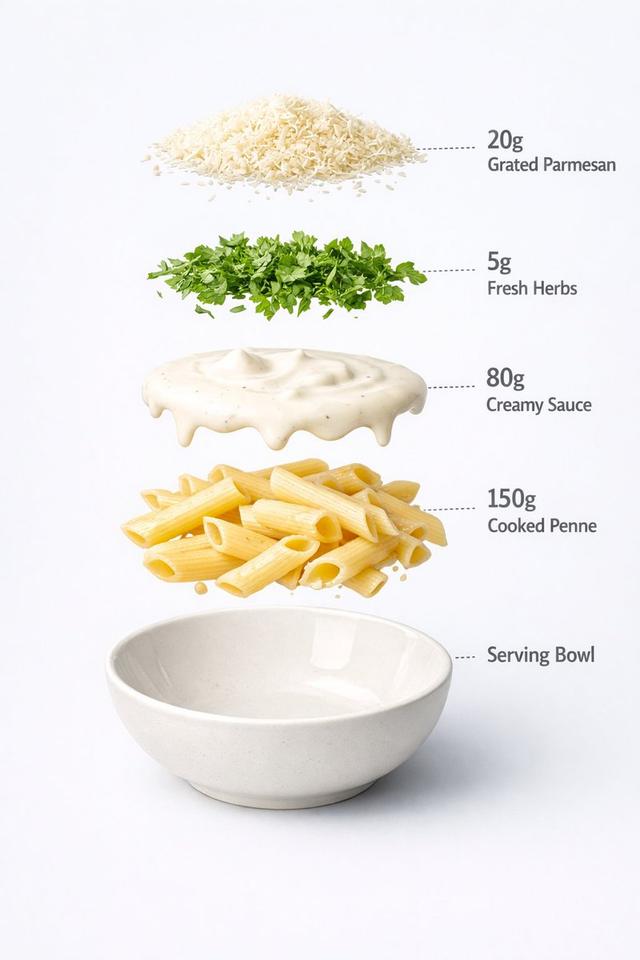
Motion Prompt: The pasta Cup start to round spin while ingredients separate gently and precisely, maintaining alignment and scale. The motion is smooth, with no extra effects.

IMAGE 1 - Ultra-realistic food photography of a prepared creamy white sauce penne pasta served in a minimal ceramic bowl. Perfectly cooked penne coated evenly in rich, glossy cream sauce, topped with freshly grated parmesan cheese and finely chopped green herbs. Clean white studio background, soft diffused lighting, gentle shadows under the bowl, natural highlights on the sauce, realistic texture and thickness. Centered composition, shallow depth of field, premium restaurant-style presentation, high-detail food styling, 8K quality, sharp focus, no text, no labels, no hands, no props, no watermark.

IMAGE 2 - Exploded view of a creamy pasta bowl, presented as a clean commercial breakdown.
Exactly five ingredients, evenly spaced in vertical order.
Ingredient order (top → bottom):
Grated parmesan cheese — 20 g
Fresh herbs garnish — 5 g
Creamy white sauce — 80 g
Cooked penne pasta — 150 g
Serving bowl base — 200 g (bottom)
Minimal infographic annotations, instructional food design.
JSON Nano Banana Pro prompt for steampunk botanist workbench — output

JSON Nano Banana Pro prompt for steampunk botanist workbench

DrSadek 🪶Gemini 3, Nano Banana Pro
{
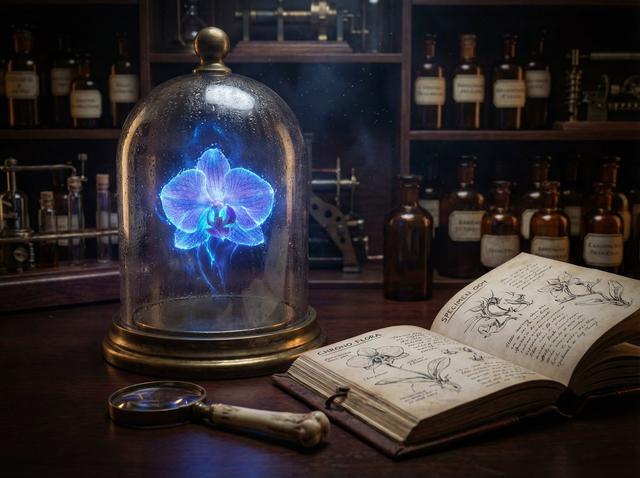
  "prompt": "A hyper-realistic, cinematic close-up of a Victorian steampunk botanist's workbench. In the center, a heavy, oxidized brass-rimmed bell jar contains a levitating, bioluminescent orchid that glows with a pulsating electric blue light. The light from the flower illuminates dust motes dancing in the air. Next to the jar is a weathered leather field journal open to a page of complex anatomical sketches. A magnifying glass with a bone handle rests on the mahogany desk. In the background, shelves are filled with amber-colored apothecary bottles. The scene captures the texture of condensation on the glass, the grain of the wood, and the subsurface scattering of the flower petals. Shot on an 85mm macro lens, f/1.8 aperture, low-key lighting with high contrast.",
  "parameters": {
    "aspect_ratio": "21:9",
    "output_resolution": "4K",
    "guidance_scale": 8.0,
    "style_preset": "Cinematic",
    "seed": null
  },
  "advanced_config": {
    "identity_locking": false,
    "text_rendering_enabled": true,
    "required_text": [
      "SPECIMEN 004",
      "CHRONO FLORA"
    ]
  }
}
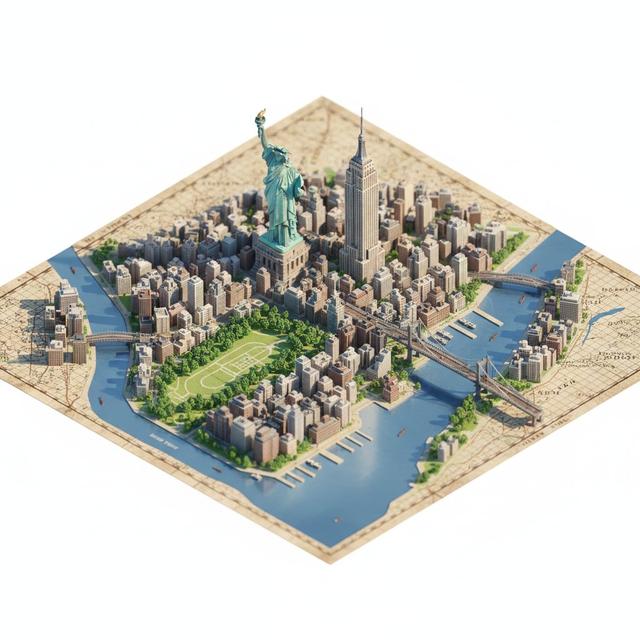
Infographic / Edu Visual - Photorealistic Diorama Isometric Map Prompt — output

Infographic / Edu Visual - Photorealistic Diorama Isometric Map Prompt

Sharon RileyNano Banana Pro
"description": "Create a highly detailed, photorealistic miniature diorama style isometric map of {argument name="city location" default="CITY/LOCATION"} placed on a vintage textured paper map.",
  "perspective": {
    "type": "isometric",
    "angle": "45 degree top down",
    "look": "macro photography with tilt-shift miniature effect"
  },
  "geography": {
    "shape": "follows real geographic shape of {argument name="city location" default="CITY/LOCATION"}",
    "landmarks": {
      "oversized": true,
      "dominant": true,
      "primary_focus": "monuments",
      "secondary_elements": "smaller and simplified"
    },
    "architecture": "ultra detailed miniature",
    "roads": "selective",
    "greenery": true,
    "water_bodies": true,
    "terrain": true,
    "materials": ["stone", "wood", "concrete", "glass", "foliage"]
  },
  "lighting": {
    "type": "soft cinematic daylight",
    "effects": ["natural shadows", "warm highlights", "subtle atmospheric depth"]
  },
  "water": {
    "rivers": true,
    "coastlines": true,
    "depth_gradients": "smooth",
    "reflections": "gentle"
  },
  "map_base": {
    "type": "old world cartographic paper",
    "features": ["visible grid lines", "paper grain", "printed place names"]
  },
  "focus": {
    "sharp_on_landmarks": true,
    "edge_falloff": "gentle"
  },
  "quality": {
    "museum_quality": true,
    "handcrafted_diorama_realism": true,
    "ultra_high_resolution": true
  },
  "background": {
    "color": "clean pure white",
    "restrictions": ["no floating text", "no logos", "no watermarks", "no futuristic or cartoon elements"]
  },
  "aspect_ratio": "4:5"
}
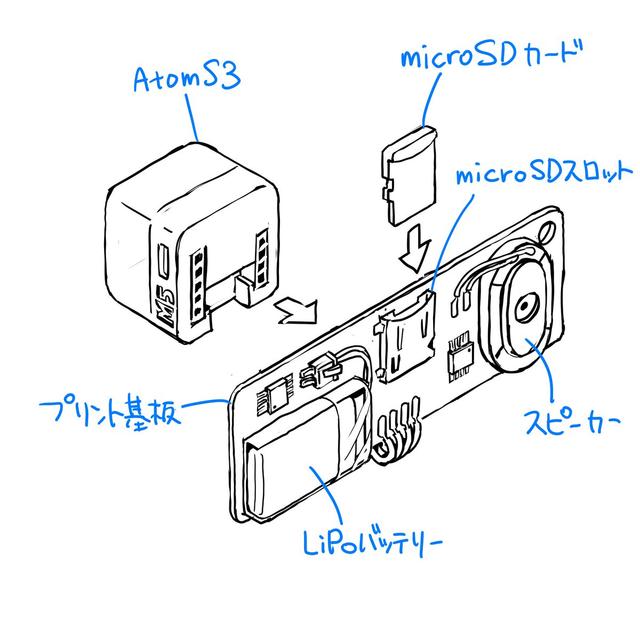
Infographic / Edu Visual - Sketch to CAD-Style Line Art Conversion Prompt — output

Infographic / Edu Visual - Sketch to CAD-Style Line Art Conversion Prompt

シャポコ🌵Nano Banana Pro
Please finalize this rough sketch and create line art. Read and refer to the blue text annotations, eliminate the ambiguity and roughness associated with handwriting, and create precise line art as if output from a CAD tool. Vary the line thickness, such as making ridge lines thicker. Delete the blue text and lines, and do not include them in the output image.

Please finalize this rough sketch in the same manner.
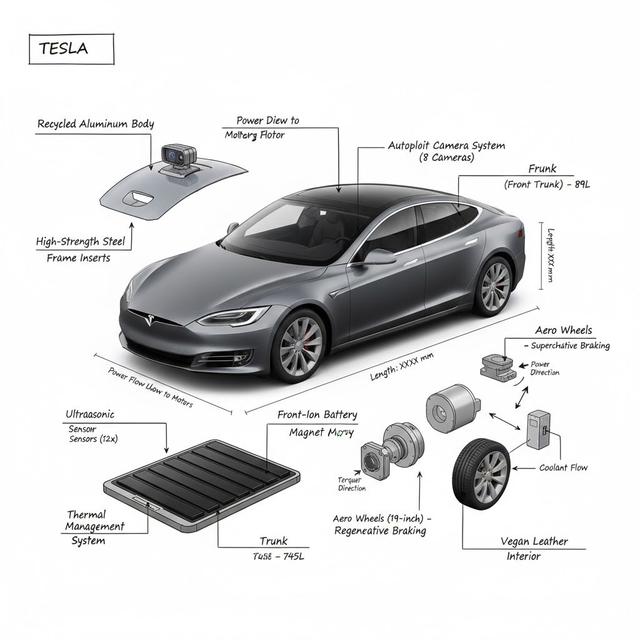
Infographic / Edu Visual - Hardcore Engineering Infographic Style — output

Infographic / Edu Visual - Hardcore Engineering Infographic Style

DeanNano Banana Pro
1️⃣ Select {argument name="object" default="OBJECT"}
2️⃣ Keep the realistic image clear and visible
3️⃣ Overlay black, hand-drawn engineering annotations (labels, dimensions, materials, cross-sections, arrows)
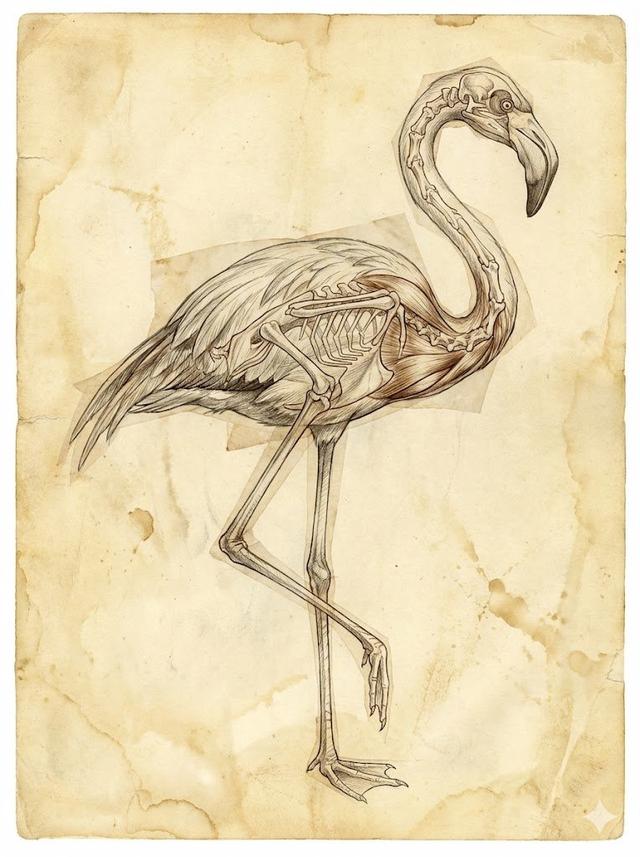
Infographic / Edu Visual - Renaissance Anatomical Study of a Flamingo — output

Infographic / Edu Visual - Renaissance Anatomical Study of a Flamingo

Brendan Graetz 🥷Nano Banana Pro
Composition: {argument name="subject" default="flamingo, standing on 1 leg"}

Art style: A Renaissance anatomical study
- illustrated with fine graphite and ink cross-hatching
- layered with transparent tissue overlays showing bone and muscle
- on yellowing/ greying parchment paper

Avoid:
- Do not draw the subject twice - *only once*
- Do not skip some body parts - be complete
- No text at all

Aspect ratio: 3:4
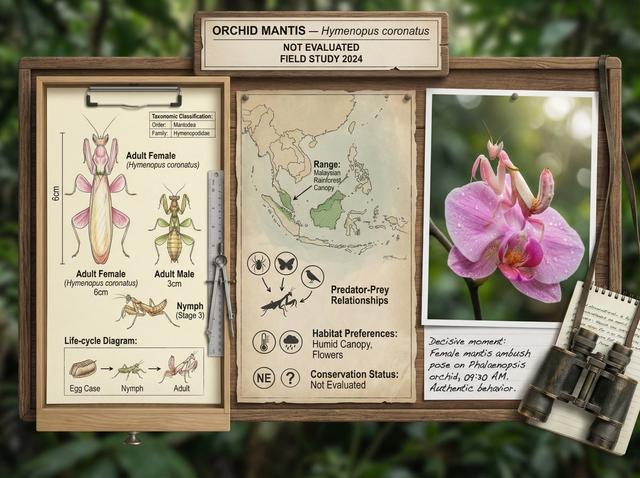
Infographic / Edu Visual - Scientific field researcher's documentation board prompt — output

Infographic / Edu Visual - Scientific field researcher's documentation board prompt

Alexandra AislingNano Banana Pro
A field researcher's documentation board for {argument name="animal or plant" default="[ANIMAL / PLANT / ORGANISM]"} — {argument name="scientific name" default="[SCIENTIFIC NAME / HABITAT]"}. Left section: scientific illustration showing anatomical details, life-cycle stages, or seasonal variation, with measurement scales and taxonomic classification. Center section: ecological context map showing range, habitat preferences, predator-prey relationships, and conservation status indicators. Right section: the subject in its natural habitat, captured in a decisive moment, behavior visible, environment authentic, the data made alive. Visual style transitions from specimen-drawer clinical through cartographic neutrals to National Geographic field photography. Title block reading "{argument name="common name" default="[COMMON NAME]"} — [SCIENTIFIC NAME], [CONSERVATION STATUS], FIELD STUDY [YEAR]".
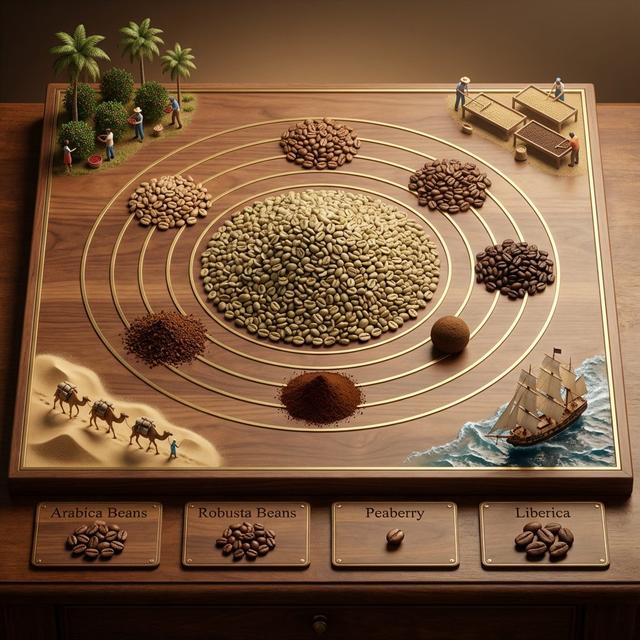
Infographic / Edu Visual - Educational Commodity Universe Diorama Prompt — output

Infographic / Edu Visual - Educational Commodity Universe Diorama Prompt

GadgetifyNano Banana Pro
<instruction> for {argument name="commodity" default="Coffee"}

Input A is a Historic Commodity or Resource (e.g., Spices, Tea, Silk, Coffee, Gold).
Deconstruct the commodity into 3 Educational Assets:
     The Core :  Identify the most common or valuable raw form.
         (e.g., Spices -> A pile of Black Peppercorns. Tea -> A mound of Black Tea leaves. Gold -> A large Nugget). 
     The Varieties:  Identify 4-5 distinct variations or colors.
         (e.g., Spices -> Red Paprika, Yellow Turmeric, Brown Cinnamon. Tea -> Green, White, Oolong, Matcha). 
     The Transit :  Identify the historical method of transport.
         (e.g., Camel Caravans, East Indiaman Ships, Steam Trains). 

  2. Container
Goal: "Commodity Universe" Educational Diorama.
     The Base:  A large, square   Polished Walnut or Oak Board   sitting on a library table.
     The Layout:  A radial/circular design in the center, flanked by narrative vignettes in the corners.

  3. The Centerpiece
     The Metaphor:  The commodity is the center of the world.
     The Sun:  A massive, textured pile of the "Core" material (Step 1) sits in the exact center.
     The Orbit:  Inlaid gold or brass rings ripple out from the center.
     The Planets:  Smaller mounds or spheres of the "Varieties" (Step 1) orbit the center, creating a colorful spectrum of textures (powders, grains, solids).

  4. Narrative Corners 
     The Origin (Top Corners):  Miniature dioramas sculpted directly onto the board showing the harvesting process (e.g., tiny figures picking tea leaves, mining gold, or shaking spice trees).
     The Journey (Bottom Corners):  Miniature dioramas showing the "Transit" (Step 1).
         Detail:  Use   Resin   for water (ships) or   Sand   for deserts (camels).

  5. The Footer:  
     Placement:  Along the bottom edge of the board.
     Format:  Three or four rectangular   Wooden Plaques   embedded in the table.
     Content:  The name of a specific variety (e.g., "Cinnamon") engraved in serif text, with a physical sample of that ingredient piled on the plaque.

  Output:   ONE image, 1:1 Aspect Ratio, Isometric Tabletop Photography, "Museum Display" aesthetic, Warm Tones.
</instruction>
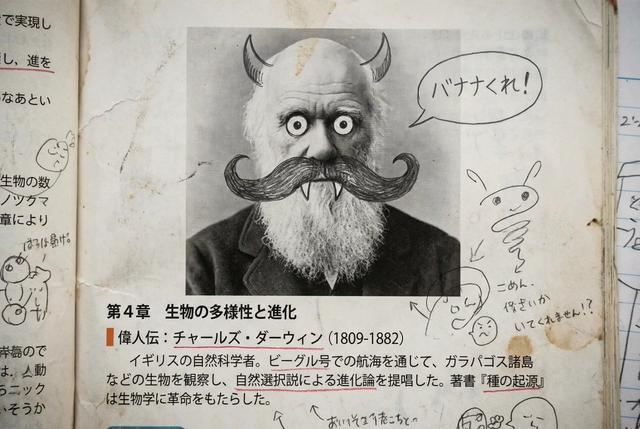
Middle schooler doodles on history textbook pages — output

Middle schooler doodles on history textbook pages

SSSS_CRYPTOMANGemini 3, Nano Banana Pro
A page from a history textbook used by Japanese middle school students. It is a page where a student has doodled with a pencil over the portrait photo in a great person’s profile to turn it into a funny face. Edit and correct the textbook text so that it is written in proper Japanese and ensure the content is based on historical facts.
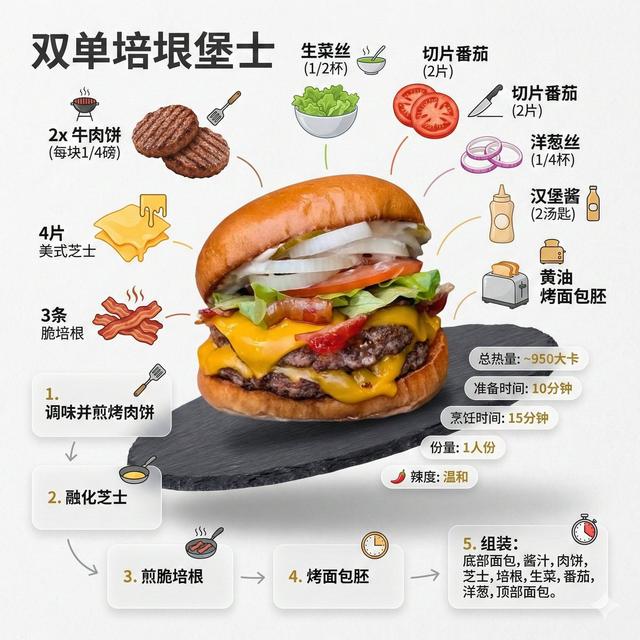
Infographic / Edu Visual - Generating a Food Infographic for a Hamburger — output

Infographic / Edu Visual - Generating a Food Infographic for a Hamburger

MichelleNano Banana Pro
Role Setting: You are an AI prompt engineer proficient in food photography and visual design. Task: Please analyze the food image I uploaded, identify the dish name, main ingredients, cooking logic, and approximate calories.
Output: Please strictly follow the following [General Prompt Template] format, fill in the specific content analyzed, and generate a prompt for AI painting.
[General Prompt Template]
Ultra-clean, modern style recipe infographic. Display the {argument name="dish name" default="[Fill in the analyzed dish name here]"} in a highly attractive finished form, with a slight floating effect, using a perspective or tilted view. Arrange the ingredients, steps, and tips around the main dish in a dynamic, editorial layout, not limited to a top-down view.
Core Instruction (Language): All text, labels, and step descriptions in the image must strictly use "Simplified Chinese."
1. Ingredient Area:
Pair each ingredient ({argument name="main ingredients list" default="[Fill in the analyzed list of 5-8 main ingredients here]"}) with an icon or mini illustration, and label the quantity in Chinese. Arrange them in groups, lists, or circular flow lines, connected to the main dish via visual lines.
2. Step Area:
Use numbered panels (1, 2, 3...), arrows, or lines to display the production process ({argument name="key cooking steps" default="[Fill in the inferred 3-4 key cooking steps here]"}), forming a clear logical flow around the main dish.
3. Supplementary Information (Optional):
Label in Chinese: Total calories ([Estimated calories]), preparation time ([Estimated time]), cooking time ([Estimated time]), serving size, spiciness, etc., presented in simple bubbles or badge forms near the main dish.
4. Visual Style:
Editorial infographic combined with lifestyle food photography. Food colors are bright and natural, paired with slight shadows, clean vector icons, and modern sans-serif fonts (Chinese HeiTi style). Step panels can use soft gradients or glass-morphism effects. Accent colors are used to highlight key information.
5. Composition Guide:
The finished dish serves as the visual core, using perspective or a tilted angle;
Ingredients and steps flow dynamically around the main dish;
Clear hierarchy: Main dish > Steps > Ingredients > Optional data;
Maintain sufficient white space for an overall light and readable feel.
6. Lighting and Background:
Soft, natural studio lighting, minimalist texture or gradient background, creating a high-end editorial look.
7. Output Specifications:
1080×1080, ultra-sharp, suitable for social media display, no watermark.
Browse by model, style or topic

Find your next direction

ASTORIE CANVAS

Take the idea further.

Bring your prompts, references and results together in one creative space.

Open your canvas ↗