Alibaba · Video generation

wan-3.0

Give a scene time to unfold. Use wan-3.0 on Astorie to develop a shot from text or images, plan up to 30 seconds of action with native sound, and review the take in your canvas before it enters the edit.

  • 2–30 second clips
  • Optional native audio
  • First and last frames

Key features of wan-3.0

Develop shots lasting up to 30 seconds with native sound and a choice of text or image-led starting points.

Let a scene unfold for up to 30 seconds

Give an action time to develop, pause and resolve. The current Astorie form offers 2–30 seconds in one-second steps, so you can choose a short insert or a longer scene study. Plan the beats within that duration and check continuity across the whole take.

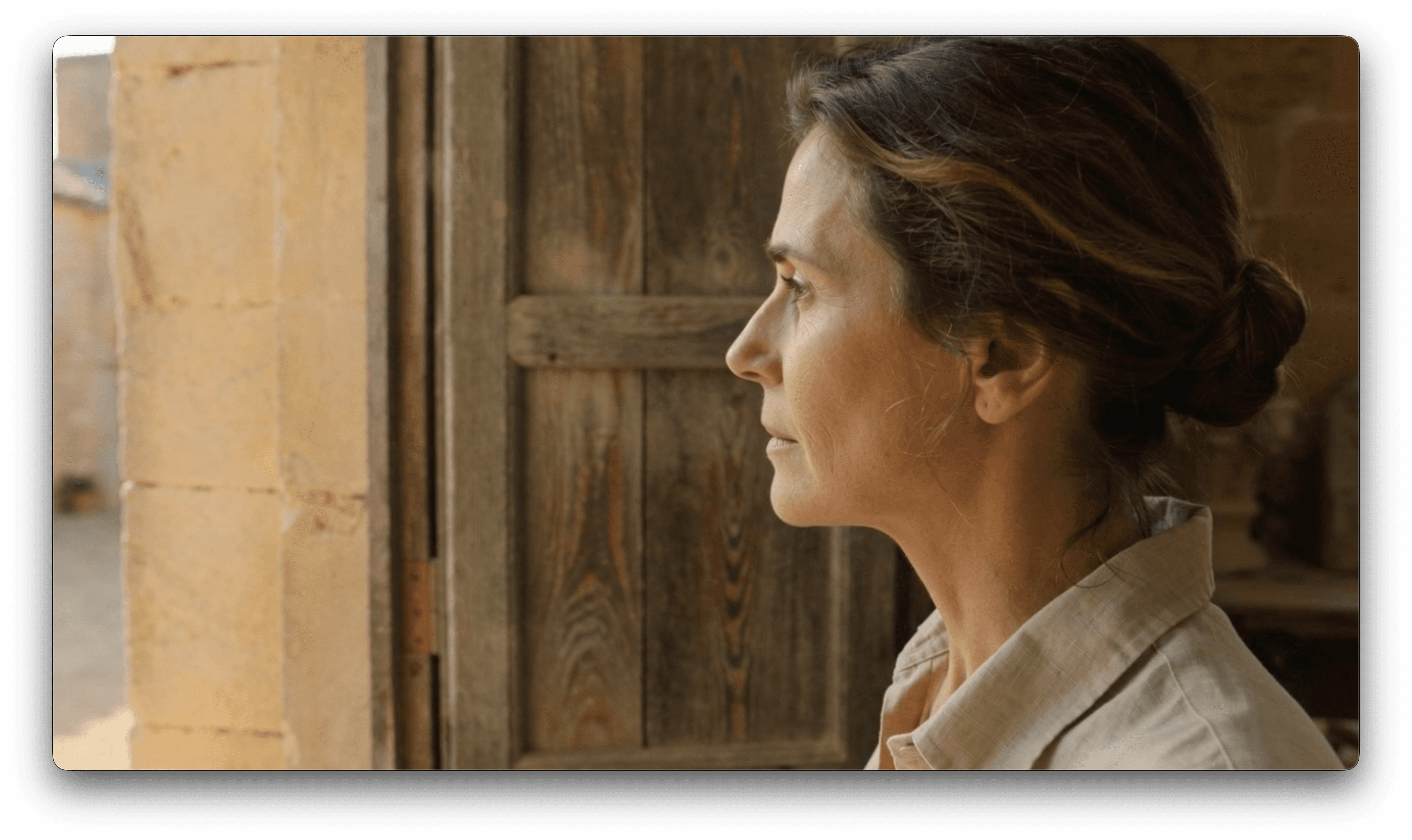
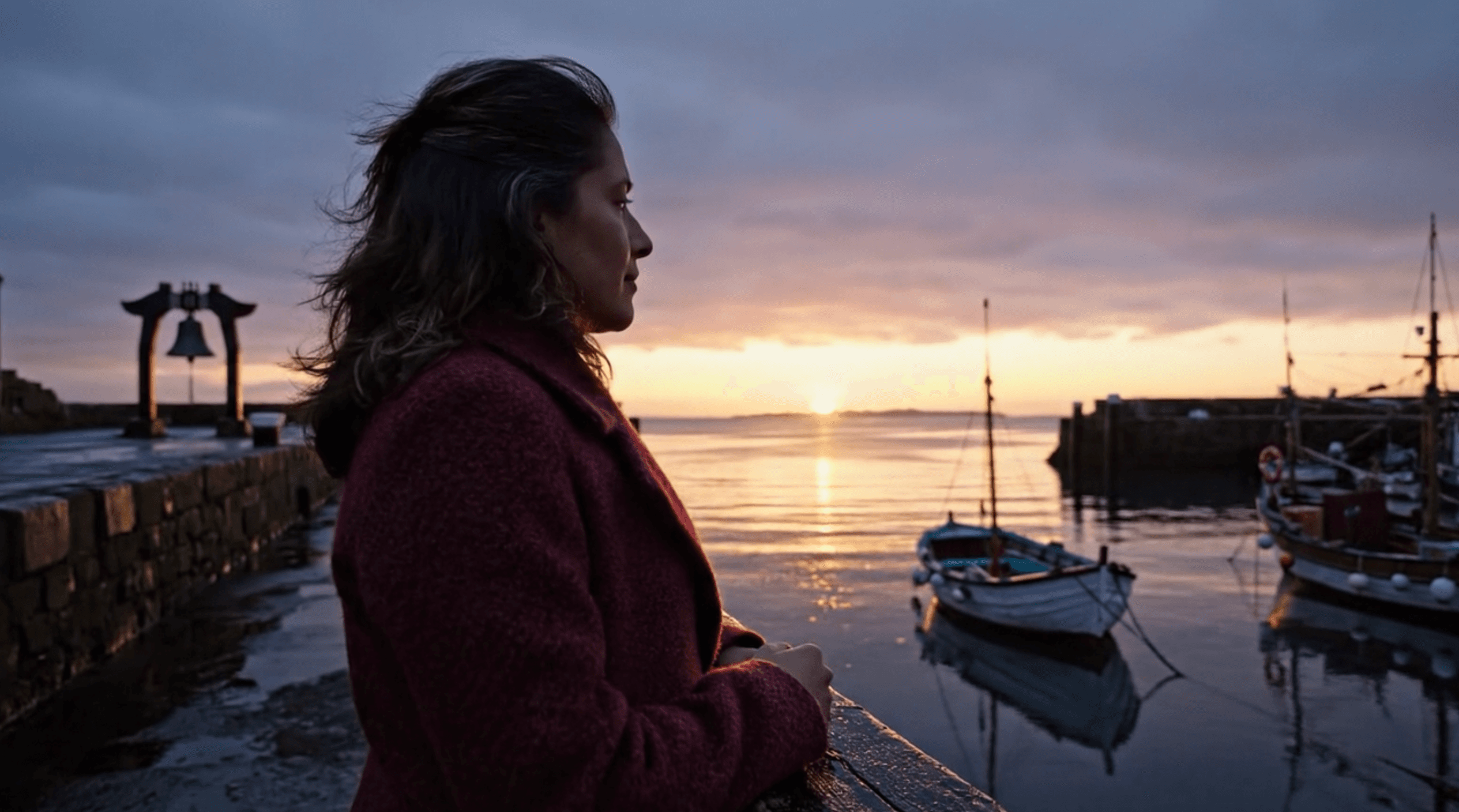
Build picture and sound in the same brief

Describe the visible action together with dialogue, ambience or a sound effect. Wan 3.0 supports native audio, and Astorie provides a Generate audio control. Turn it on when sound matters, then listen to the export for timing, clear words and unwanted noise.

Start with text, an image or two boundary frames

Invent the shot from text, animate a supplied first frame or provide both the opening and closing images in First and last frame mode. Use images when the composition needs a visual anchor, then describe the movement between those boundaries. Review the transition rather than assuming every detail will stay unchanged.

How to create with wan-3.0 on Astorie

Build your first wan-3.0 take in three simple steps.

  1. 1

    Choose wan-3.0 and a starting mode

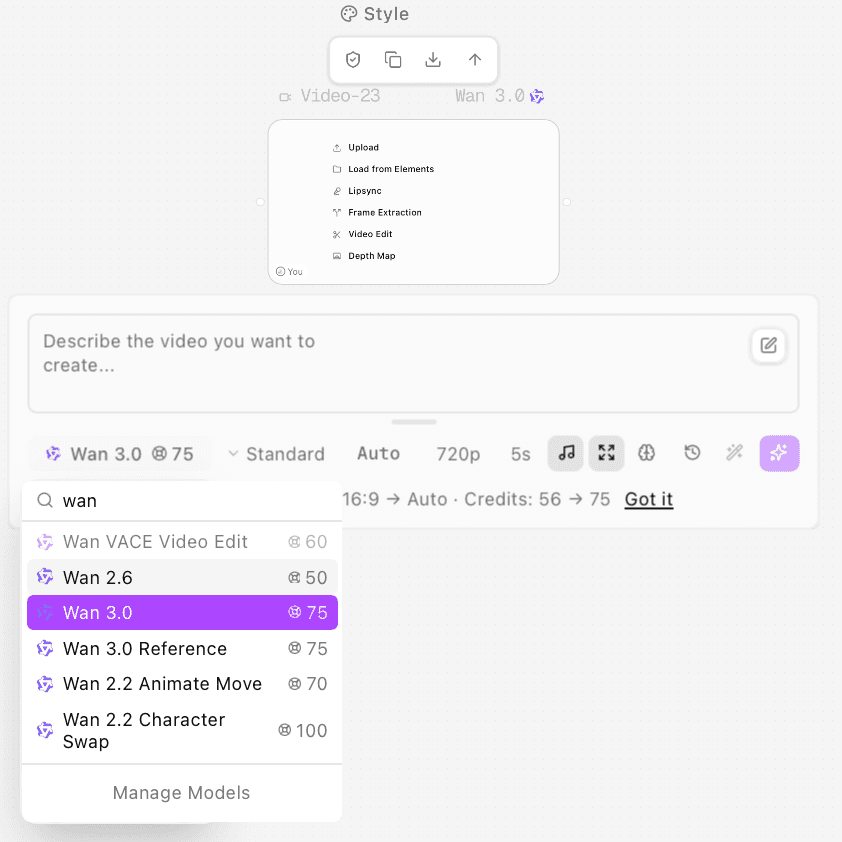
    Use Open in canvas to create a project with the configuration prepared here, and sign in if prompted. In the canvas video node, check Wan 3.0. Choose text input, a first image or First and last frame; supply the images required by that mode.

    Wan 3.0 currently selected in the English Astorie video model picker.
  2. 2

    Connect the brief and set the output

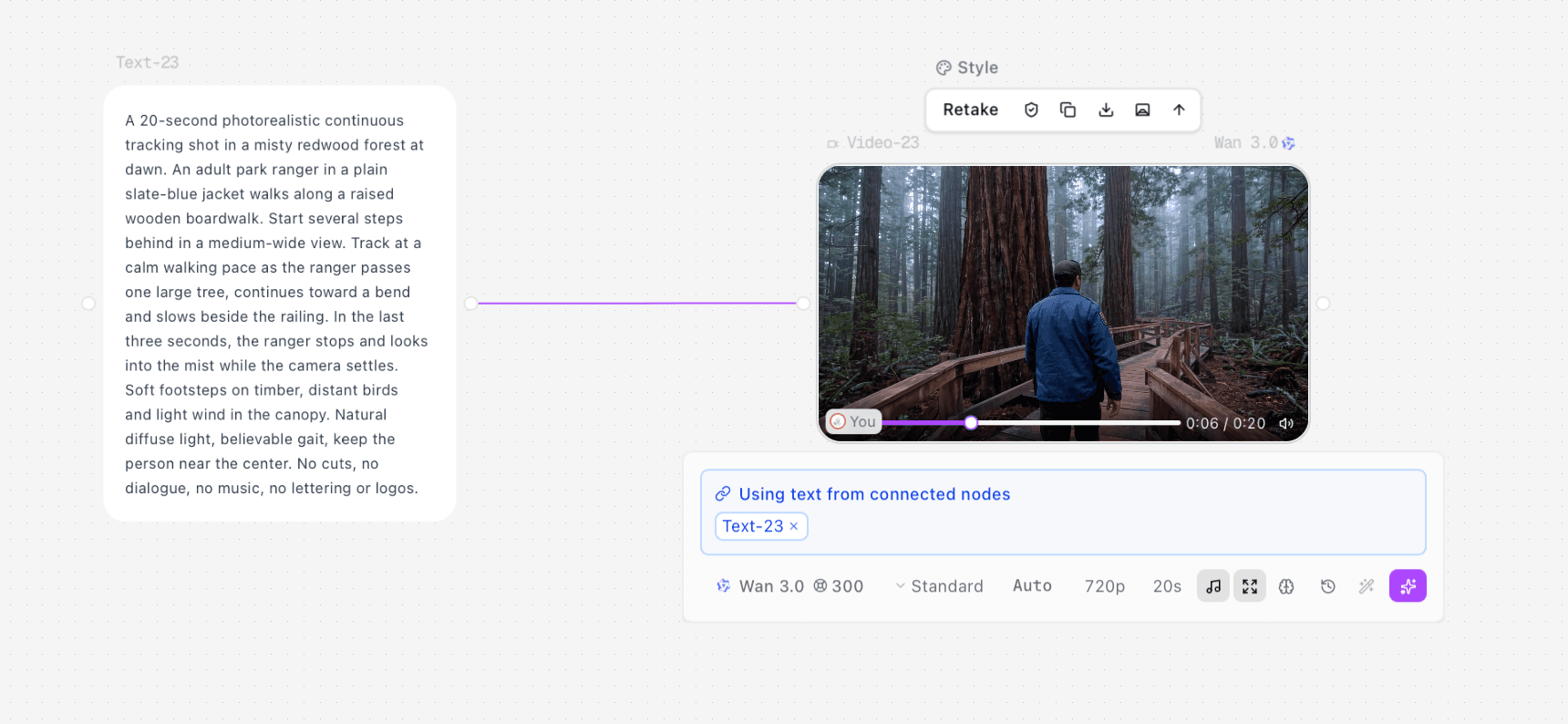
    Write in the video node or connect a text node. Describe the opening, action, camera and ending, with sound cues where needed. Set the aspect ratio, duration, resolution and Standard or Prime tier. Check Generate audio and the credit estimate before running. The example shows a connected text node and selected settings during generation.

    A connected text node and Wan 3.0 controls showing Standard, Auto, 720p and 10 seconds during generation in the English Astorie canvas.
  3. 3

    Generate, play and keep the take

    Start generation from the video node. Play the completed clip and review the full action, transitions, image details and any sound. Adjust the brief for another take, or download the result you want to keep for editing.

    A completed Wan 3.0 forest video playing in the English Astorie canvas, connected to its text prompt.

Give a scene time to arrive, reveal and settle

Explore a character reaction, a product reveal and a gradual location discovery before planning the edit.

Previsualize a scene with room for a reaction

Explore an arrival, a discovery and a pause within one continuous take. A longer duration lets a director discuss performance and camera timing before choosing the final shot list. Keep the location simple and the number of actions small.

Prompt starter: An adult stage manager enters a quiet theatre, sees a single work light on the empty stage and stops in the aisle. Follow from behind, then move gently to a side profile. Let the footsteps settle into room tone before the final hold.

Develop a reveal for a product film

Test the moment an object becomes visible, the way light crosses its materials and the closing composition for an edit. Use a restrained camera move and leave room for copy added later. Inspect shape, stitching and reflections throughout the shot.

Prompt starter: A plain dark-brown leather weekender bag rests on a low studio plinth. A soft band of light reveals the curved handles and grain as the camera makes a shallow arc. End on a calm three-quarter view with empty space to the left; no branding or lettering.

Plan a location reveal through movement and sound

Give an establishing shot a beginning and a destination. Use the available duration to reveal a space gradually, and place sound cues along the camera path. The result can help a team discuss atmosphere, pacing and where the next cut belongs.

Prompt starter: Move slowly through the open doorway of a mountain observatory to reveal a large telescope under a partly open dome. Begin with a soft ventilation hum, then let distant wind become audible. Cool morning light, one continuous move, a steady final hold.

wan-3.0 inputs and output settings

Separate the base-model controls available in Astorie from the wider capabilities documented by Alibaba.

Provider and modelAlibaba Wan 3.0. This page configures Astorie model ID wan-3.0; Wan 3.0 Reference is a separate picker entry.Source ↗ · 2026-11-10
Astorie input modesText to video, Image to video and First and last frame. Image mode asks for a first frame; the boundary-frame mode provides first and last image inputs.Source ↗ · 2026-11-10
DurationThe Astorie form offers every whole second from 2 to 30. Alibaba documents up to 30 seconds at 30 fps; choose a duration that fits the planned action.Source ↗ · 2026-11-10
Frame and resolutionAstorie lists Auto, 16:9, 4:3, 1:1, 3:4 and 9:16, with 480p, 720p and 1080p resolution. Choose a composition for the selected output.Source ↗ · 2026-11-10
Native audioGenerated picture can include sound. Astorie exposes Generate audio; review speech, ambience and event timing in the completed export.Source ↗ · 2026-11-10
Quality tierAstorie offers Standard and Prime. Alibaba describes Prime as the speed-optimized model; use the current estimate rather than assuming identical cost or a fixed completion time.Source ↗ · 2026-11-10
Reference and editing scopeAlibaba documents wider multimodal reference and video workflows. The base wan-3.0 form inspected here does not expose Reference to video or a video-edit task; select a matching Astorie workflow for those needs.Source ↗ · 2026-11-10

Choose how much of the shot to define upfront

Start from an open brief, one opening composition or two boundary images.

DimensionText-led shotFirst-image shotFirst and last frame
Starting materialSource ↗ · 2026-11-10A written description; let the model invent the scene.A supplied opening image plus movement direction.Opening and closing images plus a description of the transition.
What to directSource ↗ · 2026-11-10Subject, action, setting, camera and sound.What moves from the opening image and how the camera behaves.How the scene travels between the two visual boundaries.
What to inspectSource ↗ · 2026-11-10Whether the staging and timing follow the brief.Whether motion and details remain useful after the opening.Whether the transition makes sense and the ending fits the supplied frame.

Plan the shot and the work around it

Choose a focused production question and leave time to review the result.

A useful starting point for

  • Scene studies that need time for an entrance, action and reaction.
  • Image-led transitions with a defined opening or closing composition.
  • Product and location concepts where camera pacing and native sound matter.

Plan additional work for

  • An assembled film, final sound mix or polished delivery from one generation.
  • Exact lettering, unchanged product geometry or frame-perfect identity throughout a clip.
  • Multimodal reference or video editing through the base form without an input workflow that accepts those assets.

Simple, transparent pricing

가장 강력한 AI 모델로 창작을 시작하세요. Free 요금제는 신용카드가 필요 없습니다.

Pro 체험판3일 Pro

3일 동안 Pro의 모든 기능 체험

일회성 결제
$9오늘 결제
이후 $49/월 · 언제든 취소 가능
체험 크레딧 1000개
  • 3일 후 Pro 월간 플랜($49/월)으로 자동 전환됩니다. 언제든 취소할 수 있어요
핵심 기능
  • 모든 고급 AI 모델
  • 동시 생성: 비디오 4개, 이미지 8개, 캐릭터 3개까지
  • 새로운 AI 기능 얼리 액세스
Standard
전문적인 용도나 소규모 팀에 적합합니다.
연간 청구
$19$12월
기간 한정 · $7/월 절약(36% 할인)
2년 차부터 $16/월
매월 1,600 크레딧
핵심 기능
  • 기간 한정 혜택: 첫해 $144, 이후 $192/년
  • 모든 고급 AI 모델
  • 동시 생성: 비디오 2개, 이미지 2개, 캐릭터 2개까지
무제한 이용
  • Nano Banana
    7일
  • Z-Image
    365일
가장 인기
Pro
대규모 팀과 고급 활용에 적합합니다.
연간 청구
$49$29월
기간 한정 · $20/월 절약(40% 할인)
2년 차부터 $39/월
매월 4,800 크레딧
핵심 기능
  • 기간 한정 혜택: 첫해 $348, 이후 $468/년
  • 모든 고급 AI 모델
  • 동시 생성: 비디오 4개, 이미지 8개, 캐릭터 3개까지
무제한 이용
  • Nano Banana
    7일
  • Nano Banana 2
    2K
    7일
  • Nano Banana Pro
    2K
    7일
  • Z-Image
    365일
  • JimengSeedream 5 Lite
    3K
    365일
  • JimengSeedream 4.5
    4K
    365일
가성비 최고
Ultimate
파워 유저와 최대 이용에 적합합니다.
연간 청구
$99$59월
기간 한정 · $40/월 절약(40% 할인)
2년 차부터 $79/월
매월 10,000 크레딧
핵심 기능
  • 기간 한정 혜택: 첫해 $708, 이후 $948/년
  • 모든 고급 AI 모델
  • 동시 생성: 비디오 8개, 이미지 8개, 캐릭터 6개까지
  • 추가 크레딧 15% 할인
무제한 이용
  • Nano Banana
    7일
  • Nano Banana 2
    4K
    7일
  • Nano Banana Pro
    4K
    7일
  • Z-Image
    365일
  • JimengSeedream 5 Lite
    3K
    365일
  • JimengSeedream 4.5
    4K
    365일
  • GPT-Image 1.5
    365일
  • Flux.2 Pro
    365일
  • Flux.2
    365일

Questions before your first wan-3.0 take

Inputs, duration, sound and the route from configuration to a completed clip.

What is wan-3.0?

It is the Astorie model ID for Alibaba Wan 3.0, a video model for text, image and first/last-frame workflows with optional native audio. Use this page to prepare a configuration, then generate and review the result in the canvas.

Does this page generate a video or charge credits?

No. Open in canvas creates a project and a node using the supported configuration prepared here. Generation and credit use happen when you run the node in the canvas. If you are signed out, sign in first; the configuration is preserved.

How long can a clip be?

The current Astorie form offers 2–30 seconds in one-second steps. A longer option gives the action more time; it does not guarantee continuous motion, stable details or a finished narrative. Review the whole clip before choosing it.

Can I control both the opening and ending?

Yes. Select First and last frame and provide the two images, then describe what should happen between them. Choose images that suggest a plausible transition and inspect the generated movement as well as the boundary frames.

Can it generate dialogue and sound?

Yes. Enable Generate audio and describe speech, ambience or sound effects beside the actions they accompany. Check the completed export for wording, timing, pronunciation and unwanted sounds before using it.

What is the difference between Standard and Prime?

Alibaba describes Prime as a speed-optimized version, and Astorie exposes both tiers. Select the tier offered for your chosen settings and check the estimate. This page does not promise a measured speed advantage or a fixed generation time.

Does this base model accept video, audio or document references?

Those inputs are not exposed in the inspected base-model form. Alibaba documents broader reference capabilities, while Astorie lists Wan 3.0 Reference separately. Select a workflow that explicitly accepts the material you intend to use.

How should I estimate cost and use the prompt starters?

Check the current estimate for your input mode, duration, resolution and tier; the canvas shows the price for your plan before generation. Prompt starters are new directions to adapt, rather than records of how the page examples were generated.

Give the next scene time to unfold

Choose your starting material, describe a clear action and take the configuration into the Astorie canvas.