

How to Create an AI Unboxing Video
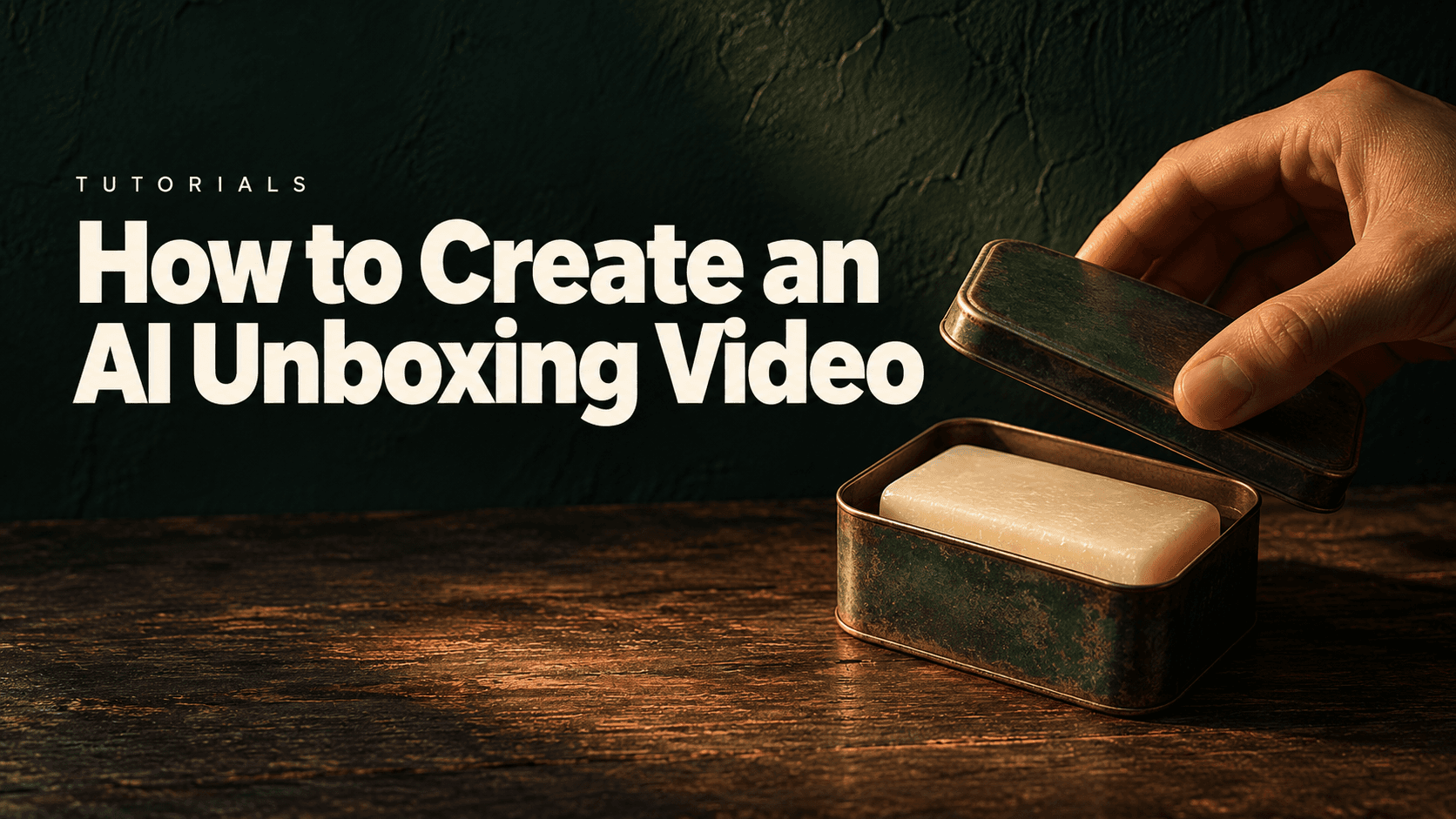
An AI unboxing video needs references for both the closed package and its actual contents. Prepare those states, assign each reference a clear role and generate one opening action at a time. In Astorie, the supplied example used GPT Image 2.5 for the still images and Seedance 2.5 Omni for a five-second shot of a hand removing a soap-tin lid.
The useful first goal is a believable reveal: the hand grips the lid, lifts it clear, places it down and leaves the product visible. A long sequence with seals, inserts, accessories and product use is easier to assess as separate shots after the basic opening passes review.
An AI unboxing video starts with package evidence
Collect the closed pack, an open view, the contents and any insert that the camera will show. If a box contains several accessories, photograph their real arrangement. Do not ask a generator to discover the inside from an exterior image.
The supplied soap reference is particularly helpful because it shows the pink bar inside the metal tin and the illustrated lid detached beside it. This supports a removable-lid action rather than a hinged opening. The manufacturer’s Montmartre collection includes several formats, so keep the specific supplied single-bar reference separate from other gift-set sizes. [1]
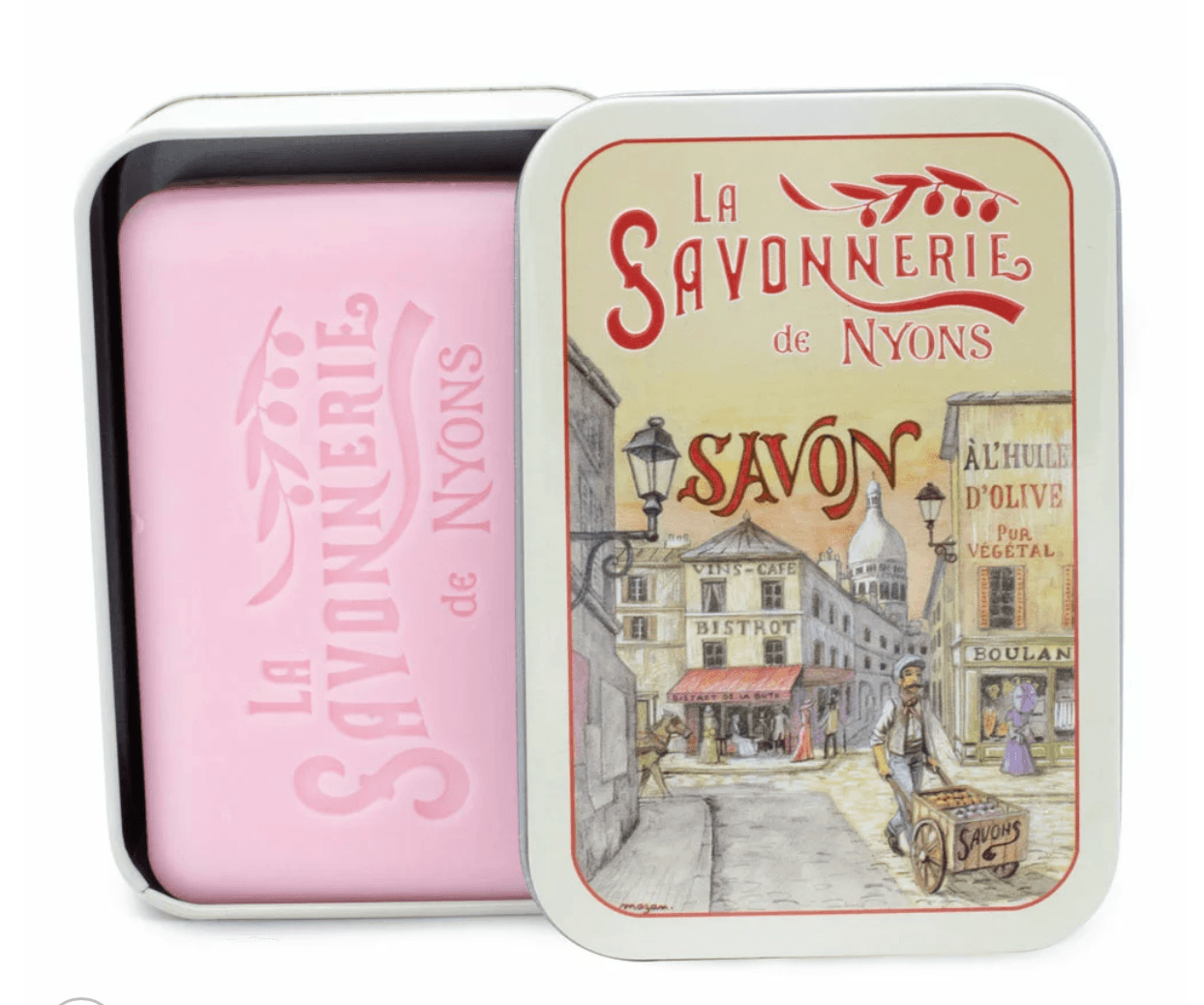
Figure 1. Supplied product reference showing the single pink soap and its detached illustrated lid.
Before generating, list what the reveal must show: one soap bar, the correct tin outline, the same lid artwork, no added insert and a clear gap between lid and base after opening. The source establishes those visible objects; it does not show a shipping carton, tamper seal or tissue wrapping.
Prepare the open and closed states
Create an Astorie project, import the product reference and add an Image node. Select the route labeled GPT Image 2.5, attach the reference and generate the tabletop scene. The supplied still panels show Extra high quality, Auto background, 2K and PNG. [2]
The first open scene, Image-9, placed the soap and lid side by side on linen. It is 2048 × 1536 pixels, a 4:3 image. The prompt opening visible in its screenshot asks for a French vintage soap photograph using the supplied reference.
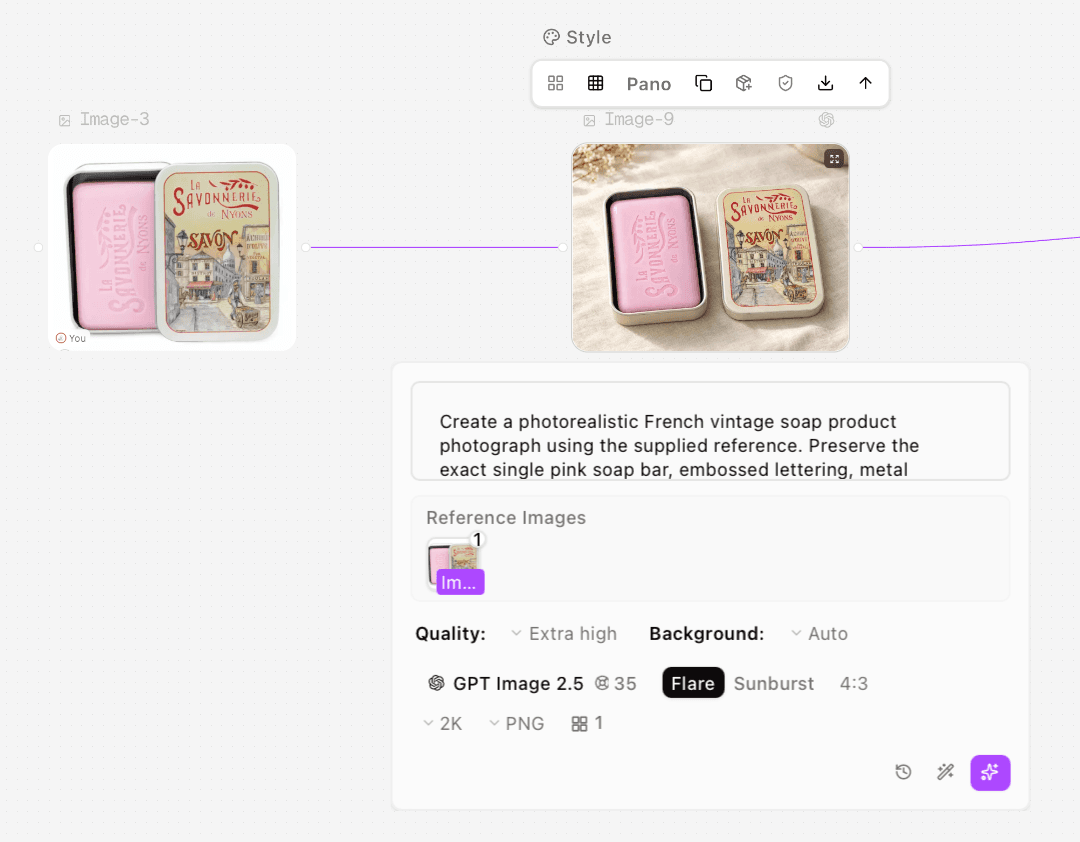
Figure 2. Actual setup for Image-9, with the original soap image connected as a reference.
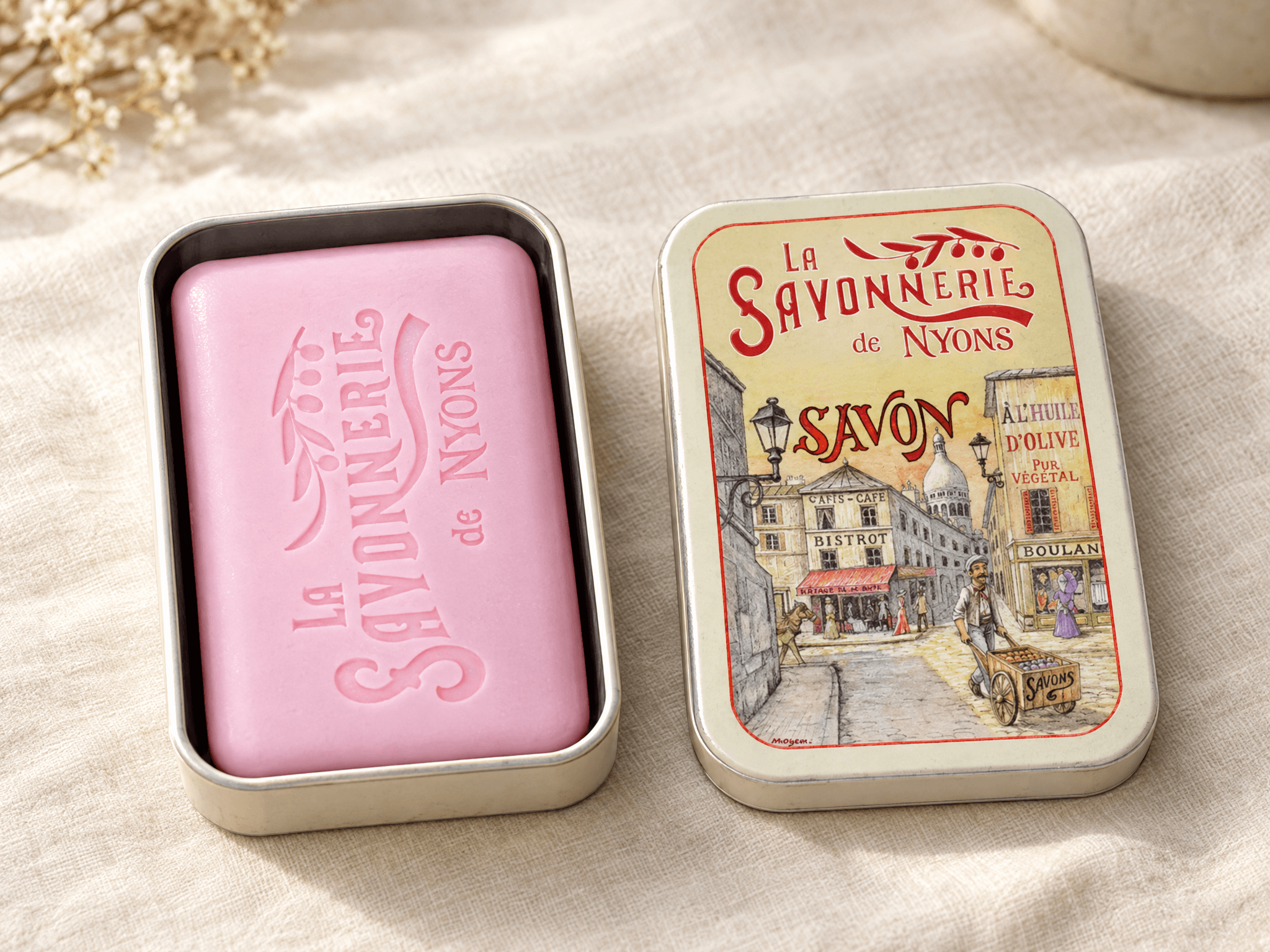
Figure 3. Initial open scene, Image-9. It establishes appearance but does not share the later closed image’s framing.
Image-10 then showed a closed tin in a 2048 × 1152, 16:9 composition. The scene stayed similar, but the tin was recentered and its scale changed. That is a continuity issue if the two images are treated as exact endpoints of a fixed-camera shot.
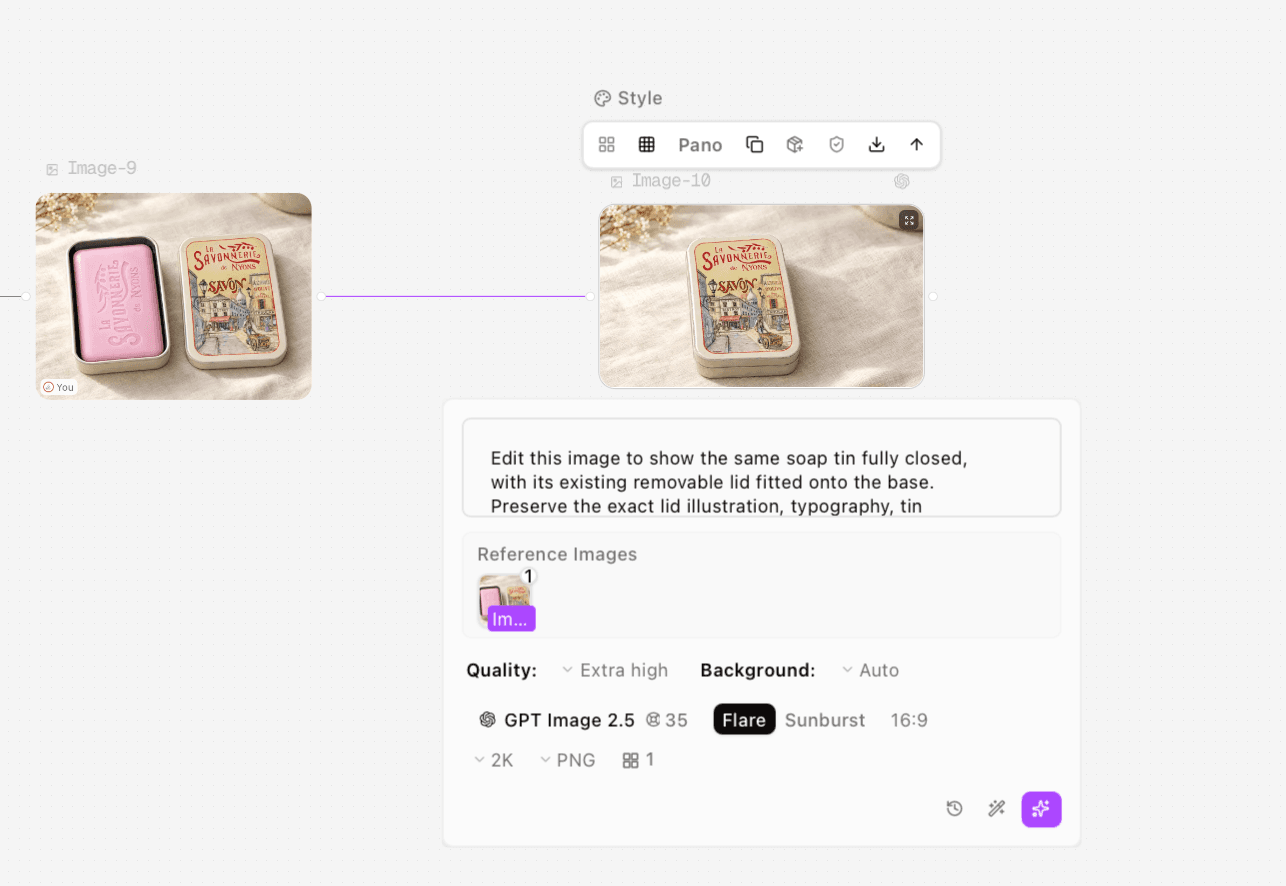
Figure 4. Actual Image-9 to Image-10 edit setup, with 16:9 selected for the closed result.
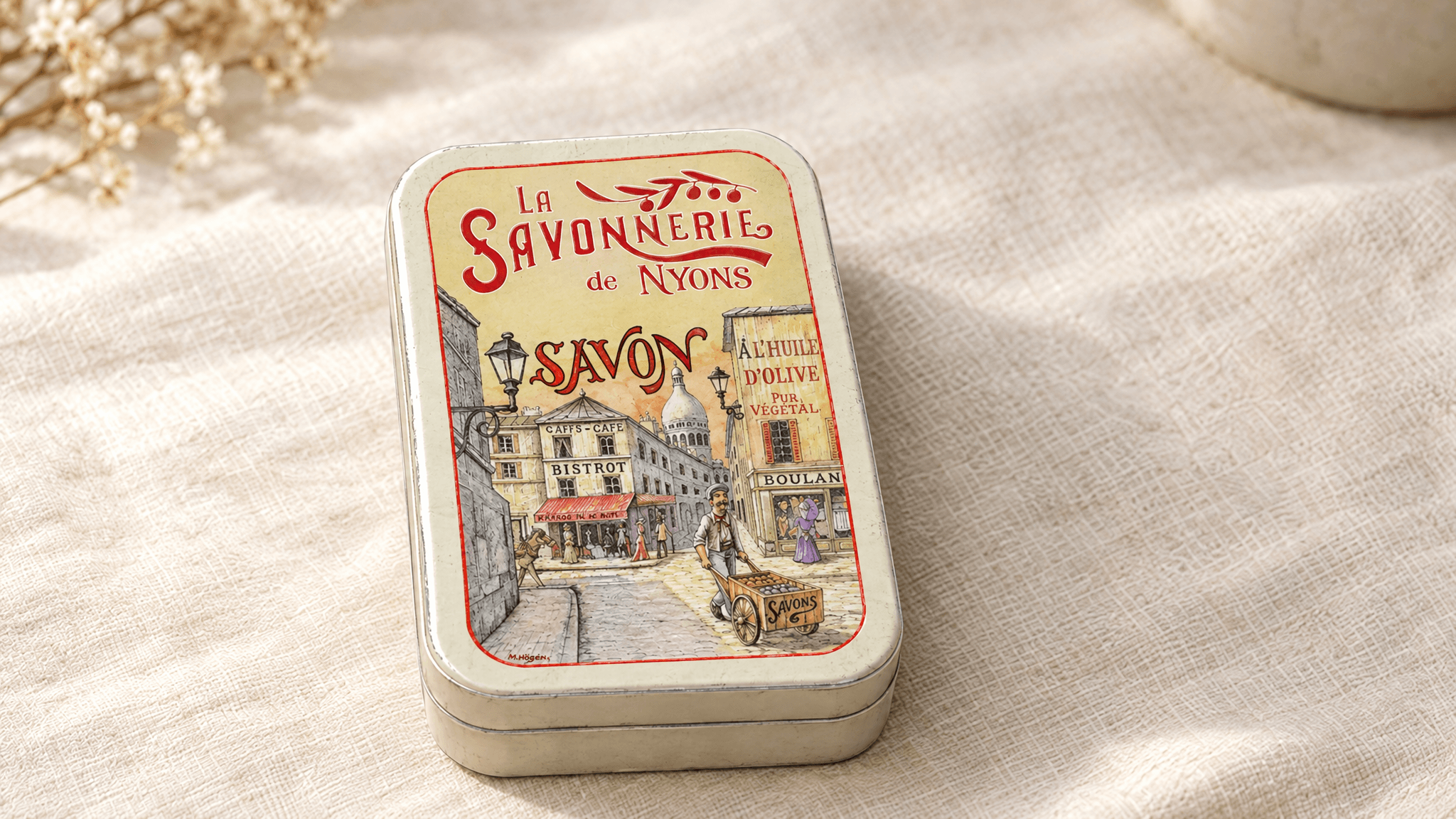
Figure 5. Closed Image-10 became the opening-composition reference for the video.
Keep the canvas ratio, camera view, base position and product scale consistent when preparing paired states. The lid should change position; the base should not jump across the table merely because the package opens. A prompt asking for an unchanged scene still requires a visual comparison of the result.
Match reference order to the written roles
The later Image-12 setup included two references and a brief assigning the first to scene composition and the second to product appearance. In the supplied screenshot, the thumbnails appear in the opposite order: the open product reference is first and the closed scene second. That discrepancy is worth checking before another run.
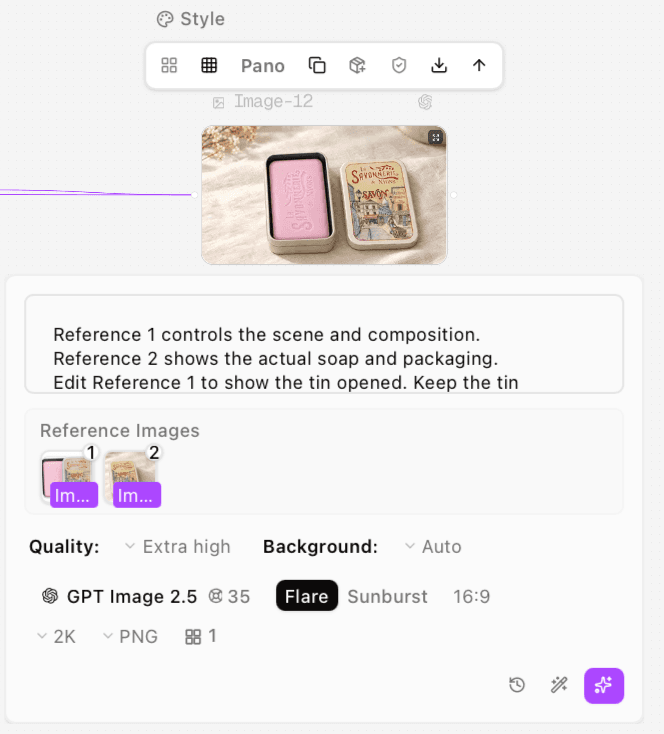
Figure 6. Actual two-reference Image-12 setup. Inspect thumbnail order as well as the role descriptions in the prompt.
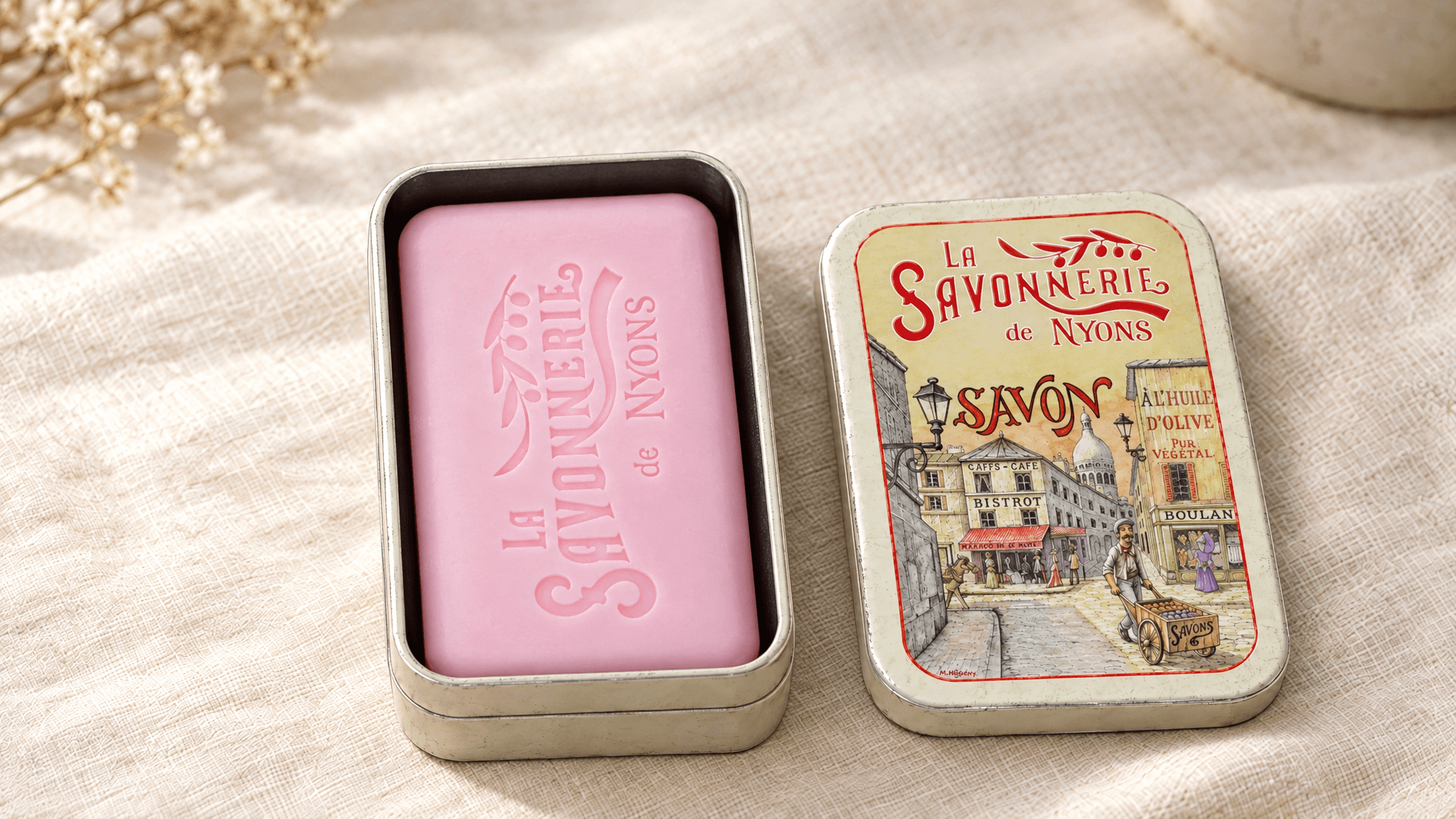
Figure 7. Image-12 supplies the open tin, pink soap and detached-lid appearance for the video.
Image-12 is 16:9 and closer to the closed scene’s presentation, but it still has small position and scale differences. The video therefore used it as appearance guidance rather than claiming an exact fixed ending frame.
For a new paired-state edit, a reusable template is:
Reference 1 controls the scene and composition. Reference 2 shows the actual contents and removable lid.
Show the tin opened. Keep the base at the same position, scale and orientation as Reference 1. Reveal the single pink soap from Reference 2. Place the detached lid face-up on the linen to the right with a clear gap.
Keep the camera, lighting, background and selected ratio unchanged. Do not add hinges, wrapping, inserts, extra soap bars or hands.
This is a template for another run, not a transcript of a fully visible historical prompt. Confirm the reference order in the interface before using its numbered roles.
Generate one opening action in Seedance
Create a Video node and connect the two selected stills. In the supplied video setup, reference 1 is the closed Image-10 and reference 2 is the open Image-12. The former defines the requested opening composition; the latter shows the contents and detached lid. The screenshot shows reference inputs, not a separately configured fixed last-frame control. Astorie documents video inputs and multiple-image reference workflows. [3]
Recorded setting | Supplied opening test |
Platform and route | Astorie, Seedance 2.5 |
Mode and preview tier | Omni, Draft, 480p |
Ratio and selected duration | 16:9, 5 seconds |
Reference 1 | Closed tin, Image-10 |
Reference 2 | Open appearance, Image-12 |
Downloaded video | Video-3, 854 × 480 pixels, 24 fps, approximately 5 seconds |
The panel displays 70 beside a credit icon and a separate 1080p render offer. Those displays do not verify actual deductions, and no higher-resolution render is claimed. Check the current settings and quote before running, then save the output and task record.
The visible prompt opening says: “Reference 1 defines the opening composition: the closed soap tin on ivory linen. Reference 2 shows the pink soap inside and the appearance of the detached lid.” The full timed instruction is not visible in that screenshot.
For a new video, keep the action physically ordered. Hold briefly on the closed pack, let the hand grip the edge, lift the lid clear, move it sideways, place it down and withdraw. Lift before translating so the brief does not invite the lid to slide through the product.
Review the actual opening video
The supplied clip follows that broad sequence. The hand reaches the lid, lifts it clear of the pink soap, places it on the right and withdraws. The soap remains inside the tin. Sampled frames did not show an added hinge or an obvious floating lid; the base has slight positional variation rather than perfect registration.
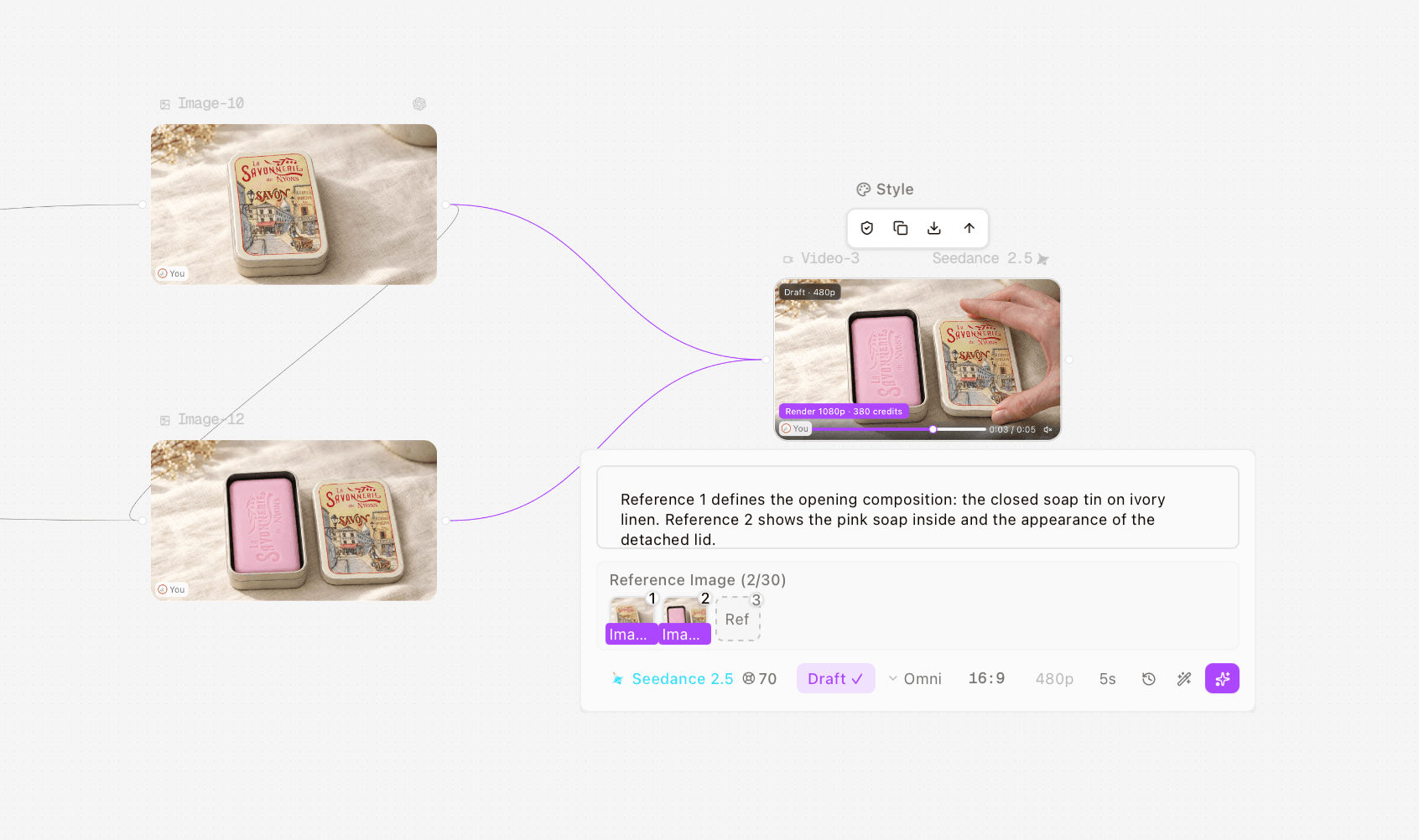
Figure 8. Actual two-reference video setup with the correct closed and open reference order.
The review sampled the start, end and half-second intervals. That supports a narrow observation about this opening shot. It does not establish flawless hand anatomy in every frame, exact reproduction of small printed letters or general reliability across other packages. The 480p file is a draft, and its fine packaging text remains a separate review item.
Moment | What to inspect |
Before contact | The pack is closed and matches the intended opening state |
Grip | Fingers meet the actual lid edge rather than passing through it |
Separation | The lid clears the base and product before moving sideways |
Placement | The hand supports the lid until it touches the surface |
Reveal | Product count, color and arrangement remain consistent |
Ending | The hand leaves and the open product remains visible |
Expand into a complete unboxing sequence
Once the opening works, plan additional shots around the actual package. A closed-pack introduction, an opening action and a product-detail view can form a simple sequence. Add accessory removal or product use only when real references establish those details.
Keep each shot’s purpose clear. A close-up of printed artwork should use a verified pack image. A feature demonstration needs its own action review. This test produced one tin-opening shot; it did not verify a multi-shot edit, product removal, soap use or spoken endorsement.
Download the original MP4 through the completed node, inspect its specifications and watch it outside the preview. Listen before publishing and make any music, voice or caption decisions in the finishing workflow. Audio was not auditioned for this case, so no judgment about sound quality is made.
If a draft fails, simplify the action rather than adding more scene changes. For a hinged lid, supply the real hinge reference. For a removable lid, keep the lift and placement explicit. If the contents change, return to the actual open-pack photograph. Suggested repairs should be recorded as suggestions until a new result demonstrates them.
The Astorie product video page covers the general generation route. The video reference guide provides adjacent input guidance. This tutorial adds the package-state and hand-contact checks specific to unboxing.
FAQS
Is a closed-pack photo enough
It establishes the exterior, not the contents. Add an open-pack reference when the generated reveal needs to represent a specific product.
Do I need a fixed ending frame
Not for the supplied appearance-reference approach. If you choose an endpoint-constrained mode, prepare aligned states and verify the controls actually selected. Two reference thumbnails alone do not prove a hard ending-frame configuration.
Can I request the entire unboxing in one generation
You can write that brief, but separate shots make complex seals, inserts, accessory removal and use easier to inspect. This case tested only one simple lid-opening action.
Is the supplied clip ready for any campaign
No universal publication decision follows. It is a useful visual draft for this tin; fine print, final resolution, audio and delivery requirements still need the campaign’s own review.
Ready to try it on the canvas?
Open Astorie and fan your prompt across every frontier model in one workflow.